-
Getting on the 9 train, or not
nwleee_a52bfead84 said:
I got on the 9 train, but I think I want to get off at the next stop.
As others have mentioned, there are a few things that seem like a step back from G8/8.1
But one of the biggest turn-offs for me is G9's breasts (female). They seem to point unnatrually outward (like the reverse of cross-eyed), I can't seem to improve the shapes to make them look more "normal", even though I have several morph packages for G9.
Anyway, I'm not really here to complain about that, I'm just wondering if anyone else has an issue with this?Yes.
200 Plus Head and Face morphs for Genesis 8 (Commercial)Is there any chance that 200 Plus Head and Face Morph be released for Genesis 9 figures? Thanks in advance.
Getting on the 9 train, or notnwleee_a52bfead84 said:
I got on the 9 train, but I think I want to get off at the next stop.
As others have mentioned, there are a few things that seem like a step back from G8/8.1
But one of the biggest turn-offs for me is G9's breasts (female). They seem to point unnatrually outward (like the reverse of cross-eyed), I can't seem to improve the shapes to make them look more "normal", even though I have several morph packages for G9.
Anyway, I'm not really here to complain about that, I'm just wondering if anyone else has an issue with this?Make sure you are using the feminine and not the masculine torso material set.
Genesis 9 clothing questions & answersMada said:
Its the video by Josh Darling yes - use the transfer utility, not autofit - there's a script called create follower in dev tools that should do that quickly and fast.. Since the shape should be set to G8 female already it should give you a good fit that you can then dial back to the base shape. I'm in the middle of a render so can't take screen shots right now
In following the Josh Darling video, when I clicked on Create Follower in the Dev Utilities, it complained that the item was already rigged. It is a G8F item that I am trying to refit to G8B, so of course it is already rigged to G8F. I tried using the Transfer Utility instead, but I wasn't sure what settings to use. Do I use G9 Current Shape an reverse shape from follower? I don't know.
So I finally stumbled upon something that worked, but I'm sure it is not the most straightforward approach. I exported the G8F garment as an unrigged OBJ and brought that back in to DS to process with Josh's instructions. Then I exported the result after Josh's instructions as another OBJ. At this point I am confused about the next steps I did. (I'm getting too old for all this.
 ) I think I autofit the original G8F dress to G9B and used the second OBJ to update base geometry. Anyway, I finally got something the doesn't have those artifacts. But I did have to apply a bunch of smoothing during the Josh Darling steps, as he did in the video. I imagine if I had done the same thing to my original autofit, it might have had the same result.
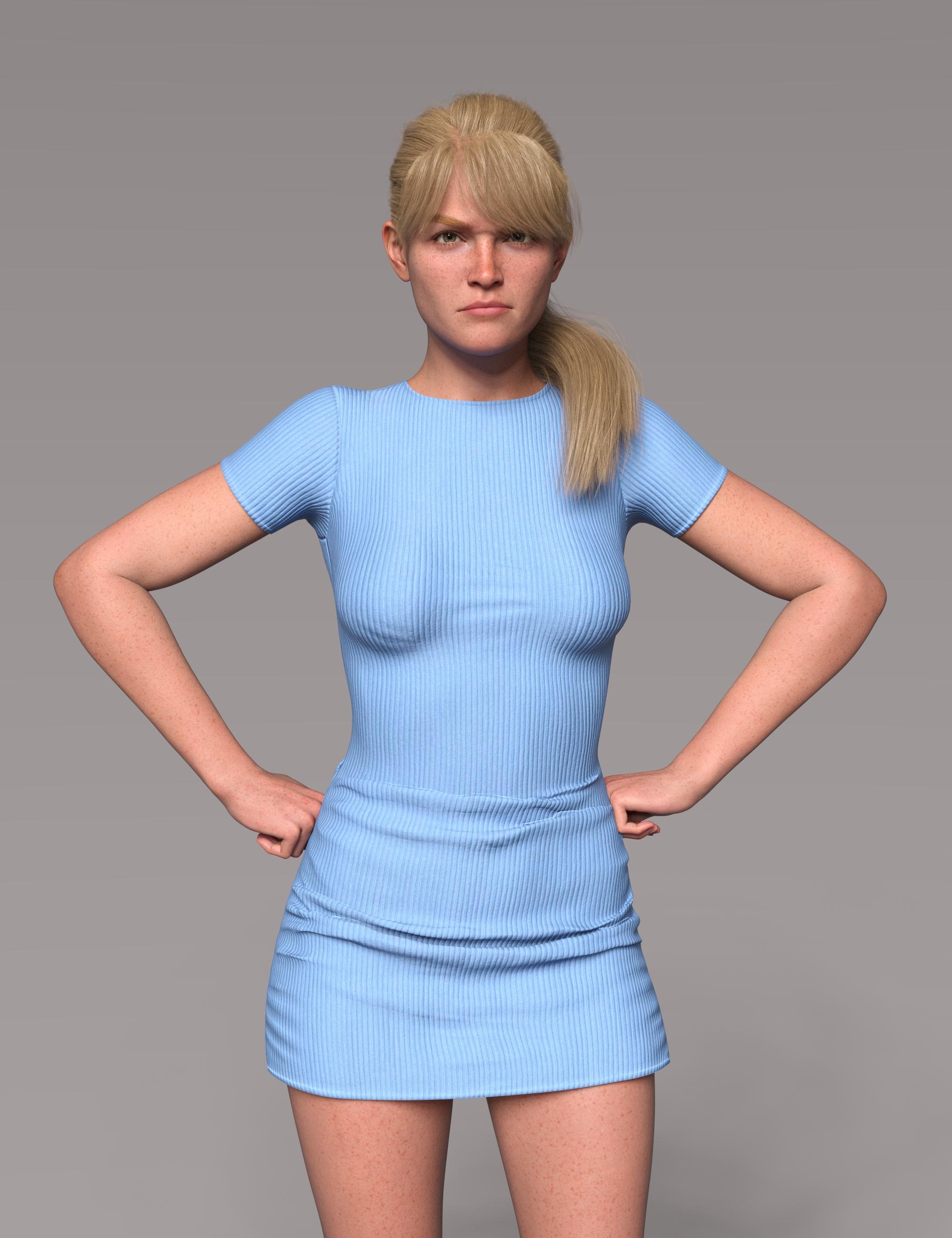
So, I'm not sure I could ever repeat this! But I won't give up. Victoria 9 wants to know why this is so hard! Mad props to you Mada, for all the skills you have and the wonderful clothes you produce!
 Genesis 9 clothing questions & answers
Its the video by Josh Darling yes - use the transfer utility, not autofit - there's a script called create follower in dev tools that should do that quickly and fast.. Since the shape should be set to G8 female already it should give you a good fit that you can then dial back to the base shape. I'm in the middle of a render so can't take screen shots right now
Clothing not fitting after morphDaz Studio comes with a collection of "content creation tools" ... all those morph dials, etc. that come with the products we buy here were created by the PAs. We also can create a lot of things either for our own models [made from scratch] or as additional perks for the items we have purchased.
In my DA Gallery I have a Tutorials folder which has includes one called "Making Replacement Full Body Morphs"
https://www.deviantart.com/catherine3678ab/gallery/74400506/tutorials
As what you've shown is all one piece, then if you are using Hexagon, I would recommend making and saving several little morphs - and then combining all of them into one Full Body Morph for the character figure. {this is for reasons concerning the limits of Hexagon - if using Zbrush or similar, then hopefully you could do it all in one session.} As you mention that the 'smoothing modifier' almost corrects most of the issues, then certainly use that first so that there would be less work to do in a modeller if you want to try making a morph.
About renaming the dials - the tutorial on Making pJCMs for Clothing in Daz Studio covers that.
Renaming a generated morph as I mentioned, is okay as is. However if the generated morph was saved, then the renamed morph also has to be re-saved and then manually deleted from the data folders when D/S is closed.
Getting on the 9 train, or notI got on the 9 train, but I think I want to get off at the next stop.
As others have mentioned, there are a few things that seem like a step back from G8/8.1
But one of the biggest turn-offs for me is G9's breasts (female). They seem to point unnatrually outward (like the reverse of cross-eyed), I can't seem to improve the shapes to make them look more "normal", even though I have several morph packages for G9.
Anyway, I'm not really here to complain about that, I'm just wondering if anyone else has an issue with this?face-desk-damage furniture / FXThe title may not be my best invention, yet it does reflect my initial angle at the matter.
Basically we're actually at: *Breakable furniture*
Initial context:
- Breaking a table in two parts, rather comic.
- Think of the literal face-desk comic part.
- Also think of brute or viking contexts.
- Could have shape morph for non-breaking action.
- May have props for the remaining bits and pieces.
- Think at least of a typical work desk or nerd desk, and perhaps a generic wooden table for the viking/western/whatever context.
Extending on this, looking back at various western saloon content...
- Western saloon equipment including chairs (bottles? pianos? stagecoaches?).
- Boards and bricks and other for martial arts demonstrations (and furniture...).
- Wooden fences could be useful (kicking it in, explosion, drive car through, ...).
- Convenience: script that replaces a morph by individual pieces, to allow continuing with a physics simulation, or just for efficiency.
- (Haven't tested recent physics engine, but an object standard would be interesting, that all physics plugins/scripts could refer to, like adding speed and rotation parameters to objects, setting global friction. That may be more far to walk, though. From there... presets!)
- (...)
Apparently there may be furniture, where you could hide parts, or edit it, so you could manually do some stuff. However a streamlined product would save a lot of time.
Parameters Sub Directory Creation SavingRichard Haseltine said:
Why is using a character preset not acceptable? You just load that instead of the Genesis # Base figure, and apply any character preset (or shaping and materials presets) you want to that (the sliders are, as far as I know, organised only when loading the preset to load a new figure - using it to modify an existing figure won't change them). The advantage of this over Mattymanx's method is that it will survive a product update, since the new character preset isn't part of a product (other than Local user).
so from what I understand you are saying I can do this organization save this character preset and say if I buy a new genesis 8 morph it will still show up under my current new character preset? that doesn't sounds to bad and say if I update this character preset I can just override the old one when updating it if I need to organize new morphs. ill give it a shot and see
Clothing not fitting after morphcaraTRON.7263 said:
lorraineopua said:
Have you tried an smoothing modifier? Or if it has one, upping the collision amount? That's usually my first go-to.
It does not appear to have a collision amount, but applying a smoothing modifier (which I did not previously know about) almost fixes it. There's still a few tiny collisions, but I might now be able to get it to look right from any given angle by tweaking the scaling.
On the subject of said tweaking, I tried just now to adjust the translation of the clothing item, and it doesn't do anything at all, even when I unparent it. Why is that?
Parenting is an optional feature, the bit that matters is fitting (Fit to in the Parameters pane with the clothing selected). As long as the item is fitted it is locked to the base figure's pose.
@Catherine3678ab, what you said may not be necessary, but in the interest of learning, I'll ask about it since I didn't understand most of it.
Catherine3678ab said:
I hope that outfit is actually more than one piece. {I don't own either the character or this clothing set}
The outfit has multiple pieces, but what you're looking at is just one piece, the main one.
Yes, it should be able to be made to fit but it will require a little work, called morphs.
I thought a "morph" was a slider that changes the shape of something, like a Face Transfer slider or "Arms Length," "Nose Size" etc. What are you actually referring to?
You can create morphs for any kind of shape chnage, including those that will help with fitting. You can often make minor adjustments inside Daz Studio - select the clothing, Create>New dForm, move the Field that is added by tthis until the vertices (points) in the affect area highlight, and then move the dForm itself (parent to the dForm's base) to pull the mesh around.
In Notepad, copy/paste the names of whichever generated morphs are made by D/S into the clothing when the character morph was dialed into the figure.
If you mean something analogous the the sliders I mentioned above for a figure, then I have two questions about this. One, I don't know how to see that for a clothing item. And two, if whatever you're talking about can also be used to see what body modifications have been made to a figure when using a preset without having to check each one manually, then I would definitely like to know how to do that.
If you're talking about something else, then again I don't know what you mean.
If the clothing can be loaded one piece at a time, work with one piece at a time - whether you use Hexagon, or dFormers, or other means - make the one item to look correct, target figure AND clothing piece to be at BASE Resolution, no geografts attached.
Apart from the fact that what I showed above isn't multiple pieces, I have no idea how to do what you just said; and if I did, I probably wouldn't have asked the question in the manner that I did. I said that the only things I knew to do about this were AutoFit and adjusting the scale (and now, what lorraineopua said). You said "make the item look correct"; and that would be great, but how?
Clothing not fitting after morphlorraineopua said:
Have you tried an smoothing modifier? Or if it has one, upping the collision amount? That's usually my first go-to.
It does not appear to have a collision amount, but applying a smoothing modifier (which I did not previously know about) almost fixes it. There's still a few tiny collisions, but I might now be able to get it to look right from any given angle by tweaking the scaling.
On the subject of said tweaking, I tried just now to adjust the translation of the clothing item, and it doesn't do anything at all, even when I unparent it. Why is that?
@Catherine3678ab, what you said may not be necessary, but in the interest of learning, I'll ask about it since I didn't understand most of it.
Catherine3678ab said:
I hope that outfit is actually more than one piece. {I don't own either the character or this clothing set}
The outfit has multiple pieces, but what you're looking at is just one piece, the main one.
Yes, it should be able to be made to fit but it will require a little work, called morphs.
I thought a "morph" was a slider that changes the shape of something, like a Face Transfer slider or "Arms Length," "Nose Size" etc. What are you actually referring to?
In Notepad, copy/paste the names of whichever generated morphs are made by D/S into the clothing when the character morph was dialed into the figure.
If you mean something analogous the the sliders I mentioned above for a figure, then I have two questions about this. One, I don't know how to see that for a clothing item. And two, if whatever you're talking about can also be used to see what body modifications have been made to a figure when using a preset without having to check each one manually, then I would definitely like to know how to do that.
If you're talking about something else, then again I don't know what you mean.
If the clothing can be loaded one piece at a time, work with one piece at a time - whether you use Hexagon, or dFormers, or other means - make the one item to look correct, target figure AND clothing piece to be at BASE Resolution, no geografts attached.
Apart from the fact that what I showed above isn't multiple pieces, I have no idea how to do what you just said; and if I did, I probably wouldn't have asked the question in the manner that I did. I said that the only things I knew to do about this were AutoFit and adjusting the scale (and now, what lorraineopua said). You said "make the item look correct"; and that would be great, but how?
Testing hair with Diffeomorphic 1.6.2 and problems with hair shine@Padone regarding the pose issue it seems for the pose to be imported without the character being returned to world orgin all I needed to do was set the Object Transformations Affect to NONE.
*Facepalm*
So that's all good now. So I guess only the scanned database G3F morph issue is my only problem left.Toonish for G9 (Free full Character)vrba79 said:
I think something was packaged right. The morph does not show up.
So I looked at it, the orignal file had some files that where not needed for the character, also some duplicate files.
Those have been removed, the character itself should have all the files needed to load however.
Update found the error it was the Genesis 9 was not under the DAZ 3D folder
Fit Control for Genesis 8 (Commercial)i'm having a deuce of a time making Fit Control work with fit control for gen 8 since i upgraded to daz 4.21 recently.
it's similar to how i had problems before: i'd seclect g8.1f, run the script to transfer morphs, transfer completes and then when i click the button to acknowledge action, DAZ shuts dowon.
issue does not appear to happen with g8f however.
i redownloaded from DAZ and issue still happends when working with g8f.1 and i'm stumped.
pic and log file included.Genesis 9 clothing questions & answersRigidity afects morph projection, it has no effect on joint modifiers - though if theer is a JCM (Joint Controlled Morph) kicking in that would be affected by the Rigidity. You should make sure that the joint weights of the strap are the same as the ring, and if need be add a custom morph to the belt to match the JCM that is not being projected into the ring.
Creating a single morph slider from multiple shape changesGreetings,
I am trying to make a basic animation to import into UE5.1 for an idle animation. The issue I am having is that all of the changes are SHAPE changes, not morph changes. So the FBX export doesn't 'see' those changes and incorporate them into the FBX animation.
My thought is that If I turned these shape changes into a morph, I could export that and use UE5.1's Animation/Sequencer to create the animation right in UE5...
Is there a Tutorial someplace that explains how to do that? I am not looking at changing anything else within the model, just these basic shapes (Revolves around breathing, so Chest depth, ribcage size and etcetera.)
Any help on this would be great.
Thanks,
V
Testing hair with Diffeomorphic 1.6.2 and problems with hair shine@camilo OK so found this a while back and forgot about it, it's basically a reduced version of the standard diffeo setup. Still playing around with it but got a bit of sheen on an OOT hair.. Probably should do some more tweaking like deleting a few random stands and probably adjusting the transparency max bounces and some of nodes values a bit but it does the trick a lil I suppose. Should work wonders on non OOT hairs or hairs that are brighter coloured.
@Padone Thank you, was contemplating making a bitbuct acc to make reports. My only other bug is I can't scan the morph database for the genesis 3 female morphs. I can scan for the others just fine but when I scan for G3F it starts and then at some point it just gets stopped I suppose it might be some morph or something but I'm no expert. Sorry I know this isn't the thread for this just thought I might point this one out as well while I was at it.
[Released] Turbo Loader for Genesis 8 and 8.1 [Commercial]Cantraps said:
RiverSoftArt said:
Cantraps said:
I'm getting an error when I try and load Turbo Loader Manager for G8 female and create the morph list for the first time (1.2):
2022-12-04 09:24:59.702 [WARNING] :: Script Error: Line 124
2022-12-04 09:24:59.702 [WARNING] :: RangeError: Maximum call stack size exceeded.
2022-12-04 09:24:59.702 [WARNING] :: Stack Trace: <anonymous>()@F:/My Library/data/RiverSoft Art/Common/RS2022HelperFunctions.dse:124
Daz just closes during the inspection.
Seems to work fine for my male morphs, but maybe I have too many female morphs for the programme to manage?
That line of code has to do with getting the files in your morphs directory. There is a known bug where if there are symbolic links that point back into the same directory structure, you will get an infinite loop that would eventually does this. Look for some symbolic links and delete them.
That got it, thanks.
Awesome! I am glad it worked for you.
I do have a fix in the pipeline but it is not there yet.
[Released] Turbo Loader for Genesis 8 and 8.1 [Commercial]RiverSoftArt said:
Cantraps said:
I'm getting an error when I try and load Turbo Loader Manager for G8 female and create the morph list for the first time (1.2):
2022-12-04 09:24:59.702 [WARNING] :: Script Error: Line 124
2022-12-04 09:24:59.702 [WARNING] :: RangeError: Maximum call stack size exceeded.
2022-12-04 09:24:59.702 [WARNING] :: Stack Trace: <anonymous>()@F:/My Library/data/RiverSoft Art/Common/RS2022HelperFunctions.dse:124
Daz just closes during the inspection.
Seems to work fine for my male morphs, but maybe I have too many female morphs for the programme to manage?
That line of code has to do with getting the files in your morphs directory. There is a known bug where if there are symbolic links that point back into the same directory structure, you will get an infinite loop that would eventually does this. Look for some symbolic links and delete them.
That got it, thanks.
[Released] Turbo Loader for Genesis 8 and 8.1 [Commercial]Cantraps said:
I'm getting an error when I try and load Turbo Loader Manager for G8 female and create the morph list for the first time (1.2):
2022-12-04 09:24:59.702 [WARNING] :: Script Error: Line 124
2022-12-04 09:24:59.702 [WARNING] :: RangeError: Maximum call stack size exceeded.
2022-12-04 09:24:59.702 [WARNING] :: Stack Trace: <anonymous>()@F:/My Library/data/RiverSoft Art/Common/RS2022HelperFunctions.dse:124
Daz just closes during the inspection.
Seems to work fine for my male morphs, but maybe I have too many female morphs for the programme to manage?
That line of code has to do with getting the files in your morphs directory. There is a known bug where if there are symbolic links that point back into the same directory structure, you will get an infinite loop that would eventually does this. Look for some symbolic links and delete them.
Daz 3D is part of

Connect
DAZ Productions, Inc.
7533 S Center View Ct #4664
West Jordan, UT 84084Licensing Agreement | Terms of Service | Privacy Policy | EULA
© 2026 Daz Productions Inc. All Rights Reserved.