-
Problems with GHenesis Essentials 1 + 2
Hello.
I have a little Problem with the Genesis and the Genesis 2 Files.
I bouth myself the Rat Man for Genesis 1. The Problem is the Morph Targets that are supported in the Mesh are not Usefull for me.
I have Victoria 7 and the Morphtargets for her and they aere a little handier.
If i export the rat man from Daz Studio to Cinema 4d there are only the teeth Fixed to the Bone and the Mouth itself is Blank. The Teeth are coming out of the Face if i translate the Jawbone.
There arent many creatures for the Genesios 2 or 3 Mesh. The Morphs are the standard morphs from the Genesis Base. I wonder why.
Are there any addons for the Genesis Essentials 1 that i can move the Jaw with the whole mouth ?
I cannot handle the search engine on the Daz site. The Files are hard to find.
I hope someone has an idea.
Celeste for Genesis 8 Femaleoh. it isnt a LIE tatt?
Can you please explain what that is ?
for Victoria 8 they applying make up via the 'Layered Image Editor',
instead of directly on the skin jpg.If the vendor used a merchant resource skin, there is a requirement that the skin must be altered. Could be the reason for not giving an untatted skin.
Whoever runs the daz3d sales might want to consideryeah we may sound like cheap skates
And I'd NEVER CALL ANYONE CHEAP. Frugal, maybe. lol
This is an expensive hobby/endeavor/interest. Or it can become costly very easily.
I say to most- stay in your lane. That is not an insult.
If you are a light user, then what's the need?
You want a western town? If you just got an urge for a western town set, buy the buildings for $1.99 and build the background for your render.
Stonemason has an incredible town set. Does EVERYONE need that? No.
But if I'm doing commercial work or have been here long enough, I might want a fresh look.
So I get the newest release.
Same for dresses, shoes, cars...people...sets...poses....Generations of Victoria.
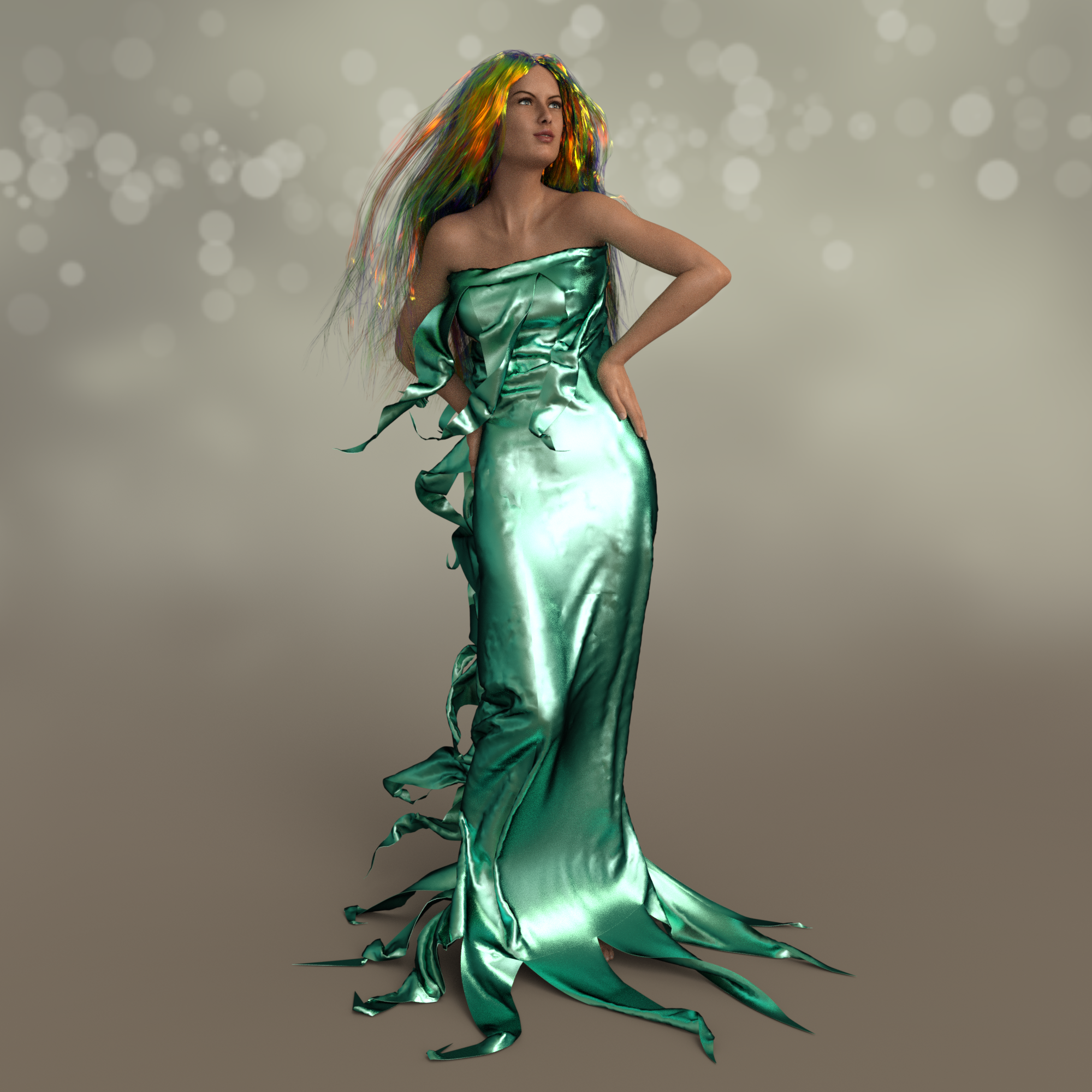
Novica & Forum Members Tips & Product Reviews Pt 9My internet is super slow right now, but here's a quick look at Will's new Iridescent Shaders for Iray. I'm just playing with the presets now, but looking at the what it does in the surfaces tab, the possibilities seem pretty endless. They render fast too. I stopped this early because I was too excited to share, so it's a little grainy.
Here's the Aqua Lame preset on Jepe's Wondersheetz II and the Iridescent Hair Preset on Free Spirit Hair. No postwork. I used Fabiana's Theory of Zen Moods HDR and Lights (Rendo). The soft light really compliments his shiny shaders well. (Click for much bigger pic.)
 Llynara's Loony Bin (WIP Thread)
Congrats to Will finally becoming a PA. His shader set is amazing. I'm just playing with the presets now, but looking at the what it does in the surfaces tab, the possibilities seem endless. They render fast too. I stopped this early because I was too excited to share, so it's a little grainy.
Here's the Aqua Lame preset on Jepe's Wondersheetz II and the Iridescent Hair Preset on Free Spirit Hair. No postwork. I used Fabiana's Theory of Zen Moods HDR and Lights (Rendo). The soft light really compliments his shiny shaders well. (Click for much bigger pic.)
Iridescent Shaders for Iray [Commercial]Wow, Will! These shaders are fantastic! I'm just playing with the presets now, but looking at the what it does it the surfaces tab, the possibilities look pretty endless. They render pretty fast too. I stopped this early because I was too excited to share, so it's a little grainy.
Here's the Aqua Lame preset on Jepe's Wondersheetz II and the Iridescent Hair Preset on Free Spirit Hair. No postwork. I used Fabiana's Theory of Zen Moods HDR and Lights. The soft light really compliments your shiny shaders well. (Click for much bigger pic.)
* closed* RRRR The're ba....ack! Render contesttag: luci45 #6
Are You Simian?
Max Crowder's (former) pet ape Arfalio became a resident on Planet Frungda. His former owners moved on to another planet where other humans lived. Although there were many species on the planet, Arfalio was disappointed to learn that, despite appearances, there were no other simians of any kind to be found.Used:
Old West Bath House
Dark Passion for Genesis 2 Female(s)
Victoria 4.2 Bodysuit Expansion Pack
Uniform Dress for Genesis 3 Female(s) (LB)
Tangien Portico (LB)
New Colony (LB)
Lawn Ornaments (LB)Also Used
Genesis Gorilla
GIS Emperor for Genesis 2 Male(s)
Time Keepers
Gothique for Dark Passion
Chace hair
Creature Creator G2F
Alien Plants
Lornezo and Loretta LoRez
200 Plus Head and Face Morphs for Genesis 8 Female(s)
Growing Up for Genesis 8 Female(s)
Spicy Fusion for 200 Plus for Genesis 8 Femal
Various Morphs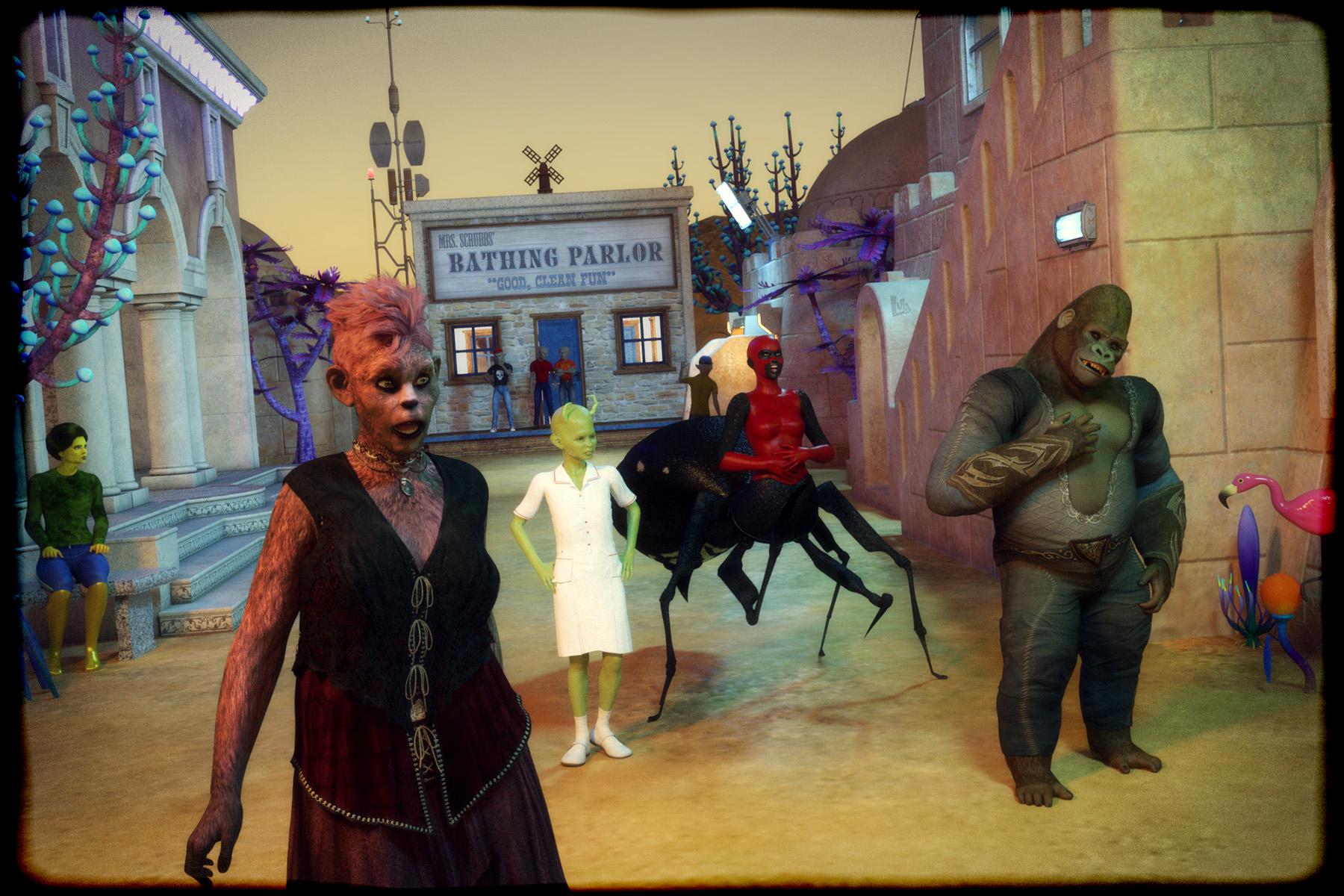 Not To Worry, Friend, "There's Always Another Sale™"
Right now I see a 60% discount on feature artist catalogs. That can't be right? Should be 64%
Reported
JWolf's Weapon Poses are showing in the sale catalog, but aren't discounted.
Reported
Fixed, fixed as far as I can tell.
How to render like this?I think it was Girl Next Door 2. Athletic which I think is for Victoria 3
Not To Worry, Friend, "There's Always Another Sale™"Right now I see a 60% discount on feature artist catalogs. That can't be right? Should be 64%
Reported
JWolf's Weapon Poses are showing in the sale catalog, but aren't discounted.
Reported
Adding geoshell causes IRay viewport render infinite loop?I put a ticket in on this, and after a week got the following reply:
Hi Rich,I had our QA Team take a look at this and they advised that you need to apply the GeoShell to Victoria 7. This will also apply a GeoShell to the anatomical elements and this should work correctly for you.Thank you,
EmmaleeSo, basically, it's a "don't do that" without any explanation as to why it fails.
Not To Worry, Friend, "There's Always Another Sale™"JWolf's Weapon Poses are showing in the sale catalog, but aren't discounted.
already has all the older StephaniesI got a 20% off pro bundle offer last week for owning one of the older pro bundles.
So did I -- except that I own all of the older Pro bundles. I got the same 20% discount on Victoria 8 and Michael 8, too.
Paris of the Belle EpochFor clothing Vintage Rose, Edwardian accessories and the Grantham Hall Suit, and their numerous add-ons should fit the bill.
ETA: Also Victoria Iven and add-ons
G8 Male Beta carrara preset up - freestuffStephanie 8 Adeliade with Mistys G8F

nice.
how's her left toes?
is she doing the left toes distortion thing like Victoria 8?No distortion seen.

Thanks.
 Older creatrue creation kit item not loading properly
I tried that and it almost works. The heads of the snakes are warped and mangled and restoring pose hides them apparently. When I turn their heads, the don't move all the way and when I mobe Victoria 4.2's head, it moves all the snake's heads along with it. Do I have to alter the limits or is there another step? Perhaps alter it in a 3rd-party program?
G8 Male Beta carrara preset up - freestuffStephanie 8 Adeliade with Mistys G8F
nice.
how's her left toes?
is she doing the left toes distortion thing like Victoria 8?No distortion seen.
How to render like this?I'm trying to achieve renders that looks like this:
(Credit: Blackhearted)
I'm trying to achieve renders that can really accentuate the form like above, rather than being too smooth. The way the bones and muscle forms are really clearly defined like that.
When I render I often get results that looks way too smooth.
What's the key to getting this look? The shader, light setup?
I'm using Victoria 8 model and rendering with Arnold 5 in Maya 2018, btw
(Removed for nudity. Please review Acceptable Ways of Handling Nudity ~Mod)
Do I actually need a certain figure to use HD morphs?Yes, but you also have Victoria 7 right? I think you need the figure the HD was designed for in order for it to work (even on other figures).
You do not need the base figure for the HD details to work. There won't be any base morphs, it will just be the fine details. In many cases, these can look *really* odd without the base morphs. Oftentimes they are designed to go with the specific materials of a character as well (for example, my own Cillian has two HD morphs for scars with materials that go with them-- you can use the morphs without the mats, but it'll look really weird). If you look at the HD morphs on a character's fingers, they will often be designed specifically to coincide with the wrinkles on the maps. One thing you could do, for example, is dial in Victoria's base shape, but then use Olympia's mats and HD morphs.
I actually did something similar to what you described; I dialed in Tween Julie and used the Victoria 7 HD morphs and the material presents from Growing Up in several images I've posted here in the forums in the last 24 hours.
Do I actually need a certain figure to use HD morphs?Yes, but you also have Victoria 7 right? I think you need the figure the HD was designed for in order for it to work (even on other figures).
You do not need the base figure for the HD details to work. There won't be any base morphs, it will just be the fine details. In many cases, these can look *really* odd without the base morphs. Oftentimes they are designed to go with the specific materials of a character as well (for example, my own Cillian has two HD morphs for scars with materials that go with them-- you can use the morphs without the mats, but it'll look really weird). If you look at the HD morphs on a character's fingers, they will often be designed specifically to coincide with the wrinkles on the maps. One thing you could do, for example, is dial in Victoria's base shape, but then use Olympia's mats and HD morphs.
Daz 3D is part of

Connect
DAZ Productions, Inc.
7533 S Center View Ct #4664
West Jordan, UT 84084Licensing Agreement | Terms of Service | Privacy Policy | EULA
© 2026 Daz Productions Inc. All Rights Reserved.