-
sunglasses on face deform
It's about FBM, but should work the same with FHM and in this video, Jay Versluis is explaining how to get the name of the morph you'll replace:
He is using Zbrush but you should not need it, so to know what kind of option you have to select in Morph Loader Pro in Daz Studio, I think it should be around 9min50 here:
Edit: another short video on the subject of creating FBM for clothes, by Mada:
 Looking for Bifid Nasal Tip for genesis 9
hello,
i am looking for a morph for Bifid Nasal Tip , do you know any package having that morph?
thanks
Workflow for making static clothing mesh poseable?When you have your properly shaped OBJ, run the Transfer Utility and select the most appropriate template.
Mapping custom UVs to Genesis 9So, just for fun I launched a brand new scene, loaded G9 again, and reapplied my morph from Wrap. I then again replaced the standard texture maps with the ones generated from Wrap and, lo and behold, it worked perfectly. No scaling issue.
And no clue why.
Anyway, thanks again for all the help with this. If nothing else, I've learned a bunch of stuff, not least of which is how great this community is. Cheers!
Workflow for making static clothing mesh poseable?I think I already know the basic process for taking a static OBJ or FBX clothing mesh and making it posable in DAZ Studio (basically make it fit a figure in a T/A pose, transfer weights, then pose and identify stretching areas, turn active corrective morphs to 1.00, then fix in Zbrush or elsewhere and adjust weight maps where necessary), but could someone direct me to a more concise and accurate workflow though, especially for a Genesis 9 figure? Thank you very much.
How to use a G8F head morph for G8M bodyAs title says, I want to use some G8F head morphs for G8M body. Is it possible? If so, how can I do that?
I know there are discussions converting G8F morphs to G8M. But I am not sure those procedures work for head morphs. Any clues would be appreciated.
Thanks
Messed up hair and make upLinday has some messed up hairs. And if you search for messy there are some others.
For a messy makeup, there might be some characters that has it, and I am not aware of any products (others might know), so you might have to make your own LIE. Assuming if it is for your own use, and you own some LIE makeup product, you can take the image into an image editor and adjust it to fit 'messy'.
Broken nail requires a morph, and I haven't seen any, there might be. Can be done in a modeller if you know such.
funkeyness in character converterIt's very very odd... I have no idea at all why you couldn't find them ~~
However, I'm not able to share the full character morph ~~ I can only give you the scene file in which two delta fixing morphs are saved.
You open the attached DUF file, you SHOULD BE able to find them ! Then you save them as morph assets yourself !
- Go to: File > Save As > Support Asset > Modifier Asset(s)..., by following the settings in (screenshot 1).
- Close the scene. Reload your converted Lizardian G3M. Now you SHOULD BE able to find the morphs, and dial them ~~Morphs Loader pro problemsPlease excuse my poor English, I'm using a translator.
"What is the name of the OBJ file? Or what is the name you're looking for in Morph Loader Pro (MLP)?"
I'm a PA, and this is a new article I created and integrated into Daz today.
"What do you mean by 'tab'? I assume you mean Path in the DS Settings pane >, like what I highlighted below (screenshot 1)."
Yes, that's right, again, forgive the translation XD
"Expand All (the name and label are named Expand All) is a morph from Fit Control for G8F. If this morph is enabled on G8F, once you rig a garment with the Transfer Utility on G8F, a hidden Expand All morph will be automatically created on the garment (via auto-tracking). Then, if you import a morph onto the garment with the same name: Expand All plus the option: Replace existing deltas of > only. The hidden Expand All morph property on the garment will be overwritten. Since it's hidden by default, you need to enable the Show hidden properties... option to find it in the Settings pane.
Check if this was the case when you have..."
Ah okay, like a ghost morph... I didn't know, that's where the problem comes from then, there's a duplicate and an error.
"Then, I'm a little confused... You said you couldn't display it, but how could you rename it? That's what you did with Show Hidden Properties... turned on, I guess."
I renamed it directly from the source in ZBrush and reimported it cleanly.
"That's not a problem for me... Well, you need to understand how a product works and what morphs are in that product, i.e., fit control. All Fit Control morphs for G8F are first activated on G8F rather than on conformers (fitted garments, accessories, etc.), and then because these morphs are defined as Auto Follow, the corresponding morphs will be automatically created by Auto Follow on the fitted garments. You have no way to "throw" them or manually compose them on the garments ~~ (screenshot 2)
So, in principle, don't use the same name as Expand All if you've triggered Fit Control morphs. Instead, give it a dedicated name that isn't in the property list, otherwise there will be problems..."
Yes, I'm aware that Fit Control is applied on G8F and then passes the morphs to the garment.
Thanks for the info, so the error came from the fact that an "Expand All" already existed in the settings... I will be for the future, thanks again !
 Morphs Loader pro problems
V8 Infinite said:
Hello, I wanted to create a morph for a piece of clothing. As usual, I use Morphs Loader Pro.
I import the morph, and everything is fine.
The dialog box tells me that the morph has been created successfully.
What is the name of OBJ file ? or what is the Name that you speficy in Morph Loader Pro (MLP) ?
Problem: It doesn't create the tab where it's located... or the tab is empty...
What do you mean by "tab" ? I suppose you mean Path in DS > Parameters pane, like what I highlighted in below (screenshot 1)
The morph in question is called "Expand All" and I can't display it. Its data is correctly entered but invisible in Daz.
Expand All ( both Name and Label are named as Expand All ) is a morph coming from Fit Control for G8F. (The vendor should've given it a prefix... like fc_)
If this morph is dialed on G8F, after you rig a garment with Transfer Utility on G8F, a hidden morph of Expand All will be automatically created on the garment (by Auto Follow). Then if you import a morph to the garment with a same Name: Expand All plus the option: Overwrite Existing > Deltas Only. The hidden Expand All morph property on the garment will be overwriten. Since it's hidden as default, you have to turn on Show Hidden Properties... to find it in Parameters pane.
Pls check if it's the case you have ...
I rename it to "Expand Toes" and it displays correctly.
Then I'm a bit confused... you said you can't display it but how could you rename it ? You did it with Show Hidden Properties...turned on, I suppose.
Is this a tab settings issue?
Does the latest update not like "official" names, which could conflict with certain morph creation extensions in particular? (I have Fit Control)
Not an issue to me... Well, you have to understand how a product operates and what morphs are within that Product, i.e. Fit Control. All the morphs from Fit Control for G8F are firstly activated on G8F rather than the conformers (fitted garments, accessories, etc..), then because those morpsh are set as Auto Follow, so the corresponding morphs will be automatically created by Auto Follow on the fitted garments. You have no way to manually "launch" or dial them on the garments ~~ (screenshot 2)
So, in principle, do not use the same name of Expand All if you've triggered Fit Control morphs, instead, give it a dedicated name that is not in Property List otherwise there'll be some problems...
Thanks
Morphs Loader pro problemsUncannyValet said:
V8 Infinite said:
UncannyValet said:
V8 Infinite said:
Problem: It doesn't create the tab where it's located... or the tab is empty...
By tab do you mean the 'Morph Loader' path? Did you search all such "tabs" for the morph by name?
The morph in question is called "Expand All" and I can't display it. Its data is correctly entered but invisible in Daz.
I assume you already have "Expand All" on the outfit so you are just overwriting the existing Expand All. I believe Expand All is added by default if you use one of the G9 templates for Transfer Utility.
The tab I'm creating (Actor, Morph Loader, or other) is present but empty.
No, the garment in question doesn't have any morphs (Fit Control hasn't been launched or anything else on this garment).
I think it must be a conflict in the name "Expand All," since I renamed it something else and no problem, the tab is created with the morphs in it...
Well, I specifically asked this question for a reason: "Did you search all such "tabs" for the morph by name?". If you have something in search bar blocking loading, then you wont see all morphs.
The reason you might see Expand Toes but not Expand All could be because you have the letter T, O, or S in the search bar.
You dont have to "load fit control" to have morphs added. If using G9 default templates, they get automatically added in Transfer Utility. Apparently it is called "body_bs_ExpandAll" rather than "Expand All" though.
Oh, okay, thanks, I didn't know. I'm not very familiar with the G9, but I'll find out in the future.
The garment in question is made for a G8F.
Morphs Loader pro problemsV8 Infinite said:
UncannyValet said:
V8 Infinite said:
Problem: It doesn't create the tab where it's located... or the tab is empty...
By tab do you mean the 'Morph Loader' path? Did you search all such "tabs" for the morph by name?
The morph in question is called "Expand All" and I can't display it. Its data is correctly entered but invisible in Daz.
I assume you already have "Expand All" on the outfit so you are just overwriting the existing Expand All. I believe Expand All is added by default if you use one of the G9 templates for Transfer Utility.
The tab I'm creating (Actor, Morph Loader, or other) is present but empty.
No, the garment in question doesn't have any morphs (Fit Control hasn't been launched or anything else on this garment).
I think it must be a conflict in the name "Expand All," since I renamed it something else and no problem, the tab is created with the morphs in it...
Well, I specifically asked this question for a reason: "Did you search all such "tabs" for the morph by name?". If you have something in search bar blocking loading, then you wont see all morphs.
The reason you might see Expand Toes but not Expand All could be because you have the letter T, O, or S in the search bar.
You dont have to "load fit control" to have morphs added. If using G9 default templates, they get automatically added in Transfer Utility. Apparently it is called "body_bs_ExpandAll" rather than "Expand All" though.
Morphs Loader pro problemsUncannyValet said:
V8 Infinite said:
Problem: It doesn't create the tab where it's located... or the tab is empty...
By tab do you mean the 'Morph Loader' path? Did you search all such "tabs" for the morph by name?
The morph in question is called "Expand All" and I can't display it. Its data is correctly entered but invisible in Daz.
I assume you already have "Expand All" on the outfit so you are just overwriting the existing Expand All. I believe Expand All is added by default if you use one of the G9 templates for Transfer Utility.
The tab I'm creating (Actor, Morph Loader, or other) is present but empty.
No, the garment in question doesn't have any morphs (Fit Control hasn't been launched or anything else on this garment).
I think it must be a conflict in the name "Expand All," since I renamed it something else and no problem, the tab is created with the morphs in it...
Morphs Loader pro problemsV8 Infinite said:
Problem: It doesn't create the tab where it's located... or the tab is empty...
By tab do you mean the 'Morph Loader' path? Did you search all such "tabs" for the morph by name?
The morph in question is called "Expand All" and I can't display it. Its data is correctly entered but invisible in Daz.
I assume you already have "Expand All" on the outfit so you are just overwriting the existing Expand All. I believe Expand All is added by default if you use one of the G9 templates for Transfer Utility.
Morphs Loader pro problemsHello, I wanted to create a morph for a piece of clothing. As usual, I use Morphs Loader Pro.
I import the morph, and everything is fine.
The dialog box tells me that the morph has been created successfully.
Problem: It doesn't create the tab where it's located... or the tab is empty...
The morph in question is called "Expand All" and I can't display it. Its data is correctly entered but invisible in Daz.
I rename it to "Expand Toes" and it displays correctly.
Is this a tab settings issue?
Does the latest update not like "official" names, which could conflict with certain morph creation extensions in particular? (I have Fit Control)
Thanks
Change/adapt the shirt automatically generated wrinklesxavierator said:
crosswind said:
Right ~ I could reproduce the "issue" as what you posted above. The vendor removed the weight for dForce modifier on the sleeves so as to keep the form of wrinkls, so Simulation makes to change to them.
Well, the vendor didn't give any corrective morphs on the shirt for Forearm Bend... It's sort of normal... some vendors always fix, some wendors don't.... but I have to say the wrinkles don't look that bad ~~
Besides, even if we send the shirt to Blender, we can mostly fix the outer part rather than inners on that Forearm Bend area ~ more or less like what I roughly smoothed on there a bit. If one wants to make them much more natural, I'm afraid one has to reshape the wrinkels and creases according to a reference image.
In my 4.24.0.3 Daz3D version, I don't have the "Sleeves Fix" parameter you show in the screenshoot.
I only have the parameters shown in the attached image:
Thanks, Xavi
As I said above, that was a morph that I created by smoothing the sleeves in Blender... just showed you an example of fix...
Just a comment on updating to new Genesis models.Not all old clothing fits new base figures, shoes is one that's difficult between generations. Then there are the body, face, muscle and squish morph packs that are not intergenerational. These tend to make the base figure customisable, or let you create a unique character from a bought one. Then, geografts for horn sockets, wings etc are monogenerational. Centaur 8 doesn't fit G9. Sand and water geoshells for G8 don't fit G9. All these are additional expenses when you adopt a new generation, and not everyone can or wants to absorb it. As for saying 'more people are buying G9 here than G8 etc'. Yes, I can see that in the DAZ store. But, the DAZ store is not the whole market. Look at Renderosity, Renderhub, DeviantArt. In those markets G8 offerings outnumber G9 by around 3:1, with many G9 offerings being in G8/G8.1/G9 compatible packs. And those vendors are probably reacting to what their market is demanding (here I'm agreeing with your assertion s about vendors looking at the trends in their market). With no inside knowledge, just from looking at the offerings over a couple of years, I get the feeling that the market places have split. Those who want G9 mostly get it from the DAZ store because it's not available elsewhere, those who stick with G8 or earlier are going elsewhere because it's not being offered here. And ALL-but-one of my recent G8 purchases have been elsewhere because there's little new I want that's being offered here at a price I'm willing to pay (and I'm not going to sign up to DAZ+ as it doesn't work at Rendo, Renderhub or DA where the good, new, G8 stuff I might want is appearing). Regards, Richard.funkeyness in character converterIs that your converted Lizardian figure ? I dbl-checked the morph files, they ARE included in ZIP file I attached.
Anyway, I re-saved the morphs and re-zipped the file down below. Extract the data folder again to your Daz Library (overwrite!). Then in Parameters pane, Select All, type in Lizardian G3M to filter them out. (ss1)
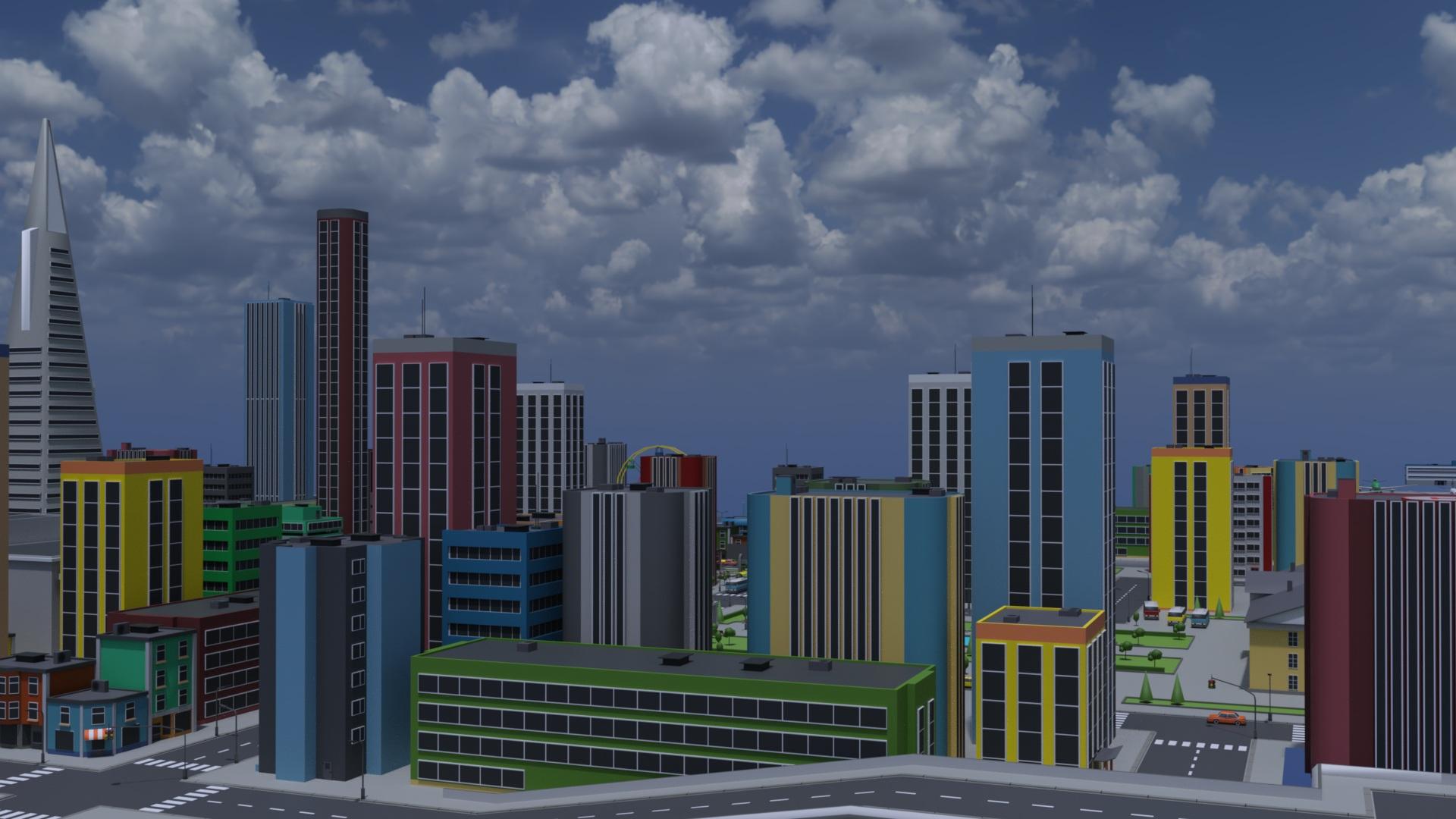
The new "blender to Daz plugin"Testing transfer of some bigger structures.
 Change/adapt the shirt automatically generated wrinkles
crosswind said:
OK, do you know some software like Blender ? You can send the shirt to Blender, reshape the wrinkles by using Draw / Grab / Smooth / Flat brushes, etc. so as to make them look more organic and / or natural. Then import the shirt back as a fixing morph to DS.
I can try it, but I think that my Blender knowledgments are too much simple to make these changes.
Thanks, Xavi
Daz 3D is part of

Connect
DAZ Productions, Inc.
7533 S Center View Ct #4664
West Jordan, UT 84084Licensing Agreement | Terms of Service | Privacy Policy | EULA
© 2026 Daz Productions Inc. All Rights Reserved.