-
Daz loading new installs into Lost and Found, Why? and How to fix?
barbult said:
Daz brought a lot of products from other stores into the Daz Store. Daz didn't bother to make metadata for those transferred products.
That's rich, is it something they are supposed to do?
They will all go into lost and found. The only thing you can do about it is create your own metadata, buy a product to install and create metadata for you,
return the products that have no metadata, stop buying those products.
Isn't there an easier way to just put the "Lost" items into Smart Content? Also, how would I know if a product doesn't have metadata to stop buying it?
Off Topic Thread #2I have used both the Alembic export and obj series export and dforce worked in both in Blender/Octane Standalone/Unreal Enngine for abc and Carrara for obj's respectively
I do use a much older version as since it worked I never updated, a separate obj import can give you the textures
i am looking to manually install a .dsf file with body morphs after a computer failurei've tried a few possible places to put the files, but none of them seem to work. the best i've been able to do is to get it to appear in the "Scan Results" section .... I'm just hoping there's a way to install a product from there. I found another thread saying that the .dsf files will contain their expected full file path, and some of them do (not all), but it's for an older version of DAZ which had different file paths. Is that the problem?
i've tried these file locations:
"C:\Users\Public\Documents\My DAZ 3D Library\Morphs\SY200b"
"C:\Users\Public\Documents\My DAZ 3D Library\People\Genesis 8 Male\Morphs\SY200b"
"C:\Users\Public\Documents\My DAZ 3D Library\Morphs\SickleYield2018\SY200"
"C:\Users\Public\Documents\My DAZ 3D Library\People\Genesis 8 Male\Morphs\SickleYield2018\SY200"
"C:\Users\Public\Documents\My DAZ 3D Library\data\SickleYield2018\SY200"
basically using different permutations of what people have been trying on other help threads. but none of these has worked. i'd be interested in seeing a way to import the content from the Scan Results into the program. then i should be able to find where the program stores the content, and remove the duplicates. is there a way to use the Scan Results to install a product? thanks.
i am looking to manually install a .dsf file with body morphs after a computer failureI got a new computer recently and was able to download all of the files I had purchased directly through the DAZ storefront. I'm glad for that. However I had purchased one of SickleYield's Genesis 8 morph products from another storefront, and that file was not reinstalled. These are important to me as they're my only real way of distinguishing characters by facial features.
I have access to the files, and have followed a few different suggestions from tutorials, but I can't get the DAZ program to recognize the files. For example, putting them in the Genesis 8 Male directory didn't work. Putting them in the root directory didn't work either.
The closest I can get is to have them appear in "Scan Results", but it does not add a Morphs folder in the main list in the Content Browser and they do not appear on the figure's Shape properties or anywhere else. Is there a way to manually import files into Daz Studio after a scan? That's the one thing I haven't found a tutorial for so far.
Thanks for any help you can give. Please let me know if I can give more information that will help me solve the problem faster.
Question on Sprite products (how to handle only one object)Taoz said:
So what does this mean?
You can find new icons for this product in the following DAZ Studio Categories:
-
“Materials:Iray:Wardrobe”
-
“Wardrobe:Swimwear:Bottoms”
-
“Wardrobe:Swimwear:Tops”
That was just generated from the product's metadata, i.e. both Bottoms and Tops are checked under Wardrobe > Swimwear.
Even the Product Details were generated by AI... IMO, which makes less sense to me on such a simple "one-piece" that could've been splitted into two pieces for easier use.
I have questions about landscape products!golem841 said:
Honestly there are many lanscaping and vegetation programs which are much more realistic than DzStudio. You must find a way to import these. One of my favorite is Gaea from Quad spinner. Plant factory from Eon/Bentley is also a must, so is Vue (both are now free), the render engine is really old, but imported in Daz, it can be fabulous.
There are also some vendors who are making outstanding products for DazStudio : HowieFarkes is my favorite, MartinJfrost is making extremely realistic plants, Predatron is also good enough.
With all that you can make your own landscapes with vegetations, it's more time consuming but really worth it.
Have fun !
on this topic
many have used Vue to render HDRi panoramic images because it is particularly good at that and landscapes, volumetric clouds, biomes
Bryce isn't bad either, or Carrara
Vue is the leading choice I have noticed among PAs
Daz loading new installs into Lost and Found, Why? and How to fix?On top of @barbult's explanations, a product will appear in Lost and Founds when one or two of its elements don't have a category set. In such case, the good new is that it's relatively easy to fix it yourself using the UI provided with Daz Studio.
A short video explaining how to create metadata:
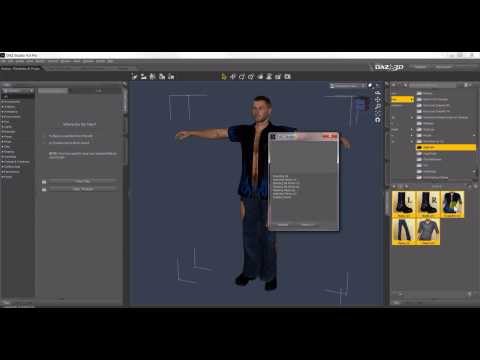
It's old, but the basics have not changed since it was published.
ecks201 said:
Do you log in to Daz Studio?
Doing that will trigger a metadata update.Which won't solve the problem with most of if not all the products listed on the screenshot: like @barbult said, when many artists moved their products from other stores to Daz3D.com, they didn't have metadata and Daz didn't create them (to be fair, while for some products, it will only take a couple of minutes to create them, for some, it can easily require an hour to create the metadata).
It also won't solve the problem I spoke about, because the problem, as in the examples from barbult, is that they are simply no metadata available to fix the problem.
Doing so could apparently mess things up, so I would avoid doing so.
Daz loading new installs into Lost and Found, Why? and How to fix?Do you log in to Daz Studio?
Doing that will trigger a metadata update.Daz loading new installs into Lost and Found, Why? and How to fix?Daz brought a lot of products from other stores into the Daz Store. Daz didn't bother to make metadata for those transferred products. They will all go into lost and found. The only thing you can do about it is create your own metadata, buy a product to install and create metadata for you, return the products that have no metadata, stop buying those products.Off Topic Thread #2WendyLuvsCatz said:
3Deedlin said:
WendyLuvsCatz said:
Dforce animation, the best way I found but it takes a lot of drive space
https://www.daz3d.com/forums/discussion/428856/sagan-a-daz-studio-to-blender-alembic-exporter
use the obj series option
import sequenced obj by DCG
obviously you need the plugin installed
Thanks. Would you say the same without dforce? I see lamh has several options. Just trying to waste less time on trial and error.pointless for things not Dfrorce
LAMH a different thing entirely, the Catalyzer only loads as obj on render AFAIK and massive files so doubt doable
you can convert to mesh on a Tposed character and try rigging it but again thats a massive file and gets distortion
using Carrara hair with any length and density map images is the best option
also for Dforce, if doing short animations https://www.daz3d.com/dforce2morph is quite good but you need to save a morph for each pose and have to keyframe them so zero other frames
I just happen to have a little dforce animation I wanted to play with. DS takes longer to render also. I did get the full LAMH. It sounds like you can use some other options besides obj. I am not even certain about what morphs to include when exporting. The bridge is pretty straight forward, but throw in hair/fur and it suddenly gets more tedious. The downside to going between products. Thanks for the info. It's kind of a bummer when the details of the process get in the way of the creative flow. Lol.
No one asked me - Diomede screenshots on whatever - Warning AI Discussion OKBrash and Moxie are dancing.
Here is a 5-second proof of concept. The starting image, frame 1, consists of my Brash and Moxie models, some primitives, and a couple of my custom plants. I rendered these with the native Toon filter. I then processed that starter image in ComfyUI to generate some metadata. I perused the Internet Archives for an old music/dance video purporting to be public domain. In this case, I found Yvonne Decarlo. I extracted 5 seconds from Yvonne's dance. I then uploaded the Brash/Moxie starter frame with the metadata to ComfyUI Wan Vace. This allowed me to use a reference video (public domain Yvonne Decarlo) to guide the movements of Brash and Moxie. Note that when I constructcted the starter Brash Moxie scene, I consciously approximated the poses and props of the first frame of the extracted Yvonne video. Here is the result. Lots of flaws, and too short, but I am very happy with the proof of concept.
 I have questions about landscape products!
Honestly there are many lanscaping and vegetation programs which are much more realistic than DzStudio. You must find a way to import these. One of my favorite is Gaea from Quad spinner. Plant factory from Eon/Bentley is also a must, so is Vue (both are now free), the render engine is really old, but imported in Daz, it can be fabulous.
There are also some vendors who are making outstanding products for DazStudio : HowieFarkes is my favorite, MartinJfrost is making extremely realistic plants, Predatron is also good enough.
With all that you can make your own landscapes with vegetations, it's more time consuming but really worth it.
Have fun !
Trying to create a script for creating a road/highway systemLast night, with the help of Google Gemini, I have a script created to help design highways by adding straight road objects, curved road objects, and intersections, and even have the ability to create road shoulders and even create slopes (for hills).
Adding a straight road section with shoulders is no problem. However, I am experiencing problems with creating a curved road section with shoulders, and the intersection should have curved shoulders on the T-intersection.
Here is the code I have so far, in Python script:
import bpy
import bmesh
import math
import random
from mathutils import Vector, Eulerdef get_or_create_material(mat_name):
if mat_name not in bpy.data.materials:
mat = bpy.data.materials.new(name=mat_name)
mat.use_nodes = True
bsdf = mat.node_tree.nodes["Principled BSDF"]
if mat_name == "RoadTexture":
bsdf.inputs['Base Color'].default_value = (0.1, 0.1, 0.1, 1)
elif mat_name == "GravelTexture":
bsdf.inputs['Base Color'].default_value = (0.3, 0.3, 0.3, 1)
return mat
return bpy.data.materials[mat_name]def create_straight_road(name, start_point, length, width, shoulder_width, slope, lanes):
bm = bmesh.new()
lane_width = width / lanes
v_road_left_front = bm.verts.new((0, 0, 0))
v_road_right_front = bm.verts.new((0, width, 0))
v_road_left_back = bm.verts.new((length, 0, 0))
v_road_right_back = bm.verts.new((length, width, 0))
bm.faces.new((v_road_left_front, v_road_right_front, v_road_right_back, v_road_left_back))
me_road = bpy.data.meshes.new(name + "_road_mesh")
bm.to_mesh(me_road)
bm.free()
obj_road = bpy.data.objects.new(name + "_road", me_road)
bpy.context.collection.objects.link(obj_road)bm_shoulders = bmesh.new()
v_sl_front = bm_shoulders.verts.new((0, -shoulder_width, 0))
v_sl_back = bm_shoulders.verts.new((length, -shoulder_width, 0))
v_sl_road_back = bm_shoulders.verts.new((length, 0, 0))
v_sl_road_front = bm_shoulders.verts.new((0, 0, 0))
bm_shoulders.faces.new((v_sl_front, v_sl_road_front, v_sl_road_back, v_sl_back))v_sr_front = bm_shoulders.verts.new((0, width, 0))
v_sr_back = bm_shoulders.verts.new((length, width, 0))
v_sr_road_back = bm_shoulders.verts.new((length, width + shoulder_width, 0))
v_sr_road_front = bm_shoulders.verts.new((0, width + shoulder_width, 0))
bm_shoulders.faces.new((v_sr_front, v_sr_road_front, v_sr_road_back, v_sr_back))me_shoulders = bpy.data.meshes.new(name + "_shoulders_mesh")
bm_shoulders.to_mesh(me_shoulders)
bm_shoulders.free()
obj_shoulders = bpy.data.objects.new(name + "_shoulders", me_shoulders)
bpy.context.collection.objects.link(obj_shoulders)mat_road = get_or_create_material("RoadTexture")
mat_gravel = get_or_create_material("GravelTexture")
obj_road.data.materials.append(mat_road)
obj_shoulders.data.materials.append(mat_gravel)obj_road.location = start_point
obj_shoulders.location = start_point
obj_road.rotation_euler = Euler((0, math.radians(slope), 0))
obj_shoulders.rotation_euler = Euler((0, math.radians(slope), 0))return obj_road, obj_shoulders
def create_curved_road(name, start_point, radius, angle, width, shoulder_width, segments):
bm_road = bmesh.new()
bm_shoulders = bmesh.new()
center = (start_point[0], start_point[1] + radius, start_point[2])
start_angle_rad = 0
end_angle_rad = math.radians(angle)
angle_step = (end_angle_rad - start_angle_rad) / segments
prev_road_v_inner = None
prev_road_v_outer = None
prev_shoulder_v_inner = None
prev_shoulder_v_outer = None
for i in range(segments + 1):
current_angle = start_angle_rad + (i * angle_step)
# Calculate road vertices
x_road_inner = center[0] + radius * math.cos(current_angle)
y_road_inner = center[1] + radius * math.sin(current_angle)
x_road_outer = center[0] + (radius + width) * math.cos(current_angle)
y_road_outer = center[1] + (radius + width) * math.sin(current_angle)
road_v_inner = bm_road.verts.new((x_road_inner, y_road_inner, center[2]))
road_v_outer = bm_road.verts.new((x_road_outer, y_road_outer, center[2]))
# Calculate shoulder vertices
x_shoulder_inner = center[0] + (radius - shoulder_width) * math.cos(current_angle)
y_shoulder_inner = center[1] + (radius - shoulder_width) * math.sin(current_angle)
x_shoulder_outer = center[0] + (radius + width + shoulder_width) * math.cos(current_angle)
y_shoulder_outer = center[1] + (radius + width + shoulder_width) * math.sin(current_angle)
shoulder_v_inner = bm_shoulders.verts.new((x_shoulder_inner, y_shoulder_inner, center[2]))
shoulder_v_outer = bm_shoulders.verts.new((x_shoulder_outer, y_shoulder_outer, center[2]))
if i > 0:
# Create road face
bm_road.faces.new((road_v_inner, road_v_outer, prev_road_v_outer, prev_road_v_inner))
# **FIXED:** Create inner shoulder face using only shoulder vertices
bm_shoulders.faces.new((shoulder_v_inner, prev_shoulder_v_inner, prev_road_v_inner, road_v_inner))
# **FIXED:** Create outer shoulder face using only shoulder vertices
bm_shoulders.faces.new((road_v_outer, prev_road_v_outer, prev_shoulder_v_outer, shoulder_v_outer))
prev_road_v_inner = road_v_inner
prev_road_v_outer = road_v_outer
prev_shoulder_v_inner = shoulder_v_inner
prev_shoulder_v_outer = shoulder_v_outer
me_road = bpy.data.meshes.new(name + "_road_mesh")
bm_road.to_mesh(me_road)
bm_road.free()
obj_road = bpy.data.objects.new(name + "_road", me_road)
bpy.context.collection.objects.link(obj_road)me_shoulders = bpy.data.meshes.new(name + "_shoulders_mesh")
bm_shoulders.to_mesh(me_shoulders)
bm_shoulders.free()
obj_shoulders = bpy.data.objects.new(name + "_shoulders", me_shoulders)
bpy.context.collection.objects.link(obj_shoulders)mat_road = get_or_create_material("RoadTexture")
mat_gravel = get_or_create_material("GravelTexture")
obj_road.data.materials.append(mat_road)
obj_shoulders.data.materials.append(mat_gravel)
obj_road.location = start_point
obj_shoulders.location = start_point
return obj_road, obj_shouldersdef create_intersection(name, start_point, width, shoulder_width):
bm_road = bmesh.new()
size = (width + shoulder_width * 2) / 2
v1 = bm_road.verts.new((start_point[0] - size, start_point[1] - size, start_point[2]))
v2 = bm_road.verts.new((start_point[0] + size, start_point[1] - size, start_point[2]))
v3 = bm_road.verts.new((start_point[0] + size, start_point[1] + size, start_point[2]))
v4 = bm_road.verts.new((start_point[0] - size, start_point[1] + size, start_point[2]))
bm_road.faces.new((v1, v2, v3, v4))me_road = bpy.data.meshes.new(name + "_mesh")
bm_road.to_mesh(me_road)
bm_road.free()
obj_road = bpy.data.objects.new(name, me_road)
bpy.context.collection.objects.link(obj_road)mat_road = get_or_create_material("RoadTexture")
obj_road.data.materials.append(mat_road)
return obj_roaddef get_last_road_end_point(obj):
if obj and "Road" in obj.name:
local_end = Vector((obj.dimensions.x, 0, 0))
return obj.matrix_world @ local_end
return Noneclass RoadProperties(bpy.types.PropertyGroup):
lanes: bpy.props.IntProperty(
name="Lanes",
description="Number of lanes",
default=2,
min=1,
max=4
)
lane_width: bpy.props.FloatProperty(
name="Lane Width",
description="Width of a single lane",
default=3.5,
min=2.0,
max=5.0
)
length: bpy.props.FloatProperty(
name="Length",
description="Length of the straight road",
default=10.0,
min=1.0,
max=50.0
)
radius: bpy.props.FloatProperty(
name="Radius",
description="Radius of the curved road",
default=10.0,
min=1.0,
max=50.0
)
angle: bpy.props.IntProperty(
name="Angle",
description="Bend angle of the curved road",
default=90,
min=0,
max=180
)
segments: bpy.props.IntProperty(
name="Segments",
description="Number of faces for the curved road",
default=20,
min=1,
max=100
)
slope: bpy.props.FloatProperty(
name="Slope",
description="Road incline/decline in degrees",
default=0.0,
min=-20.0,
max=20.0
)
shoulder_width: bpy.props.FloatProperty(
name="Shoulder Width",
description="Width of the road shoulders",
default=1.0,
min=0.1,
max=5.0
)
randomize: bpy.props.BoolProperty(
name="Randomize Parameters",
description="Randomly generate a road section",
default=False
)class CreateStraightRoadOperator(bpy.types.Operator):
bl_idname = "object.create_straight_road"
bl_label = "Create Straight Road"def execute(self, context):
props = context.scene.road_props
if props.randomize:
props.length = random.uniform(5, 30)
props.lanes = random.randint(1, 4)
props.lane_width = random.uniform(3, 4)
props.shoulder_width = random.uniform(0.5, 2.0)
props.slope = random.uniform(-10, 10)
road_width = props.lanes * props.lane_width
start_point = (0, 0, 0)
last_obj = bpy.context.view_layer.objects.active
if last_obj and "Road" in last_obj.name:
start_point = get_last_road_end_point(last_obj)create_straight_road("StraightRoad", start_point, props.length, road_width, props.shoulder_width, props.slope, props.lanes)
return {'FINISHED'}class CreateCurvedRoadOperator(bpy.types.Operator):
bl_idname = "object.create_curved_road"
bl_label = "Create Curved Road"def execute(self, context):
props = context.scene.road_props
if props.randomize:
props.radius = random.uniform(5, 30)
props.angle = random.randint(10, 180)
props.lanes = random.randint(1, 4)
props.lane_width = random.uniform(3, 4)
props.shoulder_width = random.uniform(0.5, 2.0)
props.segments = random.randint(10, 50)
road_width = props.lanes * props.lane_width
start_point = (0, 0, 0)
last_obj = bpy.context.view_layer.objects.active
if last_obj and "Road" in last_obj.name:
start_point = get_last_road_end_point(last_obj)create_curved_road("CurvedRoad", start_point, props.radius, props.angle, road_width, props.shoulder_width, props.segments)
return {'FINISHED'}class CreateIntersectionOperator(bpy.types.Operator):
bl_idname = "object.create_intersection"
bl_label = "Create Intersection"def execute(self, context):
props = context.scene.road_props
if props.randomize:
props.lanes = random.randint(1, 4)
props.lane_width = random.uniform(3, 4)
props.shoulder_width = random.uniform(0.5, 2.0)
road_width = props.lanes * props.lane_width
start_point = (0, 0, 0)
create_intersection("Intersection", start_point, road_width, props.shoulder_width)
return {'FINISHED'}class RoadGeneratorPanel(bpy.types.Panel):
bl_label = "Road Generator"
bl_idname = "VIEW3D_PT_road_generator"
bl_space_type = 'VIEW_3D'
bl_region_type = 'UI'
bl_category = 'Create'def draw(self, context):
layout = self.layout
props = context.scene.road_props
row = layout.row(align=True)
row.prop(props, "randomize", toggle=True)box = layout.box()
box.label(text="Road Parameters:")
box.prop(props, "lanes")
box.prop(props, "lane_width")
box.prop(props, "length")
box = layout.box()
box.label(text="Curved Road Parameters:")
box.prop(props, "radius")
box.prop(props, "angle")
box.prop(props, "segments")
box = layout.box()
box.label(text="Advanced Parameters:")
box.prop(props, "shoulder_width")
box.prop(props, "slope")
layout.separator()
layout.label(text="Create Road Section:")
layout.operator("object.create_straight_road", text="Create Straight Road")
layout.operator("object.create_curved_road", text="Create Curved Road")
layout.operator("object.create_intersection", text="Create Intersection")def register():
bpy.utils.register_class(RoadProperties)
bpy.utils.register_class(RoadGeneratorPanel)
bpy.utils.register_class(CreateStraightRoadOperator)
bpy.utils.register_class(CreateCurvedRoadOperator)
bpy.utils.register_class(CreateIntersectionOperator)
bpy.types.Scene.road_props = bpy.props.PointerProperty(type=RoadProperties)def unregister():
bpy.utils.unregister_class(RoadProperties)
bpy.utils.unregister_class(RoadGeneratorPanel)
bpy.utils.unregister_class(CreateStraightRoadOperator)
bpy.utils.unregister_class(CreateCurvedRoadOperator)
bpy.utils.unregister_class(CreateIntersectionOperator)
del bpy.types.Scene.road_propsif __name__ == "__main__":
register()What can be done with regards to editing the code in order to successfully create curved roads with shoulders, and T-intersections with curved shoulders at the junction?
Off Topic Thread #23Deedlin said:
WendyLuvsCatz said:
Dforce animation, the best way I found but it takes a lot of drive space
https://www.daz3d.com/forums/discussion/428856/sagan-a-daz-studio-to-blender-alembic-exporter
use the obj series option
import sequenced obj by DCG
obviously you need the plugin installed
Thanks. Would you say the same without dforce? I see lamh has several options. Just trying to waste less time on trial and error.pointless for things not Dfrorce
LAMH a different thing entirely, the Catalyzer only loads as obj on render AFAIK and massive files so doubt doable
you can convert to mesh on a Tposed character and try rigging it but again thats a massive file and gets distortion
using Carrara hair with any length and density map images is the best option
also for Dforce, if doing short animations https://www.daz3d.com/dforce2morph is quite good but you need to save a morph for each pose and have to keyframe them so zero other frames
Off Topic Thread #2
Thanks. Would you say the same without dforce? I see lamh has several options. Just trying to waste less time on trial and error.WendyLuvsCatz said:Dforce animation, the best way I found but it takes a lot of drive space
https://www.daz3d.com/forums/discussion/428856/sagan-a-daz-studio-to-blender-alembic-exporter
use the obj series option
import sequenced obj by DCG
obviously you need the plugin installed
Off Topic Thread #2Dforce animation, the best way I found but it takes a lot of drive space
https://www.daz3d.com/forums/discussion/428856/sagan-a-daz-studio-to-blender-alembic-exporter
use the obj series option
import sequenced obj by DCG
obviously you need the plugin installed
(SOLVED) Absolute parameters value changeIf you want to tweak the Transforms after rigging / saving the figure asset, and make the adjustment as Default..., the quickest way (as most of the PAs do for such a fixing...) is to :
1) After tweaking the transforms, as you did to the crab by setting its Y Translate to 10, export it to OBJ with Base resolution;
2) Zero Y Translate, import OBJ to create a morph named as "Fix Base". Dial it.
3) Adjust Rigging to Shape, the rigging will follow. ERC Freeze on "Fix Base" property, set it as Hidden. Resave Figure Asset of the crab.
Edit: If you need to frequently do such adjustments, always import OBJ to overwrite the "Fix Base" property (with options in MLP : Reverse Deformations : Yes; Overwrite Exsiting: Delta Only), and repeat the above step 3).
Categories not removing references? [SOLVED]RexRed said:
Richard Haseltine said:
Vendor data (the metadaat that coems with a product) User data (changes you have made youself, though vendor data can end up as userData in error various ways) are distinct. Note that the metadata files in /Runtime/Support are nopt the database, there is no link to them - they just get read in (if needed) and added to the database which is then data in a set of files in the contentcluster folder, both Vendor data and user data, so setting file permissions is acting at the wrong level.
I agree with you about permissions being the wrong level, but Daz losing the ability to edit user data sure makes it appear like a permissions thing.
Windows permissions can block Daz from using "any data" on the system and they can also block installation. That is a pretty wide gamut of possible issues.
Fiddling with permissions on the PostgreSQL files can break the whole thing, or has in the past.
Daz does assign "connections" to data or the check box would not be necessary.
As I understand it the checkbox controls whether existing user data for a file is left alone or overwritten when importing metadata from the .dsx files on disc, it is controlling the import behaviour not setting a long-term access right (and if it was it would be a setting stored in the database, not a separate file permission). The database connects values to the relative path of the asset in question (e.g. a d?f or texture file) and other values that are, once set or imported, stored internally.
It is not simply a reading of the user data but it is a parsing of it and a recognition that the user data belongs in the current version of Daz.
I don't really know what is happening other than the negative effects if Daz is not permitted to reparse the user data and user data overrides the metadata process.
Categories not removing references? [SOLVED]Richard Haseltine said:
Vendor data (the metadaat that coems with a product) User data (changes you have made youself, though vendor data can end up as userData in error various ways) are distinct. Note that the metadata files in /Runtime/Support are nopt the database, there is no link to them - they just get read in (if needed) and added to the database which is then data in a set of files in the contentcluster folder, both Vendor data and user data, so setting file permissions is acting at the wrong level.
I agree with you about permissions being the wrong level, but Daz losing the ability to edit user data sure makes it appear like a permissions thing.
Windows permissions can block Daz from using "any data" on the system and they can also block installation. That is a pretty wide gamut of possible issues.
Daz does assign "connections" to data or the check box would not be necessary.
It is not simply a reading of the user data but it is a parsing of it and a recognition that the user data belongs in the current version of Daz.
I don't really know what is happening other than the negative effects if Daz is not permitted to reparse the user data and user data overrides the metadata process.
Categories not removing references? [SOLVED]Vendor data (the metadaat that coems with a product) User data (changes you have made youself, though vendor data can end up as userData in error various ways) are distinct. Note that the metadata files in /Runtime/Support are nopt the database, there is no link to them - they just get read in (if needed) and added to the database which is then data in a set of files in the contentcluster folder, both Vendor data and user data, so setting file permissions is acting at the wrong level.
Daz 3D is part of

Connect
DAZ Productions, Inc.
7533 S Center View Ct #4664
West Jordan, UT 84084Licensing Agreement | Terms of Service | Privacy Policy | EULA
© 2026 Daz Productions Inc. All Rights Reserved.