-
Error Could not find parent for modifier after using G3F to G8F converter
"parent" : "/data/DAZ%203D/Genesis%208/Female/Genesis8Female.dsf#geometry",
"parent" : "/data/Daz%203D/Genesis%208/Female/Genesis8Female.dsf#Genesis8Female",These are the two main "Parent" settings for use with G8F, first one is for anything that has morph deltas in it, the second is for everything else ie control assets, pose controls etc.
"parent" : "/data/Daz%203D/Genesis%208/Female%208_1/Genesis8_1Female.dsf#Genesis81FemaleGeom",
"parent" : "/data/Daz%203D/Genesis%208/Female%208_1/Genesis8_1Female.dsf#Genesis8_1Female",G8.1F is similar to G8F, but uses #Genesis81FemaleGeom instead of #geometry for assets with morph deltas.
"parent" : "/data/Daz%203D/Genesis%209/Base/Genesis9.dsf#Genesis9-1",
"parent" : "/data/Daz%203D/Genesis%209/Base/Genesis9.dsf#Genesis9",Things get a little sketchy with G9 as the # tags are pretty similar, #Genesis9-1 is the tag for morph deltas.
Bad Parent errors in the log is something I see regularly, it's also the first thing I look for when trouble shooting morph issues for my friends.
HH Belle for Genesis 9 [Commercial]Hey Herschel, She is gorgeous! I'm looking forward to the outfits!
I am getting that "tail issue" too.(I applied the file you provided for the other issues, BTW) It appears when the head morph is dialed in like ioonrxoon noted. If I dial the head back to default, it goes away.
I'm having an issue with the textures for the anatomical elements though. If I load the anatomy prior to applying the figure texture, they apear to load with the textures applied. When I load her body mat on the figure, the anatomy mats seem to "go away". They show up in the Surfaces tab, but the textures don't render. I've attached a "Forum Friendly" screen shot.
FIXED - Accidental Overwrite of Genesis 8 Base Female with Another CharacterI found a way to do this like flipping on a light switch.
First let me say...
I suffered this issue. ALOT. Erased all DAZ content the very first time I did it. I was so lost I could not think of anything else. Too rookie to even know what to search for coming into DAZ from Blender (I tried terms like genesis 8 not loading correctly, or genesis 8 loading in morphed lol). Last few bad morph saves, I hard searched out the bad morph, then just deleted file from BASE Gen 8 Path.
So to begin, a little Details on the save spot or rather LOAD spot of your G8 Base should be in the DazStuido base path to the Program files folder on your current installed drive. (For me it is C/program files/daz....and so on. If you just want a Hard fix, it is this path you will need to drill into the DATA/ DAZ Genesis 8 Folders when there open morphs folder and NUKE the bad boi morph then restart DAZ and try again. BOOM, Base G8 mesh is back.
Now, If you wanna flip this switch ON you can also do this by STARTING CLEAN new scene...diliang up the current morph work project. Go to save as/support asset/modified content (AT Bottom) It will then do the same function I just shared how to Delete. So every time you open a G8 base, the morphed asset will load in.To turn this off is just as simple.
Dial OFF morphs, then re save as modified asset.
Then once again,
BOOM, Base G8 mesh is back.
Hope this helps someone out there.
Send to Hexagon not there anymore - fixedI used to be able to select a prop and send it to Hexagon, edit it and send it back as a morph. I don't have the Send to Hexagon menu option anymore. I've got send to Bryce, Unity and Blender but not Hexagon. Hexagon is installed and works. I've gone into the bridge settings and tried setting it to the release and beta versions of Hexagon but I still don't have the send option.
I don't use it very often, probably the last time was a few Studio updates ago. Is there something wrong with my setup or did they remove this function and I didn't hear about it? I'm Using Studio 4.20
Error Could not find parent for modifier after using G3F to G8F converterCanary3d said:
Sorry to necro this thread, but I had this problem with some of my own Genesis 9 morphs, and I found a solution that might be useful to the next person.
In the .dsf morph file (in the data folder, not in the characters folder), line 18 has a reference to the parent. For the one that wouldn't load the line was
"parent" : "#Genesis9-1",
and for one that was loading the line was
"parent" : "/data/DAZ%203D/Genesis%209/Base/Genesis9.dsf#Genesis9",
So I replaced the shorter line with the longer one that had the correct pointer, and the morph loaded on the next try.
Thank you! I was wondering my G8F morph wouldn't load, and somehow when I exported the morph it was parented to.. the scene? Changed it to
"parent" : "/data/Daz%203D/Genesis%208/Female/Genesis8Female.dsf#geometry"RiverSoftArt said:
Xagrim said:
I have tried to convert this with all possibilities options of the converter. Delete the morph folder.
FWSA Tchanun HD for Michael 7 and LI Tchanun Whiskers | Daz 3DI have managed that the G8 looksafter converting similiar to the original but if i save it, the morph is gone and it looks like a normal G8.
No idea what to do, try to save it as character preset, subscene, scene. Always the normal G8.
It sounds like the conversion works but the character preset loads a normal G8? There can be occasions where the Character Preset has an error but the morphs are created. Just dial in the morphs and then resave the preset.
Exactly.
Doesn't work i try it couple of times to save as scene, scene subset or character preset.Everytime it shows the normal G8.
Gen 8 items don't show when filter by content is checkedAhh, sorry, I just assumed it was the Linda for Genesis 8 product from the store.
I believe the issue could be that either your Linda does not have the correct compatibility base or the outfit does not have the correct compatibilties set. It turns out I have the Blum product and on my machine if I load a G8 dev load female into the scene, select it and filter by context then it does show up. Does that happen for you? If it does not show up for any other G8F then the product may need to be reinstalled, if not then perhaps Face Transfer is not making a G8F that is tagged correctly?
EDIT: If you select Linda in the scene tab and from the corner hamburger menu select Edit/Scene Identification it will tell you what she is tagged as. The attached example is from the G8 dev load but I also tried it on the free version of Face Transfer that comes with Daz and it made a G8F-tagged model. However, perhaps yours made a G8.1 instead somehow?
Gen 8 items don't show when filter by content is checkedSofaCitizen, nope, that's not it. I just redid it and made sure the figure was selected. The outfit disappeared once I checked the filter option. BTW, the LInda figure is one I used Face Transfer. Another words, it's mine. G8 figure with a face I used.
Richard, not sure what you mean. The figure I loaded I used face transfer on. Would doing what you suggested cause problems with figures used the FT on? Also, how would I reinstall it? I use DIM for installation.
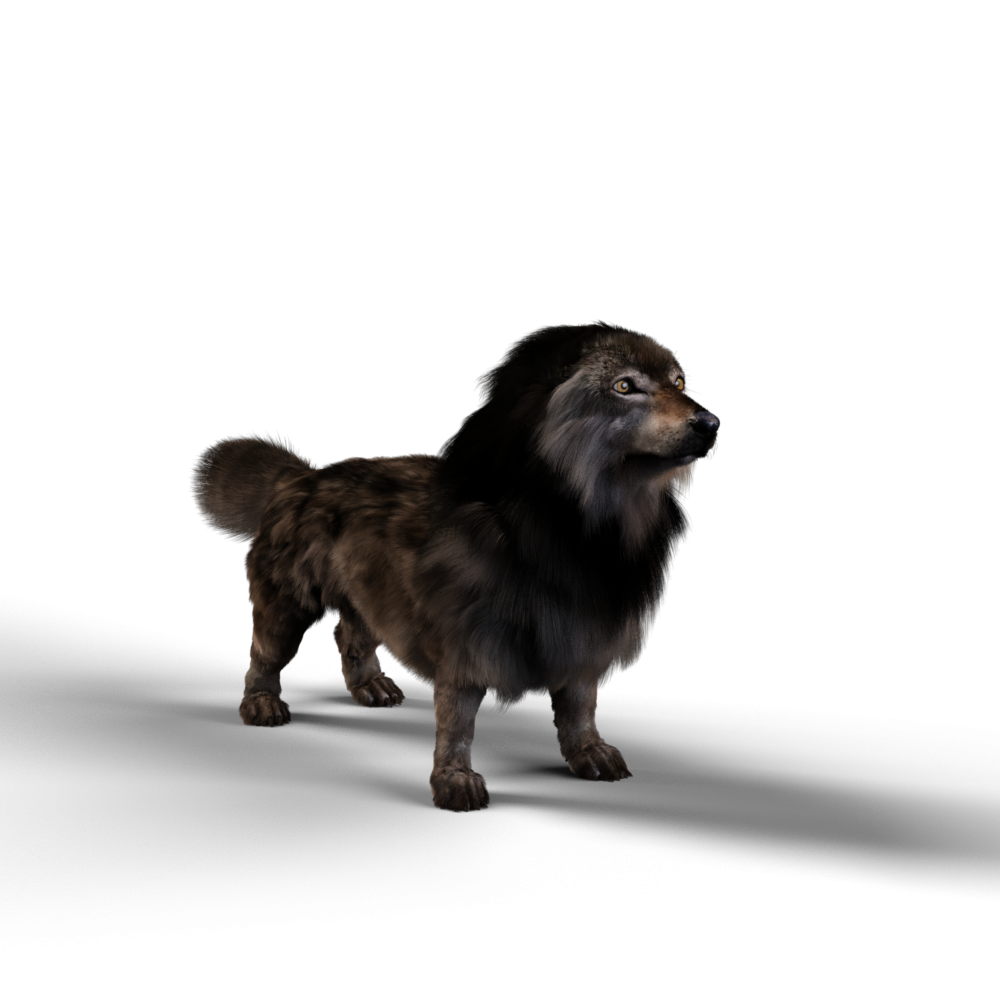
Loving Daz Studio!I should add that I had to back the camera way off and reposition it for the Dire Wolf Morph render. Big Puppy!
Similarly, I had to zoom way in and reposition the camera for the Ms. Celie renders! ;)
EDIT: I should also add that Ms. Celeie is not the default Dachshund for Daz Dog 8. She's wearing the lightest texture option and she's been morphed around a bit to better resemble my gold awaiting me at the rainbow bridge.
Loving Daz Studio!WendyLuvsCatz said:
so it does have a normal wolf option?
Okay, I wanted to double check, just so I'm not passing along misinformation.
Turns out it not actually a wolf, but Daz Dog with wolf textures and the strand-based hair. I'm really surprised that made it through QA! It loads without the Dire Wolf morph dialed up! Hmnpf! Looks great, though!
So here's my findings:
Daz Dog 8 Base
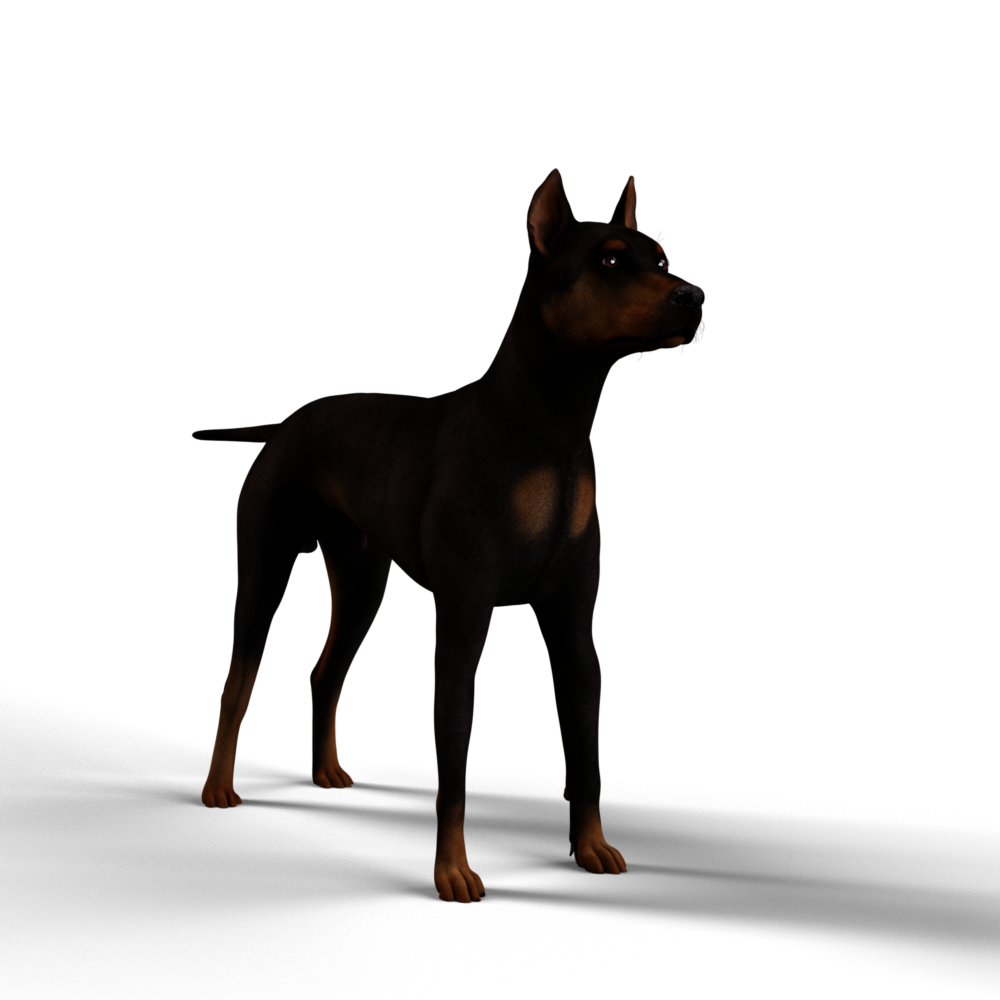
Dire Wolf from Breeds folder
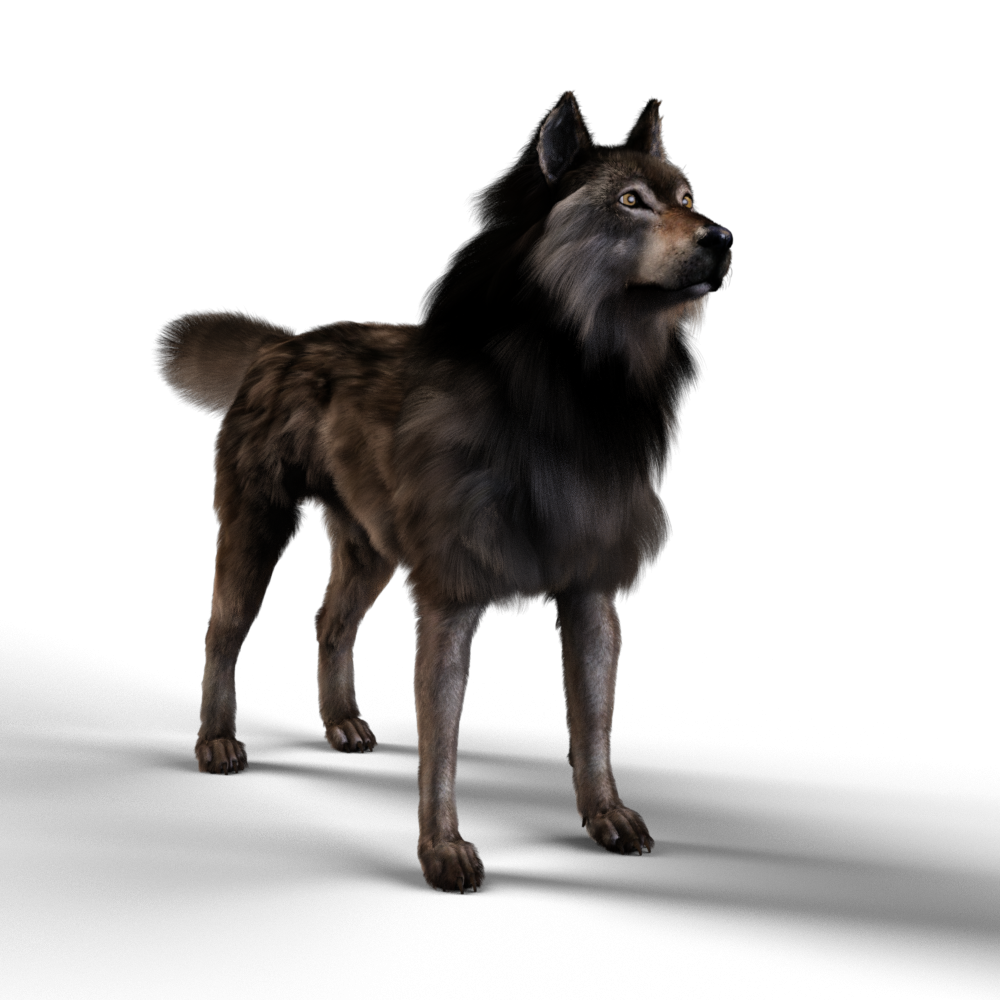
Dire Wolf Breed with Dire Wolf Morph at 100
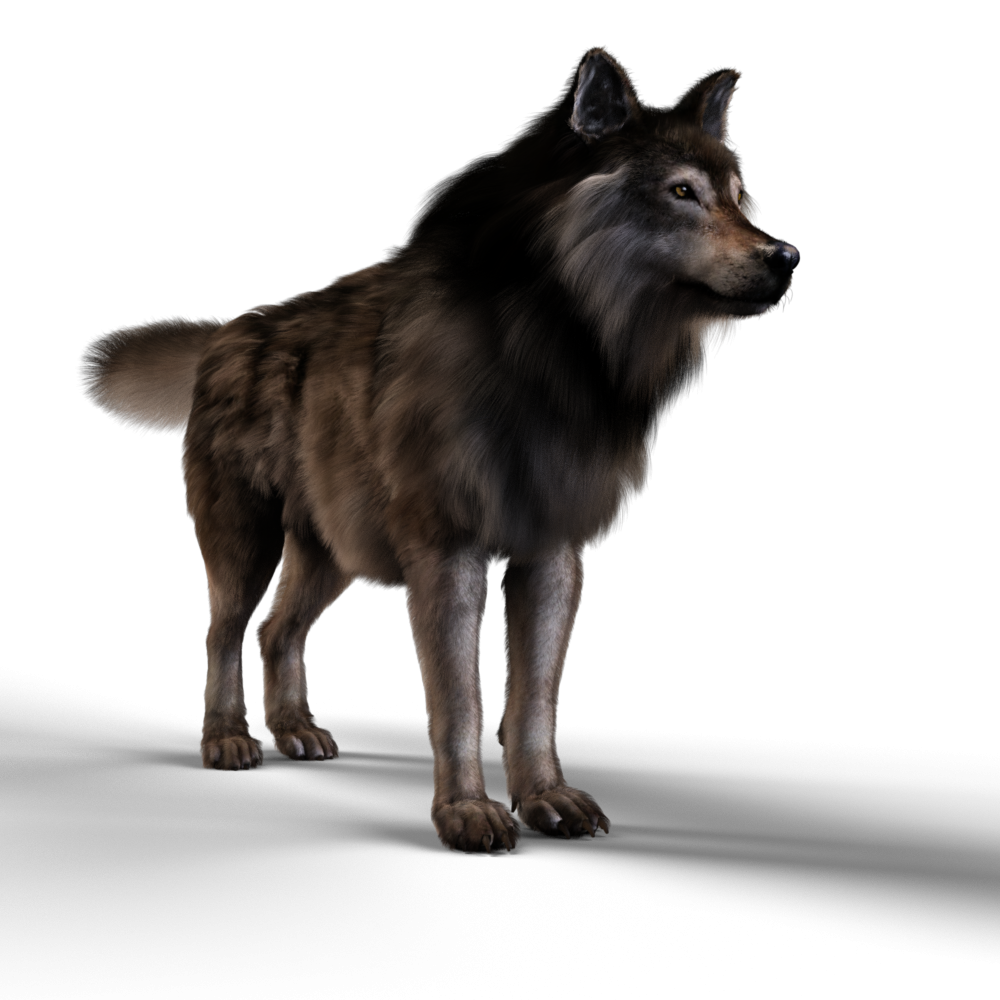
For fun, Ms. Celie, my departed :( mini dachshund :(
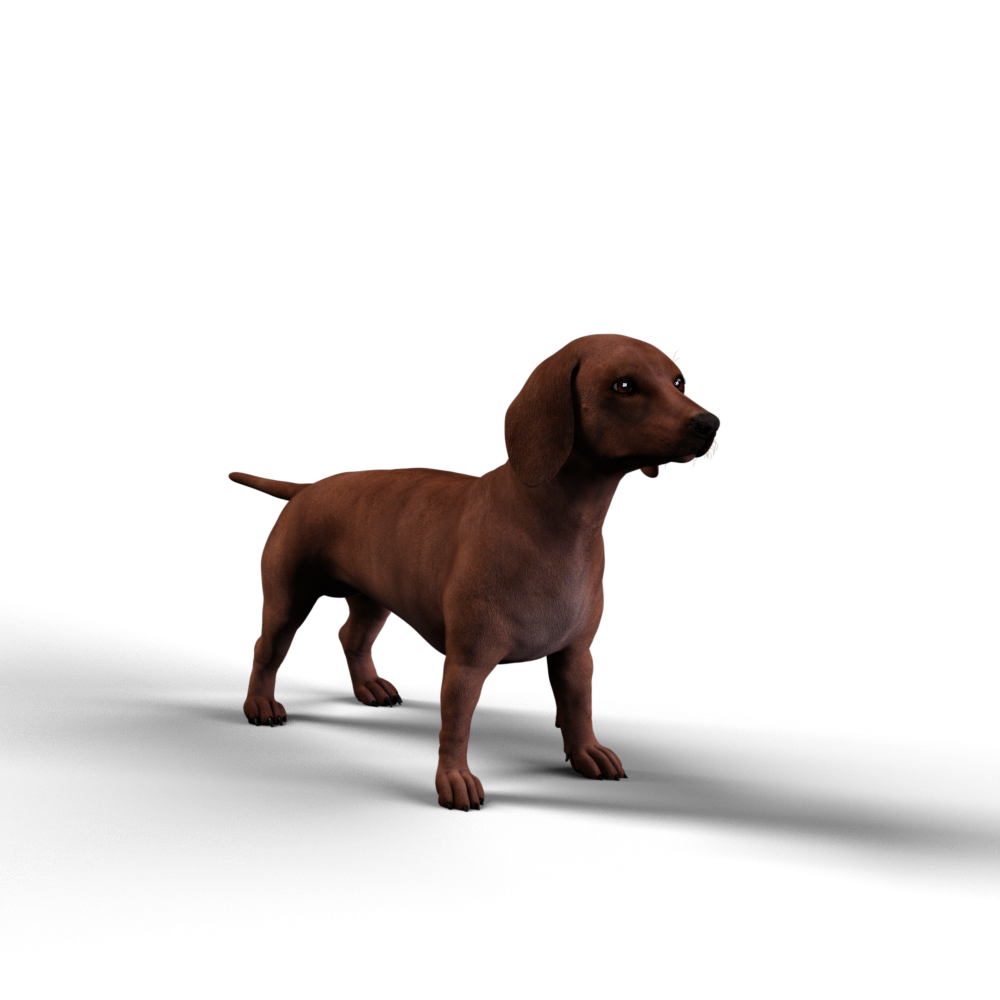
Ms. Celie with Dire Wolf materials and hair
 Daz to Cinema 4D Bridge - the mouth opens askew
Hello everybody
Does anyone have the same problem as me?
when I transfer a genesis 8.1 character from Daz to C4D
everything is going well, but when I want to make him open his mouth (jaw open) , on C4D the mouth opens crookedly. On Daz it is ok.
See the file attach.
I do not understand why. What can i do? thanks
I am on a mac studio and C4D 23Loving Daz Studio!WendyLuvsCatz said:
Ivy said:
Dartanbeck said:
I don't know if strand based hair was the culprit, but if it's falling off - or looks like it is, I have that feeling. Probably in the settings of the hair or a weight mapping issue or something.
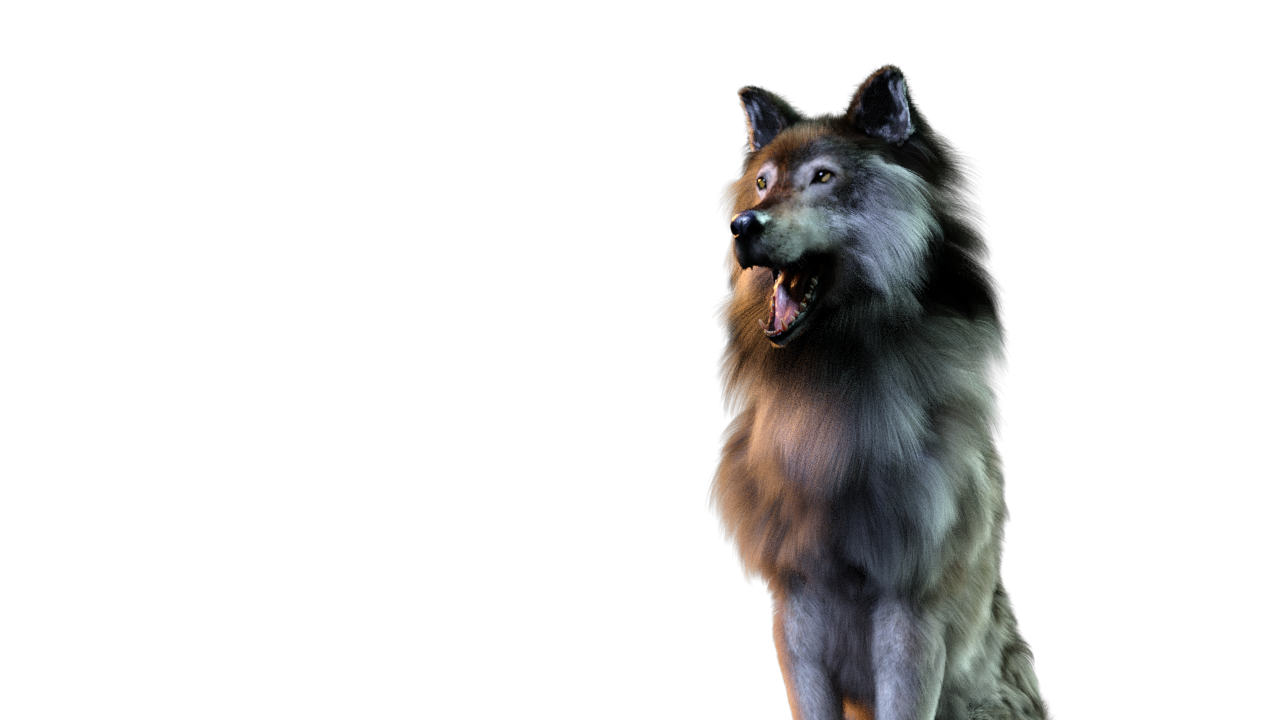
I have the Dire Wolf bundle for Daz Dog 8, and I love how the strand-based hair turns out with that. Simulated quickly and looks fantastic, I think. RawArt's Snow Beast too.
I don't have the the Dire Wolf .. does the hair animate well. ?
yeah me either
it's often on sale but I prefer a real animal IE wolf or German Shepherd however I guess the fur can be used without the morph
if so maybe I should grab it (I have the German Shepherd)_
I've always been a big fan of Wolves.
I got a full bundle that included the animations, which are really quite useful. The first time I loaded the Dire Wolf I was just floored - and that's before I lifted the Dire Wolf slider, which was off when I loaded it - so it was a wolf, but not the Dire Wolf. Cranking that up made me pee in my pants!!!
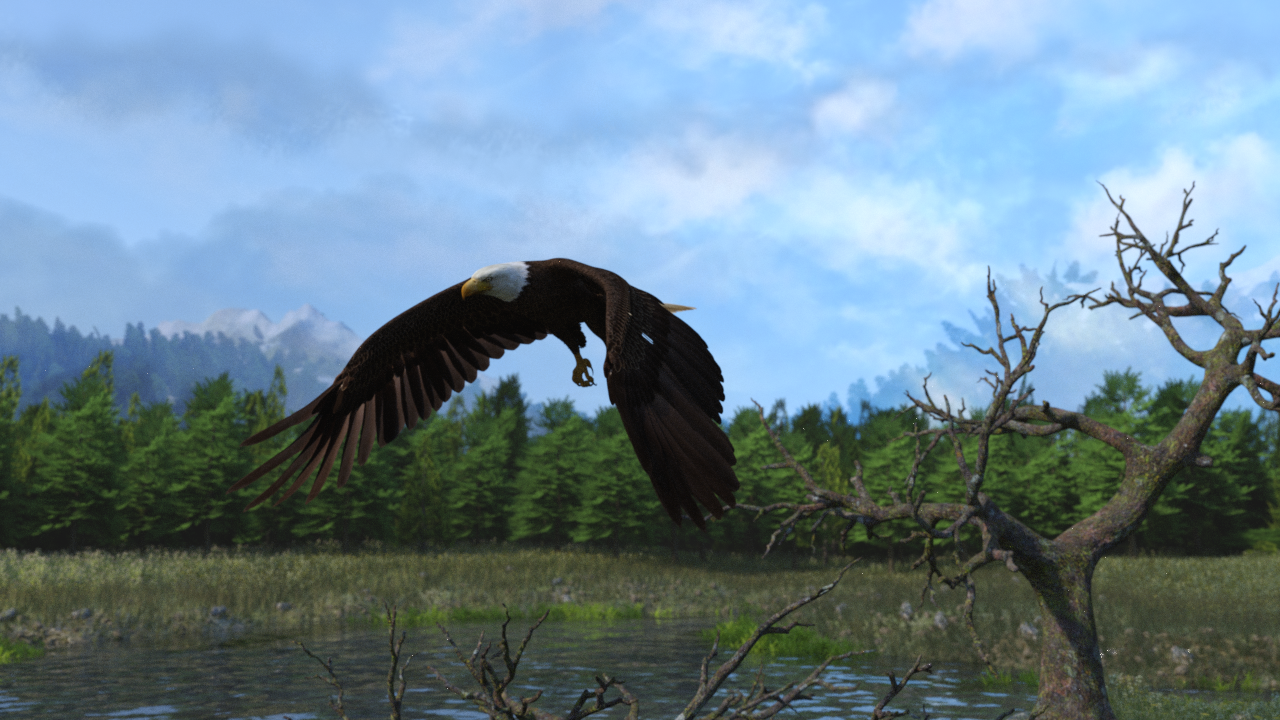
Another great find during that massive sale event was the DeepSea Eagle Bundle - Eagle, Environment and aniBlocks! Just freaking Awesome!!!
Frame 95
 Loving Daz Studio!
Ivy said:
Dartanbeck said:
I don't know if strand based hair was the culprit, but if it's falling off - or looks like it is, I have that feeling. Probably in the settings of the hair or a weight mapping issue or something.
I have the Dire Wolf bundle for Daz Dog 8, and I love how the strand-based hair turns out with that. Simulated quickly and looks fantastic, I think. RawArt's Snow Beast too.
I don't have the the Dire Wolf .. does the hair animate well. ?
yeah me either
it's often on sale but I prefer a real animal IE wolf or German Shepherd however I guess the fur can be used without the morph
if so maybe I should grab it (I have the German Shepherd)_
Encapsulation in Daz3D scenesI write code and scripts for my dayjob, so hopefully I have some skills that will transfer

Thank you for the link, I will take a look through and see if I can do what I want with it
Converting G3 Poses to G2! IT WORKS!I am currently working on a G8F to G1 pose transfer script. I have not done G3->G2. Can add it to the list if you want. It may be possible to use n_Alexandru's script either in the freebies here or Renderosity.
I have done a few transfer scripts, those being G1->V4, G1->G8F/M, G2F->V4, G2F->G8F, G3F->V4, G3M->M4, G8F->V3, G8F->V4, G8M->M4, G8->G9, M4->G3M, M4->G8M, V3->G3M, V4->G3F, V4->G8F.
Regards,
Richard
AOBB's freebie male head morph Yves G9. No materials nor textures.Very nice head morph!
[Released] Character Converter from Genesis 3 Female to Genesis 8 Female(Now Conv JCMs) [Commercial]Xagrim said:
I have tried to convert this with all possibilities options of the converter. Delete the morph folder.
FWSA Tchanun HD for Michael 7 and LI Tchanun Whiskers | Daz 3DI have managed that the G8 looksafter converting similiar to the original but if i save it, the morph is gone and it looks like a normal G8.
No idea what to do, try to save it as character preset, subscene, scene. Always the normal G8.
It sounds like the conversion works but the character preset loads a normal G8? There can be occasions where the Character Preset has an error but the morphs are created. Just dial in the morphs and then resave the preset.
How to continue with interupted dForce simulation?You'll have to create morphs for every frame not only frame X-10, otherwise dForce resets the simulation at the earlier frames. Do note this will create a huge save file as it saves the morph on each frame, but it should give you the results you want.
How to continue with interupted dForce simulation?cridgit said:
m_pohanka_6db953ed73 said:
Thank you for the avice. I do not have that product. I think it will not work nicely. As you mentioned, the information about energy and momentum needed to resume a simulation will be missing.
If I really wanted to do this and was desperately looking for a solution, here is what I would try:
After following the suggested steps above, if the animation appears to jump from frame X to frame X+1 because they were run as two different simulations, I would delete all keyframes from frame X-10 to frame X+10 and let the animation tween to create a smooth transition.
This sounds good. Like to create morph from the first simulation at frame X-10 and to create morph from the second simulation at frame X+10. Then to render from X-10 to X+10 and changing from morph 1 to morph 2.
Rigging TutorialsTry this once:
- Load the base figure that you'd like to fit the boots to. If you're looking to fit them to a specific character, still... only load the base figure for that character
- Load the boots
- In the scene, line up the boots how they should fit - scale and adjust if neccessary
- I normally model stuff to fit the base figure - you probably did to, so on to the next step
- Select a boot
- Edit > Object > Transfer Utility
- Source Field: Select the Figure
- Target Field: Boot L or Boot R (or both if the two of they're both one object)
- Click Options to open it up and check "Add Smoothing Modifier" if you want that. Probably not for boots?
- Click "Accept"
- Repeat for other Boot
- Save As > wearable preset > In the dialog, Deselect the figure - only check the boots *
- * If you need the feet to use a specific Shape morph to make them look right, you can activate "Shaping" and deselect the figure, then open up until you find the foot shape you need
- * If you need the feet to use a specific Pose to make them look right, you can activate "Pose" and deselect the figure, then open up until you find the foot pose you need
- Click Accept when you're done
- Delete the boots and load the new preset with the figure selected and test out various shaping morphs and such to see how well the Transfer Utility did.
If you encounter issues with certain poses or shapes, see the videos below
Rigidity will help if the figures shaping morphs are doing funky things to the item
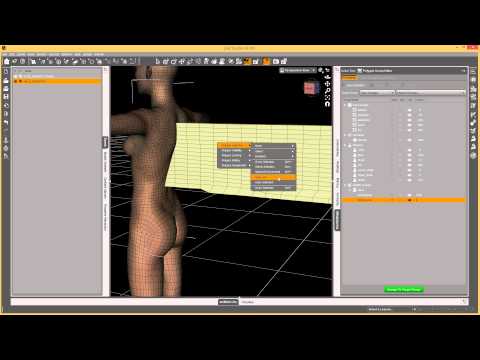
Smoothing - if you didn't add it in Transfer Utility but now you want to try it, here's how
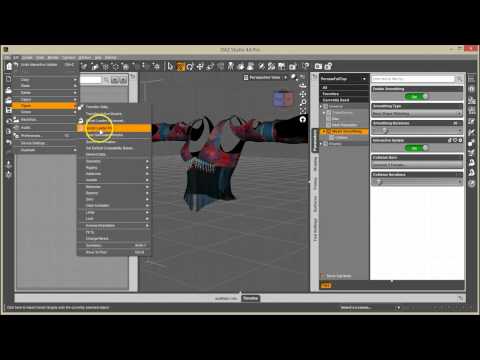
If you decide that you need to add corrective morphs for certain situations
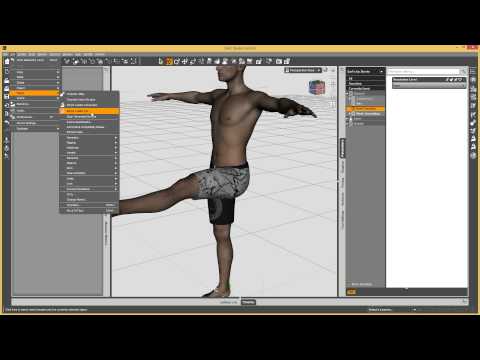
Hope this helps
Daz 3D is part of

Connect
DAZ Productions, Inc.
7533 S Center View Ct #4664
West Jordan, UT 84084Licensing Agreement | Terms of Service | Privacy Policy | EULA
© 2026 Daz Productions Inc. All Rights Reserved.