-
Making Clones of G9 - Tutorial
BubbleCloud said:
I'm so lost, I wish someone could help me out.
i have made G9 clone for G8, OK.
I also have the G8 clone for G9, OK.
What I want is to have a mesh with the G9 body and the head of G8F.
This is how I can tranfer the heads (only the heads) of my G8 girls to G9.
(Is that right or I'm getting crazy?????????)
I can't figure out how to make a G9 body with G8 head, my brain has stopped working.
Can anyone help me?
1. The purpose of making auto-fit clones is not for making morphs, they are for getting clothing to fit.
2. Along a similar track, you would need to make the 'clothing' of the G9 body [base resolution etc] for G8. Then with G8 dialed to the default G9 pose, plus the desired head shape [G9 clothing is still "fit to" G8]; HIDE all except the "clothing" of G9. Export that out as .obj [remember still at base resolution and no groups]. Then have G9 showing and selected, using Morph Loader Pro import in the G9 "clothing" as a morph, name the head morph sensibly and uniquely, "reverse deformations" and etc. Hopefully this works. If it does, dial the morph to 0 and save it as a morph asset. I don't recall the exact wording but when making this morph, be sure to select the option for a morph shape type.
Elsewhere in the forums I do have a tutorial that covers in more detail how to transfer morphs between the figures. My .pdf tutorials tend to cover all the steps as I work through the projects while making the tutorials.
Freebie Challenge May 2023 - "Sweet Music" - Main Thread3D Art Freebie Challenge May 2023 "Sweet Music"
"Music, sweet music
I wish I could caress, and kiss, kiss"
(Lyrics from Manic Depression by The Jimi Hendrix Experience © 1968, Source: https://genius.com)Music is magic! ;)
So it is completely inconceivable that I would not submit a render this month, not with this theme. :)[Best watched at full size for details.]
"Music connects"
Starring: Linda and Walther (2.0)The tale: (Entirely fictional)
Walther "The Ridge" Byruslanomar, lead guitarist of the world famous punkrock band Dead Grants softly played the first tones of the next song and said: "She has been one of my best friends for a long time and of course needs no further introduction due to her own world fame. Ladies and gentlemen, please give a warm round of applause to miss Whitney Spiers!"
By the way, the neck of Walther's guitar is the original neck of a 1967 Fender Stratocaster that rock legend Jimi Hendrix burned on stage!
Non-motion Picture Soundtrack:Marty Friedman featuring +a/Alfakyun - The Perfect World (© 2018)
https://www.youtube.com/watch?v=pq3MqusXS-I&t=215s (at 3:35)
COUNTABLE FREEBIES: (Alphabetic order)#01! Bear Ring by kalhh
https://www.deviantart.com/kalhh/art/Bear-Ring-853733610 **#02! Beer Bottle for Daz Studio by forged3DX
https://www.deviantart.com/forged3dx/art/Beer-Bottle-for-Daz-Studio-608260601 **#03! BNJ TankTop G8M - FREE by SdeB
https://www.sdebstore.com/collections/free-stuff/products/bnj-tanktop-g8m-free **#04! Cargo Short G8M - FREE by SdeB
https://www.sdebstore.com/collections/free-stuff/products/cargo-short-g8m_free **#05! Chameleon ROse2 for Genesis 8 Female by zoro_d
https://www.renderosity.com/freestuff/items/85859/chameleon-rose2-for-genesis-8-female **
[Lashes morph used]#06! DaisyTop for Daz Genesis 8 Female by Digi-Dotz
https://www.digi-dotz.com/index.php/clothing/daisytop-for-daz-genesis-8-female#07! Dante DMC5 Free Stubble for Genesis 8 Male by InTheFlesh
https://sharecg.com/v/94752/gallery/21/DAZ-Studio/Dante-DMC5-Free-Stubble-for-Genesis-8-Male **#08! Delsin Beanie and Hair for G8M by InTheFlesh
https://sharecg.com/v/92677/browse/21/DAZ-Studio/FINAL-Delsin-Beanie-and-Hair-for-G8M **#09! Drinks by klausdbg
https://www.sharecg.com/v/74240/gallery/5/3D-Model/Summer-IV-Drinks **#10! ED's Brick Shader (Iray) by Edheldil3D
https://www.deviantart.com/edheldil3d/art/Freebie-ED-s-Brick-Shader-Iray-788871766 **#11! Effector by Laboratory108 (Zippo)
http://www.lab108.x0.com/lab108/inst.html (item 1)#12! G8M Walther 2.0 by Ruslanomar
https://sharecg.com/v/97276/gallery/21/DAZ-Studio/G8M-Walther-2.0 **#13! Guitar Pick by Laboratory108 (Zippo)
http://www.lab108.x0.com/lab108/inst.html (item 20)#14! Iray car related shader presets 'megapack' by Tom2099
https://www.deviantart.com/tom2099/art/Iray-car-related-shader-presets-megapack-539622361 **#15! Iray Jewelry Shaders by AllenArt
https://sharecg.com/v/95893/gallery/21/DAZ-Studio/Iray-Jewelry-Shaders **#16! Kiara Interior HDRI by Poly Haven
https://polyhaven.com/a/kiara_interior#17! Koelle Alaaf! by klausdbg
https://www.sharecg.com/v/79631/gallery/5/3D-Model/Koelle-Alaaf%21 **
[Crowncork used, customized texture]#18! Linda - Character for G3F with texture maps by Edelzwicker
https://www.sharecg.com/v/89731/related/21/DAZ-Studio/Linda-Character-for-G3F-with-texture-maps **#19! Little Flower Studs for Genesis 8 and/or 8.1 Female by AllenArt
https://sharecg.com/v/98499/gallery/21/DAZ-Studio/Little-Flower-Studs **#20! Lights for Daz Studio w/ Iray by DrBoots
https://www.deviantart.com/drboots/art/Freebie-Lights-for-Daz-Studio-w-Iray-579993105 **#21! Lunafreya for G8F by Shinteo
https://www.patreon.com/posts/lunafreya-for-40600356#22! Lunafreya Summoner Outfit For Daz by Shinteo
https://www.patreon.com/posts/lunafreya-outfit-67676433
[Hair, Add-on to the previous pack]#23! Maddy for GF8 Charakter Shape by MysticArtDesign
https://sharecg.com/v/98461/browse/21/DAZ-Studio/Maddy-for-GF8-Charakter-Shape **
[LIE Blush Make up & freckles, customized, also used on G8M]#24! mcjNewStrat by mCasual Jacques
https://sites.google.com/site/mcasualsdazscripts2/mcj-1#25! mcjStack by mCasual Jacques
https://sites.google.com/site/mcasualsdazscripts2/mcjstack#26! My Heart Necklace for Genesis 8 Female by Amy Aimei
https://www.deviantart.com/amyaimei/art/My-Heart-Necklace-for-Genesis-8-Female-729010047 **#27! Mystics Floor & Backplanes by MysticArtDesign
https://sharecg.com/v/94620/browse/21/DAZ-Studio/Mystics-Floor-Backplanes **#28! New Walther 2.0 tanned skin + hair system by Ruslanomar
https://sharecg.com/v/98463/browse/21/DAZ-Studio/New-Walther-2.0-tanned-skin-%2B-hair-system **#29! Nike Air Zoom for G1 by Tranquil
https://sharecg.com/v/97066/browse/21/DAZ-Studio/Nike-Air-Zoom-for-G1 **#30! Pd-Soft Leather Daz Studio Shaders for Iray by Parrotdolphin (Janet)
https://sharecg.com/v/80223/gallery/7/Material-and-Shader/Pd-Soft-Leather-Daz-Studio-Shaders-for-Iray **#31! Piercing Gaze for Genesis 8 Females by SWTrium
https://www.renderosity.com/freestuff/items/83703/piercing-gaze-for-genesis-8-females **#32! RAV Hayajuku Real Tattoos FOUR for Genesis 8.1 Females by Ravenstone
https://www.renderosity.com/freestuff/items/89767/rav-hayajuku-real-tattoos-four-for-genesis-81-females **#33! REAL Hairy for Genesis 2 Male ***FREE*** by MikeyFTL
https://www.deviantart.com/mikeyftl/art/REAL-Hairy-for-Genesis-2-Male-FREE-859328094 **#34! Realistic Curtains by Cherubit
https://www.renderosity.com/freestuff/items/83637/realistic-curtains **#35! Rimless Sunglasses G8F-FREE by SdeB
https://www.sdebstore.com/collections/free-stuff/products/rimless-sunglasses-g8f-free **#36! Shimmery Sheer Fabrics II by AllenArt
https://sharecg.com/v/95898/gallery/21/DAZ-Studio/Shimmery-Sheer-Fabrics-II **#37! SoulTrain Pants G8F_FREE by SdeB
https://www.sdebstore.com/collections/free-stuff/products/soultrain-pants-g8f_free **#38! Speaker and Amplifers by woodkz71
https://www.renderosity.com/freestuff/items/78126/speaker-and-amplifers **#39! Spotlight Prop by DrBoots
https://www.deviantart.com/drboots/art/Freebie-Daz-3D-Studio-Iray-Spotlight-Prop-582958157 **#40! Stage Speaker by woodkz71
https://www.renderosity.com/freestuff/items/78116/stage-speaker **#41! Storage Box with Foam contents by woodkz71
https://www.renderosity.com/freestuff/items/78164/storage-box-with-foam-contents **#42! "STRONG" for G8M Character Morph & Pose by Mar3D
https://www.renderosity.com/mod/freestuff/strong-for-g8m-character-morph-amp-pose/82833 **#43! SuitWell Watch G8M - FREE by SdeB
https://www.sdebstore.com/collections/free-stuff/products/suitwell-watch-g8m-free **#44! SY 200 Morphs for Genesis 8 Head and Body by SickleYield
https://sharecg.com/v/91888/view/21/DAZ-Studio/SY-200-Morphs-for-Genesis-8-Head-and-Body **#45! Wooden Beads Necklace G8M-FREE by SdeB
https://www.sdebstore.com/collections/free-stuff/products/wooden-beads-necklace-g8m-free **
NO-COUNT ITEMS:--- 33 Eyes Materials for the Genesis 8 + 8.1 people by LevKornowska
++ Bardot Oufit G8F Sandals by Mada
--- Casual Outfit 2 for G3M by Tab [Bracelet]
--- Genesis 2 Male Beard 03 by Laticis Imagery
--- MIC Set, MicCable Set and MicStand Set by MDP_MI
--- Nose Ring 01 for G2F, G3F and/or G8F by AllenArt
--- Scene Lights for Iray by Lali Kamala (Holiday Loyalty Sale 2021 Free Item)PURCHASED/PAID FOR ITEMS: None 100% Freebies
*1 E-mail address required
** Registration required
#x! Countable Items (Bold ones are used by me for the first time I think.)
--- No longer available freebies
++ Free with DAZ Studio (or the Essentials)
$x. Purchased/Paid For Item
Rendered with DAZ Studio 4.10.0.123 (nVidia Iray®)Other free software used: GIMP v2.10.32 and Irfanview 4.60
Postwork: Used some filters that come with GIMP. Also used mcjLut by mcasual https://sites.google.com/site/mcasualsdazscripts9/mcjlut with the free FilterGrade Cinematic LUTs Pack https://filtergrade.com/free-cinematic-luts-video-editing/ and the Vintage-Look Photoshop Effects Pack/Light Leaks Effect Pack by Michael Jarrott https://creativecloud.adobe.com/discover/article/vintage-look-photoshop-effects-pack.
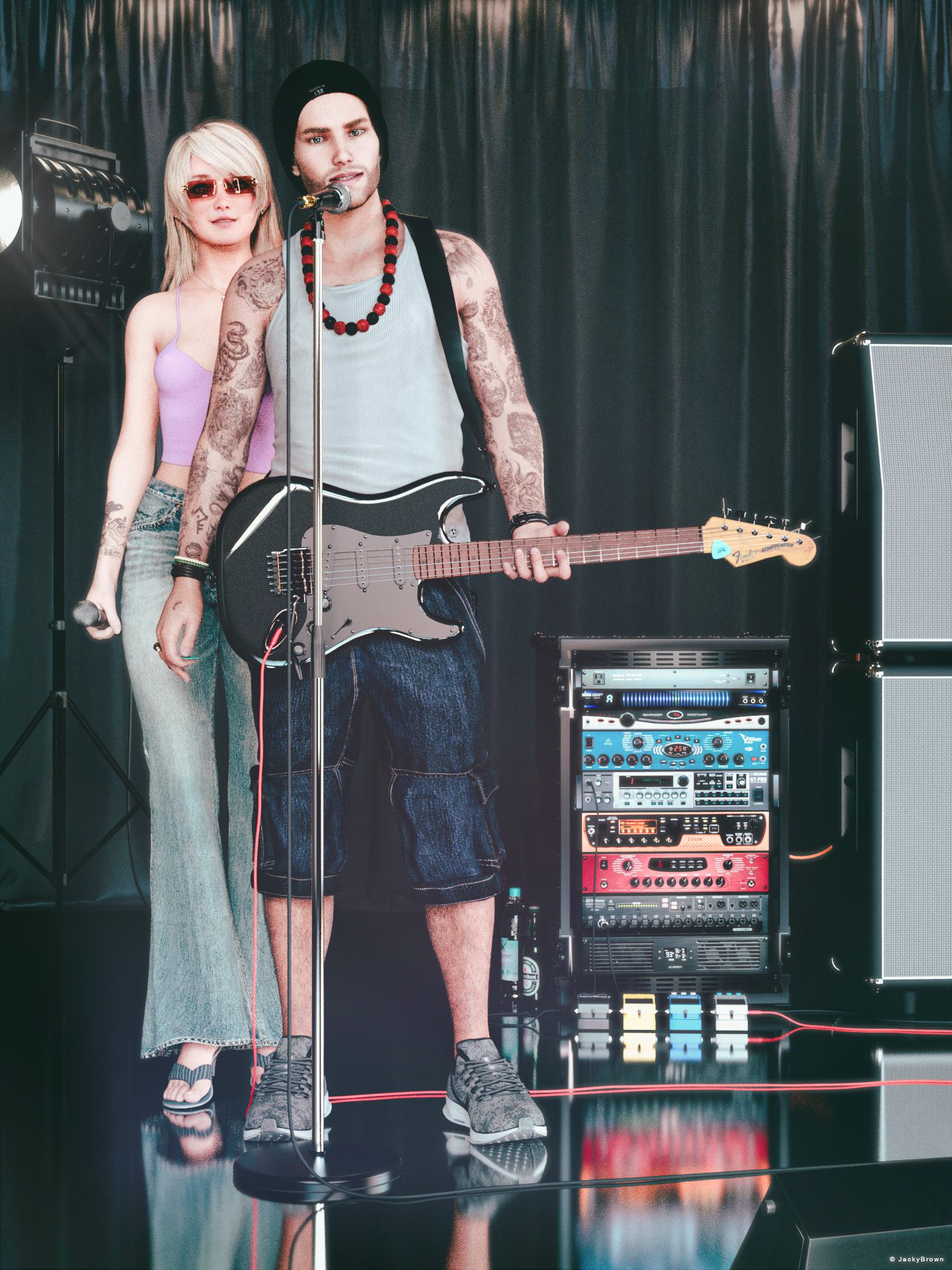
"Music connects"
Can anyone HELP me. Character Morph flips inside outThank you both VERY MUCH. I tried your method crosswind to no avail. But Thank you for the info you provided. Richard I did not need to do your method simply because I took your info and along with Corsswind I understood more and so I simply imported the obj file as an object and dialed the x-scale -100.00 then I saved it as a new obj and THEN I imported it as a morph and that fixed everything. Didn't even need to worry about the ERCfreeze. As soon as you started explaining that it was an axis issue I immediately figured I knew what the issue could be. You guys are awesome and a well of knowledge. Again Thank you.
[Released] RSSY Character And Material Conversion Bundle Genesis 8 to Genesis 9 [Commercial]RiverSoftArt said:
Eboshijaana said:
Yess, I'm eager to use this ^^
Thank you! I hope you will like it. It was the most difficult script we have done for Daz Studio.
I assume eyes and teeth are a no-go for transfer.
Can anyone HELP me. Character Morph flips inside outIt's going to be an axis issue - either the OBJ for making the morph was exported with the axis along which it shrinks inverted and it is being imported with that axis normal or vice versa. It shrinks because the morph moves the vertices along a straight line from start point to end point, and it bends weirdly because the joints no longer line up with the geometry. Redo the morph import and check the setting fro inverting the axis along which it shrinks - if the invert option is checked, clear it; if it is clear, check it.
Can anyone HELP me. Character Morph flips inside outSimply try: with the morph 100% dialed, export to obj again then import by Morph Loader Pro with : Reverse Deformations: Yes, Overwrite Existing: Delta Only, see if it's ok when sliding the dial..
As for 'into string when posing the figure', switch to Joint Editor and do Adjust Rigging to Shape, then ERC Freeze...Can anyone HELP me. Character Morph flips inside outSo a couple of years ago I had worked on a sculpt/morph and unfortunately, I had a pc problem and had to reinstall Windows. I did however save the obj file for the sculpt so I could apply it through morph loader pro. My problem is that when it loads, successfully I may add or so it tells me, there's a problem. I go in and crank the dial and my model does take the shape of the morph but as I am dialing it in it gets very narrow but as I get closer to the 100 percent mark it stretches back out to normal. And as it stands it looks good until I try to pose it the arms, legs, and hands turn into string. The little bit of info I could find online is telling me that my morph has turned my Genesis 8 model inside out. Is there no way to turn it right side out again but still keep my morph. Some said somewhere that the normals had been flipped. I do not know if that's true but when I try to flip them back in the geometry editor and save as a new obj file to use as a morph file it's still turning my genesis model inside out. Any help would be appreciated. Thanks
Old Daz Victoria 4 Figure I want to use in PoserVictoria 4 is a Poser figure, just install it along with any ExP Morph packs such as Shapes++, and then run the updater (/Runtime/Libraries/!Daz/DzCreateExPFiles-v4 if you don't hav the desktop shotcut).
AOBB's freebie head morph Jimmy v2 for G8.1M based on James Stewart. No materials nor textures.Here's my Jimmy v2. Also with updated suit (coming very soon, with tons of thanks to @ioonrxoon ).
I love him quite a lot. I also figured out his hair, @AOBB ... I had to add a morph to the mesh. It's a bit puffy but I'm sort of done with it :-)
 Daz3d Log file
For someone that isn't familiar with the code inside the morph files, there's two choices to 'fix' the duplicate formulas; 1. Check if there is updated versions of the products listed on the DS log, 2. Uninstall the products listed on the DS log.
[Released] RSSY Character And Material Conversion Bundle Genesis 8 to Genesis 9 [Commercial]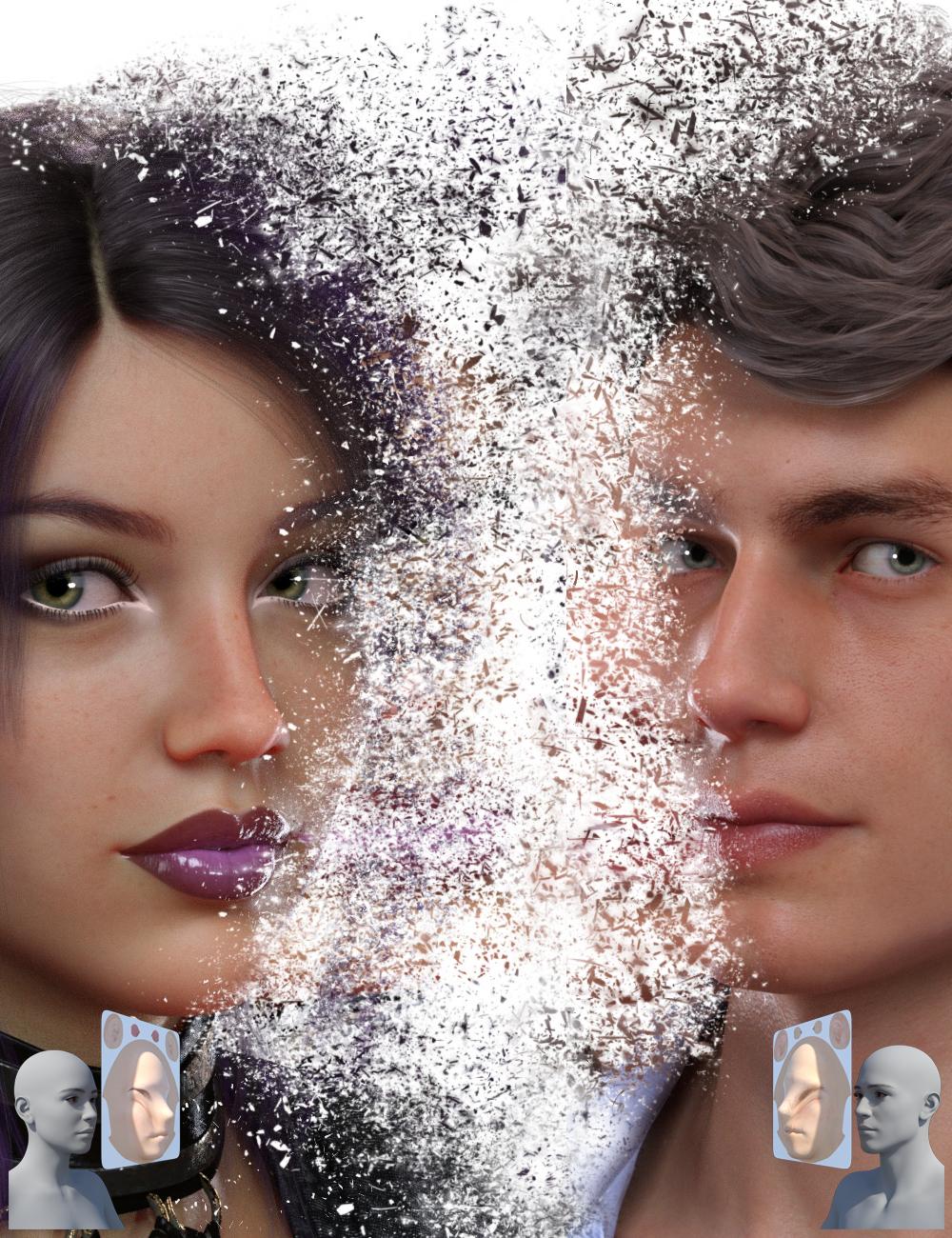 RiverSoft Art and Sickleyield are proud to present the RSSY Character And Material Conversion Bundle Genesis 8 to Genesis 9! Convert your favorite Genesis 8 characters to new Genesis 9 characters! The bundle includes 4 products for converting your beloved Genesis 8 characters to Genesis 9:
- RSSY Character Converter from Genesis 8 Female to Genesis 9 - Convert most characters from G8F/G8.1F to G9
- RSSY Material Suit from Genesis 8 Female to Genesis 9 - Use Genesis 8/8.1 Female character textures on Genesis 9
- RSSY Character Converter from Genesis 8 Male to Genesis 9 - Convert most characters from G8M/G8.1M to G9
- RSSY Material Suit from Genesis 8 Male to Genesis 9 - Use Genesis 8/8.1 Male character textures on Genesis 9
RSSY Character Converter from Genesis 8 Female to Genesis 9/RSSY Character Converter from Genesis 8 Male to Genesis 9
The Character Converter products transfer the morphs from beloved Genesis 8 characters to the latest generation, Genesis 9. The Character Converter scripts provide easy batch execution for automatically converting your Genesis 8 Character to a Genesis 9 Character in your library. Even better, icons, categories, and the default materials* are copied from your original Genesis 8 Character to the new Genesis 9 Character. The Character Converter script cannot properly convert all Genesis 8 characters. Characters with extreme morphs may have problems, especially around the eyes**. Multi-part characters (e.g., a character that loads a figure and separate horns) cannot be converted.
- Convert Genesis 8 Characters to Genesis 9 Characters
- Unprecedented control over the eye area – use a special option included to scale and place the eyes of big-eyed characters like Girl 8, or let it run automatically for normal-sized heads and eyes like Victoria 8!
- Mix morphs in your scene to create entirely new characters and then convert them to new Genesis 9 characters
- Automatically copy a currently installed Genesis 9 Hierarchical Map to the new Genesis 9 characters
- Copies icons from the Genesis 8 Character to the Genesis 9 Character for a professional look
- Automatically convert almost your entire library of Characters with one operation!
- Supports the Material Suit line of products! Copy Genesis 8 materials to the new Genesis 9 characters without ugly seams*
- Supports the Turbo Loader line of products! Convert your library of characters as fast as possible by turning off all the morphs for Genesis 8. If Turbo Loader is installed, the Character Converter script will enable only the morphs used by the Character Preset, convert the character, and then disable the morphs again
RSSY Material Suit from Genesis 8 Female to Genesis 9/RSSY Material Suit from Genesis 8 Male to Genesis 9
The Material Suit products allow you to quickly and easily use Genesis 8 character textures on Genesis 9. The Material Suit scripts provide easy one-click execution for automatically applying hierarchical materials presets to material suits. If you select the individual Material Suit, or the Eye, Mouth, or Eyelash conformer, you can separately apply materials to those, too! Selecting Material Suit also allows you to apply geometry shells to it and have them look great! The Material Suit script cannot properly convert all Genesis 8 materials. It can’t be used to put Genesis 8 geometry shells over a Genesis 9 skin, because the Material Suit is a culling conformer that removes all G9 geometry under it.
- Use Genesis 8 and 8.1 character skins on Genesis 9
- Includes eye and mouth scaling morphs for the eye/mouth suits in case of eye/mouth scaling mismatch
- Use Genesis 8 skins on Genesis 9 morphs
- No more ugly seams using G8 skins on G9
* The Material Suit product is needed to properly copy the materials from Genesis 8 to the new Genesis 9.
** A Character Converter Eye Placement script can be automatically invoked to help you manually scale and move the eyes for extreme eyes such as Girl 8.
Genesis 9 presents some unique challenges in converting characters, because of the difference in height from Genesis 8, the greater difference in shape compared to previous generations, and the separate conforming eyes and mouth that can provide both a boon (on regular-sized eyes) and an obstacle (on larger ones). Thanks to our special processes, the Character Converter makes it easy to achieve results that are all but impossible with slower manual methods!
Messed up geometry after converting from Genesis 3 to Genesis 8Havos said:
takezo_3001 said:
Did you use G8.1 instead of G8 as the recieving character by chance? I ask because G8.1 figure is not symmetrical like G8, as the left/right half of the character does not match, unlike with G8... A nightmare if you want to create limb morphs, so using DS's mirror morph import feature is useless!
Is this true? Everything I have read, and my own observations too, is that G8 and G8.1 is exactly the same mesh. Only the rigging has some difference, in particular the face. If they were not the same mesh, G8 morphs would not work on G8.1 (and they do), nor could you use G8 geografts on 8.1 (and you can).
G8.1 is indeed the same mesh as G8. G8.1 has slightly different material zones (torso was split into head and body), extra UVs and different expression system, but that's all. The base is still symmetrical.
Victoria 8.1 morph is asymmetrical though.
Old Daz Victoria 4 Figure I want to use in PoserI have an old V4 figure complete with V4 morphs I want to be able to use in Poser 12. I did it with the help of a friend once years ago but can't seem to get the cr2 file properly converted. I'd also like to have the morph functions still adjustable once I bring it into P12. Am I in need of an old utility program? Any help appreciated.
Messed up geometry after converting from Genesis 3 to Genesis 8crosswind said:
deji2109 said:
crosswind said:
You used the latest version converter script?
I used the 2020 option in this one https://www.daz3d.com/character-converter-from-genesis-3-female-to-genesis-8-female
If you're about to convert G3F to G8F, strongly recommend G3F to G8F Morph Converter 1.1 made by darkhound1 (offsite commercial link removed). Single mesh conversion, clean, accurate and fast... No offense to RSA's script but the method he made was a bit fussy and some steps are not really necessary. I believe for most of the users incl. me, we only need a purely clean single mesh and use Head Splitter on G8 to separte head / body morphs, even in most cases, we just need an accurate head morph...
Thanks. I'll check this out.
Messed up geometry after converting from Genesis 3 to Genesis 8takezo_3001 said:
Havos said:
Is this true? Everything I have read, and my own observations too, is that G8 and G8.1 is exactly the same mesh. Only the rigging has some difference, in particular the face. If they were not the same mesh, G8 morphs would not work on G8.1 (and they do), nor could you use G8 geografts on 8.1 (and you can).
That makes sense, but that doesn't explain the mirrored morph issue, I'll double-check to make sure, when I first made my leg morphs with G8 I did not recall this issue, but I did notice the issue with G8.1, as it morphed the entire right side when the morph was dialled...
deji2109 said:
I used G8. I finally figured it out. It was a particular morph that I used on all my characters that was causing it. The slider in question turned out to be Lilith 7 Body HD details. When I turned the slider down to zero, the anomalies went away.
Cool, glad you figured it out, yeah I have both Gen-x and Riversoft's plugins and HD morphs are nobody's friend when it comes to transferring morphs.
Thanks. Yeah I turned off every single slider one by one and eventually saw that one. I guess I didn't really know what I was doing because I have the Riversoft Converter and the Xtransfer morph converter. HD morphs are a pain.
Messed up geometry after converting from Genesis 3 to Genesis 8deji2109 said:
crosswind said:
You used the latest version converter script?
I used the 2020 option in this one https://www.daz3d.com/character-converter-from-genesis-3-female-to-genesis-8-female
If you're about to convert G3F to G8F, strongly recommend G3F to G8F Morph Converter 1.1 made by darkhound1 (offsite commercial link removed). Single mesh conversion, clean, accurate and fast... No offense to RSA's script but the method he made was a bit fussy and some steps are not really necessary. I believe for most of the users incl. me, we only need a purely clean single mesh and use Head Splitter on G8 to separte head / body morphs, even in most cases, we just need an accurate head morph...
Messed up geometry after converting from Genesis 3 to Genesis 8Havos said:
Is this true? Everything I have read, and my own observations too, is that G8 and G8.1 is exactly the same mesh. Only the rigging has some difference, in particular the face. If they were not the same mesh, G8 morphs would not work on G8.1 (and they do), nor could you use G8 geografts on 8.1 (and you can).
That makes sense, but that doesn't explain the mirrored morph issue, I'll double-check to make sure, when I first made my leg morphs with G8 I did not recall this issue, but I did notice the issue with G8.1, as it morphed the entire right side when the morph was dialled...
deji2109 said:
I used G8. I finally figured it out. It was a particular morph that I used on all my characters that was causing it. The slider in question turned out to be Lilith 7 Body HD details. When I turned the slider down to zero, the anomalies went away.
Cool, glad you figured it out, yeah I have both Gen-x and Riversoft's plugins and HD morphs are nobody's friend when it comes to transferring morphs.
Messed up geometry after converting from Genesis 3 to Genesis 8takezo_3001 said:
Did you use G8.1 instead of G8 as the recieving character by chance? I ask because G8.1 figure is not symmetrical like G8, as the left/right half of the character does not match, unlike with G8... A nightmare if you want to create limb morphs, so using DS's mirror morph import feature is useless!
I used G8. I finally figured it out. It was a particular morph that I used on all my characters that was causing it. The slider in question turned out to be Lilith 7 Body HD details. When I turned the slider down to zero, the anomalies went away.
Messed up geometry after converting from Genesis 3 to Genesis 8takezo_3001 said:
Did you use G8.1 instead of G8 as the recieving character by chance? I ask because G8.1 figure is not symmetrical like G8, as the left/right half of the character does not match, unlike with G8... A nightmare if you want to create limb morphs, so using DS's mirror morph import feature is useless!
Is this true? Everything I have read, and my own observations too, is that G8 and G8.1 is exactly the same mesh. Only the rigging has some difference, in particular the face. If they were not the same mesh, G8 morphs would not work on G8.1 (and they do), nor could you use G8 geografts on 8.1 (and you can).
Any news of a Pose Architect for Genesis 9 in production?FSMCDesigns said:
Seriously? i could never figure out that product worked. Any pose you create for G8 you can save and then use the free converter to convert to G9
https://www.renderosity.com/freestuff/items/93219/g8fm-pose-transfer-to-g9
Ever watch a movie or read a book and find a plot hole that is blatantly unbelievable? Like how Dom's kid (Fast and Furious) born in 2013 defied aging and in the 8th installment (2017) the movie depicted him at age one? It is a distraction. A plot hole disengages you at some point. This disengagement is due to unbelievability, and that hey, wait a minut, moment. This can occur in animations or still photo realistic images that depict scenes and poses. The pose in the product you linked to at Rendo, would be a face toppler, near impossible to keep your balance. How can she stand on her toe leaning forward while reaching back. The scene needs a wall to hold the model up,else the pose is unbelievable and unrealistic and frankly has an amateur vibe to it. Ever see a comic scene where a DUI check sends an abbreviated soul face-planting the pavement? That's about the only place unbalanced poses work well. The pose architect, is designed to create very cool but believable poses that are well balanced. Even contortionists in unbelivable poses, can look believable when the body is balanced with the hand as flat as possible or whatever is needed to create that COG (Center of Gravity). These are the things, the Pose Architect brings to the table . . . retaining balance while bending/moving body parts. If one doesn't understand the COG and it falls outside of the BOS (Base of Support) the pose is considered unstable and thus unbelievable. When we stand the BOS is in our feet but differs dramatically if we hold our feet close together or stand on one foot. Everytime we move our COG changes. Carrying obects and lifting boxes/babies reaching, stretching etc changes the COG. The weight of a person also affects COG. So does pain. My hubby has had two back surgeries (spinal fusions) and suffers from chronic pain. His COG is no longer behind his navel and is more to the back of his spine and because of that he is considered a high risk for falling. So for disabled, chronic back pain models these poses would not be believable but for all other normal average models, this product is spot on. . A perfect remedy for instability. Body poportions can vary and affect the center of gravity, which is why I own all of the architect poses and have G9 ( a shorter model than G8) in my cart. I don't need to worry about calculating COG and BOS because 3D-Universe created Pose Architect.
Daz 3D is part of

Connect
DAZ Productions, Inc.
7533 S Center View Ct #4664
West Jordan, UT 84084Licensing Agreement | Terms of Service | Privacy Policy | EULA
© 2026 Daz Productions Inc. All Rights Reserved.