-
[Released] RSSY Character And Material Conversion Bundle Genesis 8 to Genesis 9 [Commercial]
RiverSoftArt said:
Eboshijaana said:
I feel this script needs a bit more work. I've been using Riversoft and Sickleyield's converters for a good while now and only had minor issues with extreme shapes. But for whatever reason, this script bugs out more often than not and in ways that the other scripts don't. Why I bring this up, is due to the non-script converting method giving better results.
I've attached image examples. Please note I'm NOT returning this product, I know it can grow and evolve. I just want to be frank about things.
In both cases, Oso Bear Hands was the ONLY morph used.This script was the hardest one I have ever done for DS. G9 changed too much from G8 and caused endless problems. What you are showing though is the transfer part, which is pure DS. I am confused why they should be so different.
BTW, in data/RiverSoft Art/Common/RSG8G9CharacterConstants.dsa, there is a variable:
// "LOAD CHARACTER", "MORPH LIST", "REMOVE EYEMORPHS", "SETUP CLONE", "TRANSFER MORPHS", "CONVERT MORPHS"
// "CONVERT MORPHS AND ERC FREEZE", "CHARACTER PROPERTY", "MORPHS SAVED", "MATERIALS COPIED"
var BREAK_POINT = "";If you edit the file in a text editor and put one of the strings in BREAK_POINT, the script will stop during conversion, you can see what it did until that point. For example,
var BREAK_POINT = "SETUP CLONE";
The script will stop during conversion after setting up the clone. You could see what the script is doing and it might even help in a manual process.
First of all, there is no CharacterConstraints, there however IS Constants that has the right code.
CONVERT MORPHS is where the stuff starts looking awful, it first looks just fine, but then when I turn the morph on from the parameters it is messed up. It also randomly affects the whole body, something the manual conversion doesn't do.
Once more, I do not blame you for this, just reporting what I can.Getting on the 9 train, or notainm.sloinneadh said:
Charlie Judge said:
With all the new characters coming out I wonder whether or not there will be a MetaMixer Toolkit for G9 ???
I've been wondering the same thing recently. MetaMixer is a good concept and how blending character morphs should work, imo. The problem with G8 version was needing to buy add-ons for each character and the low number of characters available.
The add-ons have the characters head morph divided into some 56 additional partial morphs, that is why one can choose different parts of different characters to use.
Splitting head and body geometrycrosswind said:
If the character is G8 or G9, you can use HeadSplit dFormer in Starter Essentials products to split body / head. Export the figure to obj, load the HeadSplit dFormer to the figure, then use Morph Loader Pro to import obj as head morph and body morph separately, with Attenuate option. Pls refer to Josh' video: https://www.youtube.com/watch?v=dY6eJ0Awg9Q&t=253s
You may also consider to use Character Splitter in which there're HeadSplit dFormers for G2/G3 : https://github.com/Mike3D/Character-Splitter-for-DAZ-Studio
This is amazing and extremely useful. I'm in the middle of a large project and when I'm done with it, I'll give these a try. Thank you for pointing me at these.
[Released] RSSY Character And Material Conversion Bundle Genesis 8 to Genesis 9 [Commercial]There have been a lot of issues that I and others have raised with this product over the last few days, which is a bit like googling 'Meile washing machine fault' - you are going to find something no matter how great the product. So I wanted to reset the balance a little. Is this product perfect? No, it has some quirks, particularly on macos, where file naming and references appears to be an issue and with ERC connected dials, which interact in odd ways not known on the original. But with a little care and persistance, you can get excellent results. Some suggestions: a) run the material stuff seperately, you'll have more control that way. b) Dial out the character morph, and dial in seperately the head and body morphs. These seem to interfere otherwise. c) avoid HD characters if you have the non-HD equivalent, or dial out the HD morphs following conversion. d) expect to do some manual fine tuning here and there on occasions. I'm enormously grateful to Sickleyield and Riversoft for this product and all there other wonderful products - they save me a fortune and allow me to convert custom characters across Genesis revisions (and indeed from V4). Thank you. Attached - custom characters built from a composite of several commercial products. Genesis 8.1 on left, 9 on right. I'm using Cayman Studio for the materials. I have had some successes with the material suit route, I'm parking that for now.
[Released] RSSY Character And Material Conversion Bundle Genesis 8 to Genesis 9 [Commercial]RiverSoftArt said:
3DRT said:
RiverSoftArt said:
3DRT said:
I'm using the G8M converter on a custom character and it seems like it's applying the G8M clone to every converted morph which stacks on the G9 figure when I mix and match producing rather horrendous results. Dialing in just one is fine. Is there a way to prevent the G8M clone from being applied multiple times?
Applying the clone is part of the process to get the figures to match before transferring morphs, so every converted morph will have the G8M clone in it for males.
Does this mean that I can't use the converted morphs in a mix-and-match way because right now it seems if I convert a character composed of multiple body and head morphs, the result is that the G8M clone is baked into every converted morph and applied multiple times to G9 which messes up the results. For custom characters, I would need to combine all the morphs into a single character morph by exporting as obj and reimporting for it to work properly? Can't we instead just have a link to the G8M clone that is included in G9 in the output morphs?
You should be able to use some converted morphs in a mix-and-match way, but they do affect the whole body. I am not sure what you mean by a link to the clone. The G8M clone is provided by Daz in /data/Daz 3D/Genesis 9/Base/Morphs/Daz 3D/Clones/CloneGenesis8Male.dsf
I think he's talking about new G8 converted characters depending on your "Actor/Full Body/People/Feminine/Genesis 8 Female Body" that is a G8F clone, but with the same height as G9 :) We currently can't use directly official G8 clones for G9 because they don't have a correct rigging (even though we can do "Adjust Rigging to Shape..."), but yours is 100% functional.
If new converted characters were both depending on it, we'll be able to mix them because the morph would represent only the differences from G8F, so if we want to mix several G8F characters, we would have to enable "Genesis 8 Female Body" at 100% and all other characters at their respective proportions.
Splitting head and body geometryIf the character is G8 or G9, you can use HeadSplit dFormer in Starter Essentials products to split body / head. Export the figure to obj, load the HeadSplit dFormer to the figure, then use Morph Loader Pro to import obj as head morph and body morph separately, with Attenuate option. Pls refer to Josh' video: https://www.youtube.com/watch?v=dY6eJ0Awg9Q&t=253s
You may also consider to use Character Splitter in which there're HeadSplit dFormers for G2/G3 : https://github.com/Mike3D/Character-Splitter-for-DAZ-Studio
[Released] RSSY Character And Material Conversion Bundle Genesis 8 to Genesis 9 [Commercial]Eboshijaana said:
I feel this script needs a bit more work. I've been using Riversoft and Sickleyield's converters for a good while now and only had minor issues with extreme shapes. But for whatever reason, this script bugs out more often than not and in ways that the other scripts don't. Why I bring this up, is due to the non-script converting method giving better results.
I've attached image examples. Please note I'm NOT returning this product, I know it can grow and evolve. I just want to be frank about things.
In both cases, Oso Bear Hands was the ONLY morph used.This script was the hardest one I have ever done for DS. G9 changed too much from G8 and caused endless problems. What you are showing though is the transfer part, which is pure DS. I am confused why they should be so different.
BTW, in data/RiverSoft Art/Common/RSG8G9CharacterConstants.dsa, there is a variable:
// "LOAD CHARACTER", "MORPH LIST", "REMOVE EYEMORPHS", "SETUP CLONE", "TRANSFER MORPHS", "CONVERT MORPHS"
// "CONVERT MORPHS AND ERC FREEZE", "CHARACTER PROPERTY", "MORPHS SAVED", "MATERIALS COPIED"
var BREAK_POINT = "";If you edit the file in a text editor and put one of the strings in BREAK_POINT, the script will stop during conversion, you can see what it did until that point. For example,
var BREAK_POINT = "SETUP CLONE";
The script will stop during conversion after setting up the clone. You could see what the script is doing and it might even help in a manual process.
[Released] RSSY Character And Material Conversion Bundle Genesis 8 to Genesis 9 [Commercial]paul_42391e8ba7 said:
My adoption of Genesis 9 has been limited by the inability to bring characters I have developed (many back to V4) into G9. This product has the tools to do just that!
I was, however, disappointed with my first result. Naturally, I chose my favorite character to try first!I Included here a screenshot of the G8 and G9 (G8 left, G9 right). Clearly, the G9 face is distorted - especially the lips. Is there something I am doing wrong, or is this just the best I can expect? Also. the eyelashes are not textured. I tried to apply a material file, but nothing worked.
Did you convert with mat suit? Is this a conversion of a conversion? Did the script correctly identify it is a head morph (FHM)?
[Released] RSSY Character And Material Conversion Bundle Genesis 8 to Genesis 9 [Commercial]AllenArt said:
Ok, I've been using this for a couple days and I have one criticisim: after conversion, the converted figure has markedly exaggerated and slanted brows. I've been able to minimize this with a morph, but it's something that I DON'T get when transferring a character manually. Just thought I might mention it ;) I must also mention that a manually converted character looks MUCH better, though albeit a LOT more work. LOL
Laurie
I haven't noticed any exaggerated or slanted brows. I wonder if the script is pulling something else in or your system to mess stuff up?
[Released] RSSY Character And Material Conversion Bundle Genesis 8 to Genesis 9 [Commercial]3DRT said:
RiverSoftArt said:
3DRT said:
I'm using the G8M converter on a custom character and it seems like it's applying the G8M clone to every converted morph which stacks on the G9 figure when I mix and match producing rather horrendous results. Dialing in just one is fine. Is there a way to prevent the G8M clone from being applied multiple times?
Applying the clone is part of the process to get the figures to match before transferring morphs, so every converted morph will have the G8M clone in it for males.
Does this mean that I can't use the converted morphs in a mix-and-match way because right now it seems if I convert a character composed of multiple body and head morphs, the result is that the G8M clone is baked into every converted morph and applied multiple times to G9 which messes up the results. For custom characters, I would need to combine all the morphs into a single character morph by exporting as obj and reimporting for it to work properly? Can't we instead just have a link to the G8M clone that is included in G9 in the output morphs?
You should be able to use some converted morphs in a mix-and-match way, but they do affect the whole body. I am not sure what you mean by a link to the clone. The G8M clone is provided by Daz in /data/Daz 3D/Genesis 9/Base/Morphs/Daz 3D/Clones/CloneGenesis8Male.dsf
[Released] RSSY Character And Material Conversion Bundle Genesis 8 to Genesis 9 [Commercial]HoMart said:
RiverSoftArt said:
HoMart said:
Renamed the "modifiers" to FBM_... and FHM_.... in the character file and renamed the morph accordingly
This is what I get. There must be something else.
Giving up on that character
You are showing hidden properties to make sure you see all morphs? I would have to see log to see what morphs were converted.
Yes, I´m showing the hidden properties - or what do you think the "greyed-out" (is this an englisch word?) are.
For the log.
log_1.txt is with renaming the morphs to FBM_.. and FHM_... and renaming the "modifiers" in the character file.
log_2.txt is without renaming
Ok, both logs show that the script did not figure out if they were head or body morphs:
2023-05-22 14:47:47.045 [DEBUG] :: Head Morphs:
2023-05-22 14:47:47.045 [DEBUG] :: Body Morphs:
2023-05-22 14:47:47.045 [DEBUG] :: Other Morphs: BABI HEAD,BABI BODYNeither name of the morph starts with FHM or FBM, they start with BABI. The *name* must start with FHM.
[Released] RSSY Character And Material Conversion Bundle Genesis 8 to Genesis 9 [Commercial]cridgit said:
RiverSoftArt said:
@mfrank01328_e9ea05b22a, @HoMart, @cridgit
The Converted Character’s Body is wrinkled. Because of the way that morphs must be converted, a morph that on Genesis 8 appears to only touch a small part of the head can affect the whole body on Genesis 9. You need to show Currently Used parameters to show all morphs on the converted character. Then, one by one, dial in the morphs to find the offending morph(s). Once you find them, delete the morphs from your hard drive (click the Gear icon, Parameter Settings, and look at File Path for the asset to figure out where the morph is and what it is called). You should also resave the character with the offending morph(s) dialed out (set to 0).
Please clarify instructions:
- Convert G8 to G9
- Select G9 then show hidden parameters and select currently used
- Dial out currently used parameters one by one until the deformation disappears -> that is the corrupted parameter
- Delete corrupted parameter from G9 folder on my hard drive
Is this correct?
No, I recommend dialing out all current morphs and then dialing them in one by one as there may be more than one problem morph.
make a fitted item follow bone sizes but not morphs.crosswind said:
PS: If you want the character figure itself (e.g a G9) 'ignore' any existing / installed non-Base shaping morph (just like that Midnight Skeleton) but only follows bone sizing and posing, a simple way is to: Save it as a Figure/Prop asset of your own, with unchecking 'Write Parameter Definitions'. Then no existing morph will be shown after loading the figure (a pure clean figure but still compatible with the G9 Base) and then you can make unique morphs to the figure if needed...
It already is a standalone in the sizes of G8F base which is only nominally useful. The whole point of it is it has to match the character I'm using. I don't want to go into all the specifics but, I need it to match the character size I'm using but not the shape. It already takes poses but, it's feet don't touch the ground when you use poses of tall characters and then its other body parts will be way off if you make the feet touch the ground, it has to be the same size or it's useless, manually changeing the size of each bone is just insanely time consuming which makes it useless. The point of it is to save time and improve workflow.
[Released] RSSY Character And Material Conversion Bundle Genesis 8 to Genesis 9 [Commercial]I feel this script needs a bit more work. I've been using Riversoft and Sickleyield's converters for a good while now and only had minor issues with extreme shapes. But for whatever reason, this script bugs out more often than not and in ways that the other scripts don't. Why I bring this up, is due to the non-script converting method giving better results.
I've attached image examples. Please note I'm NOT returning this product, I know it can grow and evolve. I just want to be frank about things.
In both cases, Oso Bear Hands was the ONLY morph used.Diffeomorphic - does a step by step tutorial exist?@spa You have to save the pose presets then import them in blender. The geograft will have its own animation since it is a separate figure. Of course you need to import the morphs you used for the animation otherwise it will not work. Actually there's no support for object animation so you can't import the camera, that's a requested feature anyway so Thomas is aware.
note. You import the geograft animation on the merged rig. Only the geograft bones and morphs will be affected. For geografts you have to set "object transformations affect = none" to don't overwrite the figure location.
Or you can use Sagan that will export an alembic animation of the whole scene, that's probably easier to transfer from daz studio to blender. While diffeomorphic is more intended to import in blender then animate there, though it can import daz animations.
Head gamesbarbult said:
Here is a masculine G9 morph mix with Kala 9's skin.
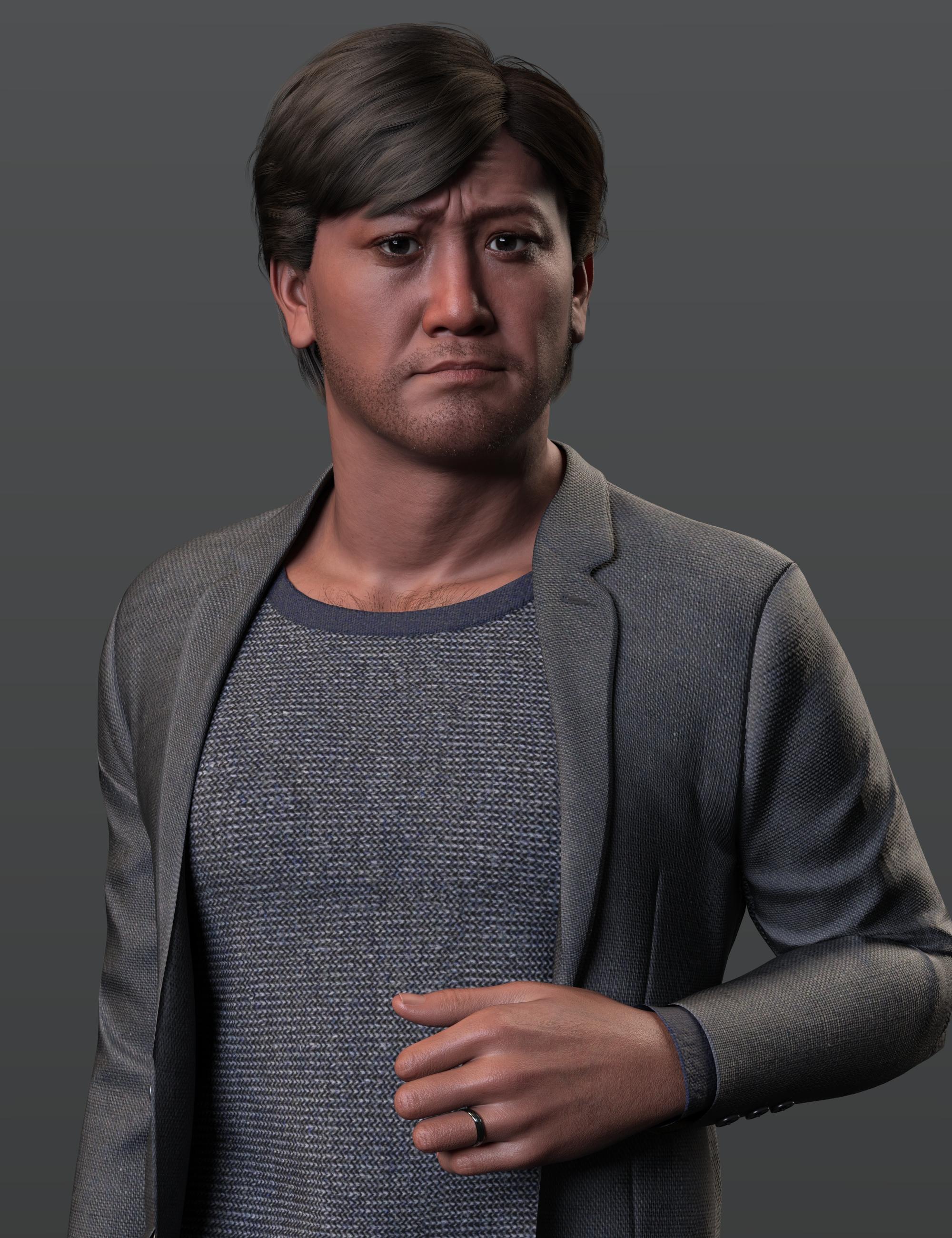
Fabulous!!
 Old Genesis 3 Male
Yes I have Gianni so I can use that character morph and thank you for these, they look great
Head gamesHere is a masculine G9 morph mix with Kala 9's skin.
Need help with a control propertyAllenArt said:
Richard Haseltine said:
If it's a morph you could add an identically named (but inert) morph with AutoFollow on to the base figure, when it is set the morph on the eye will follow.
I don't know how to do that.

You mean just add a property and use the name of the morph?How do I get it to follow the Ollie 9 slider?
So many questions...lol
Yes, just get the name (not label) of the eye morph from the Parameter Settings dialogue and then create a new Proeprty (right-click to put the parameters pane in edit mode, right-click the create new proeprty) with that name. Then the simplest way to link it to an existing slider when you probably already have other links (which means you don't want to do another ERC Freeze) is to right-click on one of the two (say Ollie 9)>Show in Property Hierarchy, then drag the slider for the other (your eye morph here) into Olie 9>Sub-components>1st Stage in the Property Hierarchy. The Attributes will probably be OK by default for this, since both are going from 0 to 100%. You could also drag the Ollier 9 slider into Controllers>1st Stage for the eye morph. One thing you do want to check in the Attribtes for the link is which property it iss et to save with, and make sure you do save that after setting up the link.
Is there any need for classic Hollywood G9 head morphs?Hi there,
I started converting my classic Hollywood head morphs from G8.1 to G9 using the method outlined in Jay Versluis' tutorial on Youtube with some additional steps I came up with by myself, so you would get the head morph with the base, androgynous body of G9. While I'm at it, I am using this opportunity to resculpt the heads so the likeness is better and more detailed. I believe I have started and (in some cases) almost finished the re-sculpt of 5-6 heads.
Then the question in the title of this thread has arisen - is there any point in me doing that? Are you interested in the upgraded G9 versions of my head morphs? Maybe I am just wasting my time? As there is no "View" counter next to the thread titles, I have no way of gauging the amount of interest in my work and I don't want to do all this tranferring, resculpting and turning the sculpts into morphs just for myself.
What are your thoughts on that?
Next issue:
As I would like to release all the new, G9 morphs all at once and I don't want to clog the Freebies forum with a huge zip file that most likely won't upload anyway, can I post a link to Google Drive , so you could download the morphs in one package from there? If that is not an option, what else could I do?
I might add two new characters to this package and my question is who would be the best candidate? If you have an interest in any particular actor from the 1930s to early 1950s period, please let me know.
Thank you for taking time to read this post and even more for answering to it!

Cheers,
AOBB
Daz 3D is part of

Connect
DAZ Productions, Inc.
7533 S Center View Ct #4664
West Jordan, UT 84084Licensing Agreement | Terms of Service | Privacy Policy | EULA
© 2026 Daz Productions Inc. All Rights Reserved.