-
Can someone please re-educate me on how to install 3rd party content?
Same sort of question, only I'm looking to consolidate many years of collecting models and props and whatnot, for Poser and DAZ into one directory.
Sorry Poser fans, I've been faithful, but I'm tired of coming to DAZ to buy content to use in Poser. not to mention the dual installs and etcetera.
So Poser content all the way back to when Victoria was called Victoria, not Vicktoria 2 or Vicky or V...
So anyway, lets just leave it at "lots" of stuff and that I know it's going to take me months to get it all sorted out; HOWEVER, How do I consolidate these folders without "breaking" Studio as it curreently is working fine.
I have DAZ content on C drive in the Public users folders, On C drive under my own folder, On another drive in a backup (that I just haven't gotten to yet.), And older copy I just didn't bother to update from.
and 6, yes 6 Poser runtime folders (all different versions going back in time.)
Now I know the Poser specific content is going to need it's own TLC and folders and files structures, the question is "Where" (I have a terrabyte hard drive just itching to be filled with this stuff.) Can I just copy the runtime to the drive and let DAZ have at it? or do I need to modify path information some place? Same question for the public and private content folders on C drive, I want this stuff OFF C:\, do I move it or Copy it, and tell DAZ where to start looking/writing. Can I merge the two without losing anything?
Anyway, any pointers here would be helpful, I'm just finishing up a 3 week "upgrade to 4.10" download and install of content, and would love to just move this stuff without having to do that all again.
Legacy UVs for Genesis 8: Victoria 4 can't apply texturesSo trying to figure out where the Bree information comes from - I closed DAZ, re-opened, and loaded Victoria 4.2, checked the Surfaces tab, and nothing is listed - loaded the Camielle MAT DUF, and it shows that the shader is DAZ Studio Default.
Camielle's Mat files are used for ALL the surfaces listed.
I re-created the DUF file: Again.
on the Materials Preset save options screen, I went through and made sure that Everything is checked, except compress file.
Deleted Victoria 4.2.
Loaded Genesis Genesis surface structure is the same as Victoria 4.2, we know this, I applied the new DUF. - no issue, did we expect one? not really.
Deleted Genesis, closed DAZ Studio and re-opened.
Loaded G8F- Note that the Shaderis set to iRay Uber. I did not change this that I am aware of, it must load with the model and the Preset texture "base" female.
I get the same results.
What do you think about this promo?(Critique Requested)will this work with all genesis Characters ?
Designed for the entire Genesis family (2,3,8, Ollie 8, Aiko 8, Victoria 8).
Everything that has a morph, you can divide and then mix, either clothes or prop.
and may even work in a limited way for other types of figures.
What you can not do is transfer morphs between figures, Genesis 3 to Genesis 8.Legacy UVs for Genesis 8: Victoria 4 can't apply texturesFrom the third picture I see that the shader is 'omUberSurface'. The V4 Camielle shader should be 'DAZ Studio Default'. Could you resave the Camielle Material Preset from the V4 mesh and check this when you do it.
Also, could you post a picture of G8F before you run the 'Apply Victoria 4 UVs' script. The textures should be present although they will look a bit of a mess. I want to try to establish at what stage the problem is occurring.
Josh Crockett Suggestion Page for Monster Characters!@RKane_1 here's some tests I did with the Dweller with morning star wings and Infernal Succubus Wings https://www.daz3d.com/morning-star-wings-for-genesis-3-and-genesis-8-male-s
https://www.daz3d.com/infernal-succubus-outfit-and-add-ons-for-genesis-8-female
Beautiful job! Wonderful products and you did a great job there. :) I was hoping for something that actually used the existing hands/arms or geografted so that the wings WERE the arms. I think it's one of those nigh impossible things to do thoungh I don't know with dForce what is possible, really. I figured more robust fingers elongated with dForce membranes.
But nice work there. :)
thanks yeah I know what you mean that would be cool closest seen are rawart's v4 creature wings https://www.daz3d.com/v4-creature-wings

https://www.daz3d.com/creatura-the-harpy-for-victoria-4

would love something like harpy for g3/8 only have the v4 creature wings, the arm ones only have the feathers those bat ones are on the back doesn't work too well on g8
Legacy UVs for Genesis 8: Victoria 4 can't apply texturesOkay so after reviewing even more and looking at surfaces, I see a major difference between Genesis and G8F when within the surfaces tab. As indicated by images Genesis Settings and G8F Settings (attached Images) Genesis does have the Camielle character listed in presets, (not sure if that is relavent,) While G8F does not, unless I uncheck the "Filter by context" option.
So on G8F I go through the steps again and nothing really changes until I select or apply the "Set Victoria 4 UV". What I am finding this does is remove ALL Diffuse images and changes the color to gray. It does not however change any Bump or Specular images. with the exception of Template 4, which appears to be the arms, in 3rd image I changed the diffuse to try to figure out what area this was.
Interestingly enough, a Specular Secondary node has been added to the legs, the color is a very light blue, but what is really interesting is the image for this is set to V5BreeLimbsS.jpg. which sort of indicates that this is pulling information from all sorts of places. Except of course where I am expecting to pull from.
The surfaces>Torso, has subsurface scattering set, to V5BreeTorsoS.jpg?
Anyway, all nodes have a UV Maps setting, all of which are set to "base", not sure if that is what "Set Victoria 4 UV" is intended to change or add.
This is just all giving me a headache... :D
Black Is Beautiful IIRecieCup used to have a character called Alea. It seems to have disappeared from the internet. Like, it would be easier to find a copy of Victoria 1 than Alea. But it was a pretty character, and did seem to resemble Aaliyah. I think it was a tribute to the singer, whose picture is in the background of the promo image. Maybe that was why it had to go. But it was a good character.
Visible seam in Anatomical Elements texture (problem cured!)The 'anatomical elements' are (is?) from Renderotica, the skin texture from https://www.daz3d.com/p3d-chandra-hd-for-victoria-7. Each works fine otherwise, but together they produce a visible seam around the area in question (see attached render). I've tried various texture adjustments, but can't get rid of the seam.
If anyone has a suggestion--or better yet, has noticed the same problem and found a cure for it--I'd be interested to know.
Thanks in advance!
p.s. The cover-up is from https://www.daz3d.com/alphakini-bundle, so it should be sufficiently modest for these forums.
 Rigging clothing not modelled in default pose
Thank you for your quick reply. So does this mean I am attempting to do here something completely impossible?
I think a mor realistic approach would be to perhaps rig the top to Victroia 4, make the lower sections custom bones for adjustment*, and then pose the arm and the custom sling bones for each render; another option might be to apply a dForce modifier and use a weight map to make the lower sections dynamic.
* Figure Setup pane, import the Victoria 4 model from the scene, import your model (which must be grouped) into the geoemtry area by right-click, drag onto the geometry entry in the realtionship s area, delete unneeded bones, add (if need be) and place bones for custom bones and set their rotation order (probably yzx, children of the chest bone would be the obvious placement), click Modify Selected figure, and then Create. Use the Joint Editor tool to adjust the origins and end points for the custom bones and to adjust the falloffs for all bones.
“Still New” releases not responding to discountsHi,
It appears there are several new MM items only showing a 30% discount and don't stack. For example, Aeon Souls Exquisite Ornaments Outfit for Genesis 8 (https://www.daz3d.com/exquisite-ornaments-outfit-for-genesis-8-females) along with all of the supporting textures are no longer showing the MM discounts. Others that I noticed:
https://www.daz3d.com/the-kiss-of-love-poses-for-victoria-8-and-michael-8
https://www.daz3d.com/dforce-delilah-dress-for-genesis-8-females
https://www.daz3d.com/nihi-sumba-cabana
https://www.daz3d.com/jepes-cinematic-poses--props-for-michael-8
https://www.daz3d.com/z-visions-of-beauty--poses-and-partials-for-genesis-3-and-8-female
https://www.daz3d.com/20-powerful-postwork-procedures-with-pd-howler
https://www.daz3d.com/the-blood-baroness-jewelry-set-for-genesis-8-females
Trish
ultimate-blood-n-dirt if used on MALE?Note:
HP Prototype YC-7 for Genesis 3 Male requires Victoria 7 and Monique 7 UV maps for InnerGlow2.
Base Male UV
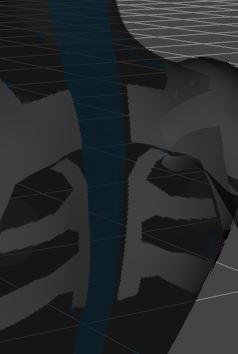
Monique 7 UV
 "Get Them While You Can!" If Not… Well… "There's Always Another Sale™"
And it looks like just like yesterday Still Mad items aren't getting the extra 10% for buying two, and the owning Ollie Pro 10% bonus.
Additionally, a few items seem to have dropped out of Still Mad and are only getting 30% in my cart (for instance https://www.daz3d.com/the-kiss-of-love-poses-for-victoria-8-and-michael-8 and https://www.daz3d.com/jepes-cinematic-poses--props-for-michael-8)
I'll see what the prices are in a few hours time.
Checking on this. Does anyone see anything else that isn't on Still New that should be?
Did you see the attachment on my comment, posted after Nath's and just above yours? It has a couple dozen products that should be listed as Still New, but aren't.
"Get Them While You Can!" If Not… Well… "There's Always Another Sale™"And it looks like just like yesterday Still Mad items aren't getting the extra 10% for buying two, and the owning Ollie Pro 10% bonus.
Additionally, a few items seem to have dropped out of Still Mad and are only getting 30% in my cart (for instance https://www.daz3d.com/the-kiss-of-love-poses-for-victoria-8-and-michael-8 and https://www.daz3d.com/jepes-cinematic-poses--props-for-michael-8)
I'll see what the prices are in a few hours time.
Checking on this. Does anyone see anything else that isn't on Still New that should be?
"Get Them While You Can!" If Not… Well… "There's Always Another Sale™"And it looks like just like yesterday Still Mad items aren't getting the extra 10% for buying two, and the owning Ollie Pro 10% bonus.
Additionally, a few items seem to have dropped out of Still Mad and are only getting 30% in my cart (for instance https://www.daz3d.com/the-kiss-of-love-poses-for-victoria-8-and-michael-8 and https://www.daz3d.com/jepes-cinematic-poses--props-for-michael-8)
I'll see what the prices are in a few hours time.
Novica & Forum Members Tips & Product Reviews Pt 10I liked the skin on https://www.daz3d.com/maria-for-victoria-8 I usuall do a first pass at a render. I need a longer render and to take some shine out of the hair. I had it on 100%. And, I think I need just a touch more light on the face.

@cismic I like the approach and the rim lighting. Agreed though, can't really see the face much. But then again, the forums are notorious for darkening renders.
WHY Has Studio Started Crashing So Often?I’ve been getting those crashes for months now. I hope I can render it because it sure looks cute
I sometimes get a crash also when autofit Older clothing to gen 8 male.
Well I had a problem when I would autofit Callie 6 Pro Bundle clothing for G2F, eg Cookie Stewardess, on G3F characters such as Girl 7 or Victoria 7, all of them in fact, DAZ would crash dump. I submitted a ticket with details on how to replicate, the did & eventually the bug was fixed.
Where I haven't had luck is when submitting iRay bug, even glaring ones the I can replicate again & again & get those instructions to them on how to replicate. When I submit those sort of bugs eventually I get a response that it isn't actually a bug.However as you are seeing on your crash there at 65% there are iRay render bugs.
Legacy UVs for Genesis 8: Victoria 4 can't apply texturesOkay, having the exact same problem trying to get some legacy V4 Characters updated to G8F.
Yes, these are originally mat files, and are even POSE MAT, The character I'm trying to do at the moment is Camielle for V4, however I get teh same type of results for every material I try to convert.
Steps are:
Load V4 and apply Texture MAT files
Save Textures as "Materials (presets)"
Navigate to directory and verify that I now have a DUF file for the texture.
Load G8F
Apply "Legacy UVs !prepare Genesis 8 Female"
Apply Texture from Saved files>Preset>Materials>"V4 Camielle to G8F" (how I names my save)
Apply "Apply Victoria 4 UVs"
Attached is the results.
Should note that the arms are NOT Camielle's that I am aware of (to light).
I have tried multiple textures as well as applying the V4 Textures to Genesis and creating the DUF file that way. (Again note, the textures apply to Geniesis with no issues Camielle looks like Camielle.)
Any ideas what might be going on?
Novica & Forum Members Tips & Product Reviews Pt 10- Adaline
- Amaya
- Anain & Akasha - folder for Kande and Musoke for Genesis 3 and 8 Female
- CB Thyme
- Frankie
- FW Art Brooke
- FWSA Cai
- FWSA Samira
- FWSA Taia
- GA Elish
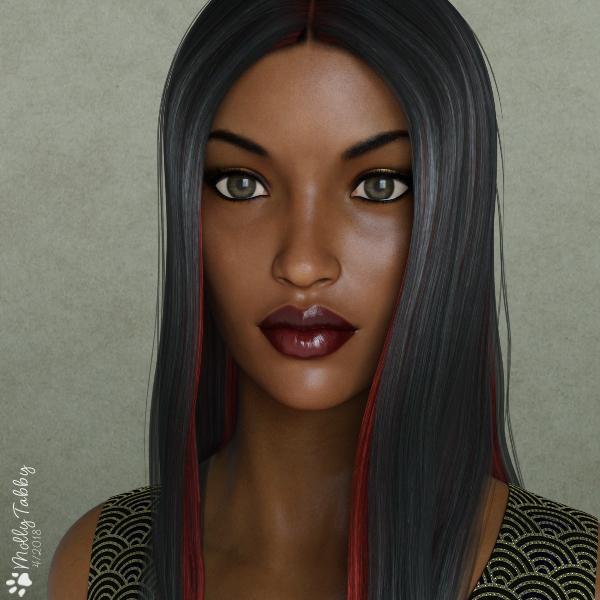
This is FWSA Taia, and not Tala as previously listed - I need to get my glasses checked, lol. She is paired with Lisse Hair for Genesis 3 Female(s).
The dress is from the Eygptian Outfit for Genesis 3 Females. I'm on a mission to see if it is possible to look at the flexibility of some of my outfits. This is the manual dress from that set, retextured with DG Iray Fabrics of Asia Shaders. I think it makes a useful evening dress in this configuration.
1. Full figure

2. Head and shoulders
SaveSave
What happens when I get boredI was looking for an excuse to do something silly and last Halloween I found one and this render was the end result. It came about after I was looking at a behind the scenes photo of Sigourney Weaver lounging around the set of the ALIEN escape shuttle in her underwear. The stark harsh lighting of the b&w photo made me think she looked like a pole dancer and this idea for a render began to form in my head.
Since the internet never disappoints I found that someone (Phil Cooke “PhilC” from ShareCG.com) actually created a 3D model of a pair of platform high heel shoes styled after the head of a xenomoph with gold facehuggers that wrap their legs around the wearer’s ankles. The rest of the render simply grew from there.
I created it for someone who is a huge ALIEN fan and has a youtube channel. I never posted it anywhere and figured why not just for giggles (...and also because I think enough time has passed that they won't flip out). I had a cheesy Vegas-style review stage show in mind while working on it. Kind of like Troy McClure’s The Planet of the Apes musical.
It was rendered in DAZ Studio 4.8. I modeled the sleeveless tee, tactical wrist watch, the carrying case for Jones, jack-o-lantern, the conduit border and the fonts in Hexagon 5.2. Other elements such as the hair, the xenomorph, facehugger, pulse rifle and cat were downloaded from free 3D model sites. “Ripley” was created using DAZ Studio’s “Victoria 4” female figure and the facial morph “Elena for V4 base /EZ and V4.2” was created by “Akinastar” from ShareCG.com.
Novica & Forum Members Tips & Product Reviews Pt 10Space merchant FWSA Erynn HD For Victoria 8 and LF Erynn Lingerie wanted to surprise her boss for his birthday, but what do you get a man who has everything? Answer: Something you want for yourself, because you know he isn't going to keep it. Baby Packy was a perfect gift!
Also used: Curly Top Hair For Genesis 3 and 8 and Cyber Siren Outfit for Genesis 8 Female(s) If you want great floors, don't forget the Ceramics for Iray shaders.
Edit: Here's a closeup of Erynn. (Opens a new window.)

That's adorable!
Trish
Daz 3D is part of

Connect
DAZ Productions, Inc.
7533 S Center View Ct #4664
West Jordan, UT 84084Licensing Agreement | Terms of Service | Privacy Policy | EULA
© 2026 Daz Productions Inc. All Rights Reserved.