-
[Released] FAST Animation Studio Tools released!!! Official support thread [Commercial]
Hey there—first off, I’m really sorry for not getting back to you sooner. I’m building out documentation (lots of folks have asked for it), working on a Mac version, fixing a few add-on errors, and recording another tutorial for the DAZ store page. Would you mind shooting me a quick email at [email protected] to double the efforts here? I’m going to do my best—every time I get a forum message I’ll put it where I’ll always see that I’m currently communicating with someone. I also want to say I’m a bit new to this kind of thing, so thank you for your patience.
OK, about this part—can you tell me if it exports those too like Diffeomorphic? We bundle the Diffeomorphic add-on so you have full capabilities of that add-on.
And we’re not opposed to writing code to give you a better effect. For instance, with the L4N4 model that you get from DAZ—that robot that you get—it wasn’t looking right in Blender because our import system wasn’t importing it with the shells, so we wrote some code and now it does. So we could likely do that if you come up with some sort of way we could improve our geograft experience.
And I do want to clarify that I assumed that you were asking if our add-on exports geografts like Diffeomorphic. But essentially, our add-on is like four add-ons in one: you have our main FAST add-on that has 600 buttons that improve literally everything in Blender; then you have the full Diffeomorphic add-on, which has 300 buttons and all the capabilities of that; then you have a pro version of the Mixamo add-on, which we upgraded to Blender 3.6 when Adobe didn’t, and which is more reliable and adds more features like a bulk Mixamo downloader—so you have all the capabilities of a pro version of Mixamo; and also we bundle R OK OK add-on, but we turned it into a Mixamo to DAZ retargeting panel. So you see, you get all these features. And just to note, we bundled the Diffeomorphic add-on because they offer an API, which means a way to call their functions easily in programming code, so we bundle the Diffeomorphic add-on so we could do that easily.
[email protected] and again this email address we check it all the time i'm getting better at checking this forum page so trust you'll get a better experience in the future I'll make sure to answer your questions right away.. I have a special file where I have notes and then every time I get a message here from now on I'll leave a little note in that file because I check it all the time that I'm still discussing something with somebody on the forum.
Request for a super simple pluginMoved to Product Suggestions as the scripting forum if for people wanting help in writign scripts, not for requests. Note that a script is not a plug-in (platform-specific, written in C++ using the SDK).
The first part would be trivial - just DzFileDialog - but for the second yopu would either need to check the metadata or parse the file and check the type it was saved as (either of which could fail in various ways).
Metadata missingContent Wizard will take care of a lot but if you only have a limited number of products to fix, you can fix them by hand.
This video is a bit old, but should give you the basics of how to add metadata using the default tool included with Daz Studio if you want to do them manually (the default tool is an acquired taste, but it does the job):
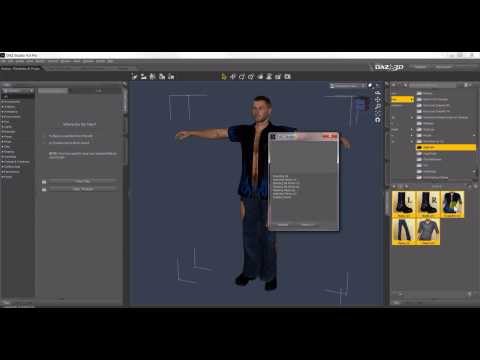
Once you have the basics, it's a good idea to look at how similar products sold on Daz3D.com have their metadata set, to find what types, categories, compatibilities and compatibility base were chosen.
In the case of that swimsuit, to give you some pointers without repeating too much what the video said:
General Metadata for the product:
While you can simply edit the barebone metadata automatically create by DIM when you installed the product (it's the fastest way), if at one point in the future you want to share you metadata, it may apparently cause some problems.
So if you're thinking of sharing it one day, here's my suggestions (I'll assume that you have chosen this path, but it won't change a lot in the rest of the metadata, you'll, off the top of my head, still have to create a new compatibility base):
- Product name: I suggest 'dForce Slingshot Swim for Genesis 8 Female(s)', which is how Daz would have named it if the product was not transfered from another store. I suggest to also use that as the name when creating the new compatibility base.
- Author: Chris Cox
- Store: DAZ3D
- Token: 95638
Doing so will create brand new metadata files located in your 'DAZ 3D/Studio/My Library/Runtime/Support' folder (I don't know where it's located on Windows, I'm creating all my metadata on MacOS and on MAc, it's in ~/Documents/DAZ 3D/Studio/My Library/Runtime/Support).
Metadata for the slingshot:
- Type: Follower/Wardrobe/Full-Body
- Categories: Default/Wardrobe/Swimwear/Full-Body
- Compatibility Base: you need to have create the Compatibility Base before (see the video), which should be, if you used the product name I suggested, something like 'dForce Slingshot Swim for Genesis 8 Female(s)/Slingshot' (it may be different than 'Slingshot', but if you have followed the video, you should only have one sub Compatibility Base parented to the root compatibility base 'dForce Slingshot Swim for Genesis 8 Female(s)', so just select it)
- Compatibilities: 'Genesis 8/Female' is the minimum but you can also add 'Genesis 8.1/Female' (beware that you may have a product that created a 'Genesis 8 Female/Female' Compatibility Base and it will not work with a Genesis 8 Female character).
Metadata for the material presets:
- Type: Preset/Materials/MDL
- Categories: Default/Materials/Iray/Wardrobe
- Compatibility Base: NONE.
- Compatibilities: Here, it must be the same as the what you have chosen for the Compatibility Base of the Slingshot (so something like 'dForce Slingshot Swim for Genesis 8 Female(s)/Slingshot')
Metadata for the shader presets:
- Type: Preset/Shader/MDL
- Categories: Default/Shaders/Iray (they are multiple sub categories like Fabric, Gem, Metal, etc but without knowing how what each shader does, I can't comment).
- Compatibility Base: NONE.
- Compatibilities: Daz uses /AnySurface as the Compatibilities for shader presets.
I don't think it's the case for the shaders for the Slingshot but I have at least one product where shader presets were not made to be use on anything else than a specific surface of that product (I think they should have been saved as Material Presets instead, but I'm not a PA) so in case Chris Cox did the same (and only in this case), you'll have to set the Compatibilities of these shaders made for a specific surface in mind with the same Compatibilies as material presets.
Looking at the readme on Renderosity, they are dForce Presets but I don't know if they are material presets (if it's the case, create the exact same metadata as for the various Material Presets) or Simulation settings, in which case, their metadata should be something like this:
- Type: Preset/Simulation-Settings
- Categories: Default/Simulation-Settings
- Compatibility Base: NONE.
- Compatibilities: something like 'dForce Slingshot Swim for Genesis 8 Female(s)/Slingshot'.
Edit: I forgot, but if you followed my advices, you'll not have an icon. Just check if Daz provided one, it should be in My DAZ 3D Library/Runtime/Support and its name should start with 'DAZ_3D_95638'.
If you followed the whole process and chose to use the whole name, at that point, if the picture exists, duplicate the file then rename it as DAZ_3D_95638_dForce_Slingshot_Swim_for_Genesis_8_Female(s).png and you should have a proper icon.
If none is provided, take a promo render and crop it to get a 10:13 picture. Content Wizard suggest a 380x494 picture, which is what I use.
If you edited the barebone metadata, just rename that cropped and resized promo render using the same name of the .dsa file starting by DAZ_3D_95638 (name of the file will also be visible in the main windows of the metadata editor).
Metadata missingYou usually won't find any mention of it on the product page here, as the description was imported automatically from the old product page. I remembered that this vendor was part of the "welcoming new artists" sales so I checked by googling the product name + Renderosity and found the old product page there.
There's a list of artists which were part of this sale in this thread: https://www.daz3d.com/forums/discussion/comment/8824416/#Comment_8824416That can give you an idea of vendors which may have some products without metadata.
For the record, you can add metadata yourself or use content wizard to create them: https://www.daz3d.com/content-wizard (it's currently heavily discounted as part of the "Classic Top 200" sale)
Metadata missingWhich product is that? Most items which have been transferred from Renderosity won't have metadata for example.
Metadata missingI've asked for this before, but lately this has been happening to me far more often. I get a product and there is no metadata assigned to it so it's practically useless since I will forget I have it after a month or two. If Daz, not the artist is supposed to be adding the metadata, why has the isntances of this gone up 800% recently and no one has done anything about it? I took a look at my lost and found and has more items in than my unfiltered materials folder do which SHOULD be my largest folder. does anyone else have else have Slightshot Swim G8F and is it missing it's metadata?
maybe it's not metadata... maybe that's the wrong term, but it doesn't associate with character models, materials, or wardrobe.copying keyframessadly you need someone with AniLip, I don't own it either, the regular lipsync saves keyframes as does PoseRecorder but I have no idea what Anilip does
I even looked at it today in the 80% off for 2 sale and passed on it

I can do all the microsoft TTS voices with Balabolka and a Registry hack and use them in Lipsync so never saw the need
and with the new FBX import I can even import my iClone6 bespoke retargetted bone based expression editor animations
The New Mac FAQI uninstalled and then reinstalled DS 4.24.0.3 to get Bone minion to work. But I hit a snag. If anyone has the time to help, please go to the link above and read my post and look at the files I uploaded. I did keep the "cms" and replaced it in my ~ Library after reinstallation; and I did go to the "content library" pane, where I clicked the menu icon and chose "Content DB Maintenance," after which I clicked the "Re-import Metadata." I thought that was all I needed to do.
I'm stuck. Hope someone can help. This is the first time I've tried uninstalling and then reinstalling DS. I did not describe the whole thing that's at the link above, so I don't think this is a double post. I am just trying to attract MacIntosh users who could help. Maybe windows people could just as well, but I don't know.
Will DAZ ever improve animating?I really hope that either GoFigure themselves make aniMate 2 compliant for Daz Studio 2025, or that Daz 3D buys aniMate 2 from GoFigure so that they can tool it into Daz Studio 2025 permanently.
Check the DS 2025 Alpha “evergreen” thread
AniMate 2 for DS alpha is listed as pending.The Upper Tier Physics tools are where its at if you want to really get into this stuff - interactions between two or more figures, interacting with objects, ragdoll or not... this stuff is Insanely Awesome!
You should really have a look at the Auto tweening feature in the latest build
its like magic!!
What is most amazing this software is how it manages to be useful to nearly every Character animation ecosystem.
I recently migrated over to the toon shaded VROID “V-tuber” anime figures ,that I Import to Blender (via a free addon), for NPR anime style production.
As Cascadeur is strongly geared towards realtime video game animation all I have to do is export to a game rig format
(unity or UE)
and my characters rigging is auto recognized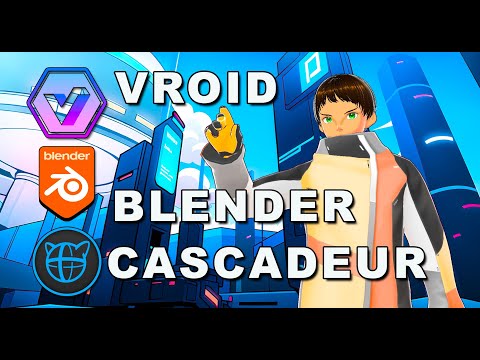
Also Cascadeur addresses many of the long time problems with Iclone's motion clip system.specifically the issue of sharp 90 degree turns ,while moving ,always looking robotic by default.
But a quick round trip to Cascadeur’s Autophysics fixes that as well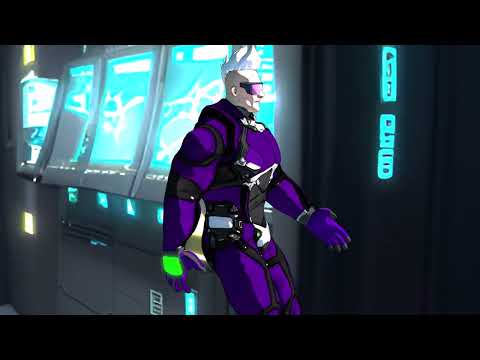 [Released] FAST Animation Studio Tools released!!! Official support thread [Commercial]
Sorry it took a little bit to get to you, We've been so busy and this is new but now we know to check this page consistently...
Please realize if we're ever late replying here you could always send a message here and that goes right to our email account which gives us an audible warning when we get an email so then we could consistently know and check that.
https://fast-blender-add-ons.com/support/
About your question...
For shells, please see Diffeomorphic’s official Shell Editor page:
https://bitbucket.org/Diffeomorphic/import_daz/wiki/Features/Shell%20Editor
FAST bundles and uses Diffeomorphic API, Our add-on keeps it installed for you so the Diffeomorphic panels are always available. that means all of the features of the add-on are always available and shell behavior follows what’s described there... Using their API we upgraded their import system heavily, You could automatically add lip-sync animation on import and mixamo animations on import for instance... and we also made the import DAZ materials button they offer quite a bit better as now it works on multiple objects... We also provide extra functionality for creating Blender morphs in Daz easily and tons more stuff... Anything you would like to know just ask we provide over 600 operators that improve literally everything in Blender... In a nutshell the DAZ import system is awesome that we offer but we improve literally everything that you do after that and allow you could create and render up to two minutes of scenes per day using DAZ characters which no other add-on does.AFAIKIf the shells functionality feels confusing, I’m happy to help research it with you. Just tell me which DAZ characters you’re using and the effects you want (e.g., overlays, stacks, special materials), and I’ll read up and make sure this will work for your case.
For a quick overview of what FAST does, please check the images on our DAZ Store page—they give a broad summary.
And if you want me to look into a specific setup or result, say the word and I’ll dig in next.
Also any other questions at all you have about the add-on feel free to ask and I'll help you with those as well.
[Released] Blender to Daz Studio Plugin released!!! Official support thread [Commercial]Hi all, I have submitted version 3.8.61 to the PA portal, it should hopefully be available within a few days.
Release notes:
1) Merge Textures Width and Height property added.
2) Scale As Percent option added.
3) If the file is not saved, the user now gets a prompt to save in any location of choice rather than in the temp file.
4) Progress bar added during the import.
5) The plugin now supports larger files.
6) Hair particle bug on export fixed.Best wishes,
Matronius
Will DAZ ever improve animating?What I love about the Cascadeur Membership plans:
Free:
The free version works incredibly well to help get your feet wet learning the tools, following tutorials, and making - even saving animations. Genesis 8 and 9 FBX are automatically recognized and, when I asked the developers, they said that they do intend to eventually support more of the earlier generations. In the meantime, their auto-rigging tool is really quite nice!
So even though we cannot export animations back out of Cascadeur, the Free tier is an invaluable way to discover whether or not the software is a good fit - and if you want to create you own motions... the answer to that question will be a resounding Yes - so it's always a great move for them to offer this - and they always will. Kudos to them for that decision!
Indy:
The way I'm using Cascadeur, I really could get by nicely with this tier. I wanted to have the ability to explore the Pro Tier tools and features, so my beloved Rosie allowed me to get two years of Pro. But the Indy version grants the Amazing "Command > Send to DAZ" feature. It's an FBX that would be like what we'd get from Mixamo, except that this one has our own custom work. Just save that as a Pose and aniBlock... Bam. Done.
Many of the upper tier features can be held off until we really need them. In the meantime, Indie tier offers an incredibly fair plan to support development as we animate like mad and send our work into Daz 3D - or wherever you choose.
Pro:
Well, Pro is Pro. And Pro is Everything. Including expedious support.
Cascadeur Team is CONSTANTLY developing the software - pushing the boundaries and always making things easier and more powerful all at the same time. Pro gets us a front-row seat to all of it.
The Upper Tier Physics tools are where its at if you want to really get into this stuff - interactions between two or more figures, interacting with objects, ragdoll or not... this stuff is Insanely Awesome!
Retargeting really comes in handy if you like to shop at other places that sell Motion Capture, since most don't usually support Daz 3D figures. MoCap Online told me that it was too costly to retarget their motions to the Daz 3D figures, so what we have in the store is it. At least for now. So if you want more of their cool stuff, Cascadeur Pro offers the means to retarget, and MoCap Online's FBX is fully recognized by Cascadeur upon import. I've checked!
All of it:
No matter the tier - even if we might have not even downloaded it yet, their YouTube channel and Doscuments Section at their website is a spectacular arena of animation study Bliss! The reason that they have the tweeners that they have available is because that's what They need to use - so we have the high-end tweener interpolations as well as a new one that the CTO thought made more sense for certain situations - and That's Awesome!!!
Thank goodness for the time needed to simulate hair because that's the sort of moment that I use to just absorb some of that stuff. So much of it becomes more and more clear to me the more times I watch the same thing over again - so I do. And then I watch it Again!!!
Even this quick, early promo video continually remionds me of how amazing this software really is!
 DAZ Billboards in Blender?
@Hurdy3d
All I can find for Blender are contemporary crowd assets.
I need medieval times crowds.@Padone
I figured, but thought it wouldn't hurt to ask anyway. Thanks.
Push comes to shove, I'll set up the camera and billboards in DS and import them into Blender.
It's just a lot less flexible that way.DAZ Billboards in Blender?1. create in blender a plaine
2. copy with strg + alt + c the locations (XYZ) of the cameras in the n panel ("Item" tab)
3. paste it with strg + alt + v to the planes location
4. do the same rotation
5. now the plane should have the same position and rotation as the camera
6. export the plane as obj
7. import the plane to DAZ
8. In DAZ, manually adjust the camera like the plane
9. Now you can create in DAZ your billboards, run the script and than export the billboards to your scene in Blender.
DAZ Billboards in Blender?Hi,
Is there a way to import billboards into Blender and still change the viewing angles?
I like the RiversoftArts billboards which come with scripts to rotate and align them to a camera.
The answer is probably 'No', but I figured I'd ask anyway. You never know.
I couldn't find similar non-contemporary assets for Blender.Thanks!
Will DAZ ever improve animating?Nice video on importing from cascadeur back to DS

Any animation I import or make in Cascadeur seems to not be affected.
Yet thousands of people using the software are somehow getting the secondary physics to work.
here is a very quick and dirty example where I applied secondary physics only to the arms & hands. you can see the hands are more “floppy” on the physics preview character.It’s a deep program with alot of power& complexity so dig in and learn those settings
it will be worth it trust me.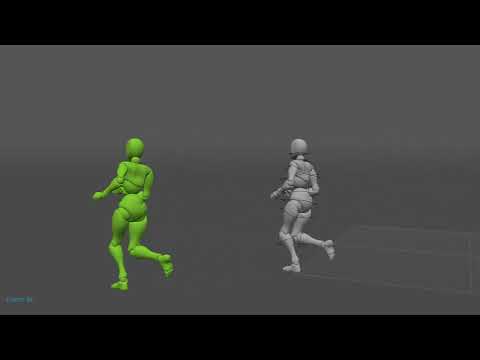 Bryce Freebies - Bunyip02 Blender models
rosseliani said:
Thank you so much for the freebies, I just wonder how to import them in Daz Studio.
Regards,
Rosselani
There is a lovely Bryce community for doing Bryce renders - but if you insist on DAZ Studio being your preferred workspace there is an export out of Bryce that you can do.
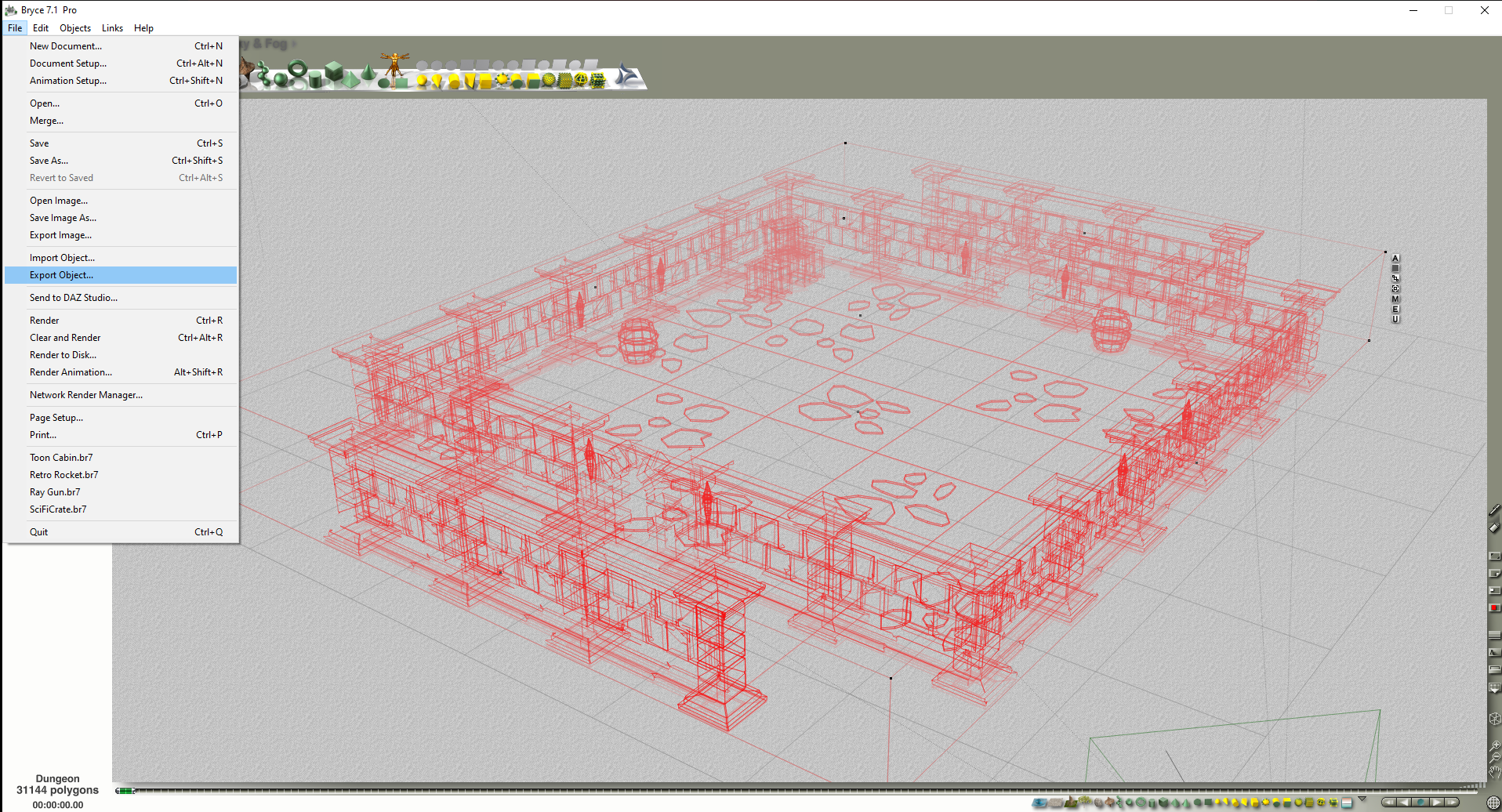
Click on File, choose Export Object
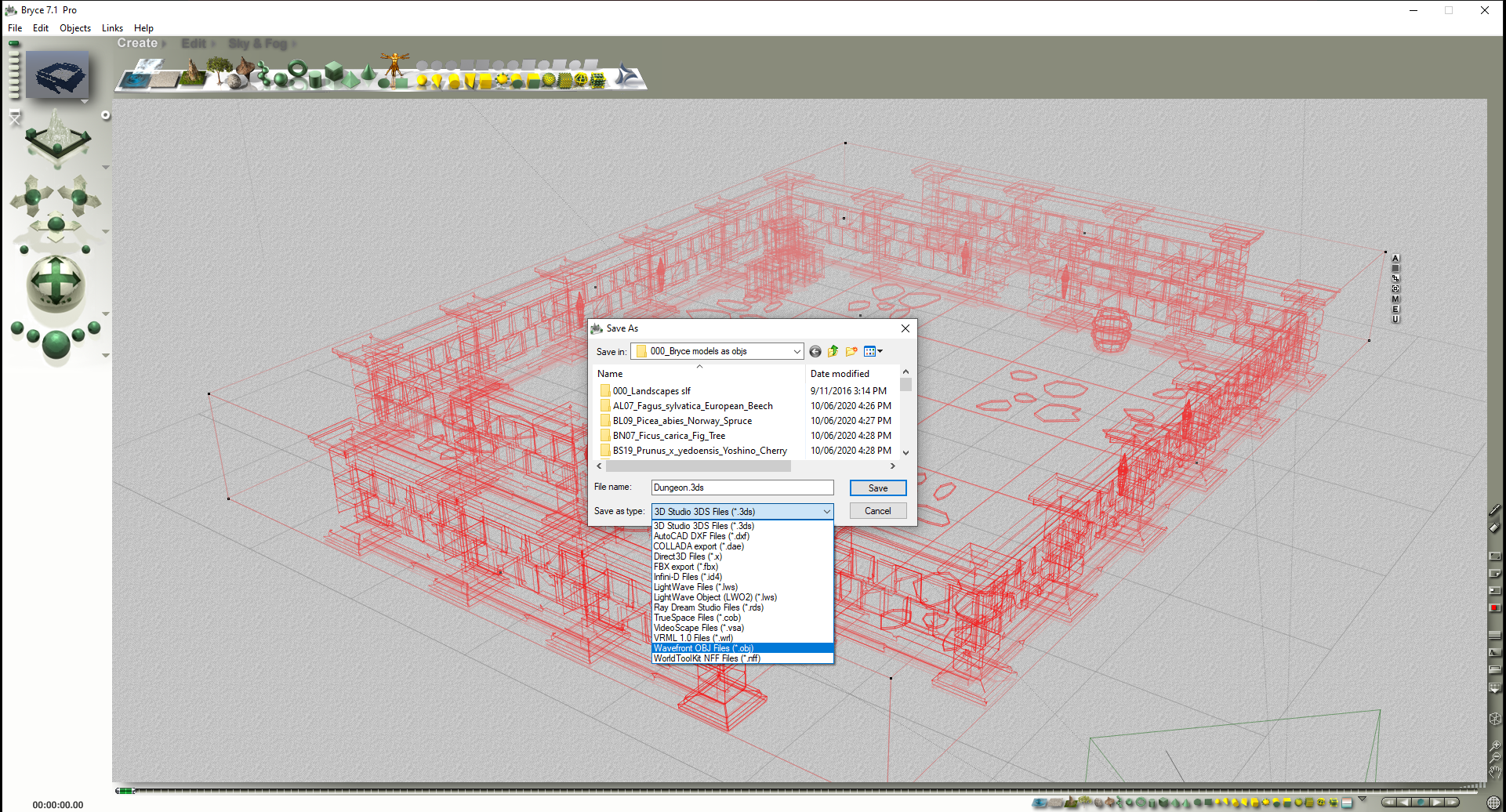
There are a number of export formats to choose from.

You can also export Terrains

Increase Grid Triangulation (not too much or it will crash), choose Size, choose Format, hit the tick button.
Have exported objects to Carrara, but also spend time in Bryce doing renders - have fun !
Will DAZ ever improve animating?wolf359 said:
with utterly incorrect settings which is why your animation had ZERO secondary physics.
What could I made utterly wrong if I followed the tutorials from the Cascadeur channel on youtube?
They say: Import your model, rig it, disable the "autopose" if you don't want them, pose your char, set the tweener, activate the Autophisics, Secondary motion and set the values. Isn't the right procedure? Did I missed something?
I can even see the "center of mass" green arrow go up and down indicating that the secondary motion is active but limbs and head stayis where they are with no influence. I'm pretty sure I set the values on the bones.
Any animation I import or make in Cascadeur seems to not be affected.
Bryce Freebies - Bunyip02 Blender modelsThank you so much for the freebies, I just wonder how to import them in Daz Studio.
Regards,
Rosselani
Old User, old version of Studio HelpBut it is failiong on all saved scenes? Or all content, regardless of whether it is a scene or a Poser Import or Daz Studio Format load?
Daz 3D is part of

Connect
DAZ Productions, Inc.
7533 S Center View Ct #4664
West Jordan, UT 84084Licensing Agreement | Terms of Service | Privacy Policy | EULA
© 2026 Daz Productions Inc. All Rights Reserved.