-
Van Helsing 9
Sigh the young and old morph are in the stupid pro bundle only... again.
 Van Helsing 9
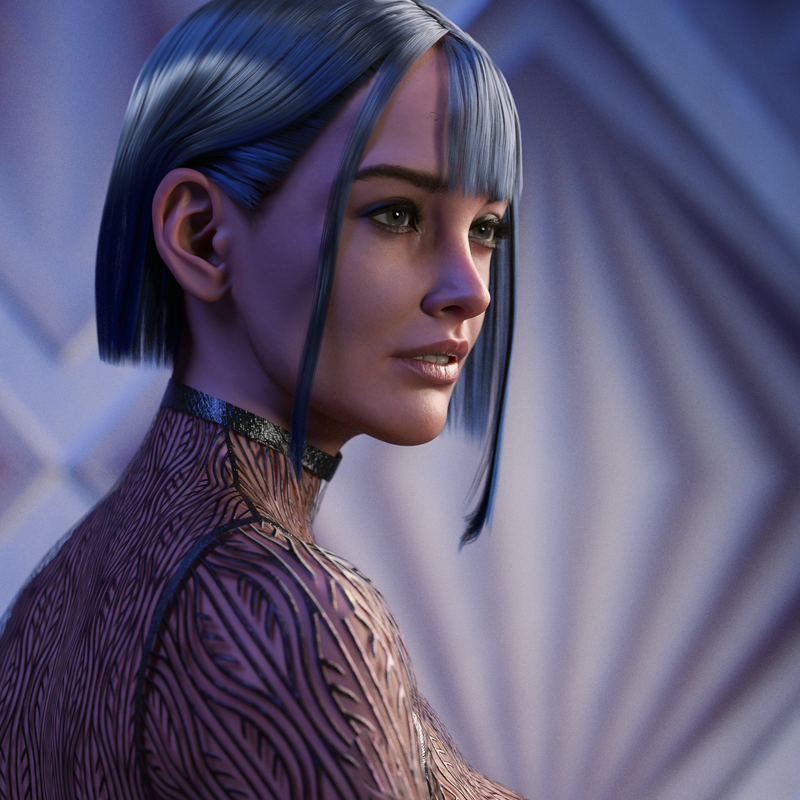
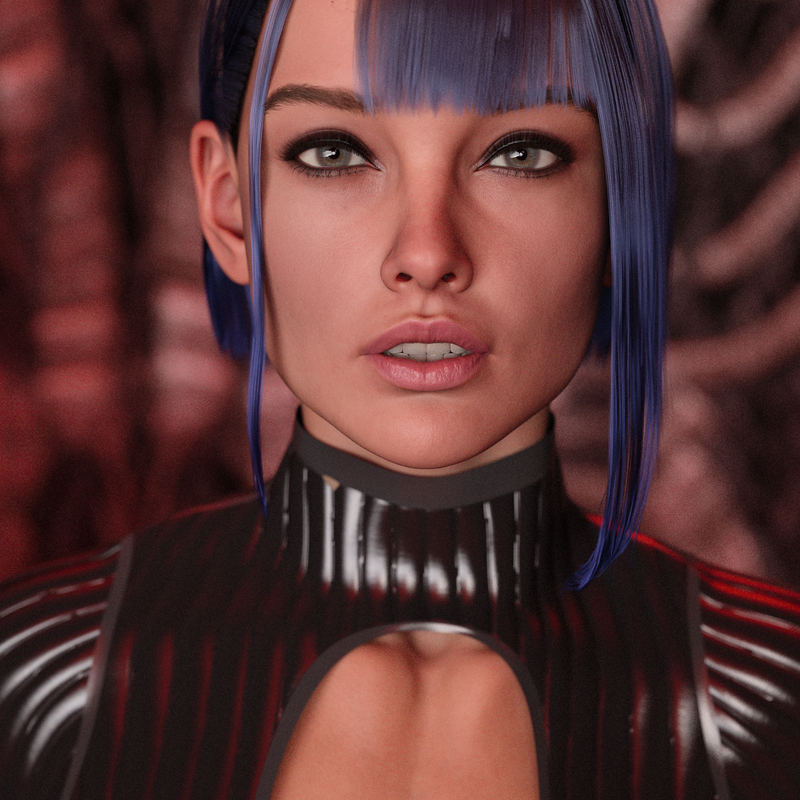
I like her, nice details and one of the best originals body morph yet, imo. She reminds me of Jacqueline 8.1. Nice mix with Joan 9, an oportunity to use her morph for something else. The make up pack has more options than ever and I really like it is subtle, not as crazy as some of the make up packs that came with last characters. As I didn't have any banner/token bought the character and make up only.
 Sculpting high res detail using GoZ
So, I take eg G9 from developer kit, make morphs in zbrush on that figure, paint textures in photoshop etc. What I potentially sell are all the unique modifications I have made. Not the base figure itself?
How to understand "settings to stock morphs"? Can I mix 100 purchased morphs to get the look I like, send it to OBJ, reimport as single morph and call it "my morph"?
lets say I made a character I would like to promote. It has no hair, no clothes, just the body.
How do I make promotional photos ? Can I use assets I purchased from DAZ or do I need to fabricate all myself ?Genesis 8/8.1 Female Bodies Look AwfulGhostofMacbeth said:
It looks like you have an errant morph applied. Richard is suggesting something that may fix it.
Hi Macbeth's Ghost,
That's what I've been thinking as well, but so far nothing (including Richard's suggestion) has helped. Gahhh I'm so frustrated!Genesis 8/8.1 Female Bodies Look AwfulRichard Haseltine said:
So this is shapes? If it is affecting both 8 and 8.1:
- Load the Genesis 8 Female DevLoad figure
- Edit>Figure>Zero>Zero Figure Shape (this should give the correct base shape - if not, stop as the rest of the steps won't help)
- Edit>Figure>Memorise>Memorise Figure Shape
- File>Save As>Support Assets>Save Modified Assets (the shapes listed in the dialogue will be the issue - check to see if they have updates, if not please report them)
Hi Richard,
Thank you for replying, but it didn't work, unfortunately :( I have searched every single way possible to try to see if there is a misbehaving morph and it's not showing anything.Sculpting high res detail using GoZI do not understand. Do I need to make my own rig and mesh ? How will I know if it will be compatible with G9? I was thinking that developer version of e.g. G9 was ment for creators as a base to construct on it by external morph creation in zbrush or similar, texturing etc. If this is not the case what is this developer figure for ? What shell I develop with it? Clothing perhaps? How do people make characters ? There is plenty of characters which are not made by DAZ studio. Can you please explain?
Celebrity Look-a-Likes for 3D figures Part 4ORPHAN CHARACTERS (G8) not on the Masterlists. From Part 2 of this thread set, pages 51-100. Contined ...
David Tenant (Actor) David10 for G8M
by Rkane_1 (FREE: sharecg.com/v/94874)
Found by (Rkane_1, Dec 2019)
Known for: Doctor Who (2005-23); Broadchurch (2013-17)Debbie Harry (Singer; Actress) Facsimile of Debbie Harry (aka Blondie) [G8F?]
by jagrogan (FREE sharecg.com/v/96361)
Found by (haruchai, Sep 2020)
Known for: Sold over 40 million albums (Platinum and Gold) ; Videodrome (1983) Cult classic film by David Cronenberg
NOTE: The store information does not state the version of Genesis This item an account to download. The artist accepts PayPal donations.Gemma Arterton (Actress)Ella HD for Genesis 8
by maelwenn (Store: DAZ)
Found by (Haruchai, Dec 2019)
Known for: The Girl with All the Gifts (2016)Hugh Jackman (Actor)RY Spencer for Michael 8
by Raiya (Store: DAZ)
Found by (pam_agostinho_e22064b5b7, Mar 2020)
Known for: Logan (X-Men film) (2017)
NOTE: Reference photo ... gratistodo.com/wp-content/uploads/2017/03/Hugh-Jackman-20.jpgJamie Alexander (Actress) DTG Studios Jayne for G8 Female
by DTHUREGRIF (Store: RO)
Found by (ironclawxii, Nov 2019)
Known for: Jane Doe in Blindspot
NOTE: The product has full body tattoos as does the actress has in Blindspot.Jennifer Lawrence (Actress) Variety HD Character Morphs for Genesis 8 Female
by Emrys (Store: DAZ)
Found by (novastrider, Jul 2019)
Known for: Hunger Games films
NOTE: See the morph of the redhead. There are four others morphs. Morphs only, no textures are included.Jennifer Lawrence (Actress) Biljana HD for Genesis 8 Female
by iSourceTextures (Store: Daz)
Found by (deepred6502, Jan 2020)
Known for: Hunger Games filmsJewel Staite (Actress) DTG Studios Kaylee for G8 Female
by DTHUREGRIF (Store: RO)
Found by (nDelphi, May 2020)
Known for: Playing Kaylee in Firefly (2002-03) AND Serenity (2005)
NOTE: The character is somewhat stylized so is not intended to be a match. In Firefly the character Kaylee (played by the actress) is the ship's gifted mechanic who can fix anything. The character's promo text at the Store mentions, "Kaylee is a natural mechanic and can fix just about anything."Joaquin Phoenix (as the Joker) (Actor) Phoe For Genesis 8 Male
by Spows (Store: DAZ)
Found by (Gordig, Mar 2020)
Known for: Joker (2019)
NOTE: Modeled as in the Joker film, in Joker makeup and in non-Joker makeup. The character excludes the actor's signature scar between the nose and lips. Reference photo … i.ytimg.com/vi/ixJzcnJF8JM/maxresdefault.jpgJodie Comer (Actress) Amanda for Genesis 8 Female
by Daz Originals (Store: DAZ)
Found by (Sevrin, Mar 2020)
Known for: Killing Eve (2018-22)John Cena (Athlete) Dain 8
by Daz Originals (Store: DAZ)
Found by (wellender_ec1c5acabd, Jan 2020)
Known for: Wrestling
NOTE: 'Wedge' nose and the chin noted by tj_1ca9500b (Jan 2020)Kate Beckinsale (Actress) Kate For Genesis 8 Female
by MarcosGAB (Store: ArtStation WAS at cgbytes)
Found by (haruchai, Sep 2020)
Known for: Underworld films (2003-16)
NOTE: Search for the product name and the new store name to locate this. Per nDelphi (Oct 2020), HAIR = Annabelle Hair for Genesis 8 Female(s) (Store: DAZ), BIKINI = Hongyu's Bikini 2 for Genesis 8 Female(s) (Store: DAZ)Keanu Reeves (Actor) Asher HD for Genesis 8 Male
by mousso (Store: DAZ)
Found by (zombietaggerung, Apr 2020)
Known for: The Matrix (1999)
NOTE: For a photo reference check the store for the actor as Neo from the film, The Matrix. NOTE 2 – FREE HAIR, Neo Hair by jonstark99 at sharecg.com/v/99811 DAZ STORE HAIR, Heath Hair for Genesis 3 Male(s) & Female(s) by AprilYSH.Kristen Stewart (Actress) Reese for Genesis 8 Female
by Vyusur (Store: RH)
Found by (ironclawxii, Jul 2020)
Known for: Bella in Twilight films (2008-12)
NOTE: Reference photo ... images.hdqwalls.com/wallpapers/kristen-stewart-2019-new-9w.jpgLily-Rose Depp (Actress) VYK Margot for G8F
by vyktohria (Store: RO)
Found by (ChangelingChick, Apr 2020)
Known for: The King (2019)
NOTE: Reference photo ... celebmafia.com/wp-content/uploads/2018/10/lily-rose-depp-cute-style-5th-international-film-festival-of-st-jean-de-luz-5.jpgLet's appreciate/discuss today's new releases - ongoing threadtsroemi said:
@barbult, your morph works like a charm, tested it just now. Couldn't find the preset, but I didn't have much time to look, and maybe I was too hasty installing anyway. But the morph is just fine. Thanks again

You will find the wearable preset in People/Genesis 9/Clothing/AF/Sexy Suspender folder in the Content Library. At least that is where it should be.
StrangeFate's stuff: Wild Kelpie Battle Outfit!fair enough, i suppose we always have the option of using a hidden G8 clone of our G9 morph to pose the armor.
Let's appreciate/discuss today's new releases - ongoing threadbarbult said:
xyer0 said:
I wish dForce Sexy Suspender Outfit had a shirt closed morph. It's a great looking shirt. I guess I could put a t-shirt under it.
I played with it in Blender and i was able to close it. It's not perfect. I'm not very experienced with Blender, so I'm sure somebody else could do a better job. None of the included FMBs really work after closing it, because they expect the vertices to be in very different places. Between smoothing and dForce, I didn't have a problem fitting it to Kala 9.
(My rendered image won't attach. Usually it works very late at night. Not this night.This forum is really falling apart.)
Edit: Another day, another change in forum behavior. I was able to upload my image tonight.

Wow! That looks very nice, @barbult. Thanks for proof of concept.
ETA: I just got to your post where you shared your work! Big thanks for saving the day for me.
Let's appreciate/discuss today's new releases - ongoing thread@barbult, your morph works like a charm, tested it just now. Couldn't find the preset, but I didn't have much time to look, and maybe I was too hasty installing anyway. But the morph is just fine. Thanks again
Is there a way to paste saved poses without affecting d-formers?Have you tried saving a dForm preset and reapplying that? Or spawning a morph (through the dForm pane) and removing the dForms?
Video card (and other) recommendations needed, new desktop coming upI glad it is working out for you. Load times for Daz Studio are more of a software bottleneck, as you can attest that your new build doesn't load any faster at all.
But there are some ways to help that, too. The number of morphs you have for your generation of Genesis add to the load time. It is very easy to pile up morphs, because this is counting everything, including all the hidden joint controllers and correctives that may come with a character. Some have a few, while some have a big list, like many Daz Core characters. It depends on the PA behind the character. So while it is great to have helpful corrective morphs, the program has trouble handling large numbers of them. Then if you add multiple Genesis models it snowballs.
If you remove morphs you do not use, you can speed up load times drastically. And there is a product to help, though it irritates me that this is not built into DS by default. Turbo Loader runs a script to "hide" unwanted morphs by adding a simple prefix to the file name. This means the file is still on your drive, but DS cannot see it. The point behind this is that you can use Turbo Loader to quickly enable the morphs as needed, instead of trying to uninstall/reinstall stuff manually which just isn't practical. Turbo can do this way, way faster.
It is a life saver. It can also help get around some conflicts, like the dreaded "duplicate morphs" error. You can use Turbo Loader to disable any morphs that conflict with each other. Duplicate morphs can also seriously jack up load times, so removing these errors if you have any will help tremendously. Turbo is probably one of the best DS products around.
The only downside is you have to buy Turbo Loader for every generation of Genesis.
I assume since you built a new computer that you might be using the latest Daz Studio. But if not, the newer versions of DS actually load faster. HOWEVER, I strongly urge only trying the Daz BETA first, rather than updating the main DS. The reason is that sometimes Iray gets altered a bit and that could in turn alter your renders. Since you are making a story book, I am sure you would not be pleased if your renders had a different tone from previous ones for the story. So don't update the main version of DS until you can be sure all your images will look the same. If you don't know, you can run the beta separately from the general release, and even run them at the same time. Their have separate config files, and even plugins are kept separated. But this is good, because they do not interfere with each other, and they can still load the same DUFs, as long as the features in the DUF are supported (like if your DS was older and did not have the PBR Skin Shader, then a save with this shader would have an error trying to load it.)
There can also be things you do that cause a save to take longer. If you use stuff like Fit Control on clothing, this adds a ton of morphs to the clothing and the data can pile up. You want to use the Fit Control feature that removes unused morphs before saving the scene. Creating morphs without saving them properly can also sometimes be an issue. This includes making morphs for clothing...which also ties into why Fit Control can cause issues. If you saved each morph that FC makes it might load faster, but that is a lot of morphs.
G8 teeth no longer fit on my custom G8There are default morphs aplied to the teeth, though their effect should be reversed out if you are using GoZ to send the mesh to ZBrush and to bring the morph back.
Did you divide the mesh in ZBrush? That can cause issues as restoring to the zero division level leaves some smoothing in place.
[Released] Magic - Smart Actions for Posing [Commercial]Mino96 said:
Hi, i have it and test it actually. If i chose hand forearm shoulder and Collar, all only bend, and than click the Magic Button, Pose the arm and click again to bake, it will switch to another position between the first and the final position. My Charakter is Imoen with youth morph and the Charakter is not at the null point (400 x Translation). I can not make a correct animation at the moment :-(
Thanks for the report. I'm sorry to say there is a bug in my code that can affect some Genesis 8 figures. If the bone changes position after baking, then that means there is a limit that the Pointing system fails to take into account, but the Baking system respects it.
While you wait for me to publish a fix, there is a way to work around that: Select the Hip of your figure, then using the universal tool, click on the little figure in the top left corner of the viewport and select "Limits On (Rotation)". Now the Pointing system will properly respect the limits of the figure. This might impact your pose, but at least Magic will work as intended.

Alternatively you can try to tell the Baking system to ignore the limits for a particular bone. This is not what I would recommend, but it is possible. In this case the problem is probably a hidden property of the Left/Right Forearm Bend bone. Select the bone, in the Parameters/Pose panel select the hamburger menu and preferences/show hidden properties. Then in the Parameters/Pose panel, in General/Transforms/Rotation there should be a new grayed out parameter called "Z Rotate". Click the little lock to "unlock" it. Now your arm should keep the pose you crafted, even though this is not how I would do it, it can still help you hopefully get the effect you wanted.

I hope this helps you solve this issue, my apologies for the bug, I will try to publish a fix soon.
[Released] Magic - Smart Actions for Posing [Commercial]Hi, i have it and test it actually. If i chose hand forearm shoulder and Collar, all only bend, and than click the Magic Button, Pose the arm and click again to bake, it will switch to another position between the first and the final position. My Charakter is Imoen with youth morph and the Charakter is not at the null point (400 x Translation). I can not make a correct animation at the moment :-(
Genesis 8/8.1 Female Bodies Look AwfulIt looks like you have an errant morph applied. Richard is suggesting something that may fix it.
[Released] RSSY Hair Converter from Genesis 8 to Genesis 9 [Commercial]RiverSoftArt said:
vwrangler said:
I'm afraid I'm running into some odd issues as well.
For some reason, even though all the hairs I've selected are showing "Default - hair - short" in their actual metadata, the converter is insisting that they're all "Wardrobe - Unknown". I have no idea why it would be misreading the information this way. I had to uncheck "Check content type" before it would do anything at all.
The script calls the Daz Studio Asset Manager for the type of the filename. It is what is reported by Daz Studio.
Also, it appears to HATE this hair https://www.daz3d.com/big-afro-hair-for-genesis-3-and-8 -- It got to the "Normalizing weight maps" step, and seemed to get stuck. I left it alone and did something else, just to see what would happen, and about 20 minutes after it started, it finally got past the weight maps and started writing assets.
Interesting. Perhaps it has a lot of geometry?
My apologies -- I had to move shortly after I made that post, and I'm only just getting back to trying to use the Hair Converter.
So ... what is the Daz Studio Asset Manager, and do you know if there's any way I can get it to understand that my hair is actually hair? The difficulty I'm having with literally everything is as follows:
a) it can't tell what anything really is, as mentioned
b) it all has to go through with Check Content Type option unchecked
c) when it does do a conversion, everything winds up malpositioned -- usually a bit too low, and the scalp part almost entirely inside the head. Ponytails have ended up on top of the head and forward of where they should be
d) The Converter Morph G8M/F is usually dialed to -100% by the converter after conversion, which I strongly suspect is quite wrong. However, changing the number to 0 or 100% results in hair floating well above the head of the character.The one hair that it recognized as being Follower/Hair, so far, was OOT Rasta Tails -- which I converted from G3 to G8 with the previous editon of the hair converter. And even then, after converting to G9, the scalp was malpositioned, and the actual tails are too far forward on the cranium -- on the top of the head instead of toward the back.
And yes, Big Afro Hair has lots of geometry.
Is there a product that can change G81's skeleton to G9 or UE5'S Skeleton?woyodo said:
Gordig said:
If UE5 has an auto-rigger, that's what you should use. You can't simply "change" the skeleton without needing to redo the weight mapping.
The Twist Bones between Arm and Leg make the animation system a problem to modify. Like retarget and some nodes in animBP. So, if there is a Skeletal Change product to transfer to UE5's skeleton and auto weight mapping, that will be very helpful.
There isn't. Products are rigged to work in Daz Studio. getting them to work in other apps like Unreal are just an afterthought
What Male Character/Skin/Eyes Are This?zombietaggerung said:
The skin looks a bit like Alistair, but the morph is probably a custom one of the Promo artist and likely not available for purchase.
This is indeed a custom character and not available.
Daz 3D is part of

Connect
DAZ Productions, Inc.
7533 S Center View Ct #4664
West Jordan, UT 84084Licensing Agreement | Terms of Service | Privacy Policy | EULA
© 2026 Daz Productions Inc. All Rights Reserved.