-
Van Helsing 9
carlosgimpera said:
I like her, nice details and one of the best originals body morph yet, imo. She reminds me of Jacqueline 8.1. Nice mix with Joan 9, an oportunity to use her morph for something else. The make up pack has more options than ever and I really like it is subtle, not as crazy as some of the make up packs that came with last characters. As I didn't have any banner/token bought the character and make up only.
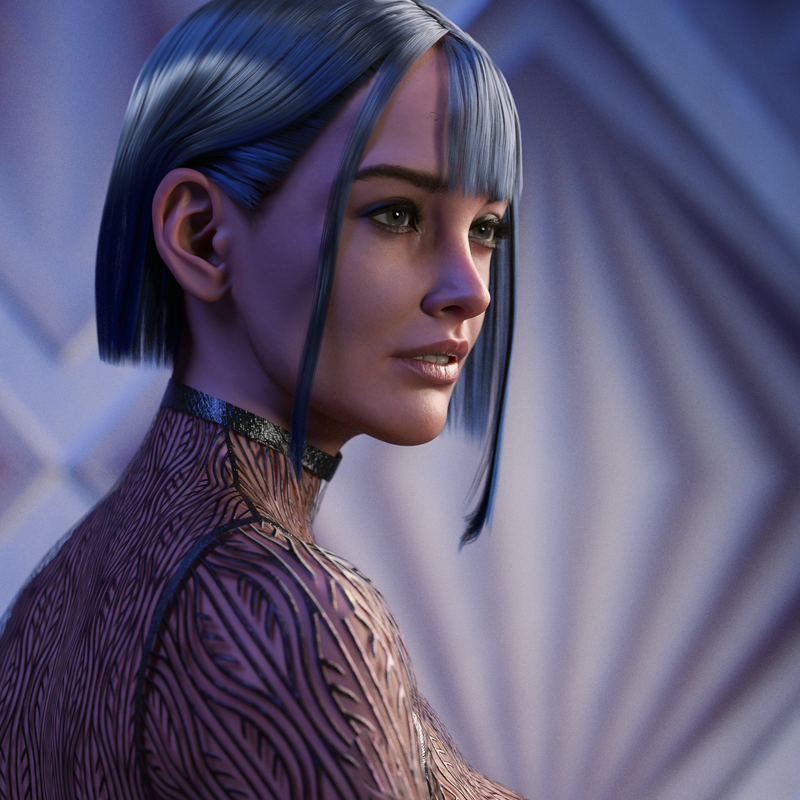
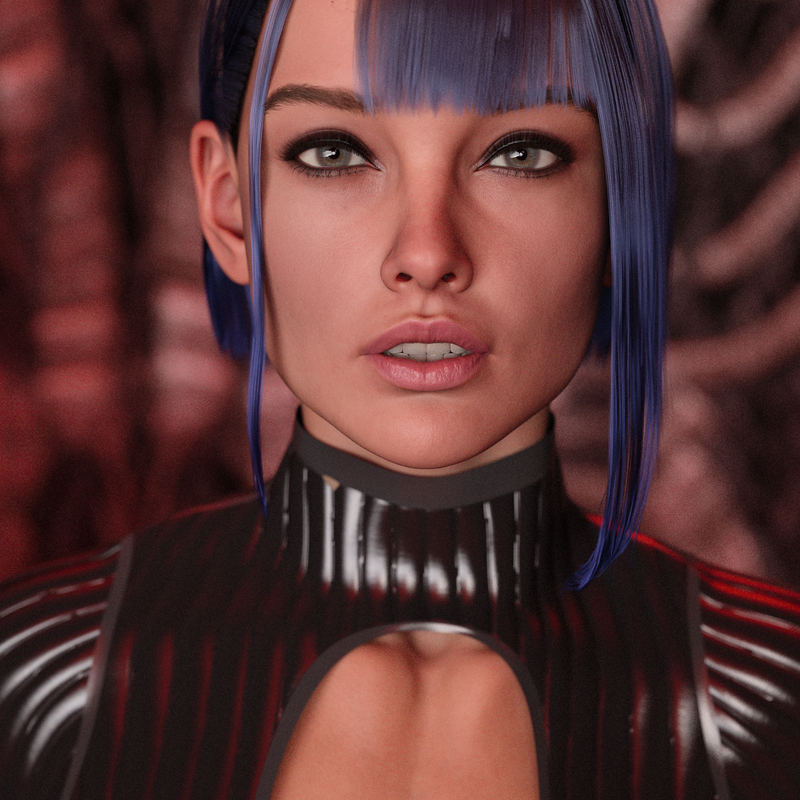
like those renders. What hair is that?
Dont think I have seen it in the store.
mouth gets distorted when trying to convert from g8m to g3mhi im tryin to convert Archdemon HD for Genesis 8 Male to genesis 3 male but the mouth gets distorted and really wired looking
im using transfer utility
can someone please help?
How to convert .obj morphs to a .dsf?An obj file isn't a morph but a 3D object aka mesh. So you can't really "convert" it.
You may be able to use it as a basis to create a morph in Daz Studio but for that you'd first need the original figure to be present in your scene, then while having that selected you'd use the 'Edit' menu: Edit => Object => Morph Loader, either pro or advanced can do. This would create a morph for the figure (assuming that all requirements are met of course) after which you may be able to save the morph itself.
Saving it would be done by using the File menu: File => Save As... => Support assets => Morph asset.
Hope this can help!
How can I use Chocos the Monkey's Tail on Human figures?Hello All,
As per title.Trick is, the tail bones don't follow dialling out Chocos. Like, as Chocos "evolves", the tail 'bones' get left behind and lay well below the tail.
I tried adjust rigging to figure, that doesn't do it. I tried Transfer Rigging Figure Space, and that doesn't work. Any ideas? Seems the tail only has the Hip and Pelvis bones. Should I manually set the bones? And would I then ERC freeze them? Would that mean that any time I change the base figure shape, I'd have to also redo the bones? I mostly got Chocos coz he's cute and also to use the tail.
Please halp?
daz transfer utility I have some questionsHello, I am using a translator to chat, I hope there will be no word order errors and inappropriate expressions. Apologies in advance.
I exported the purchased model to obj file, after re-importing After using the "Transfer Utility" in the editor, the imported obj model begins to deform and disorder I originally wanted to use the "deformer", but I modified the vertex information of obj so it can't be used But I found that even if the number of vertices has not changed, an error has occurred I don't know if my import settings or export settings are wrong, Hope to be able to help, thank you
What are you trying to do? Transfer utility is for creating new figures that need to follow the base figure, things like clothes and hair.
In order for a morph to work the vertex count and order must remain the same - Daz Studio looks at vertex 0 in the imported OBJ fiel and takes thata s the new position for vertex 0 in the base, then vertex 1 in the imported object is the new position for vertex 1 in the base, and so on. Whata re you using to edit the exported object? Blender has options, on import and export, to preserve vertex order.
daz transfer utility I have some questions你好,我是用翻译器聊天的,希望不会有语序错误,表达不到位。先道个歉。
我把购买的模型进行obj文件导出,在重新导入后
在编辑中使用“转移实用工具”后,导入的obj模型,开始变形错乱
本来是想用“变形器”进行使用,但我修改过了obj的顶点信息所以不能用了
但是我发现,顶点数量没有改变的情况下依旧,发生了错误
我不清楚是我的导入设置还是导出设置出现错误,
希望能得到帮助,谢谢
您好,我正在与翻译聊天,希望没有词序错误或表达不足。让我先道歉。
我将购买的模型导出为 OBJ 文件并再次导入
使用“传输实用程序”进行编辑后,导入的obj模型开始变形并变得杂乱无章
我原本打算使用“变形器”,但是我修改了obj的顶点信息,所以我不能再使用它了
但是我发现即使顶点数量保持不变,也发生了错误
我不确定我的导入或导出设置是否有错误,
希望得到帮助,谢谢
How to convert .obj morphs to a .dsf?Morph loader pro
Shape Shift for Genesis 9 (Commercial)I've been buying G9 stuff as it comes out without using it, but this week I finally found a character body at another store that made G9 workable for me. Shape Shift and Breast Control were invaluable to tweaking that body. I was frustrated that the G9 breasts sat so low on the torso compared to my favourite G8.1, but using the two Breast Control sag parameters at negative values got them up into position and perky. There were numerous times that I wanted to alter something on the G9 body, and Shape Shift or Breast Control had a morph to make it possible. Thanks again for your great products!
Possible to turn off collision for specific body parts?richardandtracy said:
Oh dear, that's utterly, hilariously, ridiculous.
I have never claimed to be a particularly normal person.
But if anyone's not familiar, I can promise that transferring shapes between different meshes is not a trivial algorithm in the slightest - I've certainly seen some old Blender plugins and the like that make a real hash job of it. DS, on the other hand, does a generally good job - perhaps not perfect, and perhaps not always, but it is nonetheless very capable.
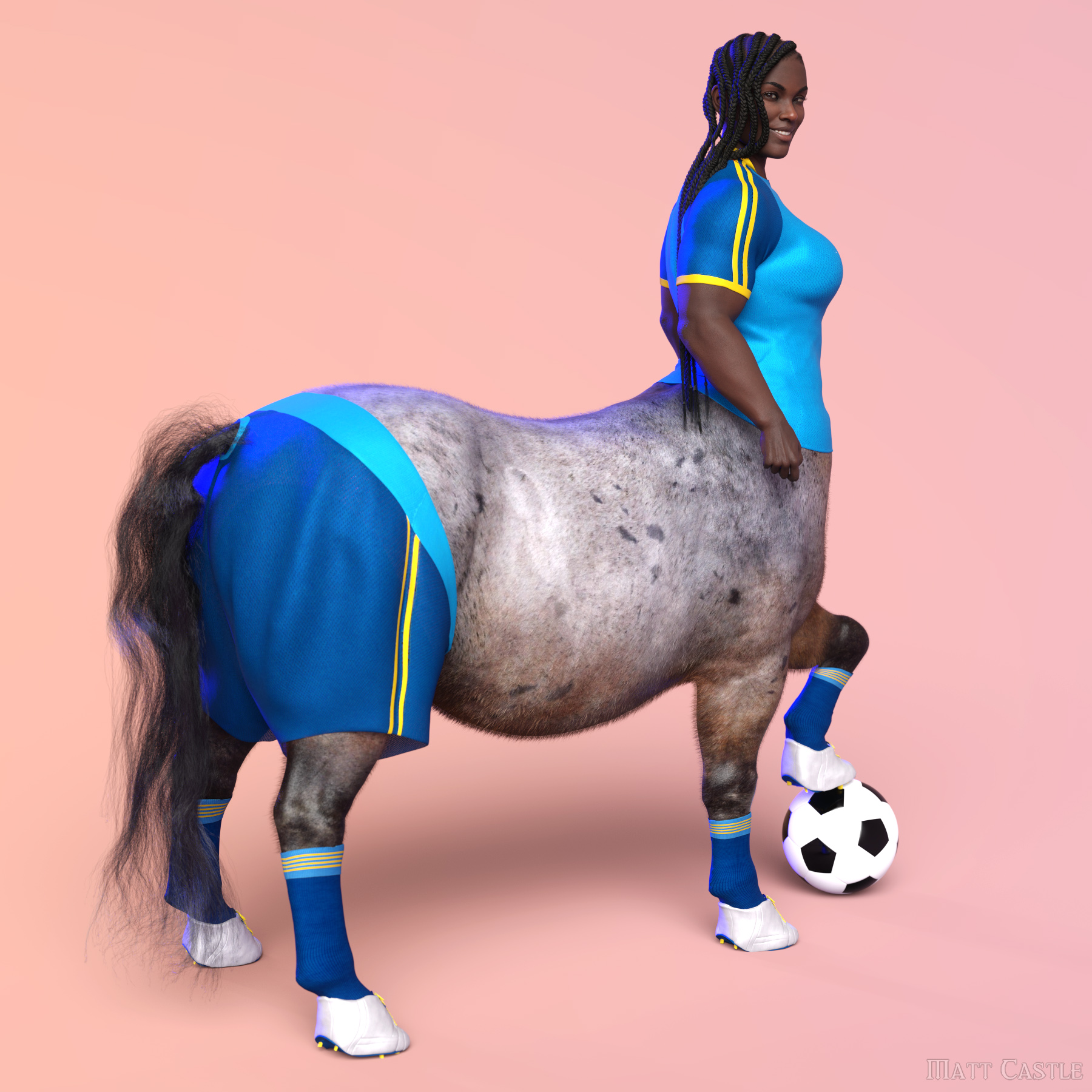
Now I've made shape clones to transfer G8 clothes to the horse body (which my ego won't let me entirely trivialise - I did have to put some work in there), I can use DS's shape transfer tools to fairly reliably convert most clothes in not all that long.
Looking for this characterThat is 100% a bluejaunte skin, one of the early G8 ones like Sahel, Murphy, Amira, Misumi...they all have very similar skin textures to be honest so any of them will suffice for the skin. I am leaning on Misumi since she has the same tone as Misumi's promos. I think I see the mole next to mouth, too. But the morph is certainly not bluejaunte, I have no idea what morph it is. It could be a custom morph, but I am not sure. The lacrimals stick out pretty far, and the eyes are not correctly centered in one of the promos, which what makes me think it is custom.
Bluejaunte skins are very versatile. Apply them to some different morphs and maybe play around a little with the translucency and you can get some really good results. Swap the normal maps out for whatever character you like.
Lady Noir for G8.1F ("Blade Runner's" Rachael) head morph. Rockabilly Noir hairdo!xialiubei said:
AOBB said:
When working with Lady Noir, please make her nose less angled up than I did. I only later realized my mistake... Thank you, xialiubei!
I'll try that on my next render. Here is my first test with the Rockabilly Noir hair courtesy of Catherine. I added a little smoke to the scene because I think the shot of Rachael smoking is the most iconic shot of her. Your morph is excellent, but I'm afraid my limited abilities just aren't enough to really capture the unearthly beauty of Sean Young as Racheal.

I agree about adding some smoke. Think I've managed to collect quite a few cigarettes for her scenes lol ...
Esp. if using Iray, if you keep the textures but apply one of the fancy hair shader presets, might be able to get some glossy effects going in the hair. I think some add a transluency layer which does the trick.
Lady Noir for G8.1F ("Blade Runner's" Rachael) head morph. Rockabilly Noir hairdo!AOBB said:
When working with Lady Noir, please make her nose less angled up than I did. I only later realized my mistake... Thank you, xialiubei!
I'll try that on my next render. Here is my first test with the Rockabilly Noir hair courtesy of Catherine. I added a little smoke to the scene because I think the shot of Rachael smoking is the most iconic shot of her. Your morph is excellent, but I'm afraid my limited abilities just aren't enough to really capture the unearthly beauty of Sean Young as Racheal.
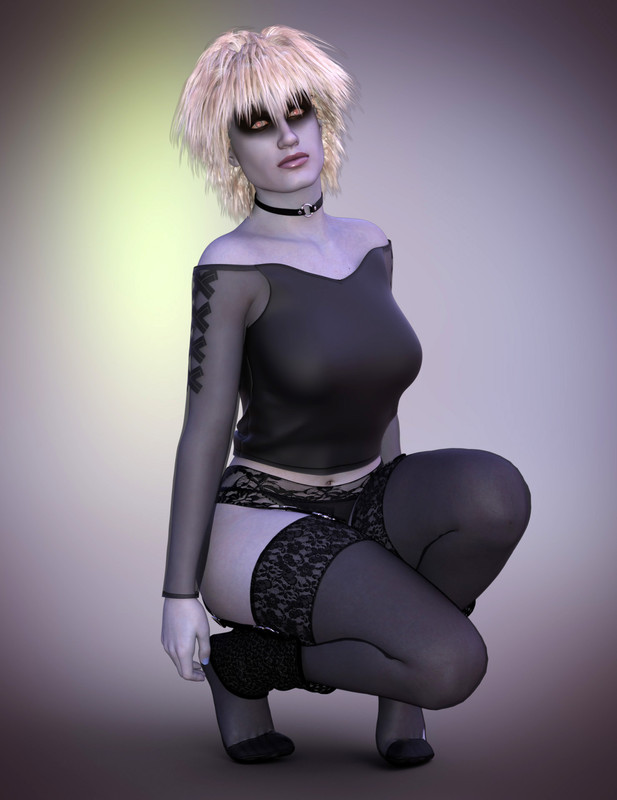
Punkette for G8.1F (aka Pris from "Blade Runner"). Head morph only. No textures.AOBB said:
Your Punkette looks awesome, xialiubei!
You will find the link to the rockabilly hair here:
https://www.daz3d.com/forums/discussion/496856/lady-noir-for-g8-1f-blade-runner-s-rachael-head-morph-rockabilly-noir-hairdo/p2 in Catherine's post. Happy rendering!
Double thanks, for the morph and for the compliment. You get all the credit for the render. It's your morph that does the heavy lifting.
Punkette for G8.1F (aka Pris from "Blade Runner"). Head morph only. No textures.Your Punkette looks awesome, xialiubei!
You will find the link to the rockabilly hair here:
https://www.daz3d.com/forums/discussion/496856/lady-noir-for-g8-1f-blade-runner-s-rachael-head-morph-rockabilly-noir-hairdo/p2 in Catherine's post. Happy rendering!
Punkette for G8.1F (aka Pris from "Blade Runner"). Head morph only. No textures.Thank you for the morph, AOBB. It looks great. If anyone knows where to download the Rockabilly Noir hair for Rachael, it would be much appreciated.
 Possible to turn off collision for specific body parts?
richardandtracy said:
It'sHARD to implement such things, and smothing is another of the really difficult things too.Honestly, while they're no means perfect, I'm staggered at how well DS manages to make things like smoothing, morph auto-following and (as something of an extension) auto-fit work.
While I had to do some work to make it possible in the first place, the fact I can carry out as complicated a shape transfer as this at all is really quite astonishing:
 Adding Dual Quaternion support to UnrealEngine4 (Images inside)
McKenzie said:
With alienrenders out of eqation now we only have to rely on Deformer graph even though it is highly inefficient(according to alienrenders.... if he says so BELIEVE him guy's a genius , he carried all of us till here) then I stumbled upon this:
https://www.bilibili.com/video/BV1Lx4y157LQ/?spm_id_from=333.880.my_history.page.click&vd_source=8de627b19f1f6987753e1f7076cedcfc
yeah it was VERY ,VERY difficult to get a hold of them (long story) finally they shared it today and it works(I tested in official 5.2.1) haven't tried morph targets but it should work tho ,as of rn this is the only way of getting DQS to work without having custom builds I'm aware of.
Here it is if anyone else wants to try...I take no credit this was entirely built by them and I haven't asked for permission if I can distribute it but they were giving it for free to anyone who contacted them so i guess sharing this here means no harm
https://anonfiles.com/z1M0y5zbz7/CustomDeformer_zipHow do the DQS deformer graphs from this creator compare to the DQS graphs provided in AlienRender's most recent builds? If I recall there were some problems with deformer graphs not being a suitable replacement for the DQS "always on" branches provided by Alien. One problem I encountered with the deformer graphs is that it seems to put the character in T pose for one frame whenever an animation loops. Also I had some issues with mesh flickering when a deformer graph was applied, especially with clothing. Until these issues are sorted out with the deformer graphs I will continue to use the "always on" DQS branch for 5.1, unless there is a new DQS graph that addresses those problems.
Sculpting high res detail using GoZ4andyz said:
So, I take eg G9 from developer kit, make morphs in zbrush on that figure, paint textures in photoshop etc. What I potentially sell are all the unique modifications I have made. Not the base figure itself?
How to understand "settings to stock morphs"? Can I mix 100 purchased morphs to get the look I like, send it to OBJ, reimport as single morph and call it "my morph"?
No (and you wouldn't want to as that would lose all the links to joint adjustments and corrective morphs). You would need to list the pack(s) from which the morphs came as required products, and include a Shaping preset to aply those and your own custom sculting.
lets say I made a character I would like to promote. It has no hair, no clothes, just the body.
How do I make promotional photos ? Can I use assets I purchased from DAZ or do I need to fabricate all myself ?Yes, you should be able to use anything that allows commercial use in the creation of promo images - which would be almost everything from Daz and most of the other stores.
[Released] RSSY Hair Converter from Genesis 8 to Genesis 9 [Commercial]vwrangler said:
RiverSoftArt said:
vwrangler said:
I'm afraid I'm running into some odd issues as well.
For some reason, even though all the hairs I've selected are showing "Default - hair - short" in their actual metadata, the converter is insisting that they're all "Wardrobe - Unknown". I have no idea why it would be misreading the information this way. I had to uncheck "Check content type" before it would do anything at all.
The script calls the Daz Studio Asset Manager for the type of the filename. It is what is reported by Daz Studio.
Also, it appears to HATE this hair https://www.daz3d.com/big-afro-hair-for-genesis-3-and-8 -- It got to the "Normalizing weight maps" step, and seemed to get stuck. I left it alone and did something else, just to see what would happen, and about 20 minutes after it started, it finally got past the weight maps and started writing assets.
Interesting. Perhaps it has a lot of geometry?
My apologies -- I had to move shortly after I made that post, and I'm only just getting back to trying to use the Hair Converter.
So ... what is the Daz Studio Asset Manager, and do you know if there's any way I can get it to understand that my hair is actually hair? The difficulty I'm having with literally everything is as follows:
a) it can't tell what anything really is, as mentioned
The Asset Manager is basically the interface to the database for content in Daz Studio. Rebuilding the database can usually work to fix this problem (at least for assets from Daz)
b) it all has to go through with Check Content Type option unchecked
c) when it does do a conversion, everything winds up malpositioned -- usually a bit too low, and the scalp part almost entirely inside the head. Ponytails have ended up on top of the head and forward of where they should beThis is when you play with the Converter Morph to not be -100%
d) The Converter Morph G8M/F is usually dialed to -100% by the converter after conversion, which I strongly suspect is quite wrong. However, changing the number to 0 or 100% results in hair floating well above the head of the character.This is correct. The morph to pull the hair down into position will usually be -100%
The one hair that it recognized as being Follower/Hair, so far, was OOT Rasta Tails -- which I converted from G3 to G8 with the previous editon of the hair converter. And even then, after converting to G9, the scalp was malpositioned, and the actual tails are too far forward on the cranium -- on the top of the head instead of toward the back.
And yes, Big Afro Hair has lots of geometry.
Is there a way to paste saved poses without affecting d-formers?Richard Haseltine said:
Have you tried saving a dForm preset and reapplying that? Or spawning a morph (through the dForm pane) and removing the dForms?
Ahhh, that's neat. I Googled "how to save a dform preset" and came up with a video that went over how to save morphs. Thanks Richard!
Daz 3D is part of

Connect
DAZ Productions, Inc.
7533 S Center View Ct #4664
West Jordan, UT 84084Licensing Agreement | Terms of Service | Privacy Policy | EULA
© 2026 Daz Productions Inc. All Rights Reserved.