-
Unwanted Genesis 8 parameters appearing in Genesis 9
Actually, problem solved as there were a number of G8M morph files in the folder data>DAZ 3D>Genesis 9>morphs>(my name)>product> ...and then files starting with CTRL and RSSY. I quarantined them and all's well.
Custom Gens Morph... HELP!Is it adding geometry in the sculpt part, or just moving vertices and adding a normal/bump/displacement map for the detail? Adding geometry will make it fail.
Are you unchecking sub-d (viewport and render) before exporting (not sure if that matters when using 'base resolution' but I do it anyway.
Also make sure you've got the alignment right for export and import (x,y,z - which one is 'up' and which is 'forward') - it should still import the morph but it'll go all wonky if you get the y and z mixed up - I recall that the default options aren't good for Blender.
^That's all I can think of.
Custom Gens Morph... HELP!I'm sorry if this isn't in the correct area, I'm trying to create a custom sculpted morph for Genesis 9 Male Anatomical Elements, but no matter what I do the dreaded " Geometry does not match, failed to create morph" error come up on using Morph Loader Pro to import the OBJ... Here's a breakdown of what I'm doing:
DAZ EXPORT:
1: Ensure Base level resolution in Parameters/General/Resolution level: Base
2: Hide all unused geometry (eyelashes, tear ducts, eyebrows, etc.)
2.5: MAKE SURE IGNORE INVISIBLE NODES IS SELECTED!
3: OBJ Export Options: Scale @ 1% (Sculpting in Blender, so 1% is needed)
BLENDER IMPORT
4: Geometry: “Split by Object” disabled
5: Sculpt morph
BLENDER EXPORT
6: Geometry: “Keep Vertex Order” enabled
7: Limit to: Selection Only
7.5: Scale @ 100%
DAZ IMPORT FROM MORPH LOADER PRO
8: Create Control Property: Yes
9: Property Group: Choose appropriate location
For context, I'm trying to create a dorsal vein morph as there doesn't seem to be any purchasable merchant resourses anywhere for that specific need. I've sculpted it and it looks good in blender, but getting it back into DAZ is proving to be a mission... Thanks for any help with this!
G9 character Rigging randomly brokeThis resembles my problem with a G2M figure. His only shaping morph is Genesis 3 Male for Genesis 2 Male(s).
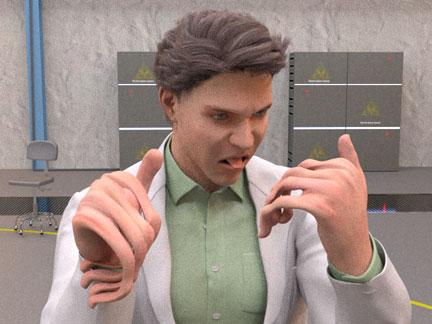
He's been assigned several poses as keyframes along his timeline. At some frame the pivot points of the joints are dislocated, because the deformity increases as the time advances, but I see no user way of finding or correcting these values. I'll try reinstalling the morph and G2M. Thanks for the advice.
Hallelujah!
DiscipleEverett 9 HD - Discussion ThreadI also got some Tommy Lee Jones vibes from some of the promos.
Some play renders, with the big versions attached.
His HD:
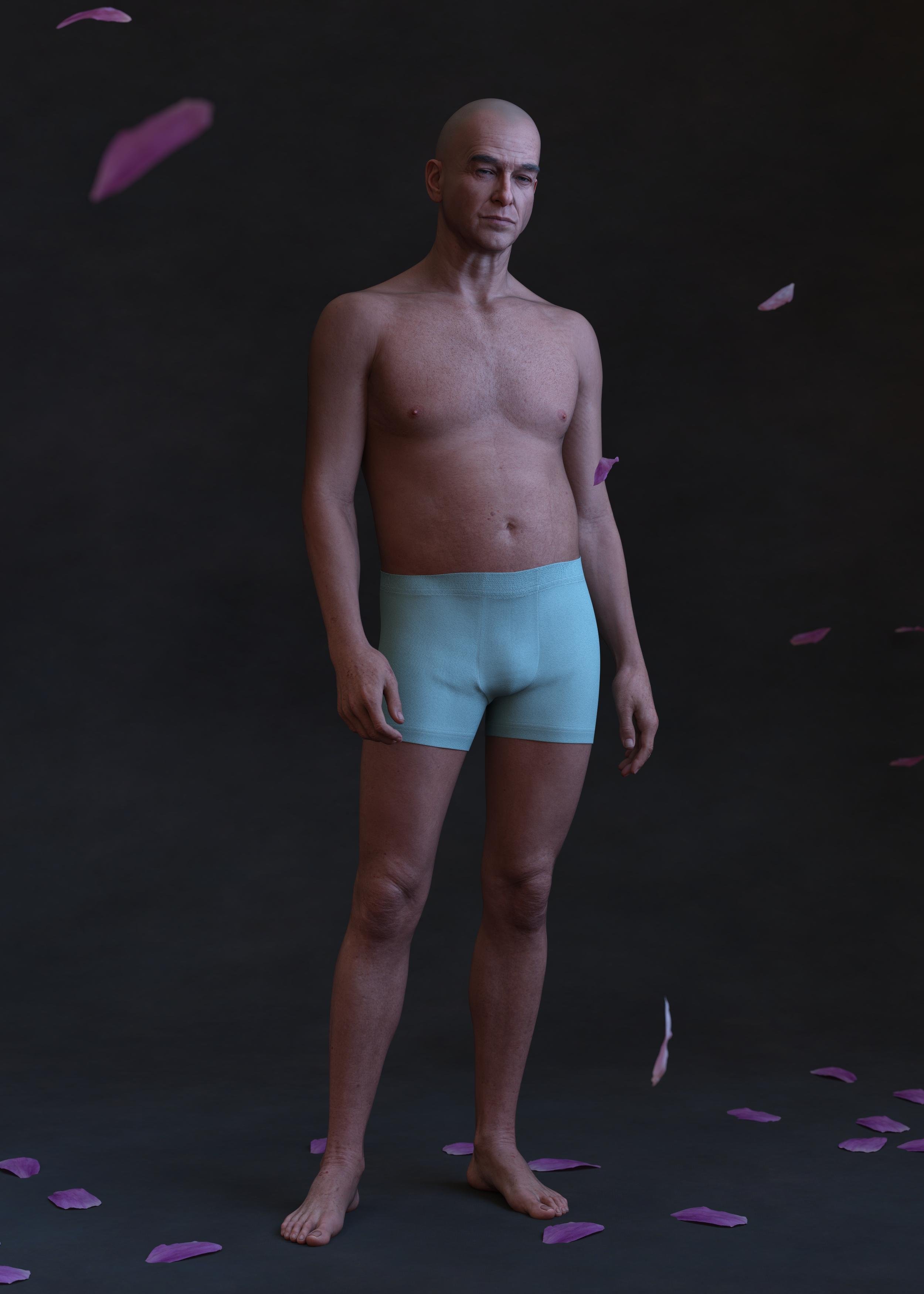
Eric for Everett next to Walter 9 HD. I've applied Walter's age spots to both. Walter here is wearing the hair that came with the bundle but I think that was a 3rd party omni shader I rendered it with. I doesn't appear to have any movement morphs, but the groom is nice enough.
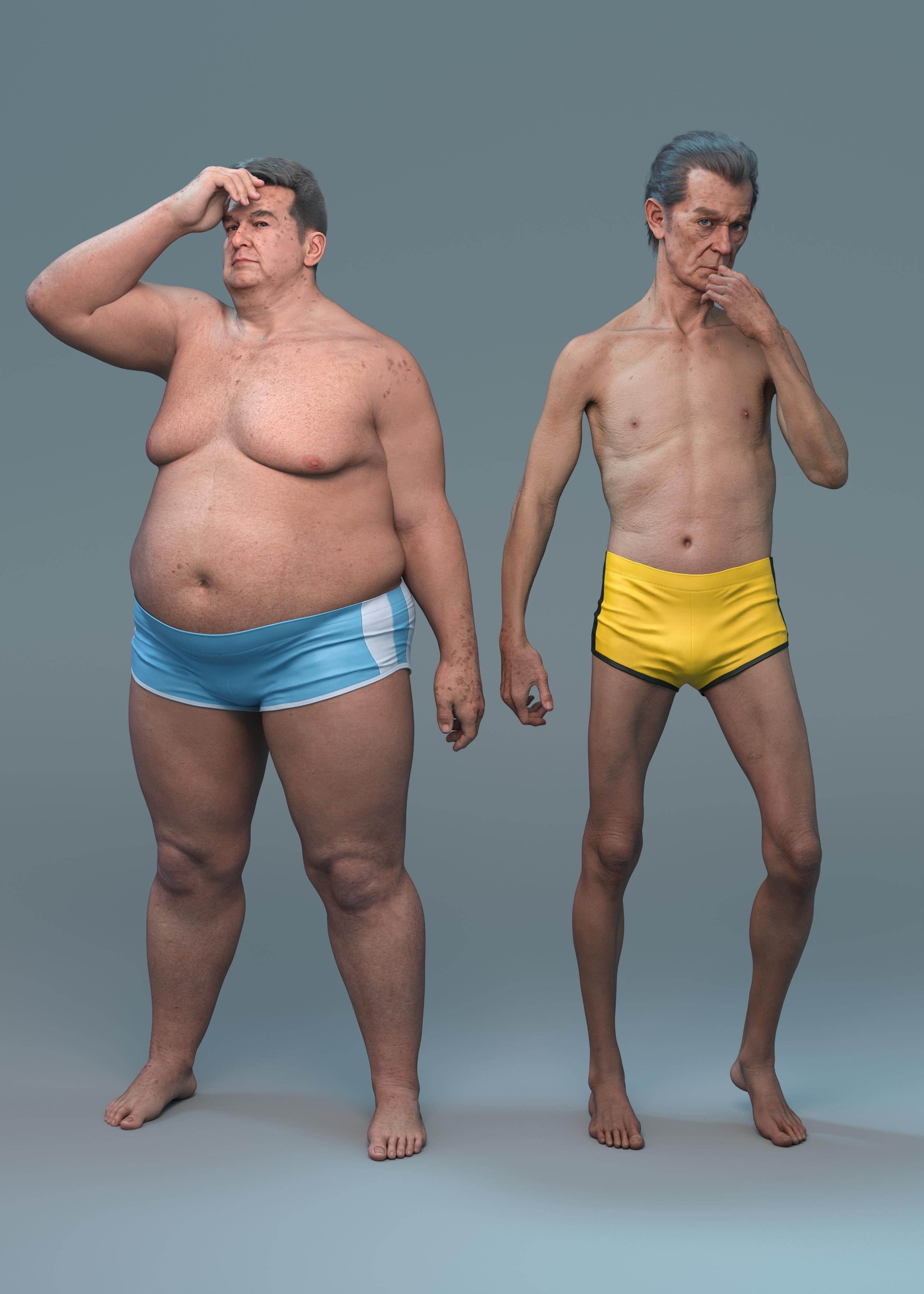
Everett in the the suit! The few simple poses I tried it in simulated well with no dforce explosions. I haven't tried it with a character sitting down yet.

Walter 9 HD in background withs his own materials and a 3rd party tattoo layer applied. (Eyebrows swapped out). In the foreground is a 50% mix of John 9 and Walter 9 with John's base material. Hey presto, an almost Javier Bardem inspired charactere. Walter seems to work ok as an age morph.
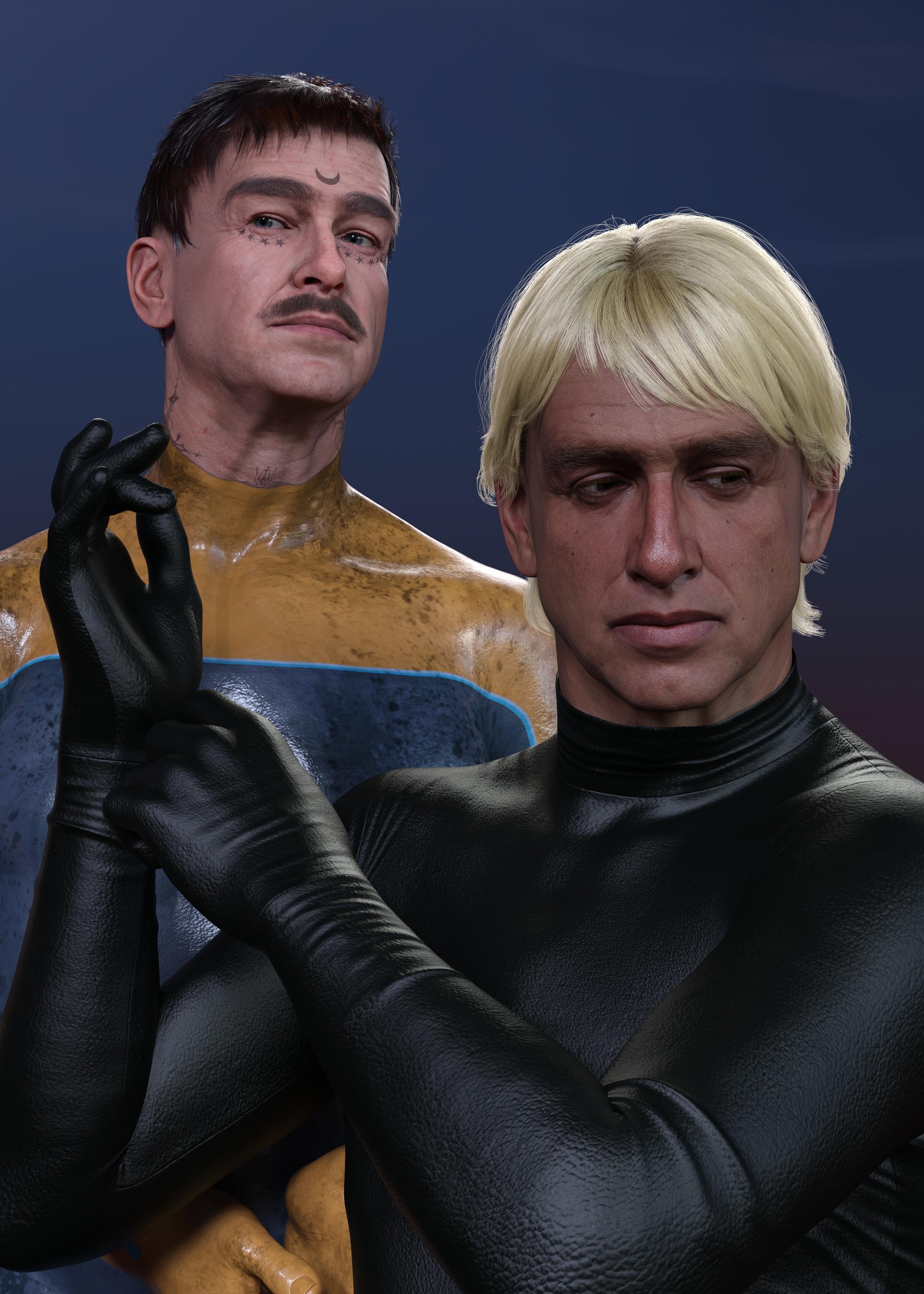
Compliments to the people that worked on him. It's rare to get wrinkles that render without immediately looking uncanny.
dForce ArchmageIs this just happening to me, or is it a bug?
Whenever I extract a morph, all geograft settings in geoshells are reset back to their default values.Reproduction steps:
Load G8F default figure.
Add G8F anatomical elements (or any other geograft).
Add a new geoshell.
Turn off anatomical elements (or your chosen geograft) from surfaces in geoshell.
Add a dforce item of clothing and simulate.
Extract morph using Archmage.
Look at the geoshell - you will see that the added geografts surface has been turned back on.This happens to ALL geoshells in the scene, even if on other characters. It resets all geografts to their default values after every morph extraction.
dForce versus movement morphsQuick demo.
Here I used that at start the character was partly rotated to help with the cape flowing after the character.
If you want a stiff cape like for Batman, you might be better of with a morph.
 Unwanted Genesis 8 parameters appearing in Genesis 9
felis said:
Have you used some kind of morph conversion?
I have some custom morphs but they are not part of these morphs...they're standard DS products intended for G8 but appear in my parameters tab when working on G9...
Geometry Shell breaking after rigging❗Padone said:
you can try to join the geometries before conversion.
object > join
Tried that before; didn't work. But I think I figured out (2) workarounds that may work... The only problem is, how?
Solution 1
-
In Daz, Export the character as a OBJ. {This should nullify the geoshell.}
-
Import the OBJ into Daz with the original model.
-
Convert the OBJ using Convert Prop to Figure.
-
Extract the skeleton from the original model using Extract Donor Figure.
-
Transfer Rigging not working!
Solution 2
-
In blender, delete the original model; leaving only the skeleton.
-
Import the OBJ.
-
How do I merge the skeleton & OBJ!?
Tried searching yt for both mergers, but none were helpful.
Padone said:
p.s. Of course more details about what you're doing can help,
Converting Daz skeleton to a [proper] UE5 skeleton. Of course I can using any Non-geoshell clothing, and be done with it. But I want to use these!
Unwanted Genesis 8 parameters appearing in Genesis 9Have you used some kind of morph conversion?
Can scenes saved in Daz 2026 still be opened in 4.24?Are scenes saved in Daz 2026 backwards compatible with 4.24? My understanding is that older Mesh Grabber plugins that work in 4.24 won't work in Daz 2026 (assuming the author does not create an update). I'm thinking of a scenario like this...
1) Working on a scene in 20262) I realize that I need to make an adjustment with Mesh Grabber
3) Can I open this scene in 4.24, make the Mesh Grabber modification and then save it as a morph?
4) Open in Daz 2026 and render.
Thank you.
Let's appreciate/discuss today's new releases - more ongoinger threadI am guessing Male-M3dia is the PA behind it as looks like his style
it's appropriately priced for a morph
Let's appreciate/discuss today's new releases - more ongoinger threadvwrangler said:
Leana said:
vwrangler said:
You know ... given the price paid, I don't actually mind that much, but Daz should have mentioned SOMEWHERE on the individual Shooting Star character pages that those characters are morphs/shapes-only. At 2.99/4.99 for gold/silver stars, it seems reasonable.
However, if I'd paid the actual list price -- even the new-item Daz-O discount price for club members (allegedly $9.30 as a new item for Daz+ members without stars upon thars, 18.99 for everyone else) -- and had no warning that was what I was getting, I would be FURIOUS.
Are they using the textures from the starter essentials? There are no textures listed on the product page though there are material files, and the promo pictures mention using some of the G9 base textures.
Yes, exactly. For example, https://www.daz3d.com/garrett-for-genesis-9 loads with Base Masculine 01 texture. And if you look at his readme, he has absolutely nothing in runtime/textures in the file list.
I think the idea behind using promos with these characters having only base materials on them is to quietly signal what's going on, but they should just straight up say, "This character is a morph/shape-only item, and the default load uses the materials from the starter essentials." It's very easy to miss that small text down in the corner of the image, and even so, there's one image unlabeled, one image with a fair labeled texture, one image with a dark texture labeled, and one untextured image. The unlabeled image gives the impression that the character comes with its own texture, and that's not the case.
I agree, they should make that more clear.
Let's appreciate/discuss today's new releases - more ongoinger threadLeana said:
vwrangler said:
You know ... given the price paid, I don't actually mind that much, but Daz should have mentioned SOMEWHERE on the individual Shooting Star character pages that those characters are morphs/shapes-only. At 2.99/4.99 for gold/silver stars, it seems reasonable.
However, if I'd paid the actual list price -- even the new-item Daz-O discount price for club members (allegedly $9.30 as a new item for Daz+ members without stars upon thars, 18.99 for everyone else) -- and had no warning that was what I was getting, I would be FURIOUS.
Are they using the textures from the starter essentials? There are no textures listed on the product page though there are material files, and the promo pictures mention using some of the G9 base textures.
Yes, exactly. For example, https://www.daz3d.com/garrett-for-genesis-9 loads with Base Masculine 01 texture. And if you look at his readme, he has absolutely nothing in runtime/textures in the file list.
I think the idea behind using promos with these characters having only base materials on them is to quietly signal what's going on, but they should just straight up say, "This character is a morph/shape-only item, and the default load uses the materials from the starter essentials." It's very easy to miss that small text down in the corner of the image, and even so, there's one image unlabeled, one image with a fair labeled texture, one image with a dark texture labeled, and one untextured image. The unlabeled image gives the impression that the character comes with its own texture, and that's not the case.
G8F model thumb segments bend sidewaysmust be the Ehlers-Danlos thumb morph
G8F model thumb segments bend sidewaysI dont know where this character came from, how youve been saving it, etc. But however you ended up here, the thumb bone rigging is wrong.
use joint editor tool to adjust orientation of faulty thumb bone in Tool Options pane.
As for how to save out permanent fix... you would usually update rigging by going to Paramaters>Edit Mode>click relevant morph with linked rigging changes > ERC Bake add etc > (this unlinks the rigging changes from your character morph) -> correct the rigging -> ERC Freeze (this links the rigging adjustments to your morph so theyre dialled in with morph)
Does anyone still have DieTrying-Morphs-for-G8-FFixed by dakkuuan(Free Asset)?Hi all,
I recently lost a bunch of archived installers after a hard drive failure and a Windows repair attempt which included a free morph pack I used to have: "DieTrying-Morphs-for-G8-FFixed" by dakkuuan.
It was a free asset that was only posted on ShareCG, but ShareCG shut down last year, so I can’t access the original download anymore. The original link was
http://www.sharecg.com/v/88550/browse/21/DAZ-Studio/DieTrying-Morphs-for-G8-FFixed
Unfortunately, it’s also behind a login wall on the Wayback Machine.Because of this, many of my older scenes are now missing these morphs.
The install location usually looks like:
data\DAZ 3D\Genesis 8\Female\Morphs\Body\Here are some example files:
/data/DAZ 3D/Genesis 8/Female/Morphs/Body/Chin short.dsf
/data/DAZ 3D/Genesis 8/Female/Morphs/Body/Chin wide.dsf
/data/DAZ 3D/Genesis 8/Female/Morphs/Body/Eyebrows arc left.dsf
/data/DAZ 3D/Genesis 8/Female/Morphs/Body/Eyebrows arc right.dsf
/data/DAZ 3D/Genesis 8/Female/Morphs/Body/Face oval.dsf
/data/DAZ 3D/Genesis 8/Female/Morphs/Body/Lips curves lower.dsf
/data/DAZ 3D/Genesis 8/Female/Morphs/Body/Neck scale Z.dsf
/data/DAZ 3D/Genesis 8/Female/Morphs/Body/Nose ridge small.dsf
/data/DAZ 3D/Genesis 8/Female/Morphs/Body/Nose wide.dsfIf anyone knows of a mirror or a place where it was reuploaded, I’d really appreciate the help. If you still have the original archive and are allowed to share it, please let me know.
Thanks
Using dformers on specific faceseeyun said:
You're selecting parts of the mesh either way. I think Crosswind's suggestion of using the weight map tool allows for softer edges (instead of a hard in-the-group/not-in-the-group boundary) and less chance of messing up the original mesh.
I had a boss who reworked an electric timer system for greenhouses. The technician who sold the timers dropped by to see how we were doing with the new system and was blown away by all the bypasses that Matt (manager) had done to the timer to get results he wanted. The technician was blown away because Matt was doing things that the company had no idea you can even do with that system. Technician took pictures and went his way.
This is what some person did here in this program, the end result was faces and it's vertices on a body were singled out and the dformer now only could be applied to them and only them. It would still pull on vertices directly connected outside that "group" (lacking a better term for it) but the end result is if you need to adjust areas, say a single tooth, that could now be done without having to make a morph in blender and that movement is now keyframable. That keyframability is the real party trick. So yeah I remember there was nothing about weight maps involved in this proces and hunting anything down in the daz forums is like trying to find a needle on mars. Oh well, I will figure something out.
Ireal Animated Clouds gigantic Ram UsageRichard Haseltine said:
https://www.daz3d.com/ireal-animated-clouds
I don't have thiss et so I am not sure what is animating, but potentially if it has a separate value for each element on each frame that is a lot of data even with low resolution models.
It's some planes with opacity maps.The animation seems to be just moving the planes and changing sizes via the various morph sliders on it,of which there's 1000.
While i'm not getting the same ram usage, there is a massive jump when i reload, but only if i convert to timeline.
Working in studio, seed 1 with the aniblock applied, uses ~600MB total for studio per task manager.
If i save then reload, there's no increase in ram.
Bake to keyframes, then reload and my usage jumps to over 12GB.
Looking at the timeline, it's just a solid line of T from begining to end with no gaps on all 1000 morphs and 1000 keyframes of the particula aniblock.
I'm thinking this is the problem, but i'm not sure on why OP might be seeing that much ram usage compared to what i'm getting.
Diffeomorphic Add-ons Version 5.2.0 ReleasedIt it not clear what your bug report means, can you elaborate please. The addon should work fine on mac as it is a simple python script so it relies on blender to execute it, there should be no differences on mac as long as blender runs fine.
As for saving figures, the blog refers to saving a figure morph, that you can do just the same with the morph loader in daz studio. There's no way to export a blender rig in general if this is what you hope for.
Daz 3D is part of

Connect
DAZ Productions, Inc.
7533 S Center View Ct #4664
West Jordan, UT 84084Licensing Agreement | Terms of Service | Privacy Policy | EULA
© 2026 Daz Productions Inc. All Rights Reserved.