-
Utility Transfer causes mesh to move
I'm new to Daz, and I'm following a tutorial on YouTube. Instead of using a dress mesh from Daz, I created my own mesh using the Gen9 model as the foundation in Maya. However, when I apply the Utility Transfer tool, the top mesh moves. I uploaded whats happening on Dailymotion.
https://www.dailymotion.com/video/x9pvs3g
About "Duplicate formulas found in file" issueG8.1 loads G8 morphs but G8 won't see morphs created specifically for G8.1.
So if the morph causing the problem is a specific G8.1 morph you would not get an error when loading G8.There's Always Another Sale Thread -- Discussions Only Pt 4rokkr said:
jackal293 said:
Kind of a rant so sorry in advance, but I gotta say, the whole minimum price thing really makes this sale a lot less exciting than it used to be. Like I understand having a minimum price for the outlet store and quick grabs, but what's the point in me jumping through all the hoops for those extra sale discounts if they get negated by the minimum price?
Yeah... Totally... I'm curious about a general opinion... Do you guys think this Daz policy will work and make people pay more or, on the contrary, it will backfire and people won't buy items with less discount (caught in the "minimal price" thing). I, for instance, if I notice an item has less discount than it was supposed to have, I don't buy it. I think it's even disrespectful not only for buyers but also for creators. Of course, every artist can price their items as they want, but prices somehow represent the complexity of an item and the effort that was put into it to make it. For instance, in the mid-range (65%), everything non-DO below ~$20 floors to the same $2.09 with maximum discount... Thus, a $20 MSRP item, for instance, a house with many props, and so on, will cost the same as a $10 MSRP, for instance, a mere morph...
In my opinion, universal minimum price is not a good idea. There should be exceptions or limitations of that policy when it comes to older products, for example.
There's Always Another Sale Thread -- Discussions Only Pt 4jackal293 said:
Kind of a rant so sorry in advance, but I gotta say, the whole minimum price thing really makes this sale a lot less exciting than it used to be. Like I understand having a minimum price for the outlet store and quick grabs, but what's the point in me jumping through all the hoops for those extra sale discounts if they get negated by the minimum price?
Yeah... Totally... I'm curious about a general opinion... Do you guys think this Daz policy will work and make people pay more or, on the contrary, it will backfire and people won't buy items with less discount (caught in the "minimal price" thing). I, for instance, if I notice an item has less discount than it was supposed to have, I don't buy it. I think it's even disrespectful not only for buyers but also for creators. Of course, every artist can price their items as they want, but prices somehow represent the complexity of an item and the effort that was put into it to make it. For instance, in the mid-range (65%), everything non-DO below ~$20 floors to the same $2.09 with maximum discount... Thus, a $20 MSRP item, for instance, a house with many props, and so on, will cost the same as a $10 MSRP, for instance, a mere morph...
Hair with BONES (Boneful hair?) [SOLVED]I rarely rig conformers with the workflow of Figures Setup nowadays, but...
if you've already defined Face Groups as well as assignments to Bones before rigging with Transfer Utility, you should uncheck Face Groups in TU's options.
TU transfers no weight to custom bones... you need to either fill weight to them by bone selection groups or manually do weight mapping to them.
How to automatically dial a clothing body morph when it's not named as intended ?Elor said:
While writing the ticket I submitted a couple of minutes ago, I saw that Base Feminine also has a morph created by Sveva and it was also not named in a way allowing Daz Studio to automatically load it. I'll fix it on my end too, because it can be a good starting point when creating full body morphs for characters based on Base Feminine.
 How to automatically dial a clothing body morph when it's not named as intended ?
While writing the ticket I submitted a couple of minutes ago, I saw that Base Feminine also has a morph created by Sveva and it was also not named in a way allowing Daz Studio to automatically load it. I'll fix it on my end too, because it can be a good starting point when creating full body morphs for characters based on Base Feminine.
Hair with BONES (Boneful hair?) [SOLVED]I've created a custom hair to apply to a genesis 1 figure. I've been following a workflow similar to that of geografting where I've created vertex groups of the custom bones I wish to implement (e.g. lbangs00, lbangs01, lbangs02). I'm able to use figure setup to create a the basic figure with the above mentioned bones added to a bone hierarchy that is based on the genesis 1 from hip to head (orientation also mimicking genesis 1). This is followed by using the "Transfer Rigging (Figure space)" function to make sure the hip to head bones are in the same points and rotation.
At this point everything APPEARS to be working as intended, figure looks about what I want and the vertex groups still have the correct geometry assigned to them.
Before using the "Transfer Utility" I hide the geometry that will beusing the custom bones as well as hide the corresponding (custom) bones in the node hierarchy. It's when I use the "Transfer Utility..." that I run into issues. The main General Option for this process I'm concerned with is "Weight Maps" I have "Remove Unused Bones", "Respect hidden Facets on Target" and "Merge Hierarchies" checked. (I tried running it with "Remove Unused Bones" unchecked which resuleted in the custom bones created by figure setup there, but the bones without any weighmapped geometry) The result is the hair with the genesis bone and the first bone of teh branching custom bones, but none of those custom bones are weight mapped, and the vertex groups are now empty.I've tried numerous approaches to this issue, but would appreciate any help! Thank you!
Converting V4 clothes to G8The Optitex outfits weren't build around V4's T-pose, they use an A-pose similar to G8's, the arms are roughly the same, but the legs are half way between V4 and G8.
Now what you have with these is a Prop with a skeleton parented to it, delete the skeleton and the prop snaps back to it's default A-pose.
Like this you can use the dynamic prop directly with G8F, skirts work well with just a static drape, long pants will need an animated drape, you can then "freeze simulation" to bake the shape, export it as an OBJ and then import that OBJ for use with the Transfer Utility.
Converting V4 clothes to G8You could rig the optitex clothing to a V4 figure that has been converted to general weightmaps using the Transfer Utility. This could then be autofitted to G8F using a clone.
However that is likely to give a pretty poor fit (the front of the dress is likely to be messed up) as autofit does a bad job on long dresses.
I have converted V4 optitex dresses to G8F by running a dynamic dForce drape with the G8F figure starting off as morphed as V4 (using the clone) then the V4 clone is zero by the end of the animation so it ends up on unmorphed G8F. This normally gives a much better final result. You can then export the G8F draped dress as OBJ, reimport it back, then use the transfer utility to make it G8F conforming (I would also add a dForce modifier).
I do own the maid dress, but I have not tried to convert that one yet.
GoZ Sending New Objects instead of Updating.tonyjianqing_f243a622ba said:
I have the exact problems. GoZ for some reason. sometimes it refuses to import the object back to Daz3d as a morph, instead as a new object.
For me, I accepted it as a new object, next I exported that new object from Daz3D as an OBJ. Then, using Morph Loader Pro to make that new object as a morph.
Yes, it's extra work, but at least it can do the job.
As long as you uncheck Export at current resolution when GoZing, it should always bring you a Morph rather than an Object.
Let's appreciate/discuss today's new releases - more ongoinger thread
Thank you!Alessandro Mastronardi said:Hemi426 said:
barbult said:
Gordig said:
Who could say no to an AM creature for $2.99?
People who are deathly afraid of sharks? ( A friend of mine has had some too close for comfort encounters while diving.)
Does it have a "close mouth" morph?
Yes
Let's appreciate/discuss today's new releases - more ongoinger threadHemi426 said:
barbult said:
Gordig said:
Who could say no to an AM creature for $2.99?
People who are deathly afraid of sharks? ( A friend of mine has had some too close for comfort encounters while diving.)
Does it have a "close mouth" morph?
Yes
GoZ Sending New Objects instead of Updating.I have the exact problems. GoZ for some reason. sometimes it refuses to import the object back to Daz3d as a morph, instead as a new object.
For me, I accepted it as a new object, next I exported that new object from Daz3D as an OBJ. Then, using Morph Loader Pro to make that new object as a morph.
Yes, it's extra work, but at least it can do the job.
Let's appreciate/discuss today's new releases - more ongoinger thread
Does it have a "close mouth" morph?barbult said:Gordig said:
Who could say no to an AM creature for $2.99?
People who are deathly afraid of sharks? ( A friend of mine has had some too close for comfort encounters while diving.)
Jepes Flying VeilsTo parent, go into the scene tab, select the veil in use and drag it to the g9 figure name.
Alternatively you can right click on the item and select Change "(name)" parent and in the popout menu select the Genesis 9 figure from the list and click accept. You can do this in the Scene tab or in the Viewport tab.
Each of the veils has a set of morphs that change the shape to conform to the corresponding pose.
Veil 1, for instance, has 9 different morph sliders in the Parameters or Shaping tab that change the shape and works with pose 1 only.
[Released] RSSY Character And Material Conversion Bundle Genesis 8 to Genesis 9 [Commercial]Hi, I have converted a character from G8 to G9 (using convert scene character) but when I dial in the character, I lose G9 expressions. I can't understand how this could be happening because I thought morphs were additive. So... if I dial in an expression on G9 and then apply my character, the character is dialled in and the expression disappears. If I have the character dialed in and dial in the expression not much happens (minor movement of lips etc...). The character I am converting is a single face morph in G8. I thought at first that I had lost my expressions on G9 but I think that the new character dial has got the face rig encoded in it... the bone rotations of the face rig are definitely changing when I dial the new character in and out. Do you know what I might have done wrong?
How to change skin color of Face TransferHey! I'm trying to create a 3D model of a real person using a picture with Face transfer 2, on genesis 9 base model. The picture is simple, I edited out the background so it's just the face on a white background. For some reason when using face transfer, the skin tone is off, way brighter than on the picture.
Is there a way to edit the Face Transfer once it's done? I tried editing the model with base color settings, but it doesn't render at all with IRay and shows up as a singular block of color with no shadows or texture.
Also is there a way to edit in a neck tattoo ? it is present in the original picture but doesn't show up in the transfer
Any help? thanks for reading!
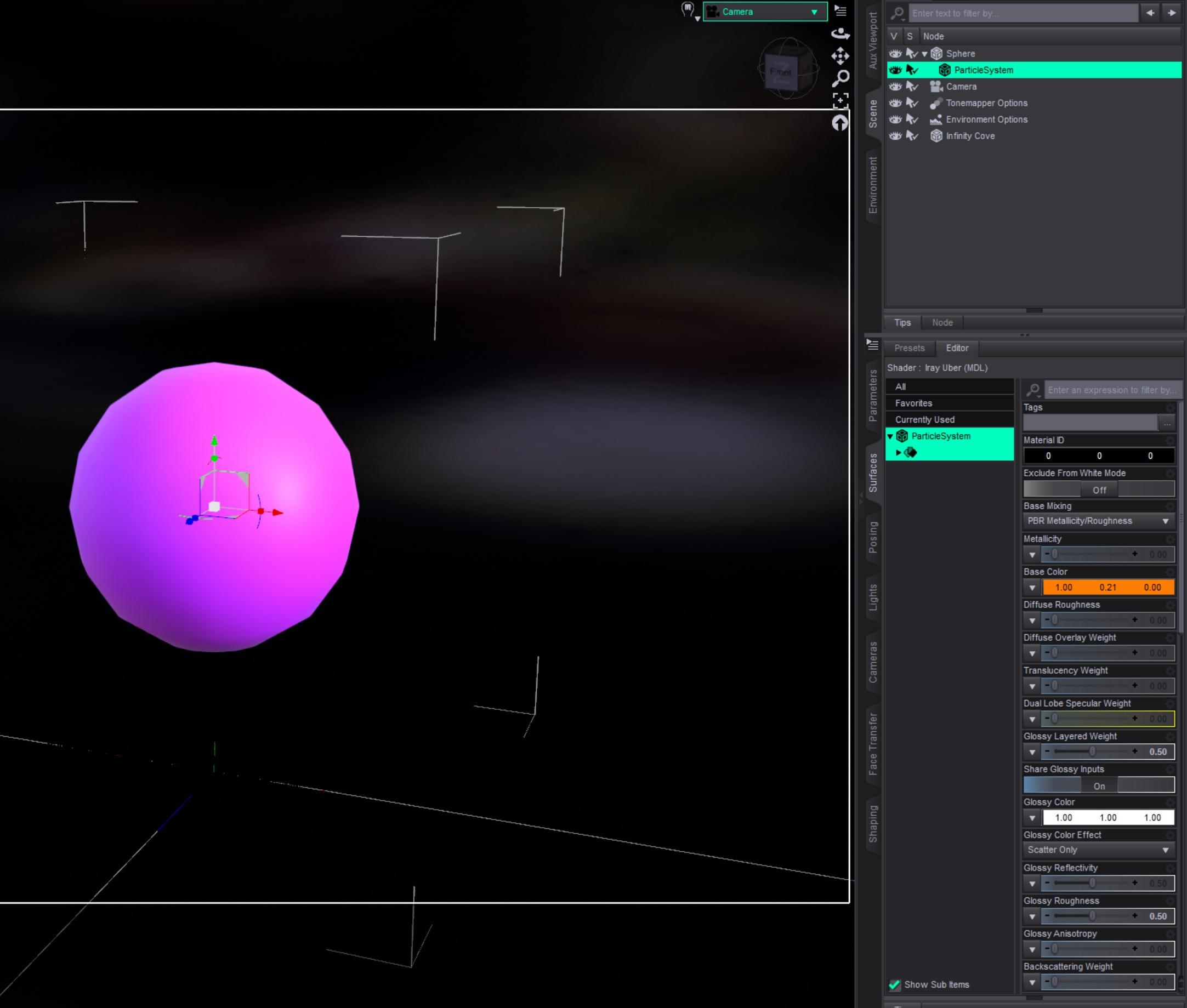
[Released] Blender to Daz Studio Plugin released!!! Official support thread [Commercial]Just quickly tested to create a hair particle system in Blender and transfer it to Daz Studio.
From this:

to that in Daz Studio:
 Let's appreciate/discuss today's new releases - more ongoinger thread
I'm glad that helped. I'm going to delete the file I linked to recover space in my Dropbox.Ainm said:barbult said:
Ainm said:
I think I've misunderstood how this idle animator works. After the first frame, it has reset my character's body shape to what looks to be the default Genesis 9 shape. Are we supposed to run it on a base G9 and then somehow save/apply to our characters?
That didn't happen to me, but there are no instructions, so...
In the timeline I have "Types" set to TR. That is Translation and Rotation only. If you have different settings there, that might be recording morph changes. I don't know.That's it - thank you! Maybe there was a timeline in the file at some point that it was remembering.
Daz 3D is part of

Connect
DAZ Productions, Inc.
7533 S Center View Ct #4664
West Jordan, UT 84084Licensing Agreement | Terms of Service | Privacy Policy | EULA
© 2026 Daz Productions Inc. All Rights Reserved.