-
[SOLVED]: Saving pose preset with pose controls
Is there any chance to save pose preset not only for bones but for pose controls as well? I didn't find any settings in DzPoseAssetFilter that would include lets say "arms up-down" parameter into the preset.
Solution:
You just want to find a function called "setCommonNodePropertyOptions" in the "Save Pose Preset" sample and, in addition to existing parameters related to rotation, add sliders what you need. You can find their names in Edit mode at the Parameters tab, like you would do that during the morph export.Unsupported autofit question - dog coat to horse coat?Exactly how DS handles unsurported, seems to me to be guesswork. If there is significant difference on source and target I think it will fail, i.e. end up looking very wrong.
In order to use autofit you need a clone. I don't think that has been made.
You could take the clothing into a modeller and the fit to your new target and then import and use transfer utility.
Z ASL PosesHave you tried just to apply it?
They have the same bones, and as within male resp. female some twicks might be needed based on the character morph.
Horse 3 stuff - pose presets, pose control presets ...I haven't tried resizing Pocket's costume, the concept would be to size it up etc., then export out the .obj [remember to hide everything else before exporting so only the garment exports], delete the garment from the scene, import in the resized obj and use the transfer utility to fit it to Horse 3. If it stays where you want it, then select it and save the file as Figure/prop to your own folders [i.e not the same folders as Pocket's outfit] so nothing gets overwritten.
Update: "concept": does not work with Horse 3
Fitting a centaur garment onto a human figure - need some help!Just an idea ... possibly with a morph [you might have to make unless garment comes with one] applied at say 30 on the timeline, use the timeline for the simulation.
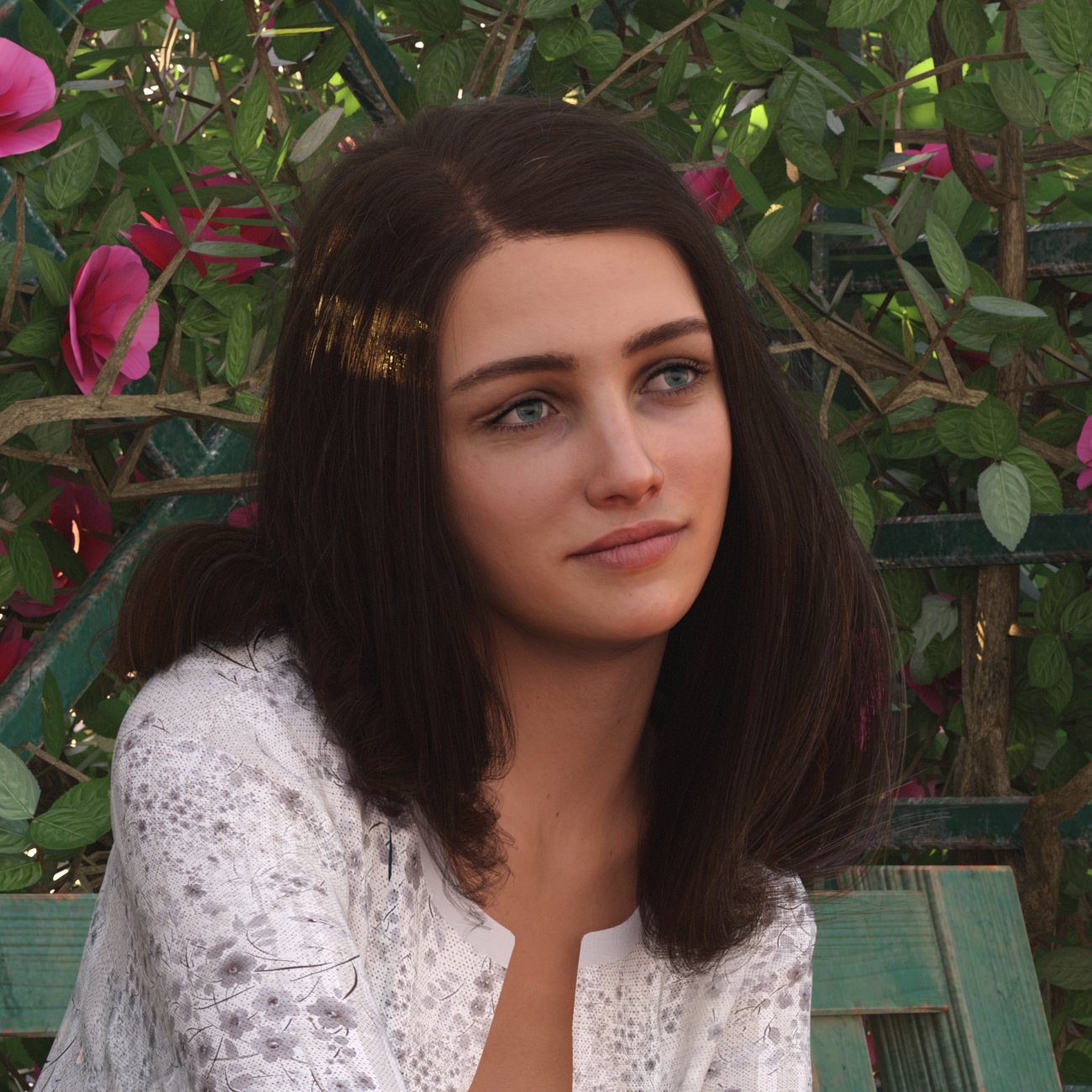
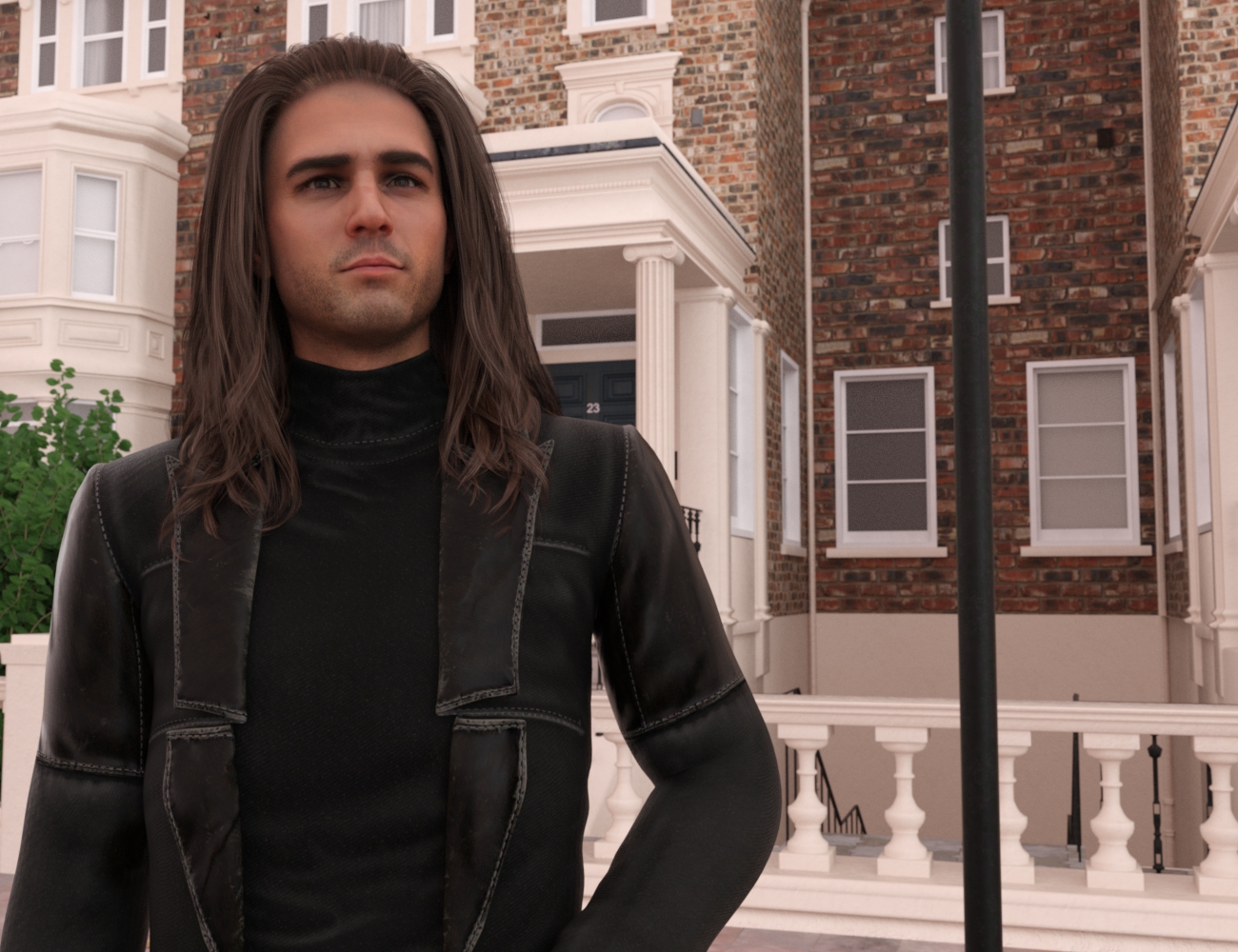
Which figure converter is better (xx to Genesis 9)?These are both Face Transfer --> G8.1 --> G9 via the ManFriday converter. For the girl, I had to adjust rigging (wrinkled fingers when posing) but that appeared to correct the problem; the guy didn't need any additional steps.
The results seem comparable to - and much easier than - my recent testing with manual conversion, which I had learned via a thread here at Daz. It's still very early in my testing. These were two characters I happened to be using for product testing a couple of days ago and I haven't had much chance to do anything further with them since.
I have not tried the RSSY converter so I can't speak to that. At that time, I'd opted to go with manual conversion.
 [Released] ManFriday’s Figure Converter for Genesis 9 [Commercial]
necroscension said:
FSMCDesigns said:
necroscension said:
DoctorJellybean said:
MelonArts3D said:
Hello,
I allways get this error when I try to use the product.
What am I doing wwrong or is something with my G9 not wright?
That error is a bit confusing. Please make sure that you have both Genesis 3 and Genesis 8 installed.
Also hold off on converting Genesis 3 items. The dev needs to address a problem with the arms after conversion (please check older posts). Just trying to keep another person from posting the same issue again.
I actually installed the latest version and redid the G3 body morph I had issues with earlier and it converted fine this time, so maybe it was updated
Nope, not fixed. Made sure my files were updated and just tried Elijah 7. It's almost like the more different the proportions are from the base G3, the more the arms distort. I believe my previous showed that. Maybe your morphs don't change the skeletal proportions?
I can wait.
I guess you are correct. I just tried Elijah 7 myself and it was a mess. makes me wonder why my custim G3 body didn't work the first time, but did the second time, odd.
Blender HD morphs for DAZ Studio4andyz said:
snip
You are running behind e.g. Metahuman and all new AI driven human modeling apps to come soon. DAZ started long ego pioneering this technoilogy but those days are gone...
well to be fair you can use the 3D obj exported head of a HD DAZ figure to shape a Metahuman head (for your own use and 2D renders that is)
DAZ are only limiting what you can do in DAZ studio, one can sculpt stuff in HD for most other apps
the trick I actualy use sometimes is to use a much higher density figure llike V4 and M4 I can sculpt and have the later figure wear them like clothing
one could do the same easily with Genesis 9 as it has seperate eyes, mouth etc, subdivide the mesh and export an obj and fit that to the original using the transfer utilty
you can then sculpt that skinsuit
Old Content.....Pugwash_3769741927 said:
FirstBastion said:
I generally dont do cross generation conversions.
Personal choice and I respect that. It's certainly not something that works for everyone or with every product. Personally, I don't like to buy something and not feel I've got my moneys worth out of it. So to buy a $15-$20 converter app and extend the life of something that I enjoy using really does work for me, and as an (extremely) amateur 3D artist, justifies the process needed to myself. I'm not selling my art so this meagre expenditure satifies my needs.
For example. I love Syltermermaids V4 textures, not just for themselves but they work well with most of the output jpegs I get from Faceshop 6, especially her Pia set. I like FS6 more so than Abalone's recent versions of Headshop and Daz's Face Transfer so to use those head textures and morphs that I've already created only needs a texture converter for V4-G8 (thank you Blacksmith3D) and D3D's V4-G3 morph converter coupled with RiverArts Software's G3-G8 character converter. Trying to recreate the characters I've already made with the new apps hasn't worked yet and would add too much additional work to make a render worthwhile.
It's whatever you are happy with.I never checked under the hood, but the reason I don't do the conversions, is I have a suspicion that the conversion process generates a lot of additional data for those models leading to longer load times.
As you said, each artist decides what works best for them.
Absolute Shape Keys Don't WorkI do not use Diffeomorphic. Am I supposed to have Diffeomorphic? All I did was port a 8 gen base model into Blender 3.6. Ive been trying to use Blenders built in shape key tool. Relitive shape keys work just fine but Absolute shape keys dont do anything. I cant move verticies to set up the morph nor can I use sculpt mode.
the cloth to daz and transfer utility appear jagged and cracked,how to fix itpJCM = partial Joint-Controlled Morph. It's a morph made to adjust a specific part of the mesh (hence the "partial") which is automatically triggered when you adjust the pose at a specific joint.
For example you raise the arm of your figure and that automatically triggers a morph which makes the bend at the shoulder look more natural.
the cloth to daz and transfer utility appear jagged and cracked,how to fix itcrosswind said:
Actually Hanfu (汉服) is pretty unique... Transfer Utility cannot well project it with proper weight even on a Base figure, especially in the areas of armpits (with long and wide sleeves), crotch (inner thigh), etc...
Opt1: Create projection template(s) base on typical Hanfu designs if you frequently make Hanfu(s), then use the template(s) in TU.
Opt2: Send it back to MD to re-simulation or fix it with Blender or Zbrush, etc. and import to Daz to update the Base geometry of Hanfu.
Besides, there're still some more tricks in the workflow from MD to Daz, depending on your expectation...
PS: As for the weird result from the poses, you better add dForce modifier and simulate it with a timeline or at least from memorized pose... and some pJCMs fixing have to be needed as well.
Thank you for your suggestion. It sounds like making Hanfu for Daz is really complicated. Perhaps I should start with some simpler clothes. Is there any place to purchase Hanfu project templates? By the way, what is pJCM? Forgive my ignorance.
 [Released] RSSY Character And Material Conversion Bundle Genesis 8 to Genesis 9 [Commercial]
starboysf said:
RiverSoftArt said:
starboysf said:
I have not been able to successfully convert any G8 or G8.1 characters to G9, despite multiple attempts. I keep receiving a pop-up message stating:
"Failed to save Morph Asset(s). See the log for more details."
When checking the log, I see:
[WARNING] :: /src/sdksource/fileoutput/dzassetoutfile.cpp(650): Failed to create file path.
[WARNING] :: /src/pluginsource/DzAssetIOFilters/dzmorphsupportassetfilter.cpp(936): Failed to write Morph Asset(s).I am using a Mac laptop with MacOS Ventura 13.4.1. I've attempted to set my output path to both a folder on my network drive as well as one on my local desktop, with the same results.
Happy to provide any additional information or run some more test conversions.
Thanks for any help!
Strange. Are you using the latest version?
I'm on Daz Studio 4.21.0.5. I don't see a version number listed for the character converter when the setup screen pops up, but I installed it using DIM and am current on all available product updates through DIM.
What are the Content directory manager settings for you? Here are mine:
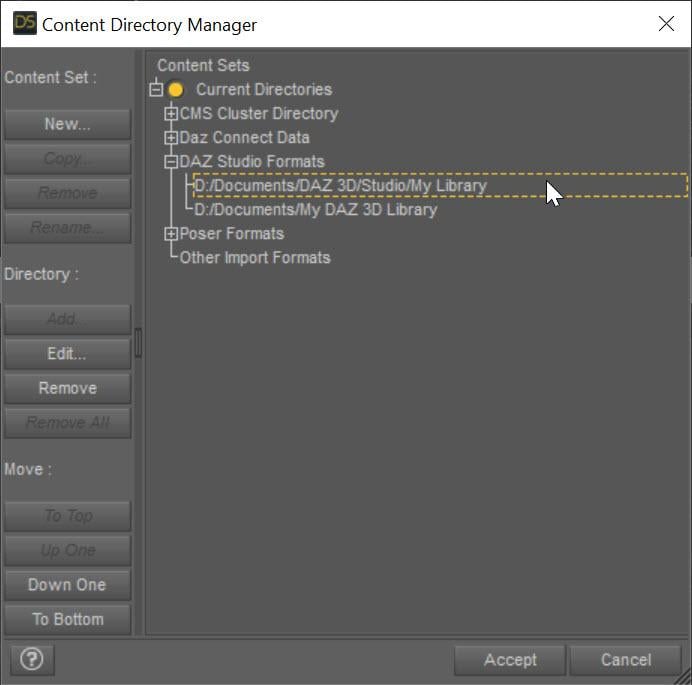
This specifies the directory the character morphs will go in. Also, can I see more of the log when running the conversion? There must be other messages.
[Released] dForce2Morph [Commercial]sagoru said:
I've tried adding an image both as an attachment and integrating the image into the text, but to no avail. I try to share the image from Google Drive: https://drive.google.com/file/d/1Yy-DZpf_0xOAXqpB7XRtGfRD_2Uhsr_-/view?usp=sharing
Ok, this is how morphs work. You have the dress fitted to the figure. When the figure is posed, DS automatically makes the dress follow the figure and its pose. Then the morph ADDs to that and moves it. Unfit the dress to the figure and apply the morph. dForce2Morph is more about adding wind morphs and things like that.
Show Us Your Bryce Renders Part 12Horo, Mermaid, NGartplay: Thanks. Yep, just a quick doodle but I liked its flow. It started quite colorful, but looked much better with reduced coloring.
adbc:
>hubert : cannot see the doodle image, I get forbidden access on chrome and edge.
Newer versions of those Browsers might try to access websites now by default via "HTTPS://" ("S = secure communication protocol" with web servers). In addition to this, said "modern browser" might now supress the leading "www", "http" or "https" part of an URL, to "not confuse the modern user". This is imho mere patronizing and a big annoyance, instead of a truly improved usability.FYI: I still use "HTTP" for my image access, because there is no need for a secure communication (e.g. necessary for a safe transfer of passwords or credentials). --> Please verify, that your Browser doesn't (automatically) alter my image's URL into "HTTPS://". If you use "HTTP://.....", said error should not occur.
PS: Great terrain work, mat and sky! :)
[Released] ManFriday’s Figure Converter for Genesis 9 [Commercial]necroscension said:
FSMCDesigns said:
necroscension said:
DoctorJellybean said:
MelonArts3D said:
Hello,
I allways get this error when I try to use the product.
What am I doing wwrong or is something with my G9 not wright?
That error is a bit confusing. Please make sure that you have both Genesis 3 and Genesis 8 installed.
Also hold off on converting Genesis 3 items. The dev needs to address a problem with the arms after conversion (please check older posts). Just trying to keep another person from posting the same issue again.
I actually installed the latest version and redid the G3 body morph I had issues with earlier and it converted fine this time, so maybe it was updated
Nope, not fixed. Made sure my files were updated and just tried Elijah 7. It's almost like the more different the proportions are from the base G3, the more the arms distort. I believe my previous showed that. Maybe your morphs don't change the skeletal proportions?
I can wait.
I get the distortions too and I reinstalled it. Nothing's changed. I can wait too.
[Released] ManFriday’s Figure Converter for Genesis 9 [Commercial]FSMCDesigns said:
necroscension said:
DoctorJellybean said:
MelonArts3D said:
Hello,
I allways get this error when I try to use the product.
What am I doing wwrong or is something with my G9 not wright?
That error is a bit confusing. Please make sure that you have both Genesis 3 and Genesis 8 installed.
Also hold off on converting Genesis 3 items. The dev needs to address a problem with the arms after conversion (please check older posts). Just trying to keep another person from posting the same issue again.
I actually installed the latest version and redid the G3 body morph I had issues with earlier and it converted fine this time, so maybe it was updated
Nope, not fixed. Made sure my files were updated and just tried Elijah 7. It's almost like the more different the proportions are from the base G3, the more the arms distort. I believe my previous showed that. Maybe your morphs don't change the skeletal proportions?
I can wait.
[Released] ManFriday’s Figure Converter for Genesis 9 [Commercial]necroscension said:
DoctorJellybean said:
MelonArts3D said:
Hello,
I allways get this error when I try to use the product.
What am I doing wwrong or is something with my G9 not wright?
That error is a bit confusing. Please make sure that you have both Genesis 3 and Genesis 8 installed.
Also hold off on converting Genesis 3 items. The dev needs to address a problem with the arms after conversion (please check older posts). Just trying to keep another person from posting the same issue again.
I actually installed the latest version and redid the G3 body morph I had issues with earlier and it converted fine this time, so maybe it was updated
Which figure converter is better (xx to Genesis 9)?It probably depends on how extreme the moph is. I am not a fan of the Riversoftart converters, but I have transferred over 11 G3 morphs and 20 G8 morphs with the ManFriday converter and it was quick, efficient and did a great job. I love how you can have multiple morphs loaded and it will create a full body morph for G9 out of them.
Which figure converter is better (xx to Genesis 9)?
From the promos of the ManFriday converter I in fact can see some distortion in the eye rim of the converted figure, while the RSSY converter does not seem to have that problem judging from the promos (but IIRC some user said the eye shape changed after using the RSSY converter)ragamuffin57 said:Figure Converter in my opinion is better tried both. Figure Converter is simple to use and has had very good results from tests. but have not tried complicated monster-type morph type characters as they are not my bag. But I would suggest going and having a look and reading the comments on both the sales threads on the commercial Products forum
Daz 3D is part of

Connect
DAZ Productions, Inc.
7533 S Center View Ct #4664
West Jordan, UT 84084Licensing Agreement | Terms of Service | Privacy Policy | EULA
© 2026 Daz Productions Inc. All Rights Reserved.