-
Forum icons missing--they are fine in store & Other Forum Issues
I used the Renderosity forum just now
Remixing your art with AII trained an embedding on my ugly face


 Celebrity Promoters Sued Over Bored Ape NFT Endorsements
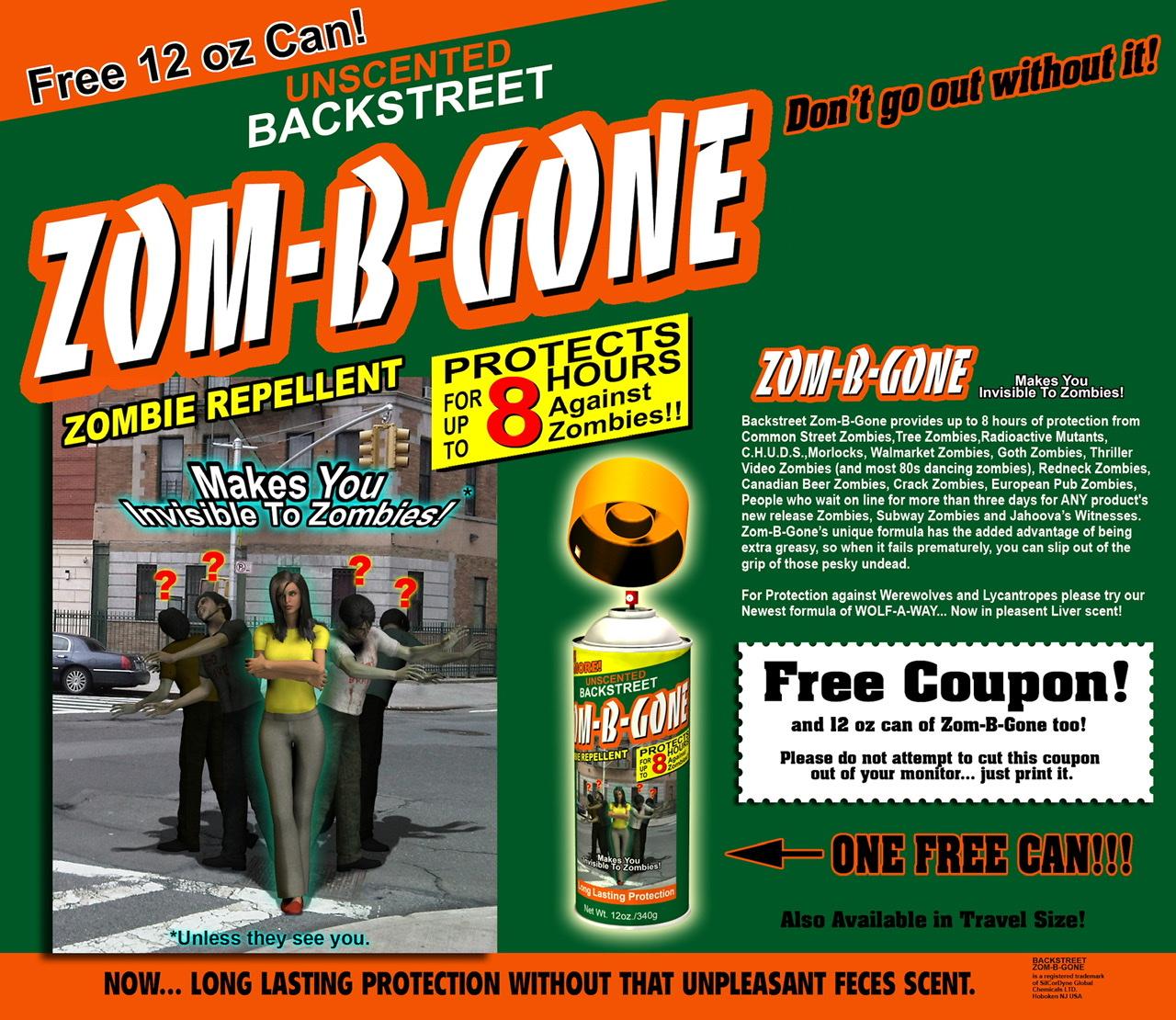
See... this is exactly why I never use my celebrity status to hawk products like magical clean energy frankfurters or zombie repellent...
But the zombie repellent is really very effective and if I were to recommend one it would definitely be Zom-B-Gone...
It's the only one I trust and if you don't want your loved ones to be painfully eaten by mindless zombies, it's really the only responsible choice... unless of course you hate your loved ones...
EDITED TO NOTE: Uploading images is still broken, but luckily I already had that image posted in the Art Studio forum.
Using DAZ3d to create anime.vrba79 said:
Well done. Going for that anime look is something a bunch of us in the Art Studio sub-forum have been striving for.
Do you think folks in that forum would like to learrn how to animate and create anime with DAZ?
Using DAZ3d to create anime.Well done. Going for that anime look is something a bunch of us in the Art Studio sub-forum have been striving for.
Crashing Issueload OOT hair onto character just like you always have. No changes to this step.
Select the OOT hair on the Scene pane.
On the Surfaces pane.
Click "ALL" on the top left side.
on the top right side in the search box type
transmitted color
The only surface setting that is showing will now be the one you need.
next to the color bar is a little box where images, maps can be placed.
Click that and select "none".
Delete words from search box so the rest of the surfaces show back up
Done.
Carrara Challenge #65 - Turning Points - Stills, Comics, and Animations AcceptedUnifiedBrain said:
Uploads finally working again.
I redid the Santa hat with Carrara hair per Stezza's request.
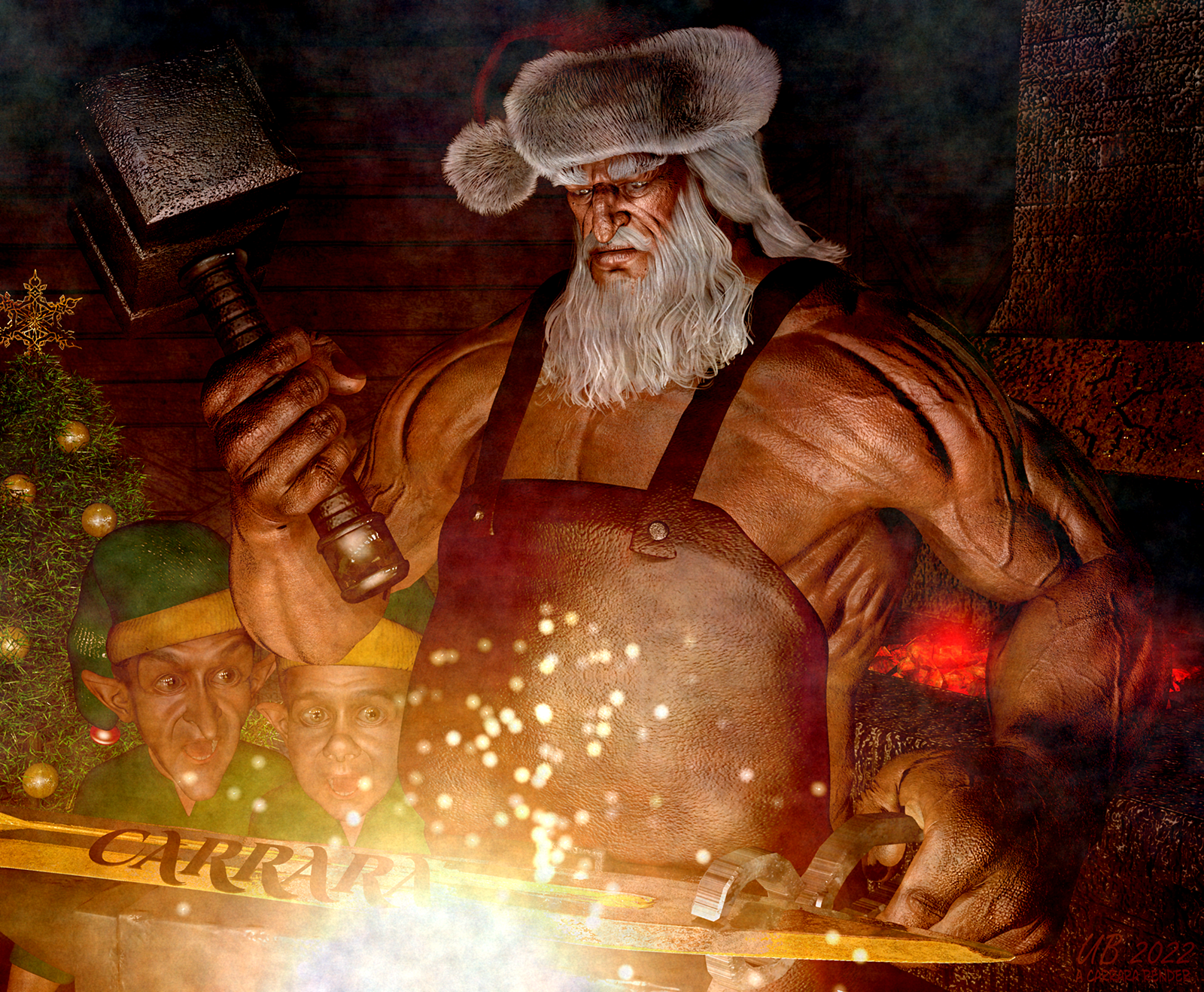
Adding the hair wasn't difficult, but getting the lighting right took a lot of fiddling. And unlike what I have heard recently on this forum, Carrara hair loads very slowly - even with 24 buckets. Testing the lighting took a couple of hours. I do love having the hair available to use - but it ain't fast. :)
The previous version:
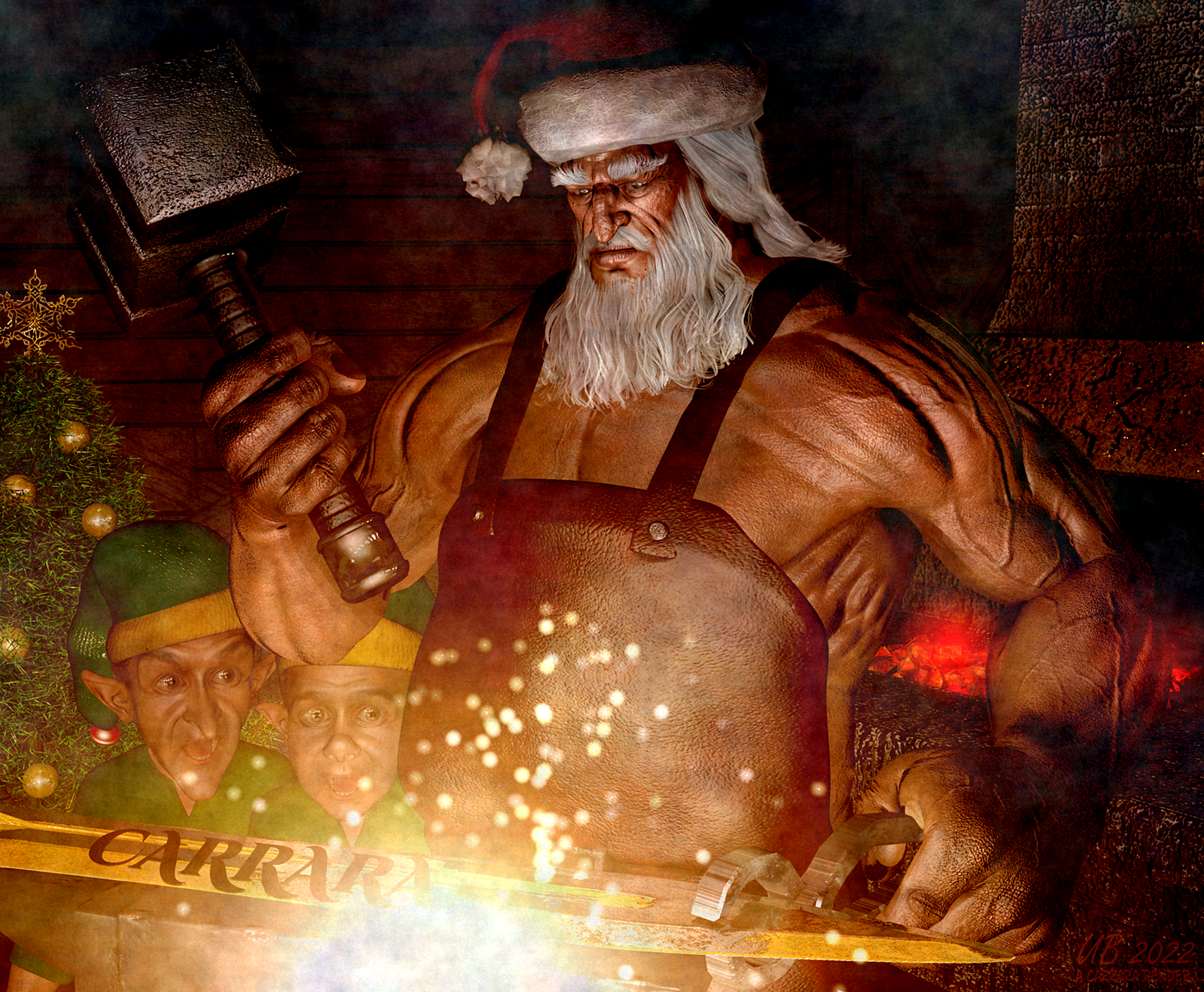
Definate improvement !!!
Carrara Challenge #65 - Turning Points - Stills, Comics, and Animations AcceptedGrimmvald said:
Here's a very prelim WIP for an idea I'm working on. It uses Portal of Riza, Carrara shaders and displacement bumps, a couple of figures yet to come, rendered in Carrara and post work in On1 photoraw. Shrodenger's Dilemna: what do you get when you cross Schrodinger's cat with "The Lady or the Tiger"? And yeah, you have to go in because there's a couple of big guys with spears to move you along.
*file won't upload so I'll try again later*
Sounds good !!!
When the forums won't let me directly upload an image I post the image to My Gallery and copy the image location to the forum post.
Llola Lane's Song/Music/Story/Poem Inspired Render Thread... Join me if you wish!!!AgitatedRiot said:
I listened to most of their music. I think Llola Lane forgot about this thread.
OMG... I did!!!!!!!!!! Not been getting notices so out of notices out of mind :(... soooo sorry... Wonderful artworks one and all... Thanks for keeping this thread alive!
Happy 2023... I hope to check back more often... I think the forum notices are broken for me (sighs)... along with uploads... Hope it's fixed soon.
Blender beginner: Utterly frustrated, Help appreciated.Blender for dummies amazon kindle edition. You can search. Amazon has a sample table of contents and a sample chapter to read for free. See if you like the authors style. Reguarless its a written out instruction of the basics of Blender reguarless of Blender version.
Blender 3.2 the beginners guide.
There are a lot of decent books for blender. I agree about the online tuts. You tube advertising incentivized blah. I stick with readable text tutorials on web or books or magazines, I think there is a magazine that puts out a blender tutorials complication for beginners can't remember the name though.
Carrara Challenge #65 - Turning Points - Stills, Comics, and Animations AcceptedUploads finally working again.
I redid the Santa hat with Carrara hair per Stezza's request.
Adding the hair wasn't difficult, but getting the lighting right took a lot of fiddling. And unlike what I have heard recently on this forum, Carrara hair loads very slowly - even with 24 buckets. Testing the lighting took a couple of hours. I do love having the hair available to use - but it ain't fast. :)
The previous version:
DAZ Studio eBookLooks really good. I myself would be happy with a note-like format but I'm like you, been doing this for years. However, I'm still finding out stuff all the time that I didn't know so I'd probably get the beginner's style anyway. Most important thing is that it's easy to search and find what you need.
Forum icons missing--they are fine in store & Other Forum Issues..same here. Really need to be able to upload some images on another forum to better illustrate the issues I'm having with changing shaders on a product.
[Released! HD Face Burns for G8F + Add-On] FenixPhoenix's Commercial ProductsDesouza said:
While attempting to use the Gunshot Wounds on G8 characters the outcome I get each time is the wound gets added but there is an unwanted impact upon the character's face. The visibility of the face is turned off and then the eyes and the mouth are visible along with the wound. What can be done to correct this?
Hi, thank you for buying our products!
If I understand correctly, if the face surface of your character is disappearing, then it means you are applying the LIE Wounds Presets to the character. That's not how it works. Instead, you should apply the Gunshot Wound Geoshell Wearable first and then apply the LIE to that wearable preset. There was an update to the product to include a ReadMe with detailed instructions which you can find here (since the forum is broken and I can't seem to add attachments atm).
3DConnexion 3D Mice no longer supported by DAZ StudioHi Gang,
I have long used a 3D Connection Space Pilot in Poser and DS to maneuver through scenes; I can't imagine using 3D software without one.
I recently filed a support ticket because the 3D mouse would pan the orthogonal cameras, which obviously isn't supposed to happen, although it works well otherwise. I was told that versions of Studio after 4.12 no longer support 3DConnexion mice, and they did not even have one to test with, and I should reach out to the Forum for tips.
He filed a feature request for me, but if you use a 3DConnexion 3D Mouse, I urge you to file a feature request ticket so perhaps formal support can be restored for this valuable device.Remixing your art with AIWendyLuvsCatz said:
there already was an existing thread on that
https://www.daz3d.com/forums/discussion/441452/ai-is-going-to-be-our-biggest-game-changer/p1
Maybe the threads got mixed up?
If i am right on skimming through this thread, the last post of @bytescapes actually entered the discussion themselves with something like [some] "artists not being happy", suggesting that likely some measures will be taken, mostly focusing on the "draw like [artist]" examples. This could happen too, similar to some social media and search engines, making it harder to search details about people. Artists are publishing, though, which makes them more likely targets of "mentioning". But that's only the tip of the iceberg, concerning impact on artists.
Losing me as a customerI'm on MS Edge and as a non-subscriber I no longer receive notifications, but still see price history, readme links, as well as gallery and forum links.
Material Conversion (ex. G2F to G9)I've seen a lot of discussion about this and some people think it's not possible, but I think it is. I could do it myself, but I don't have the time. I'd be willing to do portions of it. It's the DAZ meterial side of it that would take me a while to do. If such a product already exists, please let me know. I've seen a product at Renderosity, but it seems the company is no longer listed and you can't even search for it anymore.
Here's the idea. And let me know if there's a flaw in it.
The first step is getting the figure split along the materials of the older figure. These already exist for G3 and G8 with the legacy figures and the geografts. Otherwise, a program will need to be written to splice the new figure along the material edges of the older figure and calculate the UVs for them. This step is not necessary if legacy figures product comes out for G9. We could just use that. Otherwise, splicing and calculating the UV's along the older material regions will be necessary. There are huge areas around the head that aren't remapped even in the existing legacy UVs for G9 for example.
So here's the main technique. Let's use G2F to G8F as an example. You would export G8F with G8F UVs. You would then export G8F again with the legacy G2F geograft. Then a program would take the UV positions of the first figure and store them as the 3D positions of the second. Z would be set to 0. Polygons would need to be split along material edges. And UV locations would need to be calculated for the new vertices where the splicing is taking place in the geograft locations. Those points don't exist in the original G8F. But that's just interpolation. I could even create such a shape.
So what you get is a 3D representation of the G8F UVs (a flattened G8F that looks exactly like its UVs) but where its actual UVs are from G2F. All you need to do is render each texture for each UDIM if necessary and export them to produce G8F textures.
Now, I could create a flattened G8F figure (of the geografted version). You could easily apply G2F materials to it. The problem is rendering the textures individually. I can do it in Direct X 9, but that's getting quite old by now. I've tried Direct X 12 and it's a nightmare. Maybe I could use OpenGL, but I'd have to start from scratch. The issue here is that you need to render the texture without any lighting. Just use global illumination at 100%. In fact, if you're coding at a low level, there's no lighting involved at all. You just do a simple render to texture and save it.
DAZ Studio can even render the view in OpenGL and save the image, but there's no way to turn off shading from some random light, or rather there is, but it's all black. There's no way to set global illumnation (not the iRay thing, but have textures at 100%). And even then, there'd have to be a way to disable everything else in the material except diffuse. No bump maps, no normals, no glossiness, nothing. Only diffuse. And each map (bump, SSS, etc.) would need to be rendered as a diffuse map individually and exported.
I could probably do it in Unreal Engine. I'm getting quite familar with it, but repackaging that would be gigantic and overkill.
Anyways, posting this in case some creative people get some inspiration. :) Maybe a custom shader for OpenGL could be done in DAZ? Is that even a thing? I have no idea.
I could create a windows executable to produce the flattened gemetry if someone wants to take this up. I can provide the source as well.
To recap:
- Split the destination figure along the material regions of the source figure and calculate new UVs for those new points. (Already done with legacy figures that are available)
- Copy the UV positions of the destination figure into 3D positions of the spliced figure (Z = 0). New points will need to be interpolated and poygons split along material sections.
- Render each type of texture as diffuse (diffuse, bump, normal, specular, etc.) without lighting of any kind.
- Cut up each section for each UDIM if necessary and save textures.
#1 and #2 can be done once ahead of time. These could be separate scripts.
UltraScenery - new territory [Commercial]bombenleger58 said:
My Gallery
Thanks .. found'ja... :) You may want to add the linky to your signature. That's the first place I look since we can't search the gallery.
When clicking Genesis 9 people in the shop, it shows tons of products that aren't people.I would be stoked if clicking on most items actually showed a category. Unless I do a search for something specific--and sometimes even then--pretty much everything shows up categorized as 3D Models > [People/Places] > Vendor. The "Vendor" path just links to the list of published artists, but this happens even with Daz Originals. I can't figure out why it even exists, because it provides zero information and leads to nothing a person might be specifically looking for.
Daz 3D is part of

Connect
DAZ Productions, Inc.
7533 S Center View Ct #4664
West Jordan, UT 84084Licensing Agreement | Terms of Service | Privacy Policy | EULA
© 2026 Daz Productions Inc. All Rights Reserved.