-
[Released] Thickener plugin [commercial]
Alberto said:
Loony said:
Hey... I just test the plugin and... I wanted to make a underpant thicket, but it's now a static object, how can I use the plugin on clothes who keep be rigged? I didn't saw a "clothing" category in the PDF.
There isn't a clothing category because the plugin processes any node the same way.
Thickener cannot keep the rigging. It creates a new node without rigging.
However, you can create a Dynamic thickened object that responds to the shape changes in the original object.
I still try to figure it out, how to bring the thick cloth to the exact same position... but it doesn't work ;( When I use the exact same values it does fly somewhere out of the room, when I use my script "Snap to object"
https://sites.google.com/site/mcasualsdazscripts2/prestosnap
It does also not work, it does move it nearby but not on spot 1:1.
Can you make an example video? And does it work when the char is already in Pose? I often add clothes while a char is positioned.
Edit: Okay one more "problem": Even if it works similar to an instance, it doesn't copy the meshgrabber or build in morphs, so I have to morph all new >_<.
Edit2: I tried now dforce and even when the original product was great in dforce, the thickened object moves very bad ;(
Can I create hair and clothes in blender and import them to Daz?felis said:
Transfer utility will transfer the rigging and weights.
If you want to keep it as an asset you need to save it, File > Save as > Support Asset > Figure/Prop Asset
Ah, ok, I didn't understand! So, I first have to use the transfer utility, then, to save the hair as an asset, haven't I?
How to crush a propDartanbeck said:
barbult said:
dForce simulation seems like the answer.
Agreed,
For this method:
- Select the Item
- Open the Simulation pane > Hamburger Menu > Add dForce Dynamic Surface
- If you don't already have a floor, Create > New Primitive > Plane > whatever size, Y Positive (more divisions might give better results, but don't go too high - try 50 - 100)
- Simulation Settings > Uncheck Start from Memorized and don't give it an initial value - leave everything else default
- Press the "Simulate" button and watch it drop to the floor and flatten out
If it goes too flat, go to the surfaces tab for that item and go to the hamburger menu for that pane > dForce Surface Adjuster
Play around with those controls a bit.
I'm also a huge fan of Mesh Grabber, which lets us reshape anything the way you were tring to use dForm, which I've never been able to figure out either. Mesh Grabber works really well and lets us save our results as a morph - either on the actual item or just for the scene.
Thanks a lot,
With stimulation feature, It starts fine object starts to fall during 10 seconds, then it stops and object (tee shirt) becomes completely crazy and explodes in all directions !!!
What could be wrong ?
What is the difference between "saving ."scene subset" & "subset asset/prop asset"?A Support Asset is considered by DS as one item.
So you might save a kitchen knife as a support asset. To create a kitchen knife block populated with six knives, you's save the knife as a Support Asset (maybe with length morphs) and the wooden block as a Support Assest, and having done that you'd save the wooden block with six knives (each with its own length morph setting) in it as a Scene Subset. This way the knives can be taken out and used.
If the wooden block & six knives was saved as a Support Asset, the only way to remove a knife from the block would be by a morph or rigging before saving as a 'Support Asset'.
Hope that adds a little more to the explanations above.
Regards,
Richard
Daz JCM in UE5Just check AutoJCM in the morph dialog box in the bridge. In UE5 or newer it should automatically transfer them and attach them all to work in Unreal.
Mimic: Who owns what?wsterdan said:
Dartanbeck said:
Back to the PoseRecorder idea, like I said before - it suggests using a smart phone for recording the performance, trying not to move the head while performing.
The promo page has three example videos - one shown here. This is the result to expect from the software, which is really quite good performance capture for something so incredibly inexpensive.
The reason I'm showing this video: Watch closely - even a few times over. Perhaps also the other two on the store page. Watch the facial performance of the actor and watch the results on the figure. You'll see what I mean that we don't need any embellishment from the actors. Just deliver the lines as if acting.
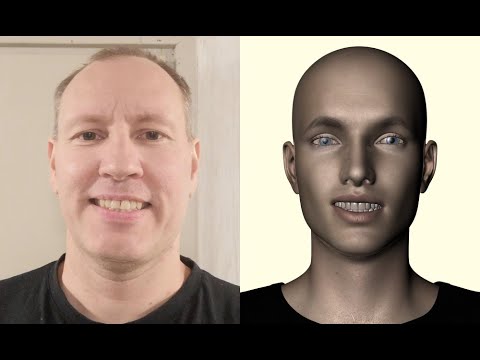
I plan to buy a bracket for the head that holds the phone directly in front of the face, so that my actors can actually act while delivering the speach if they want/need to. My cast of actors is very small, so this won't be a problem as far as I can tell. I do most of the background people, creatures, monsters and many sound effects, etc., Rosie does Rosie, and my crew from the sound studio said that they would love to do whatever I need - just for the fun of it.
What I love about this product is how well it translates the video performance into facial morph recognition. I mean... it works the morph dials really well!
Sounds pretty cool, looking forward to seeing more. I have a plug-in for Cartoon Animator that uses the computer camera to do face tracking, but I find that if I have the computer-generated audio (which, as wolf359 mentioned, are getting better all the time) it was easiest and fastest to just use the face puppeteering instead. Select a character, apply the audio, next character, their lines, and so on until everyone has said their llines, then select the first character and select face puppeteering and start recording; as different people say their lines, you use the mouse to change the character's focus until the scene is complete, then do the same for the next character, and so on. Once you have everyone animated, render out the whole scene or parts to change camera focus, etc. Everything is done in almost real-time.
-- Walt Sterdan
Wow! really? That is really cool!
Oh... do you have aniMate 2? I know that there's an Import Audio on that. I wonder if that would work/give you a waveform? Never tried it.
I haven't even done any dialog stuff yet except for tests.
Mimic: Who owns what?Dartanbeck said:
Back to the PoseRecorder idea, like I said before - it suggests using a smart phone for recording the performance, trying not to move the head while performing.
The promo page has three example videos - one shown here. This is the result to expect from the software, which is really quite good performance capture for something so incredibly inexpensive.
The reason I'm showing this video: Watch closely - even a few times over. Perhaps also the other two on the store page. Watch the facial performance of the actor and watch the results on the figure. You'll see what I mean that we don't need any embellishment from the actors. Just deliver the lines as if acting.
I plan to buy a bracket for the head that holds the phone directly in front of the face, so that my actors can actually act while delivering the speach if they want/need to. My cast of actors is very small, so this won't be a problem as far as I can tell. I do most of the background people, creatures, monsters and many sound effects, etc., Rosie does Rosie, and my crew from the sound studio said that they would love to do whatever I need - just for the fun of it.
What I love about this product is how well it translates the video performance into facial morph recognition. I mean... it works the morph dials really well!
Sounds pretty cool, looking forward to seeing more. I have a plug-in for Cartoon Animator that uses the computer camera to do face tracking, but I find that if I have the computer-generated audio (which, as wolf359 mentioned, are getting better all the time) it was easiest and fastest to just use the face puppeteering instead. Select a character, apply the audio, next character, their lines, and so on until everyone has said their llines, then select the first character and select face puppeteering and start recording; as different people say their lines, you use the mouse to change the character's focus until the scene is complete, then do the same for the next character, and so on. Once you have everyone animated, render out the whole scene or parts to change camera focus, etc. Everything is done in almost real-time.
-- Walt Sterdan
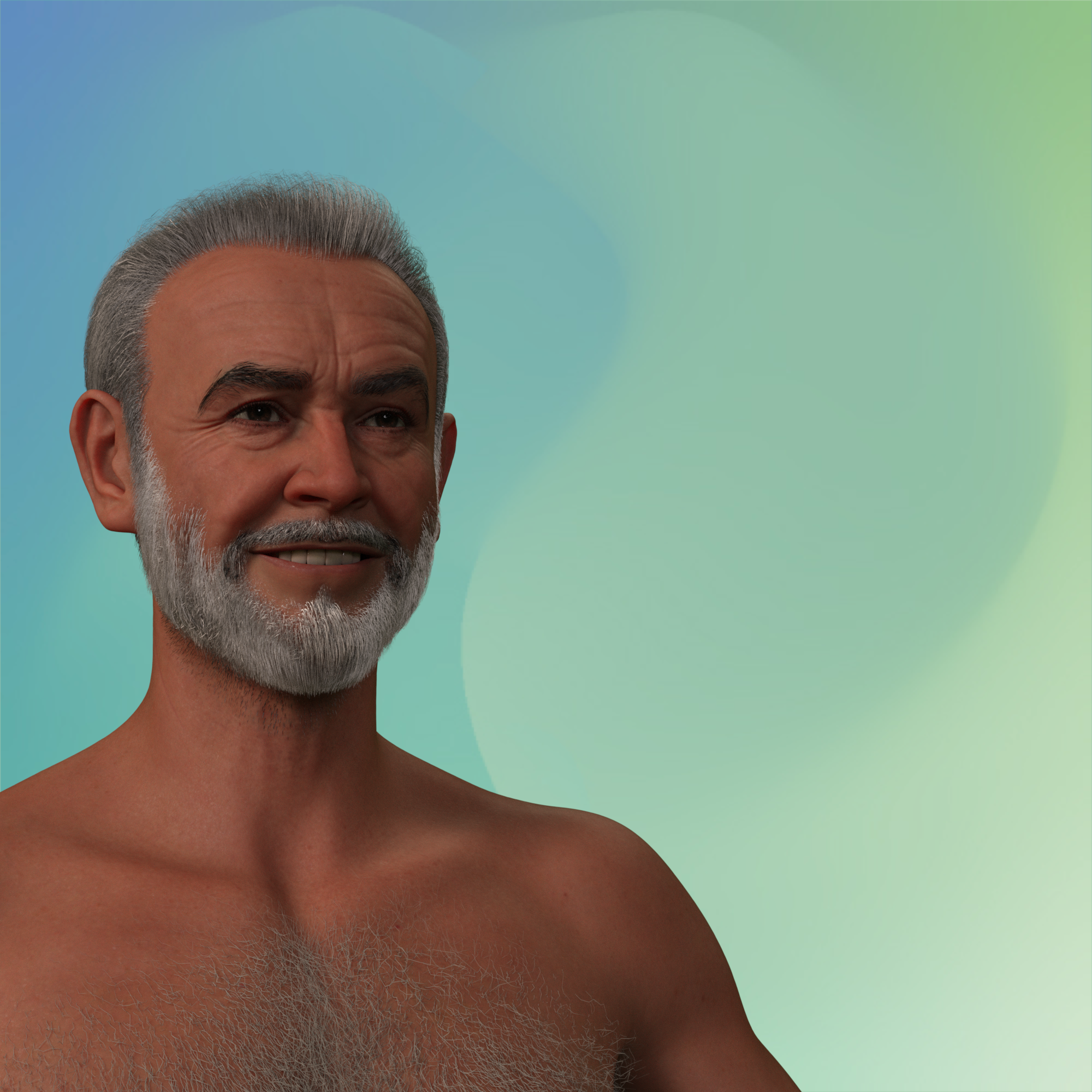
Oh my Lord why has Sean got boobsWell I finally had a minute to load him up and render an image and am happy to report that no, he doesn't have extra equipment there, possibly some have another morph dialed in. One of the G9 morphs will flatten out the chest area if needed.
 How to crush a prop
Agreed as well. dForce + MG should be a great combo. I posted some examples and settings in this thread for 'fall on a surface' and 'hang and fold' ,etc. - https://www.daz3d.com/forums/discussion/647736/how-to-use-dforce-to-make-clothes-fall-down-on-floor-or-on-bed-or-in-someones-hand
PS: If the garment (B) you wanna simulate has the similiar style / design as one of the items in that product (A), you may also use Transfer Utility to transfer the Morph Target(s) from A to B. If the shape is not 100% satisfying, you still can re-sim it or tweak it with MG.
How to change the eye shape on this G8 male?How do I change the eye morph, shape on this G8 male, please?
As you can see his eyes looks too large and gives almost pixie like look, so how can I get this guy's eyes to look normal like other G8 males?
Thank you very much for any help.
How to crush a propbarbult said:
dForce simulation seems like the answer.
Agreed,
For this method:
- Select the Item
- Open the Simulation pane > Hamburger Menu > Add dForce Dynamic Surface
- If you don't already have a floor, Create > New Primitive > Plane > whatever size, Y Positive (more divisions might give better results, but don't go too high - try 50 - 100)
- Simulation Settings > Uncheck Start from Memorized and don't give it an initial value - leave everything else default
- Press the "Simulate" button and watch it drop to the floor and flatten out
If it goes too flat, go to the surfaces tab for that item and go to the hamburger menu for that pane > dForce Surface Adjuster
Play around with those controls a bit.
I'm also a huge fan of Mesh Grabber, which lets us reshape anything the way you were tring to use dForm, which I've never been able to figure out either. Mesh Grabber works really well and lets us save our results as a morph - either on the actual item or just for the scene.
Mimic: Who owns what?Something to note about that video is that it's just a Genesis 8 Male figure - no shaping morphs applied, yet it did an amazing job of shaping the muscles to the actor's delivery.
This is important because it shows that it doesn't try to 'resemble' the actor, but deliver the muscle movements.
This way we can have any character shape use the performance. Imagine that same performance added to Dasan 8. Now imagine it on one of your characters.
So, if you have someone who can message you a video of themselves, you can, if you like, direct them about the character they're protraying. Like: Misc always talks from one side of his mouth or the other. Rarely does he ever use his whole mouth - as an example.
This sort of thing goes pretty far beyond anything that audio/text to speech can do. Sure, we can work in the expressive morphs ourselves - no problem. But it is time-consuming. The thing is, we can also edit morph changes to PoseRecorder results too. Pretty powerful stuff.
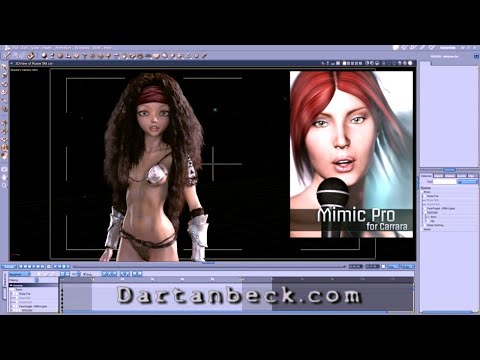
The thing about Mimic is that we might be remembering it to be a lot more superior than what it ever was - just because we were so excited to see it work. Don't get me wrong - I love Mimic Pro. But the results aren't nearly what PoseRecorder puts out. Here's a simple, quick test I did years ago on Genesis using Mimic Pro for Carrara without any tweaks to the Mimic result
 Mimic: Who owns what?
Back to the PoseRecorder idea, like I said before - it suggests using a smart phone for recording the performance, trying not to move the head while performing.
The promo page has three example videos - one shown here. This is the result to expect from the software, which is really quite good performance capture for something so incredibly inexpensive.
The reason I'm showing this video: Watch closely - even a few times over. Perhaps also the other two on the store page. Watch the facial performance of the actor and watch the results on the figure. You'll see what I mean that we don't need any embellishment from the actors. Just deliver the lines as if acting.
I plan to buy a bracket for the head that holds the phone directly in front of the face, so that my actors can actually act while delivering the speach if they want/need to. My cast of actors is very small, so this won't be a problem as far as I can tell. I do most of the background people, creatures, monsters and many sound effects, etc., Rosie does Rosie, and my crew from the sound studio said that they would love to do whatever I need - just for the fun of it.
What I love about this product is how well it translates the video performance into facial morph recognition. I mean... it works the morph dials really well!
Multi Bulge for G8M, G8F and G9
A while back, I ran into the issue that most of the groin bulge morphs for Genesis figures fall into one of two main categories - vague shapes that only look right under thick clothing, or more defined shapes of utterly gargantuan proportions and only one pose.
So, I ended up creating an adjustable groin bulge for G8/G8.1 and G9 - both male and female are supported on G8 (either for transgender characters or cases where you need to use the other base for technical reasons).These morphs are only intended for use under clothing, as they don't actually add any geometry, just morph the figure - but controllers allow adjusting of the strength, length and position of the bulge, as well as separate adjustment of testes size/prominence.
The various controllers are called "SM Gens Bulge" and can be found under Actor/Hip/SM Gens Bulge.
More details can be found in the included readme.~~~~~
I'm giving permission to store, access, use and modify this content for personal and/or commercial renders, with no royalties or credit required.
Redistribution of the contents of this package is however not permitted in either original or modified form without my express permission.
Outfit identification help neededmartin36 said:
Thank you guys for
Yeah if you look at photo 4 on the product page the morph is listed as "Fly Open"
AIUTO...CHI CONOSCE L’ITALIANO? PARTE QUATTORDICIRuthven said:
Imago said:
Crios said:
Avrei preferito qualcun altro, magari Harrison Ford, che I vestiti già c'eranoGreedo aveva sparato per primo.

Con Ford c'è un problema: E' vivo.
Connery no e non può opporsi al suo "duplicato irreale".
Hanno dimenticato il morph "Draco". E se ricordo bene (?) anche Mufasa.
No, ce ne vuole uno che diventa giovane, e un bello smoking bianco
Genesis 8 to 9 animation convertingBone minion from river soft will transfer the animated key frames from 8 to 9. I've used it and it works just fine.
Can I create hair and clothes in blender and import them to Daz?Transfer utility will transfer the rigging and weights.
If you want to keep it as an asset you need to save it, File > Save as > Support Asset > Figure/Prop Asset
Can I create hair and clothes in blender and import them to Daz?yuyu.atem said:
Hello,
Is it possible to create assets like hair and clothes in blender, and import them into Daz to use the on a figure? If it's possible, could you telle me how I can do it, please?
How can I know if the asset I created wil be compatible with a figure?Thank you in advance!
Hi, I used Edit>Figure>Transfer Utility to the hair I imported from blender, but after that, I don't understand where to find it. When I open a new Daz file, I would like to use my new hair on a charactern but I don't find it. Could you tell me where it should be, please?
Thank you in advance!
AIUTO...CHI CONOSCE L’ITALIANO? PARTE QUATTORDICIDaz 3D is part of

Connect
DAZ Productions, Inc.
7533 S Center View Ct #4664
West Jordan, UT 84084Licensing Agreement | Terms of Service | Privacy Policy | EULA
© 2026 Daz Productions Inc. All Rights Reserved.