-
Star Trek Builders Unite 8: THE REBOOT
That G8F conversion of Star Trek Resurgence's Commander Jara Rydek but I went ahead and put the uniform model from the other source onto her as I felt the original uniform model really didn't meet my personal visual quality expectations.
[RELEASED] Fight or Flight Angelic Poses for Genesis 9Introducing Fight or Flight Angelic Poses for Genesis 9
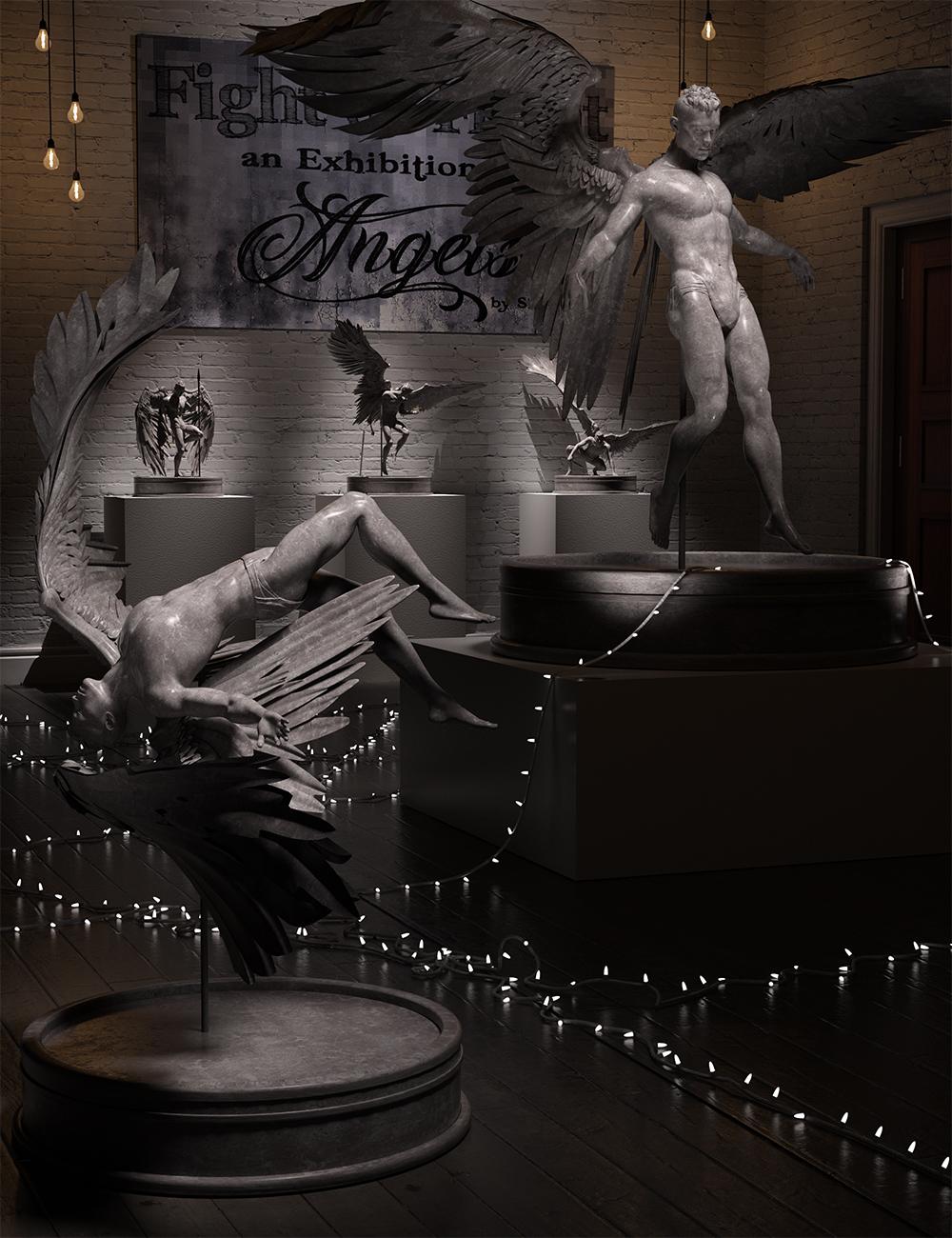
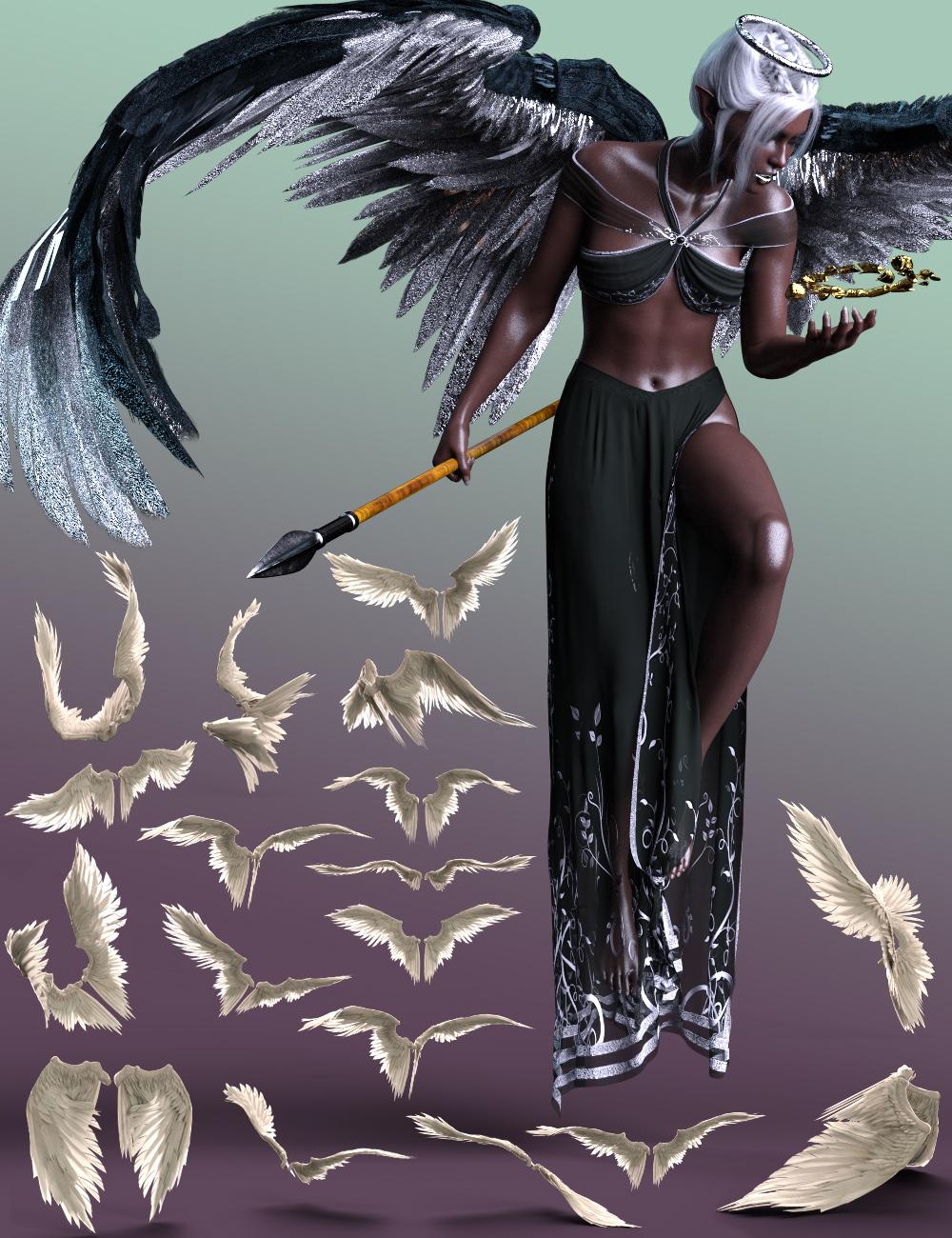
This set of hierarchical poses work just as well on their own as they do with the props from the CC Character Accessory Kit: Angelic Artifacts for Genesis 9 and the newly updated Morningstar Wings (both male and female versions)! The separate wing poses have been included so that you can mix and match body poses with wing poses to create a unique look.
I've also included two bonus rock props for the seated poses that include both regular rock materials as well as some crystaline celestial materials.
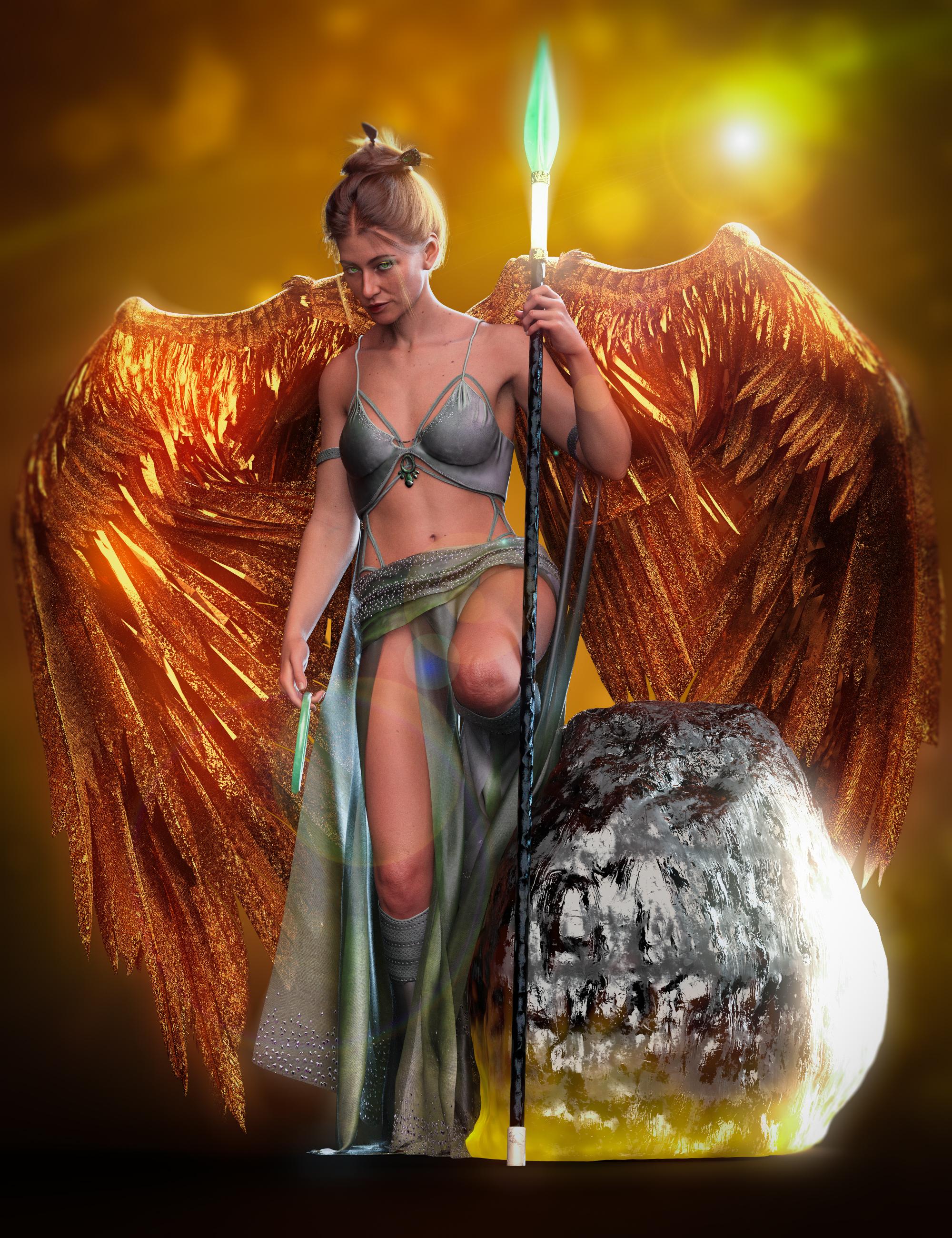
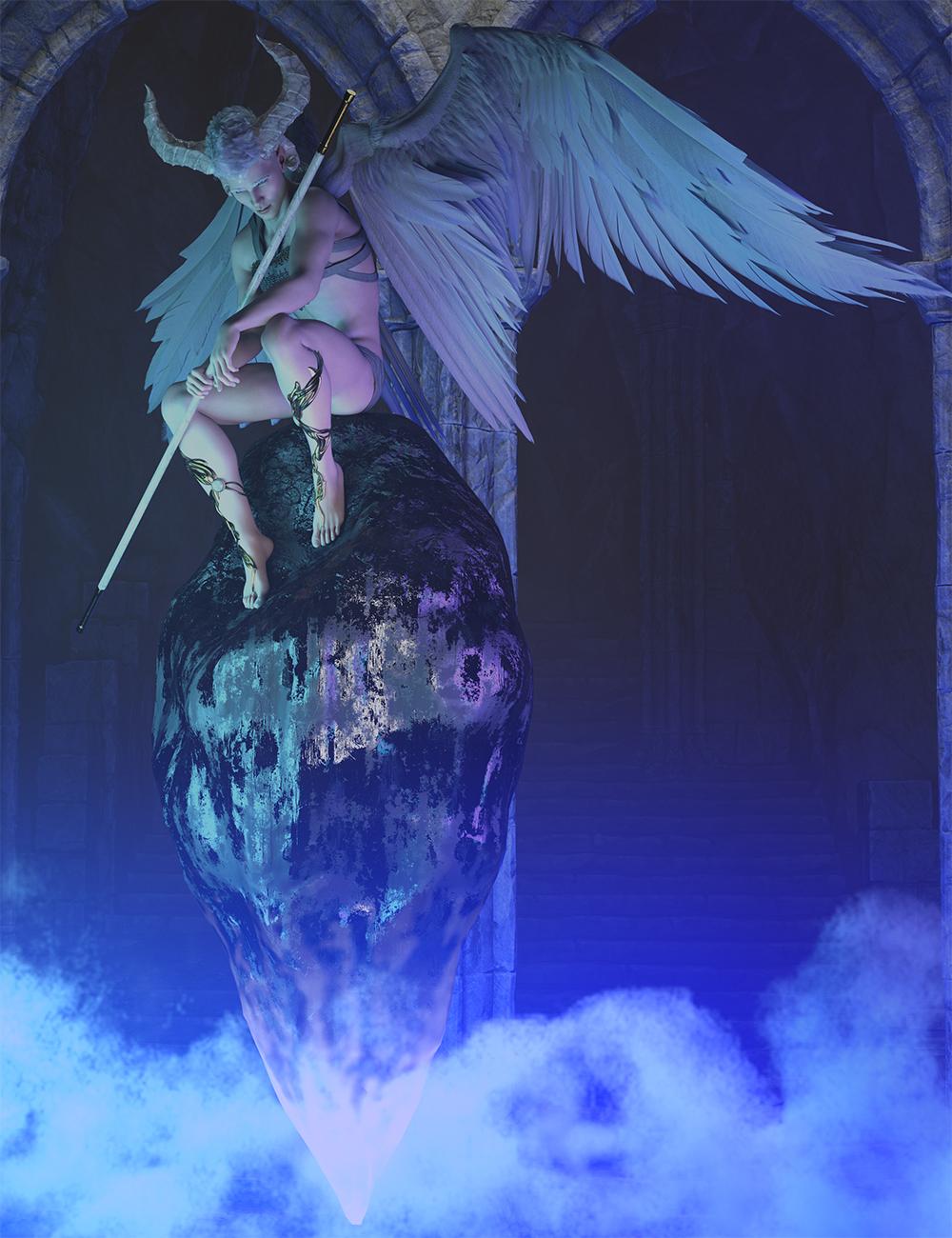
Included in this set are 40 poses: 20 Hierarchical Poses, and 20 separate wing poses for Morningstar Wings. (You can use this set of poses with any set of wings you'd like, the wing poses, however will only work with Morningstar Wings.)
As another bonus I have included a dual figure fighting pose as well as a "trumpeting" expression to go with the Trumpeting pose.
[RELEASED] CC Character Accessory Kit: Angelic Artifacts for Genesis 9 [Commercial]Ah, thank you for solving the little mystery of why the two Morning Star Wings products showed up as updates in DIM (the ReadMe didn't specify)!
Great news that I can use them on my G9's easily now!
[RELEASED] CC Character Accessory Kit: Angelic Artifacts for Genesis 9 [Commercial]My next character accessory kit is on the way! Here's a little sneak peek of CC Character Accessory Kit: Angelic Artifacts for Genesis 9!!
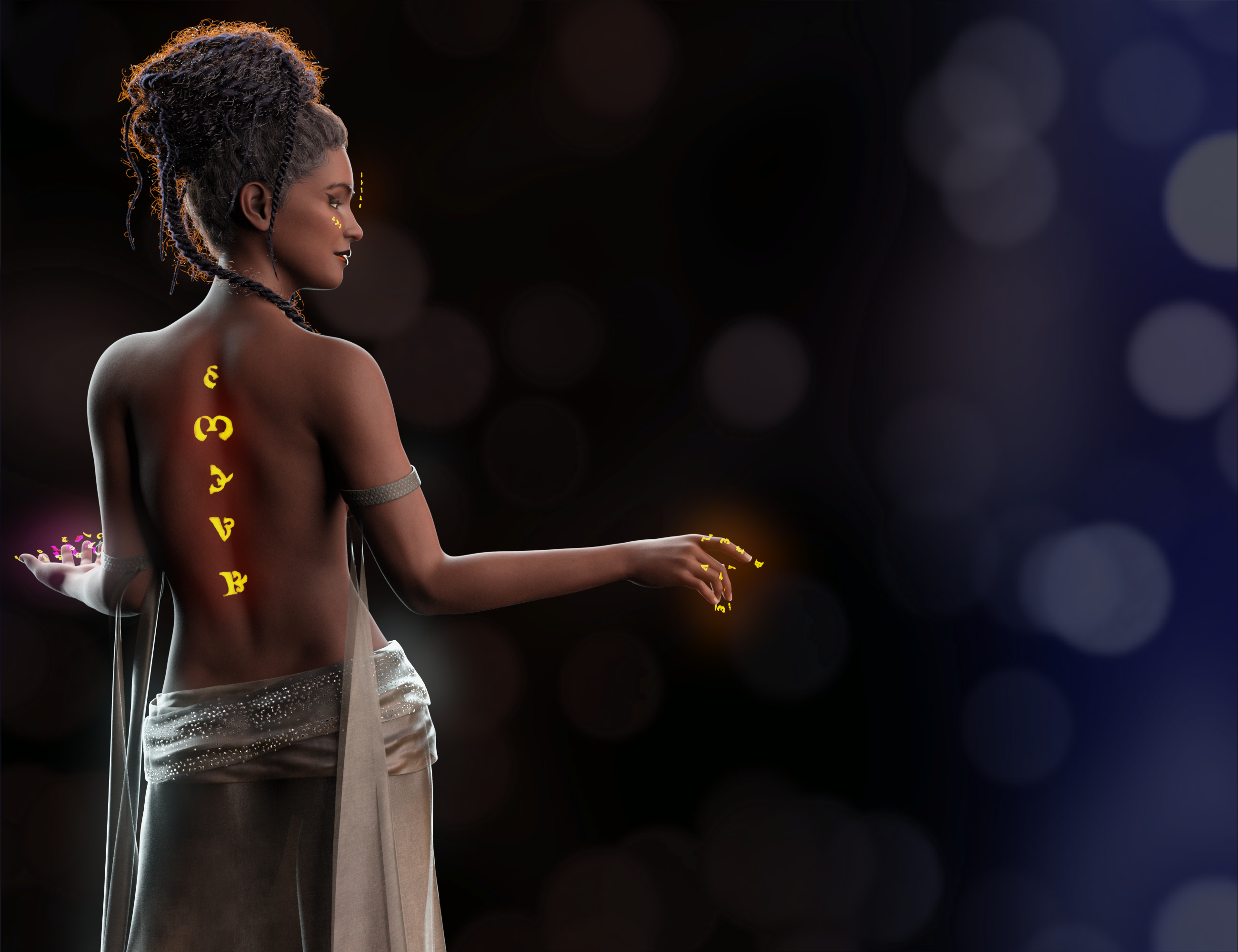
And it's here! CC Character Accessory Kit: Angelic Artifacts for Genesis 9 has been released! It includes all sorts of accessories to make your angels (even fallen ones). Featured in most of the promos are poses from the brand new Fight or Flight: Angelic Poses for Genesis 9.
As an added bonus, we updated the Morning Star Wings for Genesis 9, 3, and 8 Males and Morning Star Wings for Genesis 9, 3, and 8 Females to work natively with Genesis 9! If you've bought them already, the most recent update should already be available to you (and you might have already installed it!).
What do you use DAZ for?Mostly music videos. Hubby and I have a recording studio since 2002. 7 Electrics guitars plus one bass, with the latest addition being a Les Paul Phenix, Frampton custom. Out of the 4 keyboards, the best we have is a Korg Kronos. We have3 acoustic/electric guitars, but the 1 1990's acoustic 6 string I bought back in Canada. Our Marshal amps are from hubby's band days, but we use Klipsch speakers for playback. We own a Boss digital system but recently bought Pro Tools Ultimate perpetual license. Currently have a dozen or more song lyrics and melody originals, (private on YouTube due to prepping for various outlets.) I originally joined Daz for the purpose of using Daz for animated book trailers for a fantasy series (currently pulled down for rebranding) featuring original songs. Goal is to republish the music (most are theme songs for the Toxic Thoughts books) and redo the Crashing like aka Afterlife Matrix trailer to animate with the addition of 3D art. All trailers and music and a few books have been made private until we get our ducks in order which hopefully will be before 2024 ends. I was making trailers for the memoir series from still photos, but for one book, I had no photos, nothing. Walked away from the marriage empty handed so I joined DAZ to try to recreate those lost assets and decided after that to pull books down, some 5 star reviewed books - ouch!), and rebrand ... a work in progress.The best thing about the 3d assets is the ability to create cohesive marketing assets.
Daz Studio : The Creative Cart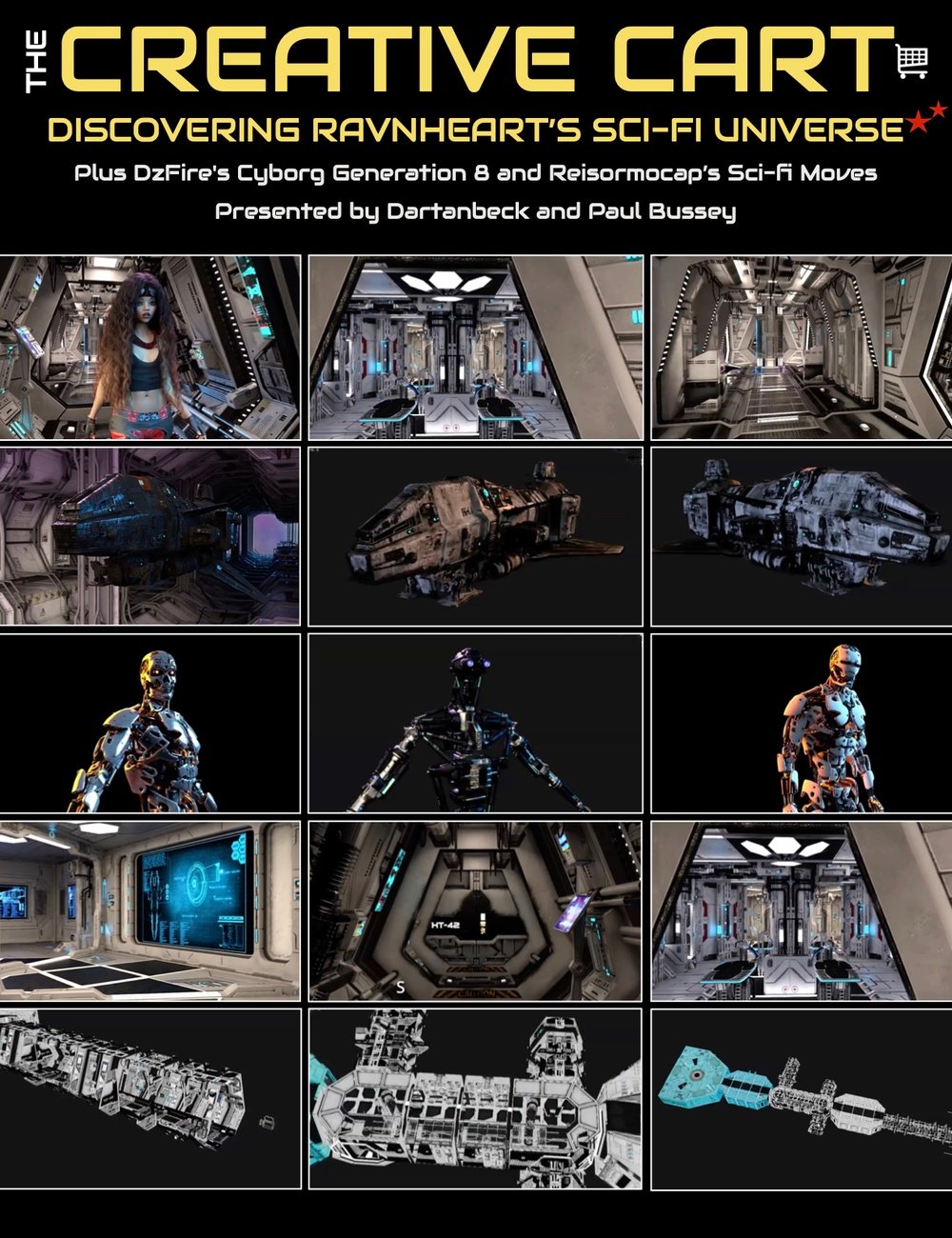
I'm very proud to present:
The Creative Cart - Episode 001 - Sci-Fi Marcoor
The "Creative Cart" is a curated review of selected DAZ 3D store assets, beautifully explored through animation and real-time walk throughs.
The presentation includes the application of the assets for rendering stills or animation, vendor analysis, insightful techniques for scene set-up and management, kit bashing suggestions, cross-generational asset techniques, and behind-the-scenes insights of creative scene building.
In this session:-
--Highlighted Assets--
- The Marcoor series by Ravnheart, spacecraft and interior sci-fi assets.
- DzFire's Cyborg Generation 8, a detailed and versatile character model for animation and artwork.
- Reisormocap Sci-Fi Moves Genesis for Animation Corner!
--Animation Insights--
- Discussion on the practicality of detailed models and assets, such as the Marcoor ship and interiors, for animation. The importance of optimized models.
- Modularity and flexibility of assets for creative freedom in scene building.
--Managing Complex Scenes--
- Discussion on balancing detailed artwork with computer memory constraints.
- Some recommendations to optimize scenes and improve workflow.
--Kit Bashing and Creative Asset Utilization--
- Demonstrations of kitbashing techniques, using assets like sci-fi ship blocks and character models in unique ways to create custom scenes or characters.
- The use of emissive textures and modular components for creative scene building.
--Cross-Generation Animation and Modeling Techniques--
- Discussion on using and converting animations across different generations of characters (e.g., Genesis 3 to Genesis 8) to leverage a wider range of motion captures and poses for animation projects.
--Insights into Scene Creation and Asset Customization--
- Insights into the thought process and creativity involved in scene creation, emphasizing the advantages of detailed modeling and texturing in enhancing the realism and appeal of digital scenes and characters.
Video Length and Format
- 1 hour and 8 minutes
- MP4 1920 x 1080
Each Episode also gets its own Support Page at Dartanbeck.com in the Creative Cart section
Creative Cart Episode 001 - Sci-Fi Marcoor
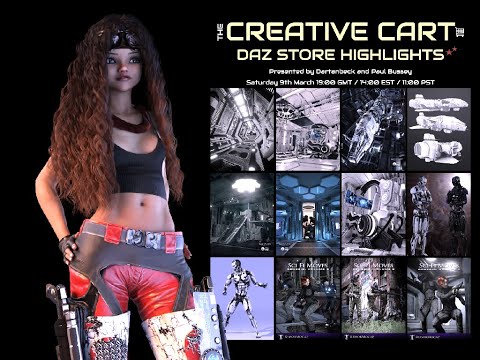
What's Included and Features
- The Creative Cart : Discovering Ravnheart's Sci-Fi Universe
- Video 1 : 1 hour and 8 minutes (.MP4)
- 00:02 Introduction : versatility of Ravnheart’s products.
- 00:04 Dartanbeck discusses the Marcoor ship and its optimization in DAZ Studio. Different texture options and the ease of rendering.
- 00:06 Ship's landing gears and other rigged/operational features.
- 00:08 The Marcoor ship's rendered appearance and the emissive lighting effects.
- 00:10 A real time walk-through of the interior assets starting with the corridors; presets, door animations, and the adaptability of the corridor sets for scene building.
- 00:12 Exploration of the Marcoor control room; about animating the operational panels and the attention to detail in the assets.
- 00:14 Curved screens modern look of the interior assets.
- 00:16 Discussion of the corridor 2 design as a junction point; modularity suggestions for combining the Marcoor sets
- 00:18 Daniel shows how corridor two can be altered for continuous passage and discusses the transparency and rendering properties.
- 00:20 Introduction to the Marcoor Med Bay; demonstrating the one-dial animation feature and highlights the detailed medical equipment.
- 00:22 The colors of the lifts and emissions in the viewport are discussed; Daniel talks about the realistic look of the glass and materials in the render.
- 00:24 Dartanbeck notes the high potential of the assets for sci-fi scenes, and reflects on the overall Marcoor interior design.
- 00:26 Texture packs shown that allow for further customization of the corridors with aged textures.
- 00:28 How to revert to the original blue screen textures if desired.
- 00:30 Addressing the challenge of working with dark textures in scenes and balancing atmospheric lighting while maintaining visibility and definition in renders.
- 00:32 The HDRI photoshoot lighting technique for rendering characters in dark scenes, with a comparison to different HDRI setups to achieve the desired mood.
- 00:34 Concept of creating animated lighting effects in post-production using still renders with varying emission outputs to simulate glitching neon lights.
- 00:36 Presentation of DzFire's Cyborg Generation 8 character with different texture options and emissive eye colors, and a demonstration of the flexibility and detail of the character model.
- 00:38 Exploration of the materials and customization options for the Cyborg Gen 8, including damaged textures and the difference between solo and terminator materials.
- 00:40 Detailed look at the Solo character pack for the Cyborg Gen 8, noting the high level of detail and responsiveness of the 4k textures.
- 00:42 Commentary on the realistic damaged textures for the Cyborg models and the importance of wear and tear for storytelling purposes.
- 00:44 Comparison of the Cyborg model 4 and Cyborg Gen 8, discussing the benefits and limitations of each, such as pose controls and conformance to base figures.
- 00:46 Introduction to the animation corner featuring a collection of motion-captured animations from Reisormocap.
- 00:48 Demonstration of the airlock shunt animation and the use of Bone Minion for conversion to different Genesis models, highlighting the ease of use for Genesis 8 animations. Showcasing the Genesis 8 cyborg with the animation.
- 00:50 Preview of additional animations such as bridge hits and other Star Trek-inspired character moves.
- 00:52 Chaining ani-blocks together for a continuous scene.
- 00:54 Explanation of how to convert animations across different generations of Daz Studio models using free tools and a script found on the Daz 3D forums.
- 00:56 More discussion on the Bone Minion tool, which improves the cross-generation animation conversion process by accurately translating the movements between different character rigs.
- 00:58 Free cross-generation conversion tools that enable animations for Genesis 3 characters to be used on Genesis 8 characters without needing actual conversion.
- 01:00 How to use the free cross-generation tools by applying a Genesis 3 pose to a Genesis 8 character with a dial adjustment.
- 01:02 Ravnheart's sci-fi ship blocks, highlighting their modularity and versatility for sci-fi themed artwork and kitbashing.
- 01:04 The speaker demonstrates how different pieces of the sci-fi ship blocks can be combined to create unique designs, such as using thrusters and struts with emissive properties.
- 01:06 Continuation of the demonstration on kitbashing using Ravnheart's sci-fi ship blocks, discussing the potential for creating custom ships and structures.
- 01:08 Conclusion
Coffee Break - April 13 2022Something for all the Star Wars and Weird Al fans. I had no idea this did this parody.
Good for coffee break cause it's less then 6 min. long
 Star Trek Builders Unite 8: THE REBOOT
Been a while since I did a Star Trek Render and was inspired by 3DUK's models (while they were around! wish they would return somewhere!)
Here is a poster for Star Trek: Red Directive

Crew pics to follow
[Coming Soon!!!] - Starry Sky Iray and its first Add-on Pack- Coming Soon to Daz 3D -
Starry Sky Iray : for Daz StudioA whole new way to render stars in Daz Studio.
Starry Sky Iray is made up of actual 3D stars in selectable, editable, individual star fields along with an outer space perimeter for darkening the outer scene - which can be turned off like all of the features - and also included is a nebula prop.
The whole system loads easily into Daz Studio in a variety of ways, depending upon the type of scene we're working on.
More promo videos yet to come, this is a feature video which is intended to give plentiful suggestions on using this system in Daz Studio to Really explore space in a whole new way - as well as to put stars into any outdoor scene on any planet, moon, space station, star ship - any sort of scene we're working on.
Given the flexibility of the system - it can also be used as magical effects and other creative ideas.
This video also takes a brief look at the first add-on pack - Nebulous Wonders, which should launch along side the main product.
Join me on a journey into rendering stars in a whole new way in Daz Studio!More news and promos to come!
Keep an eye out at Daz 3D and
 Carrara can empower 3D hobbyists way way faster
Dartanbeck said:
Carrara certainly is a Gem!
Especially regarding the title of the thread! Carrara ROCKS for home or office CG!
The smooth workings between it and anything Genesis 2 and earlier as far as off-the-shelf compatibility - for the most part, but far beyond figure compatibility, 8.5's new Shader and Sequencer tools make this puppy really sing - not to mentiontion everything else it has going for it.
As far as PBR, I think it would be cool if OTOY would come up with a free version for Carrara like they do Studio... that would be Killer! And would solve the PBR thing. If you've never tried Octane, try it in DS following these simple videos (All Free) - but if one can afford the OctaneRender subscription... hey!
When I'm in Carrara, I really enjoy using it's powerhouse render engine - the thing is so fun to set up in different ways to get the visuals I want.
As far as VFX goes, Carrara can render Beautiful FX shots already produced with a nice Alpha channel along with a plethors of other, easy to set up multipass options that make post work a Lot of fun and flexibility!
Man, I've seen some of the onboard FX primitives get ridiculed, but are they ever cool for making things like this! I mean... the fog primitive animates in So Many Ways, with just the flick of some dials and picks from the color picker... Bam! The Fire can be all kinds of things and - if we were with this all long enough where we got our hands on Inagoni's plugins... Yikes!!! PrimiVol still makes the best CG Sci-Fi Star Ship engine flames!!!
I also love how easy it is to just quickly build a 3D object - however we decide to cerate it. Heck... it could be a circle, for all that matters, add some rigging to it, perhaps a modifier or three... we can make such cool things that can be animated into special FX!
Just using Carrara to create VFX as 3D animation elements should be a big draw right there - and we're not even close to one one-quadra-bazillionth of what we can do in this thing! :)
I'm surprised that it's not popular enough to warrant development. Maybe that's not it at all and something else (like Genesis 3+ compatibility) is throwing a Monkey Wrench into the works.... ?
With GenX2, I can reliably get Genesis 3, 2 and Generation 4 and 3 morphs onto Genesis 1 - which is a great figure to work with, I think. Genesis 2, even, if you like that generation better. I still use all of the generations except for Genesis 9, which crashes my machine as does Genesis 8.1 Female, and it's really rare for me to go back to 1 and 2 since Genesis came out.
The volumetric cone lighting alone makes for excellent CG alpha shots for VFX, and we can render to alpha lens flares accurate to the placement of the camera. That's Sweet!
Speaking of plugins, we have PyCloid and our particles emitters! Haven't tried PyCloid, but it looks cool! I did try FractalDimensia's Flocking, which was a Lot of Fun!!!
All of the flexibility that with have with file handling and shader creation - especially if we add the overflowing wealth of plugins we can add for that! Sheeesh!
Did you know that we can load in an avi and render it to sequenced images and vice versa? Even render to (but not open) animated GIF!!! Just open the thing in the Render Room and Save As... whatever!
Built-in entirely flexible shadow catching capabilities are great for creating masks for VFX Elements that cast shadows. Get the dimensions of the room and what's in it and recreate that with primitives with shadow catcher shader... Bam!!! Even animated!
I absolutely LOVE how we can drag a selection around ANY (even All) key frames in the sequencer, and it's now (8.5) got a little ghost box around it. Drag the top of the box up or down to increase or decrease the values controlled by those frames. Side-to-side for stretching of constricting... very handy!!!
I could never use the linear lights until 8.5's enhanced light avatars. Now I use them All the Time!!! I mean... they mimic tube lighting pretty well!
I got absolutely addicted to making simple models and painting them in 3D Paint and/or shaping them in a very similar way using the paint deform in vertex modeling - so cool!!!
With the addition of just a few, simple bones, I made a sci-fi computer console that we could make into endless shapes with simply because I didn't enforce a single limit on any of the rigging bones! So any bone could be scaled, moved, and rotated with ease - making sci-fi decorations a breeze! The controls and buttons, etc., were all just simple models, also made in Carrara, that were parented to the face of the console, so they would follow the vertices as I's shape the rig - without deforming the actual controls or buttons. etc.,, which have Very Nice shaders! Translucent, and some transparent buttons that could illuminate or dim with the simple dial of the Glow channel which, like pretty much Everything in Carrara, can be animated. We can even control shader aspects with videos or sequenced images! So Cool!!!
FluidOs for Carrara is Killer... and it's Free!!! What? Yeah... I know!
Well, I could keep going but it's time for this one to get some shut-eye! ;)
Looking for Carrara Plugins? Look No Further!
To see what I have for free Carrara stuff, check navgation bar at the top of my website and go through Gallery > Downloads. That opens up to a few different places.
That navigation bar also makes it a lot easier to find your way around the many Carrara sections. If you can't seem to find what you're looking for, maybe try looking into the various CG Workshop categories, which is where a bunch of my Character Development, Animation and other articles are - it's just the flow that works best for me is all.
Let me know if you need any help with something.
Thank you for sharing valuable information. Carrara allows me to do everything in one place and is also an excellent previz tool that increases productivity.
Star Trek Builders Unite 8: THE REBOOTInteresting story
Long-lost first model of the USS Enterprise from 'Star Trek' boldly goes home after twisting voyage
https://www.yahoo.com/entertainment/long-lost-first-uss-enterprise-153154219.html
more....Wacky Modelling ~ In Carrara ~Stezza, I absolutely Love that shot with all of the star ships! I just get lost in thought as I gaze upon them all - there's really a lot to explore in that one image!
more....Wacky Modelling ~ In Carrara ~therixx said:
Dartanbeck said:
To include some animation examples with the upcoming Starry Sky Iray, I built a little star ship quickly using primitives and shaders (DS).
After watching it back, I'm thinking... Oh no. The last thing I want is to have an Editorial License slapped on it just for a simple demo!
So on Wednesday, I slapped a Saturday Sphere into Carrara's vertex room and made me a nice little ship, I think! LOL
Dart, you went from Enterprise to Batwing, in my opinion :-)
Yeah - when I went into Carrara to make the second one, I was simply trying to make something that didn't look very recognizeable - and I did it all very quickly! LOL
It's horrible! LOL But when I threw it into space, it just started cruisin' along. So....
Dartanbeck's Journey - CG FilmmakingMajor Cache (Uzelite), Star Ship Command (PerspectX) and Starry Sky Iray (Dartanbeck)
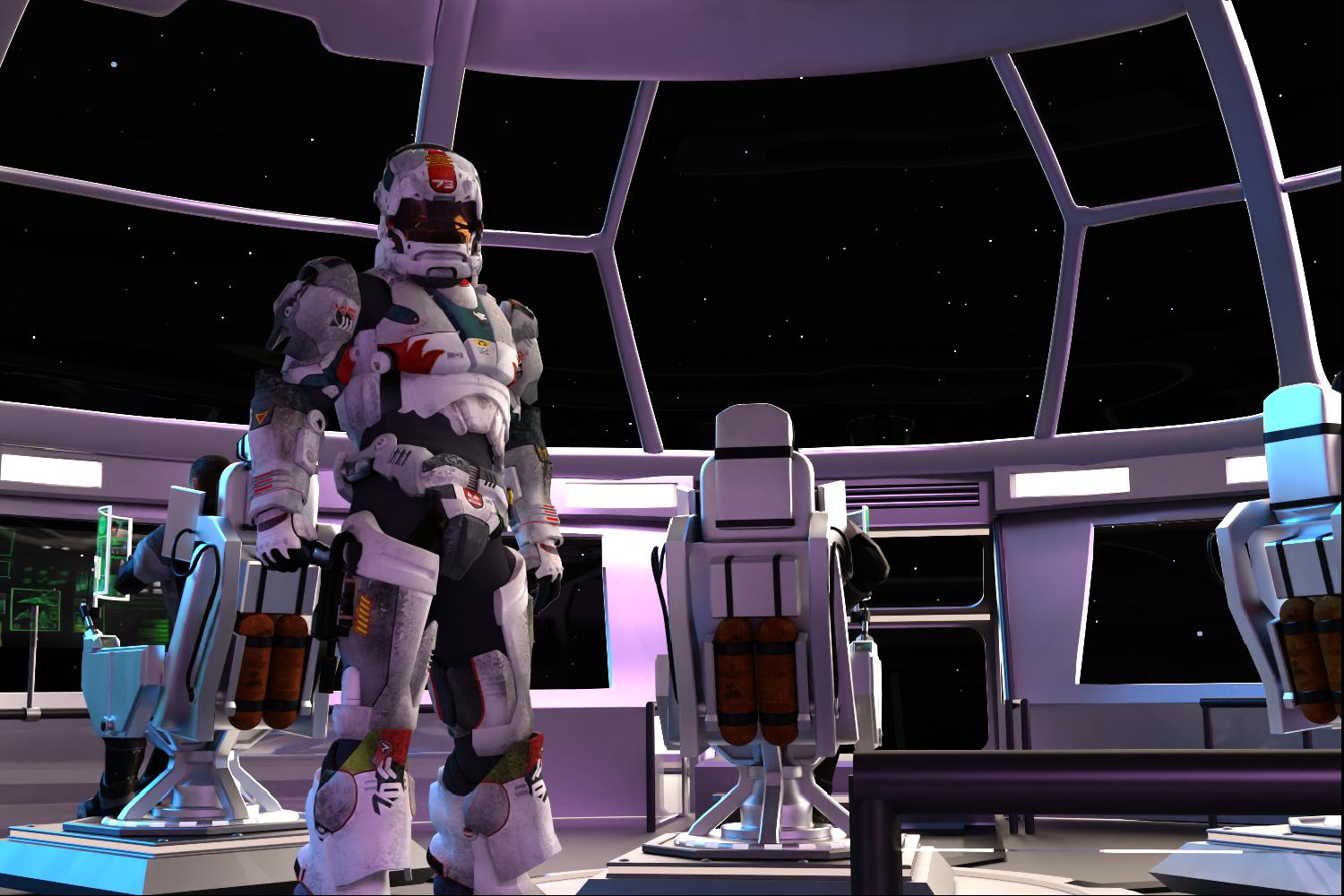 Dartanbeck's Journey - CG Filmmaking
Inspired
My daughter got me a subscription to Paramount + so that I could get my Star Trek on whenever I want. Well I've discovered a really cool show - "Halo".
I've never played the game.
- I'm not really much of a gamer.
- When I do play games, FPS truly is Not my thing - but I love to watch others do it.
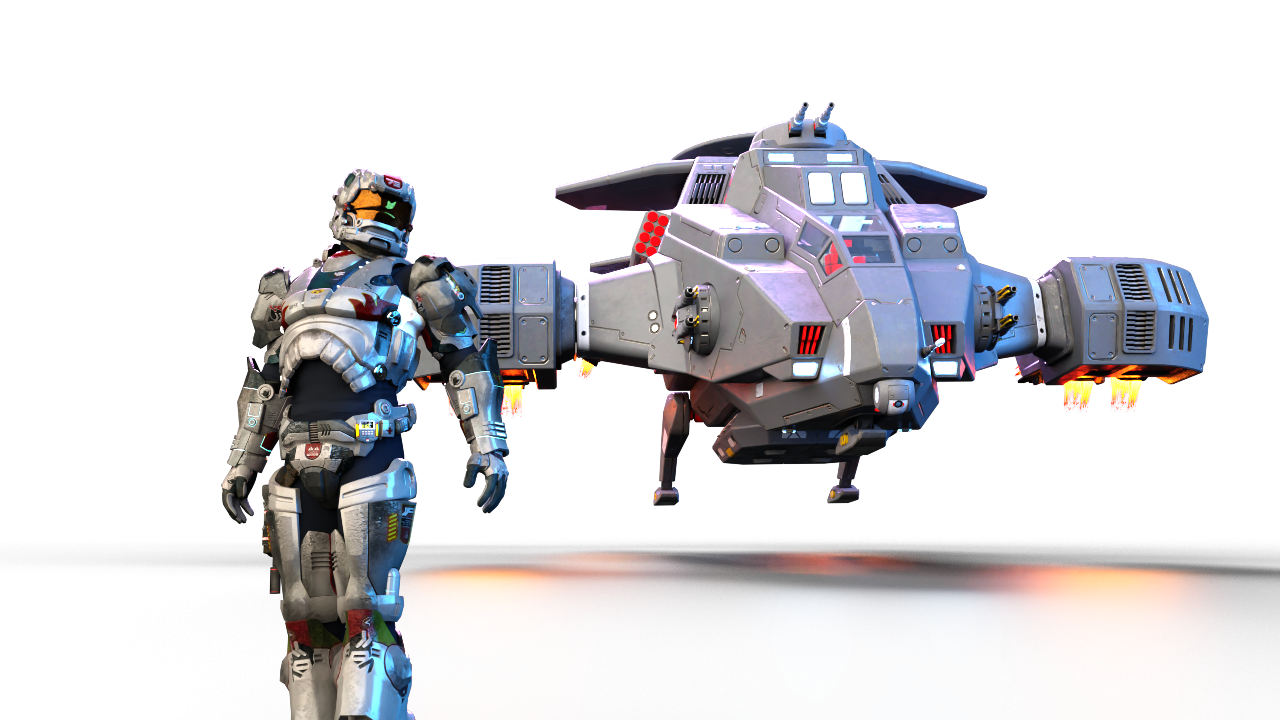
I've seen at least two of the animated movies made for Halo - and I enjoyed them - but this thing is... well... let's just say that "Wow!!!" is a total understatement!
So in my making of animations that I'll use to help demonstrate Starry Sky Iray, this sequence just kind of... happened. The actual animation looks pretty cool, I think!
 Hot New (Northern) Season, New Sales Thread: Report Issues Here "Reporting Only"
Leana said:
Helene said:
Leana said:
Helene said:
Leana said:
Xellosz said:
So what is free? Daz+ Orcish Behavior e-mail has huge errors.

The Daz+ weekly freebie is this one according to Daz+ membership page: https://www.daz3d.com/spring-flowers--wood-anenome
The DAZ + page quit showing me the freebies months ago. Thank you for the link!
They're not directly visible on the page anymore, you have to open the "free weekly content and more" section to see them.
I don't see "free weekly content and more" . Is it supposed to be one of the sliding tiles? (not there - lightning deals is at the end) or one of the static tiles? I have 2 tiles for Star Trek fan art, Daz + and Fast Grab
It's a section on the "Daz+ membership" page:

You can find them here too: https://www.daz3d.com/platinum-club-freebies
Yes, that is the current weekly freebie for PC+. Honesty the easiest way to see and get all the freebies offered is to go to the main store page and filter by "Price Low-High". It will give you all the freebies on the site. AT least I'm fairly sure that's all of them.
Hot New (Northern) Season, New Sales Thread: Report Issues Here "Reporting Only"Helene said:
Leana said:
Helene said:
Leana said:
Xellosz said:
So what is free? Daz+ Orcish Behavior e-mail has huge errors.
The Daz+ weekly freebie is this one according to Daz+ membership page: https://www.daz3d.com/spring-flowers--wood-anenome
The DAZ + page quit showing me the freebies months ago. Thank you for the link!
They're not directly visible on the page anymore, you have to open the "free weekly content and more" section to see them.
I don't see "free weekly content and more" . Is it supposed to be one of the sliding tiles? (not there - lightning deals is at the end) or one of the static tiles? I have 2 tiles for Star Trek fan art, Daz + and Fast Grab
It's a section on the "Daz+ membership" page:
You can find them here too: https://www.daz3d.com/platinum-club-freebies
Hot New (Northern) Season, New Sales Thread: Report Issues Here "Reporting Only"Helene said:
Leana said:
Helene said:
Leana said:
Xellosz said:
So what is free? Daz+ Orcish Behavior e-mail has huge errors.
The Daz+ weekly freebie is this one according to Daz+ membership page: https://www.daz3d.com/spring-flowers--wood-anenome
The DAZ + page quit showing me the freebies months ago. Thank you for the link!
They're not directly visible on the page anymore, you have to open the "free weekly content and more" section to see them.
I don't see "free weekly content and more" . Is it supposed to be one of the sliding tiles? (not there - lightning deals is at the end) or one of the static tiles? I have 2 tiles for Star Trek fan art, Daz + and Fast Grab
If you're meaning the PC+ freebies they are here on the far right side. It's easy to miss cause of the small type. You can also select the "3D Model" button in the header then select "Free 3D Models"and that will take you to all the DO freebies
 Hot New (Northern) Season, New Sales Thread: Report Issues Here "Reporting Only"
Leana said:
Helene said:
Leana said:
Xellosz said:
So what is free? Daz+ Orcish Behavior e-mail has huge errors.
The Daz+ weekly freebie is this one according to Daz+ membership page: https://www.daz3d.com/spring-flowers--wood-anenome
The DAZ + page quit showing me the freebies months ago. Thank you for the link!
They're not directly visible on the page anymore, you have to open the "free weekly content and more" section to see them.
I don't see "free weekly content and more" . Is it supposed to be one of the sliding tiles? (not there - lightning deals is at the end) or one of the static tiles? I have 2 tiles for Star Trek fan art, Daz + and Fast Grab
more....Wacky Modelling ~ In Carrara ~Dartanbeck said:
To include some animation examples with the upcoming Starry Sky Iray, I built a little star ship quickly using primitives and shaders (DS).
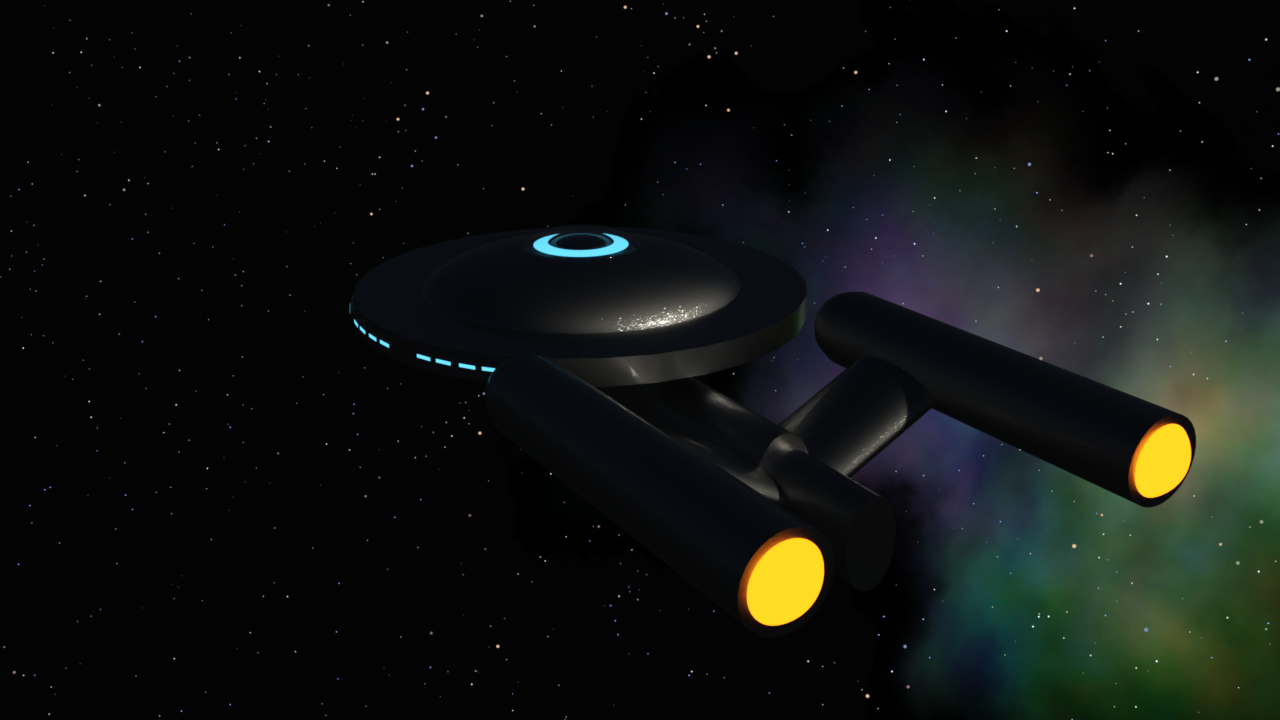
After watching it back, I'm thinking... Oh no. The last thing I want is to have an Editorial License slapped on it just for a simple demo!
So on Wednesday, I slapped a Saturday Sphere into Carrara's vertex room and made me a nice little ship, I think! LOL
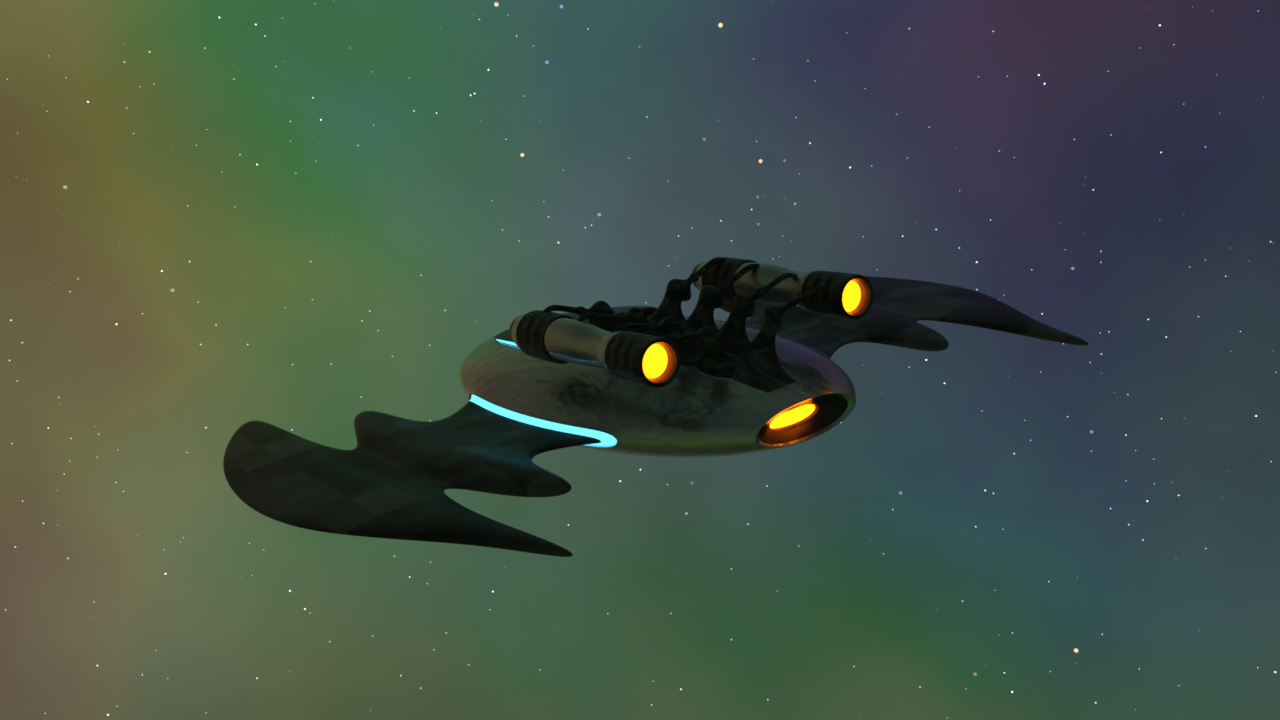
Dart, you went from Enterprise to Batwing, in my opinion :-)
Daz 3D is part of

Connect
DAZ Productions, Inc.
7533 S Center View Ct #4664
West Jordan, UT 84084Licensing Agreement | Terms of Service | Privacy Policy | EULA
© 2026 Daz Productions Inc. All Rights Reserved.