-
Remixing your art with AI
RAMWolff said:
wsterdan said:
Artini said:
Interesting approach.
By the way the images from this post does not show up. They are just empty rectangles.
Thanks. Not sure why you're not seeing the images, they show up on my laptop, iPhone and iPad; they're the same .jpg format I always use.
I'm on Windows desktop, 11 Pro and same issue. The boxes are blank but the thumbnails open up in a new tab fully. Weird software DAZ Forums are at times.
Scrubbing through my late-night memory, I think it was a combination of the Forum and my actions. I'd posted the first one with the three images and it appeared fine. I then attempted to add a post – not quote nor edit the first – and I was presented with an empty comment box, to which I typed in my comment; when I went to add the new image, it showed the previous post's three images in the "Attach a file" area. Again, new comment, not an edit or quote. I deleted them and added my new image but for some reason the images were deleted from my previous post.
So, *I* deleted the images from my new post which deleted the images from my previous post. I'm willing to split the blame with the forum software.
Can you provide insights into a better installation strategy?Everyone has his or her own needs/ways to find content.
Most products from the DAZ3D store install via DIM with categories assigned. Changing some of the categories is difficult/not easily possible depending on how the vendor created the categories. Of course, you can always categorize an item into more than one category, if desired.
When I install content, I also look to see if there are any keywords that I can add to a product that will make it easier to find via a keyword search. For example, I may add the keyword room or building to an item if the word room or building is not in the name of the product. Then, the keyword search key::room or keyword::building will everything with the keyword used. One of the keywords that I most often is “scifi” which I add to products that may be named “sci fi”, sci-fi” since they won’t show up in a named search for scifi.
Selling games...joanna said:
anepher said:
You need interactive license if you use Daz models as 3D models or if your 2D renders flow is being decided by the player thus the 'interactive' term in the name of the license.
If the game is a visual novel when the player can not decide the flow then the standard license is enough.Can you point to the relevant wording from Daz? Because so far, my understanding (reinforced by what I've seen on the forum) was that "interactive license" only refers to using actual meshes/products in a game, while using flat 2d rendering in anything (including animation or games) was covered by the standard license. So if a game consists of static 2d rendered images, no matter the interaction level of the game (whether the player reads the text and clicks "next" or has some choices that might alter the story and thus interactively alter the story/outcome), it only needs a standard license.
Your interpretation, Joanna, is the correct one. Being "3D" doesn't matter. If the meshes and models never leave your computer, you're good with just the standard license. If you ship the meshes, you need the Interactive license. Although, anepher may have just meant 3D as "on the fly 3D", which is saying the same thing differently.
Selling games...anepher said:
You need interactive license if you use Daz models as 3D models or if your 2D renders flow is being decided by the player thus the 'interactive' term in the name of the license.
If the game is a visual novel when the player can not decide the flow then the standard license is enough.Can you point to the relevant wording from Daz? Because so far, my understanding (reinforced by what I've seen on the forum) was that "interactive license" only refers to using actual meshes/products in a game, while using flat 2d rendering in anything (including animation or games) was covered by the standard license. So if a game consists of static 2d rendered images, no matter the interaction level of the game (whether the player reads the text and clicks "next" or has some choices that might alter the story and thus interactively alter the story/outcome), it only needs a standard license.
Help applying texture maps from a Scetchfab prop-SOLVED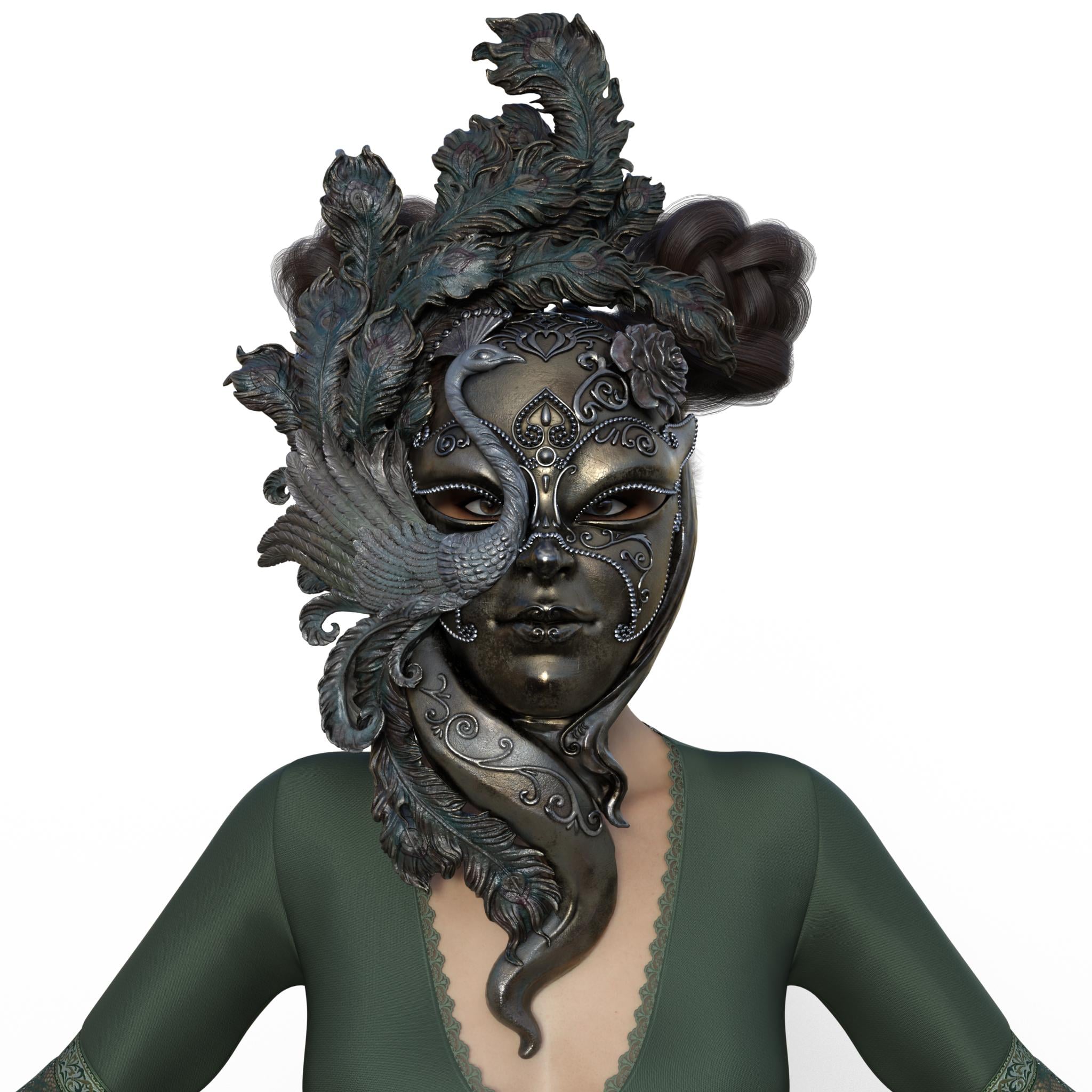
they can be resized and 700 doesn't break the forum formatting

 Can you provide insights into a better installation strategy?
I literally categorize every single thing in Daz studio both from the daz store and from other stores. It doesn't break any links and everything updates as needed. I have a short thing on how I do that in this thread about halfway down the page. https://www.daz3d.com/forums/discussion/65818/ice-dragon-art-wip-s/p18. ; I also have a tutorial in the daz store but you can probably get the gist from my forum thread.
I can find anything in my library in less than 10 seconds.
So where are the bears?I didn't realize this was that kind of forum. ;)Please, please, please - just upgraded to 4.24 and now I cannot open a second instancePlease, please, please - just upgraded to 4.24 and now I cannot open a second instance. I had a more instances opened in the previous 4.21 version but it disappeared when I upgraded to 4.24. I browsed the forum and find a command line to add in the properties field of the shortcut but when try to "apply" it returns error.
Please - I need only the dumbproof version with the shortcut properties modification. Using addtional scripts and such is not for me.
Headwear: Slim BeretCabin crew with beret. Going as far back as Victoria 3 there is this: Flight Crew. There are others, do a store search for "Cabin Crew". Hope these are vaguely along the lines of what you're looking for. Regards, Richard"Pruned" look in waterI've asked a couple times here looking for products, so I thought I'd try again! I'm trying to find something (morph/textures/whatever) that I can use to give characters a wrinkled "pruned" look from being in water for too long. Trying to search for it has given me nothing even remotely close (though I could just be searching the wrong terms?) so I'm hoping someone else knows stuff I can use.
[RELEASED] BLENDER T.V. Studio! | 1000+ New Blender Butttons! | Official support thread [Commercial]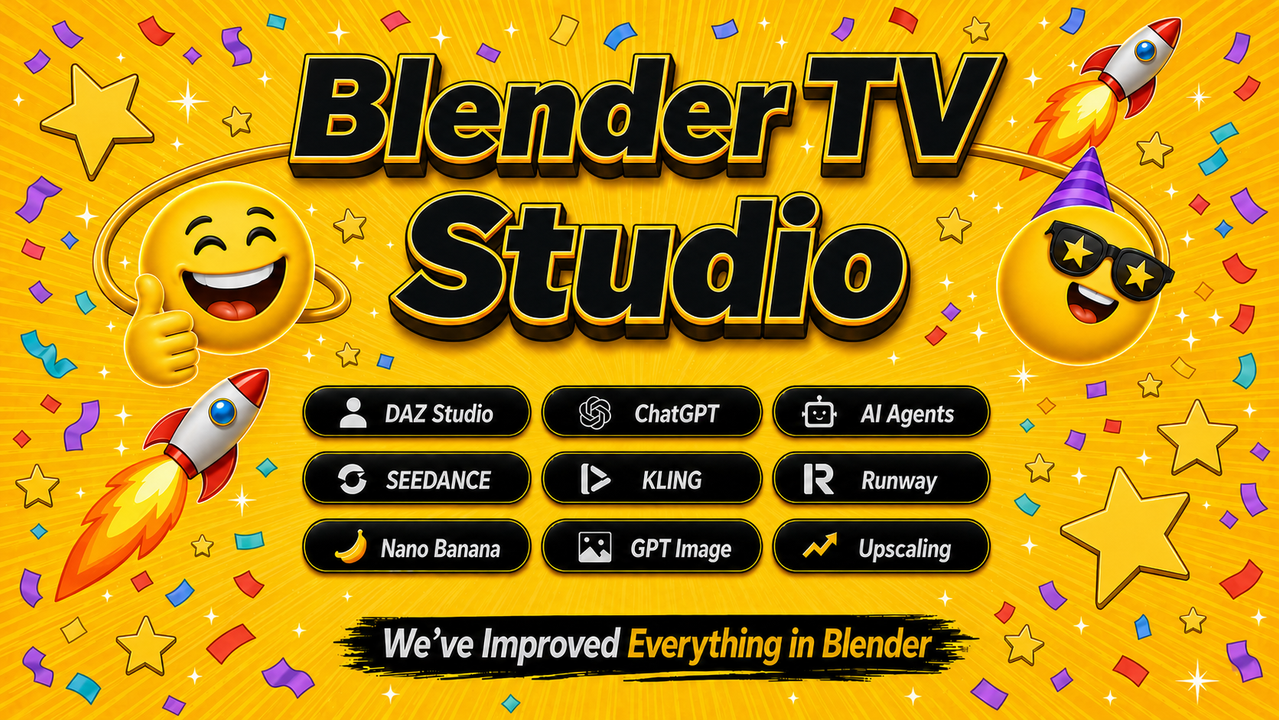
Blender T.V. Studio (DAZ to Blender Edition)
Blender T.V. Studio (DAZ to Blender Edition) is a massive Blender production system with 1,000+ new buttons designed to make Blender faster, easier, and more enjoyable across every major part of production.
Formerly known as FAST Animation Studio Tools, Blender T.V. Studio has been rebranded into a cleaner DAZ Studio-focused edition with a much better price. This is not just one add-on. It brings together major Blender production workflows, including DAZ Studio, Mixamo, AWS parallel rendering, Seedance, Google Veo, Kling, Runway, and OpenAI scripting and assistant tools. Beyond those major systems, Blender T.V. Studio adds 800 more buttons and workflow optimizations that improve literally everything in Blender.
We have been building this system for over 3 years, and we use Blender every day. Every time something in Blender felt slow, repetitive, confusing, or harder than it needed to be, we wrote code to make it better. These are the tools we always wished Blender had, built to improve every major Blender workflow. We like to describe Blender T.V. Studio as 50 Blender add-ons in 1. Since the original DAZ Store release of FAST Animation Studio Tools, we have added over 70,000 additional lines of code, and the current installed add-on is over 3 GB in size.
Blender T.V. Studio bundles the Diffeomorphic add-on and greatly improves its DAZ Studio import and production systems. Import Genesis 3, Genesis 8, Genesis 8.1, and Genesis 9 characters, props, environments, materials, morphs, and animations into Blender, then add Mixamo body animation, lip sync such as Mimic or Azure, pose-preset animation, or any combination of face and body animation sources during import.
Blender T.V. Studio also includes Mixamo Pro, our enhanced Mixamo workflow for Blender. We keep Mixamo Pro updated for newer Blender versions and make it more professional for real production use. You can add Mixamo animations to the same action or different actions, add animation at the playhead or a specific frame, apply Mixamo animations pose by pose for faster manual animating, mirror hand animations, download all Mixamo animations in one click, and bulk import Mixamo FBX files.
For rendering, Blender T.V. Studio includes our AWS Deadline Studio Parallel Rendering workflow. Using multiple parallel computers at once, you can render an eight-second Cycles animation in about 20 minutes, turning a long render into a much faster distributed render job. (Depending on the scene and setup.)
Blender T.V. Studio also includes built-in AI image and video generation tools for using Blender renders, DAZ Studio iRay renders, character images, green-screen footage, or finished video renders in AI-enhanced production workflows. Supported workflows include Seedance, Google Veo, Kling, Runway, and the Nano Banana Image Editor for cinematic video, image-to-video, video-to-video, character consistency, green-screen workflows, image editing, upscaling, and short TV-style scene generation.
The add-on also includes OpenAI-powered scripting tools, agent-style automation, multi-line tooltips, and a built-in AI documentation system, so you can generate Blender Python tools, fix errors, assign scripts to panel buttons, and ask questions about Blender or our add-on anytime you want.
Blender T.V. Studio is built for DAZ Studio artists, Blender creators, animators, AI filmmakers, and anyone who wants to import faster, animate faster, render faster, generate faster, and create better video content with less friction.
Import faster. Animate faster. Render faster. Generate faster. Create better videos.
What's Included and Features
- Bundled Diffeomorphic Add-on
- Official DAZ to Blender Bridge
- Includes 300+ Powerful DAZ Tools
- Top Add-on for DAZ Studio Assets
- Bundled Mixamo Pro Add-on
- Mixamo Pro Updated for Blender 5.1+
- Download All Mixamo Anim in 1-Click
- No Mesh Distortion on Re-Applying Anim
- Better Apply Animation to Control Rig
- Append and Animate
- Append and Transfer
- Append and Pose
- Mirror Hand Poses Left to Right
- Mirror Hand Poses Right to Left
- Add Animation to Same Action
- Add Animation to Different Action
- Add Animation at Playhead
- Add Animation at Specific Frames
- Bundled AWS Deadline Studios
- Render Fast Using AWS
- Submit Parallel Renders Using AWS
- Use AWS Render Farm from BTV
- Perfect for Heavy Cycles Renders
- DAZ Studio to Blender Import
- (Imports Genesis 3, 8, 8.1, and 9)
- (Imports Environments & Props)
- Import Character with Pose Preset
- Import Character with Azure Lip Sync
- Import Character with Mixamo
- Import Character with Pose Preset + Azure
- Import Character with Pose Preset + Mixamo
- Import Character with Azure + Mixamo
- Fine-Tune Auto Lip Sync for Better Imports
- Auto Backups for Imported Characters
- Reimport Backups Anytime
- Open|Close DAZ Studio Buttons
- Open Assets in DAZ Studio from Blender
- Mixamo → DAZ Studio Retargeting
- Create Your Own Blender Features
- Use AI to Generate Scripts in 1 Click
- Detect and Fix Errors Automatically
- Save Scripts as Permanent Buttons
- Auto Fixes Scripts in the Text Editor
- Ask Blender Questions Using AI
- Ask Addon Questions Using AI
- Better Lighting Tools
- Edit Multiple Lights with Nudge
- Edit Individual Lights with Nudge
- Add Multi-Light Setup
- Add Three-Point Setup
- Parents Three-Point Setup to Object
- Add Ambient HDRI in One Click
- Better Camera Tools
- Transform Cameras with Nudge
- Turn-Off Overlays During Transform
- Cycle Cameras Forward
- Cycle Cameras Backward
- Add Camera Centered to View
- Move Current Camera to View
- Move Current Camera to View and Keyframe
- Add or Move Cameras Aimed at Faces
- Auto-Resize Camera to View
- Easier Camera Selection
- Easier Camera Deletion
- Easier Camera Binding
- Better Transform Tools
- Transform with Mouse Wheel Nudge
- Turn-Off Overlays During Transform
- Pose Mode Bone Nudging
- Camera Position Nudging
- Vertex, Face, and Edge Nudging
- All Transform Tools on Context Menu
- All Transform Tools on Panel
- Better Animation Tools
- Better Animation Editing
- Fast Mocap Performance Editing
- Save and Reimport Animations
- Save Selected Action
- Walk-Cycle Extender
- Manual Animation is Way Easier
- Quick Set Start and End Frame
- Quick Jump Start and End Frame
- Jump Forward|Backward by 1–5 Frames
- Duplicate Keyframe to Start/End
- Duplicate Keyframe to Playhead
- Duplicate and Replace Nearest Keyframe
- Turn-Off Overlays During Playback
- One-Click Editor Switching
- Auto Keyframe Timer
- Add Audio and Video Button
- Pack Sounds Fast
- Unpack Sounds Faster
- Pitch Shift Audio Strip
- Remove Silence from Audio Clips
- Bettter Green Screen Keying
- Key Green Screen in 1-Click
- Video Appears on a Mesh Plane
- Plane Video Syncs to Audio Clip
- Edit Plane + Clip as a Single Unit
- Better Edit Mode Tools
- Work in Edit Mode with More Precision
- Nudge Transform Vertices
- Nudge Transform Edges
- Nudge Transform Faces
- Turn-Off Overlays During Transform
- One-Click See-Through Objects
- Designed to Edit Assets Fast
- Access Edit Mode Features Fast
- Auto Lip Sync Like Mimic
- Lip Sync from Audio File
- Uses Text Files Like Mimic
- Create Text Files in 1-Click
- Lip Sync DAZ Studio Morphs
- Lip Sync Blender Shape Keys
- Lip Sync Blender Grease Pencil
- Fast Lip Sync Animation Editing
- Uses Microsoft Azure for High-Accuracy
- Settings to Improve Lip Sync Quality
- Collection System
- [Animation Organizer]
- Move Animations by Collection
- Move Collection Audio in 1-Click
- Collections Marked for Easy Timeline ID
- Collection Visibility Auto-Keyframed
- Trim Collection Animations in 1-Click
- Add Speech Bubbles
- Add Speech Bubbles in 1-Click
- Add Speech Bubble Text with Voice
- Text Auto-Centers in Speech Bubble
- Speech Bubbles use Geo-Nodes
- They're Morphable & Animatable
- Multi-Level Context Menu
- 250+ Items on the Menu
- 220 Are BTV Enhanced
- 12 Multi-Level Submenus
- 172 Submenu Items
- Menu Is Customizable
- Menu Color Is Customizable
- Rarely Need the Keyboard
- ===============
- Base Menu Items:
- ===============
- BTV / Blender Menu Toggle
- Show Console
- Open Quick Favorites
- Full Screen Toggle
- Send Feedback
- Restart Blender
- Restart Without Saving
- Save Startup File
- Tooltips Toggle
- Wireframe Toggle
- ===============
- Add Extra Context-Menu Items
- 1) Show All Move|Rotate|Scale
- 2) Show Camera Controls
- 3) Show View Switchers
- 4) Show Edit Mode Tools
- 5) Show Select-And Tools
- 6) Show Grab Clone
- 7) Show DAZ+Diffeomorphic Links
- ===============
- Multi-Level Menus Include
- Animation Menu|Animation Tools
- Cursor Menu|Cursor Tools
- Edit Menu|Edit Mode Tools
- Extras Menu|BTV and Blender Tools
- File Menu|File Tools
- Object Menu|Object Tools
- Outliner Menu|Outliner Tools
- Parent Menu|Parenting Tools
- Startup Menu|Startup File Tools
- Transform Menu|Nudge Transform Tools
- View Menu|View Switching Tools
- Xpand Menu|Expandable Menu Packs
- ====================
- Handy Header Buttons
- Save File
- Open Blender Splash Screen
- Open Preferences Panel
- Open Quick Favorites
- Delete Active Camera
- Set Active Camera
- Set Active Camera + Keyframe
- Add Camera from Viewport
- Cycle Cameras Backward
- Cycle Cameras Forward
- Center Current Camera
- View Selected Object
- Save and Enter Material Preview
- Save and Enter Rendered View
- Advanced Local Mode
- Ask A.I. Blender Questions
- Ask A.I. BTV Questions
- Create Your Own Features.
- Toggle N-Panel
- See Through Objects
- More Features #1
- Add Laugh Tracks
- Advanced Local Mode
- Append Everything into New File
- Append Sounds and Markers into New File
- Auto Enables Blender Add-ons
- Auto Error Reporting
- Auto Keyframe with Timer
- Auto Set Blender Prefs
- Batch Import FBX
- Best Auto Save System
- Best Customer Support
- Better Render Panel
- Clean Unused Materials
- Create 3D Text from Voice
- Custom Splash Screen Creator
- Delete + Backup Startup File
- Delete All Actions But Current
- More Features #2
- Delete Mesh Parts Fast
- Delete User Prefs + Restart
- Disable High-Poly Objects
- Expand|Collapse Button
- Fast Windows Search Feature
- Fastest Blender Theme Editor
- Focus Objects Buttons
- Force Simplify Mode Crash Recovery
- Force Solid Mode Crash Recovery
- GLTF File Cleaner (Remove Empties)
- Keyframes Coll Visibilty Buttons
- Move Disabled Objects to Collection
- Move to Collection Button
- Open NormalMap Online Site
- Print Bone List from Selected Rig
- Print Total Scene Poly Count
- Prompt Pose Mode When Select a Rig
- More Features #3
- Prompts Restart On Add-on Install
- Reduce Scene Lag Button
- Remove Unused Materials Button
- Rename Button
- Render Tips Button
- Save + Backup Startup File
- Search Operators with Voice
- Send Feedback Button
- Separate and Disable
- Separate Mesh Parts Fast
- Smart Delete Button
- Smart Select Button
- Solid Mode Viewport Sky
- Switch to UV Editor Fast
- Toggle N-Panel Button
- YouTube Downloader
- Specifications:
- Supported OS: Windows 11
- macOS Beta Available on Request
- Supported DAZ Studio Versions: 4.20+
- Supported Blender Versions: 5.1+
- Supported Render Engines: Eevee + Cycles
- We Support Genesis 3, 8, 8.1 + 9
- Genesis 1 + 2 Available on Request
- Discounts on 2 Major Add-ons!!
- Extreme PBR — 40% Off
- Biggest Blender Material Add-on
- HDRI Maker — 40% Off
- Create Full Worlds w/ Morphable HDRI
- [See em' on superhive.com]
Official Links and Support
View Blender T.V. Studio on the DAZ Store
Visit the Blender T.V. Studio Website
For support, contact: [email protected]
We are currently upgrading and expanding our website. The experience will continue improving over the next few days as we complete the work.
WHEN... will DAZ3D learn...Matt_Castle said:
TheMysteryIsThePoint said:
No one will ever convinve me that when there was ultimate freedom to determine how the framework would work, that the only way to make an extensible framework was to load all the morphs.
This is fundamentally flawed.
You are completely missing my point. Completely. You bring up, in fine detail, the problem space that a design is supposed to navigate and provide a satisfactory user experience. It doesn't. It is irrelevant if the problem space is convoluted or not; that is what the design was supposed to account for. If it does, it is a good design. If it does not, it is a bad design. Ful stop. No ammount of hand waving or creating empathy for the complexity of the problem can mutate this fact: the design was supposed to account for that. That is why architects make as much money as they do: the buck stops with their design. There is nothing else to blame.
Let's look at how the Genesis 9 figure works.
Let's not. If it is complicated, and I'm sure that it is, it was the design that determined literally everything that you wrote. There is no other place to lay the details of the current state of affairs but at the feet of the original design. Saying "But it is a hard problem" does not mean that an inefficient design is some how excusable. Engineers get paid to make the proper space/time tradeoffs until the user experience is satisfactory. I know of no principle that says that that is the engineer's responsibility "unless the problem is hard, in which case you can go with O(n^2) and expect no one to call you on it".
Genesis 9 is a mesh that is weighted to follow the bones of a virtual armature. This is strictly inaccurate to how people actually move, but as a technique it's been used for decades because the full physical modelling and simulation of a skeleton, how muscles fit to it, how those muscles fit against each other, where the internal organs go, where fat layers sit and how the skin is attached and stretches over all of that would be ludicrously intensive, and a weighted mesh is generally an acceptable compromise.
Even more so if you are prepared to go in and create corrective morph shapes to improve the weighted shape to something closer to physically accurate.
And G9 does quite a lot of those. Here's a list of the primary Corrective Blend Shapes of Genesis 9:
body_cbs_shoulder_x30n_l; body_cbs_shoulder_x30p_l; body_cbs_shoulder_z55p_l; body_cbs_shoulder_x30n_r; body_cbs_shoulder_x30p_r; body_cbs_shoulder_z55n_r; body_cbs_upperarm_x95n_l; body_cbs_upperarm_y110n_l; body_cbs_upperarm_z40n_l; body_cbs_upperarm_z90p_l; body_cbs_upperarm_y110n_z40n_l; body_cbs_upperarm_y110n_z90p_l; body_cbs_upperarm_x95n_r; body_cbs_upperarm_y110p_r; body_cbs_upperarm_z40p_r; body_cbs_upperarm_z90n_r; body_cbs_upperarm_y110p_z40p_r; body_cbs_upperarm_y110p_z90n_r; body_cbs_forearm_y75n_l; body_cbs_forearm_y135n_l; body_cbs_forearm_y75p_r; body_cbs_forearm_y135p_r; body_cbs_hand_y28n_l; body_cbs_hand_z70n_l; body_cbs_hand_z80p_l; body_cbs_hand_y28p_r; body_cbs_hand_z70p_r; body_cbs_hand_z80n_r; body_cbs_head_x25p; body_cbs_head_x30n; body_cbs_neck1_x25n; body_cbs_neck1_x40p; body_cbs_neck1_y22p_l; body_cbs_neck1_y22n_r; body_cbs_neck1_z40n_l; body_cbs_neck1_z40p_r; body_cbs_spine3_x35p; body_cbs_spine3_z20n_l; body_cbs_spine3_z20p_r; body_cbs_spine2_x40p; body_cbs_spine2_z24n_l; body_cbs_spine2_z24p_r; body_cbs_spine1_x35p; body_cbs_spine1_z15n_l; body_cbs_spine1_z15p_r; body_cbs_pelvis_x25n; body_cbs_pelvis_x25n; body_cbs_thigh_x35p_l; body_cbs_thigh_x90n_l; body_cbs_thigh_x115n_l; body_cbs_thigh_z90p_l; body_cbs_thigh_x115n_z90p_l; body_cbs_thigh_x35p_r; body_cbs_thigh_x90n_r; body_cbs_thigh_x115n_r; body_cbs_thigh_z90n_r; body_cbs_thigh_x115n_z90n_r; body_cbs_shin_x90p_l; body_cbs_shin_x155p_l; body_cbs_shin_x90p_r; body_cbs_shin_x155p_r; body_cbs_foot_x45n_l; body_cbs_foot_x65p_l; body_cbs_foot_z45n_l; body_cbs_foot_x65p_r; body_cbs_foot_x45n_r; body_cbs_foot_z45p_r; body_cbs_toes_x40p_l; body_cbs_toes_x60n_l; body_cbs_toes_x40p_r; body_cbs_toes_x60n_r
And this is a list that omits things like all the ones on the fingers or toes. This is just the larger joints.
Now, if we look at the first on the list, body_cbs_shoulder_x30n_l, this is a shape which is intended to be active when the left shoulder's X rotation is negative 30 (shoulder for shoulder, x30n for negative 30 x, and _l for left).
We immediately have our first case for wanting bottom-up links. We do not want to have the primary bend parameters of a joint to need to be changed every time someone wants to hitch a new control to them. So, in this case, another file, not the primary rigging, will have to tell Daz Studio that body_cbs_shoulder_x30n_l is something that should be linked to the shoulder's X rotation. And, fundamentally, why have an entirely separate file to do that? Why not have it in the header section of body_cbs_shoulder_x30n_l? DS can look in the top of the file.
Okay, now let's suppose we want to install another character on to G9. Victoria 9's morph changes the shape enough that the original CBS shapes are no longer quite right, so she's going to need her own CBSs.
Even looking past how you drive her CBSs (it's much more practical to just hitch them onto the base ones rather than have to set up all the rotation multipliers separately), her CBSs however need to only activate when her shape does. So you want all those new shapes to have a link to her main morph. Now, Daz *could* put all those links in her shape, but that would mean that if Daz decided she needed an extra CBS they'd missed before, then that means adding a new CBS, and also adding links to it into her main morph file, and generally causing havoc with versioning. If those links could only be saved into her file, it would also be a nuisance any end user deciding that she needed an extra CBS, because then they would have to edit her file, and re-edit it every time a product update came through.
As such, it is better for the links for character specific CBSs to be bottom-up links exist in those CBS files themselves.
~~~~~
Now, even if we for some reason assume that it was even viable to have only top-down links, Daz Studio still needs to know more about each DSF file attached to the figure it has than just what its file name is.
Firstly, DS needs to know what the morph should actually be called on the user side. It's all very useful to have a behind the scenes convention for file names, but they're ugly and unfriendly on the user side. "Victoria9_figure_ctrl_Character.dsf" is informative for technical purposes, and avoiding spaces in the file name makes certain things easier (although admittedly Daz have been inconsistent about enforcing that as a standard), but "Victoria 9" is what end users want to see.
DS also needs to know what the limits of that morph are. Is this something like a height slider which can go from -100% to 100% to make the character taller or shorter, or is this a character morph that would be an eldritch horror if it were dialled in backwards?
They need to know whether the morph should be shown to the user at all. Imagine if all the CBS files across every character were permanently visible.
They need to know "hey, this slider has a picture to help the user see what it does".
They need to know "this slider is tinted light blue to help differentiate it as a morph from the G9 Body Morphs set, where as this shade of yellow implies that it's a core character."
To be functional, DS needs at least this "metadata" about every morph, even if it does not attempt to load any of the actual shape information about the morph. This is not feasible to encode into a filename. Even if you tried, you'd end up with a colossal problem every time you had to update something, because now that old scene file where everyone's Daz Studio is expecting that a character should have 50% of some morph file with an outrageous file name dialled in now can't find that filename any more.
So, Daz Studio needs this information before it can display the figure controls correctly, and thus it has to load this information about every DSF file.
Now, at present, this is all deliberately stored at the top of the morph files. Daz Studio can look in the top of the file and read that information. And, indeed, it actually stops when it gets to the end of that, and does not load the morph shape itself until the morph is actually activated on the figure. You can see this in the log file if you activate a morph you haven't yet; it will tell you that the morph deltas for that morph have just been loaded.
~~~~~
The only even marginally feasible workaround I could see to this that doesn't force the user to manually specify what morphs they want loaded is permanently maintaining a database for every last figure (be it Genesis, a clothing item, a car, etc) and prop which collates all of this stuff and just that stuff. But that would itself need to be rebuilt every time the figure's morph library changed. And this would necessitate a large increase in the amount of drive space used by morphs, because not only do the morphs themselves still need to contain the information in order for such a database to know what to do with them, the database would itself end up duplicating all of that.
But if you have a suggestion for how Daz Studio could genuinely work by just being able to skim read file names and not know anything about what's inside them, then by all means, let us know. We would all love Daz Studio to be faster.
And you've proven my point better than I ever could. You've pointed out in much greater detail that I knew how to, that the design has serious inefficiencies where some tradeoff should have been sough, but wasn't.
Otherwise, your claim that you're unconvinced by the solution they've implemented is empty.
OK, I guess we will just have to let history be the judge.
That's probably the best argument for Open Source-ing DAZ Studio that I've ever heard.
That I think would be a bad idea, because ultimately the entire Daz infrastructure relies on having a concrete framework upon which others can build and work. Making that kind of thing work requires oversight and direction.
What you've accomplished is to clarify your opinion that DAZ would not be capable of providing oversight and direction. Open Source has worked out exceedingly well for so many projects that I'm not going to bother to name any of them.
That said, except for a couple of their more proprietary techs, Daz Studio formats are mostly well documented.
If I am wrong, then pease excuse me, but you have never actually tried to write a non-trivial plugin, have you? The problem with what you wrote above is that, yes, DSON is better documented than the SDK, and JSON is to some degree self documenting, but the problem is that DAZ Studio is not a purely data-driven application, i.e. the DSON does not tell you the whole story. As you say, I suppose I can forgive DAZ for not documenting their secret sauce for HD and autofitting since it is a rare far-seeing company that realizes that holding on to their IP, no matter how trivial it is probably retards the growth of their product, but there are things that you simply cannot divine how DAZ Studio goes from DSON to finished geometry from looking at it. And there are important things that a programmer needs to know that have nothing to do the data format.
If someone else was of a mind to, they could absolutely make another program read Daz Studio format directly (maybe even as a direct Blender plug-in, for example), and handle things that way.
This is the same falsity that I keep hearing over and over, by people who I'd wager have never written a non-trivial plugin. Knowing the DSON like the back of one's hand is not sufficient to duplicate everything DAZ Studio does. There is a lot of functionality in DAZ code, as opposed to the DSON. Again, it is not a purely data-driven app. There's logic in the code. I know this for a fact because I've been figuring things out for Sagan for 7 years now. Like memory ownership rules. In C++, when a function accepts a pointer, does it take ownership of that memory? Do I still have to free it up? Does it deep copy it, or just copy the pointer? Can I pass a local object or does it have to be on the heap? There's very little const correctness in the SDK, so will the function modify my object or not? It's very, very difficult to correctly guess all of these things, and even the shortest, simplest, yes-or-no questions go ignored in the SDK forum, if only a dev can answer it.
The 'Eat Your Food and Like It' Complaint ThreadKinich said:
SilverGirl said:
@LeatherGryphon - can you take it somewhere to get the battery swapped out? There are a bunch of places around here that claim to specialize in such things, though I've never tried them.
(My phone's an emergency-only thing on a family plan with my parents & brother. I mostly ignore it until Dad informs me that it's no longer being supported and some form of upgrade has happened, and he hands me a new one, which I proceed to hate with the power of a thousand fiery suns because it's even more complicated than the last beast. And then I mostly ignore it until it's yet again replaced. Honest to heck, I miss the one I had in the mid/late 90's that was capable of making a call. And that was it.)
Sounds like what you want is what is sometimes called, at least here in the UK, a 'Dumbphone'. Over recent years apparently there has been an increased demand for more basic phones from people who are fed up of having their phones run their lives. A quick internet search should find a few.
@SilverGirl "Going Somewhere" off my beaten path is problematic. Yeah, if I was in a bigger city there would be someplace obvious to do it, but around here it's well hidden or inconvenient for me. There used to be lots of little jewelry/watch shops that might have tackled that type of business, but that was a generation ago, and nobody has a phone kiosk in the local (nearly dead) mall anymore. There is an AT&T store somewhere on the other side of the city, but I don't know if they handle battery replacements. Perhaps next time I arrange a ride to that area of the city I could investigate. My phone will last probably another year, but I have to be thinking about resolving the situation one way or another. I actually have a couple of dumb phones, stuck away in a drawer for a decade, I could probably rebattery one and survive (if they are still compatible with the network), but I've gotten used to my smartphone's features, and I use it more for business status & transactions, than personal communication. They've hooked me, I'm addicted.

Non-complaint: Wheee..., today is symphony day. Symphony Buddy contacted me this morning to remind me. Time to strigil the crud off of my skin, carve my hairs back into submission, find some civilized clothes to wear, and clean out my ears so that maybe I can hear the triangle or piccolo. Again, it's in Erie, PA at the old Warner theater. Dvorak: 9th Symphony aka: "From The New World".

2nd movement 11:35
3rd movement 23:35
4th movement: 30:35
The 'Eat Your Food and Like It' Complaint ThreadKinich said:
SilverGirl said:
@LeatherGryphon - can you take it somewhere to get the battery swapped out? There are a bunch of places around here that claim to specialize in such things, though I've never tried them.
(My phone's an emergency-only thing on a family plan with my parents & brother. I mostly ignore it until Dad informs me that it's no longer being supported and some form of upgrade has happened, and he hands me a new one, which I proceed to hate with the power of a thousand fiery suns because it's even more complicated than the last beast. And then I mostly ignore it until it's yet again replaced. Honest to heck, I miss the one I had in the mid/late 90's that was capable of making a call. And that was it.)
Sounds like what you want is what is sometimes called, at least here in the UK, a 'Dumbphone'. Over recent years apparently there has been an increased demand for more basic phones from people who are fed up of having their phones run their lives. A quick internet search should find a few.
Yes. A dumb phone. I would like my phone to be dumb, please.
Not sure if they'd be compatible with the plan we're on, though. I admit near total ignorance of such things... I have so much else on my plate with the kids that I'm happy to just ride along on whatever my parents already have going.
I'm not a total loss with tech. I like my iPad quite well and can manage a reasonable level of tech support on that and PCs for self + kids before I have to flag my dad down for help. (Engineering and tech was his job before he retired.) But for some reason I just viscerally despise having to use a smartphone.
The 'Eat Your Food and Like It' Complaint ThreadSilverGirl said:
@LeatherGryphon - can you take it somewhere to get the battery swapped out? There are a bunch of places around here that claim to specialize in such things, though I've never tried them.
(My phone's an emergency-only thing on a family plan with my parents & brother. I mostly ignore it until Dad informs me that it's no longer being supported and some form of upgrade has happened, and he hands me a new one, which I proceed to hate with the power of a thousand fiery suns because it's even more complicated than the last beast. And then I mostly ignore it until it's yet again replaced. Honest to heck, I miss the one I had in the mid/late 90's that was capable of making a call. And that was it.)
Sounds like what you want is what is sometimes called, at least here in the UK, a 'Dumbphone'. Over recent years apparently there has been an increased demand for more basic phones from people who are fed up of having their phones run their lives. A quick internet search should find a few.
Male poses from the greater amount of female poses (G9)So a few days ago in the product suggestion forum, I requested a conversion script, but responses were lukewarm or not exactly what I had in mind. Thanks to all who responded nevertheless.
Just now, I did a bit of asking around inside Co-Pilot ( I accept that some people still dislike AI, but I did get some information out of it).
I'm sharing some of the tweaks to make to the G9 female poses which would make them suit the male figure better. I am using G9 as the example because they have the same rigged base.
1. Contrapposto (Standing Weight Shift)
- Female pelvis: Wider subpubic angle allows the hip to tilt more dramatically. This creates a pronounced S-curve through the spine and shoulders.
- Male pelvis: Narrower angle restricts hip tilt, so contrapposto reads as subtler, with more emphasis on squared shoulders and grounded legs.
Artistic note: Exaggerate the hip drop in female figures for elegance; keep male contrapposto more rigid for strength.2. Seated Cross-Legged
- Female pelvis: Greater hip abduction makes crossing legs natural and fluid, with knees often angled inward.
- Male pelvis: Limited abduction means cross-legged poses look tighter, with knees higher and less relaxed.
Artistic note: Female seated poses can emphasize openness and flow; male seated poses emphasize bulk and stability.3. Dance / Dynamic Gestures
- Female pelvis: Anterior-facing acetabulum allows greater internal rotation, producing sweeping arcs in leg gestures.
- Male pelvis: Lateral-facing sockets restrict rotation, so dynamic gestures rely more on upper body twists than hip arcs.
Artistic note: Female dance poses highlight hips and curves; male dance poses highlight chest and arms.4. Athletic Stance
- Female pelvis: Lower center of gravity → balance through hips and thighs, stance often wider and more grounded.
- Male pelvis: Higher center of gravity → balance through chest and shoulders, stance appears straighter and more vertical.
Artistic note: Female athletic poses emphasize hip-driven power; male athletic poses emphasize torso-driven strength.The anatomical basis for such differences are summarised as:- Subpubic Angle: Wider in females (~80–90°) vs narrower in males (~50–60°).
- Pelvic Brim Shape: Round/oval in females, heart-shaped in males.
- Sacrum & Ilium Orientation: Female sacrum is shorter and wider; ilium flares outward, allowing more hip rotation.
- Hip Socket (Acetabulum): Faces more anteriorly in females, enabling greater leg rotation and flexibility.WHEN... will DAZ3D learn...Richard Haseltine said:
For the record, the developers do not agree with the assessment of the relative superiority of "a component architecture". I lack even a fragment of the knowledge requiired to form my own judgement, but your assertion should not go without at least a note that it does not command universal assent.
Neither should it go without a note that those that dissent are the same people that gave us static header files that they can never update in a way that changes the symbols, i.e. just about any change that would make them more useful.
But maybe next time you could ask them to instead of defending themselves, to use the same time to answer some questions in the SDK forum? Just sayin'.
Daz Studio 6 Beta - version 6.25.2026.19821! (Updated July 23, 2026)I seem to remember talk about DAZ Studio running in "emulation mode," using Rosetta.
I did a Google search, and here is a quote:
"Yes, Daz Studio runs on Apple Silicon (M1/M2/M3/M4) Macs, but it operates through Apple's Rosetta 2 translation layer, not natively. While the app is stable for modeling and scene setup, Iray rendering is significantly slower than on dedicated NVIDIA PC hardware because it relies on the CPU. "
Render your buys! Use buys from the current month and the previous month of salesRegarding Federal Government Clothing Standards it used to be pretty conservative when I was a high school student and worked half days for the Air Force, so I did a quick search and here is an AI summation.
Federal government dress codes are not centrally mandated, but vary by agency, location, and position, generally requiring business casual to formal attire. "Dress for your day" policies are common, where staff wear suits for official meetings and business casual for office work. Professionalism is required, while partisan political clothing is prohibited.
OPM.gov +4
Key Aspects of Federal Attire:
- "Dress for Your Day": A popular policy allowing employees to choose attire based on their schedule.
- Prohibited Items: Generally banned items include shorts, ripped jeans, flip-flops, workout clothes, and clothing with offensive or, due to the Hatch Act, political messaging.
- Uniforms: Specific agencies, such as the U.S. Marshals or those working in the field, have strict uniform or safety-related appearance guidelines.
OPM.gov +6
- Agency Variability: Guidelines differ significantly between agencies (e.g., Department of Justice vs. a research lab).
- Business Casual vs. Formal: Many offices are business casual (slacks, collared shirts, blouses). High-profile, client-facing, or official meetings usually require formal suits
.
Guidelines for New Employees:
If you are starting a new position, it is best to check with your supervisor or HR department to confirm the specific dress code for your team.[So this seems to be pretty much what is expected in the international business I worked in after my retirement from military service. My company drew the line at spaghetti straps (jackets were expected to be worn over them), micro skirts, leggings that exposed the bottom's outlines, and sloppy clothes on casual Fridays. As management I had to deal with complaints on this issue when it was violated.]
Account not showing items I've purchasedsort of related, in the search items listed at the top of the pages, having a show only items I own would be a handy opltion.
Daz 3D is part of

Connect
DAZ Productions, Inc.
7533 S Center View Ct #4664
West Jordan, UT 84084Licensing Agreement | Terms of Service | Privacy Policy | EULA
© 2026 Daz Productions Inc. All Rights Reserved.