-
Who's the Best Avatar Creator?
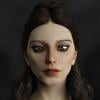
Obviously we sell a lot of characters here at Daz, but when things really get exciting is when you mix characters or morphs to create your own unique vision. A lot of people even take a little different spin on that and merge elements of the world into their avatars by importing models and textures with products like FaceGen or Headshop.
So, who is your "Avatar", and what is their backstory?
We'll share some of the top one's to the Daz 3D Facebook page as well.
So, you see the characters we produce every day. Let's see yours :)
Haha! Damn good back story though.
 Who's the Best Avatar Creator?
Obviously we sell a lot of characters here at Daz, but when things really get exciting is when you mix characters or morphs to create your own unique vision. A lot of people even take a little different spin on that and merge elements of the world into their avatars by importing models and textures with products like FaceGen or Headshop.
So, who is your "Avatar", and what is their backstory? This doesn't need to be your forum avatar, but any character you use in a recurring role in your work.
We'll share some of the top one's to the Daz 3D Facebook page as well.
So, you see the characters we produce every day. Let's see yours :)
Creating a realistic Face from stock photos in 3DAs the developers of FaceShop and HeadShop we have 12 years of history with photo-to-3D software for Poser and DAZ. I agree with JMC that the biggest challenge is to get a good quality, well lit picture. One additional challenge is that very seldom is a portrait "full frontal", which means that the head is turned left or right, up or down. This problem bewilders photo-to-3D software, as is the issue of presenting open smile.
I am happy to report that we are getting close to the beta stage of HeadShop 11, which I consider a real breakthrough in a few respects; HeadShop 11 will:
1. Unlike competing software where you have to manually pick eyes, nose, chin, mouth etc (about 22 points in toto), HS 11 will automatically find all points without the user picking a single point.
2. We have also mastered the open smile issue, with real teeth derived from Genesis figures showing. Again, it is something the competition can't presently do.
3. Most importantly, HS 11 will master the turning head problem and turn (pun intended) a bad problem into an asset. We will actually have better shape similarity with turned heads as with straight "full frontal" photos. It is an industry first!
4. HS 11 will also address way better texture mapping, an area where we lagged behind the competition. No more!
Please stay tuned, we will need knowledgeable users for beta testing soon!!!
Laslo
Will owners of the previous version receive a free upgrade or at least a discount on the upgrade?
Creating a realistic Face from stock photos in 3DAnd, just teasing, but for HeadShop 12 you can go ahead and make SW that is accurate for all expressions and erases the expressions for a no expression while allowing the expressions to be converted to face rig targets.
That's the goal:-)
Cool! I will upgrade.
Creating a realistic Face from stock photos in 3DAnd, just teasing, but for HeadShop 12 you can go ahead and make SW that is accurate for all expressions and erases the expressions for a no expression while allowing the expressions to be converted to face rig targets.
That's the goal:-)
Creating a realistic Face from stock photos in 3DNot directly. Apple is to blame - they make it all but impossible to develop outside their "walled garden" appstore. It is possible that we will release a cloud version, which of course will be platform neutral (work on all platforms). We already have a cloud app called PrintAhead (printahead.net) that is platform independent and free to use.
Ps. PrintAhead already uses the open-smile code and handles open-smile heads quite well.
That's nice but will the open smile also be accurate with no smile?
And, just teasing, but for HeadShop 12 you can go ahead and make SW that is accurate for all expressions and erases the expressions for a no expression while allowing the expressions to be converted to face rig targets.
Creating a realistic Face from stock photos in 3DAs the developers of FaceShop and HeadShop we have 12 years of history with photo-to-3D software for Poser and DAZ. I agree with JMC that the biggest challenge is to get a good quality, well lit picture. One additional challenge is that very seldom is a portrait "full frontal", which means that the head is turned left or right, up or down. This problem bewilders photo-to-3D software, as is the issue of presenting open smile.
I am happy to report that we are getting close to the beta stage of HeadShop 11, which I consider a real breakthrough in a few respects; HeadShop 11 will:
1. Unlike competing software where you have to manually pick eyes, nose, chin, mouth etc (about 22 points in toto), HS 11 will automatically find all points without the user picking a single point.
2. We have also mastered the open smile issue, with real teeth derived from Genesis figures showing. Again, it is something the competition can't presently do.
3. Most importantly, HS 11 will master the turning head problem and turn (pun intended) a bad problem into an asset. We will actually have better shape similarity with turned heads as with straight "full frontal" photos. It is an industry first!
4. HS 11 will also address way better texture mapping, an area where we lagged behind the competition. No more!
Please stay tuned, we will need knowledgeable users for beta testing soon!!!
Laslo
I will beta test if possible. I remember beta testing, I think it was FaceShop over a decade ago. It was quite fun back then How time flies.
Creating a realistic Face from stock photos in 3DAs the developers of FaceShop and HeadShop we have 12 years of history with photo-to-3D software for Poser and DAZ. I agree with JMC that the biggest challenge is to get a good quality, well lit picture. One additional challenge is that very seldom is a portrait "full frontal", which means that the head is turned left or right, up or down. This problem bewilders photo-to-3D software, as is the issue of presenting open smile.
I am happy to report that we are getting close to the beta stage of HeadShop 11, which I consider a real breakthrough in a few respects; HeadShop 11 will:
1. Unlike competing software where you have to manually pick eyes, nose, chin, mouth etc (about 22 points in toto), HS 11 will automatically find all points without the user picking a single point.
2. We have also mastered the open smile issue, with real teeth derived from Genesis figures showing. Again, it is something the competition can't presently do.
3. Most importantly, HS 11 will master the turning head problem and turn (pun intended) a bad problem into an asset. We will actually have better shape similarity with turned heads as with straight "full frontal" photos. It is an industry first!
4. HS 11 will also address way better texture mapping, an area where we lagged behind the competition. No more!
Please stay tuned, we will need knowledgeable users for beta testing soon!!!
Laslo
And will there be a Mac version?
Creating a realistic Face from stock photos in 3DAs the developers of FaceShop and HeadShop we have 12 years of history with photo-to-3D software for Poser and DAZ. I agree with JMC that the biggest challenge is to get a good quality, well lit picture. One additional challenge is that very seldom is a portrait "full frontal", which means that the head is turned left or right, up or down. This problem bewilders photo-to-3D software, as is the issue of presenting open smile.
I am happy to report that we are getting close to the beta stage of HeadShop 11, which I consider a real breakthrough in a few respects; HeadShop 11 will:
1. Unlike competing software where you have to manually pick eyes, nose, chin, mouth etc (about 22 points in toto), HS 11 will automatically find all points without the user picking a single point.
2. We have also mastered the open smile issue, with real teeth derived from Genesis figures showing. Again, it is something the competition can't presently do.
3. Most importantly, HS 11 will master the turning head problem and turn (pun intended) a bad problem into an asset. We will actually have better shape similarity with turned heads as with straight "full frontal" photos. It is an industry first!
4. HS 11 will also address way better texture mapping, an area where we lagged behind the competition. No more!
Please stay tuned, we will need knowledgeable users for beta testing soon!!!
Laslo
headshop 9.2 for MacBook ProDid you purchase Headshop through the Daz Store? If you did you can get Tech support.
headshop 9.2 for MacBook ProI recently installed daz 3d and purchased headshop 9.2. I installed it and as soon as I launch the headshop software in the edit menu it crashes with the following message:
“Headshop closed before it could create the necessary files …”
Has anyone else had this issue? Can't get tech support from Daz as it is an addon and no response from abalone llc.
Rick
HeadShop OneClick Submitted to DAZ - Best in Class! (Commercial)I have things working and looking good until I go to export. It says it successfully exported, but then I get an error message
"Headshop Directory "fs" could not be created because the selected figure does not have a valid runtime folder."
I've tried Genesis 2 and 3. I've only used files as they install, so I haven't moved folders or anything.
"Get Them While You Can!" If Not… Well… "There's Always Another Sale™"It was an analogy... analogies are imperfect. It was making a point in response to a specific point. It wasn't an attempt to be a 1:1 equation.
If I buy a simple mobile game that costs $.99 and is real intuitive, I don't expect instructions or a tutorial. If I pay $60 for a new console or PC game... I expect more than being thrown into it to try and figure out how to equip my weapon or site my target or ride that dragon or... whatever...
If you're selling content by a non-English speaking author... say, LAMH - and it is expensive, and there are no English instructions or tutorials... well... that isn't exactly a fair business practice. I'm picking on LAMH because the author is not a native English speaker and the documentation is actually pretty good.
Now... the RV may not be as complex as LAMH or Headshop Oneclick... and it is what I'm picking on right now but there is a LOT of content like this... if it has features that are shown in the promos, it should be documented in clear English if it is being sold on an English speaking website. That is just ONE of the QA issues I've encountered lately... and more and more this seems to affect the latest generation when it wasn't as big of a problem on Gen1, 2 and 3 products.
Let's use toys as an example... if I paid $300 for a Lego Millenium Falcon and I opened it up and it was a box of plastic bricks with no instructions... "You can build it with these pieces, but it is up to you to figure out how to..."
I do think that is something that would get a toy manufacturer in some sort of hot water. I'm going to be less upset if it isn't clear how to make the action lights and sounds work on the $20 Batmobile I bought my kid at Walgreens. Although... cheap toys aren't very cheap anymore... are they...
Facegen. thoughts please?You can also blend a little of a Headshop morph dial and a little of a FaceGen morph dial to better get an accurate morph of your subject. But another limitation of Headshop is that you can't use GenX to transfer Headshop morphs from generation to generation... where FaceGen supports Gen1, 2 and 3 characters *and* the Morphs will transfer using GenX. It really is the best product, even if it isn't perfect, for doing this kind of work.
Facegen. thoughts please?So, I started with DAZ on an i5 with a 2GB Nvidia 750ti... Iray renders could take 24 hours to run 10,000 samples. Now I've got an i7 with a 1070 with 8GB of memory, and renders that took 4 or 5 hours take about 15 minutes. Here is the thing... I've seen renders that are photorealistic and beautiful done on way less powerful machines using less powerful cards in 3Delight. There is an argument that Iray makes you lazy, and I wouldn't deny that. With lighting, shaders, and scene setup, you can achieve results that are at least equal to Iray with 3Delight - and you're going to learn a lot more about the DAZ rendering engine. I bought and tried Reality with LUX too... and that generates some incredible results with the right scene and lighting, too. Someone here on the forums used to have the signature, "I use Iray because I am lazy." There is truth to that. If you've got more money than time, use Iray. If you've got more time than money, throw yourself into those other engines and enjoy your results. But... part of that is realizing that certain tools lend themselves better to certain render engines, and I think Facegen is absolutely geared toward creating the best results in Iray. One of the most frustrating parts of Iray is that things look so much different in the preview "texture shaded" viewport than they do when rendered in Iray. There are times when I love the texture shaded preview and Iray washes out all the details that made that the case. Figure expressions tend to be the biggest example of this. You see dimples and creases and other things in 3Delight that disappear in Iray, and what seems the perfect pose and likeness looks completely different in the final Iray render. Iray gives good results quickly... but GREAT results still take craft, patience and artisty no matter what render engine you use.
As for using Facegen with non-neutral expressions - the application doesn't know how to streach something like an open mouth over the base Genesis 1, 2 or 3 figure right when creating the textures. It is trying to overlay the morph and textures it creates over a default genesis figure. If I have a non neutral base picture I am trying to convert using FaceGen, I actually go in with Photoshop or Paint Shop Pro and try and ERASE the expression as pre-work before putting it into FaceGen... and often that is enough. Take out the upturned corners of a smile and put the top lips and bottom lips together with no gap... and FaceGen does a good job. Leave the smile there and you get these alien distortions where the lips are peeled back and the teeth are now the closed lips. Does that make sense? It assumes that what appears in the picture is a neutral expression... so if there are teeth where the lips should be, the teeth become the lips, and a horror show morph and skin texture results that will give your subject nightmares if you show them the final result.
I also have Headshop Oneclick... and it is TERRIBLE... but if you can get it for less than $10... sometimes letting HEADSHOP make the morph and FaceGen make the textures will result in a better likeness overall than either can achieve on their own. But Headshop is really, really awful. The textures are terrible - it only scans the face and tries to fade/blend it into a normal Genesis skin, which ends up making it look like the face texture is painted on another body... If you can't cover it with hair, it looks like a figure has skinned your subject and is just wearing their face ala - Silence Of the Lambs. It crashes more often than it works, too. Literally, $10 is too much to pay for it... but, on the other hand, if you pay $10 for Headshop, you'll realize why FaceGen is worth $50-$80 on discount... so there is that. :)
"FaceGen Artist Pro" or "HeadShop OneClick Plugin"i cant get head shop to run it on my mac it gets so far then posts a message headshop failed to create files before it closed
any ideas
Headshop Not Showing in Edit MenuPurchased headshop - thought installed correctly - will not show in Edit Menu? Anyone able to explain how come? I lead it to the right install path on my computer.....thanks for any help.
Headshop problemThis discussion was created from comments split from: CR2 and OBJ files Help.Headshop problemI recantly installed headshop for windows. It works until I try to export it. I was told that DAZ was having some problems with headshop but if I load a cr2 figure it will work.. Ok how do I do that?
If anyone out there knows can give me instuctions on how to load a cr2 figure into daz PLEASE HELP!
Headshop problemI recantly installed headshop for windows. It works until I try to export it. I was told that DAZ was having some problems with headshop but if I load a cr2 figure it will work.. Ok how do I do that?
If anyone out there knows can give me instuctions on how to load a cr2 figure into daz PLEASE HELP!
Daz 3D is part of

Connect
DAZ Productions, Inc.
7533 S Center View Ct #4664
West Jordan, UT 84084Licensing Agreement | Terms of Service | Privacy Policy | EULA
© 2026 Daz Productions Inc. All Rights Reserved.