-
fit old gen stuff or just buy new
Reposting something I wrote from another thread on old content:
A few words of advice on the M4/V4 sale, from someone who was there when many of these items were new: https://www.daz3d.com/select-michael-4-and-victoria-4-blowout-sale-items
Easiest items to convert forward to G3 would be the weapons sets: You will probably find them under Content/Runtime/Libraries/Props. they load as props parented to the left or right hand of the figure selected, and from there you can select them, and move them to a better position relative to the figure's hand. This may be more difficult for G8, haven't tried it. Converting the materials to Iray tends to be straightforward: use base Iray shader on everything, Iray emissive on stuff that's supposed to glow, metal shaders on metal bits (possibly using Cntl+Click to retain the original textures), leather with ctrl+click on wood/leather/weathered metal surfaces (then reset the diffuse color in the surfaces tab). You may need to make sure that there are maps in the bump field under surfaces (the base diffuse map will work, if you can't find anything else), and you may also need to set the bump values rather high. Save as wearable or accessory.
Of the weapons in the sale, I strongly recommend anything by Valandar, especially his gorgeous and unique "Rapiers of Legend" set.
Hair is the next easiest, but it will require hair shader kits like OOT's or Slosh's to make them look good: If it's under Content/Runtime/Libraries/Hair, it's a prop that will load as parented to the head of whatever figure you have selected. Select the hair and use y-translate and z-translate to position it better on the character's head. Specifically, you're trying to minimize pokethrough on the forehead and crown areas, and make sure that the area assigned to the ears does in fact line up with the ears on your character. Use a smoothing modifier to deal with any remaing pokethrough. If it loads untextures, go to Content/Runtime/Libraries/Pose to apply a hair color. Now select the hair surfaces and go to work with the shaders. When shopping for older hairs, pay close attention to the individual strands/locks. Do they look realistic, even if the scene overall or the hair texturing does not? If yes, then that usually means that the hair is either modeled well or transmapped well, and one or the other is a requirement for the hair to look good with modern shaders. If the hair is a figure (found under Content/Runtime/Libraries/Character), the easiest thing to to do is to load it without a figure selected, position it relative to your figure's head, parent it to the head, and then go through the rest of the steps. I usually save hairstyles as wearables, in their own subfolder under G3F (or G3M) Hair.
Of the hairstyles in the sale, I have gotten the most use out of Tequila Hair, which has a bunch of useful morphs, and Mon Chevalier Hair, which doesn't look great from behind but holds up well from other angles and takes shaders well.
Clothing: do not bother unless you have clones and templates for bringing them forward to the Genesis Generation of your choice; I mostly rely on Wear Them All and Sickleyield's Ultra Templates. There are several cloth shader kits for Iray that include settings to leave the existing textures in place but change the surface settings to be more Iray friendly; any of these will help. Clothes will usually be found under Content/Runtime/Libraries/Character. Skirts that extend below the knee tend to fare badly in conversion, but in cases where they are a separate object rather than part of a dress, you can skip the autofitting and parent them to the character's hip or lower abdomen, and use built in handles and morphs to position them. High heels do not autofit well; do not bother with them unless you are willing to do a lot of fiddling. High collars do not autofit well.
Of the clothes in the sale, I like V4 Songstress and it converts fairly well to G3F if I remember correctly. V4 Nightshade does not, neither does M4 Warp Master. TOA Legendary, on the other hand, does surprisingly well and has some amazing freebie textures by Chohole. Special shoutout to L75 War Alastair for M4: nothing much to look at but it converts forward well, and converts well to DForce, AND is simple enough to not cause problems when you stick a dforce cloak or robe on top of it.
Optitex Dynamic Clothing: these are designed for an older dynamic plugin, a tiein with a fashion industry clothing simulator. They are modeled in a way that usually works well with DForce, but they do not work with it out of the box. It is recommended that you load the Optitex dynamics (found under content/People/Victoria 4/ Dynamic Clothing or Content/People/Michael 4/Dynamic Clothing), then export them as objects to some place you can find them easily, then import them and treat them the same way you would a poser dynamic outfit that you were trying to add dforce to (turn self-collide off, position the figure inside the clothes at frame 0, run an animated draping simulation with the final pose halfway through the timeline or at the end of the timeline, etc).
Danie/Marforno set complexes: I like their medieval/barbarian/Hellenic work better than their futuristic work, and do not own anything by them with explicit druidic/occult/horror theming, so I can't speak to those. many of their sets are built of individual prop components you can use as building blocks for your own sets, and also include weapon props or V4/M4 pose sets, which means that you can be bouncing back and forth between Content/Runtime/Libraries/Character, Content/Runtime/Libraries/Pose, Content/Runtime/Libraries/Prop, and Content/Runtime/Libraries/Scene to find all the things they have to offer. You will need one of the pose conversion scripts floating around out there, free or paid to make the poses work on Genesis 2, 3, or 8. Their props can be converted like the weapons described above, and their set complexes can be converted to Iray in the same way I described for weapon surfaces above: just going through and seeing which of the base Iray shader presets will work, and using cntrl+click to retain the original texture maps where necessary. The trouble is that the average set has A LOT more surfaces than the average weapon, so this gets old quick. I tended to save out materials presets for the individual prop components of the DM sets as I set them up for Iray, to save time later.
M4/V4 characters: these are the hardest thing to move over. CaymanStudios has some good products (here and at Rendo) for making older skins work on G3 and G8, but they require the material preset to be in .duf format, which M4/V4 materials usually aren't. You will have to first load M4 or V4 and apply the material skin preset, make any tweaks necessary to make it look good in Iray, then save out as a material preset in duf format, and then use on a Genesis 3 or 8 character wearing Cayman's geograft products. The initial adjustments for Iray can be very basic if the skin is already set up for 3Delight (select all, apply Iray base shader preset), but if they are only setup for Poser, they may require the use of Dimension-Z's or JavierMicheal's skin shader tools.
There are relatively few V4 skins worth the trouble of bringing forward, especially given the added hassle of converting the makeup options, IMO, but there are some pretty good M4 skins. Almost anything for either M4 or V4 by Morris, RawArt, Surreality or LiquidRust will hold up reasonably well in Iray after conversion. The "elite" series of m4/v4 skins are also pretty good (some of them are by Morris, others are uncredited but possibly by her as well).
Morphs: the default tool for moving these forward is the no longer supported (creator is deceased) GenerationX2. You can also try this tutorial for moving morphs between Genesis figures and see if it works: https://www.deviantart.com/sickleyield/journal/Tutorial-Transferring-Character-Morphs-G1G2G3G8-409437916
List of available head morphsJust a quick question.
I don't want to delve too deep into scripting - just want to know enough to do what I want to do.
Random characters. I don't have too many base models and so, for a project I'm doing where I need "lots" of people, I want to get bang for my buck. As such, I've created a little script to randomize various sliders. Works fine and dandy by explicitly stating which morphs to change. I'm not 100% happy however in how the faces are coming out. So I've come up with a better idea which seems to work and look better when I've done it by hand ..
And that's by blending a number of the head morphs of my current characters to form a brand new character. So I want to do this via script to randomly pick 4 heads and then apply a 15% to 50% modifier to each so they blend into one.
What I want therefore and can't see much in the way of documentation to help me out - is to collect a list of the head morphs under Genesis 8 Female (ie, Victoria 8 Head, Charlotte 8 Head, Stephanie 8 Head), for instance, that I currently have within Daz and stick them in an array and then do my stuff. I just can't work out HOW to automatically pull in the Head Morph list (filtering what I want is fine it's just the basic "put the head morphs you've got into an array" bit that I can't seem to find an answer for).
It's probably easy - but programming wise, I've never messed around with the likes of java or other scripting languages and whatnot so not too up to speed on how it all works and fits together. Generally code in other stuff ...Cheers in advance for any help
Genesis 9 delayed until at least 2020. Will you be buying it?In the end, it's all about what feature upgrades the new figures come with, but it's going to take something truly earthshaking for me to invest in a major way anytime soon. I found the technical benefits of the G8s to be very minor and even though I have all the base figures for G8, I still find myself using the G3s more.
In all honesty, I really don't know what it is. I couldn't tell you specifically why, but I prefer the G3 models as well. Since I'm quite new to Daz I can't say I bought G3 first and then graduated to G8 - I bought them both at the same time whilst trying to get to grips with the whole Geneis hierarchy and Michael/Victoria 456 malarky. Maybe because there was more selection, better clothes, nicer skins...who knows, just a gut feeling I guess.
fit old gen stuff or just buy new...going the Gen4 - Gen2 route, saving as a wearables asset then autofitting to G3 seems to work OK depending on the style. The only wearable that doesn't transfer well is footwear because of the "crucifixion" pose of the feet for Gen4 characters (why they didn't keep te feet flat like Gen3 did .is still somewhat a mystery).
Footwear doesn't seem to be that much of a problem to me, at least. It's not like one can't find loads of shoe packs for G3/8 anyway. That, and none of V4's shoes did anything for me anyway. Aiko/Victoria 3 had some great footwear. V4? Not so much. If push comes to shove, there's freebie boots and shoes running around.
Now if I can just get the pose guys to remember than not everyone wears bloody heels, I might be able to stop having to rebuild them. Not every woman wants to live her life on her toes, after all.
Novica & Forum Members Tips & Product Reviews Pt 11Bit of a chatter-lull here, so I'll strike up...
Happy 2019, campers! You know what that means: Genocide 9 is coming soon, at least if the 2-year pattern holds up: Victoria 6 (June 2013), V7 (6/2015) and V8 (6/2017). Would anyone here besides me be willing to accept the cost of, say, 8,000 more polygons for a G9 figure, to be spent on improving the HANDS/FINGERS/KNUCKLES and how they flex, bend, bunch up or stretch out according to how they are posed, so that they won't look ridiculous anymore? And I mean, on the base figure, not in the HD skin details add-ons! ETA: I say, 8k, but maybe that's waay too many, maybe 5K (2500 new polys per hand) would be enough. I'd be thrilled to accept the slight figure size increase for better fingers/hands articulation.
It's partly, I suspect, more specific morphing and joint controls or weight mapping etc needed, but I'm thinking polygons have to be added to permit good results, that will look like real hands. Instead of pipe cleaner or toon fingers flexing. IRAY, iray, IRAY. It's the ultimate, yadda yadda. It really is a quantum leap forward in terms of realism--or can be--but only so far as the models and textures support that. Daz has done yeomans work over the years on improving figure articulation, and we can right in DS now simulate the sky, light and fabric so credibly and hair has improved dramatically. But try doing a closeup of a person showing their hands... it's worse than threading a needle to come up with hands that will "pass" for actual hands, and it just is not a particular texture's fault; the model's fingers and knuckles simply do not have enough nuance and detail built in. So with such advances in the state of the art, to me, the fingers/hands of figures are the weakest link in the "realism" chain. (I do feel somehow something went slightly backwards in terms of skins in G8, versus G7, since to me at least most g8 skins look like silicone love dolls/toys surfaces or wax or orange cheese rather than human skin, but still, that can be mediated, where the fundamentallly unconvincing deformations of the fingers just can't be dealt with, just minimized or avoided.)
Love to hear what anyone else has to say about this....
~Genis there a 'best' g3f breast morph?If you're ok with installing new content yourself in Daz, there really shouldn't be much of a difference. You won't be able to use DIM to download/install new content from Renderotica, and any content you purchase and download from there should be backed up on a separate drive prior to installing it. Also, as was already pointed out, any content sold here will not be found there. You may find a couple Genesis 2, 3, or 8 characters/poses and such there, but you'll still need to get any Daz required base products from here(i.e. Victoria 4/6/7/8, Michael 4/6/7/8, etc.).
Victoria 4V4 base is here: https://www.daz3d.com/victoria-4-2-base (you probably din't find her because she's v4.2 and not just V4, the store search doesn't seem to handle that well)
But this bundle is currently in the freebie section and includes V4 base: https://www.daz3d.com/v4-hero-pro-pack
Victoria 4I was going to buy the M4/V4 Creature Creator Bundle, but only Michael 4 and Victoria 4 are compatible with it, and I can't find a Victoria 4 Base. Will anything else work with the bundle?
Shape Rigger Plus(Commercial)I grabbed this myself the second I could, and set about converting all of my earlier G3F morphs to G8F. Between that and Skin Builder, I'll have the new versions up and running in no time. It certainly gets around the problems I was having with Studio's rigging tool.
Hi, how did you converted G3F morphs to G8F?
Have you only used Morph Rigger Plus for that purpose?
Could you please explain, how it was done. Thanks.
Give this tutorial over at DA a try. It's a time-consuming and tedious process but it works. Note that you have to follow the steps carefully and in order. Make sure your figures are set at base resolution, Gen 8 eyelashes are deleted from scene, and that all G3 morphs you're going to transfer are set to auto-follow.
Tutorial by a-sennov: https://www.deviantart.com/a-sennov/journal/Tutorial-Morphs-from-Genesis-3-to-8-accurate-way-735130233
When you're done, you can ERC freeze per the tutorial instructions or use Zev0/DiscoBob's Morph Rigger Plus (which I bought but haven't yet tried).
If you use the tutorial above & Morph Rigger Plus in combination with GenX2 (along with some needed morph shapes for GenX2), you can get shapes all the way back to Aiko 3, Victoria 3, Victoria 4, Genesis 1, 2, 3, etc. up to Genesis 8. Note that with big-eyed morphs like those for the Aiko characters, you'll need to manually reset the eyes, re-sale and re-translate them and then resave your morph prior to running it through Morph Rigger Plus (see link for a script to help you with this below). Yes, you can even use this process to get Star 2, Mavka for Genesis 1, 3DU's Sadie/Sam and lots of other figures up to Genesis 8 but it does take *a lot* of work and adjusting.
Free tool on ShareCG for resetting eyes: https://www.sharecg.com/v/88497/browse/10/Software-and-Tools/Eye-Jaw-Morph-Fixer-for-Face-Morphs
Here are the GenX2 links here at DAZ. You would pick the ones you needed based on how far back you need to convert.
https://www.daz3d.com/genesis-generation-x2
https://www.daz3d.com/genx2-addon-for-genesis-2 ;
https://www.daz3d.com/genx2-addon-for-genesis-3
https://www.daz3d.com/genx2-addon-gen3-kids
https://www.daz3d.com/generation-4-legacy-shapes-for-genesis-2-female
https://www.daz3d.com/gen-3-iconic-shapes-for-genesis [this is a bundle; you can buy just certain parts individually]For the materials portion of earlier characters, you have a couple of choices. Cayman Studios sells products here at DAZ to get your legacy skins to refit onto Genesis 8. They work well.
Cayman Studios Links
https://www.daz3d.com/legacy-uvs-for-genesis-8-genesis-2-female
https://www.daz3d.com/legacy-uvs-for-genesis-8-victoria-4
https://www.daz3d.com/legacy-uvs-for-genesis-8-victoria-6
https://www.daz3d.com/legacy-uvs-for-genesis-8-victoria-5
https://www.daz3d.com/legacy-uvs-for-genesis-8-genesis-2-male-michael-5-and-michael-6
https://www.daz3d.com/legacy-uvs-for-genesis-8-michael-4Also, at Renderosity, Blacksmith3D sells Texture Transformer 2.0 plus a bunch of add-ons that can help you get your earlier generation skins up to Genesis 8. In that case, the skins are actually redrawn onto new maps. However, that won't get you back to V3, A3, etc. For that you need yet another product here at DAZ called Texture Converter 2 by 3D Universe to get the skins up to V4. Then, you can go from V4 to Gen3/8.
Texture Converter 2 Links
https://www.daz3d.com/texture-convertor-2-tc2-bundle
https://www.daz3d.com/tc2-michael-3-david-3-plugin
https://www.daz3d.com/tc2-michael-4-plug-in
https://www.daz3d.com/tc2-aiko-3-plugin
https://www.daz3d.com/tc2-millennium-girls-plugin
https://www.daz3d.com/tc2-miki-2-0-plugin
https://www.daz3d.com/tc2-skye-plugin
https://www.daz3d.com/tc2-kids-4-pluginObviously, the cost of all this adds up and only is worth the time, hassle and money if you have valuable previous-generation characters that you can't/won't live without.
For getting clothes from older generations to fit (prior to Genesis 1), you can create your own auto-fit clones. Give this tutorial here at DAZ a try:
https://www.daz3d.com/forums/discussion/193296/freebie-how-to-create-a-v4-clone-and-transfer-other-figures-for-g8f-now-with-video/p1I hope all of this helps.
20 years of figures, what is your Top 5 ?If we're talking core characters, I guess my favourites in their raw forms are Charlotte 8, Edward 8. Eva 7, Monique 8 aaaaaaand... I'll go for something of a wildcard and say Dragon 3.
There are however a lot I use mixed together in different ways but not so much on their own. I've used Victoria 7's body a lot to substitute for some character morphs that don't work so well with Auto-Fit; when I want a slightly more stylised character, my favourite preset is dial spun based off a 50/50 mix of Girl 6/Ysabeau 6; one of my main male characters has a lot of Lucas and Owen 8 mixed in; and my far my most used character pretty much straight up uses G8F's face except for slightly changing the shape of her chin (although it is hidden under a different set of materials - which are actually just a slightly modified set from a free G3F character I found out there).The Things Which Could Be Worse Need Cats To Make Them Better Complaint ThreadI found some prime workout videos that look like they used Victoria 4 maybe to make.
20 years of figures, what is your Top 5 ?I've only been doing this for about 2 1/2 years but I've collected a lot of figures from V4, G1, G2, G3, and G8. I have 749 figures that show up in Smart Content and probably at least that many more that don't show up in Smart Content due to their age, being purchased from other sites, and figures that other PAs have given me or "product traded" with me. So narrowing them down to my favorite 5 is difficult, to be sure.
I THINK though that I can give a tentative "top 5":
His promos do not do him justice, imo - he really shines in Iray, particularly with some skin settings adjustments.
(Here he is with Altern8 applied to his skin.)
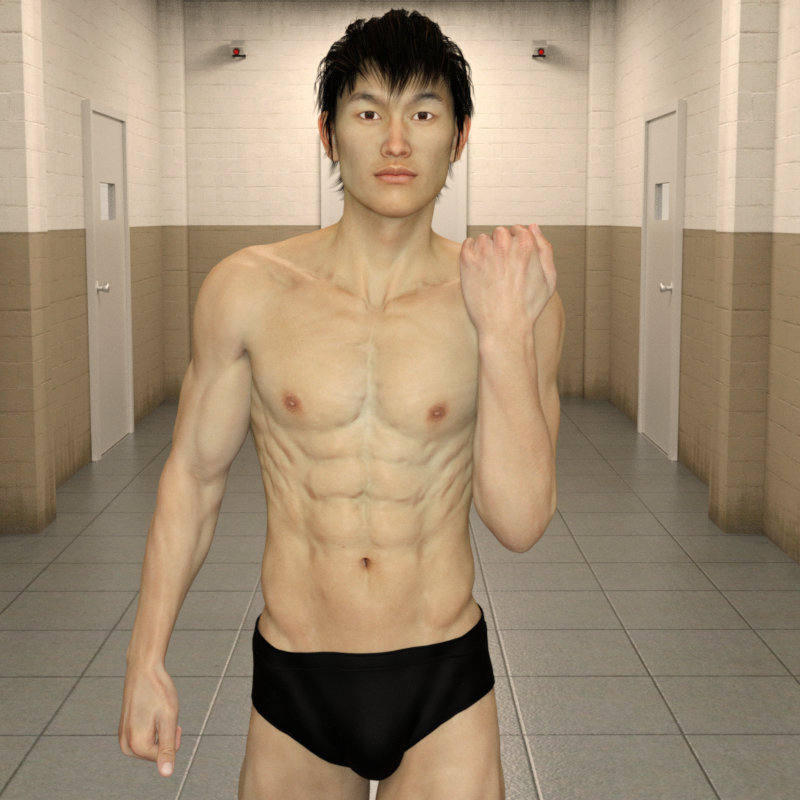
Sadly she's V4, which has limitations due to age, but thankfully I was able to figure out how to transfer her shape to Genesis 8
Here's her shape on G8F with Aiko 8's textures:
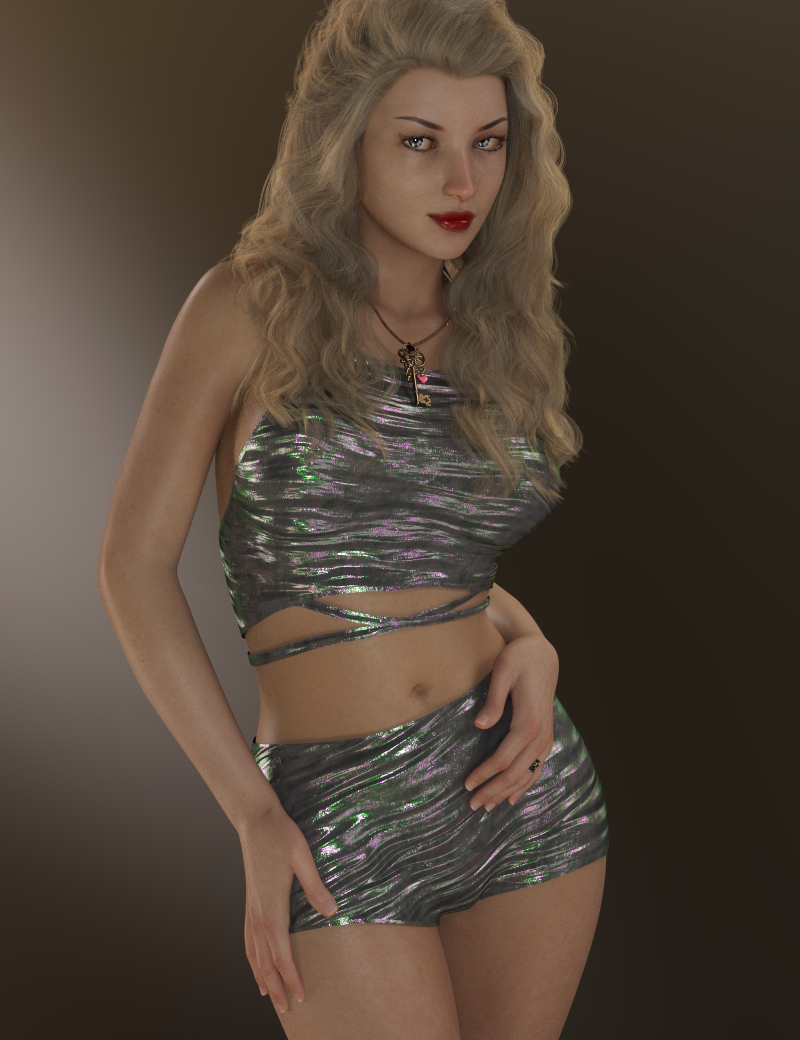
He's just a stunning character, imo. He's one of the very very few characters I've purchased who's skin looks so good "out of the box" that I don't really have a desire to tweak the settings. His eye settings need a little adjustment, imo, but I really like his skin "out of the box" - which is rare for me. lol Plus his shape/morph is just ...RAWR! <3 I've always been a sucker for skinny guys. :P
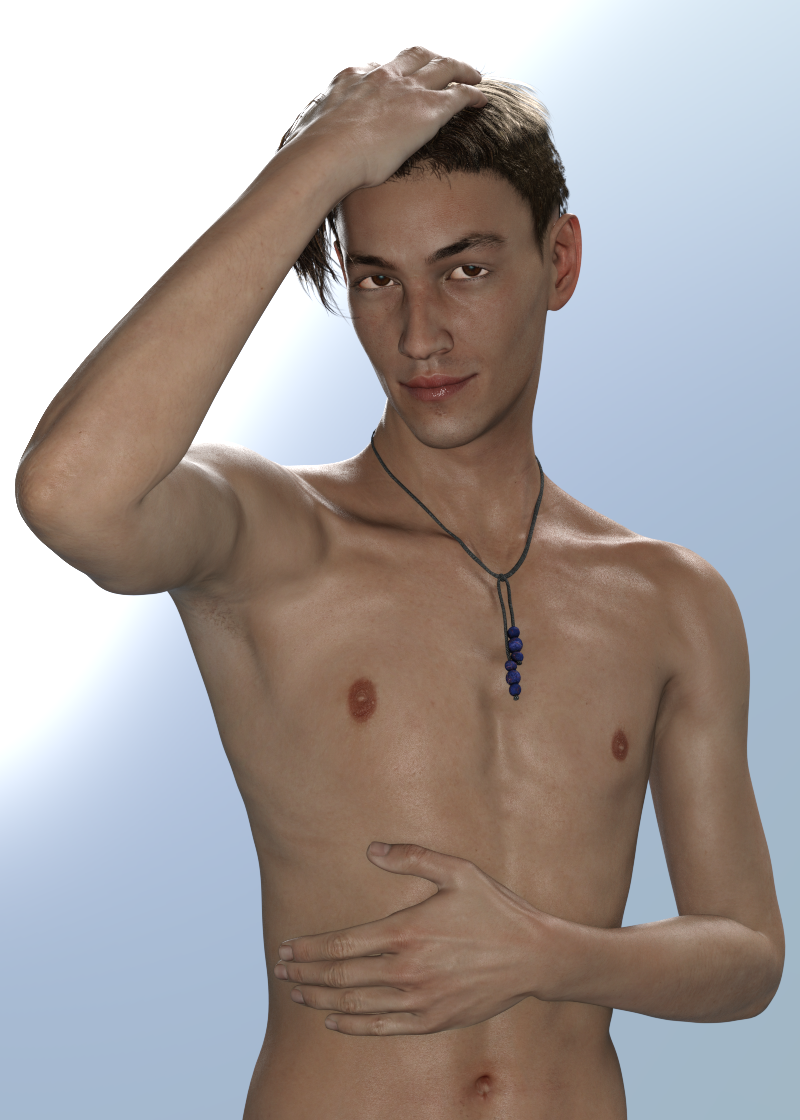
I've been a fan of this character since the day she launched and have always enjoyed her highly detailed morph and textures. She's beautiful and just a fantastic character, imo. Here she is with some slight skin settings adjustments:
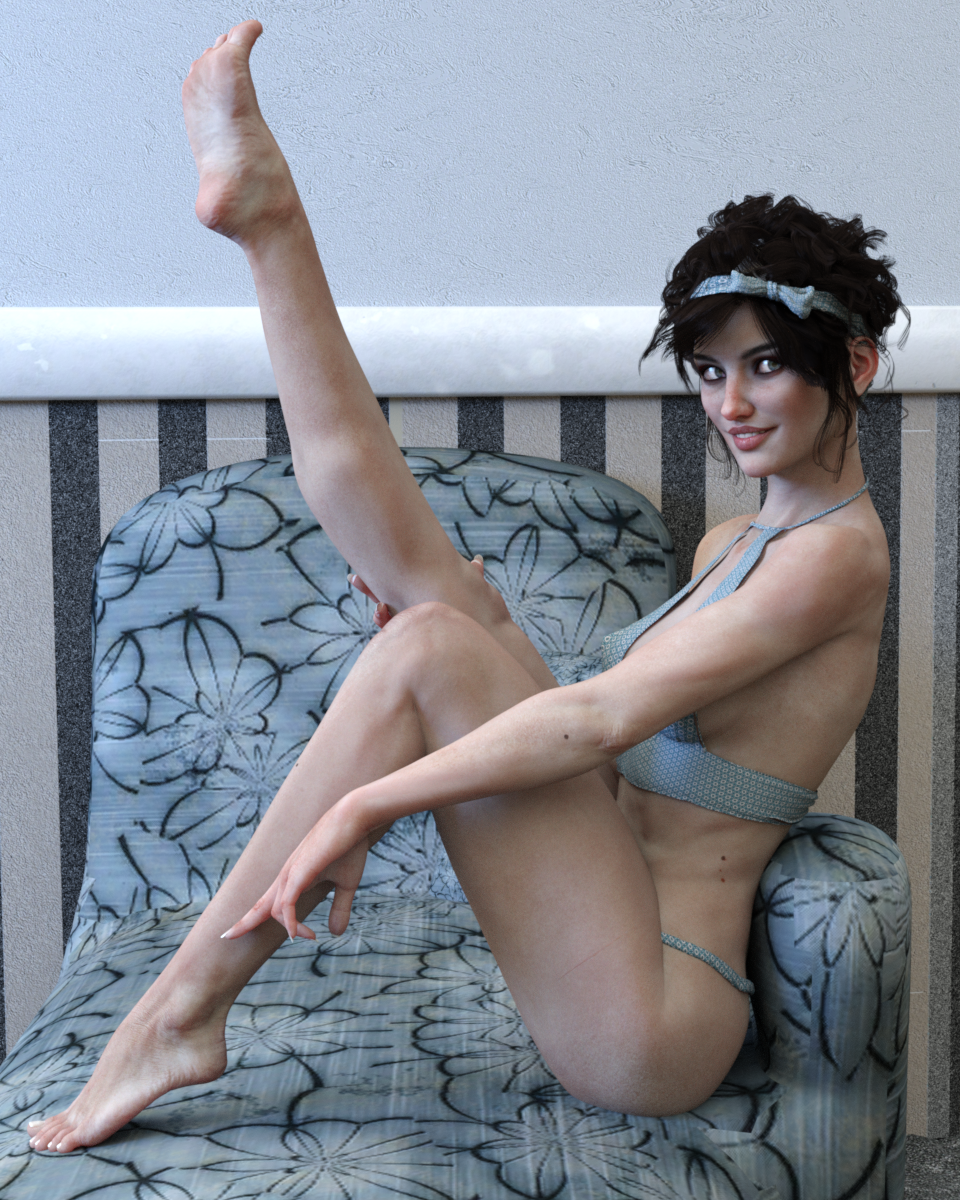
I'm just blown away with Zelara 8 and have a lot of fun rendering her. Here she is with Altern8 (though her skin "out of the box" is fantastic and doesn't really need it, imo):
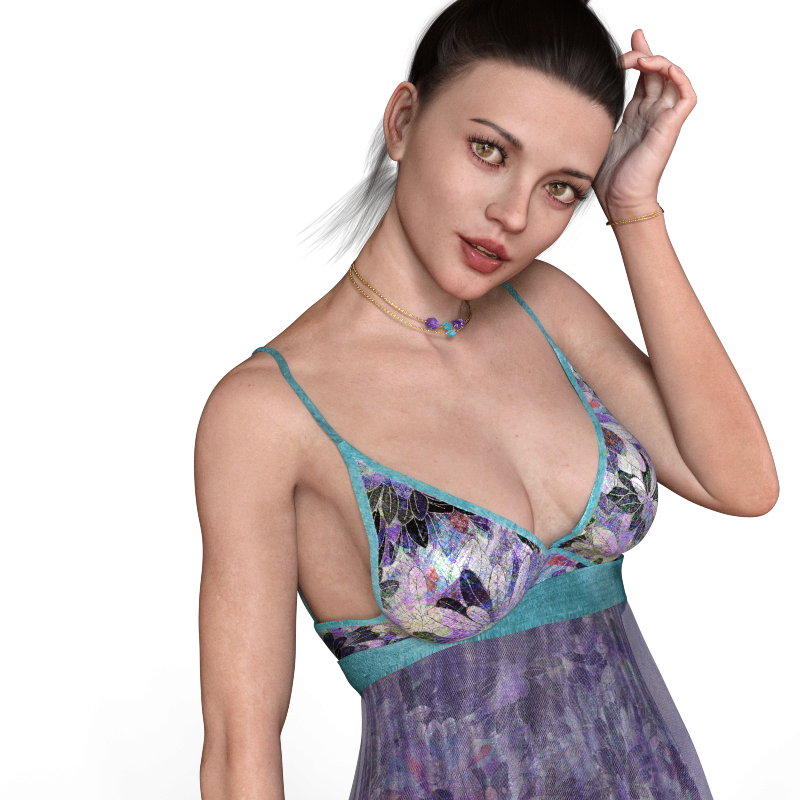 Novica & Forum Members Tips & Product Reviews Pt 11
A few words of advice on the M4/V4 sale, from someone who was there when many of these items were new: https://www.daz3d.com/select-michael-4-and-victoria-4-blowout-sale-items
Easiest items to convert forward to G3 would be the weapons sets: You will probably find them under Content/Runtime/Libraries/Props. they load as props parented to the left or right hand of the figure selected, and from there you can select them, and move them to a better position relative to the figure's hand. This may be more difficult for G8, haven't tried it. Converting the materials to Iray tends to be straightforward: use base Iray shader on everything, Iray emissive on stuff that's supposed to glow, metal shaders on metal bits (possibly using Cntl+Click to retain the original textures), leather with ctrl+click on wood/leather/weathered metal surfaces (then reset the diffuse color in the surfaces tab). You may need to make sure that there are maps in the bump field under surfaces (the base diffuse map will work, if you can't find anything else), and you may also need to set the bump values rather high. Save as wearable or accessory.
Of the weapons in the sale, I strongly recommend anything by Valandar, especially his gorgeous and unique "Rapiers of Legend" set.
Hair is the next easiest, but it will require hair shader kits like OOT's or Slosh's to make them look good: If it's under Content/Runtime/Libraries/Hair, it's a prop that will load as parented to the head of whatever figure you have selected. Select the hair and use y-translate and z-translate to position it better on the character's head. Specifically, you're trying to minimize pokethrough on the forehead and crown areas, and make sure that the area assigned to the ears does in fact line up with the ears on your character. Use a smoothing modifier to deal with any remaing pokethrough. If it loads untextures, go to Content/Runtime/Libraries/Pose to apply a hair color. Now select the hair surfaces and go to work with the shaders. When shopping for older hairs, pay close attention to the individual strands/locks. Do they look realistic, even if the scene overall or the hair texturing does not? If yes, then that usually means that the hair is either modeled well or transmapped well, and one or the other is a requirement for the hair to look good with modern shaders. If the hair is a figure (found under Content/Runtime/Libraries/Character), the easiest thing to to do is to load it without a figure selected, position it relative to your figure's head, parent it to the head, and then go through the rest of the steps. I usually save hairstyles as wearables, in their own subfolder under G3F (or G3M) Hair.
Of the hairstyles in the sale, I have gotten the most use out of Tequila Hair, which has a bunch of useful morphs, and Mon Chevalier Hair, which doesn't look great from behind but holds up well from other angles and takes shaders well.
Clothing: do not bother unless you have clones and templates for bringing them forward to the Genesis Generation of your choice; I mostly rely on Wear Them All and Sickleyield's Ultra Templates. There are several cloth shader kits for Iray that include settings to leave the existing textures in place but change the surface settings to be more Iray friendly; any of these will help. Clothes will usually be found under Content/Runtime/Libraries/Character. Skirts that extend below the knee tend to fare badly in conversion, but in cases where they are a separate object rather than part of a dress, you can skip the autofitting and parent them to the character's hip or lower abdomen, and use built in handles and morphs to position them. High heels do not autofit well; do not bother with them unless you are willing to do a lot of fiddling. High collars do not autofit well.
Of the clothes in the sale, I like V4 Songstress and it converts fairly well to G3F if I remember correctly. V4 Nightshade does not, neither does M4 Warp Master. TOA Legendary, on the other hand, does surprisingly well and has some amazing freebie textures by Chohole. Special shoutout to L75 War Alastair for M4: nothing much to look at but it converts forward well, and converts well to DForce, AND is simple enough to not cause problems when you stick a dforce cloak or robe on top of it.
Optitex Dynamic Clothing: these are designed for an older dynamic plugin, a tiein with a fashion industry clothing simulator. They are modeled in a way that usually works well with DForce, but they do not work with it out of the box. It is recommended that you load the Optitex dynamics (found under content/People/Victoria 4/ Dynamic Clothing or Content/People/Michael 4/Dynamic Clothing), then export them as objects to some place you can find them easily, then import them and treat them the same way you would a poser dynamic outfit that you were trying to add dforce to (turn self-collide off, position the figure inside the clothes at frame 0, run an animated draping simulation with the final pose halfway through the timeline or at the end of the timeline, etc).
Danie/Marforno set complexes: I like their medieval/barbarian/Hellenic work better than their futuristic work, and do not own anything by them with explicit druidic/occult/horror theming, so I can't speak to those. many of their sets are built of individual prop components you can use as building blocks for your own sets, and also include weapon props or V4/M4 pose sets, which means that you can be bouncing back and forth between Content/Runtime/Libraries/Character, Content/Runtime/Libraries/Pose, Content/Runtime/Libraries/Prop, and Content/Runtime/Libraries/Scene to find all the things they have to offer. You will need one of the pose conversion scripts floating around out there, free or paid to make the poses work on Genesis 2, 3, or 8. Their props can be converted like the weapons described above, and their set complexes can be converted to Iray in the same way I described for weapon surfaces above: just going through and seeing which of the base Iray shader presets will work, and using cntrl+click to retain the original texture maps where necessary. The trouble is that the average set has A LOT more surfaces than the average weapon, so this gets old quick. I tended to save out materials presets for the individual prop components of the DM sets as I set them up for Iray, to save time later.
M4/V4 characters: these are the hardest thing to move over. CaymanStudios has some good products (here and at Rendo) for making older skins work on G3 and G8, but they require the material preset to be in .duf format, which M4/V4 materials usually aren't. You will have to first load M4 or V4 and apply the material skin preset, make any tweaks necessary to make it look good in Iray, then save out as a material preset in duf format, and then use on a Genesis 3 or 8 character wearing Cayman's geograft products. The initial adjustments for Iray can be very basic if the skin is already set up for 3Delight (select all, apply Iray base shader preset), but if they are only setup for Poser, they may require the use of Dimension-Z's or JavierMicheal's skin shader tools.
There are relatively few V4 skins worth the trouble of bringing forward, especially given the added hassle of converting the makeup options, IMO, but there are some pretty good M4 skins. Almost anything for either M4 or V4 by Morris, RawArt, Surreality or LiquidRust will hold up reasonably well in Iray after conversion. The "elite" series of m4/v4 skins are also pretty good (some of them are by Morris, others are uncredited but possibly by her as well).
Morphs: the default tool for moving these forward is the no longer supported (creator is deceased) GenerationX2. You can also try this tutorial for moving morphs between Genesis figures and see if it works: https://www.deviantart.com/sickleyield/journal/Tutorial-Transferring-Character-Morphs-G1G2G3G8-409437916
[Released] Hair Converter from Genesis 3 Female to Genesis 8 Female [Commercial]Thank you for your help, that helped me a lot. You have developed a wonderful tool and I have already converted all my Gen 3 Female hairs with it. So I can continue to use my favorite hair - wooow. Maybe you could think about developing a conversion tool for Victoria 4 hair? That would be very amazing!
You're welcome! I am glad everything converted for you.
Counting the days! On my Wish List.
LOL. Enjoy your sunshine!
 20 years of figures, what is your Top 5 ?
Note: If you like the basic female and male, the textures are :
- Genesis : M4 Elite Jeremy and V4 Elite Lana
- Genesis 2 : Michael 5 (Philip) and Victoria 5 (Bree)
- Genesis 3 : Eddie and Jeane
- Genesis 8 : Michael 7 and Karen 7
Novica & Forum Members Tips & Product Reviews Pt 11Given the amount of money I've spent at DAZ 3D since the March 2016 and now DAZ 3D not offering me any discount at all on the Christian 8 Pro Bundle outside the PC+ standard discount they have to offer me I'm thinking it's a good thing I'm wrapping up buying DAZ 3D products. That's just a logical fact, discount or no discount: I don't need Victoria 8 & Stephanie 8 or Edward 8 & Christian 8 and another viariation of half-naked warrior clothing. And it sounds that way also for DAZ 3D collectors that even have spent a lot more than I (nearly DAZ 3D 4000 products in DIM). DAZ 3D is gaining absolutely nothing and likely loosing profit by pricing more modest collectors completely out of the DAZ 3D collecting hobby market. I'm not bitter or jealous about that because I wouldn't have bought the Christian 8 Pro Bundle even at the $33 Toon Dwayne Pro Bundle price or even if it was the Guy 8 Pro Bundle (about the only Pro Bundle I still have an interest in buying if ever produced) but I do find it very odd marketing strategy.
[Released] Hair Converter from Genesis 3 Female to Genesis 8 Female [Commercial]Thank you for your help, that helped me a lot. You have developed a wonderful tool and I have already converted all my Gen 3 Female hairs with it. So I can continue to use my favorite hair - wooow. Maybe you could think about developing a conversion tool for Victoria 4 hair? That would be very amazing!
You're welcome! I am glad everything converted for you.
Counting the days! On my Wish List.
CoverallsHere you go https://www.daz3d.com/dforce-coveralls-and-tools-for-genesis-8-males
Yup! Saw, bought it! Now I've got to play with it. On a related note. I've been pointed to stuff at OptiTex a few times now. Love the fashions there. But none of it auto-fits. I download the Daz file, but there is no autofit option. And yes, I am trying on Victoria 4. Is there some trick I'm missing? Should this be a new post?Optitex is dynamic only, meaning it works with the dynamic window in DS and has no bones like a conforming outfit does. Dynamic is similiar to dforce, but dforce items are usually rigged also unlike dynamic. Optitex is your only native option for dynamics inside DS, but there are two commercial options at Rendo that allow you to turn many conforming outfits/mesh into dynamic.
20 years of figures, what is your Top 5 ?I've only been using Daz3D for a couple of years, and I have more than 5 favorites. In keeping with the spirit and intent, here are 5 of my personal favorite characters: Mr. Hyde, Infernal Behemoth, Victoria 5, Dragelle, and The Reject. As far as who has some of my favorite type of figures and backdrops, they're in this order: Rawart, Josh Crockett, Daz Originals, Stonemason, and Herschel Hoffmeyer.
Coveralls
Yup! Saw, bought it! Now I've got to play with it. On a related note. I've been pointed to stuff at OptiTex a few times now. Love the fashions there. But none of it auto-fits. I download the Daz file, but there is no autofit option. And yes, I am trying on Victoria 4. Is there some trick I'm missing? Should this be a new post?Here you go https://www.daz3d.com/dforce-coveralls-and-tools-for-genesis-8-males
Daz 3D is part of

Connect
DAZ Productions, Inc.
7533 S Center View Ct #4664
West Jordan, UT 84084Licensing Agreement | Terms of Service | Privacy Policy | EULA
© 2026 Daz Productions Inc. All Rights Reserved.