-
Is AI killing the 3D star?
background said:
RobotHeadArt said:
kyoto kid said:
...sounds easier (and more rewarding) to just develop a charater form scratch and save it as a character preset.
It depends. If you are trying to replicate a real person and you have a good set of source images, it is way easier than trying to create the skin textures, create the morphs, and then realize you can't get a good likeness because HD morph creation is PA only. Given the popularity of image to Daz character tools (Face Transfer, Headshop, Facegen, etc.) there is a high demand for this workflow. Also, for skin tones where there is little Daz representation, you are limited by what PAs have made available and how well you can edit them to match the right look.
It's not just people concepts you can do training on. For people who don't have great modeling skills it can be a great way to create clothing, props, hair, etc. I was able to take screenshots of an outfit from a cartoon, train a LORA, and then apply the LORA to a photorealistic model with about 45 minutes of prep work and 30 minutes of GPU training time. Stable Diffusion was able to take the cartoon outfit and transform it into a real, photoreal outfit. Creating the same outfit in Marvelous Designer, rigging it in Daz, UVing, texturing, etc. would have taken dozens of hours.
If you are going to use Ai to create a likeness of a real person, then you might as well use Photoshop ( or some other image editor ), to put the persons head on someone elses body, either way it's a fake.
Once you have a character LORA or Textual Inversion Embedding you can basically use it like a Daz character. Posing, setting clothes, accessories, hair, etc. This is way faster than creating a fake in Photoshop. A photoreal picture can be made literally in seconds. You can even take these trained characters and use style transfer so you could generate an image of that character as if they were in a Wes Anderson film, a character in Skyrim, a charater from a 90s cartoon series, and so on. This offers way more flexibility and power than just copy and pasting heads in an image editor. If you check civitai, you will see that creating people, characters from anime and cartoons are one of the most popular categories. There is no denying that there is strong interest in this functionality. Even in the Daz ecosystem, this demand is there. Check out how many posts and characters there are in https://www.daz3d.com/forums/discussion/638911/celebrity-look-a-likes-for-3d-figures-part-4 ;
Is AI killing the 3D star?RobotHeadArt said:
kyoto kid said:
...sounds easier (and more rewarding) to just develop a charater form scratch and save it as a character preset.
It depends. If you are trying to replicate a real person and you have a good set of source images, it is way easier than trying to create the skin textures, create the morphs, and then realize you can't get a good likeness because HD morph creation is PA only. Given the popularity of image to Daz character tools (Face Transfer, Headshop, Facegen, etc.) there is a high demand for this workflow. Also, for skin tones where there is little Daz representation, you are limited by what PAs have made available and how well you can edit them to match the right look.
It's not just people concepts you can do training on. For people who don't have great modeling skills it can be a great way to create clothing, props, hair, etc. I was able to take screenshots of an outfit from a cartoon, train a LORA, and then apply the LORA to a photorealistic model with about 45 minutes of prep work and 30 minutes of GPU training time. Stable Diffusion was able to take the cartoon outfit and transform it into a real, photoreal outfit. Creating the same outfit in Marvelous Designer, rigging it in Daz, UVing, texturing, etc. would have taken dozens of hours.
If you are going to use Ai to create a likeness of a real person, then you might as well use Photoshop ( or some other image editor ), to put the persons head on someone elses body, either way it's a fake.
Is AI killing the 3D star?kyoto kid said:
...sounds easier (and more rewarding) to just develop a charater form scratch and save it as a character preset.
It depends. If you are trying to replicate a real person and you have a good set of source images, it is way easier than trying to create the skin textures, create the morphs, and then realize you can't get a good likeness because HD morph creation is PA only. Given the popularity of image to Daz character tools (Face Transfer, Headshop, Facegen, etc.) there is a high demand for this workflow. Also, for skin tones where there is little Daz representation, you are limited by what PAs have made available and how well you can edit them to match the right look.
It's not just people concepts you can do training on. For people who don't have great modeling skills it can be a great way to create clothing, props, hair, etc. I was able to take screenshots of an outfit from a cartoon, train a LORA, and then apply the LORA to a photorealistic model with about 45 minutes of prep work and 30 minutes of GPU training time. Stable Diffusion was able to take the cartoon outfit and transform it into a real, photoreal outfit. Creating the same outfit in Marvelous Designer, rigging it in Daz, UVing, texturing, etc. would have taken dozens of hours.
Add bones to non-Genesis figure and use Genesis clothes on non-Genesis figureswhat I do is move the genesis figure of choice's bones around to approximate the obj without changing the root position then with the bone editing tool selected rightclick and choose edit bake joint rotations
then I use the transfer utility to transfer rigging
unfit the imported figure from the donor rig and delete that
edit adjust rigging to shape
run erc freeze
then save as support asset figue making sure no reference to the genesis figure included as to not overwite anything
it cannot wear the clothing but you can again use a genesis figue to approximate it's shape then convert any clothing to a prop
use transfer utility to fit it to the other figure
smoothing modifier and dforce can help
I have rigged game rips this way for personal use
Add bones to non-Genesis figure and use Genesis clothes on non-Genesis figures@crosswind how can you wrap them please? I found this old advice from ReDave:
Load the OBJ of your Poser/ZBrush/whatever figure, load a Genesis if it isn't already in the scene, scale Genesis so that bones roughly match and that Genesis is *all* contained just inside your new figure (actually may work best the other way around); with Genesis selected Edit->Figure->Geometry->Apply Smoothing modifier. Go in Parameters tab and select the Mesh Smoothing option and give it a fiddle. With a little luck Genesis will take the shape of the other figure. Export as OBJ and reimport through Morph Loader Pro.
Works best if the other figure doesn't have any innards like teeth.But it doesn't seem to work. Can you explain the different steps to wrap a 3rd party model with Genesis 8? I am fairly new to Daz3d. Thanks!
Karmen 9 HD / Pro BundleI got one of the hairs and would maybe have purchased the young or thin version of her but not interested in the whole bundle or the main character morph. I've been going back to using G3 a lot lately because I think the shape is much more aesthetically pleasing. With G9 I have to constantly make the legs longer and the body thinner and better proportioned and then it makes tweaking poses harder. It's too bad the character requires the bundle to get the thin and young versions but I really don't need any more G9 characters anyway. I can do my own morphs and am forced to anyway to get something I like on G9. Maybe DAZ could consider selling just skins for those of us who are not into their DAZ O character morphs.
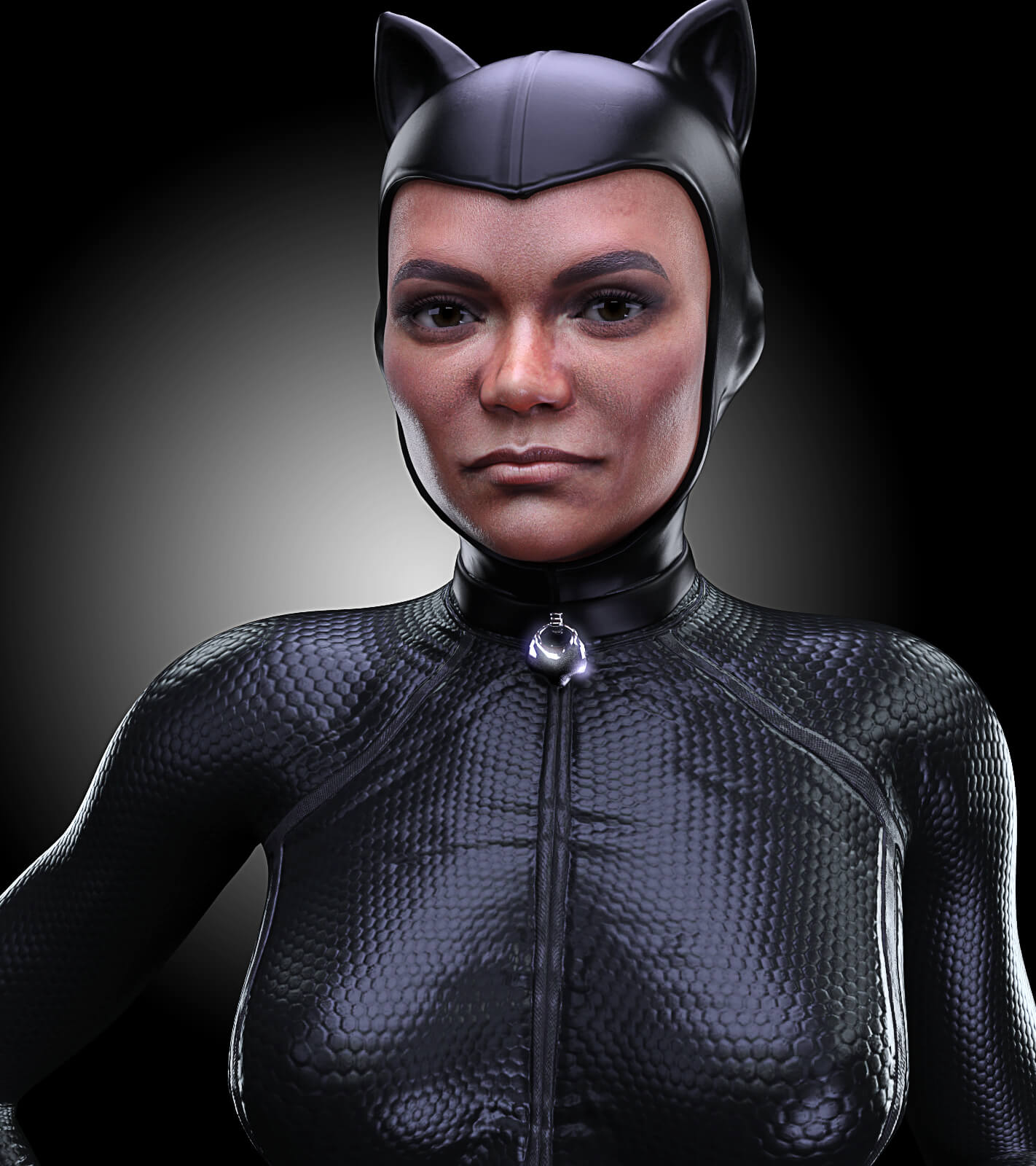
Celebrity Look-a-Likes for 3D figures Part 4RazzleDazzle3D has released Eartha Character Morph at RenderHub - Eartha Kitt
 Render your buys! Use buys from the current month and the previous month of sales
Yes. As always with morphs from before G3 the transfer wasn't very accurate and required a bunch of additional fiddling with dials... but yeah.Linwelly said:How to include custom scales in shape preset?You don't have to save a separate Pose Preset... you may save a Properties Preset with both Shaping and Pose but you need to select the sub-nodes that you've scaled.
Well, the optimal way is to export your customized figure to OBJ file and import back as a Full Head / Body Morph.
Render your buys! Use buys from the current month and the previous month of salesHylas said:
sid said:
His chest hair is magnificent!
I think that's the main reason why I bought him!
you could transfer the morph and the skin?
Genesis 8.1 raises model's arms 90 degrees, causing the model to become misalignedThere's a 'wrong weight' on Left Shoulder Bend - YRotate... As the sweater you made has a loose armhole and a sort of should pad around the collar, you may see, with Left Shoulder Bend - Front-Back -110 degrees, the weight around the armpit is not enough while the weight on the left collar is a bit much. The root reason is that the default weight transferred by TU won't work well on this garment, or did you use some specific projection template when using TU?
You either tweak the weight or directly fix pJCMs. I'm also a MD user. In most of the similar cases, I fix them in Blender or via GoZ because that is fast and with good result. You may also export the 'pose' as a Morph Target to MD and re-simulate the garment, then import back to DS to fix the pJCM.
I ever made a similar top with armhole drop, more or less the same case like the one you have. I fixed 'pJCMShldrFwd_110_L' in Blender as below:
Genesis 8.1 raises model's arms 90 degrees, causing the model to become misalignedI had an issue similar to this where when I used the Transfer Utility to make a jacket fit to Genesis Female 8.1 the jacket and arms were about 45 degrees off from each other. I don't remember how I fixed it but, I had to do something with the Genesis 8.1 character pose, zero out the arms up/down or something like that. When I was applying the premade A-Pose something wasn't right about it. So I made my own pose and zeroed out as much as I could.
Sorry I can't be more useful, don't remember all the details right now but try something like that
How to include custom scales in shape preset?Hi all,
So I have a female shape that I have meticulously crafted, which includes edits to the scale of certain body parts (arms and legs, to make them thinner). I want to save it as a shape preset that can be easily applied to any figure. The problem is that when I save it, the preset does not include these scales. It seems that these are considered part of the "pose" and not the "shape". I know that if I edit the shape via morphs (for example, making the thighs thinner via the "thigh size" morph, rather than doing it manually via the "scale" slider), then this will be included in the shape preset. However, these morphs do not offer enough freedom for me, and I must make further edits using the "scale" sliders. What can I do in this case? Will I simply have to make a separate pose preset and then apply both the pose and shape presets every time? Thanks for any help.
Hexagon Selection type problemwhat was the problem between DS and Hex? Only issue i had was that once in a while couldn't initialize bridge to Hex anymore. My workflow was make a few morphs, bridge and save in DS after each morph. Close Hex. Within same DS session send mesh and subnodes (if any) to Hex again and new Bridge opened. Odd time the bridge gets broke. Close DS. Reload scene and Hex bridge all good again. So am curious what kind of problem I have missed out on? Just in case run into it later.
Could see a mod toasting a Hex thread in commons, if that's how you meant it?
Am sadly not optimistic that Hex will get revamped. Too many 'cool kids' chanting about blender, even though there is zero bridge like Hex, and direction for DAZ seems a bit ___, well in other directions. We'll see.
Anyway, did enought OT'ing. Glad your still Hexing with 32bit!
Daz Studio Iray - Rendering Hardware BenchmarkingAm curious how your new system memory is contributing once scene is in memory? > System Memory: V-Color RDIMM 128GB (4x32) DDR5 @ 6000mt/s
like heavier scene load or morph handling and just general DS responsiveness?
saw the mt/s designation for speed. hadn't looked for new system parts yet, so that was interesting.
think that's twice what I have for speed, same memory size. Envious :)
thought i had a pretty high-end PC. Reading your specs, am not even close. haha. Anyway congrats. You should almost make a video to show how fast that all works!
Karmen 9 HD / Pro BundleSome experiments/test renders.
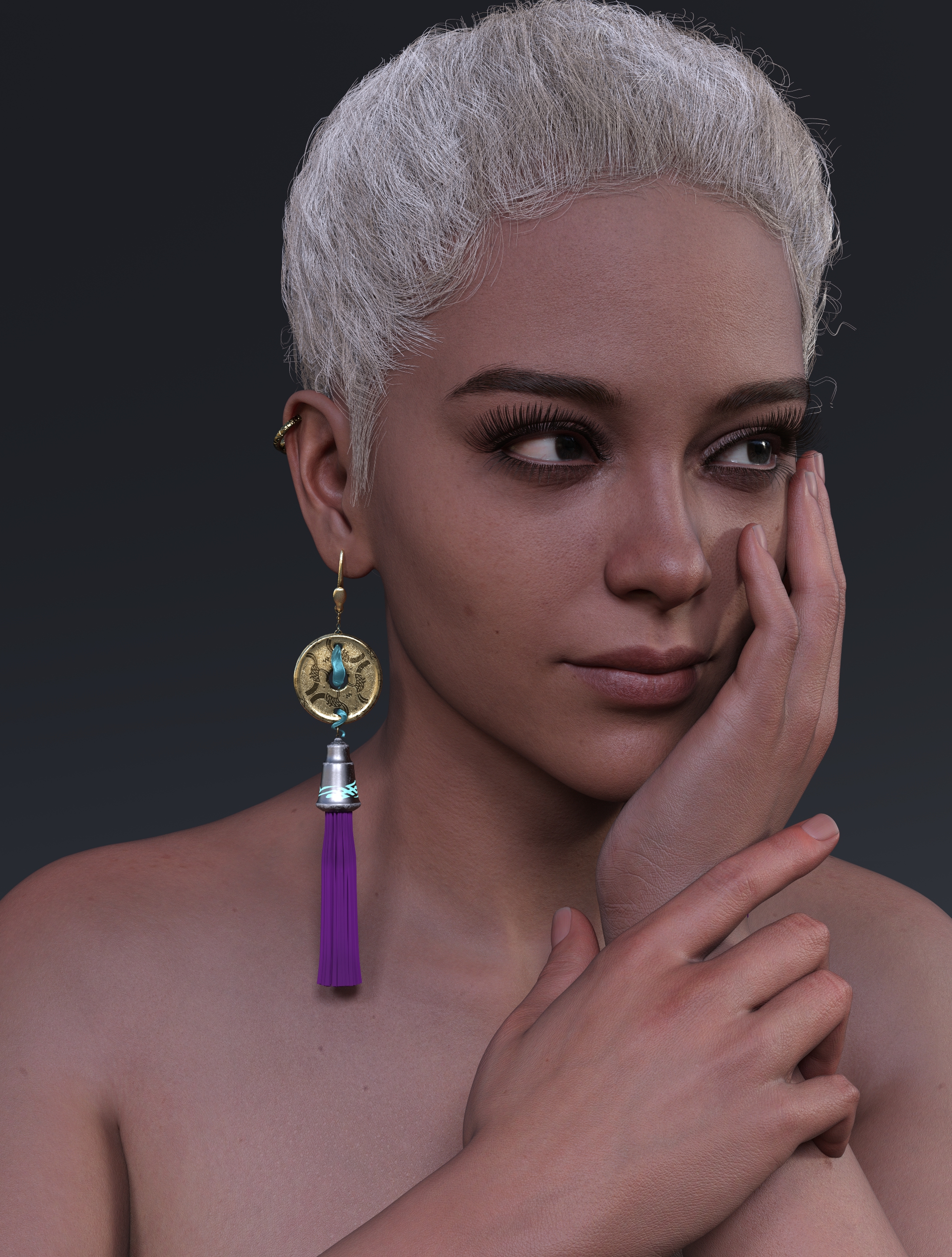
^ Default HD load, swapped out eyebrows (HM Bellah's) and eyelashes (JS Tricia's). I like the twist bun hair a lot, but the scalp is too course for close ups, even with the fine settings selected. The Genesis 9 eyebrows always seem (to me) that they load too low down in the eye socket and I don't know if there is a way to easily tweak that? I'd say her materials are pretty standard quality for a Gen 9 Daz original.
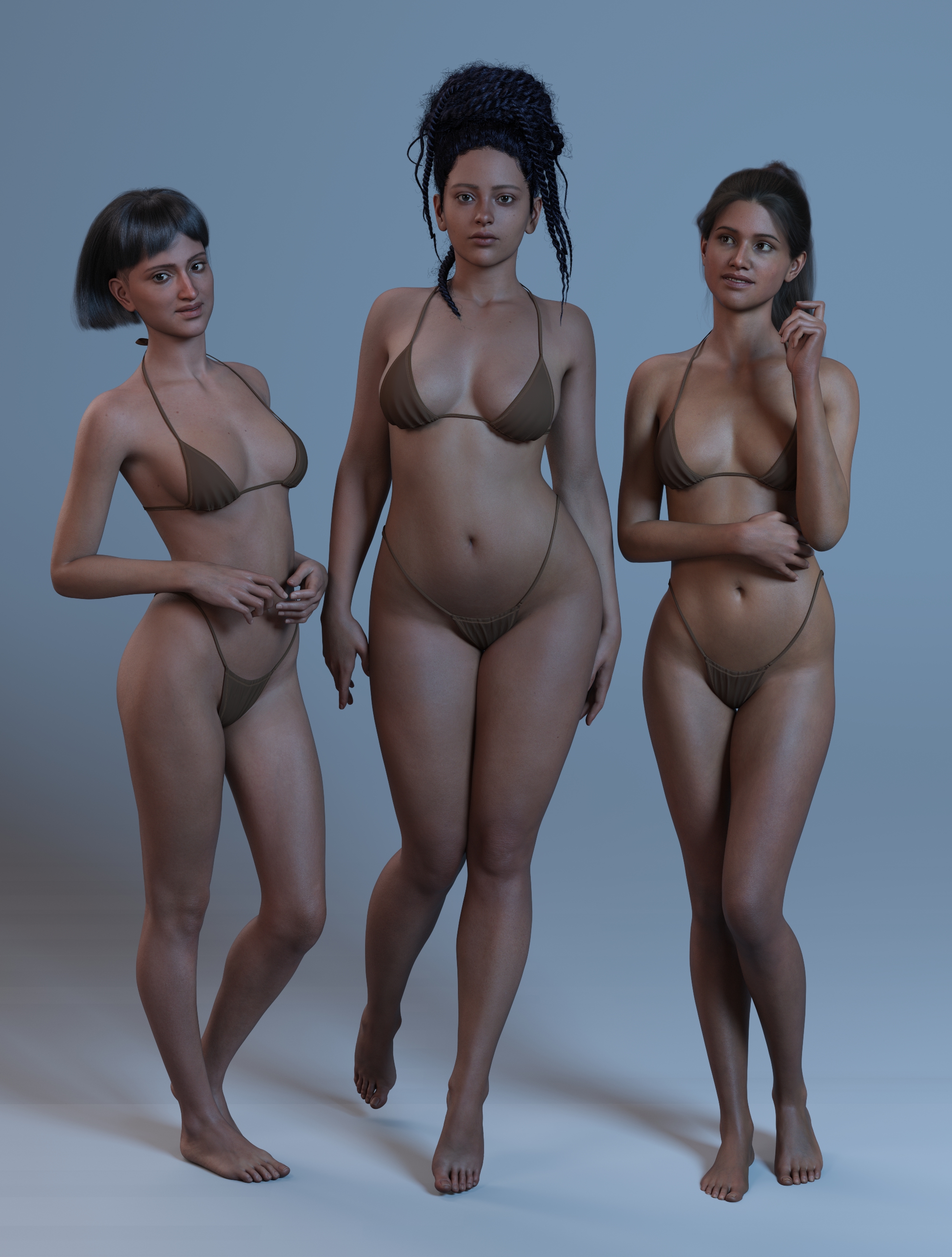
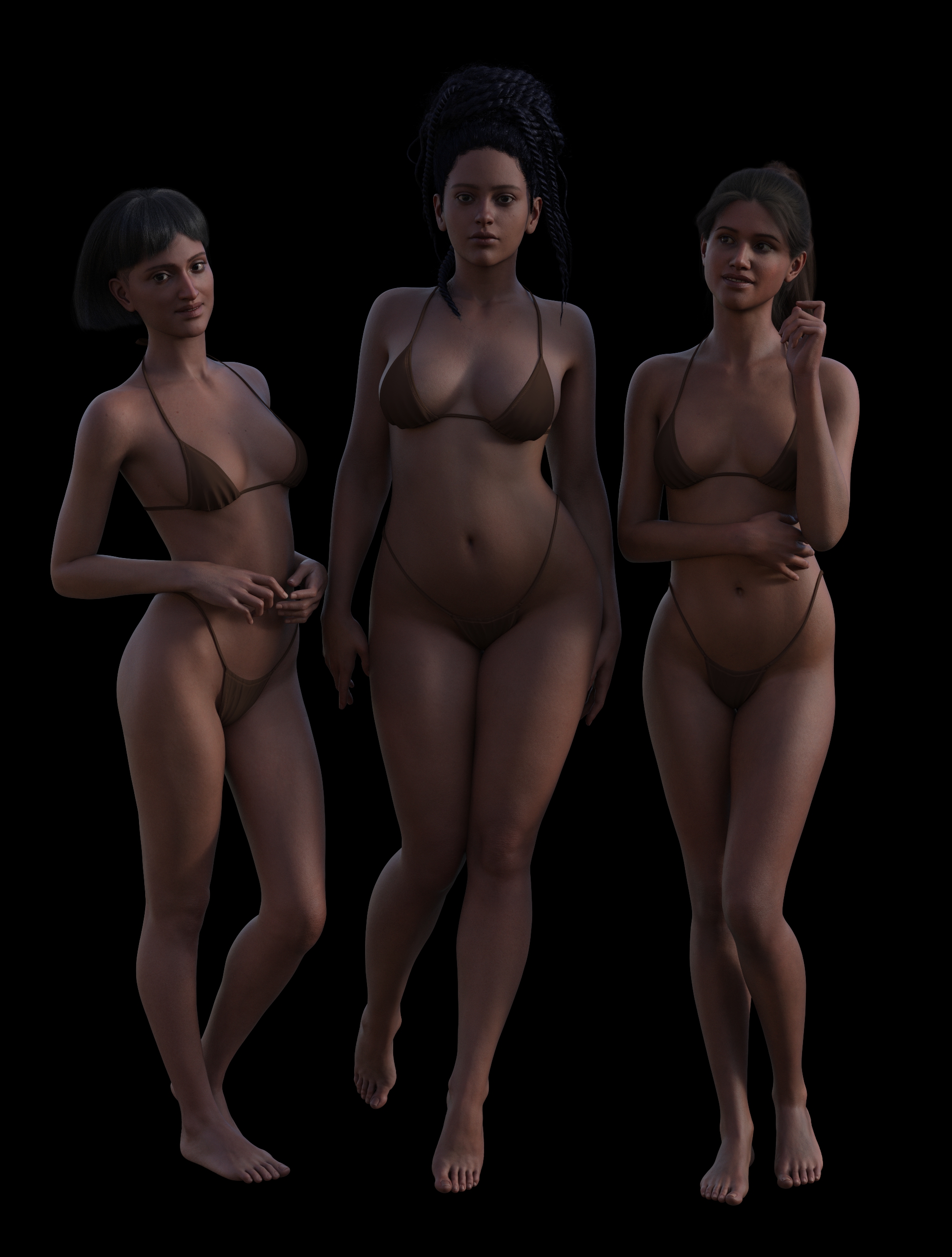
^ How much diversity was I getting with the Karmen HD materials compared to Kala 9 HD and Olivia 9 JD? (Left and right of her here, default loads). Depends on the lighting. I think you could get pretty close with Kala if you have morph kits.
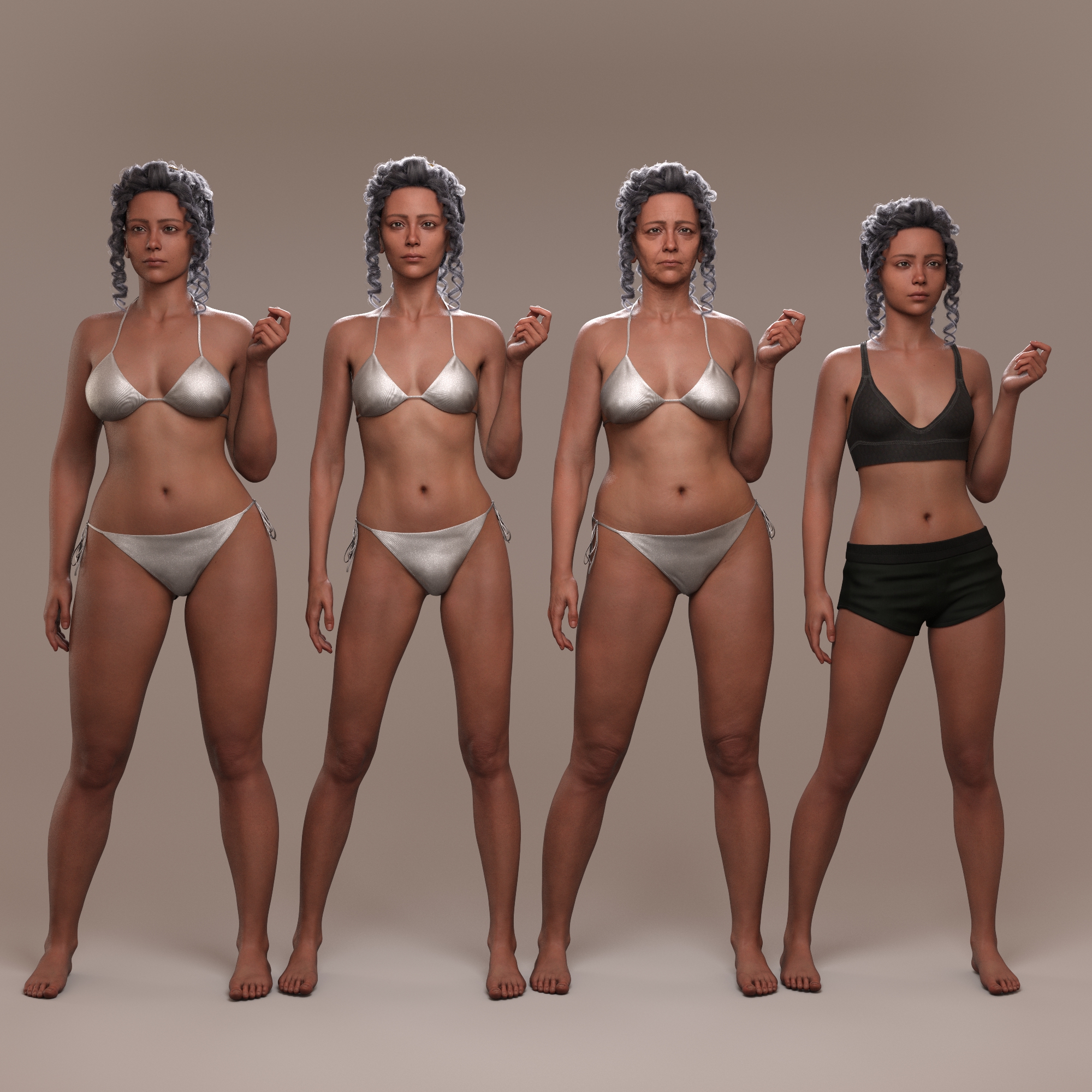
^ Because I had tokens, Daz+ voucher and the door-buster, the Pro Bundle came down to about $33 (still many in AUD!), so I can render her beside thin, old and young versions, but I think the promo images give a pretty good idea of what you’ll get. I stopped this render at 11% because something got stuck on my computer broken, so looks a bit soft.
There is a bug in the current files where thin and young versions are only loading the original Karmen. I've used the dials to produce the versions here, but I notice some of the previous alt versions adjust proportions so these might not be how the creators intended them to load. Still no individual rib definition in the thin version, waaah.
I'd say at this point you're not getting a huge amount of difference in the alt shapes between Pro Bundles. The YA versions seem pretty interchangable to me, and older Karmen has almost the same lower face wrinkles as older Olivia, whose alt shapes you can still buy on their own. (Van Helsing's older version was nice and different compared to the others)
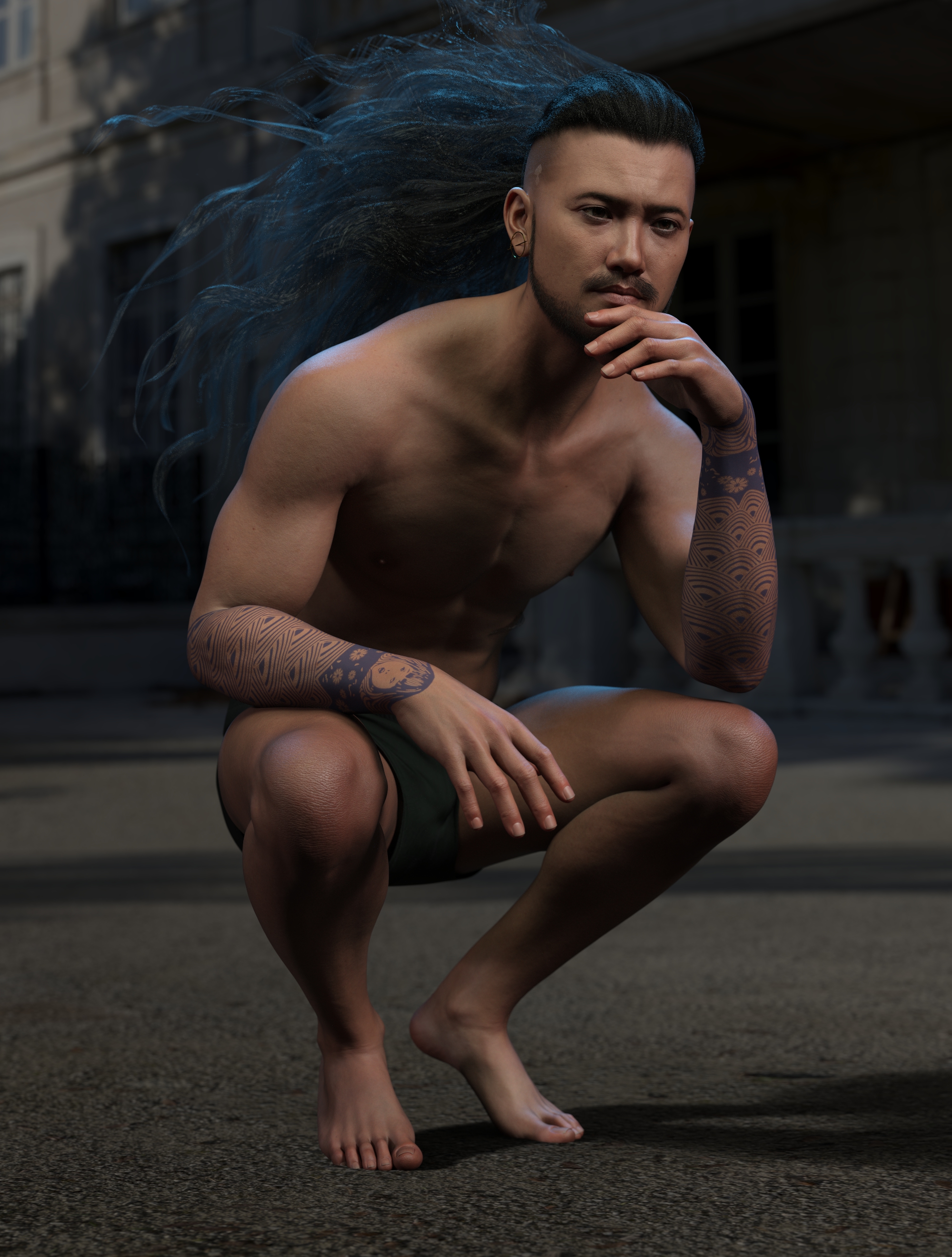
^ Young Karmen's skin materials over a male figure (E3D Aroon and Michael's normals and Julian's eyes). Damn. Son.
Off to the beach for two and half weeks, but if my test romance cover finishes rendering I'll post that before I go.
Edit:
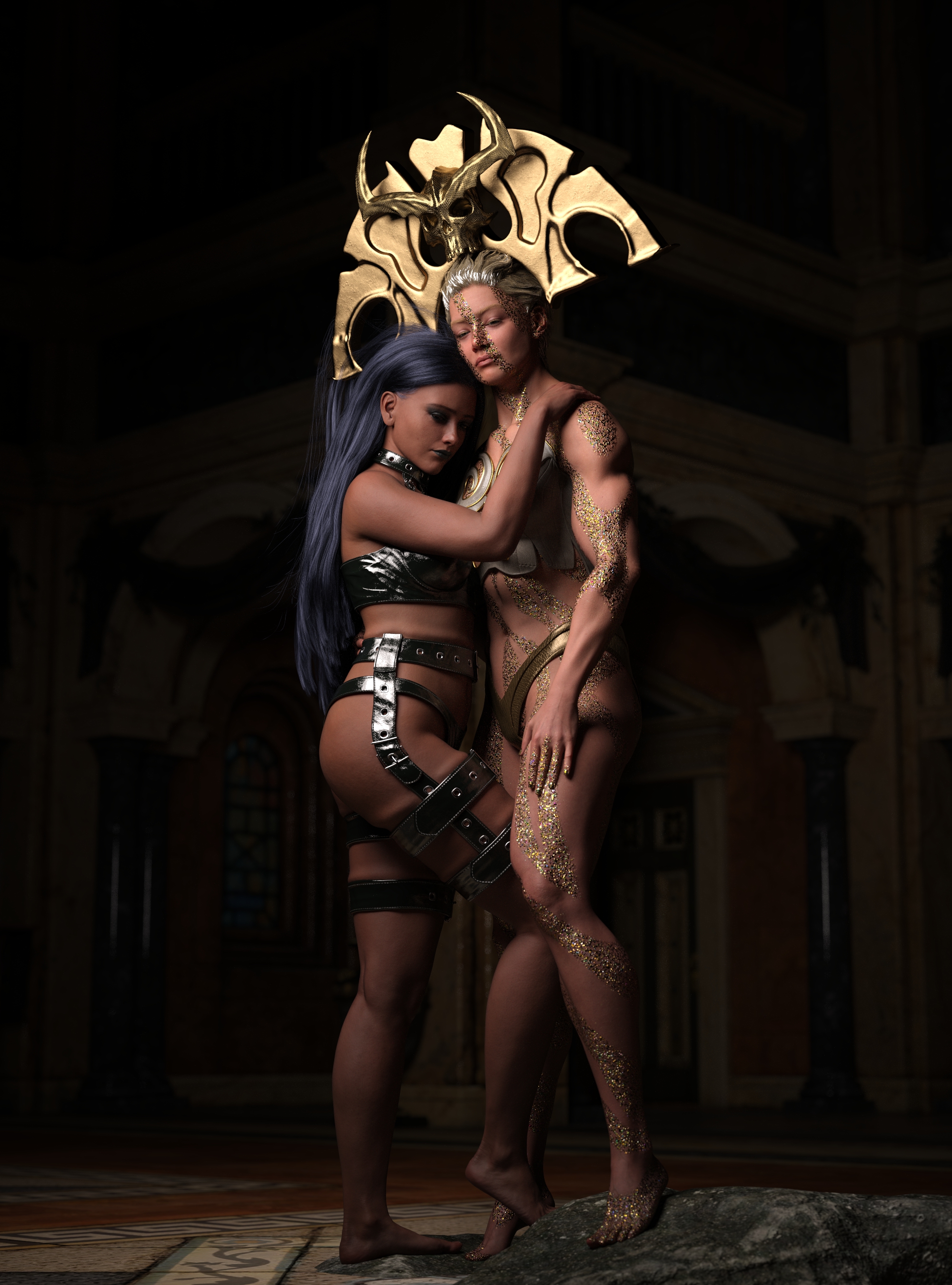
I do like Freja 9 but her arms have always been all kinds of messed up. (The head piece dose not come with gold shaders, borrowed from elsewhere)
Karmen 9 HD / Pro BundleFSMCDesigns said:
Not a fan. Like the skin though, but the face isn't that distinctive enough to add to the gene pool and I don't like the bigger body proportions, not that I use any of the body shapes in any release anyway.
Amusingly, I'm thinking the exact opposite.
Karmen's base skin does not do anything for me; it suffers from "PBRSkin Syndrome" (too matte, too even, worst case makes the figures look like they've been dipped in a vat of chalk or skin-toned paint). It's not as bad as some of the first G8 figures to use PBRSkin, whose surfaces are absolutely unusable, but it's a little bit of a throwback for name-and-number G9s, some of which have managed to have PBRSkin surfaces that actually look good. Anyway, nothing is going to look as good on Karmen as the skin used in the hero image on her store page, where she's doing Dorothy Dandridge (Karmen Jones, anyone?). I will figure out which surface that is and use that.
But her shape ... I like it when the base shape for a character isn't super-skinny, and Karmen actually has hips. Also, she has permanent bags under her eyes, which is a plus for me because it makes her look exhausted and "seen all your ****, don't try it on me, dude"--both of which are things women need to radiate a LOT in my stories. And, for the first time in any of these G9 limited-edition aging morphs, Old Karmen has enough differences in the face to make the morph worth having. (I've bought I think two pro bundles so far that came with the variant morphs, and they've been pretty useless, particularly for Van Helsing, whom I regret having purchased for a number of reasons and will probably never get my money's worth from.)
With the (fairly useless) doorbuster, the Daz+ savings, and my six-dollar coupon for the month, I was able to get Karmen Pro down to $43, which is low enough to be reasonable. I would not have bought it at $65, but--with apologies to the artists, whose work I don't want to devalue--I'm on a real "Daz resources are too damned expensive" kick lately and wouldn't have bought ANYTHING at $65. (We will not discuss its $186 list, which is pure fantasy.)
Is it possible to convert a morph for G8 female into a morph for G8 male?Ok, thank you very much!

crosswind said:
And for wrapping, generically, two key success factors to bring you the best result: keep the floating geometry as close / aligned as much to the target mesh; equal or higher resoluton level on the floating geometry.
Yes, it what I tried to do, I first used the G8 morph to make the G8 character as close as possible to the MH one. I think I will try again after make eyes to be closer: I didn't modified them before to import the G8 character into Blender, and they a quite longer than the MH character's eyes. Who knows, may be it could improve it?
Well, if it doesn't work, I guess I will have to give up the Blender shrikwrap...Thank you very much for your help, anyway!
Reset deformed arm with mesh graber…Dartanbeck said:
On this point, I'd like to add my workflow.
No matter what I do in Mesh Grabber, I always hot the Save button when I'm done, which makes a morph dial of the changes. If I need it gone, just Alt-click it. Saving the Mesh Grabber session doesn't save it anywhere else but in the scene we're working on, unless we save it as an asset or wearable, etc., which is handy because do to what we can do with MG, the dial data can get pretty hefty. But saving them for the scene, that's priceless!
Yea, I almost always do the same.
Problem in scaling armature in blender exportThanks! I'll look that, but I really need IK.
I've been using workaround, where I export another figure from DAZ, without morphs, but with correct dial setings for armature altering morphs. Then I import that chracter to Blender and use it's armature in meshes armature modifier.
It works, but has drawbacks. I can't delete the original unused armature or other dublicate stuff or driver keys disappear from morph list. I don't know what brakes down or is it even possible to fix it.
Daz 3D is part of

Connect
DAZ Productions, Inc.
7533 S Center View Ct #4664
West Jordan, UT 84084Licensing Agreement | Terms of Service | Privacy Policy | EULA
© 2026 Daz Productions Inc. All Rights Reserved.