-
Daz Install Manager (DIM) 1.4.1.87, Now Available! (*UPDATED*)
Whiskeyjack said:
Is anyone else having an issue where you uninstall products through DIM, but they remain installed in Daz Studio? Can't seem to narrow it down to a specific criteria, it just seems to be happening with some products and not others.
That sounds as if the product was also installed through Daz Studio (Daz Connect) - the Daz Central/Install Manager installations are entirely separate from the internal installations, the latter (if present) take precendent. If youi don't intend to install through Daz Studio there is no need for the application to connect to your account at all.
Moving my library and having Daz Central find itCorrect. It sees everything I've moved, but not what I've installed since I moved it.
I am installing it in the same library. I went and checked the last thing I installed, the Mari character. It shoud be installing to H/3d Assets/DAZ 3D/Studio/My DAZ 3D Library/, and it is. It shows up as installed in Daz Central and the Install Manager, but the icon is greyed out in the smart content panel as if it's not installed.
I'm not sure what you're asking with the last question, so that might be my problem.
I attached a screenshot of my settings.
Moving my library and having Daz Central find itIf it is DS that can't see it, it has nothing to do with manifest files (as they are for DIM/Daz Central).
You are saying that DS can see your moved content, but not the newly installed.
Are you installing your new content in the same library as the one you have moved?
If not, try to paste an image of your settings Edit > Preferences > Content > Content Library Manager > Das Studio formats
And how does it look if you try to find your newly installed content in Content Library?
And are the CMS running?
Moving my library and having Daz Central find itHmm. Almost there. Now that I've installed all the back content that I've wanted to, Install Manager and Daz Central are seeing everything I have installed perfectly, but Daz Studio itself isn't seeing anything I've recently installed. It still shows greyed out in smart content. Everything did install to the correct folders on the new drive. Daz studio is pointed to those folders (which is why it can see all the old content). The manifest files all saved to the correct folder as I installed the new items. What little thing am I missing?
Moving my library and having Daz Central find itfelis said:
It is the manifest files that tells DIM what is installed (and where).
So you will need to appoint DIM to these, for it to know what is installed. You can move these to a new location as well if relevant.
If you have moved your installations to a new location, I would suggest you batch edited the manifest files to the new location. Else DIM will look for files, e.g. for an update, in the wrong location.
Thank you!! Done and now Daz Central and Install Manager both see what I have installed properly. Perfect. I appreciate the help!
Moving my library and having Daz Central find itRichard Haseltine said:
Daz Central itself does not support setting individual locations for different file types, just a single base location (that is one of its features, to greatly simplify first-time set up). Install Manager will let you adjust settings individually, and Daz Central will respect those. https://www.daz3d.com/get_install_manager/
So I got install manager installed and set it up to install to where I moved my library, and I think that will work great going forward! Thank you. I still have the problem that neither the install manager, nor Daz Central sees what's already installed though. Daz Studio sees it no problem, which makes sense, but neither of those do. Both install manager and Daz Central just have everything listed as ready to install.
With the new hard drive and the (FINALLY) faster internet connection that I now have, I had planned on going back and installing some things I'd purchased some time ago but hadn't installed because they were too large and I wasn't in a hurry to use them. I have a lot of assets though, so it would be difficult to pick through and know exactly what is installed and what isn't, without being able to see that. Is there a way to do it, or do I need to download everything over again and let it install over the top?
Genesis 3 female.duf not found, but it's thereMost likely the system shows theer to be a Connect install (through Daz Studio itself). Find the cotnainer under Products>G, right-click and select Uninstall, then try loading again (uninstall affects only any installation through DS, it won't tocuh the DIM, Daz Central, or manual installs - though I would make sure you have only one.
Moving my library and having Daz Central find itDaz Central itself does not support setting individual locations for different file types, just a single base location (that is one of its features, to greatly simplify first-time set up). Install Manager will let you adjust settings individually, and Daz Central will respect those. https://www.daz3d.com/get_install_manager/
Moving my library and having Daz Central find itSo I moved my library to another drive and everything is hunky dory in Daz Studio itself, but I cannot make Daz central find it, no matter what I do. It just wants to create a new directory. Is there a way to make daz central see everything that I already have downloaded and install new assets to the correct folder, or do I need to redownload everything over again to have that nice, at a glance, list of what I do and don't have downloaded?
DAZ to Cinema4D Bridge installingHi,
I've been having problems with the DAZ to C4D installation for months. DAZ to C4D is installed (Picture 1) but the script menu does not come into the DAZ window and there is no C4D in the Send To window either.(Picture 2). The plug-in path is set up (images 3+4). I installed DAZ to C4D with DIM, because DAZ Central always crashes after 10 seconds when installing and I get the message Internet line is broken (Image 4) and then I have to restart. I work with Apple Macintosh. The data in the appendix Cinema 4D R26.
I will be very happy if someone helps me. If it doesn't work then I try to switch to Poser, but I don't know if everything works better there.
Thanks very much
reza
DAZ to Cinema4D Bridge installingI don't think Central can install plugins, though I could be wrong about that. In any case, it's definitely recommended to use DIM across the board.
DAZ to Cinema4D Bridge installingHello,
I have a problem with the installation of DAZ to Cinema4D R26. That doesn't work at all in DAZ Central. The wheel spins for minutes and then I have to restart. I think I can do that automatically or manually in the DIM, but I don't know how to do it. This is a qualitative gain for me if I learn this. I work a lot with Cinema4D. I will be very happy if someone writes me exactly what I can install DAZ to C4D Bridge. I use Apple Macintosh (attached).
Thanks very much
Gh. Reza
How did One Drive get all of my Daz product thumbnails?SofaCitizen said:
That is a feature of Daz Connect. If you allow Daz Studio to connect to your account then it will download those everytime you start it. By default Daz Connect has it's base folder under your Documents folder and so One Drive will include all that.
If you don't purposefully use Daz Connect as your preferred install method then you should logout of your account within Daz Studio and keep that as working offline. Technically you can then remove the thumbnails from Daz Connect's cloud folder - although I think that it does update the path in the database and so you might have to re-import the metadata to put them back to the DIM/Central locations.
It isn't a feature of Connect, it's a "feature" of OneDrive that will affect anything placed in the Documents folder.
How did One Drive get all of my Daz product thumbnails?That is a feature of Daz Connect. If you allow Daz Studio to connect to your account then it will download those everytime you start it. By default Daz Connect has it's base folder under your Documents folder and so One Drive will include all that.
If you don't purposefully use Daz Connect as your preferred install method then you should logout of your account within Daz Studio and keep that as working offline. Technically you can then remove the thumbnails from Daz Connect's cloud folder - although I think that it does update the path in the database and so you might have to re-import the metadata to put them back to the DIM/Central locations.
Skeleton for G8 like M4?The skeleton must be fit to M4. Load them both. Right-click on the Skeleton and select "Fit 'm4 skeleton ds' To..". The ensuing dialog will have a drop down list where you can select 'michael 4". This will conform the skeleton to M4 and will follow poses. Then run the pose on the skeleton to align it with M4's mesh.
The scroll in the corner says that there is a Poser file and a DAZ Studio file in the same folder. This was an old accomodation to use Poser content in Studio with one click. There could still be other files for Studio only in the xxxStudioCF file, usually material settings.
From the looks of it, Michael 4 Base was not properly installed. There should be a product called "Michael 4 Base" with all sorts of expressions, morphs and poses, and "Michel 4 Base StudioCF" with simple materials. The Power Loader doesn't show as a product, but it is needed to allow you to configure which morphs are loaded (for other characters like Hiro4, Freak 4 and other morph packs). The fact that you get the scroll means all the files are there, but not quite properly configured.
The "Actor" tag comes from the metadata, which also indicates that files were not properly installed. Which method are you using? I believe you need to use DIM or Central to properly install and configure the Generation 4 characters.
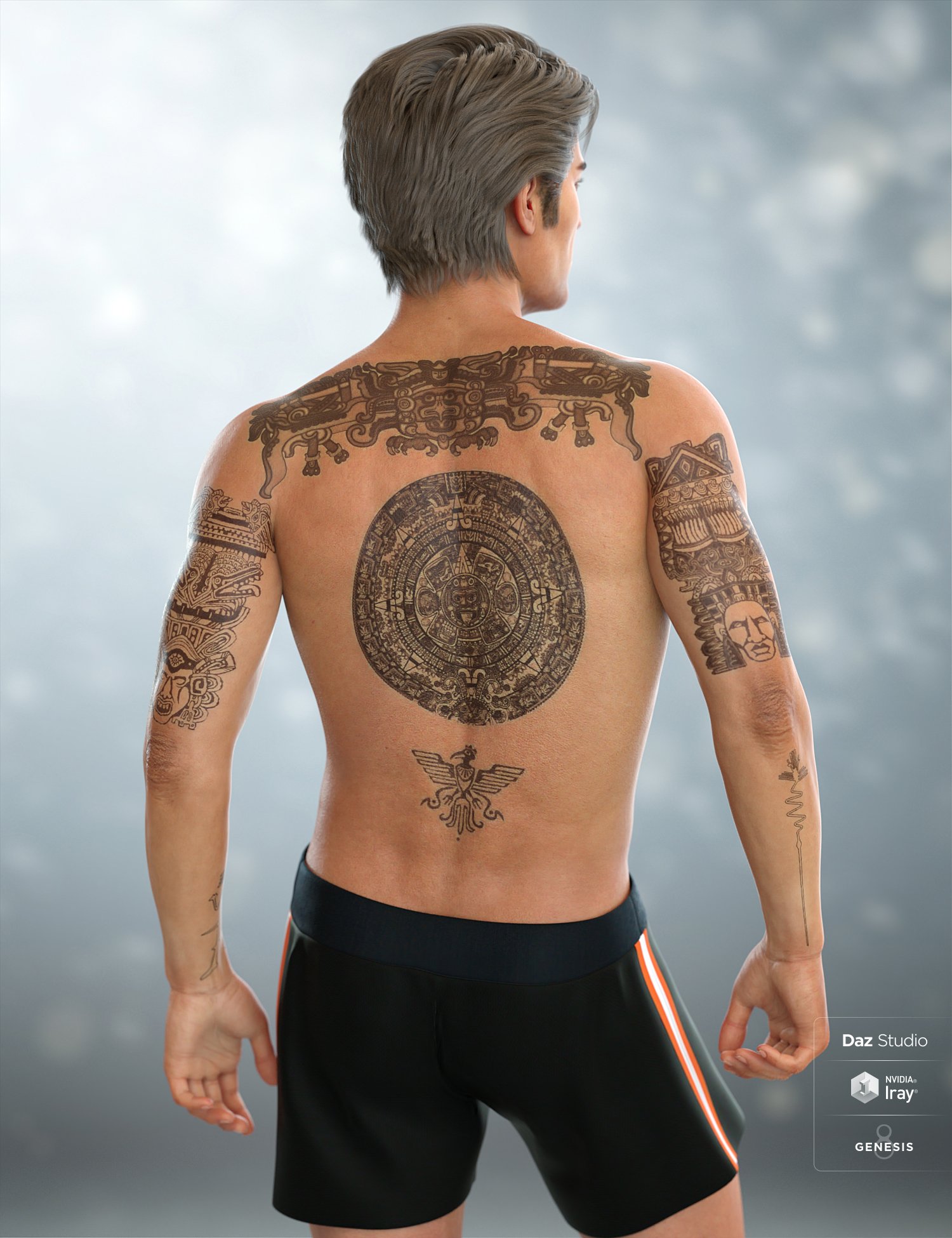
Mexican/Spanish inspired style tattoos?Diego 8 comes with Central/South American tattoos.
 can't install Daz Studio
Using Daz Central? That installs several packages, it's probably one of the dd-ons that it is stalling on. You might try using Install Manager instead https://www.daz3d.com/get_install_manager/
beginner's problems287ego - if you export and then import an OBJ file, you usually do not have to smooth it. If you export then import as 3DS file, you might need to smooth it. The problem you describe I have never experienced (exported from Hexagon, Wings3D, Daz Studio, MeshLab, ...) so I cannot help here.
As NGartplay mentioned, you can re-download Bryce and the additional assets from your account. Have a look at the PDF you find on my website here: Bryce & 3D CG Documents > Mine > Diverse > Bryce Content FAQ that tells you where stuff belongs. I recommend that you copy all libraries to a save place, because if you add new assets (purchased, free or self made) they will be lost when you install Bryce anew. If you have a backup of those libraries, you can copy them back.
Note that Bryce can be installed anywhere on your computer, even on a network drive or an USB stick. Never use DIM or Daz Central for anything Bryce.
If you have questions about Bryce, ask, we are all here to help you.
Daz studio genesis components are already in the computerI suspect the issue is that you "deleted all of the files" rather than uninstalling, which would leave the manifest that tells Daz Central or Install manager what they have installed in situ. If that is what is happening then try using the proper uninstall option, which will clear the product from the list of installed items even if the content files have been removed already.
Can´t login to DAZ StudioDo you need to? The only reason to log in with Daz Studio is to install content through Daz Studio - if you use Daz Central for content instalaltion then that isn't needed.
If the credentials work in one application but not the other that does sound most like a firewall issue - what security software do you use?
Daz 3D is part of

Connect
DAZ Productions, Inc.
7533 S Center View Ct #4664
West Jordan, UT 84084Licensing Agreement | Terms of Service | Privacy Policy | EULA
© 2026 Daz Productions Inc. All Rights Reserved.