-
SOLVED - Carrara Not Loading getting MCX errors
Diomede, now I have your same problem. Strangely enough, I did not until yesterday. While nothing has changed in my Windows 10, 64-bit, as far as I know, I suspect the problem could be some hidden update of the operating system....
Anyway @3deedlin was right in posting the Fenric tips: nothing of the suggested points above worked for me (I tried them*), but the offending item is in fact Fenric's ERC plugin (in my case, at least).
So, the temporary solution, in case you do not need it, is to remove ERC modifier from Carrara's extension folder. Carrara will start again.* For a moment, installing the Visual C++ runtimes 2013 seemed to fix the problem, but after 4-5 launches Carrara started crashing again like before.
It seems like the operating system has some issues with the Visual C++ runtimes or something like that. I hope the next Windows update will fix this.Freebie Challenge May 2025 - "To Be Beautiful" - Main Thread
Mirror, mirror on the wall! Makeup and skincare and haircuts and fragrance. Cutting edge fashion and expensive jewellery. Weight lifting at the gym and clay masks at the spa. Trends and treatments and pageants, wellness and diets and cleanses, botox and fillers and cosmetic surgeries. How much effort we make, how much money we spend just to be beautiful! Or is it what's on the inside that counts? What can we do to be beautiful within? What is beauty, anyway? Is it in the eye of the beholder? What was the fable of the ugly duckling again, and what does the peacock have to say to that? The theme for May is "To Be Beautiful", and it's all about being (or not being) beautiful, within and without!
The use of image generating AI technology (midjourney, stable diffusion, DAZ AI Studio, etc.) is not allowed. The use of items (freebies or paid) that have been created with such technology is also not allowed. We realise it's not always easy to tell; let's all use our best judgement, and you can always ask the person hosting the contest if you're not sure.
The Rules For This Months Freebie Challenge are:
1. A minimum of (5) Freebies must be included in your image along with Links to the freebies you have used. For an item to be considered free it must be offered as a freebie for the whole month. The exception to this rule is all Daz Bi-Weekly Freebies will be allowed throughout the entire month in which they are free as well as the month following their release as a freebie (For a total of 2 months). Also, if a freebie is broken down into multiple downloads/links/parts (IE like if the freebie is broken down into 3 zips etc...)it only counts as 1 freebie, not 3.
2. There will be a Maximum of 5 purchased items.
3. Base figures (All Gen 2,3,4, and Genesis 1,2,3,8 and 9) as well as their general morphs packs (Morphs++ and similar) do not count as a purchased item or a freebie and may be used as needed
4.Your Rendered Picture must be a new render and postwork is allowed but you MUST include a before and after Postwork versions of your entry in the Entry Thread.
5. All DAZ 3D Programs are allowed (IE Bryce, Carrara, Daz Studio and Hexagon) plus Poser for the contest.
6. All entries are subject to the Daz3D TOS Found Here: Terms Of Service
7. You may enter a Maximum of 4 Entries per month.8. You may edit your entry as much as you like in the main thread but once it is posted to the "Entries Thread" it may not be further modified. Also, if you edit or add things, be sure you update any links or freebie changes you make.
9. The use of image generating AI technology (midjourney, stable diffusion, etc.) is not allowed. The use of items (freebies or paid) that have been created with such technology is also not allowed. We realise it's not always easy to tell; let's all use our best judgement, and you can always ask the person hosting the contest if you're not sure.This Freebie Challenge will end May 31th, 2025 @ 23:59 Daz time.
*Please Note: Please allow 7 days from the Announcement of the Winners to receive your prize*
If you have not recived your prize, or have any questions, please contact Hylas in a PM here on the forums.Post your images and freebie links here for link verification. Once the links are verified, you can post your image and links in Entries Thread for judging.
First Place: $15 store credit from KindredArts
Second Place: $10 store credit from KindredArts
Third Place: $5 store credit from KindredArtsPast Freebie Contests (the links to previous years can still be found in last years challenges):
January 2022 - Around and around and around...
February 2022 - Mysteries of the heart
March 2022- Luck Of The Draw
April 2022 - New Beginnings
May 2022 - Cozy Corner
June/July 2022 - The Secret Life Of...
August 2022- Sniff, sniff... what's that smell?
September 2022-Cars Cars and More Cars
October 2022 - Horror Movies
November 2022 - Thieves, Robbers, and Fraudsters all around!
December 2022 - The Night is Darkest...
January 2023 Speed Demons and Slowpokes
February 2023- I See Red
March / April 2023 Magical
May 2023 - Sweet Music
June/July 2023 Holes, Gaps, Caves, Tunnels
August 2023 Fabulous Pink
September 2023 Gardening
October 2023 Hallowed Night
November 2023 Wobble, jiggle, sway, and shake
December 2023 / January 2024 Driving Home For...
February 2024 The Glow Up
March 2024 Power Source
April/Mai 2024 Soft as Plush, Smooth as Silk
June 2024 An Octopus' Garden
July/August 2024 Take A Break
September 2024 Fake Smiles and Real Joy
October 2024 "Monster Mash '24!"
November 2024 - Dreams
December 2024 - A Curious Christmas
January 2025 - Thank you, Saphirewild!
February 2025 - My Hallowed Valentine
March 2025 - Pride, Prejudice and other Shenanigans
April 2025 - The Little Ball of Calm
Freebie Challenge May 2025 - "To Be Beautiful" - Entries ThreadMirror, mirror on the wall! Makeup and skincare and haircuts and fragrance. Cutting edge fashion and expensive jewellery. Weight lifting at the gym and clay masks at the spa. Trends and treatments and pageants, wellness and diets and cleanses, botox and fillers and cosmetic surgeries. How much effort we make, how much money we spend just to be beautiful! Or is it what's on the inside that counts? What can we do to be beautiful within? What is beauty, anyway? Is it in the eye of the beholder? What was the fable of the ugly duckling again, and what does the peacock have to say to that? The theme for May is "To Be Beautiful", and it's all about being (or not being) beautiful, within and without!
The use of image generating AI technology (midjourney, stable diffusion, DAZ AI Studio, etc.) is not allowed. The use of items (freebies or paid) that have been created with such technology is also not allowed. We realise it's not always easy to tell; let's all use our best judgement, and you can always ask the person hosting the contest if you're not sure.
The Rules For This Months Freebie Challenge are:
1. A minimum of (5) Freebies must be included in your image along with Links to the freebies you have used. For an item to be considered free it must be offered as a freebie for the whole month. The exception to this rule is all Daz Bi-Weekly Freebies will be allowed throughout the entire month in which they are free as well as the month following their release as a freebie (For a total of 2 months). Also, if a freebie is broken down into multiple downloads/links/parts (IE like if the freebie is broken down into 3 zips etc...)it only counts as 1 freebie, not 3.
2. There will be a Maximum of 5 purchased items.
3. Base figures (All Gen 2,3,4, and Genesis 1,2,3) as well as their general morphs packs (Morphs++ and similar) do not count as a purchased item or a freebie and may be used as needed
4.Your Rendered Picture must be a new render and postwork is allowed but you MUST include a before and after Postwork versions of your entry in the Entry Thread.
5. All DAZ 3D Programs are allowed (IE Bryce, Carrara, Daz Studio and Hexagon) plus Poser for the contest.
6. All entries are subject to the Daz3D TOS Found Here: Terms Of Service
7. You may enter a Maximum of 4 Entries per month.
8. You may edit your entry as much as you like in the main thread but once it is posted to the "Entries Thread" it may not be further modified. Also, if you edit or add things, be sure you update any links or freebie changes you make.9. The use of image generating AI technology (midjourney, stable diffusion, etc.) is not allowed. The use of items (freebies or paid) that have been created with such technology is also not allowed. We realise it's not always easy to tell; let's all use our best judgement, and you can always ask the person hosting the contest if you're not sure.
This Freebie Challenge will end May 31th, 2025 @ 23:59 Daz time.
*Please Note: Please allow 7 days from the Announcement of the Winners to recive your prize*
If you have not recived your prize, or have any questions, please contact Hylas in a PM here on the forumsPost your images and freebie links here for judging after verification. For the verification you can post your image and links in Main Thread.
First Place: $15 store credit from KindredArts
Second Place: $10 store credit from KindredArts
Third Place: $5 store credit from KindredArtsAny other donations for prizes will be gratefully accepted. Please send a PM to Hylas
Comic - "Adventures of Creech"My hat is off to you for helping develop Creech.
Here is one of the (poor) renders I made. It may be in Carrara or Poser - I'm not sure. In other work with him, I tried animating and found him to be a good figure to pose.
The "Animators Assemble!" thread for Daz animation WIPs, clips, and tipswolf359 said:
Imago said:
wolf359 said:
Mimic is officially dead

Just keep a backup of any DAZ Studio 4 32bit version and you will be OK.
I hope they will make a new version of it in the 6 version.
I am mostly doing 2D animation these days
But I still have the old Mimic3 pro studio on
one of my old laptops.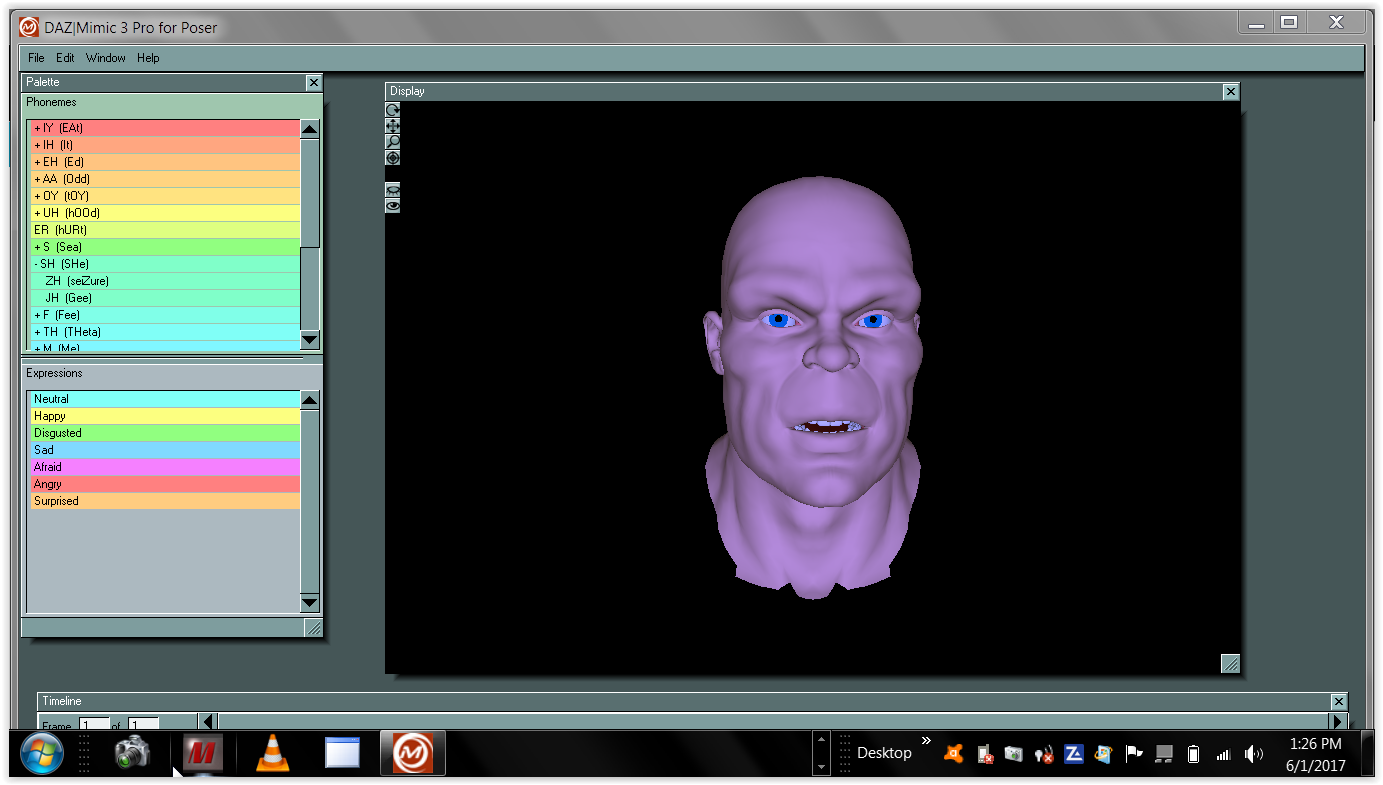
I'd be glad to pay a couple of hundred books to have it built into a 64-bit version of DAZ Studio. I still haven't seen anything as good for what it does.
The 32 bit mimic software was licensed from another
long dead company with no license provision to recompile it for 64 bit according to a Daz forum mod.
so unless Daz creates a new 64 bit audio based lipsinc feature themselves
you will have to continue to use the old 32 bit under DS 4.X
or wait for some third party Like Dobit ( Anilip 3)
to create some new option compatible with DS 2025Thanks for the extra info, much appreciated. I am -- as always, these days -- mildy confused; I assumed it was DAZ who used the code to make the Carrara and Lightwave 64-bit plug-ins, but those were from the same era of Mimic itself so it may have been the owner, but they also made the 64-bit Mimic Live years later.
It's more than a little frustrating that they *didn't* license it for 64-bit DAZ Studio when the chance was available, but such is life.
Thanks again, for all your help and info.
The dForce Hair Threadanyway my Carrara tangent not really topical to this thread, was just musing about what could have been
I can grow style and simulate my own hair in Carrara and do, on everything
clothing, body, head, other objects like cars

cannot type without typos though
The dForce Hair ThreadSquishy said:
If you export the hair from D|S as OBJ format (make sure you have "Write Polylines" checked) and then import it into Carrara what do you get? Anything?
e: these are my export options I use to go to Cinema (i.e., these get splines out of D|S hair and into Cinema)
busy rendering so cannot look but Carrara can actually load the duf files which are polylines (with weightmapping if rigged)
and yes can import obj too as strips, triangular tubes or just polylines depending on settings
the latter not much use though as I said, the former way too big to be useful
this is not something someone who is not familiar with the Carrara SDK can likely help with and that includes me
I know absolutely nothing about coding either except Carrara apparently uses C++ and according to Philemo much is not revealed in the SDK including how it's hair works but DAZ added it so they would know
but
again no longer in development
The dForce Hair ThreadIf you export the hair from D|S as OBJ format (make sure you have "Write Polylines" checked) and then import it into Carrara what do you get? Anything?
e: these are my export options I use to go to Cinema (i.e., these get splines out of D|S hair and into Cinema)
 The dForce Hair Thread
Squishy said:
WendyLuvsCatz said:
it is visible in Carrara's vertex room but has 0 vertices
it has points and lines
so as far as Carrara is concerned it is not geometry and I cannot render it there even though it imports rigged even
I have tried many options which is a shame as something is there
it honestly would probably not take much to enable Carrara to see it as hair but beyond my scope
if you can get it into another app as splines, then you can sweep those splines and make polys that can be rendered. this will probably be super heavy to work with because as I said, this will triple or quadruple the vertex count (the sweep polys if you use triangle or square - more if you use something smoother) and you can work with materials to get something in the ballpark.
I have exported them as mesh and yes are horrendous
but
Carrara hair it'self is a type of spline just not user facing
Philemo, one of our third party developers made a plugin to convert those hairs to strips or tubes
so as I said, I suspect Carrara is capable of rendering it if it could be made to see it as hair
sadly Philemo hasn't been heard from for 3+ years now
BTW Poser hair too is a type of Spline and there is a hair converter for that too
The dForce Hair ThreadWendyLuvsCatz said:
it is visible in Carrara's vertex room but has 0 vertices
it has points and lines
so as far as Carrara is concerned it is not geometry and I cannot render it there even though it imports rigged even
I have tried many options which is a shame as something is there
it honestly would probably not take much to enable Carrara to see it as hair but beyond my scope
if you can get it into another app as splines, then you can sweep those splines and make polys that can be rendered. this will probably be super heavy to work with because as I said, this will triple or quadruple the vertex count (the sweep polys if you use triangle or square - more if you use something smoother) and you can work with materials to get something in the ballpark.
The dForce Hair Threadit is visible in Carrara's vertex room but has 0 vertices
it has points and lines
so as far as Carrara is concerned it is not geometry and I cannot render it there even though it imports rigged even
I have tried many options which is a shame as something is there
it honestly would probably not take much to enable Carrara to see it as hair but beyond my scope
Is the Lux render still availableKhoe said:
Is the Lux render still available for download somewhere? I can only find the plugin for Carrara
What are you trying to find?
There are 2 luxrender plugins:-
The first one "Luxus" was sold in the store. It requires luxrender standalone (1.6). link on post 2 ( https://wiki.luxcorerender.org/Previous_Version )
The second, was "luxuscore" it does not need luxrender ( the plugin is self contained, it includes luxrender). Link for download (beta version) is available on thread linked to on last post.
Help DAZ Studio doesn't show on my programs list. SolvedDIM is the only DAZ program that shows up in the Start menu
Carrara, Hexagon and DAZ Studio 4.23 and 2025 are not there.
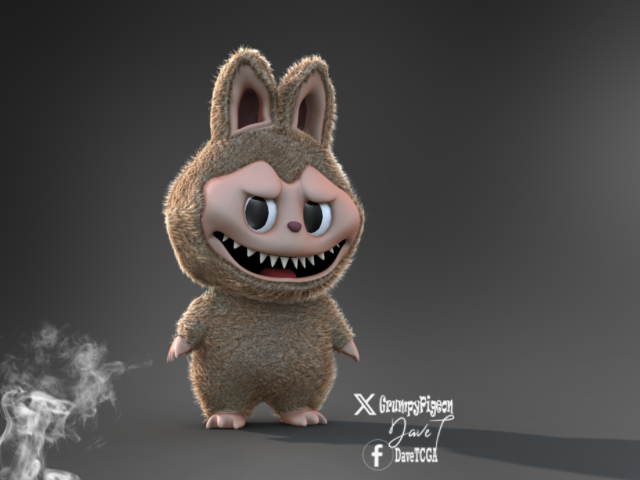
more....Wacky Modelling ~ In Carrara ~Today I modelled a weird looking thing that is popular in some countries around the world. I came across it yesterday ( I think you have to be 16 and younger and female to know about it! )

Carrara hair and boned and morphed... from the cube
 The dForce Hair Thread
the funny thing is, I actually have converted Carrara hairs exported as mesh to curves that can use the iray omniHair shader
only issue is they can only be static props, so I can actually make those nondforce noneditable strandbased hairs
https://www.daz3d.com/forums/discussion/comment/8833171/#Comment_8833171
The dForce Hair Threadto rub it in to us who do animations that the only ones who can apply Dforce to Strandbased products can choose not to do so perhaps?

Carrara and Poser were 10 years ahead of DAZ in hair simulation technology and when DAZ finally implimented it in their flagship program they did so to laugh in our faces.
That is how I feel and you cannot tell me otherwise,
Hair in my product Library filter brings up 19 pages which is a thousand hairs by filter alone so it's not as if I don't buy hairs
I actually would use it for things other than hairs if I could like I do in Carrara
hell if they didn't stop developing Carrara I wouldn't even care about their Dforce hair
Comic - "Adventures of Creech"Having used Creech in Poser and in Carrara a few times, I appreciate the work you're showing here and am enjoying the irreverent persona you've given him.
This isn't a carefully thought-out art critique but for what it's worth I find nothing glaringly wrong or jarring in the visuals - so they are well-done. That isn't meant to be faint praise - they take their place, to me, as a background while the dialogue is at the fore. The dialogue is straight to where my eyes go to with each frame/page.
(I don't speak as someone who has done such nice work). Hope there is more to come.
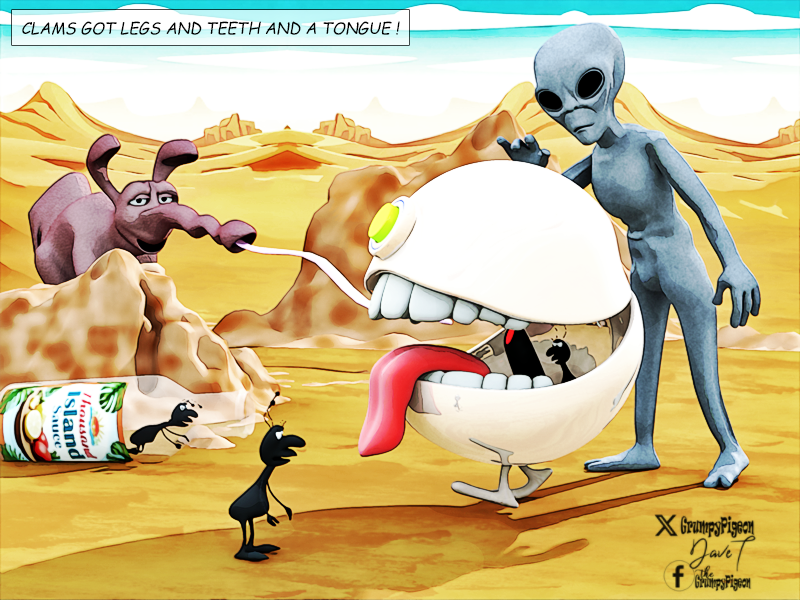
The Little Ball Of Calm - Entries Threadcalms, clams, carrara.... what the!

 Is the Lux render still available
Is the Lux render still available for download somewhere? I can only find the plugin for Carrara
Easy Multiple Light ControlMediac needs this thread
you accidently posted in the Carrara forum which is a different software to DAZ Studio
https://www.daz3d.com/forums/discussion/728111/daz-studio-2025-alpha-version-6-25-2025-11206#latest
Daz 3D is part of

Connect
DAZ Productions, Inc.
7533 S Center View Ct #4664
West Jordan, UT 84084Licensing Agreement | Terms of Service | Privacy Policy | EULA
© 2026 Daz Productions Inc. All Rights Reserved.