-
The 'Eat Your Food and Like It' Complaint Thread
Complaint I need a new phone to replace my iphone se. Monday night, I called TMobile to see what can be done. It was suggested that I put in a claim for the phone with the monthly insurance thing I might have been using.
Complaint that got canceled some time ago. I suggested that we put the insurance thing back on. I was told I had to go in person to get it looked at. I could not go yesterday due to ride issues. Can´t schedule rides after4-40 pm or something like that. I did schedule rides for today. I slept in so I did not have breakfast. But at least I brought some fruit gummies. I got to the tmobile store and forgot the gummies in the taxi. I went back to the taxi got the gummies and a big bottle of water. Then I went back into the tmobile store.
I finally saw someone. I also needed to set up a payment arangement. I got the insurance back on the phone and was asked to come back next week. I also asked the agent to set up a payment arangement for me.
I got home and messed up somehow cooking something to eat. I might have to go back to the kitchen and cook something else.
Yesterday, I tried out Face Transfer. It gave the character an interesting tattoo on the forehead.
Lip Sync, Viseme (Diffeomorphic imported characters).NVM I found I can morph to shapekey in the setup tab, and select the Visemes. Then I can map them to more or less the correct values.
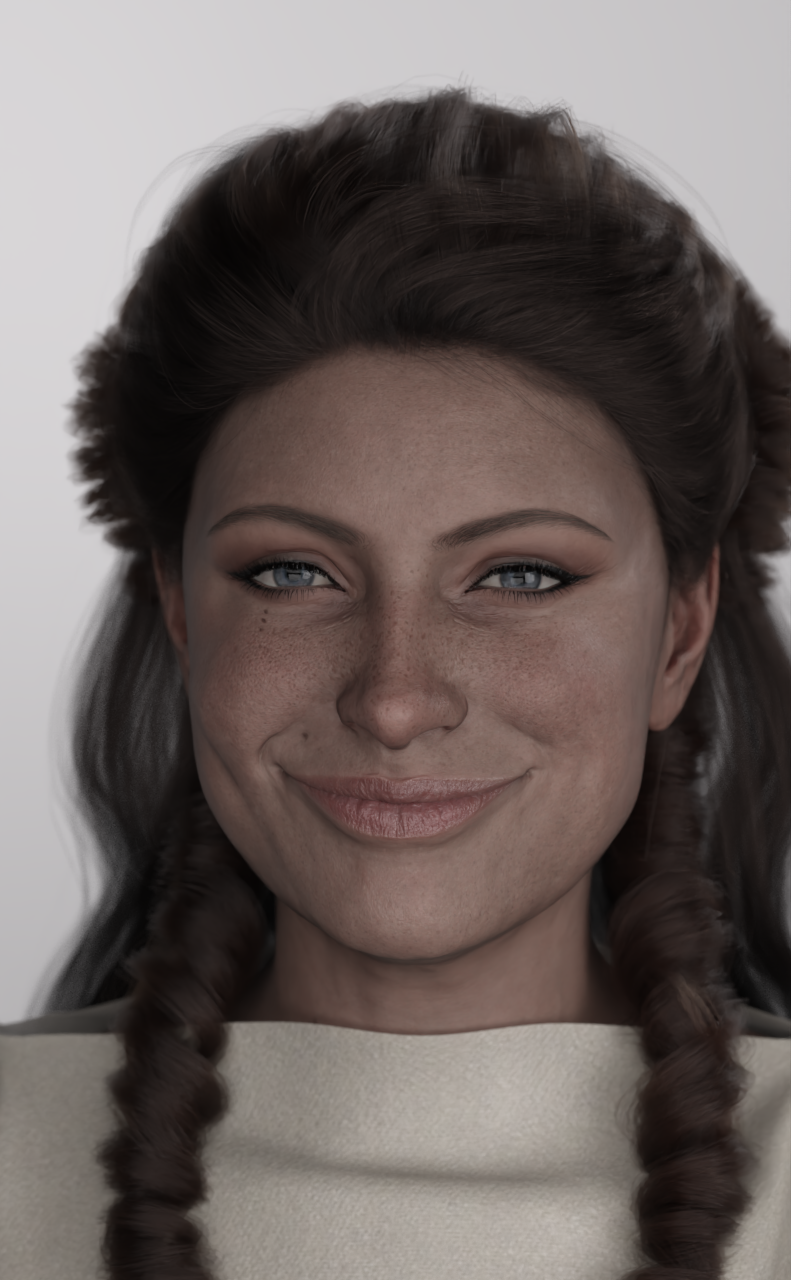
Smiles, Everyone, Smiles!Here are a couple of shots of my non-dimpled character, the first with the Unique Smiles 10 morph at 50% and the second with it at 100%. You decide whether the dimples are there or not!
PFA Unique Smiles HD 10 @ 50%
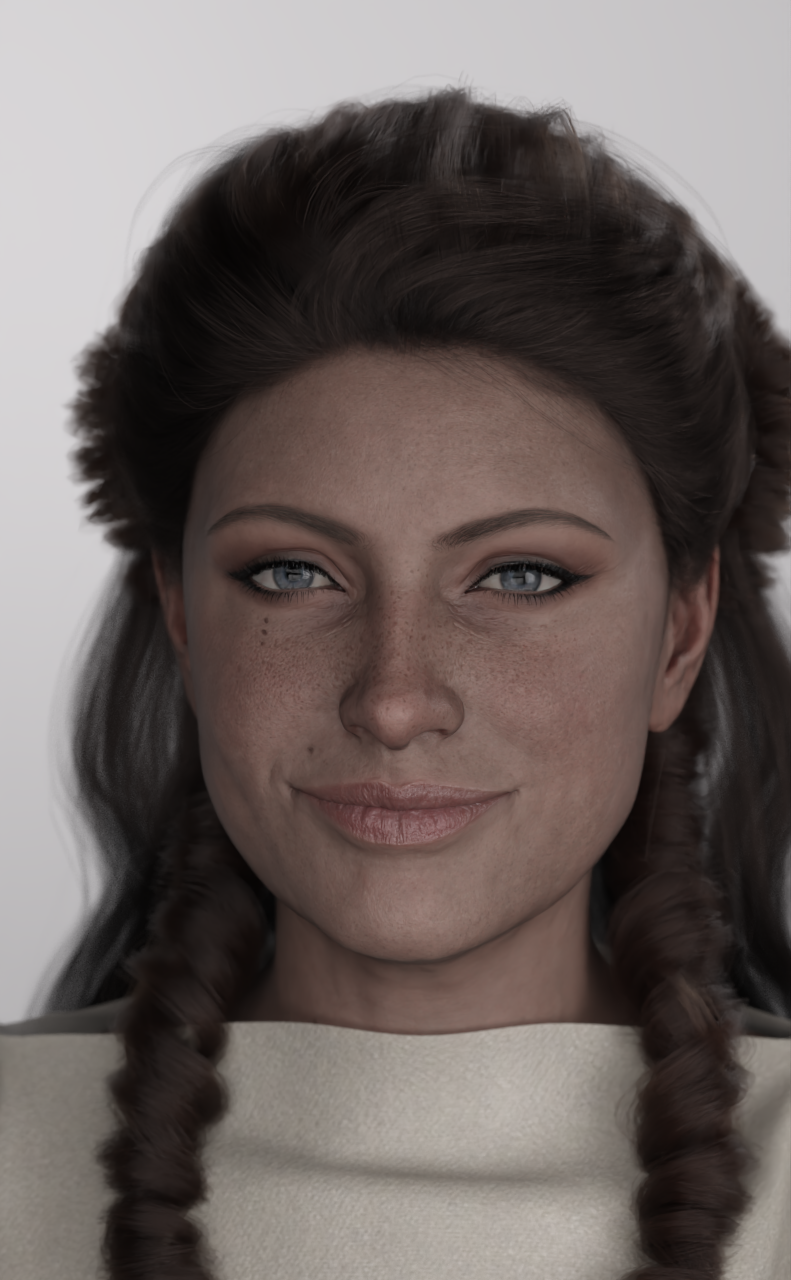
PFA Unique Smiles HD 10 @ 100%
 Nothing but trouble with Blender (4.5)
Back in 2k, I decided to go with Cinema 4d. Its interface made the most sense to me. I skipped it with version 10, because it became unaffordable to me.
Besides, Maxon is now predator software like Autodesk and Adobe.
Switching from C4d to Blender, maybe that's why I struggle with Blender.
Those two softwares feel so fundamental different.
____
I reached a limit with settings in DAZ Studio by now.
DS lights have flaws. The more you use in a scene, the less photo real the render will look. An accumalation of flaws in the lights.
PBR skin shaders only look real with dark skin tones. There is no way to get a bright realistic skin tone with PBR skin shaders.
The camera settings are limited. There are no exposure settings with the cameras.
Yesterday, I remembered, that there is Nvidea Omniverse, only to find out, that it's gone.
So, there is only Blender left, obviouslyI really can second that. Started with Poser. Used Bryce and Carrara, but finally changed to C4D / Vray and loved it.
When they chaged the pricing and license system, I abandoned C4D. Finally with the new interface, I started to use Blender, but I'm still struggling with the features.
I see amazing results with Blender, but the learning curve is not an easy one. Nevertheless, I will stay with Blender, transfer and improve my Daz content there. Diffeomorphic is the tool that makes it a lot easier.Does this bikini come with a morph that allows you to untie the knots?I have it and there is no morph to untie the knots, either on the top or the bottom.
A screenshot with all the morphs activated (outside of the various adjustments morphs to help fit the top and bottom on a character):
 Does this bikini come with a morph that allows you to untie the knots?
The readme for this outfit is here: http://docs.daz3d.com/doku.php/public/read_me/index/30862/start
And no, the file list doesn't list any morph suggesting that you can untie the bikini straps.
Do you recognize this cute outfit--The Maid Outfit in the middleNo I don't. But I feel I should know it.
Wilmap did a longer maid dress, but no white arm trim: https://www.wilmapsdigitalcreations.co.uk/view_product.php?id=129 for G1
This one is a bit short, but could be made longer: https://www.renderosity.com/marketplace/products/107474/v4j-outfit-for-v4a4 for V4
Going much newer: https://www.daz3d.com/ud-expansion-3-victorian-maid has a 'Bottom Flare' morph, an 'Apron Shorter' Morph and inherited from the base dress a 'Dress Shorter' morph to get you closer to the look.
Sorry I can't help further.
Richard
Does this bikini come with a morph that allows you to untie the knots?Hello everyone,
Does this bikini come with a morph that allows you to untie the knots?
The product description doesn’t go into detail about this, so I was wondering if there’s a way to check.
This is quite important for me. If anyone knows, I’d appreciate your comments.
https://www.daz3d.com/tropical-style-outfit-for-genesis-3-female-s
Atrilliongames posing productsOh, these days, I absolutely refuse to buy pose sets from atrilliongames because of their use of scripts to apply the poses.
It's a huge pain in the butt if you want to use only one pose out of the set (a lot of paired poses work fine as single poses), want to convert the poses to a different generation (won't work with most converters), or want to use a Ctrl+Click apply to only apply the pose to part of the figure.
The "oh, it's slightly more friendly for if your figure scales don't match" logic can go get stuffed. I don't suddenly want my short character to gain several inches. Also, so many poses (and particularly paired poses) need fine-tuning anyway to match the figure morph, so it's not like it actually saves any hassle.
And this is despite me normally being quite enthusiastic about paired pose sets. (I usually really heavily rework them when I use them, but they usually at least serve as inspiration). But ATG's sets are just made borderline useless to me because of the damned insistence on having those scripts.
Genesis 2 Appreciation ThreadDear me. That cheap pen seems to turn up in surprising places. As with many of my freebies it is available on the forum - just not that easy to find due to the forum structure. My pens, accessories & office stuff are available in this thread and the cheap pen is on page 2. It's dreadful, the cheapest real version of that cheap pen you can get is now $4.21, delivered. Awful inflation, given the price I got mine for was $1.51 delivered.. I wish I had a pose transfer script available to get the hand poses over to G2F fairly easily, but I don't ...yet. I have started on the pose transfer script, however, either I have something wrong with my G2F or G8F base figures or I'm being a bit of a numpty or there is something odd about my G2F base figure..
Can I ask if anyone else has seen this:
Start with G2F in the default T pose with a straight leg, and bend the thigh 90 degrees forward. Then when looking from the front camera, sweep the thigh bend slider from 90 degrees forward to the limit of 35degrees behind. When you do it, does the foot initially sweep inwards as the leg becomes more vertical, and after the leg goes vertical, does it start to move outwards a little before the bend limit is reached?
If yes, this is weird behaviour and what I'm seeing is real. If no, I have something odd with my G2F base figure. Or, final option, I'm just an idiot who's seeing things. But as far as appears on my G2F base figure I need to add a side-side of 4.5 degrees towards the middle for a 90 degree bend forwards to the thigh and a 0.5 degree side-side towards the middle as the leg goes backwards. I'm also appearing to need to add a thigh twist and a foot or shin twist to get the foot in the same place as a G8F shin bend. This is a bit.. odd. I can remember thinking when I did the G2F to G8F pose transfer script that there seemed to be odd linkages in the limbs relative to G8F, but looking at the script I must have ignored them as being relatively small effect. However, I'd like to be a bit closer to the original pose this time.
Regards,
Richard
HS Viola hair parenting issuesTo clarify: the way of morphing on an SBH with Geometry Sculptor is just like in Blender, i.e. you're not able to sculpt the SBH but just manipulate the vertices and then create a morph with the delta. The performance is not that good. With heavy SBHs, sometimes it makes DS freeze or crash ~
HS Viola hair parenting issuesThanks for the morph, @barbult, works great!
HS Viola hair parenting issuesThanks for the morph !
 HS Viola hair parenting issues
Works great. Thanks for the morph!
barbult said:
Here is a morph I made for the HS Viola Hair R G9 object. It is called Move Away From Eye. When you unzip the attached file, you will find a barbult folder. Place that folder (with its contents) into the data\Hair Studio\HS Viola Hair G9\HS Viola Hair R G9\Morphs folder in your Content Library. You will find the morph in Actor/Adjust when the HS Viola Hair R G9 object is selected in the Scene pane. Here is the hair on Joan 9 with the morph dialed in.
Official Release of Carrara 8.5 **Update - 8.5.1.19**Carrara 20X - it's a Way of Life!!!
- New - Export Particle Simulation Results directly as DUF animated scene files that open Directly within Daz Studio
- New - Export Physics Simulation Results directly as DUF animated scene files that open Directly within Daz Studio
- New - Export Dynamic Hair Simulation Results directly as DUF animated scene files that open Directly within Daz Studio
- New - Automatically Add new Morph Shapes Directly from Carrara's Powerful Vertex Modeler into Daz Studio via MorphLoader Pro
- New - Send Custom Made Clothing, Hair, Props and Accessories Directly to Daz 3D Figures (Genesis lineup) as DUF Outfits, Styles, Smart Props, and More
- New - Filament and Iray Options Directly within Carrara
- New - New Texture Rooms Specifcally for Filament and Iray respectively - Save Material Presets Directly to your My Daz 3D Library as Presets
- New - High Density Sculpting Modeler - Sculpt from Scratch, or Sculpt New Morphs for Existing Items and Figures
- New - More Robust 3D Paint features that support a PBR workflow, with access to Thousands of Surface Material Presets
- New - The Sequencer and entire NLA (Non-Linear Animation) system now fluidly connect with Daz Studio's Timeline - think aniMate on Steroids!
- New - AI Assisted Auto-Posing with Surface Interaction for Objects and other Figures
Becoming a Daz 3D Published Artist has Never been Easier! With the New Carrara, Your Imagination is Your Only Limit!!!
G8 or G9 version of a dress like this?
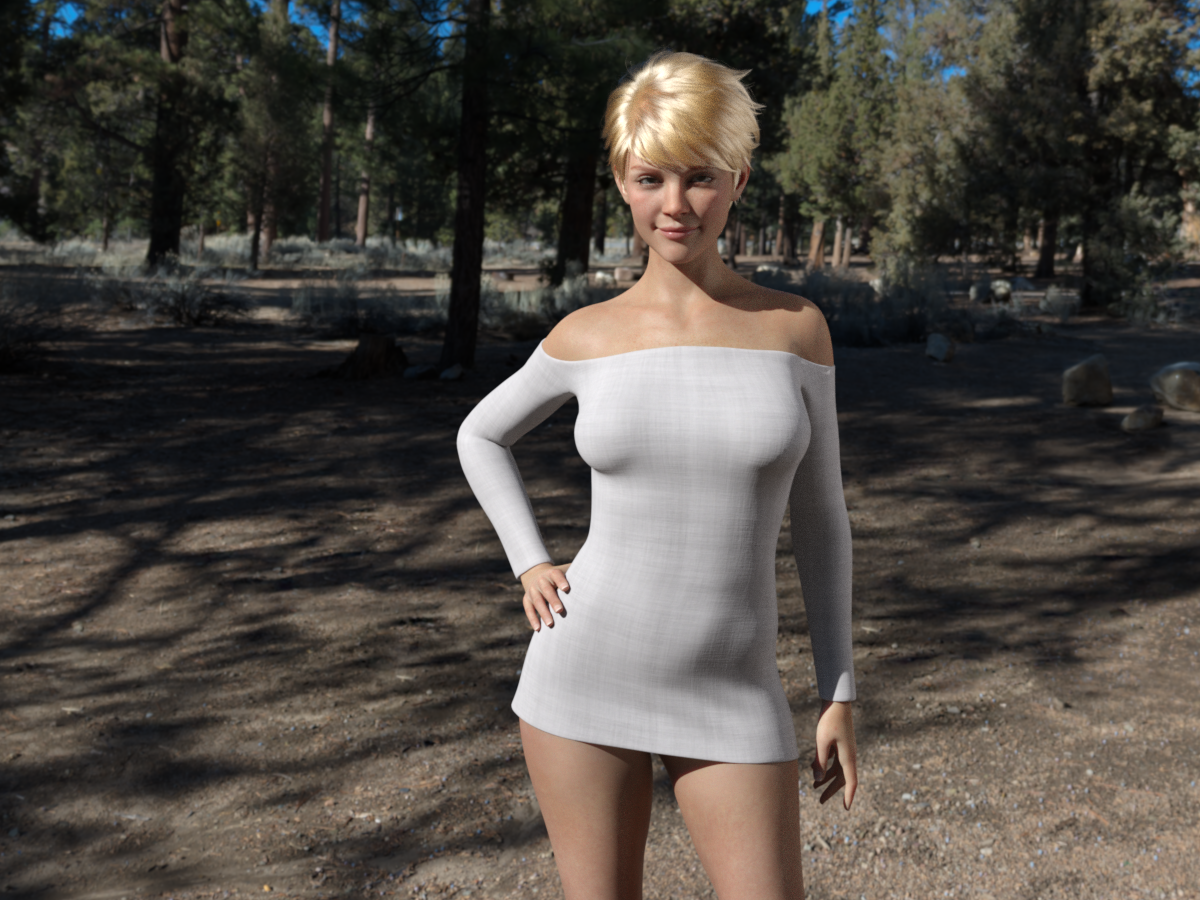
Looks good!felis said:Had a bit of time.
This is what it looks like. Still need to make some additions. It is currently for G8F, but I plan to port it to G9 also. The dress is short, so I will make a morph to pull it a little further down.
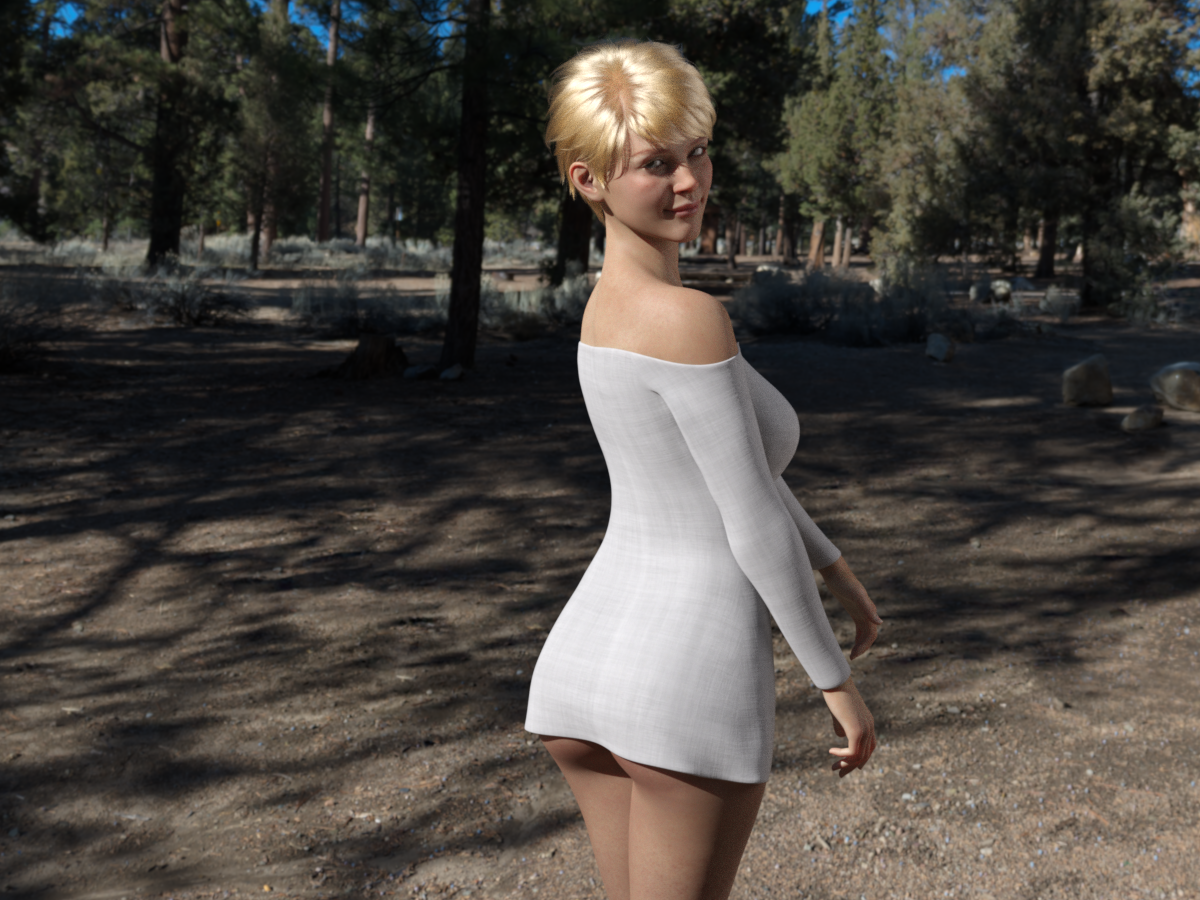 HS Viola hair parenting issues
Here is a morph I made for the HS Viola Hair R G9 object. It is called Move Away From Eye. When you unzip the attached file, you will find a barbult folder. Place that folder (with its contents) into the data\Hair Studio\HS Viola Hair G9\HS Viola Hair R G9\Morphs folder in your Content Library. You will find the morph in Actor/Adjust when the HS Viola Hair R G9 object is selected in the Scene pane. Here is the hair on Joan 9 with the morph dialed in.
Render your buys! 1, 2, 3 Testing!!paulawp (marahzen) said:
I'm not sure why the wheels have come off lately, but I have hardly created anything this whole summer. (That didn't stop me buying stuff, or even from testing new stuff - just never composing a real scene and never being happy with anything.) I'm dusting off this neglected thread to post this basic product testing render as I try to get back in the saddle.
I think it's "summer." To me, it's always the least productive season.
Hope you get back to rendering soon!
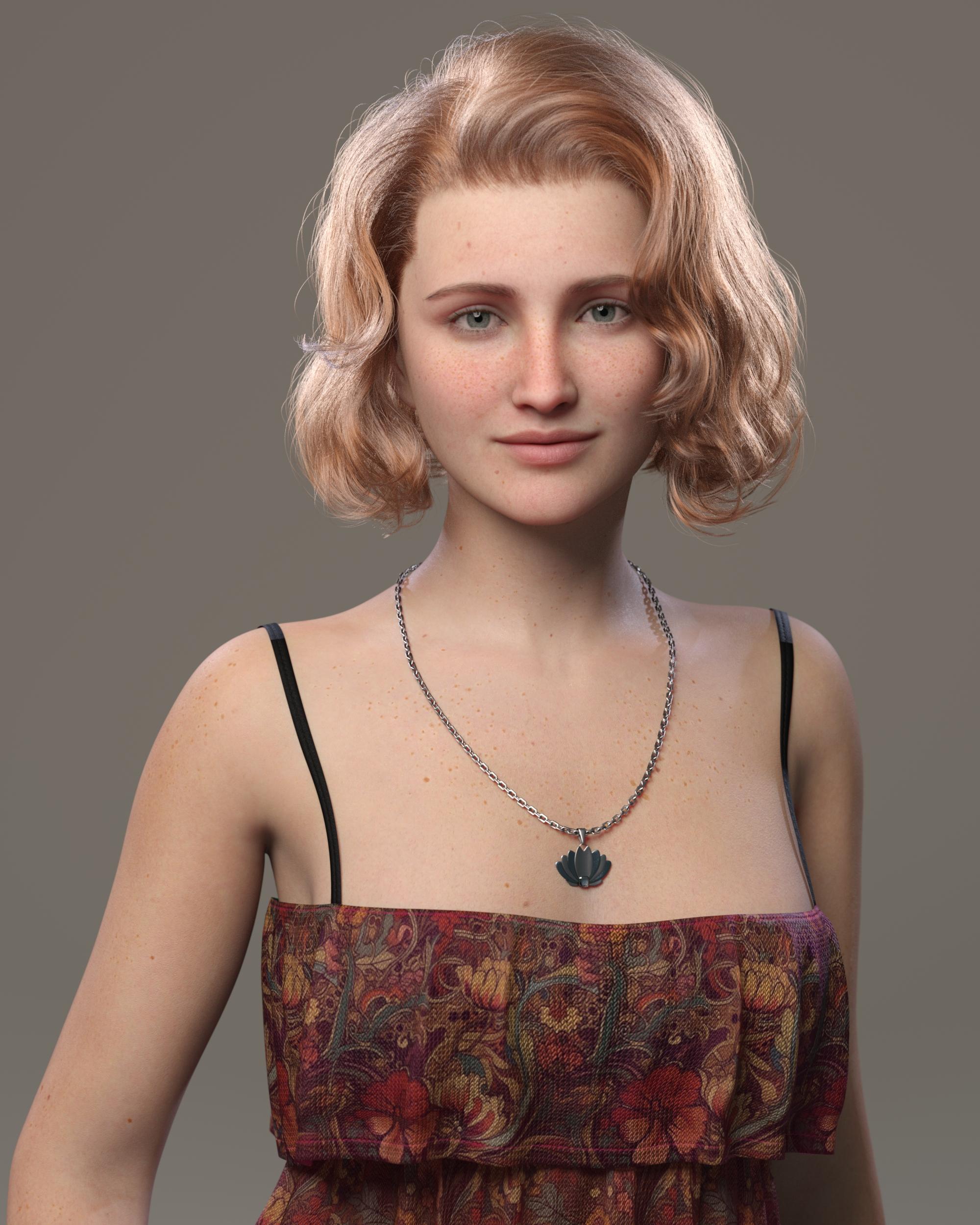
https://www.daz3d.com/ng-portrait-studio
https://www.daz3d.com/dforce-strand-based-fe-french-short-hair-for-genesis-9
https://www.daz3d.com/ng-freckles-for-genesis-9-and-merchant-resource
https://www.daz3d.com/8-in-1-90s-style-fashion-wardrobe-for-genesis-9
https://www.daz3d.com/dforce-adoring-necklaces-for-genesis-9
https://www.daz3d.com/matchmakers-shader-system-volume-1The latter is just lending the cute fabric color for this shirt. I didn't test the overall bundle at great length but it does what I expected it to do.
Although this, like all of my characters, is fundamentally a Face Transfer custom character (using the shape and skin created by FT2), this particular incarnation of her makes use of some underlying Milly skin:
https://www.daz3d.com/cs-milly-for-genesis-9
As well as smidges of shaping from several characters.
Nice test! I got the hair too, so I'm happy to see it works nicely.
AN ASIAN CHARACTER....While not an 8.1 character but a morph package that works for G8 and G8.1 but requires G8M and G8F products. Could these help to fine tune an otherwise acceptable Asian character?
https://www.daz3d.com/200-plus-puppeteer-interface-for-genesis-8-and-81
https://www.daz3d.com/200-plus-head-and-face-morphs-for-genesis-8-female-s
https://www.daz3d.com/200-plus-head-and-face-morphs-for-genesis-8-male-s
And this is not mentioned as usable with the product but it also has morphs that reflect a squared off chin.
https://www.daz3d.com/spicy-fusion-for-200-plus-for-genesis-8-female
https://www.daz3d.com/spicy-fusion-for-200-plus-for-genesis-8-male
Just a note, there is also a G3 and G9 versions of the 200 Plus products.
Render your buys! 1, 2, 3 Testing!!paulawp (marahzen) said:
I'm not sure why the wheels have come off lately, but I have hardly created anything this whole summer. (That didn't stop me buying stuff, or even from testing new stuff - just never composing a real scene and never being happy with anything.) I'm dusting off this neglected thread to post this basic product testing render as I try to get back in the saddle.
https://www.daz3d.com/ng-portrait-studio
https://www.daz3d.com/dforce-strand-based-fe-french-short-hair-for-genesis-9
https://www.daz3d.com/ng-freckles-for-genesis-9-and-merchant-resource
https://www.daz3d.com/8-in-1-90s-style-fashion-wardrobe-for-genesis-9
https://www.daz3d.com/dforce-adoring-necklaces-for-genesis-9
https://www.daz3d.com/matchmakers-shader-system-volume-1The latter is just lending the cute fabric color for this shirt. I didn't test the overall bundle at great length but it does what I expected it to do.
Although this, like all of my characters, is fundamentally a Face Transfer custom character (using the shape and skin created by FT2), this particular incarnation of her makes use of some underlying Milly skin:
https://www.daz3d.com/cs-milly-for-genesis-9
As well as smidges of shaping from several characters.
A very beautiful render paulawp (marahzen)! Nice to see some of my recent products being used and hopefully helping you get inspired! Also a very beatiful character. Added Milly to my wishist.
Daz 3D is part of

Connect
DAZ Productions, Inc.
7533 S Center View Ct #4664
West Jordan, UT 84084Licensing Agreement | Terms of Service | Privacy Policy | EULA
© 2026 Daz Productions Inc. All Rights Reserved.