-
[Released] Smart Collections [Commercial]
DoctorJellybean said:
Does the removal of the metadata also removes the database entries?
Yes, removing the product entry should remove all related entries in the database.
[Released] Smart Collections [Commercial]Does the removal of the metadata also removes the database entries?
[Released] Smart Collections [Commercial]kerry said:
This was the tool that managed to pry open my wallet after months of not spending!
Love it, feeling super organized it's already making the creation process feel way smoother, more fun, and less of a chore of wading through irrelevant items. You can see how I'm using the product in the attached pic.
The one thing I'm not sure about is how to delete any products created that I don't want anymore, as I got used to using this tool I started to develop a naming convention and a system for organising myself. Actually, now I have a better idea of what I want from my library if I could I would just delete the whole lot and start over. sure it's possible to override stuff but some tool created products i just plain don't want anymore.
Now I have a bunch of stuff cluttering up my smart content that I wish I could delete but don't know how.
Exactly the same thing is happening with content wizard too. Had a few fails as I figured it out and now I can't get rid of them in my smart content.
You can remove the product basically like any other product in DS (you might want to clean up the directory where the shortcuts will be located afterwards, or just leave them, tehy are not taking up a lot of space)
As for the product deletion, select the SmartCollections product in the SmartContent pane. Right-clicking should produce a menu. From that popup-menu, choose "Show Product in Content Library".
This will take you to the "Products" section on your content library pane, with the product selected. Sometimes, this does not work on the first attempt. Either try to manually locate the product in the library pane, or retry from the SmartContent pane
One you have the product selected in the library pane, right-click on it. A popup menus shows up. From that popup menu, select "Delete".
You will be asked if you really want to remove that product. Select OK. Your SmartCollections product is gone.
This only removes the metadata. For the shortcuts that SmartCollections is creating, you have to remove them from the file system.
@RiverSoftArt: could a "Remove SmartCollection" be a potential option for the next version?
DForce Blum for V8FThis one?
https://www.daz3d.com/dforce-blum-for-genesis-8-females
I don't have that one, so can't check to see if the metadata is working or not.
It doesn't say anything about V4.So should be made for your G8/G8.1 characters.
Won't show in Smart Content if you have anything other than a G8/G8.1 character selected in the Scene.
The file list shows it has a dsx file
http://docs.daz3d.com/doku.php/public/read_me/index/55249/file_list
So you should be able to select the character in the Scene tab and then on the Smart Content pane scroll down to wardrobe.Select that and it should show up in there.
You can also type the name in the top search box above the Smart Content area and that should filter everything except it so it's the only thing that shows.
If it's not showing up there, then there is a problem with the metadata and you should put in a ticket.
---
If you don't want to wait for a ticket.You can fix it yourself in about 30 seconds.
I'll use a product that came from a different store that has no metadata at all for my example.
Load a G8F and select it in the Scene pane.
Have the Smart Content Pane open on one side of your workspace and the Content Library open on the other side.
You need both open at the same time.
Drag and drop the outfit pieces from the Content Library to the Smart Content category you want it to show up in.
Just hover the mouse over the entries to get them to expand open for you so you can select the one you want.
A popup will ask you if the content type and compatibility base are correct.
Don't change anything just click Accept.
Done.
Right click the Smart Content panne tab and select "Content DB maintenance"
Check the box for "Export User Data"
Now you got your custom database saved.
Yes you can do this for any product.
Don't forget to export your user data to save your database work.
DForce Blum for V8FI bought it, and it is 'installed,' but I have to look it up by name in the Products folder, it won't show up in Smart content or anywhere else that I can find. I get that this goes on with V4 figures, but surely a product for G8F should install properly through Daz Central? That's the only reason I paid as much as I did for it. Is there some kind of simple fix for this, or do I have to go through the whole metadata procedure that I would with V4?
(SOLVED) Poses for G8M on G8F figure without cross-figure?Okay, so I'll bet you are using the Smart Content window with Filter by Context selected. The male poses are not usually defined to work with the female figures (and vice versa), so they will not display without some tweaking (but that's more advanced). Deselect "Filter by Context" and go to the G8 male poses of your choice (easier to find in Product view), and apply them as you like. The G8 female figure (or any other, for that matter) needs to remain selected so that the pose file knows what to act upon.
You could do the same in the Content Library from the folder where the poses were installed (i.e., DAZ Studio Formats\[yourlibraryname]\People\Genesis 8 Male\Poses\...). That is a direct link to the file system, whereas Smart Content is virtual (metadata database stuff).
Zepplin Star does not install correctlyHere is part of the log file.
2022-03-04 00:46:53.670 +++++++++++++++ DAZ Studio 4.15.0.2 starting +++++++++++++++++
2022-03-04 00:46:53.670 Performing cleanup...
2022-03-04 00:46:53.672 Release Cycle: General Release
2022-03-04 00:46:53.672 Platform bits: 64
2022-03-04 00:46:53.672 Qt Version: 4.8.7
2022-03-04 00:46:53.672 OpenSubdiv Version: 3.0.0
2022-03-04 00:46:53.672 Running on Windows 10, Build 9200, No Service Pack Installed
2022-03-04 00:46:53.672 CPU Information:
2022-03-04 00:46:53.672 CPU String: GenuineIntel
2022-03-04 00:46:53.672 CPU Brand String: Intel(R) Core(TM) i7-6700 CPU @ 3.40GHz
2022-03-04 00:46:53.675 Cache Line Size = 64
2022-03-04 00:46:53.675 L2 Associativity = 6
2022-03-04 00:46:53.675 Cache Size = 256
2022-03-04 00:46:53.675 Stepping ID = 3
2022-03-04 00:46:53.675 Model = 14
2022-03-04 00:46:53.675 Family = 6
2022-03-04 00:46:53.675 Extended model = 5
2022-03-04 00:46:53.675 CLFLUSH cache line size = 64
2022-03-04 00:46:53.675 APIC Physical ID = 2
2022-03-04 00:46:53.675 Supported CPU Features:
2022-03-04 00:46:53.675 SSE3 New Instructions
2022-03-04 00:46:53.675 MONITOR/MWAIT
2022-03-04 00:46:53.676 CPL Qualified Debug Store
2022-03-04 00:46:53.676 Thermal Monitor 2
2022-03-04 00:46:53.676 x87 FPU On Chip
2022-03-04 00:46:53.676 Virtual-8086 Mode Enhancement
2022-03-04 00:46:53.676 Debugging Extensions
2022-03-04 00:46:53.676 Page Size Extensions
2022-03-04 00:46:53.676 Time Stamp Counter
2022-03-04 00:46:53.676 RDMSR and WRMSR Support
2022-03-04 00:46:53.676 Physical Address Extensions
2022-03-04 00:46:53.676 Machine Check Exception
2022-03-04 00:46:53.676 CMPXCHG8B Instruction
2022-03-04 00:46:53.676 APIC On Chip
2022-03-04 00:46:53.676 SYSENTER and SYSEXIT
2022-03-04 00:46:53.676 Memory Type Range Registers
2022-03-04 00:46:53.676 PTE Global Bit
2022-03-04 00:46:53.676 Machine Check Architecture
2022-03-04 00:46:53.676 Conditional Move/Compare Instruction
2022-03-04 00:46:53.676 Page Attribute Table
2022-03-04 00:46:53.676 Page Size Extension
2022-03-04 00:46:53.676 CFLUSH Extension
2022-03-04 00:46:53.676 Debug Store
2022-03-04 00:46:53.676 Thermal Monitor and Clock Ctrl
2022-03-04 00:46:53.676 MMX Technology
2022-03-04 00:46:53.676 FXSAVE/FXRSTOR
2022-03-04 00:46:53.676 SSE Extensions
2022-03-04 00:46:53.676 SSE2 Extensions
2022-03-04 00:46:53.676 Self Snoop
2022-03-04 00:46:53.676 Hyper-threading Technology
2022-03-04 00:46:53.676 Thermal Monitor
2022-03-04 00:46:53.676 Pend. Brk. EN.
2022-03-04 00:46:53.676 Physical Memory:
2022-03-04 00:46:53.676 Total: 31.9 GB (34295492608)
2022-03-04 00:46:53.676 Avail: 15.7 GB (16928821248)
2022-03-04 00:46:53.676 Virtual Memory:
2022-03-04 00:46:53.676 Total: 127.9 TB (140737488224256)
2022-03-04 00:46:53.676 Avail: 127.9 TB (140732872048640)
2022-03-04 00:46:53.676 Current Memory Usage: 50%
2022-03-04 00:46:53.676 Current DateTime:
2022-03-04 00:46:53.676 Loc: Fri Mar 4 00:46:53 2022
2022-03-04 00:46:53.676 UTC: Fri Mar 4 05:46:53 2022
2022-03-04 00:46:53.677 Temp Data:
2022-03-04 00:46:53.677 Location = C:/Users/Owner/AppData/Roaming/DAZ 3D/Studio4/temp
2022-03-04 00:46:53.677 Disk Total: 465.2 GB (499531784192)
2022-03-04 00:46:53.677 Disk Avail: 50.2 GB (53945835520)
2022-03-04 00:46:53.677 Locale: en_US
2022-03-04 00:46:53.677 No translator found.
2022-03-04 00:46:53.687 Creating Plugin Manager...
2022-03-04 00:46:53.690 Reading style definition C:/Program Files/DAZ 3D/DAZStudio4/resources/style/Darkside.style
2022-03-04 00:46:53.982 Creating Import Manager...
2022-03-04 00:46:53.982 Creating Export Manager...
2022-03-04 00:46:53.983 Creating File IO Preset Manager...
2022-03-04 00:46:53.993 Creating Save Filter Manager...
2022-03-04 00:46:53.993 Creating Asset IO Manager...
2022-03-04 00:46:53.994 Creating Image Manager...
2022-03-04 00:46:53.994 Creating Help Manager...
2022-03-04 00:46:53.994 Reading help index
2022-03-04 00:46:53.994 Reading help file C:/Program Files/DAZ 3D/DAZStudio4/docs/DAZ Studio/DAZStudioHelp.dsx
2022-03-04 00:46:53.995 Reading help file C:/Program Files/DAZ 3D/DAZStudio4/docs/DAZ Studio/inlineHelp/_.dsx
2022-03-04 00:46:54.022 Reading help file C:/Program Files/DAZ 3D/DAZStudio4/docs/DAZ Studio/inlineHelp/About Hardware.dsx
2022-03-04 00:46:54.024 Reading help file C:/Program Files/DAZ 3D/DAZStudio4/docs/Plugins/StrandBasedHairEditor/StrandBasedHairEditor.dsx
2022-03-04 00:46:54.030 Reading help file C:/Program Files/DAZ 3D/DAZStudio4/docs/Plugins/Timeline/Timeline.dsx
2022-03-04 00:46:54.031 Reading help file C:/Program Files/DAZ 3D/DAZStudio4/docs/bookmarks.dsx
2022-03-04 00:46:54.031 Creating Multimedia Manager...
2022-03-04 00:46:54.031 Creating Content Manager...
2022-03-04 00:46:54.037 Scanning Import folders...
2022-03-04 00:46:54.037 Scanning Content folders...
2022-03-04 00:46:54.044 Creating Render Manager...
2022-03-04 00:46:54.047 Creating Texture Converter Manager...
2022-03-04 00:46:54.049 Creating Texture Baker Manager...
2022-03-04 00:46:54.051 Creating Device Manager...
2022-03-04 00:46:54.051 Creating CallBack Manager...
2022-03-04 00:46:54.535 Using GLEW 1.9.0
2022-03-04 00:46:54.535 Supported OpenGL extensions:
2022-03-04 00:46:54.535 GL_AMD_multi_draw_indirect
2022-03-04 00:46:54.535 GL_AMD_seamless_cubemap_per_texture
2022-03-04 00:46:54.535 GL_AMD_vertex_shader_viewport_index
2022-03-04 00:46:54.535 GL_AMD_vertex_shader_layer
2022-03-04 00:46:54.535 GL_ARB_arrays_of_arrays
2022-03-04 00:46:54.536 GL_ARB_base_instance
2022-03-04 00:46:54.536 GL_ARB_bindless_texture : NOT INITIALIZED
2022-03-04 00:46:54.536 GL_ARB_blend_func_extended
2022-03-04 00:46:54.536 GL_ARB_buffer_storage : NOT INITIALIZED
2022-03-04 00:46:54.536 GL_ARB_clear_buffer_object
2022-03-04 00:46:54.536 GL_ARB_clear_texture : NOT INITIALIZED
2022-03-04 00:46:54.536 GL_ARB_clip_control : NOT INITIALIZED
2022-03-04 00:46:54.536 GL_ARB_color_buffer_float
2022-03-04 00:46:54.536 GL_ARB_compatibility
2022-03-04 00:46:54.536 GL_ARB_compressed_texture_pixel_storage
2022-03-04 00:46:54.536 GL_ARB_conservative_depth
2022-03-04 00:46:54.536 GL_ARB_compute_shader
2022-03-04 00:46:54.536 GL_ARB_compute_variable_group_size : NOT INITIALIZED
2022-03-04 00:46:54.536 GL_ARB_conditional_render_inverted : NOT INITIALIZED
2022-03-04 00:46:54.536 GL_ARB_copy_buffer
2022-03-04 00:46:54.536 GL_ARB_copy_image
2022-03-04 00:46:54.536 GL_ARB_cull_distance : NOT INITIALIZED
2022-03-04 00:46:54.536 GL_ARB_debug_output
2022-03-04 00:46:54.536 GL_ARB_depth_buffer_float
2022-03-04 00:46:54.536 GL_ARB_depth_clamp
2022-03-04 00:46:54.536 GL_ARB_depth_texture
2022-03-04 00:46:54.536 GL_ARB_derivative_control : NOT INITIALIZED
2022-03-04 00:46:54.536 GL_ARB_direct_state_access : NOT INITIALIZED
2022-03-04 00:46:54.536 GL_ARB_draw_buffers
2022-03-04 00:46:54.536 GL_ARB_draw_buffers_blend
2022-03-04 00:46:54.536 GL_ARB_draw_indirect
2022-03-04 00:46:54.536 GL_ARB_draw_elements_base_vertex
2022-03-04 00:46:54.536 GL_ARB_draw_instanced
2022-03-04 00:46:54.536 GL_ARB_enhanced_layouts : NOT INITIALIZED
2022-03-04 00:46:54.536 GL_ARB_ES2_compatibility
2022-03-04 00:46:54.536 GL_ARB_ES3_compatibility
2022-03-04 00:46:54.536 GL_ARB_ES3_1_compatibility : NOT INITIALIZED
2022-03-04 00:46:54.536 GL_ARB_ES3_2_compatibility : NOT INITIALIZED
2022-03-04 00:46:54.536 GL_ARB_explicit_attrib_location
2022-03-04 00:46:54.536 GL_ARB_explicit_uniform_location
2022-03-04 00:46:54.536 GL_ARB_fragment_coord_conventions
2022-03-04 00:46:54.536 GL_ARB_fragment_layer_viewport
2022-03-04 00:46:54.536 GL_ARB_fragment_program
2022-03-04 00:46:54.536 GL_ARB_fragment_program_shadow
2022-03-04 00:46:54.537 GL_ARB_fragment_shader
2022-03-04 00:46:54.537 GL_ARB_fragment_shader_interlock : NOT INITIALIZED
2022-03-04 00:46:54.537 GL_ARB_framebuffer_no_attachments
2022-03-04 00:46:54.537 GL_ARB_framebuffer_object
2022-03-04 00:46:54.537 GL_ARB_framebuffer_sRGB
2022-03-04 00:46:54.537 GL_ARB_geometry_shader4
2022-03-04 00:46:54.537 GL_ARB_get_program_binary
2022-03-04 00:46:54.537 GL_ARB_get_texture_sub_image : NOT INITIALIZED
2022-03-04 00:46:54.537 GL_ARB_gl_spirv : NOT INITIALIZED
2022-03-04 00:46:54.537 GL_ARB_gpu_shader5
2022-03-04 00:46:54.537 GL_ARB_gpu_shader_fp64
2022-03-04 00:46:54.537 GL_ARB_gpu_shader_int64 : NOT INITIALIZED
2022-03-04 00:46:54.537 GL_ARB_half_float_pixel
2022-03-04 00:46:54.537 GL_ARB_half_float_vertex
2022-03-04 00:46:54.537 GL_ARB_imaging
2022-03-04 00:46:54.537 GL_ARB_indirect_parameters : NOT INITIALIZED
2022-03-04 00:46:54.537 GL_ARB_instanced_arrays
2022-03-04 00:46:54.537 GL_ARB_internalformat_query
2022-03-04 00:46:54.537 GL_ARB_internalformat_query2
2022-03-04 00:46:54.537 GL_ARB_invalidate_subdata
2022-03-04 00:46:54.537 GL_ARB_map_buffer_alignment
2022-03-04 00:46:54.537 GL_ARB_map_buffer_range
2022-03-04 00:46:54.537 GL_ARB_multi_bind : NOT INITIALIZED
2022-03-04 00:46:54.537 GL_ARB_multi_draw_indirect
2022-03-04 00:46:54.537 GL_ARB_multisample
2022-03-04 00:46:54.537 GL_ARB_multitexture
2022-03-04 00:46:54.537 GL_ARB_occlusion_query
2022-03-04 00:46:54.537 GL_ARB_occlusion_query2
2022-03-04 00:46:54.537 GL_ARB_parallel_shader_compile : NOT INITIALIZED
2022-03-04 00:46:54.537 GL_ARB_pipeline_statistics_query : NOT INITIALIZED
2022-03-04 00:46:54.537 GL_ARB_pixel_buffer_object
2022-03-04 00:46:54.537 GL_ARB_point_parameters
2022-03-04 00:46:54.537 GL_ARB_point_sprite
2022-03-04 00:46:54.537 GL_ARB_polygon_offset_clamp : NOT INITIALIZED
2022-03-04 00:46:54.537 GL_ARB_post_depth_coverage : NOT INITIALIZED
2022-03-04 00:46:54.537 GL_ARB_program_interface_query
2022-03-04 00:46:54.537 GL_ARB_provoking_vertex
2022-03-04 00:46:54.537 GL_ARB_query_buffer_object : NOT INITIALIZED
2022-03-04 00:46:54.537 GL_ARB_robust_buffer_access_behavior
2022-03-04 00:46:54.537 GL_ARB_robustness
2022-03-04 00:46:54.537 GL_ARB_sample_locations : NOT INITIALIZED
2022-03-04 00:46:54.537 GL_ARB_sample_shading
2022-03-04 00:46:54.537 GL_ARB_sampler_objects
2022-03-04 00:46:54.537 GL_ARB_seamless_cube_map
2022-03-04 00:46:54.537 GL_ARB_seamless_cubemap_per_texture : NOT INITIALIZED
2022-03-04 00:46:54.537 GL_ARB_separate_shader_objects
2022-03-04 00:46:54.537 GL_ARB_shader_atomic_counter_ops : NOT INITIALIZED
2022-03-04 00:46:54.538 GL_ARB_shader_atomic_counters
2022-03-04 00:46:54.538 GL_ARB_shader_ballot : NOT INITIALIZED
2022-03-04 00:46:54.538 GL_ARB_shader_bit_encoding
2022-03-04 00:46:54.538 GL_ARB_shader_clock : NOT INITIALIZED
2022-03-04 00:46:54.538 GL_ARB_shader_draw_parameters : NOT INITIALIZED
2022-03-04 00:46:54.538 GL_ARB_shader_group_vote : NOT INITIALIZED
2022-03-04 00:46:54.538 GL_ARB_shader_image_load_store
2022-03-04 00:46:54.538 GL_ARB_shader_image_size
2022-03-04 00:46:54.538 GL_ARB_shader_objects
2022-03-04 00:46:54.538 GL_ARB_shader_precision
2022-03-04 00:46:54.538 GL_ARB_shader_storage_buffer_object
2022-03-04 00:46:54.538 GL_ARB_shader_subroutine
2022-03-04 00:46:54.538 GL_ARB_shader_texture_image_samples : NOT INITIALIZED
2022-03-04 00:46:54.538 GL_ARB_shader_texture_lod
2022-03-04 00:46:54.538 GL_ARB_shading_language_100
2022-03-04 00:46:54.538 GL_ARB_shader_viewport_layer_array : NOT INITIALIZED
2022-03-04 00:46:54.538 GL_ARB_shading_language_420pack
2022-03-04 00:46:54.538 GL_ARB_shading_language_include
2022-03-04 00:46:54.538 GL_ARB_shading_language_packing
2022-03-04 00:46:54.538 GL_ARB_shadow
2022-03-04 00:46:54.538 GL_ARB_sparse_buffer : NOT INITIALIZED
2022-03-04 00:46:54.538 GL_ARB_sparse_texture : NOT INITIALIZED
2022-03-04 00:46:54.538 GL_ARB_sparse_texture2 : NOT INITIALIZED
2022-03-04 00:46:54.538 GL_ARB_sparse_texture_clamp : NOT INITIALIZED
2022-03-04 00:46:54.538 GL_ARB_spirv_extensions : NOT INITIALIZED
2022-03-04 00:46:54.538 GL_ARB_stencil_texturing
2022-03-04 00:46:54.538 GL_ARB_sync
2022-03-04 00:46:54.538 GL_ARB_tessellation_shader
2022-03-04 00:46:54.538 GL_ARB_texture_barrier : NOT INITIALIZED
2022-03-04 00:46:54.538 GL_ARB_texture_border_clamp
2022-03-04 00:46:54.538 GL_ARB_texture_buffer_object
2022-03-04 00:46:54.538 GL_ARB_texture_buffer_object_rgb32
2022-03-04 00:46:54.538 GL_ARB_texture_buffer_range
2022-03-04 00:46:54.538 GL_ARB_texture_compression
2022-03-04 00:46:54.538 GL_ARB_texture_compression_bptc
2022-03-04 00:46:54.538 GL_ARB_texture_compression_rgtc
2022-03-04 00:46:54.538 GL_ARB_texture_cube_map
2022-03-04 00:46:54.539 GL_ARB_texture_cube_map_array
2022-03-04 00:46:54.539 GL_ARB_texture_env_add
2022-03-04 00:46:54.539 GL_ARB_texture_env_combine
2022-03-04 00:46:54.539 GL_ARB_texture_env_crossbar
2022-03-04 00:46:54.539 GL_ARB_texture_env_dot3
2022-03-04 00:46:54.539 GL_ARB_texture_filter_anisotropic : NOT INITIALIZED
2022-03-04 00:46:54.539 GL_ARB_texture_filter_minmax : NOT INITIALIZED
2022-03-04 00:46:54.539 GL_ARB_texture_float
2022-03-04 00:46:54.539 GL_ARB_texture_gather
2022-03-04 00:46:54.539 GL_ARB_texture_mirror_clamp_to_edge : NOT INITIALIZED
2022-03-04 00:46:54.539 GL_ARB_texture_mirrored_repeat
2022-03-04 00:46:54.539 GL_ARB_texture_multisample
2022-03-04 00:46:54.539 GL_ARB_texture_non_power_of_two
2022-03-04 00:46:54.539 GL_ARB_texture_query_levels
2022-03-04 00:46:54.539 GL_ARB_texture_query_lod
2022-03-04 00:46:54.539 GL_ARB_texture_rectangle
2022-03-04 00:46:54.539 GL_ARB_texture_rg
2022-03-04 00:46:54.539 GL_ARB_texture_rgb10_a2ui
2022-03-04 00:46:54.539 GL_ARB_texture_stencil8 : NOT INITIALIZED
2022-03-04 00:46:54.539 GL_ARB_texture_storage
2022-03-04 00:46:54.539 GL_ARB_texture_storage_multisample
2022-03-04 00:46:54.539 GL_ARB_texture_swizzle
2022-03-04 00:46:54.539 GL_ARB_texture_view
2022-03-04 00:46:54.539 GL_ARB_timer_query
2022-03-04 00:46:54.539 GL_ARB_transform_feedback2
2022-03-04 00:46:54.539 GL_ARB_transform_feedback3
2022-03-04 00:46:54.539 GL_ARB_transform_feedback_instanced
2022-03-04 00:46:54.539 GL_ARB_transform_feedback_overflow_query : NOT INITIALIZED
2022-03-04 00:46:54.539 GL_ARB_transpose_matrix
2022-03-04 00:46:54.539 GL_ARB_uniform_buffer_object
2022-03-04 00:46:54.539 GL_ARB_vertex_array_bgra
2022-03-04 00:46:54.539 GL_ARB_vertex_array_object
2022-03-04 00:46:54.539 GL_ARB_vertex_attrib_64bit
2022-03-04 00:46:54.539 GL_ARB_vertex_attrib_binding
2022-03-04 00:46:54.539 GL_ARB_vertex_buffer_object
2022-03-04 00:46:54.539 GL_ARB_vertex_program
2022-03-04 00:46:54.539 GL_ARB_vertex_shader
2022-03-04 00:46:54.539 GL_ARB_vertex_type_10f_11f_11f_rev : NOT INITIALIZED
2022-03-04 00:46:54.539 GL_ARB_vertex_type_2_10_10_10_rev
2022-03-04 00:46:54.539 GL_ARB_viewport_array
2022-03-04 00:46:54.539 GL_ARB_window_pos
2022-03-04 00:46:54.539 GL_ATI_draw_buffers
2022-03-04 00:46:54.539 GL_ATI_texture_float
2022-03-04 00:46:54.539 GL_ATI_texture_mirror_once
2022-03-04 00:46:54.539 GL_S3_s3tc
2022-03-04 00:46:54.539 GL_EXT_texture_env_add
2022-03-04 00:46:54.539 GL_EXT_abgr
2022-03-04 00:46:54.539 GL_EXT_bgra
2022-03-04 00:46:54.539 GL_EXT_bindable_uniform
2022-03-04 00:46:54.539 GL_EXT_blend_color
2022-03-04 00:46:54.539 GL_EXT_blend_equation_separate
2022-03-04 00:46:54.539 GL_EXT_blend_func_separate
2022-03-04 00:46:54.540 GL_EXT_blend_minmax
2022-03-04 00:46:54.540 GL_EXT_blend_subtract
2022-03-04 00:46:54.540 GL_EXT_compiled_vertex_array
2022-03-04 00:46:54.540 GL_EXT_Cg_shader
2022-03-04 00:46:54.540 GL_EXT_depth_bounds_test
2022-03-04 00:46:54.540 GL_EXT_direct_state_access
2022-03-04 00:46:54.540 GL_EXT_draw_buffers2
2022-03-04 00:46:54.540 GL_EXT_draw_instanced
2022-03-04 00:46:54.540 GL_EXT_draw_range_elements
2022-03-04 00:46:54.540 GL_EXT_fog_coord
2022-03-04 00:46:54.540 GL_EXT_framebuffer_blit
2022-03-04 00:46:54.540 GL_EXT_framebuffer_multisample
2022-03-04 00:46:54.540 GL_EXTX_framebuffer_mixed_formats : NOT INITIALIZED
2022-03-04 00:46:54.540 GL_EXT_framebuffer_multisample_blit_scaled
2022-03-04 00:46:54.540 GL_EXT_framebuffer_object
2022-03-04 00:46:54.540 GL_EXT_framebuffer_sRGB
2022-03-04 00:46:54.540 GL_EXT_geometry_shader4
2022-03-04 00:46:54.540 GL_EXT_gpu_program_parameters
2022-03-04 00:46:54.540 GL_EXT_gpu_shader4
2022-03-04 00:46:54.540 GL_EXT_multi_draw_arrays
2022-03-04 00:46:54.540 GL_EXT_multiview_texture_multisample : NOT INITIALIZED
2022-03-04 00:46:54.540 GL_EXT_multiview_timer_query : NOT INITIALIZED
2022-03-04 00:46:54.540 GL_EXT_packed_depth_stencil
2022-03-04 00:46:54.540 GL_EXT_packed_float
2022-03-04 00:46:54.540 GL_EXT_packed_pixels
2022-03-04 00:46:54.540 GL_EXT_pixel_buffer_object
2022-03-04 00:46:54.540 GL_EXT_point_parameters
2022-03-04 00:46:54.540 GL_EXT_polygon_offset_clamp : NOT INITIALIZED
2022-03-04 00:46:54.540 GL_EXT_post_depth_coverage : NOT INITIALIZED
2022-03-04 00:46:54.540 GL_EXT_provoking_vertex
2022-03-04 00:46:54.540 GL_EXT_raster_multisample : NOT INITIALIZED
2022-03-04 00:46:54.540 GL_EXT_rescale_normal
2022-03-04 00:46:54.540 GL_EXT_secondary_color
2022-03-04 00:46:54.540 GL_EXT_separate_shader_objects
2022-03-04 00:46:54.540 GL_EXT_separate_specular_color
2022-03-04 00:46:54.540 GL_EXT_shader_image_load_formatted : NOT INITIALIZED
2022-03-04 00:46:54.540 GL_EXT_shader_image_load_store
2022-03-04 00:46:54.540 GL_EXT_shader_integer_mix : NOT INITIALIZED
2022-03-04 00:46:54.540 GL_EXT_shadow_funcs
2022-03-04 00:46:54.540 GL_EXT_sparse_texture2 : NOT INITIALIZED
2022-03-04 00:46:54.540 GL_EXT_stencil_two_side
2022-03-04 00:46:54.540 GL_EXT_stencil_wrap
2022-03-04 00:46:54.540 GL_EXT_texture3D
2022-03-04 00:46:54.540 GL_EXT_texture_array
2022-03-04 00:46:54.540 GL_EXT_texture_buffer_object
2022-03-04 00:46:54.540 GL_EXT_texture_compression_dxt
How to Add A head of One Character with body of Another?Alternatively, check out Richard's comment in https://www.daz3d.com/forums/discussion/554206/the-parting-of-the-lips
The headsplit deformer and Morph Loader Pro import / Attenuate By / dForm was news to me.
.dae import from Blender showing up in Studio at a janky angleIn my experience, the only reliable import option into DS is .OBJ. All others have serious issues.
.dae import from Blender showing up in Studio at a janky angleThe model is at a nice 90 degree angle when I have it up in Blender, but when I export it as a .dae file into DAZ Studio, it's a little off (screenshot attached). Is there any way I can fix that?
My system is Windows 11, using Studio 4.20 and Blender 3.0.1.
Figure ID for clothing/hair?FSMCDesigns said:
I would assume it has to do with the metadata, but that's all I can contribute since I never use smart content
This is old, but it might help
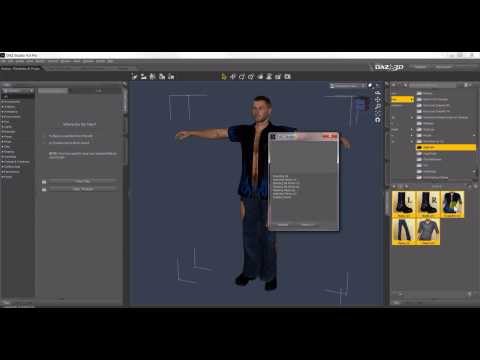
Very helpful video. Is the same process used for character morphs? I am trying to associate the Freak 4 with Michael 4 but can't get the body/face morphs to load onto the Mf figure.
Bridge not compatible with new Unreal Enginee 5.0 Preview 1 ?Jo said:
I was travelling and ended up sick, so it will be even longer for the tutorial now.
But !! I just sat down for an hour in front of the computer and found that it is very, very simple to import and retarget my G2,G3,G8 animations into UE5 now.
So digging out my old harddrives with old daz libraries on them.
You can take an old G2 animation for example, and retarget to G3,G8 or MetaHuman etc inside UE5..
I hope you get better soon ^^
That's sounds like a great news, but not sure how to apply that, I'm gonna wait for your tutorial but I'm already happy that you found a new way :)
Take care!Bridge not compatible with new Unreal Enginee 5.0 Preview 1 ?I was travelling and ended up sick, so it will be even longer for the tutorial now.
But !! I just sat down for an hour in front of the computer and found that it is very, very simple to import and retarget my G2,G3,G8 animations into UE5 now.
So digging out my old harddrives with old daz libraries on them.
You can take an old G2 animation for example, and retarget to G3,G8 or MetaHuman etc inside UE5..
Can’t pose figure in blenderAs for diffeomorphic be sure to get the latest version, it should import the full facial bones. The FACS rig is also supported, as well as facial mocap.
https://diffeomorphic.blogspot.com/2021/01/facs.html
https://diffeomorphic.blogspot.com/2021/02/facecap-test.html
Figure ID for clothing/hair?I would assume it has to do with the metadata, but that's all I can contribute since I never use smart content
This is old, but it might help
Can’t pose figure in blenderI like using both Diffeo and bridge but my problem is the bridge rig doesn't convert to rigify and Diffeo doesn't import the full facial bones, eyes move great but mouth doesnt open or chin doesn't move. there is no way that I found to separate the facial rig from the body rig so I can use Faceit. it looks like Collada, Auto Rig pro and then Faceit to use ARKit
AirWolfyour best bet if not wanting to rig it and weightmap it, is to chop it into parts in a modelling app and import it in bits with parts pivots aligned to 0,0,0.
Then use parenting to reassemble it for animation
March 2022 - Daz 3D New User Challenge - Posing and Posing IIBeginner Challenge - March 2022
Are you new to the 3D World? Are you at the beginning stages of learning 3D rendering? Have you been around for a little bit but feel you could benefit from some feedback or instruction? Have you been around awhile and would like to help other members start their creative journey? Well then come and join the fun as we host our newest render challenge!
Posing
This challenge is a general render challenge with the focus being on how you pose the characters in your image. We're providing you with lots of great links on Posing from a variety of sources. To get started, find a photograph or drawing using this link or eg for dance poses this link to use as a reference. (Be sure the image you use is labeled for commercial reuse - though we will only be using it as reference, alternatively use your own personal photographs for reference.) Additional searches approved for use include Running, Fighting. (These links go to DuckDuckGo, which may give different results for different searchers, and should give everyone plenty to choose from.)
Then try to pose your character as closely as possible to match the reference image. For this challenge, please post your reference image or a link to it, and your render. This will give forum viewers an idea of the pose you are trying to achieve and will lead to more helpful suggestions. Have fun!
How to Use Your Software:
Software is often updated, and online tutorials and information often demonstrate older versions of the software. The software version you are using may differ in User Interface and tools available. Please share links to reference material that you have found helpful in the Challenge thread.in DAZ Studio
Daz Documentation Center [Wiki]
Daz 101: Posing
Pinning, Posing and the Active Pose Tool
Applying Partial Poses
DAZ Studio Tips 2 - Symmetry and Partial Poses
Daz 3D Posing, Pinning Poses, & Morphs
Some good tips in this forum thread.in Poser
Poser Tutorial: Quick Posingin Carrara
Dartanbeck's simple method of character animation (Carrara Cafe article, great for those who prefer illustrated written tutorials)
Huge list of helpful forum links (scroll to Animation and Posing section) If you have a problem, your answer might be here!
Carrara 3D Tutorial - Posing a Figure
Posing in Carrara
Posing Tips - Carrara Cafein Bryce
While it is not possible to pose things in Bryce, you are welcome to do your posing in another program such as DAZ Studio or Poser, then export and render in Bryce. For information on how to use the Bryce bridge to import a DS scene into Bryce: http://brycebasics.blogspot.com/2009/12/using-daz-studio-with-bryce.htmlAlways worth a look: last years Posing challenge:
I will be checking in, as will the rest of the Community Volunteers, to try and help with anything you all may need.
Installing Daz to Blender Bridge zip file missingdenisnormandin said:
Hi,
Can the zip file to install the Daz bridge to blender be downloaded manually?
The instructions to install the bridge sais that I must start by installing it in Daz Studio, then go to the Blender preferences and install the add-on from C:\Users\*YourUsername*\AppData\Roaming\Blender Foundation\Blender\DAZ 3D Add-ons\” and called DTB_v280-283.zip.
I don't have that.All I have under C:\Users\*YourUsername*\AppData\Roaming\Blender Foundation\Blender... is \2.90\scripts\addons\DTB
No zip files anywhere along that path.
I'm using Blender 2.9
The export process seams to be working fine from Daz, but I can't import to blender since I can't find the right file.
Thanks
Maya Bridge Doesn't Workyukimuki12 said:
goodwinds said:
When exporting from DAZ set SubDivision level = 0
ah wow thank you! i will try that but what about pose? all poses are okay?
yukimuki12: I wasn't able to export poses thru the bridge, if someone knows how to do it I'll appreciate the info. You can try exporting outside the Bridge as Collada or Alembic or even .fbx files and then import them in Maya as such.
Daz 3D is part of

Connect
DAZ Productions, Inc.
7533 S Center View Ct #4664
West Jordan, UT 84084Licensing Agreement | Terms of Service | Privacy Policy | EULA
© 2026 Daz Productions Inc. All Rights Reserved.