-
removing a stuck morph
You need to remove the morph you created.
The morph(s) can be found in /data/DAZ 3D/Genesis 9/Base/Morphs/[Your author name]
removing a stuck morphMira is a character product, if you've installed this product, Mira's all morphs will be with G9 no matter Dev Load or not... if Mira you mentioned is this :https://www.daz3d.com/mira-9-hd
So what's the real issue ? You don't wanna have this Mira's morph in Blender ? How do you export G9 to Blender ? Daz to Blender bridge or sth. ?
Genesis 9 Mouth Figure refusing to auto-followRecently I've tried to create a master morph parameter to control a morph on Genesis 9 simultaneously with a morph for her mouth figure. This will work when I initially create it and of course I use the ERC option to memorize the morph changes. All is well. However when I save out both figure (mouth and G9) and then save out the newly created morphs --- upon starting up with a new G9 figure and mouth, my morphs are there and they still work - but the master dial will only show ERC information for the G9 figure...having lost the data for the mouth figure entirely. I've done this successfully with the eyes...a master dial on the G9 figure that controls both her face and morphs as well as her eye figures. So why won't this work on the mouth? I've also noticed a lot of morphs for the G9 mouth (even with auto-follow turned on) won't seemingly affect the mouth at all. It will work on the eyes, the lashes, the tears...so on...but not the mouth. What's up with that? Anybody have a clue?
Another issue I'm running across is why can't we save POSE or SHAPE data for G9 and her body parts/figures in the same file? They are conformed, so shouldn't we have an option to save morphs on say the mouth...along with the morph settings for the body? I'm having to save a preset shape for both mouth and body to get them to do a singular task. This seems like something that should be already available as an option.
Any help on the mouth thing greatly appreciated.
The [Disco Chives] Misplaced Parrot Complaint ThreadLeatherGryphon said:
Complaint: OK, OK, Norton has had bad times, but I've been a Norton fanboi for about a quarter century.
 I've always used Norton anti-virus of some sort on my many personal machines. But Norton, kept increasing their price.
 But they've got a flaw in their marketing for people like me.
 Once or twice a year, they offer their anti-virus products for a deep discount(~75%) for a couple days, through Amazon and/or NewEgg. I wait for those times of year, checking my Amazon & NewEgg e-mail every day. When it arrives I can get a 5-license of Norton360-Deluxe for about $30 or sometimes even just $25. Cool!
 However, the problem is that when installed, it automatically "opts-in" to automatic payment for next year's subscription renewal. And when the time comes they will automatically and happily re-subscribe me for $130 on my credit card.
 But I, being an intelligent animal, figured out their ploy and for years have been manually "opting-out" of the automatic renewal. And when renewal time comes, I just get another $30 copy from Amazon and change the key or reinstall if necessary. Clever huh?
 But I'm getting old, I forget things more than when I was young and studly. This year I forgot to opt-out of the Norton subscription, but had a bug in my brain that kept telling me that I had opted out already. So, when the polite e-mail from Norton came reminding me of the upcoming charge to my credit card, I ignored it. And sure enough, in the next e-mail from Norton they crowed about the fact that they had taken my $130. Arghhh....
Non-complaint: I could absorb the cost if absolutely no other way out, but it would hurt, especially right now, because of reasons.
 So, instead of fuming and crying and thinking negative thoughts, I tweaked up my patience and decided to try to get Norton to return my money and cancel my renewed subscription. (I already have an unused 5-license copy that I bought 6 months ago for $30.). I figured it would be an uphill battle so I was on my best behavior in my phone calls and emails. But within 4 days, it was all settled, and 3.9 of those days were waiting for Norton to respond. I just got off the phone with them and there was no pushback, no arguments, no "please stay with us", attitudes. Just one question, "would you like a less expensive option?". I just politely said "no, just cancel it". And that was it.
 Two minutes later he said it was done. Wheee... I get my $130 back(in a few days), so I can afford groceries again this month. Wheee...
And the unexpected bonus was that the person on the phone with me had an American accent and I actually believed that his name was really "Kevin".

...glad I saw this as I wasn't sure if I had already cancelled the auto renew or not (which would be billed to my card fairly soon) so I wnet to my Norton account to check and yes, I had already done so. Also have a new "boxed" version of 360 Deluxe I got at Amazon for 25$ .
I've also received a couple phishing emails recently concerning my renewal status that looked remarkably genuine until I checked the sender's email addy (ny usual SOP). One of them said I'd only have to pay 59$ instead of the normal 130$.
sazzyazzca said:
I do big grocery shops, and generally the same things, so I know how much it should be. But I only do this every 3 months perhaps, so I'm very aware of how much the increases are. News outlets here have consistently reported increases in food prices as X%, when in fact most people report it to be much higher, up to 50% increase on some items within 18 months, same store, same item. I know that every time I go, the prices have increased substantially. I had to buy a couple of bolts and a few washers and it came to almost 7 bucks. Crazy! I ended up not buying them and digging around at home instead until I found something "good enough" to do the job.
...that's been happening at the Safeway in my neighbourhood. A couple months ago when I was shopping there and went to get a bag of shredded hash browns in the frozen food asile, I was shocked to see the price had skyrocketed (compared to the last time I bought them less than 2 weeks beforehand) from 3.49$ to 5.99$ (and this was for the normal Safeway "house brand").. Meanwhile at the other major grocery market in eh area (a much longer walk or two bus transfer if the weather is bad) that store's house brand of sahredded ptoatoes is stll 3.49$.
I've also noticed at teh Safeway the discounts for coupons as well as for loyalty card members there have been shrinking to where it's almost not worth it, while prices for many items (besides frozen potatoes) keep going up. Crikey, a box of Wheaties is 8$, (while a box of Kellogg's Frosted Flakes - not on sale - is only 3.99$). I remember when cereals like Wheaties Wheat Chex, and the "Big Biscuit" Shredded Wheat were among the least expensive ones and the sugar coated kids rubbish were the more expensive ones. It makes no sense anymore.
Render your buys! Use buys from the current month and the previous month of salesluci45 and FirstBastion Thank you both so much!

Calliope23 Your render with Lesya is very lovely! I have her on my wishlist, but feel like getting her much sooner after seeing your render. She looks so sweet!
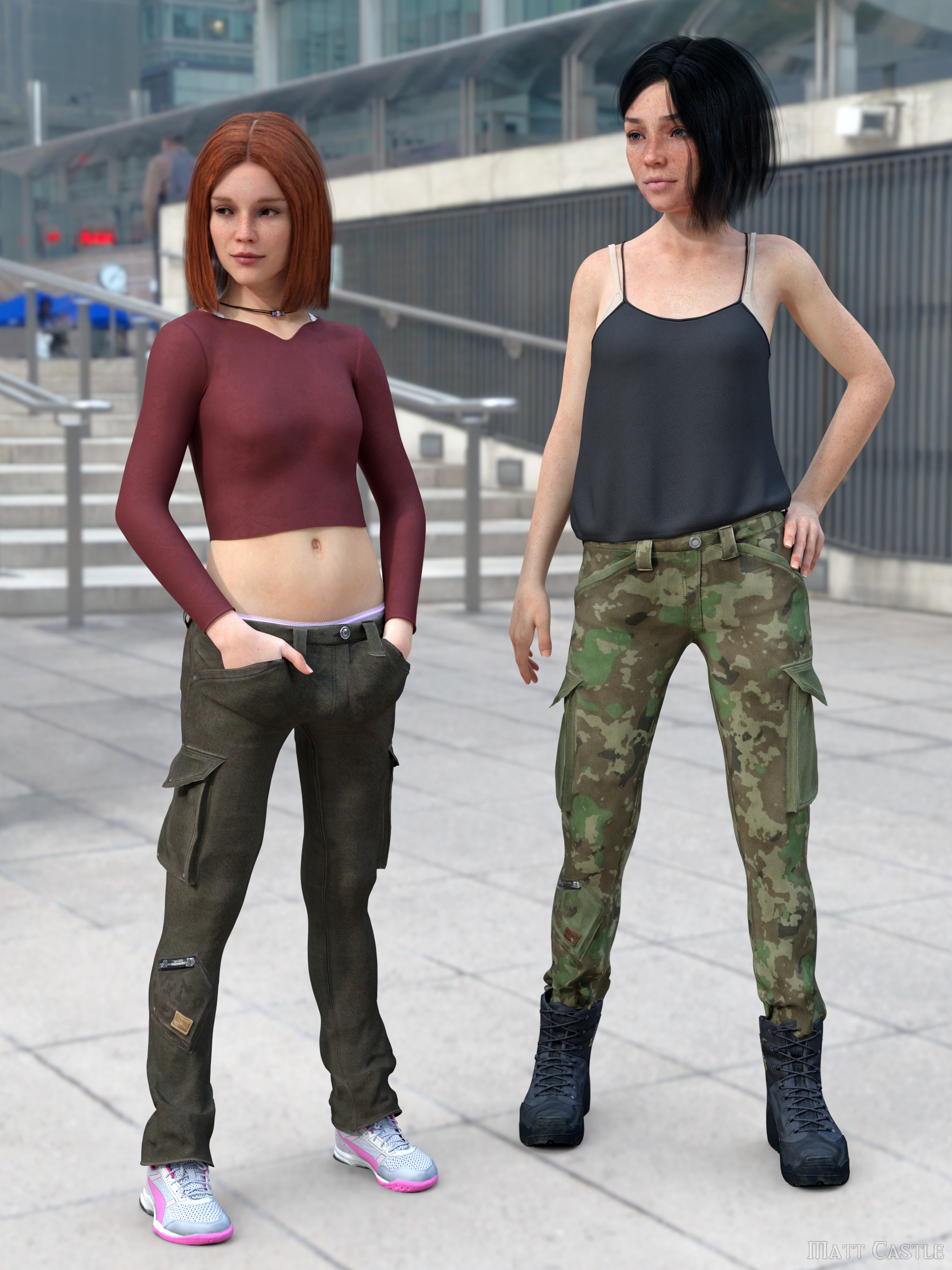
Matt_Castle You've got skills! Great work on the skinny leg morph!
Llola Lane Thanks for sharing your favs from the contest thread. Those are all great and so varied! And thanks for sharing "Coffee and a good book!" too.
Scroll to morphIs there a way to scroll to a morph in the Parameters pane by script?
Daz to Blender - Mesh messed up !It's the morphs, it wont export them correctly, weather if they are selected or not.
A model with no morph, is just fine.
Problem with VO LisaGordig said:
Morphs don't need to be merchant resources to be included in another product, so long as the product containing the morphs is purchased separately rather than the morphs being included in the new product. It would be a bit strange to include another PA character's morphs in your own character (as opposed to, say Daz base morphs), but it's not strictly wrong. What IS wrong is that, if that is the case, the Mousso character isn't listed as required.
edit: I'm still waking up, but I still recognize how poorly I worded that. A product can REFERENCE other morph products, textures etc., but can't include them unless they're merchant resources.
I'm wondering what would have happened if I hadn't already owned MSO Dola...
Problem with VO LisaMorphs don't need to be merchant resources to be included in another product, so long as the product containing the morphs is purchased separately rather than the morphs being included in the new product. It would be a bit strange to include another PA character's morphs in your own character (as opposed to, say Daz base morphs), but it's not strictly wrong. What IS wrong is that, if that is the case, the Mousso character isn't listed as required.
edit: I'm still waking up, but I still recognize how poorly I worded that. A product can REFERENCE other morph products, textures etc., but can't include them unless they're merchant resources.
[Released] Modern Home Essentials Pack 01 [Commercial]Elor said:
It looks good: I want it for real in my home

Is the sitting pose of the character seen on the first render included in the pack ? Even a basic one to get a starting point would be great
I did not include it because it was a rough pose specifically made for the scenes and I did not consider it "good enough". Also, the pose curently requires London by Faber Inc (beautiful work!) to look correct, because it was made with her proportions in mind. Removing the character's morph/proportions changes how the pose looks in the scene and would have required more work to fix, so it was omitted.
HOWEVER, I've attached the pose to this comment for general use. It will need adjusting for the contacts (the arms float a bit, one arm goes into the chest too much and the legs and feet interpenetrate with each other more than necessary) but it should provide a starting base for the sitting pose! To add, in the beauty renders, the chair and ottoman were dformed to give the illusion of the model pressing their weight on the cushions, I'd recommend doing the same thing once the set releases if you plan on using the pose!
Is there any need for classic Hollywood G9 head morphs?Unfortunately, I have to agree with you. Classy and elegant are mostly no more. Now we have a Kardashian trying to be Marilyn Monroe and totally missing the point. Wouldn't it be wonderful though if the younger generations had a chance to rediscover the beauty of old fashion, grace of movement and the true spirit of etiquette? Actually I have something along your lines, Richard. I was looking for poses that would go with the characters I am creating and what now is considered "elegant" would once be considered in bad taste. You won't find (for example) the pose in which a true lady would sit, which is called a Duchess Slant - legs not crossed but parallel and with feet to the side, both kept on the ground. Never crossed! How about a set of true ladylike and gentlemanly poses for G9? I would gladly use them in my renders!
Who would be a best choice for a lesson in grace, class and beauty both inside and out? But of course - Audrey Hepburn! Before there was Jackie O with her pillbox hats, there was Audrey and Hubert de Givenchy whom Jackie (very smartly) also had outfits made by. I'll take Audrey anytime though! Her inner light was astonishing. That's why I called her morph Luminous.
And btw, I would be over-the-moon happy if perlk got a subscription for Marvelous Designer and made some beautiful outfits with it. Perlk - you've got talent!
DazToHue vs DTLmrpdean_7efbae9610 said:
Hi,
I'm the creator of DazToHue so take my views with a grain of salt. I'll try to be objective as I can noting that I've never used DTL, however I am on the DTL discord server and do follow it's development closely.
I'd say the biggest difference between the DTH and DTL is ease of use vs complete control and flexibility.
DTL is certainly easier to use in that it can convert a figure with just a few clicks from what I understand, however you don't get much control during the process. DTH is a little more complicated to use however you get complete control of all aspects of the converted figure. For example, uv layouts, material slot counts and names, polygon counts, joint names etc.
DTL currently only converts G8 figures, although I believe that G9 will soon be supported. Whereas DTH can convert any Daz figure type, humanoid or otherwise.
Both can generate corrective morphs optimised for linear skinning in Unreal Engine although they use different methods for achieving this.
Both support clothing.
Both support geografts.
Speed used to be a huge difference. DTH has always been able to convert sub-d 1 figures with clothing in a few minutes (typically under 5 minutes). DTL could take several hours to convert the same figure from what I've been told however according to dev notes, a recent update to DTL has seen a 50% reduction in conversion times.
DTH allows for poly-reduction or subdivision at the time of conversion and you get complete control over where to spend your poly budget on the figure. E.g. more polygons on the face etc. DTH can generate LOD's for your figure. As far as I know DTL doesn't provide any poly-reduction functionality.
DTH can transfer animation from Daz to UE whereas DTL can't.
DTH was designed for those who largely know what's involved in converting Daz figures for use in Unreal, with optimisation in mind. It simply take what used to be very tedious manual processes such as merging uv's and material slots, renaming joints, correcting the eye geometry to work with UE's eye shader etc, and either fully automates those processes or significantly speeds them up without ever taking control away from the user. It's more a set of utilities than a one-click solution.
DTL I would say was designed to be a simple way of getting G8 figures into Unreal with nice looking corrective morphs.
The reason DTH uses the Daz Studio side of the DazToMaya bridge plugin is because it's an already existing way of getting a nice subdivided FBX figure out of Daz Studio, along with the fig.dtu file which contains useful information such as the rest orientations for bones etc. Sure, I could probably clone the DazToMaya bridge repo and rename it to DazToHoudini but there doesn't seem much point at this stage. The FBX file that the DazToMaya plugin exports is already perfectly well suited for use in Houdini whereas the FBX files that the DazToUnreal or DazToBlender plugins export, aren't.
DTH does require Houdini Indie or higher. Unfortunately there isn't anything I can do about that as file exporting is locked in Houdini Apprentice sadly.
So, I finally understand why the DTM bridge is needed there. Many thanks for the clarification !
DazToHue vs DTLHi,
I'm the creator of DazToHue so take my views with a grain of salt. I'll try to be objective as I can noting that I've never used DTL, however I am on the DTL discord server and do follow it's development closely.
I'd say the biggest difference between the DTH and DTL is ease of use vs complete control and flexibility.
DTL is certainly easier to use in that it can convert a figure with just a few clicks from what I understand, however you don't get much control during the process. DTH is a little more complicated to use however you get complete control of all aspects of the converted figure. For example, uv layouts, material slot counts and names, polygon counts, joint names etc.
DTL currently only converts G8 figures, although I believe that G9 will soon be supported. Whereas DTH can convert any Daz figure type, humanoid or otherwise.
Both can generate corrective morphs optimised for linear skinning in Unreal Engine although they use different methods for achieving this.
Both support clothing.
Both support geografts.
Speed used to be a huge difference. DTH has always been able to convert sub-d 1 figures with clothing in a few minutes (typically under 5 minutes). DTL could take several hours to convert the same figure from what I've been told however according to dev notes, a recent update to DTL has seen a 50% reduction in conversion times.
DTH allows for poly-reduction or subdivision at the time of conversion and you get complete control over where to spend your poly budget on the figure. E.g. more polygons on the face etc. DTH can generate LOD's for your figure. As far as I know DTL doesn't provide any poly-reduction functionality.
DTH can transfer animation from Daz to UE whereas DTL can't.
DTH was designed for those who largely know what's involved in converting Daz figures for use in Unreal, with optimisation in mind. It simply takes what used to be very tedious manual processes such as merging uv's and material slots, renaming joints, correcting the eye geometry to work with UE's eye shader etc, and either fully automates those processes or significantly speeds them up without ever taking control away from the user. It's more a set of utilities than a one-click solution.
DTL I would say was designed to be a simple way of getting G8 figures into Unreal with nice looking corrective morphs.
The reason DTH uses the Daz Studio side of the DazToMaya bridge plugin is because it's an already existing way of getting a nice subdivided FBX figure out of Daz Studio, along with the fig.dtu file which contains useful information such as the rest orientations for bones etc. Sure, I could probably clone the DazToMaya bridge repo and rename it to DazToHoudini but there doesn't seem much point at this stage. The FBX file that the DazToMaya plugin exports is already perfectly well suited for use in Houdini whereas the FBX files that the DazToUnreal or DazToBlender plugins export, aren't.
DTH does require Houdini Indie or higher. Unfortunately there isn't anything I can do about that as file exporting is locked in Houdini Apprentice sadly.
Can you separate skeleton/weight mapping from a copyrighted mesh for redistribution?I actually had mesh pretty much done, was doing the UV map and thinking, wow this sucks, also I'm gonna have to redo my morph targets, why am I doing this
so this is actually finished and I need people willing to test this decode method and see if it's reasonable for ordinary folks before I post it
Can you add existing morphs to clothes for export?Hi,
To export to unity, I export the base character with morphs /no clothes hair etc.
Then I add the clothes to the figure, unparent the clothes, delete the figure, and export the clothes by themselves.
However sometimes the morphs on the body do not show up in the list of morphs for the clothes, so I can't export morphs like "pear shape" with the cothes.
Is there a way to add the morphs to the clothes for export ?
The pear morph, for example, works on the clothes in daz with the slider.
It just isn't there as an option for export.
Render your buys! Use buys from the current month and the previous month of salesA few days since I did this, but I put together my own skinny leg morph for Aeon Soul's new Metro Style Outfit (specifically the G8F version, I don't use G9 quite enough at the moment to merit buying both variants at release price).
Genesis 9 - DazToUnity - Bad fingers / bonesArtini said:
Maybe you could look at:
which are used for Tafi characters at Unity store.
These are Genesis 8 based.
I'm just looking at what they have in Unity. They have a free starter pack with Seb and the Scifi Settler outfit (I did buy a couple of others when they were on sale and have a few other freebies from them).
There are not many morphs that alter the overall scale of the character and even then they make very little adjustment. You select the morphs to add, so will work very simarly to the MCS code with morphs files.
99% of the code is through dll's too
If I use the FBMHeight morph on the Tafi/Linteum characters it breaks the Humanoid animation too
Goblin PackProblem has now been solved. Thanks for the morph pack.
Is the official daz to blender bridge doesn't have a way to transfer the pose back?Back to DS by using DTB bridge? Nope... only Diffeomorphic can.
As for rig manipulation, you can transfer to Rigify for better manipulation.
But still recommend Diffeormorphic Daz Importer (DDI).
Is the official daz to blender bridge doesn't have a way to transfer the pose back?Is the official daz to blender bridge doesn't have a way to transfer the pose back?
and why the IK FK, everytime I switch it, the pose changes a bit, for example the arm or the leg.
Switch, switch, switch, the arm/leg moves around.Daz 3D is part of

Connect
DAZ Productions, Inc.
7533 S Center View Ct #4664
West Jordan, UT 84084Licensing Agreement | Terms of Service | Privacy Policy | EULA
© 2026 Daz Productions Inc. All Rights Reserved.