-
Llola Lane’s RENDER A MONTH Challenge 2024 (ALL are welcome to join) (CLOSED)
Llola Lane said:
and nattaruk... I wanna visit THAT planet... so pretty... Thanks for sharing.
Not sure I want to visit it. Sure it's pretty, but the inhabitants may want to snack on humans

Your own render is nice too, with a very nice underwater DoF effect

SofaCitizen said:
When I grow up....
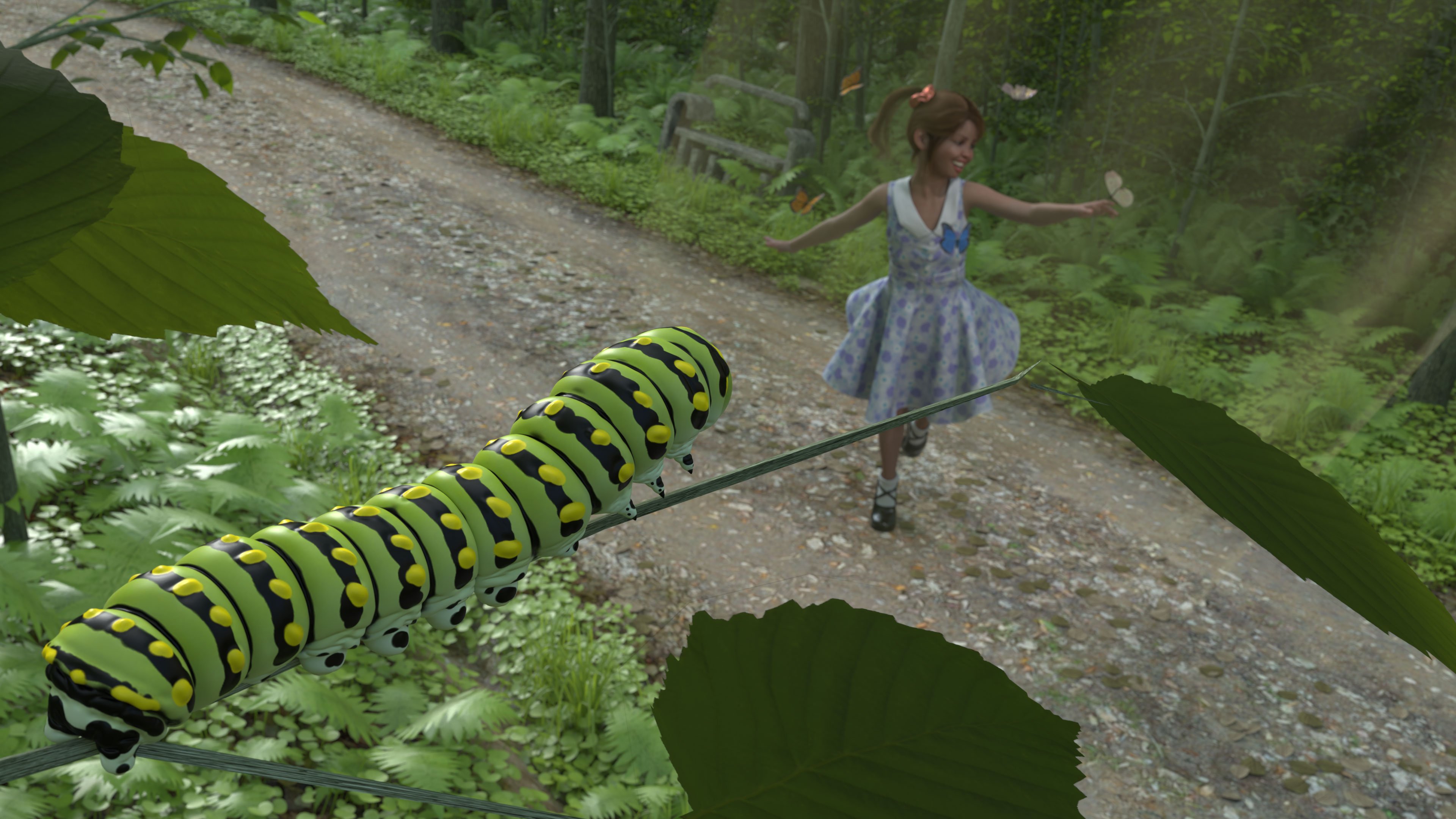
Gallery link for assets used.
I love it
Funnily enough, I followed a similar train of thought, but ended with a different result, because in a way, I went the opposite way with going back to when Victoria was younger.
I started working on it two weeks ago but couldn't advance as much as I wanted and Initially, I only had the ladybugs, but took advantages of the recent wishlist sale to get the whole bundle. Thankfully, I found time to finish what I started yesterday, because it took the whole night to render it
 .
.But I digress as usual, so ‘… Let’s go exploring’
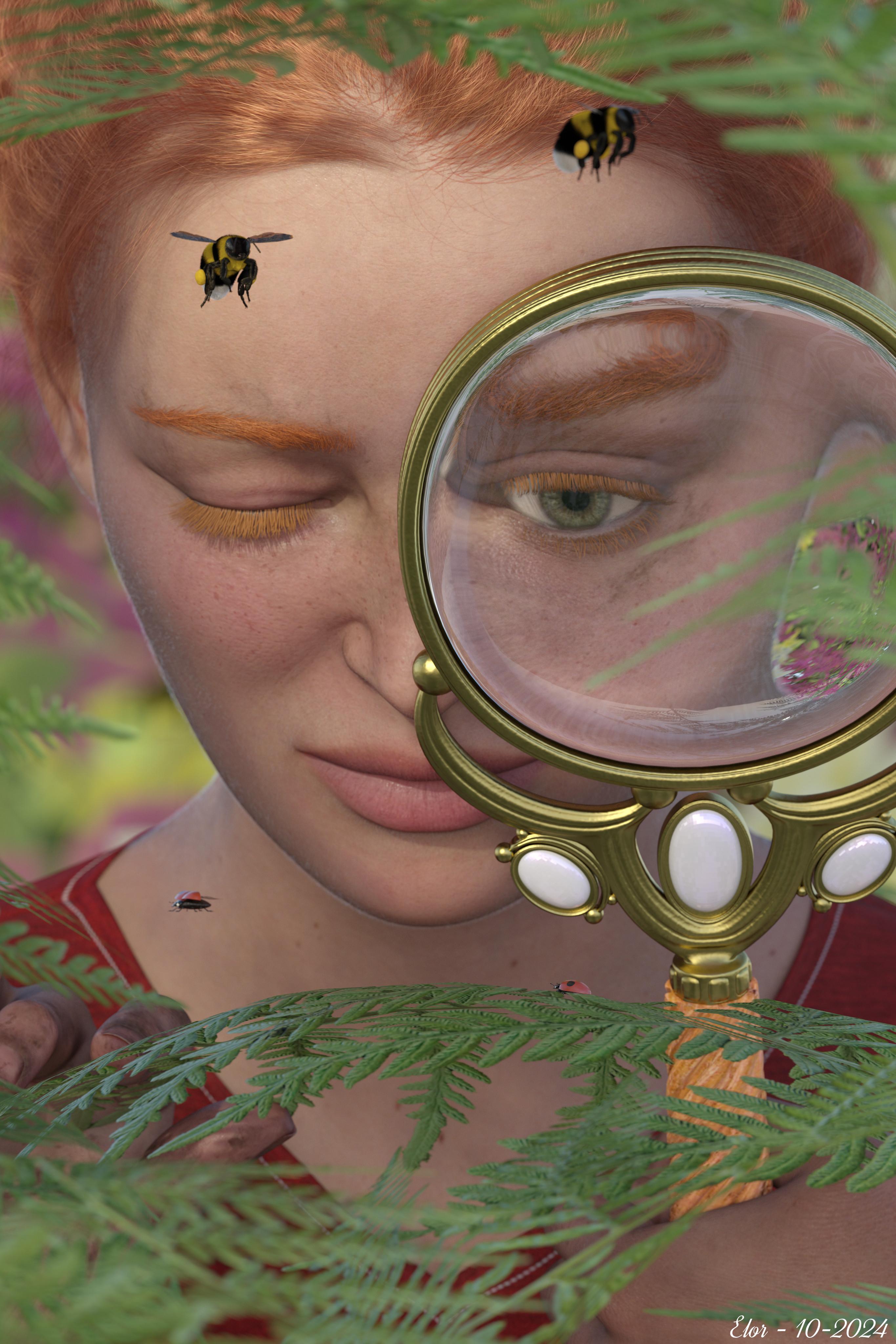
All items from Daz should be linked in the gallery. The two freebies by @AllenArt are here:
- https://sharecg.com/v/99649/gallery/21/DAZ-Studio/Magnifying-Glass
- https://sharecg.com/v/95893/gallery/21/DAZ-Studio/Iray-Jewelry-Shaders
@Fae3D > Very nice. With a lot of reflections in the crystal which I suppose meant it was a long render.
Genesis 9 Shoulders Distortioncrosswind said:
bernardo.odreman said:
crosswind said:
I couldn't reproduce the issue with the characters you mentioned.... So check corrective morph firstly with Victoria 9.
- filter cbs in Parameters pane, select Currently Used with Show Hidden Properties... > On
- there should be only eight corrective morphs in the list, is that correct?I have 6 only and they dont mirror exactly yours either...Screenshot attached for quick reference.
THank you!
Oh... you gave her a different pose this time, not a big deal... if you pose both Shoulders and Upper Arms, you'll see more corrective morphs.
Anyway, have you noticed there're another two corrective morphs from another character: Boragia ? (ss1) They're the culprits. If you set them to zero, the distortion will be gone.
The vendor wrongly set ERC settings... they should've been only triggered when Boragia body morph is dialed... You can fill a ticket and uninstall that character product for the time being... or correct the ERC settings in Property Hierarchy yourself. (refer to this thread if you want to do so: https://www.daz3d.com/forums/discussion/comment/8915156/#Comment_8915156 in Edit Mode, locate the corrective morphs in Property Hierarchy, and drag Boragia's Body Morph property to 2nd stage controller.)
Just perfect...Thank you kind Sir, that did the trick O.-
Genesis 9 Shoulders Distortionbernardo.odreman said:
crosswind said:
I couldn't reproduce the issue with the characters you mentioned.... So check corrective morph firstly with Victoria 9.
- filter cbs in Parameters pane, select Currently Used with Show Hidden Properties... > On
- there should be only eight corrective morphs in the list, is that correct?I have 6 only and they dont mirror exactly yours either...Screenshot attached for quick reference.
THank you!
Oh... you gave her a different pose this time, not a big deal... if you pose both Shoulders and Upper Arms, you'll see more corrective morphs.
Anyway, have you noticed there're another two corrective morphs from another character: Boragia ? (ss1) They're the culprits. If you set them to zero, the distortion will be gone.
The vendor wrongly set ERC settings... they should've been only triggered when Boragia body morph is dialed... You can fill a ticket and uninstall that character product for the time being... or correct the ERC settings in Property Hierarchy yourself. (refer to this thread if you want to do so: https://www.daz3d.com/forums/discussion/comment/8915156/#Comment_8915156 in Edit Mode, locate the corrective morphs in Property Hierarchy, and drag Boragia's Body Morph property to 2nd stage controller.)
Genesis 9 Shoulders Distortioncrosswind said:
I couldn't reproduce the issue with the characters you mentioned.... So check corrective morph firstly with Victoria 9.
- filter cbs in Parameters pane, select Currently Used with Show Hidden Properties... > On
- there should be only eight corrective morphs in the list, is that correct?I have 6 only and they dont mirror exactly yours either...Screenshot attached for quick reference.
THank you!
Genesis 9 Shoulders DistortionI couldn't reproduce the issue with the characters you mentioned.... So check corrective morph firstly with Victoria 9.
- filter cbs in Parameters pane, select Currently Used with Show Hidden Properties... > On
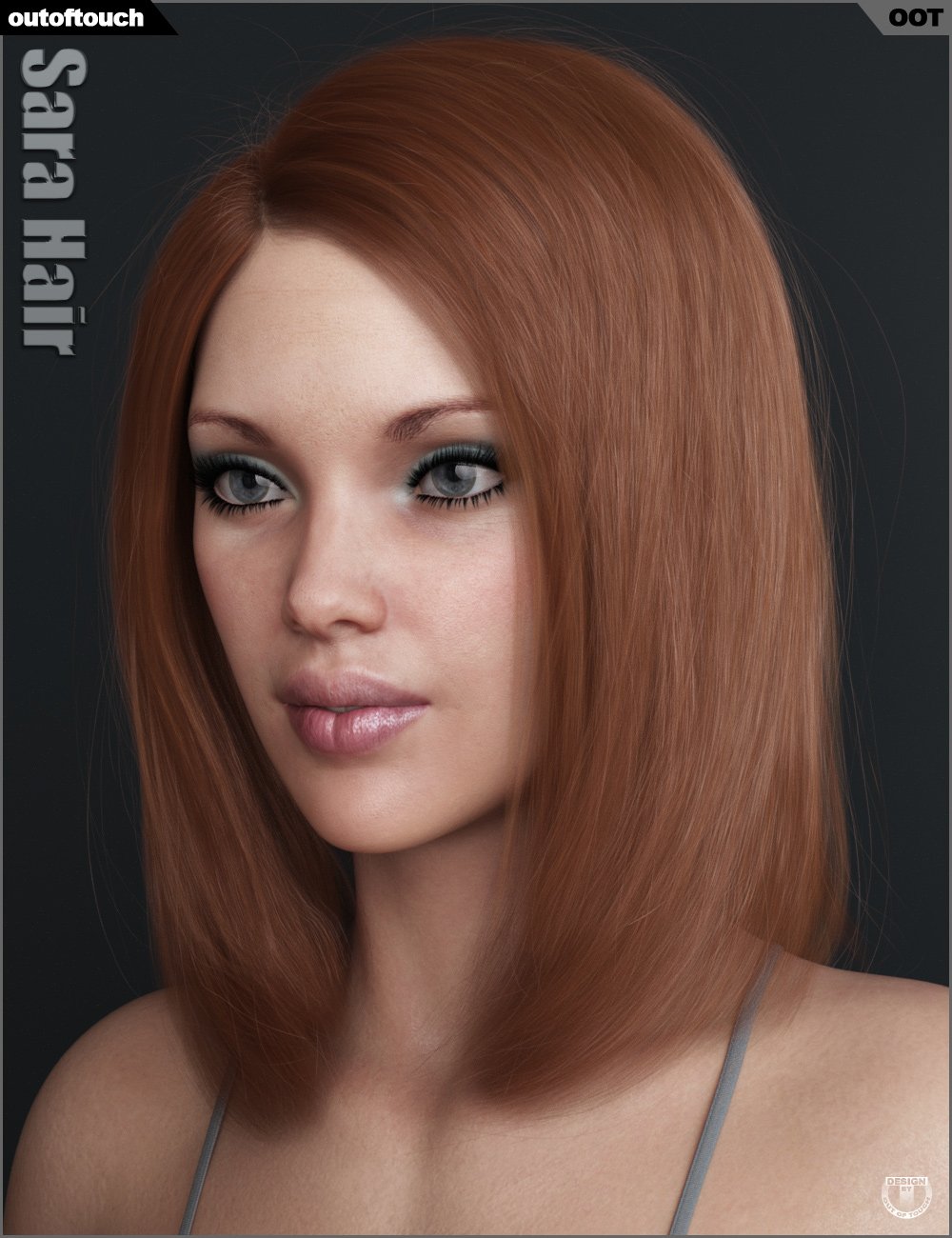
- there should be only eight corrective morphs in the list, is that correct?Another what character is this threadIt might be
RY Adeline, or a mix that includes her
OOT uses this model for a few different hair products - here she is in a popup from Sara hair - in case it helps to get an alternate view.
 Genesis 9 Shoulders Distortion
First time trying Genesis 9 figures and noticed some major distortion on the shoulders whenever the model lifts its arms...This can be seen in all genesis 9 figures such as Victoria 9, Van Helsing, MSO models or custom ones as the photo attached herein shows.
I checked under the hidden properties, and I did not see any weird parameters or anything that would raise a red flag - I did test the figures while using the "Ultimate Natural Bend Morphs for Genesis 9 Female Base" and the "Natural Movements Pack for Genesis 9" together and separately and the distortion remains and even becomes more severe.
Any advice would be greatly appreciated.
Thank you
Diffeomorphic export HD with Meipe geografts issuesI'm having issues when using Diffeomorphic to export HD characters using any of Meipe's geograft assests: Golden Palace, Dicktator etc. The shell data does not transfer successfully to Blender. I believe this is because of the UVs (see screenshot) as all the image textures, maps etc are present but are not on the HD figure (with Multires). The imported Base figure (with subdivisions) works perfectly. I am unable to find a work around or resolve it myself.
NB. Other geografts work fine (eg. Daz's Anatomical Elements)
To keep it very simple I am only using Victoria 9 HD and Golden Palace for G9 in this example. I'm using DS 4.23, Daz Importer 4.2.1, and Blender 4.2.3 LTS. My operating system is Mac OS Sequoia 15.0.1
The new HD convention had been working perfectly with these geografts and then suddenly stopped. I don't know if it was the DS upgrade that broke it but I updated my OS, Daz Importer, and Blender to see if that fixed it but it didn't. Screenshots of the shader editor window in Blender and the HD conventions used are attached. I can provide the duf. to the devs if required but don't want to attach the file here because of the adult nature.
Celebrity Look-a-Likes for 3D figures Part 4Great find, Haruchai,
Just a quick note for those using Michael and Victoria 3 after a long time: the CR2 files reference .obz files, such as blMilMan_m3Lo.obz. If you don't have these files in your Runtime, just edit the CR2 files, which are in text format, and change the .obz extension references to .obj and you shouldn't have any more issues after that.
Morphs Not Working After ReinstallI install manually and use the zips instead of using DIM or Daz Connect and I didn't copy/clone off a different drive to reinstall. Victoria 7 is installed as in the images I attached, you can see her slider in the Shaping tab but even her morph isn't loaded and that shows on the log image. It is only the base Genesis 3 Female that seems to actually load. Below are my pathways:
DS 4.11 Program install: F:/Program Files/DAZ 3D/DAZStudio4
Content Install: F:/Users/Darrell/Documents/DAZ 3D/Studio/My Library
The morphs for Genesis 3 and Victoria 7 are in:
F:/Users/Darrell/Documents/DAZ 3D/Studio/My Library/Content/data/DAZ 3D/Genesis 3/Female/ Morphs/DAZ 3D
The morphs for Cathy HD are in:
F:/Users/Darrell/Documents/DAZ 3D/Studio/My Library/Content/data/DAZ 3D/Genesis 3/Female/ Morphs/Raiya
The morph files do appear in those folders but for some reason when I load the figure/s the load process isn't seeing them. Also, I don't get an error message on the screen that deltas or anything could not be found. It is very weird because I have a very simple setup. I only use Genesis 3 and Genesis 8 figures now, no legacy characters or Poser content.
Does Genesis 3 & Genesis 8 content rely on any of the previous Genesis figures for base files, SDK, etc? I didn't install Genesis or Genesis 2 this time as I don't use them any longer.
Morphs Not Working After ReinstallHave you double-checked that you have re-added all your libraries? Maybe it's just when I installed Daz, but the install process created 2 Daz Format libraries (Library & "My Library") rather than just one.
How do you install your content? DIM or Daz Connect (installing within Daz Studio while logged in)? I assume by "complete reinstall" you also re-installed all your Daz content (as apposed to copying it over from a different drive). If so, did you re-install Victoria 7 as that is a pre-requisite for Cathy HD?
If you install things manually, did you definitely put the morph files in the correct location - in addition to re-installing V7 correctly?
Unwanted inactive premier items added to my product libraryzombietaggerung said:
See here: https://www.daz3d.com/forums/discussion/704841/free-items-added-to-product-library
It's not this. It's pose converters labeled premier and inactive.
I don't want and need items manually added that I cannot use.
The last time Daz manually added items was when I pre-ordered Victoria 9, and that didn't go well and messed up things.
3delight question(solved)Drip said:
Genesis 1 and 2 are generally set up for 3delight, iray was introduced only shortly after the release of Genesis 3, so many Genesis 3 figures will have materials for 3delight as well.
Then, there are the special characters, like all the Victorias, Michaels, Ophelias and other named Daz Original characters that are sold in pro- and starterbundles.
Victoria 5 and Michael 5 are basically Genesis 1 figures for the purpose of outfits, hairs and poses, but NOT for their skin textures, for some complex reason, the skintextures of these named characters do not match the Genesis 1 figures.
The same applies to the named Victoria 6, Michael 6, and other "6" characters in relation to their equivalent, Genesis 2.
This also applies for Victoria 7, Michael 7 and several other of the earlier "7" characters in relation to Genesis 3, but was fixed for later Daz Original "7" characters.
By extension, Victoria 4 and Michael 4 figures should work too, especially the 4.2 versions.If you want to have the "adult bits below the belt", you'll also need to get at least one pro-bundle for the base figures, so, for example, the Victoria 7 pro-bundle to get the adult bits for Genesis 3 Females, the Michael 7 pro-bundle for the Genesis 3 Male adult bits, the Victoria 6 pro-bundle for the Genesis 2 female adult bits, and so on.
But you'll want to check the products pages to see whether iray and/or 3delight materials are specifically mentioned. Sometimes, products specify iray and daz3d materials, which basically means iray and 3delight materials. But, lately, I've seen daz3D materials being specified, meaning iray materials. So don't take "Daz3D" materials for granted to mean 3delight, especially not on more recent products.
Are Genesis 8 and 8.1 also iray?
If so I think I will download the essential packages for Genesis 3, 2, etc. Also, Generation 8 is very confusing because of 8.1, it's like there are two versions of the same generation. Do you recommend I download Genesis 3 and earlier?3delight question(solved)Genesis 1 and 2 are generally set up for 3delight, iray was introduced only shortly after the release of Genesis 3, so many Genesis 3 figures will have materials for 3delight as well.
Then, there are the special characters, like all the Victorias, Michaels, Ophelias and other named Daz Original characters that are sold in pro- and starterbundles.
Victoria 5 and Michael 5 are basically Genesis 1 figures for the purpose of outfits, hairs and poses, but NOT for their skin textures, for some complex reason, the skintextures of these named characters do not match the Genesis 1 figures.
The same applies to the named Victoria 6, Michael 6, and other "6" characters in relation to their equivalent, Genesis 2.
This also applies for Victoria 7, Michael 7 and several other of the earlier "7" characters in relation to Genesis 3, but was fixed for later Daz Original "7" characters.
By extension, Victoria 4 and Michael 4 figures should work too, especially the 4.2 versions.If you want to have the "adult bits below the belt", you'll also need to get at least one pro-bundle for the base figures, so, for example, the Victoria 7 pro-bundle to get the adult bits for Genesis 3 Females, the Michael 7 pro-bundle for the Genesis 3 Male adult bits, the Victoria 6 pro-bundle for the Genesis 2 female adult bits, and so on.
But you'll want to check the products pages to see whether iray and/or 3delight materials are specifically mentioned. Sometimes, products specify iray and daz3d materials, which basically means iray and 3delight materials. But, lately, I've seen daz3D materials being specified, meaning iray materials. So don't take "Daz3D" materials for granted to mean 3delight, especially not on more recent products.
Kiri 9 is the new aiko or is other character???(solved)asterix8845 said:
Richard Haseltine said:
There have been a lot of name 9 characters. Do you mean why don't they reuse names from older generations? It is just the names that get reused, the characters are diufferent each time (though more-or-less in the same genre or style). There is now an Aiko 9 shape, at least, but it is one of the Premier Exclusives - however, there have been other toony characters of various styles so you can adopt one of those as "your Aiko 9" if it suits your needs.
That's why I said that I haven't used DAZ Studio for years, I'm not up to date with the new characters, hence why I used Kiri 9 as an example, I'm not very up to date with the new characters, I'm just starting over and I don't know the new DAZ family of characters, on top of that in the store everything is very messy, the only thing I managed to understand is that there is Victoria and Michael 9, Kiri 9, Jossie 9, and I don't know which other one, how come there are fewer compared to previous installments, or are there more of generation 9?
If ypu're looking for all the G9 core figures, https://www.daz3d.com/forums/discussion/642596/list-of-g9-core-figures is the closest I have seen to a full list.
Kiri 9 is the new aiko or is other character???(solved)Richard Haseltine said:
There have been a lot of name 9 characters. Do you mean why don't they reuse names from older generations? It is just the names that get reused, the characters are diufferent each time (though more-or-less in the same genre or style). There is now an Aiko 9 shape, at least, but it is one of the Premier Exclusives - however, there have been other toony characters of various styles so you can adopt one of those as "your Aiko 9" if it suits your needs.
That's why I said that I haven't used DAZ Studio for years, I'm not up to date with the new characters, hence why I used Kiri 9 as an example, I'm not very up to date with the new characters, I'm just starting over and I don't know the new DAZ family of characters, on top of that in the store everything is very messy, the only thing I managed to understand is that there is Victoria and Michael 9, Kiri 9, Jossie 9, and I don't know which other one, how come there are fewer compared to previous installments, or are there more of generation 9?
Message in a bottle for xtrart-3d: Which model are you using?Hi, This is my first post here. For those interested, this is the best result I can reach. It's not exactly the same, but I think it's the right direction. Each to his own...
Since Xtrart used this for a while I started from Victoria 8 body 100%, Yun body 10%. I added 20% Bodybuilder and 10% Emaciated since it looked too slender, but well... Not sure it's usefull. It's still too slender.
Victoria head 100%, Yun head 10%, TX Alison lips 50%, Thin lips 25%. Victoria 8 Eyebrows.
I used P3D Riza Mats; l liked it so I kept it, but it's not the one. I should have tried P3D Ursula instead :)
I hope it will feed some hungry people!Extremely bad performance with DAZ charactersradego01 said:
If you import a character into Blender and use something from the morphs, like Eyes Blink, and set a keyframe, the FPS drops.
Of course some drop is expected in animation as blender has to compute the dependency graph for each frame, but here with my basic hardware it runs pretty smooth. However I suppose we have to set some common ground to do comparisons, otherwise it may obviously depend on the used figure. With the Victoria 8 defender above everything is fine.
Of course the more morphs you load the more the dependency graph is busy. If you look at the console when loading a figure you can tell how many morphs are loaded, the full V8 figure takes about 250 morphs. Other figures especially G9 may take much more. Plus if you use custom morphs packages.
steps for V8 defender, with simplify:
- easy import with the G8 preset plus "final optimizations"
- use solid mode for the viewport, so to avoid textures and shaders
- check fps without animation, I get 30 fps
- do some animation with the armature and the morphs
- check fps with animation, I get 24 fps
p.s. Apart the dep graph, animation also has to compute shaders and shadows for each frame, using solid mode with matcap avoids that. That's what solid mode is for in blender, so you can use solid mode for animation with a simplified preview, then eevee for rendering. Or cycles for phorealistic images.
p.p.s. In general in blender we can expect eevee to take some seconds to render a scene, then cyles to take some minutes. Of course it depends on the scene and the hardware but these are the common expectations. Eevee is designed for animation, it is not a game engine so not tailored for real time rendering, and personally I'm grateful for that. In game engines as Unreal there's many limitations on materials and rigging that blender doesn't have.
update. normal maps in eevee. This is a known issue, still bugging blender 4.2, and not going to be fixed by the blender team. Eevee is slow computing normal maps, so it is better to use bump maps instead when possible. In the link below you also find two addons, to toggle normal maps, or to replace the standard normal maps with a much faster custom group.
With the defender figure in material preview I go from 7 fps with normal maps to 30 fps with bump maps. The solid mode works fine and always goes 30 fps.
https://projects.blender.org/blender/blender/issues/64458
Reported to Thomas, to implement a toggle for normal maps directly in diffeomorphic.
https://bitbucket.org/Diffeomorphic/import_daz/issues/2244/
I'm also attaching a material preset to remove the normal maps in daz studio from the uber shader before exporting. That you can use when the figure provides both normal maps and bump maps, so to only keep the bump maps in blender. Of course backup the scene first.
RRRR - Weird Holiday Traditions Render Contest *CLOSED*Thanks @3Diva
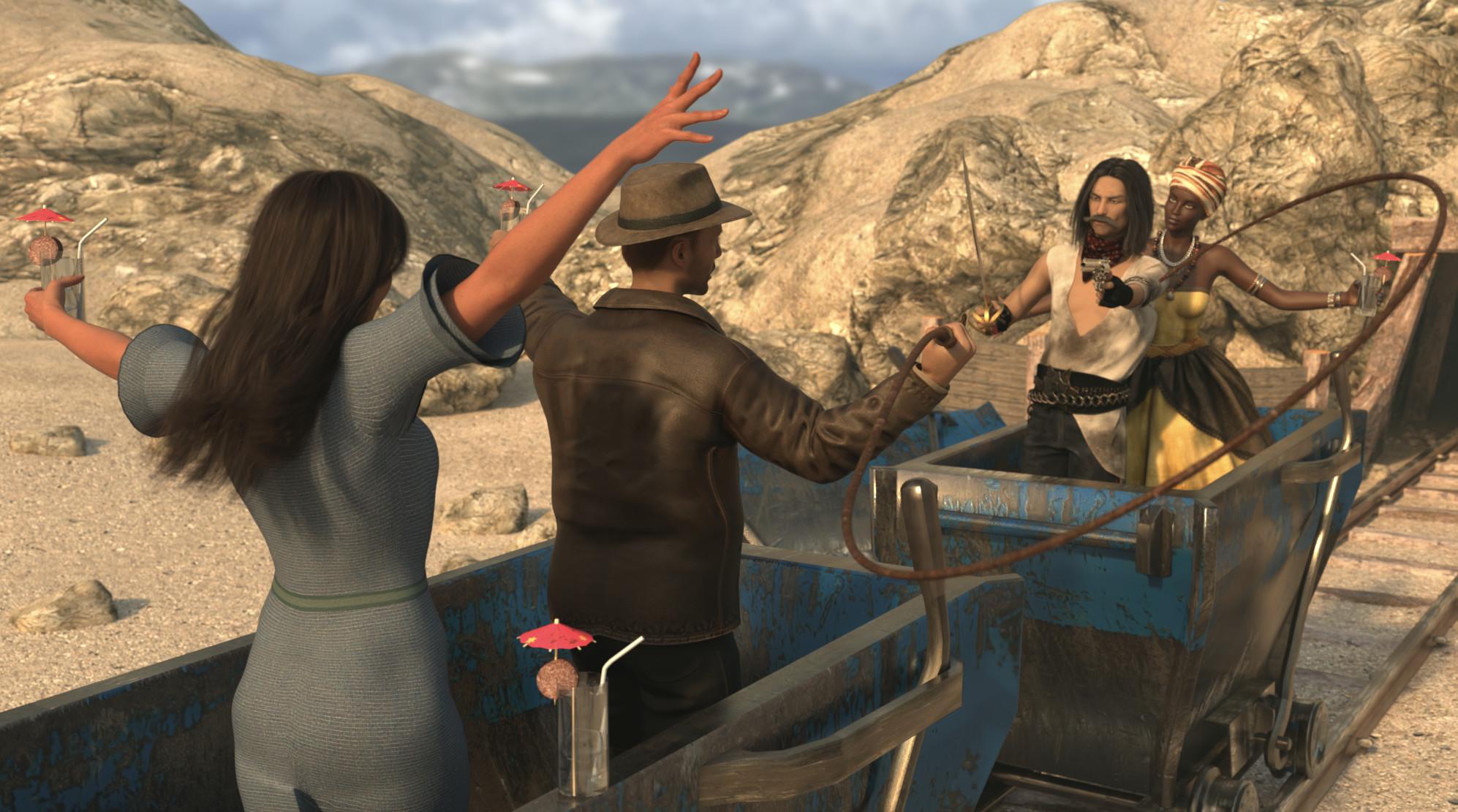
It was a rainy weekend... lol...Tag: Totte#02
#13 Voodoo Queen Outfit for Genesis 2 Female(s) (#21036)
#5145 Long Hair and Bangs for Genesis 9 (#91395)
#1376 Eternal Desert Warrior Outfit for Genesis 3 Male(s) (#31681)
#409 An Abandoned Mine (#22046)Also Used:
Skies Of Economy
Edgar for Genesis 3 Males + Kieron Hair + Whiskers + Shortblades + Modern Weapons
Tamara for Genesis 2 Female
Victoria 9 HD + 1930s Party Frock And Hat (no hat)
KOO Nils + Adventure Style Outfit + Old George Hair + Diana And Jones (whip)
Everyday Drinks
Pest Control (sausage)
Background picture of Stekenjokk (my own)
Shaders, Lights and Scripts Used:
Advanced Material Converter
JM Human Shader
Geometry SculptorIndy Midsummer Morning
At Midsummer at an abandoned mine in Pajala, north of the arctic circle in Sweden, a group of Indiana Jones fans reenact scenes from the movies while drinking the famous drink Pajala Sunrise*, as the sun never sets in Pajala in the summer.
*Pajala Sunrise: A glass of moonshine with a thick slice of sausage on the glass edge.
 Saving Presets
I wish I could show you the proof. I no longer have my old files with my characters. In 4.22, I had 2 models, Victoria 8 and Babina 8. Victoria had face and body morphs with ana elements saved and they would load in with the presets saved as well as Babina 8 may skin, the tan one on Victoria 8. I believe I had post(not sure if you can see it within my profile), in a recent one; July. I believe where I had black lines on a model. The way you see her, is all the presets saved on her as well as a different model in the render. Besides the clothes and hair, everything else was saved as a character preset; Face Morphs, Body Morphs, Eyebrows, eye colour, and skin(only Victoria 8 had a different colour skin; Babina 8 MDL). All my renders that I have posted here have been presets I have saved and used on how to improve. So I'm not sure what has changed to where the presets don't save the character morphs and skin. If you'd like to check, all of my models I have posted have been edited and saved and loaded into a new scene. My favourite is the purple hair model with the gun. Slight face morph, glutes/leg/breast morphs, all of that was edited and saved as a preset. The ones I have saved, haven't loaded in the same way as in 4.22. Sorry if I keep repeating myself. It's just something I noticed since I haven't touched Daz since July and found it strange that something changed between then and now.Richard Haseltine said:I don't belive that a Character preset has ever included fitted/parented items. Hierarchical materials presets do do that, as long as the item is parented as well as/instead of fitted (but they don't load the item). A Wearables preset will load the item, with materials applied - I suspect you may have been using that before.
Daz 3D is part of

Connect
DAZ Productions, Inc.
7533 S Center View Ct #4664
West Jordan, UT 84084Licensing Agreement | Terms of Service | Privacy Policy | EULA
© 2026 Daz Productions Inc. All Rights Reserved.