-
Advise for architecture designs
I am thinking about making a photorealistic 3D model from blueprints, outside and inside like for example if someone is planning to build a house that I can make a fully 3d model for them that looks like the house is already build
Architools by inagoni I could be a start . What exactly do you want to do?
I agree with Head Wax. If you start from the blue print and want interior/exterior; Architool is the best start if you want to stay inside Carrara. It has an easy learning curve, can be easily configured, can import any window/door necessary (see here a nice repository) can export to obj... The main issue I have with it is that creating dormers, while possible, is not straighforward and has limitations.
Outside Carrara, Sketchup is famous for creating buildings from street pictures and can export Collada to Carrara.
There are also plenty of specialized software for Archviz from Free to outragiously expensive.
Thank you Oskarsson and Luthbel (and others)Sometimes a mishap isn't such a bad thing : )
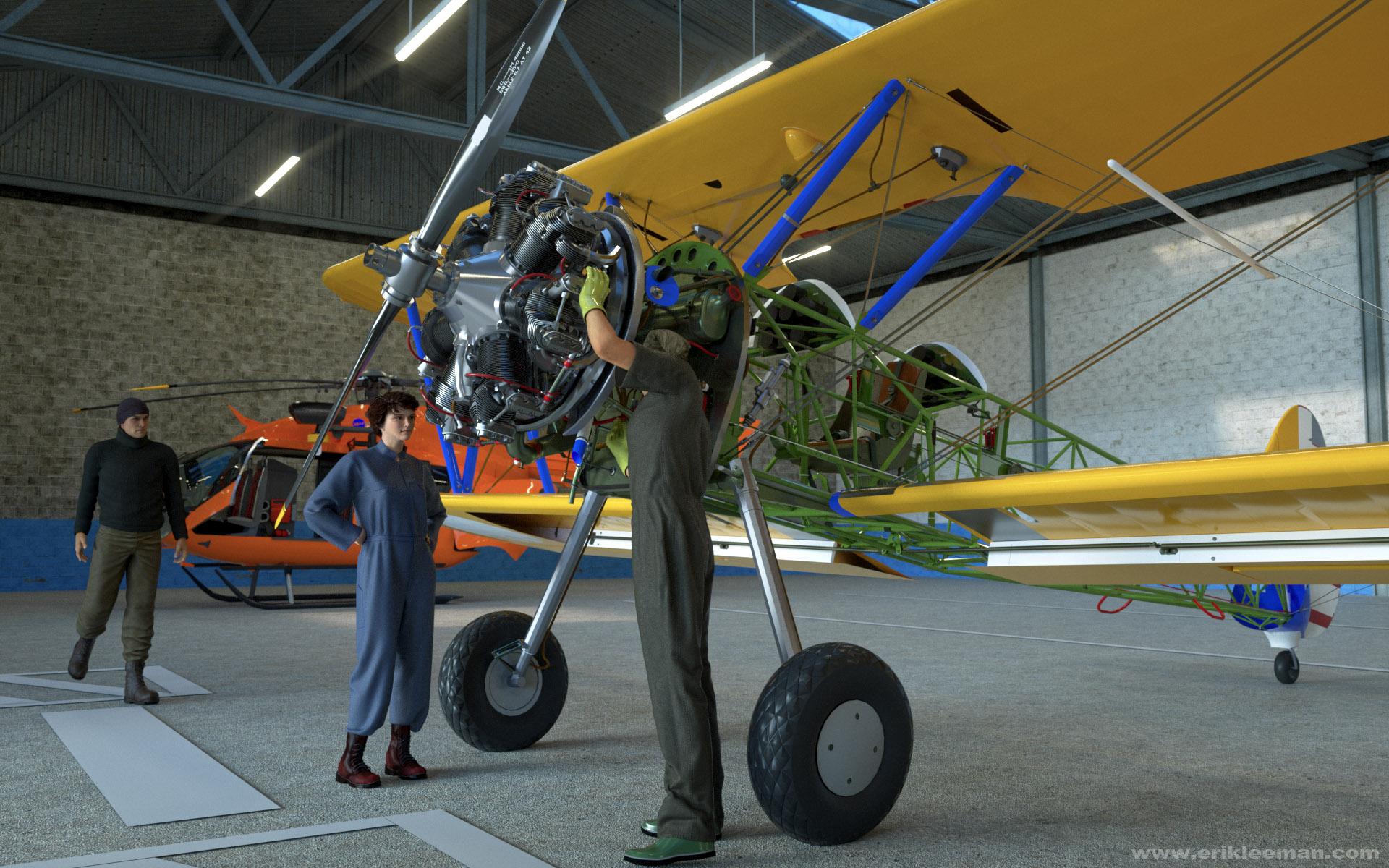
SketchUp crashed while converting/exporting this wonderful Boeing Stearman model by PM3D from 3D WareHouse, but I think the result was more interesting than what I originally intended.
I wanted this scene to try out Yura's Air Defender suit for G2M and Aave Nainen's Blue Collar Basics Coveralls (I'll replace it later).
The hangar actually is Stonemason's Warehouse stripped empty.
The Boeing (19 MB) can be found here:
https://3dwarehouse.sketchup.com/user.html?id=1521012555791842123422033
Cheers!
Erik
edit: final version with Oskarsson's Prison Clothes for G2M and Yura's Air Defender
Awesome! And thanks for the link.
- Greg
Thank you Oskarsson and Luthbel (and others)Sometimes a mishap isn't such a bad thing : )
SketchUp crashed while converting/exporting this wonderful Boeing Stearman model by PM3D from 3D WareHouse, but I think the result was more interesting than what I originally intended.
I wanted this scene to try out Yura's Air Defender suit for G2M and Aave Nainen's Blue Collar Basics Coveralls (I'll replace it later).
The hangar actually is Stonemason's Warehouse stripped empty.
The Boeing (19 MB) can be found here:
https://3dwarehouse.sketchup.com/user.html?id=1521012555791842123422033
Cheers!
Erik
edit: final version with Oskarsson's Prison Clothes for G2M and Yura's Air Defender
 Thank you Oskarsson and Luthbel (and others)
It's 'Gas station with a shop' by Alexander L., the .skp is quite big at 22 MB.
https://3dwarehouse.sketchup.com/model.html?id=ub62b2714-a274-426f-b0f5-87032bab7a38
By the way, the ambulance and stretcher in the first image are from 3D WareHouse too.
There's a lot of fine stuff to be found there, but it ALWAYS involves tinkering to get them right.
Often worth it though!
Octane for DAZ Studio (2k Spp, not quite enough to get rid of all the noise).
Thank you Oskarsson and Luthbel (and others)LOL! It's just a test, found that shop on 3D WareHouse (SketchUp) and didn't want to render it completely empty : )
By 'Battlefield Hardline' you mean they were taken from a game?
That's too bad, that fabric simply looks fantastic, and the gear bits too!
Who said Blender was hard?I cannot agree that "blenders Interface is crap". 3D modelling is a complex thing, there are no simple ways to do it well. If you want simple get something else - maybe sketchup..I have used Blender since 2.49 and it took a long time to learn but it was worth it: yes, you can mouse around if you want to but hotkeys are the only way to model fast. Also, practice: keep working at it and you will remember the hotkeys better. That applies to all software really - and there is the core issue I think: 3D modelling takes a certain kind of mind and determination to learn it . I don't know all of Blender, I only use some of the features - there is always more to learn.
For free software, Blender is amazing. Compared to other software you will pay thousands for, it is better in some ways and equal in many.
Show Us Your Bryce Renders! Part 9Launok, well done, yes it can be a bit of a pain moving things from one piece of software to another, recently working on a scene which brought terrains and spheres from Bryce, models from DS, models made in Wings3D, all into Modo and exporting to UV layout for mapping, then back to Modo for assembly and adjustments, while using Bryce, PixPlant and Genetica to make some textures, then all shuffled over to Octane for final rendering, I eventually feel by the time all this is managed it is like more work than it really is because every time software is switched, controls and shortcuts change. Probably explains why for fun I tend to focus on doing everything in Bryce and only with a few elements.
Wow, David, that seems a great deal of work the way you did it and with my bad luck at times Bryce seems to crash as was the case with the model shown here. Again a character from Sketchup Warehouse. The "Ben" character I've initially tried for the ventriloquest puppet but struggled quite in Daz Studio with body, especially the fingers as every part of the body are separate shapes and confused me as body parts only appear in the Daz scene as 'shape' and not which part, i.e. hand, eye, etc. I have too little experience with this kind of thing and needs to practice much more on changing and morphs on existing models. Although I have asked at Daz Studio forum for help I am still waiting for a reply. Or I must try making my own figure from scratch in Hexagon, etc. but am looking at videos on learning. :)
Laura
The bridge for me from DS to Bryce is not always the most trust worthy, often I exporting as .obj the safer approach and then importing into Bryce. The bridge in the other direction seems even more tempremental.
Show Us Your Bryce Renders! Part 9Launok, well done, yes it can be a bit of a pain moving things from one piece of software to another, recently working on a scene which brought terrains and spheres from Bryce, models from DS, models made in Wings3D, all into Modo and exporting to UV layout for mapping, then back to Modo for assembly and adjustments, while using Bryce, PixPlant and Genetica to make some textures, then all shuffled over to Octane for final rendering, I eventually feel by the time all this is managed it is like more work than it really is because every time software is switched, controls and shortcuts change. Probably explains why for fun I tend to focus on doing everything in Bryce and only with a few elements.
Wow, David, that seems a great deal of work the way you did it and with my bad luck at times Bryce seems to crash as was the case with the model shown here. Again a character from Sketchup Warehouse. The "Ben" character I've initially tried for the ventriloquest puppet but struggled quite in Daz Studio with body, especially the fingers as every part of the body are separate shapes and confused me as body parts only appear in the Daz scene as 'shape' and not which part, i.e. hand, eye, etc. I have too little experience with this kind of thing and needs to practice much more on changing and morphs on existing models. Although I have asked at Daz Studio forum for help I am still waiting for a reply. Or I must try making my own figure from scratch in Hexagon, etc. but am looking at videos on learning. :)
Laura
Show Us Your Bryce Renders! Part 9Just a simple render of a Ventriloquest doll I made today. I got the head (freebie) online and the body/clothing part (no head) at Google Sketchup Warehouse and tried in Bryce to add the two objects together. Unfortunately the body part only the legs and hands can be moved away from the torso. The arms are fixed to the body and can't be moved unless I try it in Hexagon. But I only tried a sit position today for starters. The head is fixed and currently I can't do facial morphs, etc.
The character is Genesis 1 which I have posed beforehand in Daz Studio more or less for a position to hold the puppet but not great pose!
Laura
Never done this before - but would like to add morphs, etc to figureHi, I have never done this before but got a model of "Ben" over at SketchUp Warehouse and want to try adding morphs, etc. to the character. I want for instance for the character to go into a sitting position and change hand signals, etc.
I have saved it as an obj (wavefront) and exported it via Bryce to DS4.8
The thing about this character is that every single part, i.e. eyes, lips, teeth, body, clothing, are separate pieces. If I select "all" in DS it doesn't select the character as 1 full object. As you will notice on the attached image top left there are many shapes. Is it possible to do changes here or do I rather try in doing so in Hexagon instead? Actually I have not even try this in any other program, including Hexagon. Total new to this!
Any help and suggestions are much appreciated.
Laura
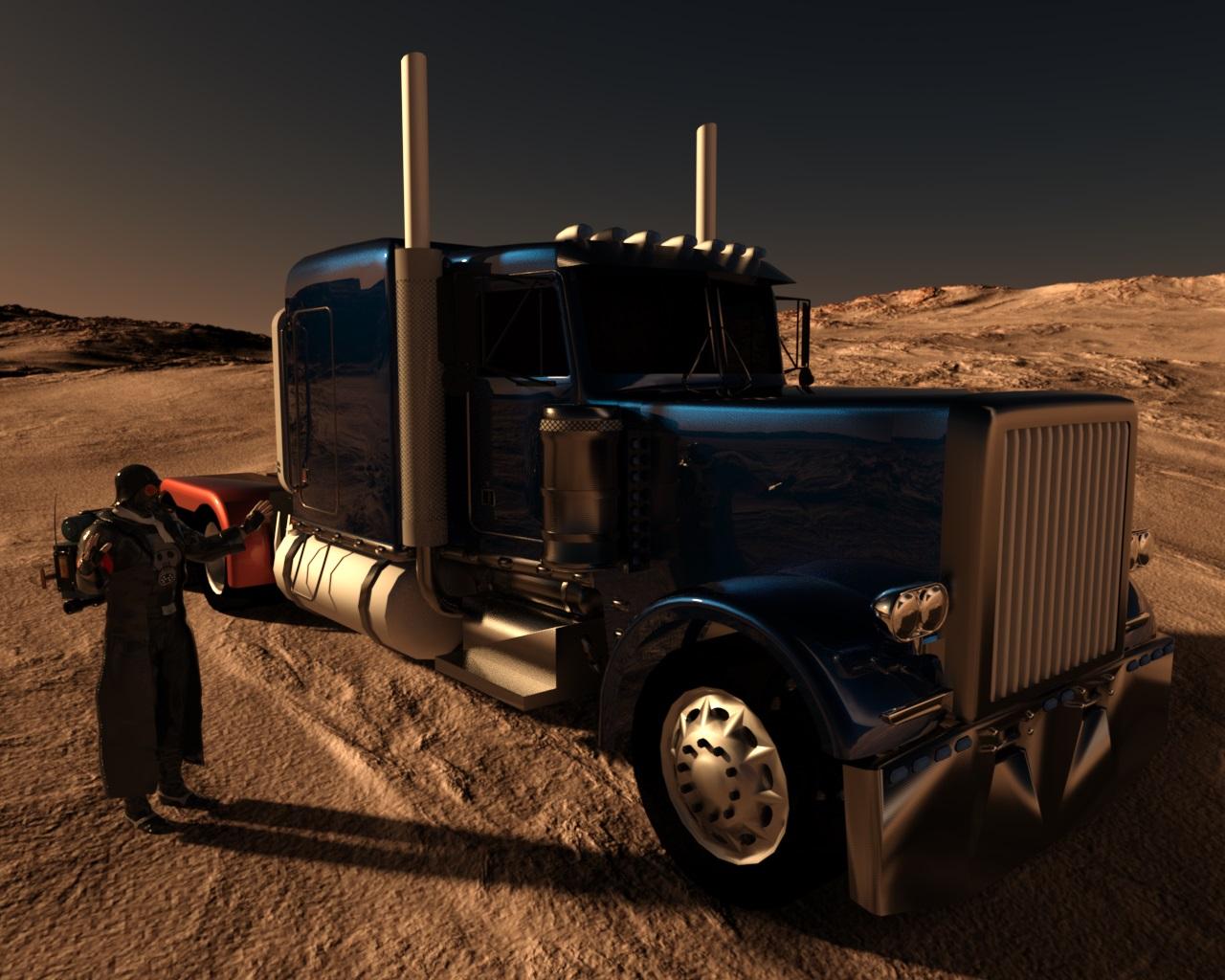
Realistic Renders.... NOT! 14: A new frontier.....Another iray render of vehicle from SketchUp. Environment from:
http://www.daz3d.com/oot-hdr-360-environments-space-for-daz-studio-iray
Rendering Time: 17 minutes
Very nicely done!
CHEERS!
Realistic Renders.... NOT! 14: A new frontier.....Another iray render of vehicle from SketchUp. Environment from:
http://www.daz3d.com/oot-hdr-360-environments-space-for-daz-studio-iray
Rendering Time: 17 minutes
 Realistic Renders.... NOT! 14: A new frontier.....
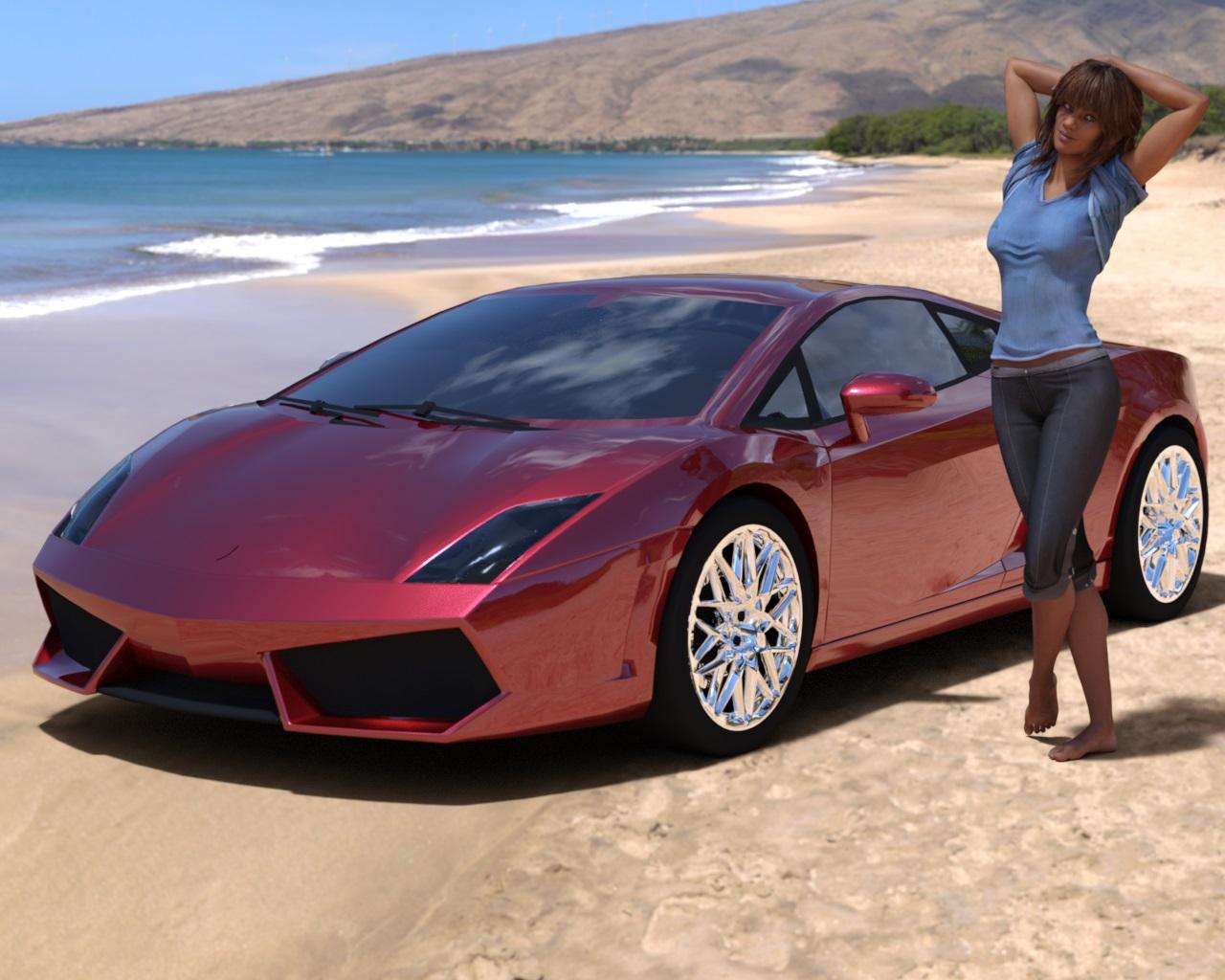
Below is DS4.8 iray render of a car model converted from Google Sketchup warehouse together with
http://www.daz3d.com/kelly-for-victoria-7
dressed with http://www.daz3d.com/everyday-for-genesis-3-female-s
Rendering Time: 21 minutes 19 seconds
When I have rendered only the car, it took 2 minutes 25 seconds to complete.
Looks great, one day, hopefully, even my Iray render times will be down to that.
CHEERS!
Realistic Renders.... NOT! 14: A new frontier.....I am experimenting with importing the 3D models from Google sketchup web site - there is thousands of free files there.
Below is DS 4.8 iray render of AlphaJet with some of the materials applied from iray DS Uber folder.
Rendering Time: 6 minutes 9 seconds
...looks nice. Is that with the free version?
Sorry, it was converted with 3DXchange 6.2 Pipeline, which reads .skp files too and has many tools to help with exporting
geometry, textures and animations to different formats, including .obj and .fbx
...so it also requires ICLone as 3DXchange is an expansion. At 600$ for the bundle, a bit out of my budget particularly as I don't work with animation.
Realistic Renders.... NOT! 14: A new frontier.....Below is DS4.8 iray render of a car model converted from Google Sketchup warehouse together with
http://www.daz3d.com/kelly-for-victoria-7
dressed with http://www.daz3d.com/everyday-for-genesis-3-female-s
Rendering Time: 21 minutes 19 seconds
When I have rendered only the car, it took 2 minutes 25 seconds to complete.
 Realistic Renders.... NOT! 14: A new frontier.....
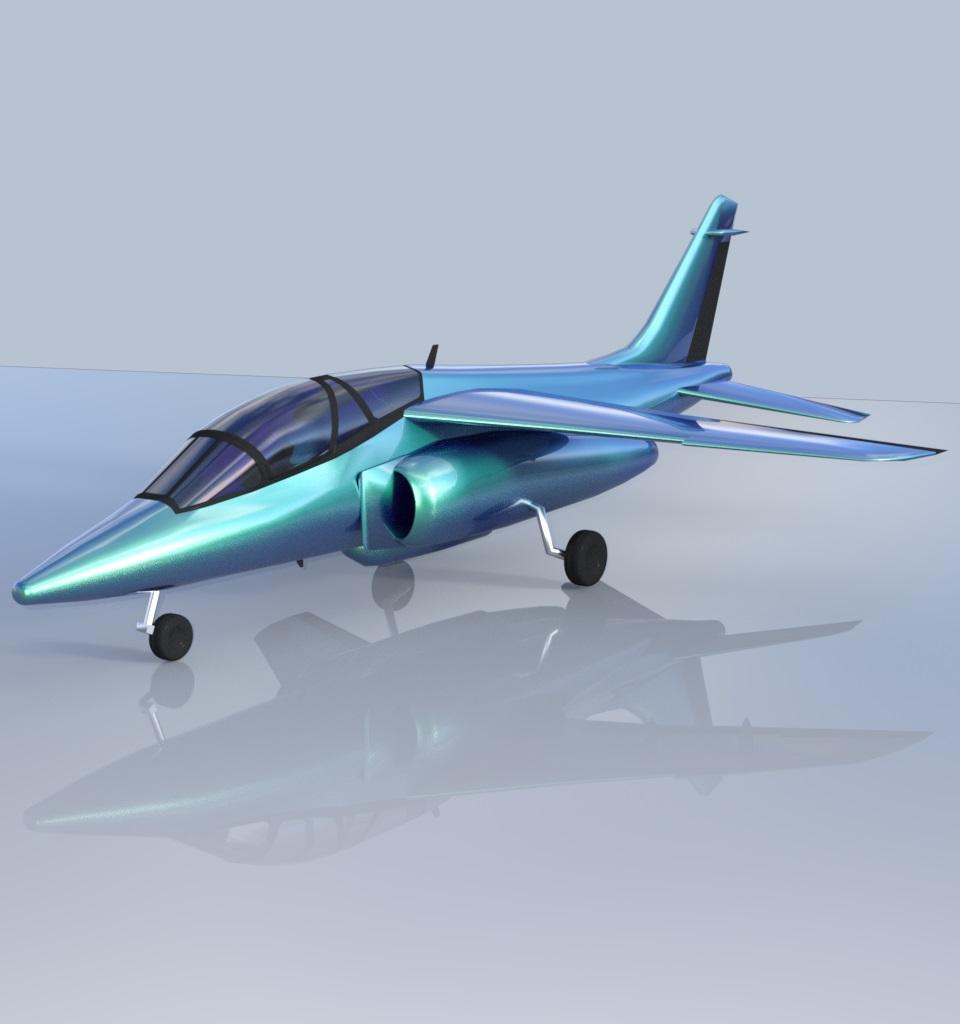
I am experimenting with importing the 3D models from Google sketchup web site - there is thousands of free files there.
Below is DS 4.8 iray render of AlphaJet with some of the materials applied from iray DS Uber folder.
Rendering Time: 6 minutes 9 seconds
...looks nice. Is that with the free version?
Sorry, it was converted with 3DXchange 6.2 Pipeline, which reads .skp files too and has many tools to help with exporting
geometry, textures and animations to different formats, including .obj and .fbx
Realistic Renders.... NOT! 14: A new frontier.....I am experimenting with importing the 3D models from Google sketchup web site - there is thousands of free files there.
Below is DS 4.8 iray render of AlphaJet with some of the materials applied from iray DS Uber folder.
Rendering Time: 6 minutes 9 seconds
...looks nice. Is that with the free version?
Realistic Renders.... NOT! 14: A new frontier.....I am experimenting with importing the 3D models from Google sketchup web site - there is thousands of free files there.
Below is DS 4.8 iray render of AlphaJet with some of the materials applied from iray DS Uber folder.
Rendering Time: 6 minutes 9 seconds
pretty cool. I'll have to keep sketchup in mind sometimes...I always forget about it.
Realistic Renders.... NOT! 14: A new frontier.....I am experimenting with importing the 3D models from Google sketchup web site - there is thousands of free files there.
Below is DS 4.8 iray render of AlphaJet with some of the materials applied from iray DS Uber folder.
Rendering Time: 6 minutes 9 seconds
Need tutorials or help in creating a puppet style characterNo "Sketchup" ... nooooo .....
Organic modeling is relatively easy in Hexagon. Most things start out as a box. Those extraction tools are wonderful.
Daz 3D is part of

Connect
DAZ Productions, Inc.
7533 S Center View Ct #4664
West Jordan, UT 84084Licensing Agreement | Terms of Service | Privacy Policy | EULA
© 2026 Daz Productions Inc. All Rights Reserved.