-
Anime Toons and Filatoon Shader Q&A
All good suggestions. But what it took was adding in the filament options set from the Genesis 9 toon directory to fix things. Also for some reason when I applied Micky 9 and Vicky 9 a toon outline wasn't added. Once I added a toon outline and then reapplied the material file, everything worked. Now I just need to go back and get my drop shadows back.
Anime Toons and Filatoon Shader Q&AThe scene is using Filament as its drawstyle?
Anime Toons and Filatoon Shader Q&AI'm having issues with the shaders. I've been adding figures to a preexisting scene. When I apply the general filatoon shader to elements in the scene, the element will turn white. I've tried it with both the filament options that was already in the file and also with the new updated one by adding it to the scene. When I add the updated filament options I lose drop shadows. I'm beginning to think I'm better off only adding the outlines to items in the scene. I've also had issues with my figures becoming brighter than the rest of the scene when they are added in. Apparently I'm not holding my mouth right when I try to do this. Thoughts? Solutions? I've tried this on 2 different laptops and have the same issues on both.
Anime Toons and Filatoon Shader Q&ASapphireBlue said:
Dartanbeck, csaa and SolitarySandpiper Thank you very much!

I've updated my post above with an added new version where the buildings do have the FilaToon shader applied with tweaks. I think it ties things together better.
SolitarySandpiper I agree. A lot of things look great as-is in BW or any other monochrome in Filament - that definitely makes things easier to work with!
I actually only used the Filament Draw Settings for this, so I could do some random trial and error for fun. There may be many better ways to do this, but this is the route I took. I switched on the Channel Mix Enable in Color Grading and set everything to 1.0. Choosing Linear for the Color Grading Space and PBR Neutral in the Tone Mapping Mode (Tone Mapping section) gave me the higher contrast BW that I was looking for, along with some lighting adjustments.
Thank you for the explanation. Your image looks great.
Anime Toons and Filatoon Shader Q&ASapphireBlue said:
Dartanbeck, csaa and SolitarySandpiper Thank you very much!
I've updated my post above with an added new version where the buildings do have the FilaToon shader applied with tweaks. I think it ties things together better.
SolitarySandpiper I agree. A lot of things look great as-is in BW or any other monochrome in Filament - that definitely makes things easier to work with!
I actually only used the Filament Draw Settings for this, so I could do some random trial and error for fun. There may be many better ways to do this, but this is the route I took. I switched on the Channel Mix Enable in Color Grading and set everything to 1.0. Choosing Linear for the Color Grading Space and PBR Neutral in the Tone Mapping Mode (Tone Mapping section) gave me the higher contrast BW that I was looking for, along with some lighting adjustments.
When I first saw what the incredible development team did to the Filament Draw Options I couldn't believe my eyes!
At that point I didn't know that there were any changes. I just went in there to do my usual adjustments of Environment and Scene Lighting Intensities. Blew my mind!
As I do animations pretty much exclusively (even my stills are simply a frame from an animation - hence the low resolution) I don't spend a whole lot of time on the specifics within Studio - mainly just keeping the highs from overshooting and the lows from puddling, then I just do my color grading in Fusion. I haven't graduated to Resolve's Color page yet. I mean... I know it's there and how to do a lot in it, but I currently just work in Fusion adding color grading nodes to any layer I want to grade - individually. It's a lot of fun and makes final decisions more flexible. But that's just me and how I work for my video clips. It makes Noir and/or nostalgic Aged looks pretty interesting since we can isolate differences between each layer separately - like a faded brown tint background with a muted, faded, but full color main interest layer, for example. Maybe over accentuate only the reds for one character layer. It's a lot of fun to mess around with!
Anime Toons and Filatoon Shader Q&ASapphireBlue said:
SolitarySandpiper I agree. A lot of things look great as-is in BW or any other monochrome in Filament - that definitely makes things easier to work with!
I actually only used the Filament Draw Settings for this, so I could do some random trial and error for fun. There may be many better ways to do this, but this is the route I took. I switched on the Channel Mix Enable in Color Grading and set everything to 1.0. Choosing Linear for the Color Grading Space and PBR Neutral in the Tone Mapping Mode (Tone Mapping section) gave me the higher contrast BW that I was looking for, along with some lighting adjustments.
Thank you for the explanation (i hadn't yet worked that out) i had been using many of the same controls but my primary route to B&W was to desaturate in tonemapper.
Anime Toons and Filatoon Shader Q&ADartanbeck, csaa and SolitarySandpiper Thank you very much!
I've updated my post above with an added new version where the buildings do have the FilaToon shader applied with tweaks. I think it ties things together better.
SolitarySandpiper I agree. A lot of things look great as-is in BW or any other monochrome in Filament - that definitely makes things easier to work with!
I actually only used the Filament Draw Settings for this, so I could do some random trial and error for fun. There may be many better ways to do this, but this is the route I took. I switched on the Channel Mix Enable in Color Grading and set everything to 1.0. Choosing Linear for the Color Grading Space and PBR Neutral in the Tone Mapping Mode (Tone Mapping section) gave me the higher contrast BW that I was looking for, along with some lighting adjustments.
Anime Toons and Filatoon Shader Q&ASapphireBlue said:
Trying to use SY's Blur for Filament and KA's atmosphere for Filament together to simulate DOF. It also works to create 2 - 3 of our own planes at different distances (white/grey with different levels of transparency) to simulate DOF as well, but these two add a little bit of texture. I liked the buildings pre-filatoon conversion so left those as is, especially as they kept their original emissive settings. BW style is set with the options in Filament's Draw Settings.
"She just stood there, like a piece of sunshine in the pouring rain"
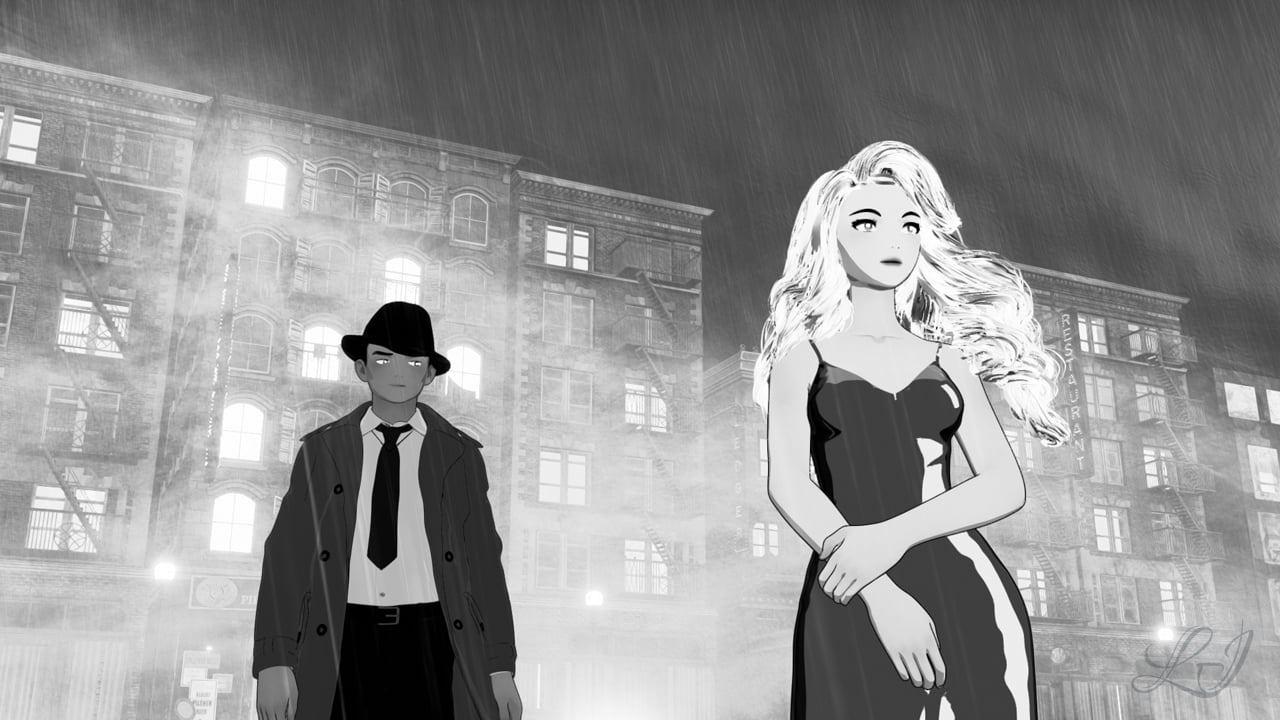
Nice...working with B&W in filament is a real bonus, i'm finding so many props that look great even without the filatoon shader and of course you can still add the outline if required.
Are you desaturating in the tonemapper options before fine tuning in the filament draw options?
Anime Toons and Filatoon Shader Q&ASapphireBlue said:
Trying to use SY's Blur for Filament and KA's atmosphere for Filament together to simulate DOF. It also works to create 2 - 3 of our own planes at different distances (white/grey with different levels of transparency) to simulate DOF as well, but these two add a little bit of texture. I liked the buildings pre-filatoon conversion so left those as is, especially as they kept their original emissive settings. BW style is set with the options in Filament's Draw Settings.
"She just stood there, like a piece of sunshine in the pouring rain"
Very classy! Thanks for sharing.
Cheers!
Anime Toons and Filatoon Shader Q&ATrying to use SY's Blur for Filament and KA's atmosphere for Filament together to simulate DOF. It also works to create 2 - 3 of our own planes at different distances (white/grey with different levels of transparency) to simulate DOF as well, but these two add a little bit of texture. I liked the buildings pre-filatoon conversion so left those as is, especially as they kept their original emissive settings. BW style is set with the options in Filament's Draw Settings.
EDIT: I wasn't too happy finally with leaving the buildings as is, so I decided to filatoon the buildings again but this time duplicate the emissives from the original buildings. (I couldn't figure out how do those otherwise.)
"She just stood there, like a piece of sunshine in the pouring rain" (New version with FilaToon applied to the buildings as well)
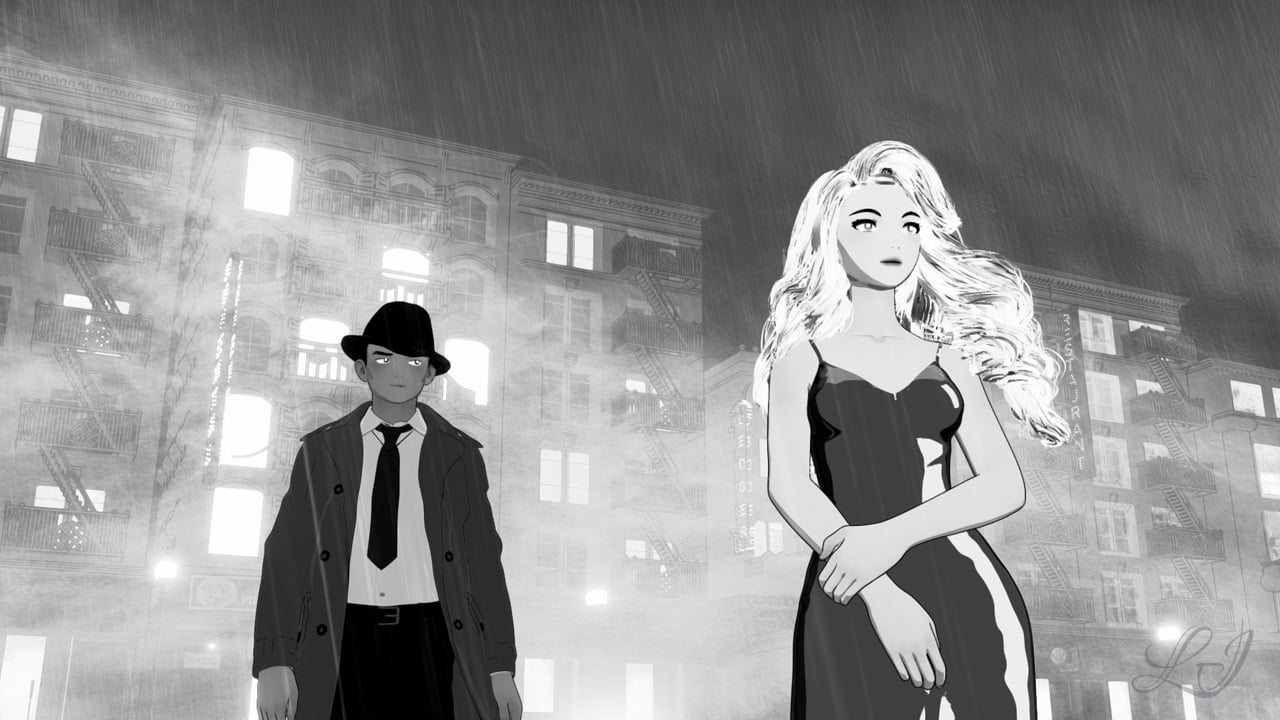
(Old version with buildings without FilaToon shading)
FilaToon / Cell shaded rendering with Filamentscorpio said:
3Diva said:
One of my favorite things about Filatoon is that it breathes new life into the older figures. This is the Star! Original Figure https://www.daz3d.com/star-original-figure with my custom Filatoon shaders.
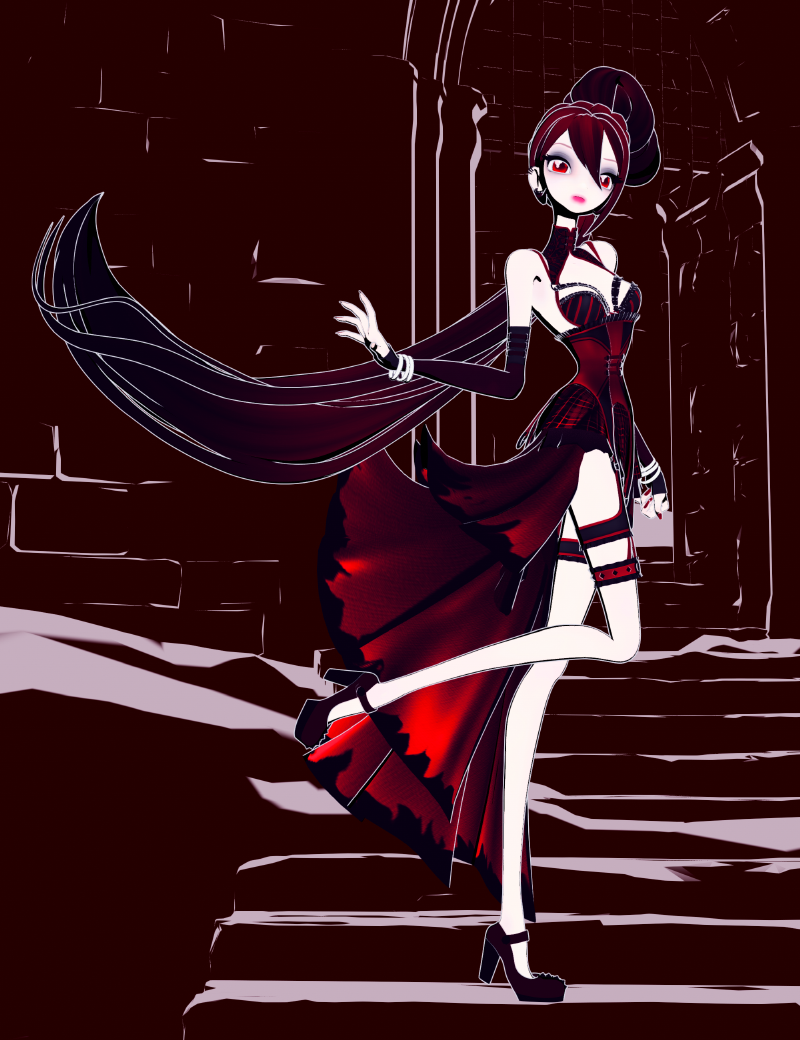
Are you talking about actual new toon shaders for filament or presets for Filatoon.
New shader presets using the FilaToon shader as a base, not a completely new shader. Kind of like the Altern8 skin shader system but for FilaToon. I'm still not very good with the shader mixer. lol
FilaToon / Cell shaded rendering with Filament3Diva said:
One of my favorite things about Filatoon is that it breathes new life into the older figures. This is the Star! Original Figure https://www.daz3d.com/star-original-figure with my custom Filatoon shaders.
Are you talking about actual new toon shaders for filament or presets for Filatoon.
Anime Toons and Filatoon Shader Q&Avrba79 I have to say that everytime I've seen a comment from you about FilaToon, I feel happy for you. I can sense your joy with it.
 For any of us enjoying creating NPR renders, and jumping through so many hoops before with our processes and postwork, this feels really good! I'm so glad DAZ has added FilaToon to DS, and with the amazing benefit of the fast renders we get with filament.
Its true! I haven't felt this much pure excitement over a Daz3D product since the rollout of the original Genesis figure.
I've done a Wishlist DetoxSo, I've spent a lot of money on DAZ stuff this last week
 Mostly Filatoon/Filament/G9 items, but also some other stuff from my wishlist.
Today I took a hard look at what's left of my wishlist and I threw out a lot. Basically everything that's "I don't really need this... in fact, I have something very similar already... but this new one is sooo nice and shiny!" ... all those items are off my wishlist now.
What's left are items that would actually add something to my (already very extensive) library. A trim 52 items!
Feels good, would recommend!
3D Comic Book Tips And Pictures
Thank you very much! I'm going to give it a shot and see what I can do with it.3Diva said:
mmitchell_houston said:
3Diva said:
I'm so excited about Filatoon! I'm planning on using it for my comic work. Here's the result of an experiment I'm doing with the Filatoon settings and the Filament Draw Options. This is a Filament render with zero post-work:
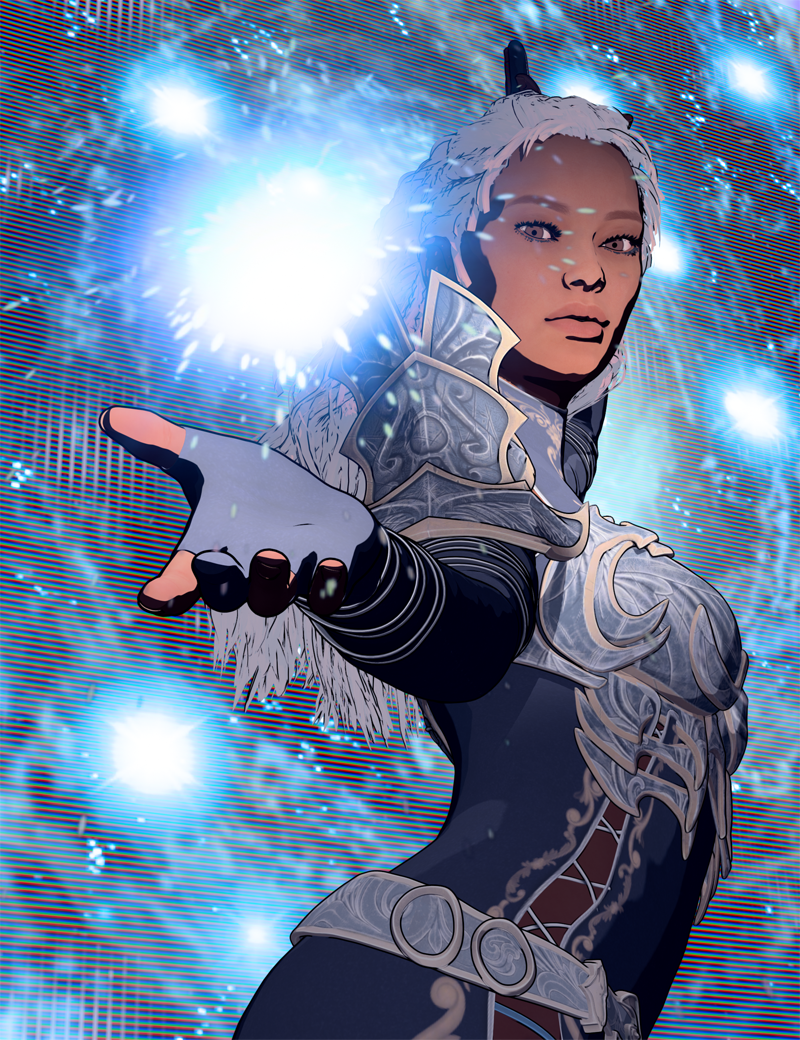
Is anyone else exploring Filatoon? One of my favorite parts is that it renders just about instantly - in about 1 second, even on my older machine! And what you see in the viewport is what you get! So cool!
This looks very nice, and very promising. What, exactly, is Filatoon? Is it a render setting built into Daz Studio or is it a separate product? I saw a bunch of Toon products recently listed, but non of them list a prerequisite for another product. Also, does it allow for pure b&w output?
It utilizes the Filament render engine in Daz Studio. It's pretty awesome. Here are a couple of threads in the Commons about it: https://www.daz3d.com/forums/discussion/704951/anime-toons-and-filatoon-shader-q-a#latest ; https://www.daz3d.com/forums/discussion/704931/filatoon-cell-shaded-rendering-with-filament#latest
And it does do black and white, just drop in a Tonemapper Options Node (Top menu: Create >> New Tonemapper Options Node). Select the Tonemapper Node in the scene tab then go to Parameters >> Tone Mapping >> Saturation (set it to zero).
Anime Toons and Filatoon Shader Q&ASapphireBlue said:
I really like 3Diva and Llynara's Easy light and render - silhouettes a lot, and have been wondering if I could put it to use with FilaToon and Filament as well. I tried to use it in Filament with the FilaToon shaders, and KA's atmosphere for filament. The latter did some interesting things with the outlines and such.
(3Diva, I hope you both consider doing a version of it for Filament and FilaToon - I know I'd be all over it!
The fast renders in Filament mean I'd not feel so lazy about doing some silhouette animation, which I've always loved.)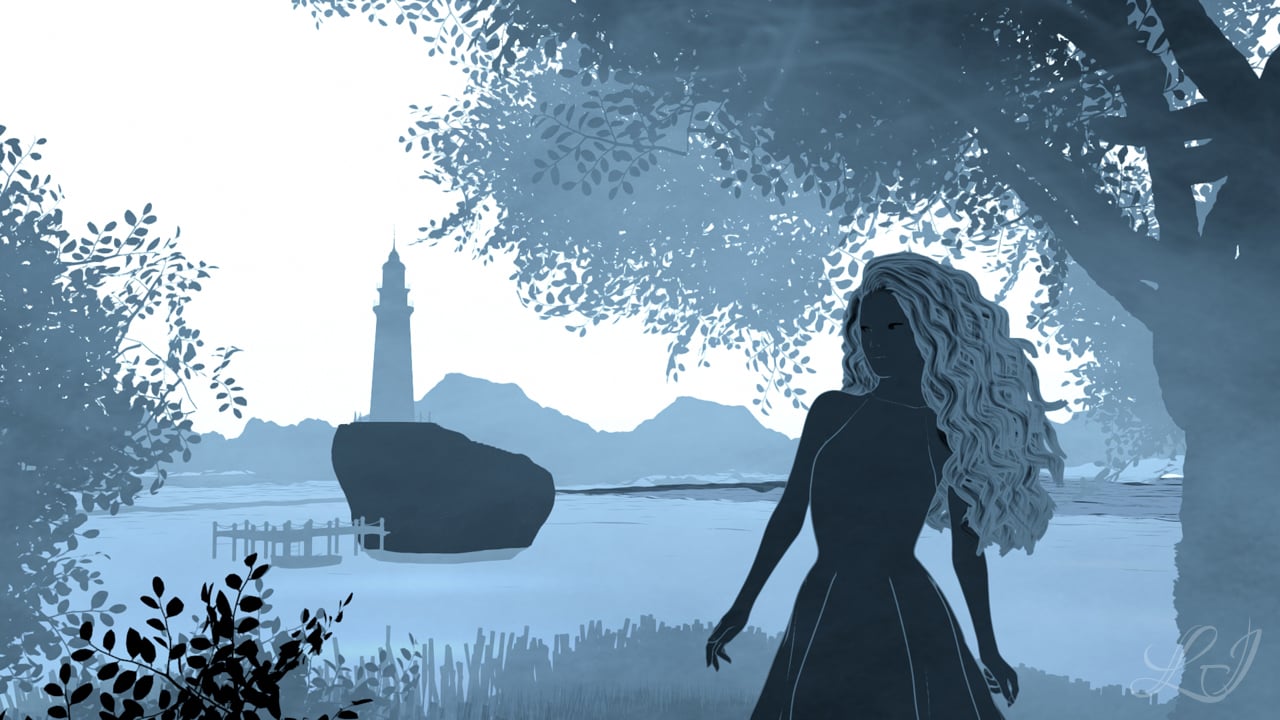
Oh I like that render - that turned out really cool!
And thank you for the product suggestion. A Silhouettes product for Filament could be cool. :) I definitely prefer the lightning fast render times of Filament, so having a product that does that with Filament rendering might be fun. :D
filament and eyesHi!
I'm very interested in being able to make toon renders. I upgraded daz, got the new Premier, and it turns out my old desktop isn't up to the job anymore. I tried on my mac, which is my main machine, and I'm told filament doesn't do well on Mac. So I bought a new little laptop that runs Windows 11. It is not a top of the line machine, but so far it's better than either of the other options. The eyes still look wrong though. Can someone please tell me what I'm doing wrong with them?
MaxAnime Toons and Filatoon Shader Q&AI really like 3Diva and Llynara's Easy light and render - silhouettes a lot, and have been wondering if I could put it to use with FilaToon and Filament as well. I tried to use it in Filament with the FilaToon shaders, and KA's atmosphere for filament. The latter did some interesting things with the outlines and such.
(3Diva, I hope you both consider doing a version of it for Filament and FilaToon - I know I'd be all over it!
The fast renders in Filament mean I'd not feel so lazy about doing some silhouette animation, which I've always loved.)Anime Toons and Filatoon Shader Q&A3Diva, Hylas and Artini Thank you all so much!!
I'm loving the FilaToon shaders and Filament!vrba79 I have to say that everytime I've seen a comment from you about FilaToon, I feel happy for you. I can sense your joy with it.
For any of us enjoying creating NPR renders, and jumping through so many hoops before with our processes and postwork, this feels really good! I'm so glad DAZ has added FilaToon to DS, and with the amazing benefit of the fast renders we get with filament. Dartanbeck Ooh awesome! I'll go watch the tutorial soon and take some notes!
GRFK DSGN Unlimited From wikipedia, bloom's an effect that "produces fringes (or feathers) of light extending from the borders of bright areas in an image, contributing to the illusion of an extremely bright light overwhelming the camera or eye capturing the scene".
In my previous render, the light from behind the girl bleeds into the edges of the figure and props, giving the feeling of super bright sunlight. It also creates a softer look. Depending on the feel and style we want, it can be one more tool in our toolbox. Here's a nice video from Rauko on how to use bloom in DAZ:
 Released : "Drops Generator" (Commercial)
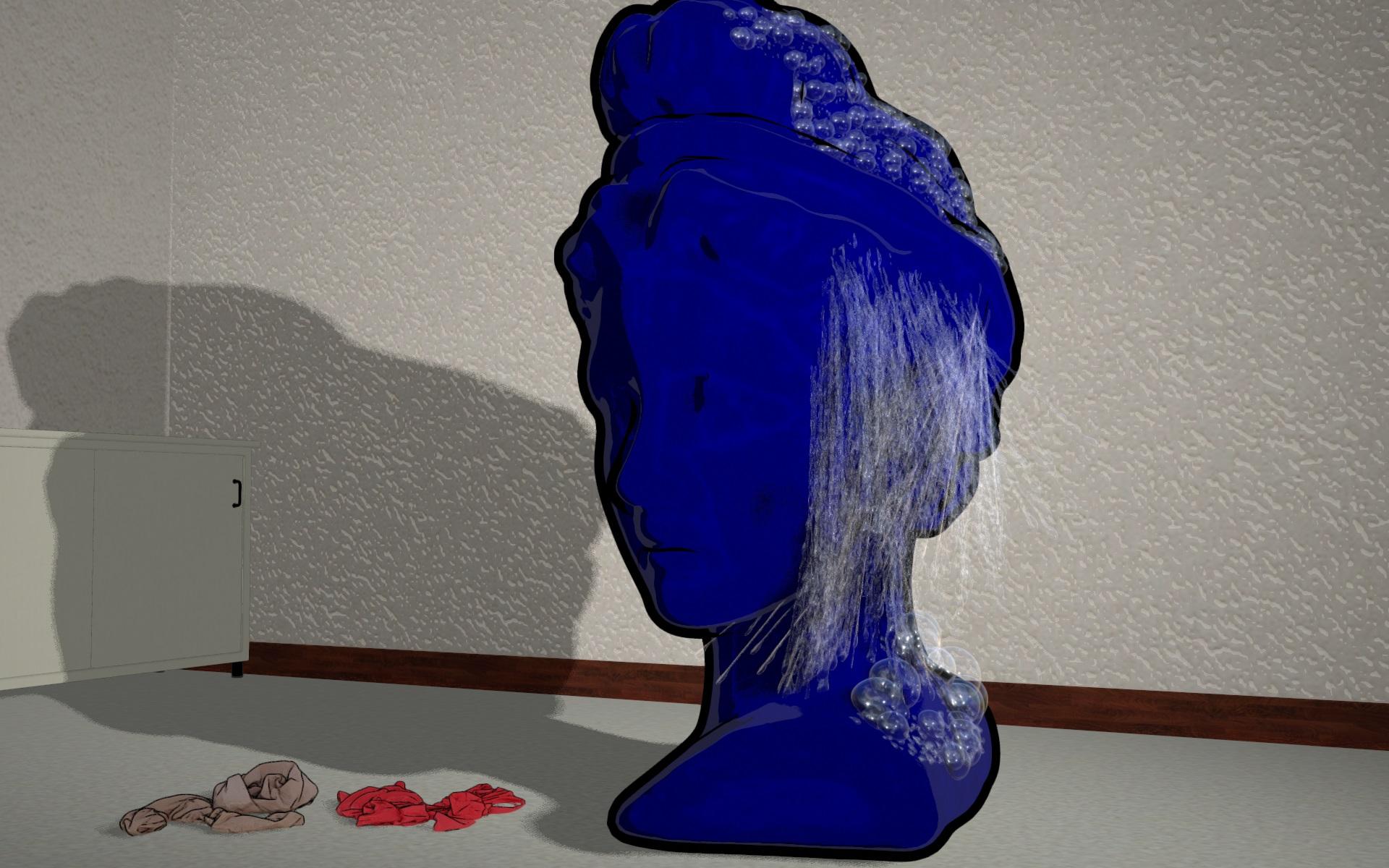
I also have made a test with the shadows in Filament.
Daz 3D is part of

Connect
DAZ Productions, Inc.
7533 S Center View Ct #4664
West Jordan, UT 84084Licensing Agreement | Terms of Service | Privacy Policy | EULA
© 2026 Daz Productions Inc. All Rights Reserved.