-
Daz to Blender plugin bug workaround for MacOS & Rendering in Blender using Cycles and M1 GPU/Metal
Hi all, I got a workaround for the Daz to Blender plugin if it doesn't work for some of you and a tutorial on how to render in Blender using the Cycles engine and M1 GPU/Metal
I am using it on MacBook Pro M1, MacOS 12.2 Monterey, Blender 3.1, Daz Studio 4.20 Pro, so I don't know if the same workaround works on other platforms. I think it might be helpful for people who want to render via Cycles and utilize the M1 GPU (which is available in Blender 3.1).
DAZStudio:
Step 1) Download Daz Studio and Daz to Blender plugin via DAZ3DIM (you must purchase the Daz to Blender plugin in the Daz Store for $0)
Blender:
Step 1) Download Blender 3.1 and Blender 2.93 (or another version that is 2.80 or higher, 2.93 works for me and it is the first version which supports arm64 - the M1 Chip natively)
Step 2) Download Daz to Blender plugin from GitHub, unpack the .zip
Step 3) In Blender go to Edit -> Preferences -> Addons -> Install, then choose DTB.zip which should be located in ../DazToBlender_2.4.0/Blender/DTB.zip (do this for both Blender versions)
Import to Blender from DAZStudio:
Step 1) If you cannot see the scripts menu in DAZStudio, go to Window -> Panes (Tabs) -> Script IDE
Step 2) In the Script IDE choose File -> Open Script -> Manually choose the Daz to Blender plugin, which should be located by default in ../Applications/DAZ\ 3D/DAZStudio4\ 64-bit/scripts/support/DAZ/Daz\ to\ Blender.dsa -> click Execute
Step 3) Choose the settings you want
Step 4) In Blender 2.93 choose the little arrow below Options menu on the right side of the screen -> Daz to Blender -> Import New Genesis Figure
Step 5) It should import the character without any Python-related errors, after that save the blender project
Step 6) Open the Blender project in Blender 3.1
Rendering using Cycles and M1 GPU/Metal in Blender 3.1:
Step 1)Choose Edit -> Preferences -> System -> Cycles Render Devices -> Metal -> Apple M1 GPU (the Apple M1 option means CPU rendering, there is also the MetalRT option, which means that you will enable Ray Tracing, you must choose M1 GPU if you want to use MetalRT, correct me if I am wrong)
Step 2)Choose Render Properties tab on the right side of the screen -> Render Engine: Cycles, Feature Set:Supported, Device:GPU Compute (for MetalRT you should choose the Experimental Feature Set, correct me if I am wrong)
Step 3)Choose Render -> Render Image (F12 keyboard shortcut)
Step 4)Done
Looking for Batmobile from the 60's TV show..usually sketchup models require a fiar bit of "fixing" in a modelling programme to work correctly.
There are also a couple free ones.but the one at CG trader is probably the most accurate of the lot...and it is already set up for Daz (.duf) and has Daz materials so no need to mess around with conversions and/or reskinning.
Here are a couple of the free ones that are in .obj format that will import into Daz.
https://downloadfree3d.com/3d-models/vehicles/car/1960-batmobile/ ;
https://www.cadnav.com/3d-models/model-44955.html
Forced to Re-install Genesis 8 Starter Essentials over and overIceCrMn said:
Sounds like bad metadata to me.
Has that package ever been installed with Connect(inside Studio) and then a second time with either DIM or Central? Don't mix install methods.It gets complicated to keep them working correctly.
Are you logging in inside Studio? Don't if you use DIM or Central for installs.
Not intentionally or to my recollection. I only use DIM for content installation and consider Connect an annoyance. I do log in from DS because it pesters me to sometimes - is that only for Connect? If so, how do I shut up or disable Connect?
Forced to Re-install Genesis 8 Starter Essentials over and overSounds like bad metadata to me.
Has that package ever been installed with Connect(inside Studio) and then a second time with either DIM or Central? Don't mix install methods.It gets complicated to keep them working correctly.
Are you logging in inside Studio? Don't if you use DIM or Central for installs.
Rec 2020 turns Reds Black? Any fix?Padone said:
That's what anyone does when working with hdr it's not alarming at all. You output a series of exr images then post process.
I'll defer to your apparent expertise in this, but it's still alarming that it can't simply render out to AcesCG or BT2020 in a video container with a codec that houses 10-12bit information. It's not like Cinema cameras are shooting 24-30fps with layered raw 32bit images that need significant post-processing to be useable in Premiere and Resolve... I simply import my video, tell it the starting colorspace, and the desired output colorspace, and it's done. This is not the case for .exr images. If the goal of a PBR engine is to calculate light bounces into a software emulated camera sensor and produce an image as if it were a camera, it seems it fails miserably in this regard... It really should be as easy as "Render to BT2020" or "Render to AcesCG" and then all the information you need to work within that colorspace is present in the outputted video file. I can see how .exr is handy, especially for extra post effects, but it *is* a ton of work when you don't plan on using any of those post effects.
Oh, Misty, I forgot my Complaint ThreadGordig said:
I've been too busy with other projects to even think about a DS render. I've been spending most of my time over the last few days getting increasingly frustrated with Marvelous Designer.
I just recently ran into some frustrating troubles with Substance Painter myself. Tried exporting out a model in Cinema 4D and Substance complains for all but one format and that format it'll import but in an unpaintable and unusable state. Collada complains about the header or something expecting <content> to be there, and OBJ gives me a "string <nan, nan, nan" followed by a list of vertex coordinates so long it almost crashes Substance... But FBX it'll load just fine. At the cost of the UV's being off-canvas so it can't be painted. I can load existing textures onto it and they'll even display fine - but I can't do anything meaningful to the model myself :/
Problem loading files from library correctly since DAZStudio 4.20.0.2 (Windows 10 pro)Thank for your suggestion
I put here file some parts of the log file
I am suprised that DAZStudio seems to try to load file from Poser pro 12 ( which i have with Poser format file for DAZ Bigcat2)
I have redownload the file and reinstall Big cat2 file in DAZStudio 4,20 SAME problem
022-04-16 09:32:01.388 [INFO] :: Prepare asset load (open): /Animals/DAZ Big Cat 2/DAZ Big Cat 2.duf
2022-04-16 09:32:01.392 [INFO] :: Locking viewport redraw...
2022-04-16 09:32:01.392 [INFO] :: Viewport redraw locked.
2022-04-16 09:32:01.564 [INFO] :: Native format content directories: 15
2022-04-16 09:32:01.564 [INFO] :: Poser format content directories: 10
2022-04-16 09:32:01.564 [INFO] :: Other import format content directories: 1
2022-04-16 09:32:01.564 [INFO] :: Begin asset load (open): /Animals/DAZ Big Cat 2/DAZ Big Cat 2.duf
2022-04-16 09:32:01.757 [INFO] :: *** Scene Cleared ***
2022-04-16 09:32:01.777 [INFO] :: Determining missing assets...
2022-04-16 09:32:02.456 [INFO] :: E:/Poser Pro 2012/data/DAZ 3D/DAZ Big Cat 2/Base/DAZBigCat2.dsf (1,1): Syntax error - expected '{' or '['
2022-04-16 09:32:02.463 [INFO] :: E:/Poser Pro 2012/data/DAZ 3D/DAZ Big Cat 2/Base/DAZBigCat2.dsf (1,1): Syntax error - expected '{' or '['
2022-04-16 09:32:02.470 [INFO] :: E:/Poser Pro 2012/data/DAZ 3D/DAZ Big Cat 2/Base/DAZBigCat2.dsf (1,1): Syntax error - expected '{' or '['
2022-04-16 09:32:02.476 [INFO] :: E:/Poser Pro 2012/data/DAZ 3D/DAZ Big Cat 2/Base/DAZBigCat2.dsf (1,1):2022-04-16 09:32:03.718 [WARNING] :: ..\..\..\..\..\src\sdksource\fileinput\dzassetdaz.cpp(1644): Material not created: EyeIrisRing-1!
2022-04-16 09:32:03.720 [WARNING] :: ..\..\..\..\..\src\sdksource\fileinput\dzassetdaz.cpp(5852): Shape for material instance not found.
2022-04-16 09:32:03.720 [WARNING] :: ..\..\..\..\..\src\sdksource\fileinput\dzassetdaz.cpp(1644): Material not created: EyePupils-1!
2022-04-16 09:32:03.720 [WARNING] :: ..\..\..\..\..\src\sdksource\fileinput\dzassetdaz.cpp(5852): Shape for material instance not found.
2022-04-16 09:32:03.720 [WARNING] :: ..\..\..\..\..\src\sdksource\fileinput\dzassetdaz.cpp(1644): Material not created: Eyeball-1!
2022-04-16 09:32:03.723 [WARNING] :: ..\..\..\..\..\src\sdksource\fileinput\dzassetdaz.cpp(5852): Shape for material instance not found.
2022-04-16 09:32:03.723 [WARNING] :: ..\..\..\..\..\src\sdksource\fileinput\dzassetdaz.cpp(1644): Material not created: SkinBody-1!
2022-04-16 09:32:03.723 [WARNING] :: ..\..\..\..\..\src\sdksource\fileinput\dzassetdaz.cpp(5852): Shape for material instance not found.
2022-04-16 09:32:03.723 [WARNING] :: ..\..\..\..\..\src\sdksource\fileinput\dzassetdaz.cpp(1644): Material not created: Pads-1!
2022-04-16 09:32:03.725 [WARNING] :: ..\..\..\..\..\src\sdksource\fileinput\dzassetdaz.cpp(5852): Shape for material instance not found.
2022-04-16 09:32:03.725 [WARNING] :: ..\..\..\..\..\src\sdksource\fileinput\dzassetdaz.cpp(1644): Material not created: Claws-1!
2022-04-16 09:32:03.726 [WARNING] :: ..\..\..\..\..\src\sdksource\fileinput\dzassetdaz.cpp(5852): Shape for material instance not found.
2022-04-16 09:32:03.726 [WARNING] :: ..\..\..\..\..\src\sdksource\fileinput\dzassetdaz.cpp(1644): Material not created: Whiskers-1!
2022-04-16 09:32:03.729 [WARNING] :: ..\..\..\..\..\src\sdksource\fileinput\dzassetdaz.cpp(5852): Shape for material instance not found.
2022-04-16 09:32:03.729 [WARNING] :: ..\..\..\..\..\src\sdksource\fileinput\dzassetdaz.cpp(1644): Material not created: Nose-1!
2022-04-16 09:32:03.729 [INFO] :: Resolving legacy figures...
2022-04-16 09:32:03.729 [INFO] :: Preparing modifiers...
2022-04-16 09:32:03.736 [INFO] :: E:/Poser Pro 2012/data/DAZ 3D/DAZ Big Cat 2/Base/DAZBigCat2.dsf (1,1): Syntax error - expected '{' or '['
2022-04-16 09:32:03.739 [WARNING] :: ..\..\..\..\..\src\sdksource\fileinput\dzassetdaz.cpp(5904): Modifier definition not found.
2022-04-16 09:32:03.739 [WARNING] :: ..\..\..\..\..\src\sdksource\fileinput\dzassetdaz.cpp(1711): Modifier not prepared: SkinBinding!
2022-04-16 09:32:03.739 [INFO] :: Creating modifiers...
2022-04-16 09:32:03.739 [WARNING] :: ..\..\..\..\..\src\sdksource\fileinput\dzassetdaz.cpp(1728): Modifier not created: SkinBinding!
2022-04-16 09:32:03.739 [INFO] :: Sorting property groups...
2022-04-16 09:32:03.744 [INFO] :: Finished asset load (open): 0m 2.179s - /Animals/DAZ Big Cat 2/DAZ Big Cat 2.duf
2022-04-16 09:32:03.979 [INFO] :: Unlocking viewport redraw...
2022-04-16 09:32:03.979 [INFO] :: Viewport redraw unlocked.Where do I import HDRI fille?I know there are websites that have lots of free HDRI files. I just cannot remember where they are. Where are some good sites?
Once I download them, where do I put them so that I can use them in my renders?
VR Movie Renderingjust render a video sequence using the spherical lens on the camera AFAIK
I don't have goggles to test but people tell me mine work with them
https://youtube.com/playlist?list=PL403UZF5-5dIRzfe0i4NVT-GyicTfVvpE
I use Blender Video editor to do the big mp4's and add 360 metadata with an exe sadly Google has pulled but there are other programs that do it I believe
Rec 2020 turns Reds Black? Any fix?prixat said:
You don't have to "correct" the EXR files. The compositing program will take care of that.
Does your compositor import EXR files?
Yes, I have Resolve, Premier, and AfterEffects, they all import .exr (from what I've tried with the last render I just did)
Does your compositor output to rec2020? (most do, even the free versions!)
Again, yes all 3 will output Rec2020
How will you judge the conversion/settings/result if you don't have a reference monitor or even a basic HDR screen?
I have my Asus ProArt PA329C which covers 84% Rec2020 in HDR, and I have 4 x 4K Televisions that all support HDR. How is it assumed that I don't have a "basic HDR screen"?
This video of the process, EXR files from Blender to Resolve should give you a better idea of what you've got yourself into.

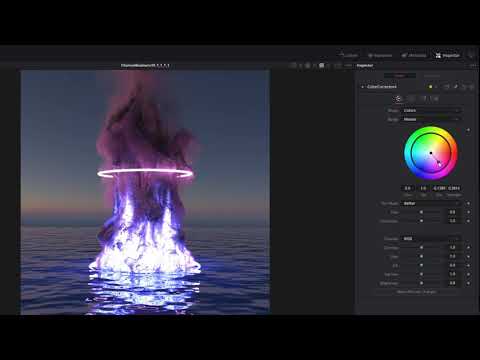
Thanks, I'll give it a look, at first import for an .exr still image, it was still all white in resolve, so I figured I must be missing something...
Diffeomorphic DAZ Importer version 1.6.0 releasedOther people's blend files, who have used diffeo to import daz to blender.
Rec 2020 turns Reds Black? Any fix?You don't have to "correct" the EXR files. The compositing program will take care of that.
Does your compositor import EXR files?
Does your compositor output to rec2020? (most do, even the free versions!)
How will you judge the conversion/settings/result if you don't have a reference monitor or even a basic HDR screen?
This video of the process, EXR files from Blender to Resolve should give you a better idea of what you've got yourself into.
Diffeomorphic DAZ Importer version 1.6.0 releasedWhen I import the standard JCMs it adds custom properties to the rig's object data. So the shape key is driven by the custom properties. When I look at other people's blends, the JCM shape keys are driven directly by bones.
How do I do this with diffeo? Because if I disable drivers in the morph section, it disables the JCMs when posing. I want the shape keys driven directly by bones so that they don't get disabled.
Example on shape key pJCMCollarTwist_p30_L
This is what I see on mine:

This is what I see on others: [Released] Substance Painter Assistant [Commercial]
jedijudd said:
So this could used for texturing G8 figures?
The texturing itself is done outside of Substance Painter Assistant. However, if you use Substance Painter for texturing your figures, then yes, the Substance Painter Assistant can help with setting that up. The Substance Painter Maps Import can be used no matter what texturing program you use.
loading free VDB filesHey all,
I have read thru many threads but not seeing how to actually import a free vdb file I have downloaded, if @ all possible. Is there a way to import or load a free non Daz Studio vdb product pls?
Thanks!!
A bunch of material presets not working anymoreRL_Media said:
Ahhhhhhhh damn, guess I will have to install that CMS crap then. Ugh.
I learned my lessons tryin to do anythin but clean installs of OS a while back lol. Never really works out well for me either, and always ended up having to clean install in the end, so might as well start with it. Same with drivers. No one drive for me, I don't really use any of those default folders like document and pictures. I have 6 hdd, keep all my stuff on those, install all the programs/games on a seperate SSD.
OK, Installed the CMS stuff, no dice. I even tried to load the character load in which does set up shaders properly, save a new material preset making sure all the maps are checked, and still loads lookin like that lol. Decided to install DS 4.15.0.30 to illiminate it being a beta issue, and it doesn't seem to be related to the beta. Back to stumped. Too tired to test more tonight, will pick it up tomorrow or saturday maybe. Or maybe I just set my computer on fire and go paint on a cave wall instead, stupid technology :PCMS is installed but is it running? You need to have a correct driver, the database that runs content running (CMS), a working database (i suspect that is where your problem is; the manual instal people always forget that both the user and the program have to know where files are and their relation to each other). Do you have any metadata?
DAZ Studio won't loadOK, then you have a high-risk option. You could renamed the contentCluster folder, then try restarting Daz Studio and see if it starts - if it does you know the issue, and you can reimport emtadata for products but - unless you'd exported it - you will lose metadata for your own files. If it still doesn't start then the issues iss oemthing else and you can try restoring the folder name, if the issue can be resolved by another route then you may still have the database.
[Released] Substance Painter Assistant [Commercial]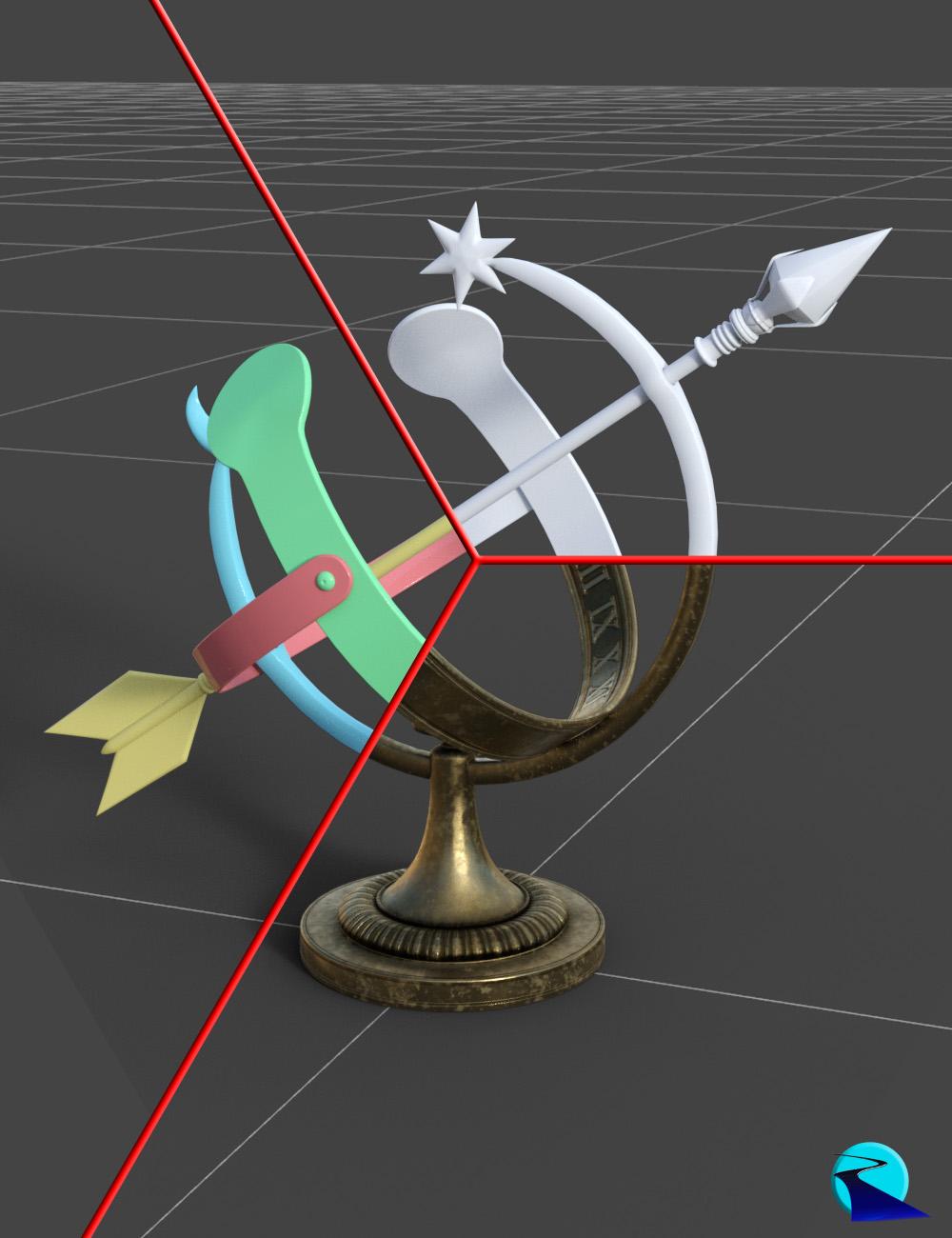 Substance Painter Assistant is a script product for Daz Studio designed to help automate the process of getting your Daz Studio 3D objects into Substance Painter for texturing and then get those textures back onto your Daz Studio 3D object. There are 2 scripts:
- Substance Painter Assistant: Exports Daz Studio objects for easy use in Substance Painter, including assigning easily distinguishable colors to every surface's base color (useful for ID maps in Substance Painter)
- Substance Painter Maps Import: Automates importing Substance Painter textures (or actually textures from any program) onto your untextured objects. By defining your texture file-naming scheme, Substance Painter Maps Import can automatically assign all of the files in a folder to the correct channels in your surfaces
Tutorial (by esha):
Note: Product is only meant for Iray
Diffeomorphic DAZ Importer version 1.6.0 releasedPadone said:
@Papabravio For simple-ik you have to bake with blender (pose > animation > bake action). I see for some reason it doesn't wotk with "only selected bones", dunno why. Other than that seems to work here.
steps:
- import g8f, merge rigs, make bones posable
- add custom shapes, add simple ik
- animate with ik
- bake with blender using the settings in the attached picture, don't use "only selected bones"
- save pose preset
Thanks, worked!
DForce item disappears during simulationNope. Don't have the thickener. Indeed interesting. I tend to do modifications with apps more dedicated to modeling ;)
In this test I did yesterday to fix the OP issue, I decided to delete the hoodie's inside because it was the fastest solution. The best solution to keep thickness while still being able to simulate with dForce would be (have been) to select the same part of the hoodie I show in the first screenshot (Blender), and separate it rather than delete it. Then re-weld that part but ONLY the vertices from the front side, not those to the rear.
I'm sure simulation would also work just fine while still keeping a better hood shape. The Thickener could also do the trick although I fear it's just an equivalent of Blender's solidify modifier or 3DS Max shell modifier, so it would create a too sharp looking thickness with stretched UVs (last pixel of the texture stretched along the thickness).
-----------------------------
For issues such as this one on a cloth I didn't do myself, personal best solution is :
I export the DAZ cloth as obj. Import that in Marvelous Designer as garment ticking the option "trace 2D patterns from UV Map".
This way, I end up with the fabric as a 2D garment. And I have perfect control over anything that needs to be added or changed. I prefer to make my own clothes, but in the rush of some freelance contracts, using already made clothes and recreating them for a proper DAZ dForce simulation is the fastest way to finish a contract quickly ;)
Daz 3D is part of

Connect
DAZ Productions, Inc.
7533 S Center View Ct #4664
West Jordan, UT 84084Licensing Agreement | Terms of Service | Privacy Policy | EULA
© 2026 Daz Productions Inc. All Rights Reserved.