• Daz 3D
  • Shop
  • 3D Software
    • Daz Studio Premier
    • Daz Studio
    • Install Manager
    • Partnerships
    • AI Training data
    • Exporters
    • Daz to Roblox
    • Daz to Maya
    • Daz to Blender
    • Daz to Unreal
    • Daz to Unity
    • Daz to 3ds Max
    • Daz to Cinema 4D
  • 3D Models
    • Genesis 9
    • Genesis 8.1
    • Free 3D Models
  • Community
    • Gallery
    • Forums
    • Blog
    • Press
    • Help
  • Memberships
    • Daz Premier
    • Daz Plus
    • Daz Base
    • Compare
  • Download Studio
ADVANCED SEARCH
  • Menu
  • Daz 3D
ADVANCED SEARCH
Add image
  • Shop
  • 3d Software
    • Daz Studio Premier
    • Daz Studio
    • Install Manager
    • Partnerships
    • AI Training data
    • Exporters
    • Daz to Roblox
    • Daz to Maya
    • Daz to Blender
    • Daz to Unreal
    • Daz to Unity
    • Daz to 3ds Max
    • Daz to Cinema 4D
  • 3D Models
    • Genesis 9
    • Genesis 8.1
    • Free 3D Models
  • Community
    • Our Community
    • Gallery
    • Forums
    • Blog
    • Press
    • Help
  • Memberships
    • Daz Premier
    • Daz Plus
    • Daz Base
    • Compare

Notifications

You currently have no notifications.

Loading...
Daz 3D Forums > Search
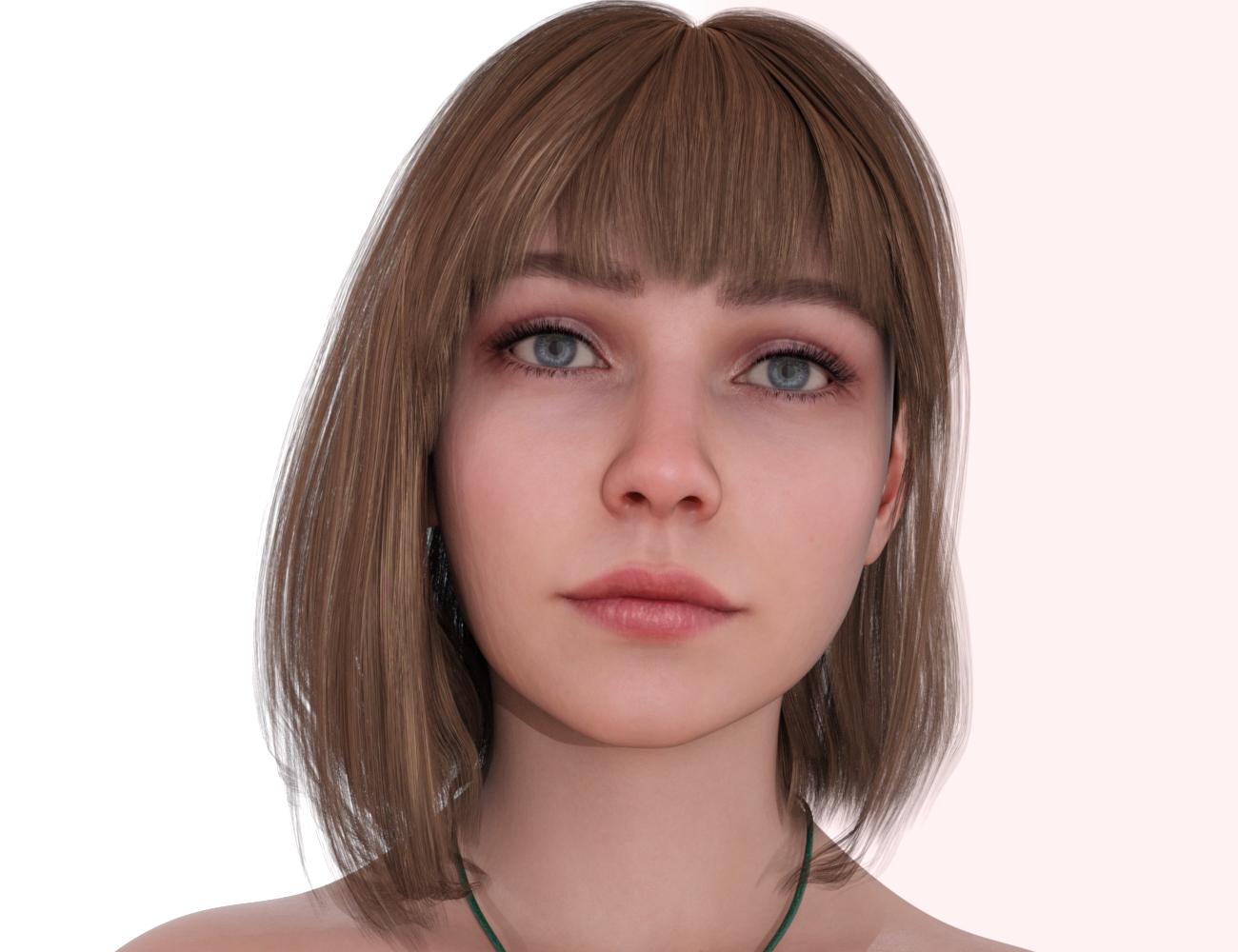
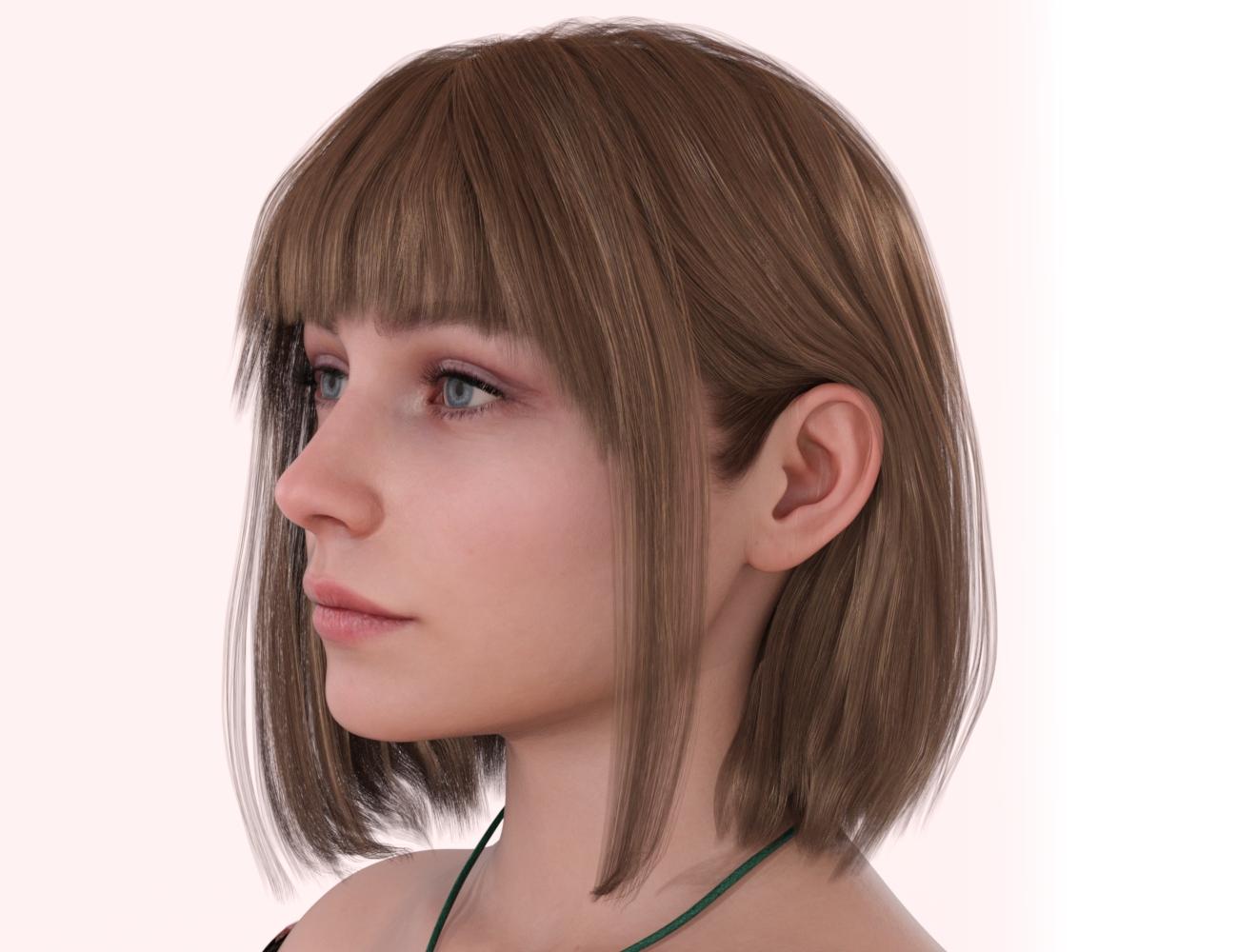
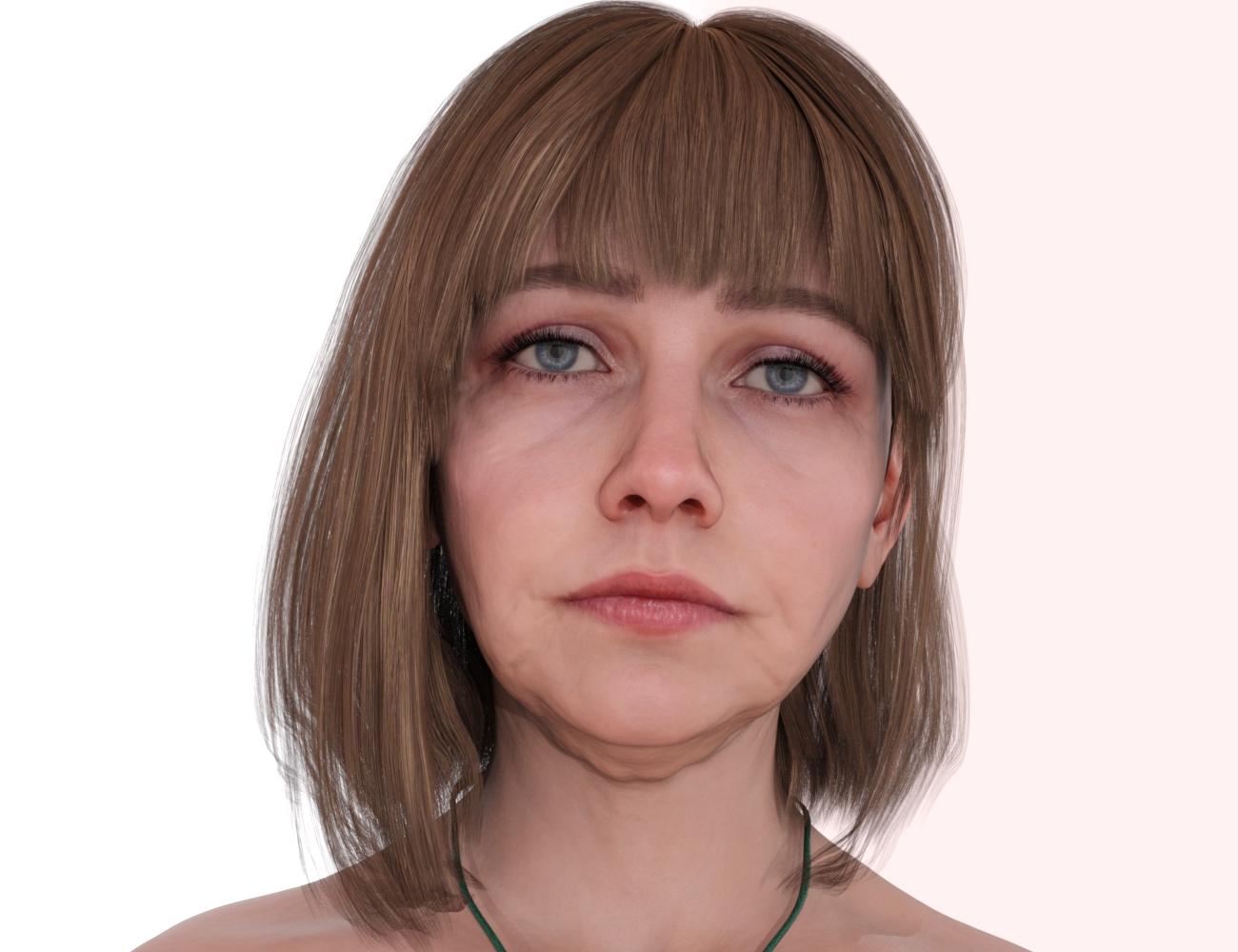
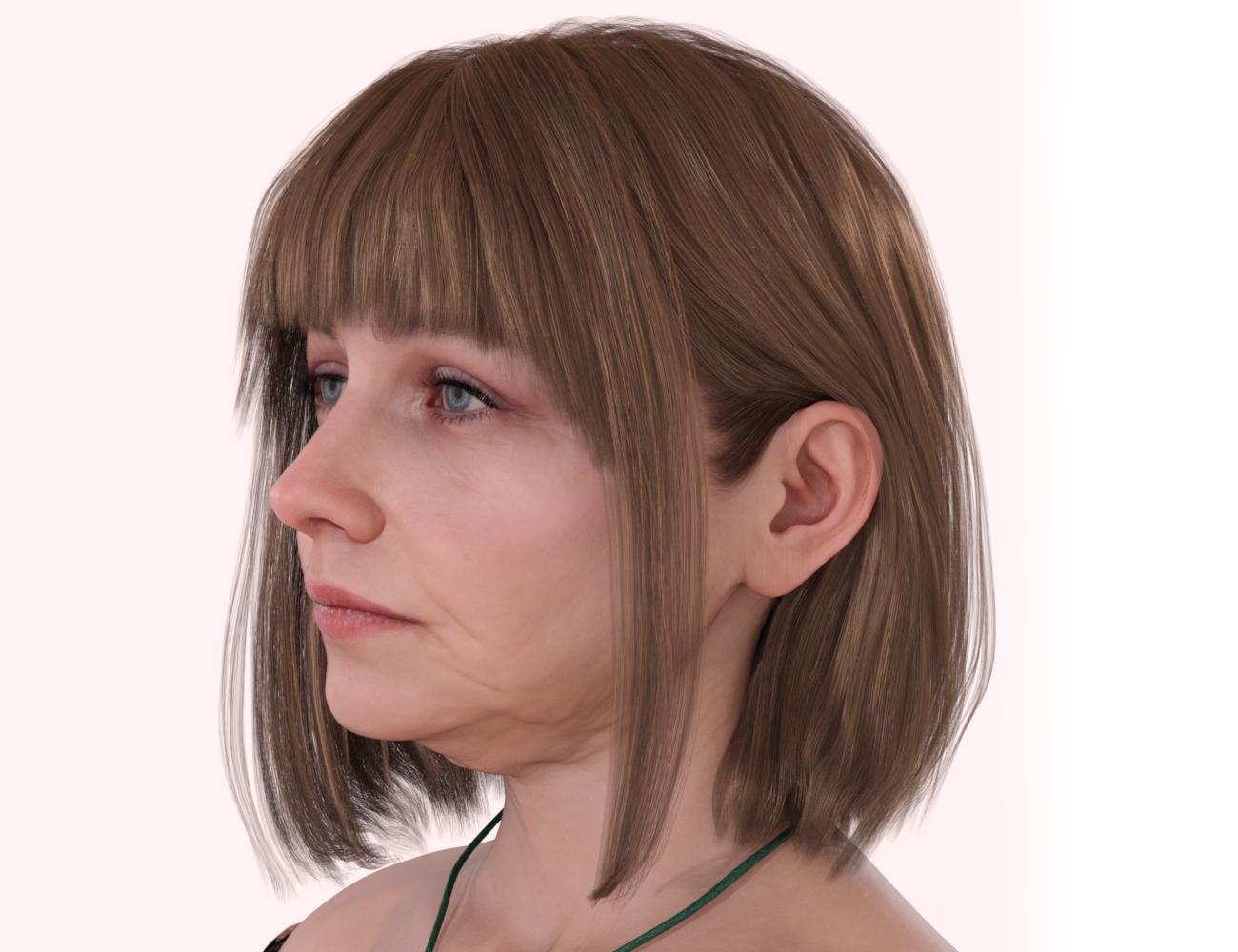
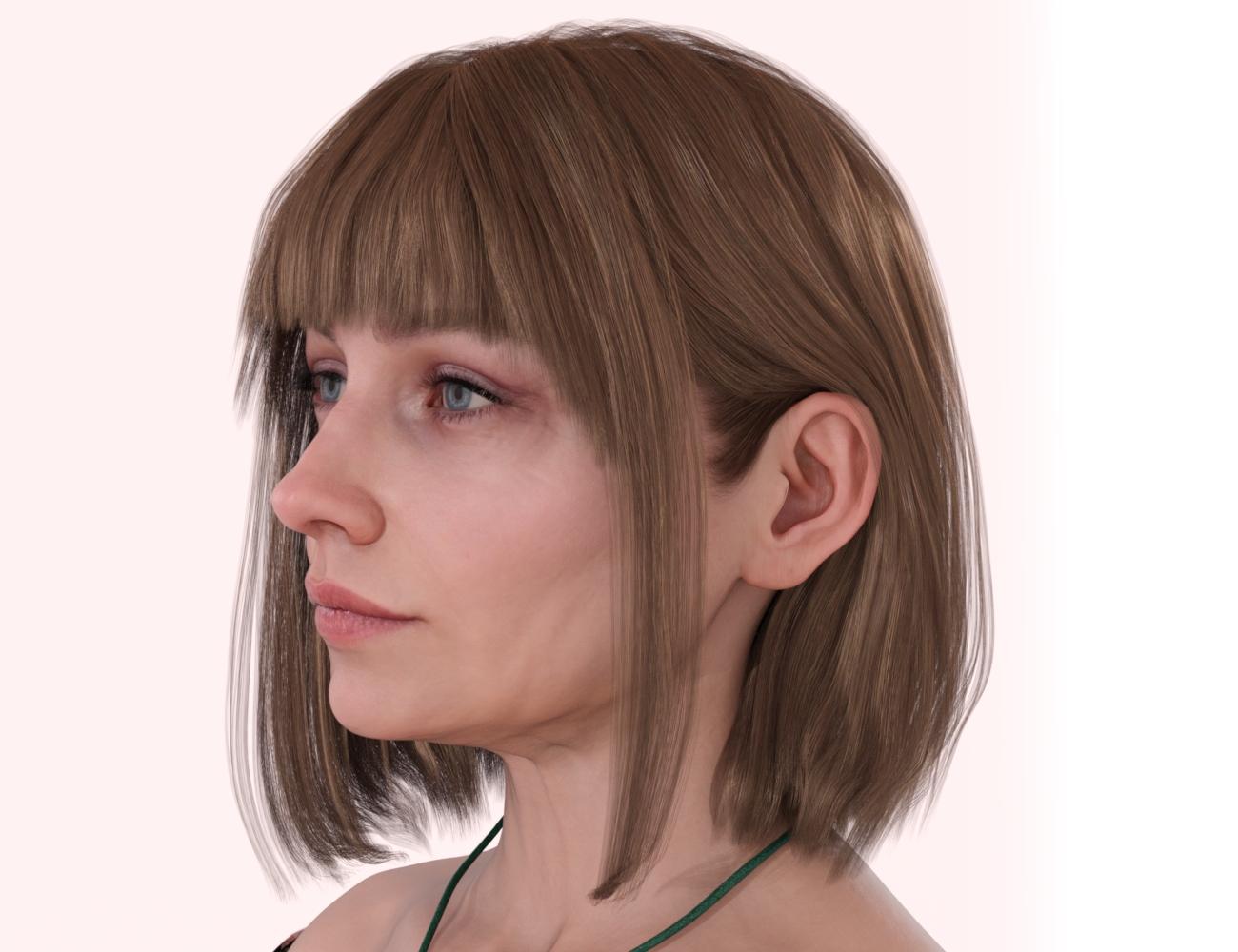
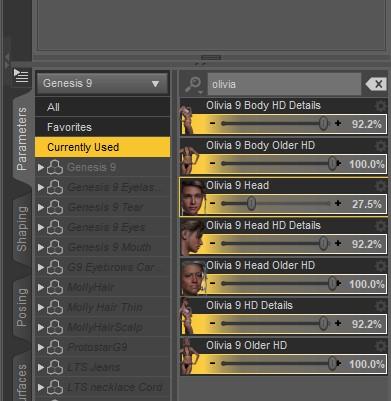
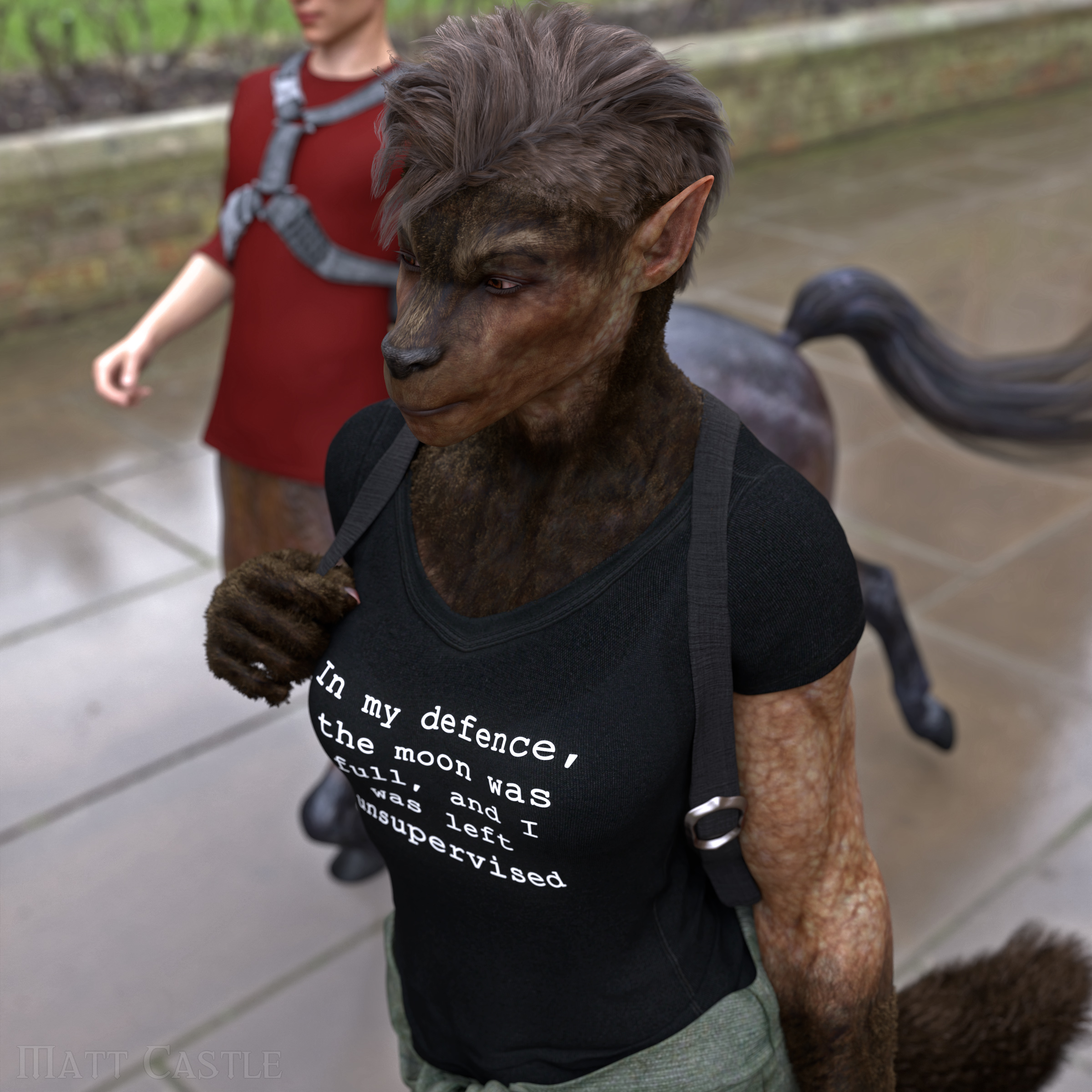
  • Is this Amelia 9?

    To confirm, the promo artist confirmed that it is not Amelia. (In fact, it's a Genesis 8 morph, not Genesis 9).

    The image was mistakenly chosen out of the individual promos by the advertising team (they don't have any special insight into how submitted promo images were made), but they were informed and the main Pro bundle promo image has now been replaced.

    By

    Matt_Castle Matt_Castle September 2023 in The Commons
  • Clothing from GeoShells?

    marble said:

    crosswind said:

    ....

    ets if needed

    At last the light is beginning to dawn on me. So that's where the geoshell comes in - it is not exported to Blender but is used to take the maps created in Blender. I still thought that something had to have an actual mesh to be saved as a figure/prop or wearable so my confusion is still not quite resolved.  

    So now the next question: would that saved wearable conform to any charater shape (I have my own character creations in all shapes and szes)? Or do I Ineed to do something to transfer rigging and/or FBM/JCMs, etc? Oh, and how would I add further morphs as I assume the wearable geoshell can't be edited in Blender?

    You don't need to do anythying to the geoshell in terms of morphing or shaping... as I mentioned above, a geoshell is a dummy facet geometry fitting on the figure, just like a 'second skin', so it follows figure's shape change. Then you just need to make morphs on the figure if needed.

    Thanks again. OK, so the wearable is a geoshell with texture maps and it behaves like any newly applied geoshell, right? 

    That's right ! yes

    By

    crosswind crosswind September 2023 in Daz Studio Discussion
  • Any way to save one frame?

    Just export the dForce garment on the last frame to obj, clear the simulation, and import obj back to the garment as a delta morph and dial it 100%, then go for a quick saving... Is this that OP wanna get?

    By

    crosswind crosswind September 2023 in Daz Studio Discussion
  • Clothing from GeoShells?

    crosswind said:

    ....

    ets if needed

    At last the light is beginning to dawn on me. So that's where the geoshell comes in - it is not exported to Blender but is used to take the maps created in Blender. I still thought that something had to have an actual mesh to be saved as a figure/prop or wearable so my confusion is still not quite resolved.  

    So now the next question: would that saved wearable conform to any charater shape (I have my own character creations in all shapes and szes)? Or do I Ineed to do something to transfer rigging and/or FBM/JCMs, etc? Oh, and how would I add further morphs as I assume the wearable geoshell can't be edited in Blender?

    You don't need to do anythying to the geoshell in terms of morphing or shaping... as I mentioned above, a geoshell is a dummy facet geometry fitting on the figure, just like a 'second skin', so it follows figure's shape change. Then you just need to make morphs on the figure if needed.

    Thanks again. OK, so the wearable is a geoshell with texture maps and it behaves like any newly applied geoshell, right? 

    By

    marble marble September 2023 in Daz Studio Discussion
  • Clothing from GeoShells?
    ....

    ets if needed

    At last the light is beginning to dawn on me. So that's where the geoshell comes in - it is not exported to Blender but is used to take the maps created in Blender. I still thought that something had to have an actual mesh to be saved as a figure/prop or wearable so my confusion is still not quite resolved.  

    So now the next question: would that saved wearable conform to any charater shape (I have my own character creations in all shapes and szes)? Or do I Ineed to do something to transfer rigging and/or FBM/JCMs, etc? Oh, and how would I add further morphs as I assume the wearable geoshell can't be edited in Blender?

    You don't need to do anythying to the geoshell in terms of morphing or shaping... as I mentioned above, a geoshell is a dummy facet geometry fitting on the figure, just like a 'second skin', so it follows figure's shape change. Then you just need to make morphs on the figure if needed.

    By

    crosswind crosswind September 2023 in Daz Studio Discussion
  • Anyone know this character?

    Seven193 said:

    joanna said:

    According to this thread, it was customized on Kiko 8.1.

    I don't see any similarities.  Kiko's nose is very slim and narrow and her eyes are very wide.  No match for me.

    ... if should you know there're sort of product - morph packages, e.g. 200 Plus, RareStone's Face Morphs Collection, HSTW Head Morphs, etc., and sort of software, e.g. ZBrush or Blender...  that we always use for custmizing our characters...

    For most of the cases, one or several blended characters are only used as a 'Base'... Even a user can well use the above-mentioned to heavily customize a character, let alone PAs... I've seen quite a lot works from them offline, so no need to doubt that...

    By

    crosswind crosswind September 2023 in The Commons
  • Clothing from GeoShells?

    crosswind said:

    marble said:

    crosswind said:

    Yes, it's tricky... Geoshell has 'geometry' indeed but it's a sort of derivative dummy facet of its parent, so that's why it can collide with other figures / objects. It has no mesh of its own so there's no way to create morphs on it, while it just derives mesh resolution and SubD from the figure. If we need 'morphs on it', we create morphs on the figure.

    Well, technically a geoshell can be sculpted in Blender but normally we just use Genesis figure to do so (as well as painting / texturizing), as FenixPhoenix mentioned. We may use derivative UV set from the figure on the geoshell garments or create unique UV set for them.


    So using the figure itself, how to achieve the slight distance from the surface for a clothing item? Use a push modifier before export or is there a better way in Blender?


    Not in that way. Actually geoshells adopt all the UV sets from the figure, so we just need to create texture maps for them rather than 'on them'. The normal workflow is -
    - export Genesis figure to Blender or Pt, etc., you paint texture on it and bake the maps, or you create texture maps based on the UV templates (from Genesis figure or unique ones you made) in Photoshop or Gimp, etc.
    - Load a geoshell on Genesis figure
    - Assign texture maps to the corresponding surfaces of the geoshell
    - Save the geoshell as a Wearable preset, as well as Material presets if needed

    At last the light is beginning to dawn on me. So that's where the geoshell comes in - it is not exported to Blender but is used to take the maps created in Blender. I still thought that something had to have an actual mesh to be saved as a figure/prop or wearable so my confusion is still not quite resolved.  

    So now the next question: would that saved wearable conform to any charater shape (I have my own character creations in all shapes and szes)? Or do I Ineed to do something to transfer rigging and/or FBM/JCMs, etc? Oh, and how would I add further morphs as I assume the wearable geoshell can't be edited in Blender?

    By

    marble marble September 2023 in Daz Studio Discussion
  • Is there a tool to compare two different characters?

    The imported mesh or face transferred morph won't be made using the base morphs, so comparing settings won't help. It's not soemthing I have doen but my suggestion would be to apply a push modifier to oen figure or the other, remove all maps, and set them to have contrasting base colours, then adjust the morphs to get as close as possible (so when the Push Modifier is off you see one model's colour and when you turn the Push modifier's offset up/down the other item comes into view more-or-less uniformly - that would tell you that the shapes were almost an exact match).

    By

    Richard Haseltine Richard Haseltine September 2023 in New Users
  • Clothing from GeoShells?

    marble said:

    FenixPhoenix said:

    You export the character and paint the "clothing" onto that. You use displacement for wrinkles. Then you export all of that alongside a cutout opacity mask and set it all up in the geoshell. This is how I did it for Liloo's underwater: https://www.daz3d.com/dforce-nd-liloo-clothing-for-genesis-9


    I assume you mean her underwear? The rest of your advice is exactly how I imagined it to be except that I want to manipulate the mesh a little more so that it doesn't, for example, disappear into the cracks and creases of the G8 figure (I don't have any G9 characters). -- [EDIT] Just noticed that you show and example of this as your NDLC shape preset. -- Also, did you need to create a UV map or did you use the original maps from the DAZ figure? 

    So I guess I would need to import it back and rig it somehow in DAZ Studio? I have a lot of things running through my mind that I've read here and seen in various tutorials but I was hoping for some kind of definitive workflow. I've seen clothing sets on other sites which look like they have just been painted on the body but which are sold as separate clothing items.

    Apologies, I meant underwear, indeed. I was typing on my phone, and autocorrect does whatever it wants lol. What I did for the crack was ask Nathy to do a morph on the figure to smooth that out. Then I saved all of that as a wearable preset that would apply the smooth glutes morphs to the figure and the geoshell textured-like underwear.

    By the way, Nathy has a product that provides these types of morphs (helpful to smooth things for geoshell type of clothing): https://www.daz3d.com/nd-extra-morphs-breasts-and-glutes-for-genesis-9

    By

    FenixPhoenix FenixPhoenix September 2023 in Daz Studio Discussion
  • Is there a tool to compare two different characters?

    If I was trying to re-create a non-Genesis mesh in Daz Studio, I would use something called R3DS, but it's crazy expensive. The basic idea, you can take the Genesis 8 mesh and fit it (or wrap it) around the mesh you're trying to re-create. Then you load that wrapped mesh into Morph Loader Pro, and create a morph from it.

    By

    Seven193 Seven193 September 2023 in New Users
  • Is there a tool to compare two different characters?

    Richard Haseltine said:

    Hold down cmd/ctrl when clicking on the second - this is usually easiest to do in the Scene pane. Cmd/ctrl toggles selection of the thing clicked on without affecting other items, shift (in the Scene pane) selects a range of items from the last selected to the item clicked but clears any other selection (and cmd/ctrl plus shift should allow you to select multiple ranges of items, but sadly this doesn't work in DS - I can't recall what the reply to my bug report said but my guess would be this is a Qt issue).
     

    crosswind said:

    Ctrl + select

    Thank you vey much! laugh

    Seven193 said:

    Are you trying to do the same thing as File -> Save As -> Shaping Preset ? Why can't you just save the shape of character A as a shaping preset, and then apply it to character B?

    In fact, I am trying to recreate with Genesis 8 a character I created on MakeHuman. I imported the MH character into Daz as an help to recreate him with G8, and I also tried to use the face transfer plugin, but I didn't success to recreate my MH character yet... So, I wondered if there was a way to compare automatically the shape of the MH (or face transfered) and G8 characters to make it matches easier...

    Here is the MH character I am trying to recreate:

    Here is the one I obtained with the face transfer (after some fittings):

    And here is what I obtained for now by modifying the Daz 's Yuzuru 8 model:

    For now, I'm focussing on the head and face themseleves, I amn't trying to modify details like eye or mouth, but there are several parts I don't success to fit to obtain what I want, so, I hoped if there was a way to compare the MH or face transferd version with the G8 one, I could fit it easier... Do you think it's possible?

    I have particularyly difficultied with this part, wich seems to "angular":

    I tried to modify jaw and cheek, but I couldn't modify it... Would you have an idea how to make it closer from what I need?

    I have also an image withe the MH character imported into Daz and the Yuzuru 8 I modified:

    In red is the MH character, and in transparent is the Yuzuru 8 character I am modifying, so we can easily see the differences...

    Thank you in advance for your advices!

    By

    yuyu.atem yuyu.atem September 2023 in New Users
  • Save dForce result as a Puppeteer Preset?

    I am actually doing this, saving dforce2morph presets for puppeteer


    I don't use recod rather I click the corresponding edit dots for pose and saved matching morph each frame, it zeros the before and afters

    By

    WendyLuvsCatz WendyLuvsCatz September 2023 in Daz Studio Discussion
  • Generate morphs for Morningstar Wings.

    Hello! I'm having trouble importing the edited Morningstar Wings mesh into DAZ Studio and generating a morph.

    1. I have exported the model and the wings separately as OBJ Legacy to Blender (Keep Vertex Order activated), but keeping the transformations that DAZ Studio has made on the wings to adapt them to my character, since I need the reference to make the adaptation.

    2. In Blender, I have made corrections to the vertex in Editor mode so that the wings are located where I want them to be in height, width and that their "plug" matches the height and size of my model's scapula. I have not altered the Pollycount at any time and always used Base Resolution for the meshes.

    3. Then, I exported the wings mesh as OBJ Legacy (Keep Vertex Order activated) and loaded that file with Morph Loader Pro to generate the morph into new Morningstar Wings without any prior alteration on my part.

    For reasons that I do not fully understand, the mesh deforms, taking on an appearance that was not what I had generated. I have tried to apply the morph to the wings fit to the model and without fit to the model. In both cases they are deformed. Of course, adjusting the rig to the mesh ends up making the situation worse.

    What am I doing wrong please?

    By

    etobares etobares September 2023 in Daz Studio Discussion
  • Usage for Lora Training?

    The relevant paragraph of the license would be:

    Terms of Use. Two-Dimensional Works. Subject to the terms and conditions of this Agreement, User may (i) access, use, copy and modify the Content in the creation and presentation of two-dimensional animations and renderings, (ii) incorporate two-dimensional images (including two-dimensional images that simulate motion of three-dimensional objects) derived by User from the Content in User's other works, and (iii) publish, market, distribute, transfer, sell or sublicense User's two-dimensional animations, renderings and other works; provided that User may not in any case publish, market, distribute, transfer, sell or sublicense any renderings, animations, software applications, data or any other product from which any Content, or any part thereof, or any substantially similar version of the Content can be separately exported, extracted or de-compiled into any re-distributable form or format.

    which does not have any special clauses. - the nearest would eb the section at the end, since a comprehensive enough trained AI might in principle be able to produce views of the content from any angle.

    In general, for content that does not haev additional restrictions, it sjould be OK to use images to which you have title (that you rendered, or that were rendered by others under commission including such rights or as a work for hire) in AI training. However, there are a lot of open legal questions 9and suits) about the use of imagery in AI training - I am not immediately sure whether any of those are suggesting that use for training would require an explicit grant of license (i.e. if having "all rights" to a commissioned piece from befiore the emergence of AI would be deemed to include the, at the time unkthought of, right to train an AI from it); as I recall there were challenges when ebooks came out arguing that publishers did not automatically have the right to publish a title as an ebook if the author had agreed to let them publish in all formats, so such a challenge is not unthinkable.

    By

    Richard Haseltine Richard Haseltine September 2023 in The Commons
  • Too many installed assets?

    Big thank you for the answers Richard and SofaCitizen. Just FYI, i did a few scenes now with a desert asset, pretty simple looking one and I used the Animal Jack little insect in the scene with a high bright skydome. It saves pretty long time (1m30s) and load a little longer time. I am sure few yrs back it wouldve been way faster. 

    So no morphs used from my part and no duplicate assets in these scenes. Why im still a bit stumped as to why it's so slow. But ill keep the morph and duplicate assets problems in mind.

    Thx  

    By

    plarff plarff September 2023 in Technical Help (nuts n bolts)
  • Too many installed assets?

    SofaCitizen said:

    plarff said:

    I totally with you on what you said. It shouldn't take that long to load most scenes. Loading a G8F without any clothing but with a morph or two, some dont have morphs, takes about the same time as yours.
    As for duplicate formulas, I do have a few characters when importing them i get the "duplicate formula" error message. 
    IT's not a PC issue as its happening on both my PC's. I am not sure if it's a DAZ out of the box thing. It may be in the code of DAZ there isn't anything that tells it to laod or cache certain files after a certain files size ?

    When i re install DAZ with default assets, everything of course loads and saves way faster. About 2 yrs back i had the assets which were around 1.9tb onto an internal 2TB HDD (spinning drive). At first it was fairly fast loading then slowed down as I loaded more assets. Then i decided to go NAS route, also spinning drives and last year ive been using the SSD's in the NAS which has increase the access of files and saving of scenes. But now it's getting really slow and its almost as if something drastically changed. 

    This is all very strange.

    Just so you are aware, when you load a Genesis figure Daz will go to the Morph directories for that figure and load ALL of them - includuing all those that are not used. This is just the way that it knows how to immediately adjust the figure when you drag those sliders. Therefore, naturally, the more morphs (including characters and expressions) you make available to Daz (by installing them) then the longer it will take to load that figure.

    and a major part of the slowdown is not reading from disc but building the links (or checking if there are links to be built) with other properties. This has received some attention recently, see the public (Beta) Build, but that is most dramatically apparent when Duplicate Formulas are present.

    Then you have duplicate formulas - these are when two assets (usually form two products from different PAs) share the exact same "unique ID". This can happen when PAs choose to name things poorly or when you have two characters with the same name, possibly from different stores. If you are running the normal version this will slow down loading a LOT - and I have meant to heavily emphasise that word in three different ways. If you run the beta then it has less of an effect and also the log actually reports both products that are in conflict which is handy for diagnosis. Regardless of the time to load, the duplicate formulas also mean that one of those products will NOT work. Therefore, if you spot them you should look to report these (if applicable) and fix them yourself (since fixes do not always get made quickly or at all in some instances).

    By

    Richard Haseltine Richard Haseltine September 2023 in Technical Help (nuts n bolts)
  • Transformation from Genesis node to Hip bone - how?

    m_pohanka_6db953ed73 said:

    Hi Everybody,

    I have animation where the Translation and Rotation is done for Genesis node but the Hip bone has all set to zero in all frames. Is there any trick how to transfer setting to Hip bone for all frames?

    I have some idea how to transfer Translation from Genesis node to Hip bone using mcjJump. But I could not copy the Rotations from Genesis node to Hip bone. Do you have any idea how to copy Rotations from Genesis node to Hip bone for all frames? Copy and Paste does not work in Timeline. It paste back to Genesis node.

    Thanks a lot.

     I'm not aware of one however if the concept is that you want the hip to stay put while posing the rest of the figure, I just noticed this gem in the store. Can pose "only" the selected targets, leaving the rest of the figure where one planted it.

    https://www.daz3d.com/magic--smart-actions-for-posing


    By

    Catherine3678ab Catherine3678ab September 2023 in Daz Studio Discussion
  • Too many installed assets?

    plarff said:

    I totally with you on what you said. It shouldn't take that long to load most scenes. Loading a G8F without any clothing but with a morph or two, some dont have morphs, takes about the same time as yours.
    As for duplicate formulas, I do have a few characters when importing them i get the "duplicate formula" error message. 
    IT's not a PC issue as its happening on both my PC's. I am not sure if it's a DAZ out of the box thing. It may be in the code of DAZ there isn't anything that tells it to laod or cache certain files after a certain files size ?

    When i re install DAZ with default assets, everything of course loads and saves way faster. About 2 yrs back i had the assets which were around 1.9tb onto an internal 2TB HDD (spinning drive). At first it was fairly fast loading then slowed down as I loaded more assets. Then i decided to go NAS route, also spinning drives and last year ive been using the SSD's in the NAS which has increase the access of files and saving of scenes. But now it's getting really slow and its almost as if something drastically changed. 

    This is all very strange.

    Just so you are aware, when you load a Genesis figure Daz will go to the Morph directories for that figure and load ALL of them - includuing all those that are not used. This is just the way that it knows how to immediately adjust the figure when you drag those sliders. Therefore, naturally, the more morphs (including characters and expressions) you make available to Daz (by installing them) then the longer it will take to load that figure.

    Then you have duplicate formulas - these are when two assets (usually form two products from different PAs) share the exact same "unique ID". This can happen when PAs choose to name things poorly or when you have two characters with the same name, possibly from different stores. If you are running the normal version this will slow down loading a LOT - and I have meant to heavily emphasise that word in three different ways. If you run the beta then it has less of an effect and also the log actually reports both products that are in conflict which is handy for diagnosis. Regardless of the time to load, the duplicate formulas also mean that one of those products will NOT work. Therefore, if you spot them you should look to report these (if applicable) and fix them yourself (since fixes do not always get made quickly or at all in some instances).

    By

    SofaCitizen SofaCitizen September 2023 in Technical Help (nuts n bolts)
  • Too many installed assets?

    SofaCitizen said:

    Hmmm, a few of those numbers are a little odd to me. For context I also store my base libraries on a NAS (Synology) so that I can access them on both my Mac (main desktop) and Windows PC (Rendering/Gaming machine) interchangably. Clearing scenes does take a while, but I think that's a Daz thing regardless of where things are stored. If, by assets you are ONLY talking about Genesis figures then those do take a little while but your numbers are probably indicative of duplicate formulas. For other assets (props, materials, envinroments etc) then that is WAY too long, those should load in after a few seconds. Also, I don't think I have had any scenes take more than 10? seconds maybe to save - to be fair it's not something I have ever timed but mainly because it's not taken a noticable amount of time.

    EDIT: For reference I just loaded a base G8F into an empty scene and it took 1m 47s. I don't know if there is a good way to count the morphs/figures that Daz would have had to go through to load that but G8F would be the figure I have the most for so no other figure is likely to take longer than that.

    I totally with you on what you said. It shouldn't take that long to load most scenes. Loading a G8F without any clothing but with a morph or two, some dont have morphs, takes about the same time as yours.
    As for duplicate formulas, I do have a few characters when importing them i get the "duplicate formula" error message. 
    IT's not a PC issue as its happening on both my PC's. I am not sure if it's a DAZ out of the box thing. It may be in the code of DAZ there isn't anything that tells it to laod or cache certain files after a certain files size ?

    When i re install DAZ with default assets, everything of course loads and saves way faster. About 2 yrs back i had the assets which were around 1.9tb onto an internal 2TB HDD (spinning drive). At first it was fairly fast loading then slowed down as I loaded more assets. Then i decided to go NAS route, also spinning drives and last year ive been using the SSD's in the NAS which has increase the access of files and saving of scenes. But now it's getting really slow and its almost as if something drastically changed. 

    This is all very strange.

    By

    plarff plarff September 2023 in Technical Help (nuts n bolts)
  • Freebie Challenge September 2023 - Gardening - Main Thread

    Hello everyone!
    I just stumbled upon this challenge and although i am pretty late to the show, i thought i might give it a try.

    I am usually not the render guy. I mainly use DAZ to (try) create my own printable models. Make them printable in Blender, that is...

    My renders so far have only been quick and dirty ones. Just to put a picture of the base concept into each folder.

    But you know... never hurts to try improving another skillset on the way.

    -------------------------
    For this, i challenged myself to only use the free DAZ assets from the current and last month. And all-time DAZ freebies.

    However, as i was unsure about what morphs would be eligible to use, i decided to use a free figure shape from another place.

    In hindsight, i could probably just have used the base G9 female.

    And i am not finished yet. But i thought better have my items and pic checked early. Not to waste time to find out last minute that my entry does not qualify.
    Anyways, here are the things i used (so far):

    DAZ  Freebies

    an attached flower from the Flora Sprite Dress (https://www.daz3d.com/flora-sprite-for-genesis-2-female-s)

    earfins from the dragonling as leafs (https://www.daz3d.com/millennium-dragon-2-dragonling)

    3D bubbles (https://www.daz3d.com/3d-bubbles)

    Pose (slightly modified left arm/hand) (https://www.daz3d.com/daily-ease-poses-lite)

    Outfit (https://www.daz3d.com/dforce-dancing-queen-outfit-for-genesis-9)

    Hair (https://www.daz3d.com/dforce-mk-hime-cut-hair-for-genesis-9-lite)

    (https://www.daz3d.com/street-vignettes--calle-pintada) - not sure about this one. i know i assigned one of the render options of this asset. but i do not know if a later used package overwrote the settings.

    Sky+Dome+Floor (https://www.daz3d.com/skies-of-economy-redux--volume-1-lite)

    DAZ Studio Regulars

    G9 female

    Daz Studio primitives

    DAZ Studio other

    Essential Iray Shaders (https://www.daz3d.com/essential-iray-shaders) i thought it was a regular freebie that DAZ Studio provides. Turned out to be part of the anniversary megapack `22, that i got when i joined DAZ last year. While I did not pay anything for this one, i would assume it falls either under paid or neutral.

    Otherplace freebie

    Vickie 9 Character Morph for Genesis 9 (https://www.renderhub.com/marissko/vickie-9-for-genesis-9)


    i hope this information is sufficient. i might add more to the list later. Depends on time and afterthoughts
    Let me know if this isnt good enoughfor a "gardening" theme... She raises flowers though  ;)

    EDIT:

    paid asset: Vintage light overlay for photoshop - it was within a huge graphics package in some humblebundle package. One of thousands of files. Nothing but a shortcut for things one could do without using a paid image. and i might even decide to remove it or use another one in the final version. but i thought i better mention it. No link though.. Sitting in my library for years.

    EDIT 2: after playing around a bit in photoshop, i am realy tempted to let it go. I am sure, there is a lot of room for improvement, but i kinda like it already.
    EDIT 3: just a tad more... maybe need to get rid of some of the lower edges. i might sleep over it
    ________________________________________________________

    for the test version 2 i rendered a second pic without the bubbles and primitives. and i removed the background flowers. then melted the pics with 2 masking layers and the vintage overlay. Just to get an impression how it would work out at current stage. (needs to be balance though. main reason to do this: i want a bit more of her reflection and her slightly more outstanding - but its already too much atm)

    ----------------------------------------------------------------------------------------------

    ...and her heart and soul were pure.So pure, that anywhere she would walk, flowers would blossom.
    As if nature stood up, to bid her welcome.

    .

    .

    By

    f.boschanski f.boschanski September 2023 in Freebies
Previous Next
Adding to Cart…

Daz 3D is part of Tafi

Connect

DAZ Productions, Inc.
7533 S Center View Ct #4664
West Jordan, UT 84084

HELP

Contact Us

Tutorials

Help Center

Sell Your 3D Content

Affiliate Program

Documentation Center

Open Source

Consent Preferences

JOIN DAZ

Memberships

Blog

About Us

Press

Careers

Bridges

Community

In the Studio

Gallery

Forum

DAZ STORE

Shop

Freebies

Published Artists

Licensing Agreement | Terms of Service | Privacy Policy | EULA

© 2026 Daz Productions Inc. All Rights Reserved.