-
First Impressions Genesis 9 - A Review
Matt_Castle said:
JasmineSkunk said:
No Iris or lip parameters in the surface tab?The intention is that this is now addressed on a texture map level, with things like LIE masks; surface zones create a hard transition that is often very apparent, so they weren't great practice anyway.
It also often wasn't uncommon for some assets to use an entire new set of texture maps just for the lips zone, which was horribly inefficient from a texture use perspective.
Limited adjustability of legs and hips? Why do the thighs seem so long and the shins so short once I start dialing in a character? With no option to scale them independently, I sometimes end up with something that looks, just - off. And with no practicle way to fix it, I feel a little less satisiified with the character I'm creating.You can use the actual posing scale controls for this - and these can either be linked into a controller if desired, or baked permanently to a morph via the normal export/Morph Loader workflow.
Hey! Thanks for the feedback!

I agree this way the lips look better, but trying to figure it out as a "newbie" was extremely frustrating. I had lip options available to me that I couldn't figure out how to use.
Who knows? I may end up liking it better in the long run.


The leg thing though... Maybe I'm missing something? I only see a single "Scale" option in the parameters tab, which adjusts the leg's entire scale on all axis. It wasn't very satisfactory for making the adjustment (on the y axis only) where I want to make it. The only other option I found adjusts the legs length in it's entirety and didn't allow me to make proportional adjustments of the thighs and shins independently. Again, if there is a better way, I didn't discover it as a first time user.
Mostly, I really like Genesis 9. I'm looking forward to seeing what becomes of them.
Thanks again for chiming in! I like to hear these things! Helps me learn too.
 Missing Mousso Lashes morph
That is a lash morph Mousso uses for quite a few of the characters which is why it's in a Misc. folder. Which character are you trying to load?
First Impressions Genesis 9 - A ReviewJasmineSkunk said:
No Iris or lip parameters in the surface tab?The intention is that this is now addressed on a texture map level, with things like LIE masks; surface zones create a hard transition that is often very apparent, so they weren't great practice anyway.
It also often wasn't uncommon for some assets to use an entire new set of texture maps just for the lips zone, which was horribly inefficient from a texture use perspective.
Limited adjustability of legs and hips? Why do the thighs seem so long and the shins so short once I start dialing in a character? With no option to scale them independently, I sometimes end up with something that looks, just - off. And with no practicle way to fix it, I feel a little less satisiified with the character I'm creating.You can use the actual posing scale controls for this - and these can either be linked into a controller if desired, or baked permanently to a morph via the normal export/Morph Loader workflow.
Missing Mousso Lashes morphhey guys if anyone can point me in a direction because i hit a wall here.
Missing file
/data/Daz 3D/Genesis 8/Female Eyelashes/Morphs/mousso/Misc/Lashes.dsf
For the love of God what pack contains this because i am going nuts.
The Houdini MegathreadRobotHeadArt said:
I had started a Houdini/Daz Studio thread several years ago with information on how to transfer geometry between the two. I haven't gone back to see how much has changed in the latest versions of Daz Studio and Houdini. It might be useful to some https://www.daz3d.com/forums/discussion/196556/daz-studio-and-houdini-go-procedural/p1
Looks like there's some really good information in there, if you're interested in rendering in DS. For now I'm rendering everything in Houdini using Karma, although once I've subscribed to Houdini Indie I'll either use Arnold to render, or export Alembic to C4D and render in Arnold there.
Daz instances to UnrealRexRed said:
It would be nice to make use of the huge amount of Daz assets that I have bought that contain instanced items.The instance groups and the position data are simply ignored. I would rather use Daz items I already own.
I don't know about a tool to transfer instances, but it's very easy to paint any kind of foliage with the foliage tool in UE. You can also spawn foliage instances from materials:
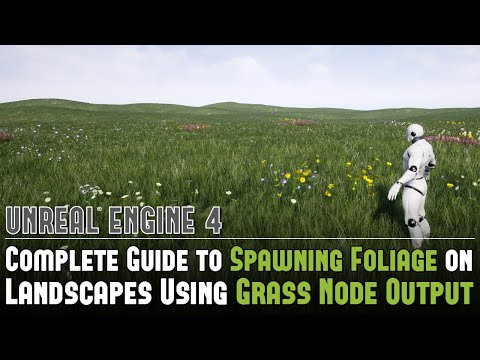
Being able to animate the plants in Unreal from Ultra Scenery would be nice too.
You can "animate" plants in UE using materials, which is more like displacement in contrast to skeletal animation. Just check out some animated plants in UE and transfer the techniques used to static plant meshes from Daz.
In general, I would like more focus on the UE bridge by Daz and PAs but I'm not sure it's gonna happen anytime soon. The differences are too big, the user bases are mostly different, focus is more on high quality pictures instead of animation with moving plants and things like that and the assets are mostly not optimized for game dev. I use a lot of Daz assets in a game I'm working on, but they do not always contribute to high performance and I also decimated some...
The Houdini MegathreadI had started a Houdini/Daz Studio thread several years ago with information on how to transfer geometry between the two. I haven't gone back to see how much has changed in the latest versions of Daz Studio and Houdini. It might be useful to some https://www.daz3d.com/forums/discussion/196556/daz-studio-and-houdini-go-procedural/p1
Question about purchasesCool.
How do you look for Content, Smart Content?
Open DIM, find the packages, right-click one of them > Show Installed Content.
The lines that begin with "data" are not user-facing files. Those are just what needs to be installed to make it all work. In the event where pretty much the whole package is 'data', then what that pack is - morph dials located on the figure. In this case mostly under Actor > Head and Actor > Body, but then Expression will be under Pose Controls
For other content, the paths shown will be available in the Content pane. I never use Smart content so I don't know how to find it that way.
In the Content pane look under People > Genesis 9
Anatomy will have the Essentials Expansion stuff
Head shapes, body shapes and expressions will be dials located on your genesis 9 figure
Wang 9AllenArt said:
My last customization of Wang. If I keep going I'll ruin it. LOL I can make his eyes look more Asian with the G9 head morphs for the eyes, so I decided to save him this way and just add the eye morphs if I need them.
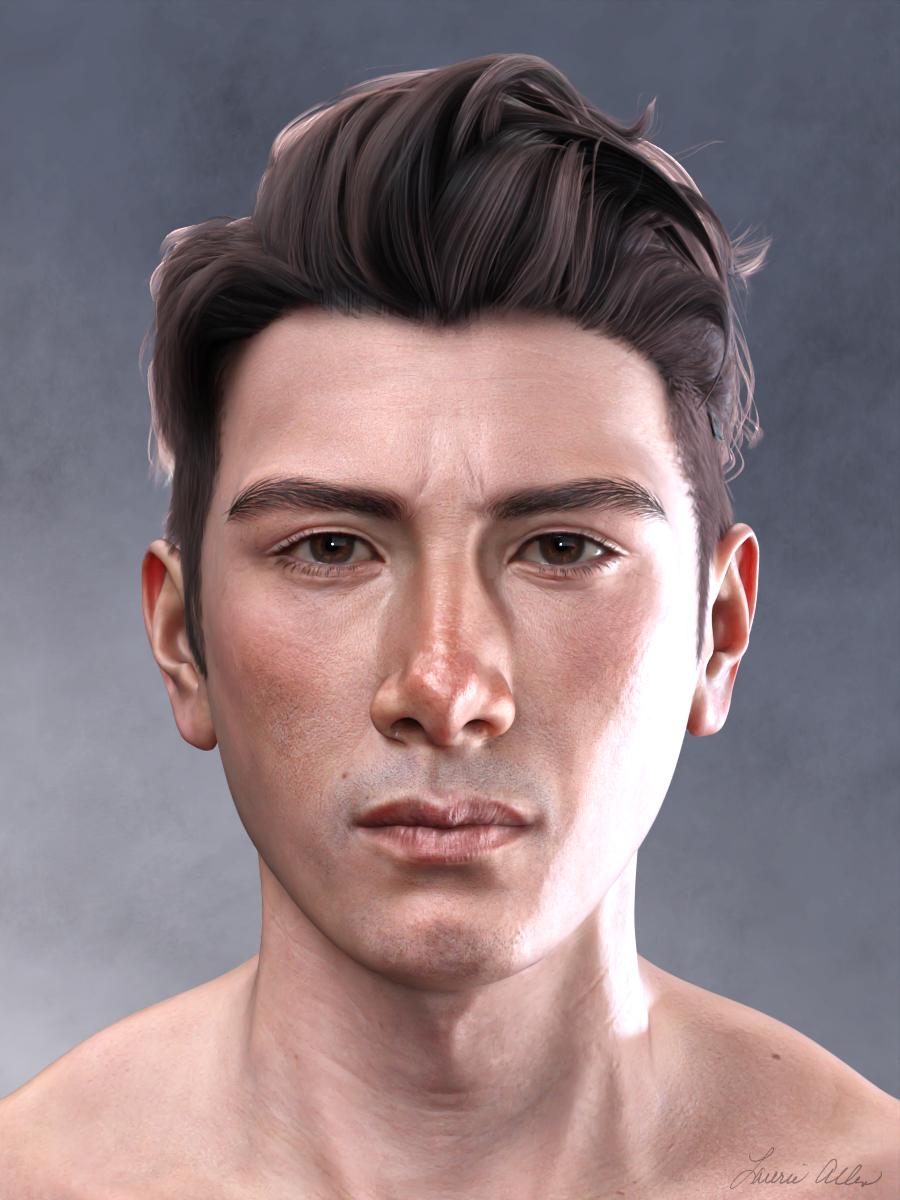

I really like what you did with him and made it your own creation :) that's a huge part of what I love about DS - being able to tweak a morph to fit my aesthetics
 Conversuion of Poser clothes to DAZ clothes?
Speaking of Mesh Grabber, it has the beautiful function: "Save As Morph"
So for her goggles, I made morphs for them to be up on her forehead and also to tighen down onto her cute little face. So I can animate her putting them up and down by releasing the Up morph and then later dialing up the Tighten to Face morph. Works beautifully!
Conversuion of Poser clothes to DAZ clothes?I have bought a handful of Tipol clothing items over the years, mostly for V4. I can only speak of those few items I own, but I find they all took dForce pretty well, and I was able to convert the item to G8F. Since they are designed as dynamic items for Poser, then they do not drop apart when draped, nor are high poly.
To convert I have either used the Sickleyield/Riversoft Art converters (to use these you need to rig them as V4 conforming items first), or converted them manually by using a dyamic drape over a timeline where the G8F figure starts with the V4 clone dialled in to 100& then this drops to 0 at the end of the drape. The draped item at the end of the timeline can then be made into G8F conforming items using the transfer utility to rig them. Even though they are conforming, they will look at lot better draped.
Tight fitting clothing can use an autofit clone to convert, but longer dresses and tunics tend to get mangled by autofit, so using one of the methods mentioned above should give better results.
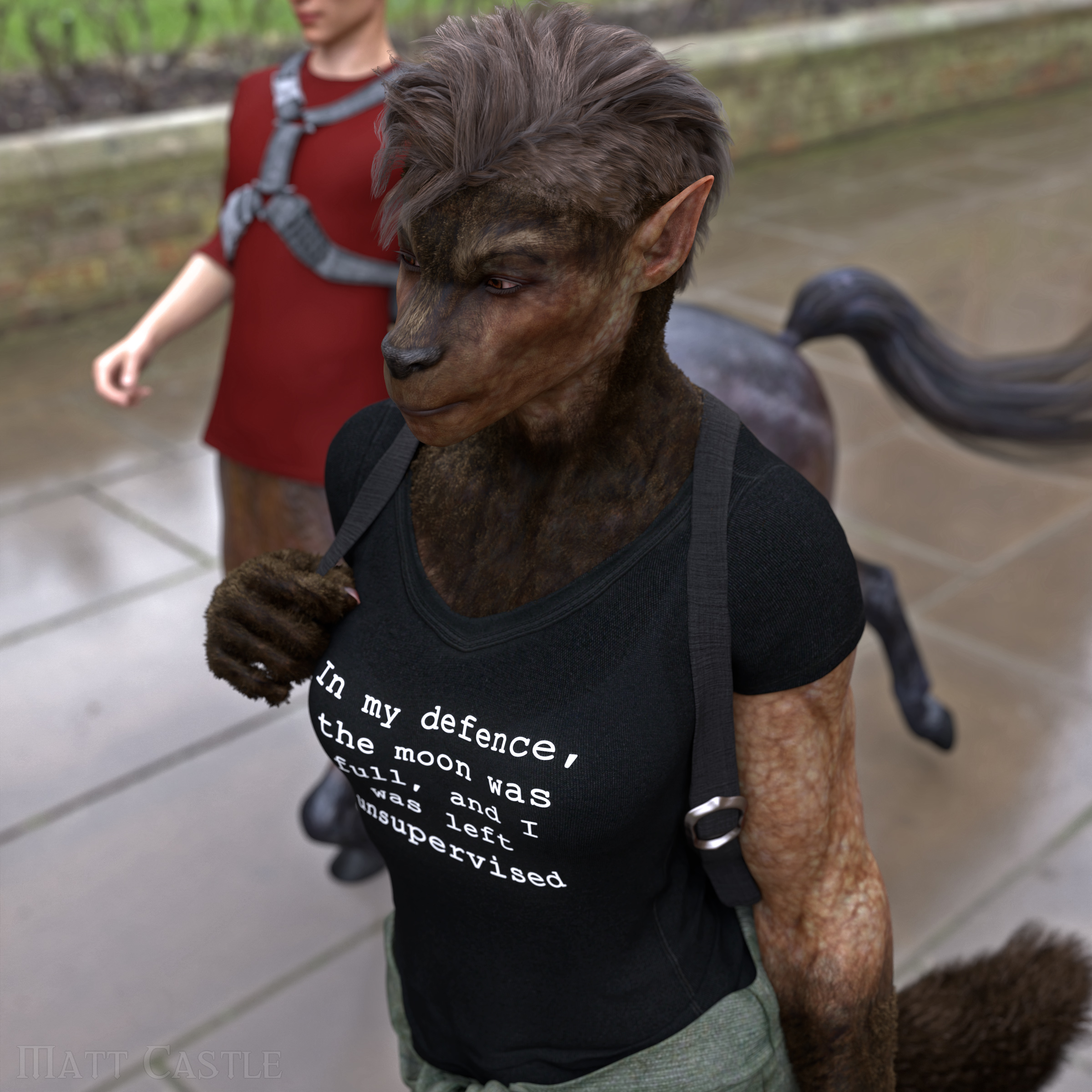
Werewolf morphs for g8 femaleMatt_Castle said:
A lot of the generic fantasy/alien morph packs include morphs that can morph the face into more of a snout, so you can manipulate details like that.
This is admittedly actually an 80% Werwulf, 20% Skinchangers (transferred from G3F as earlier suggested) mix with an additional morphs to extend the muzzle, but you don't have to only use one shape.
What did you use to transfer the Skinchangers morph to G8F?
Never mind, it was probably XTransfer, right?
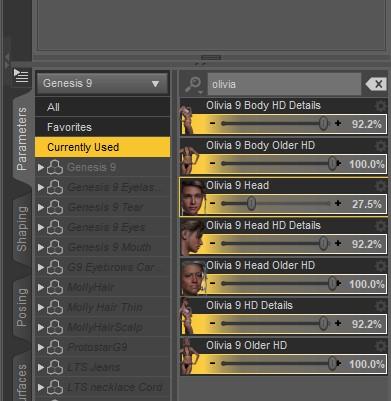
There's Always Another Sale Thread -- Discussions Only Pt 2Here is an example I whipped up from my latest "new stuff testing" character, who started off as a stock G9 with a custom head and body shape applied. (She apologizes for the texture shortcomings - this wasn't an adventure that she was planning on for this morning.
) To that, I added a bunch of the Olivia shapes for the MorphA and MorphB examples. The shapes are optimized to go with the character they are sold with, so there's no promises of how great they'll work with some other random character, and the higher the % you run them at, the weirder the outcome may be (eg, usually is), but you can use them on other characters. And they are different. MorphB-Olympia is the same "recipe" with the Olympia shapes as I used with the Olivia example, and it is distinctly different.Original stock G9, with custom head shape:
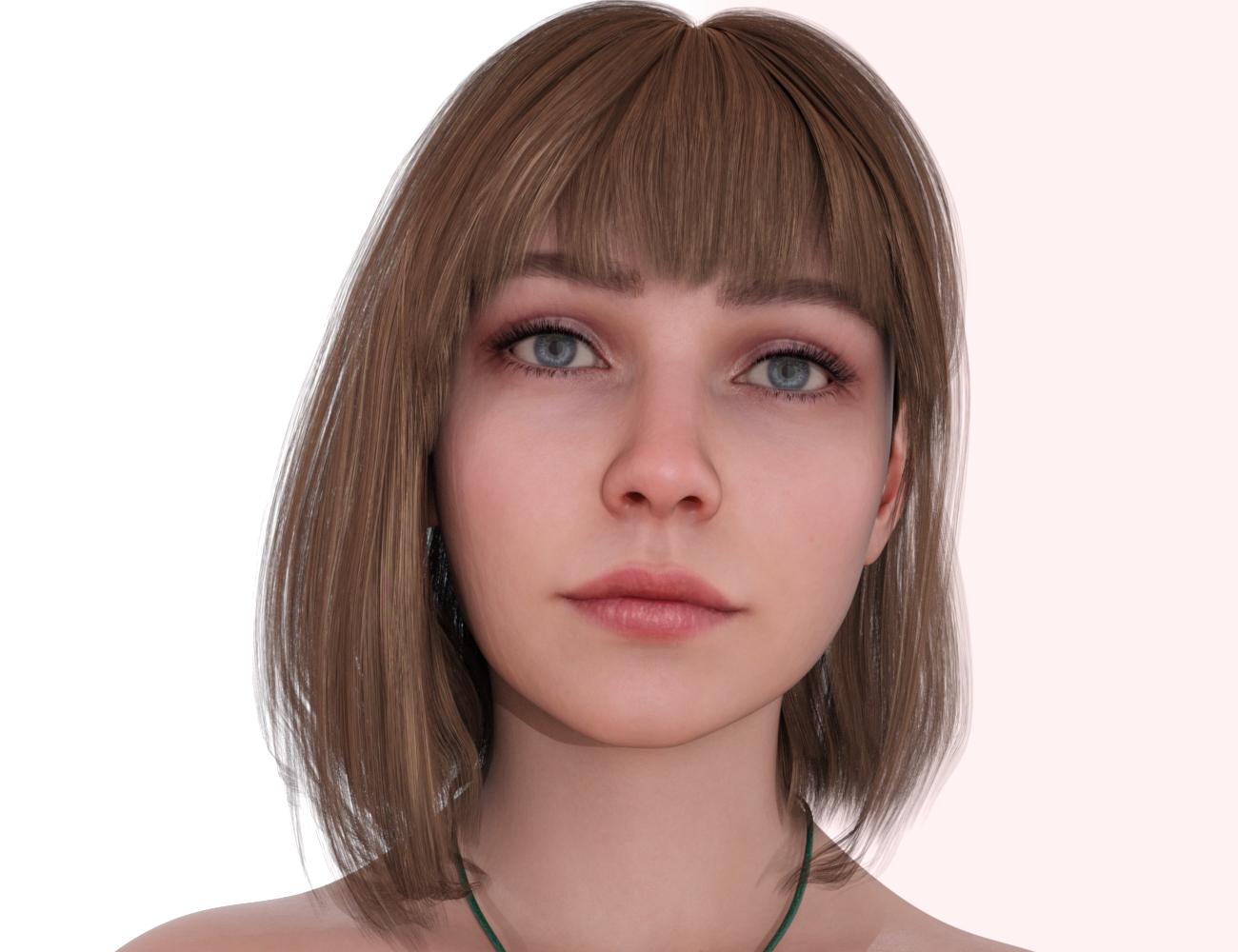
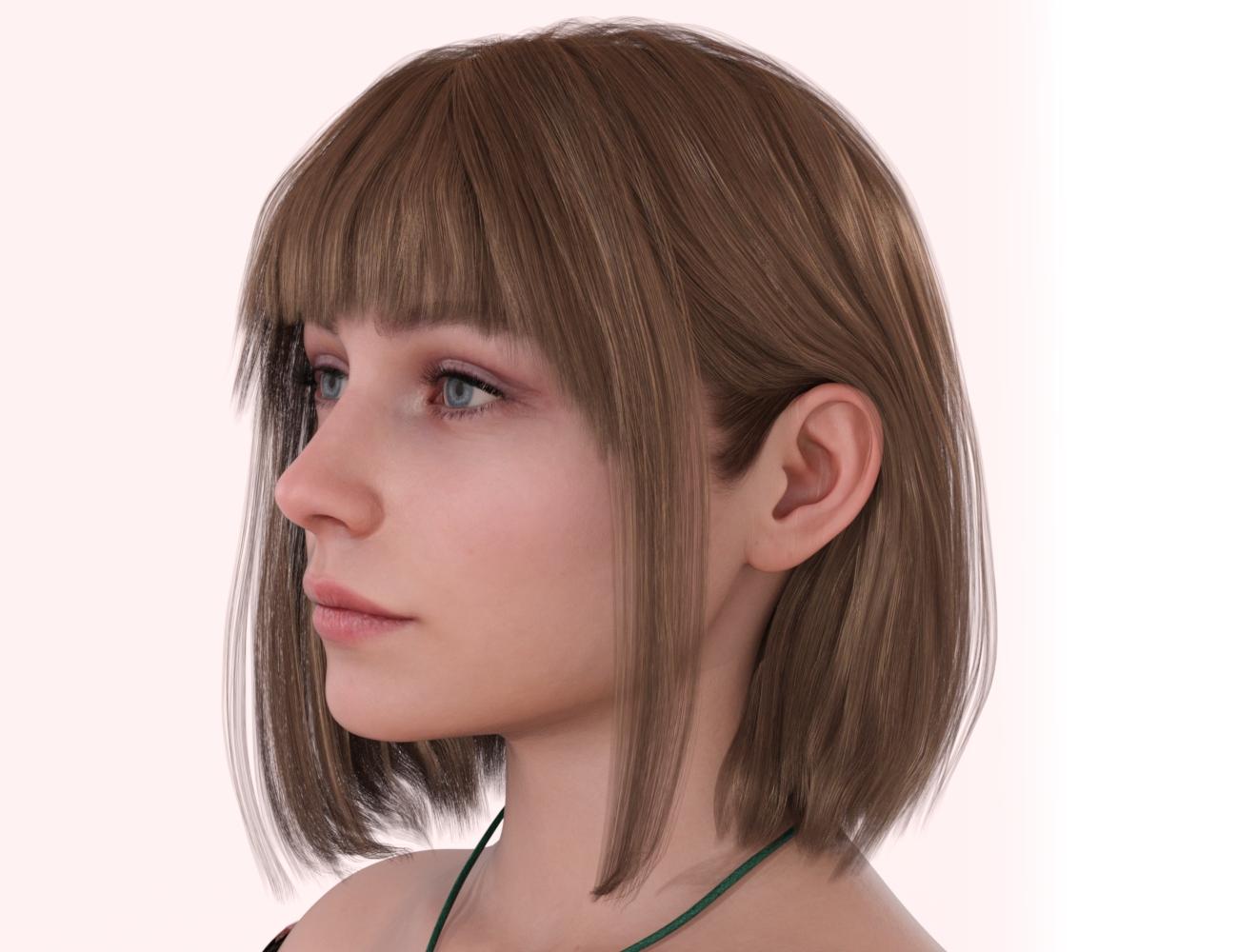
With numerous Olivia shapes applied:
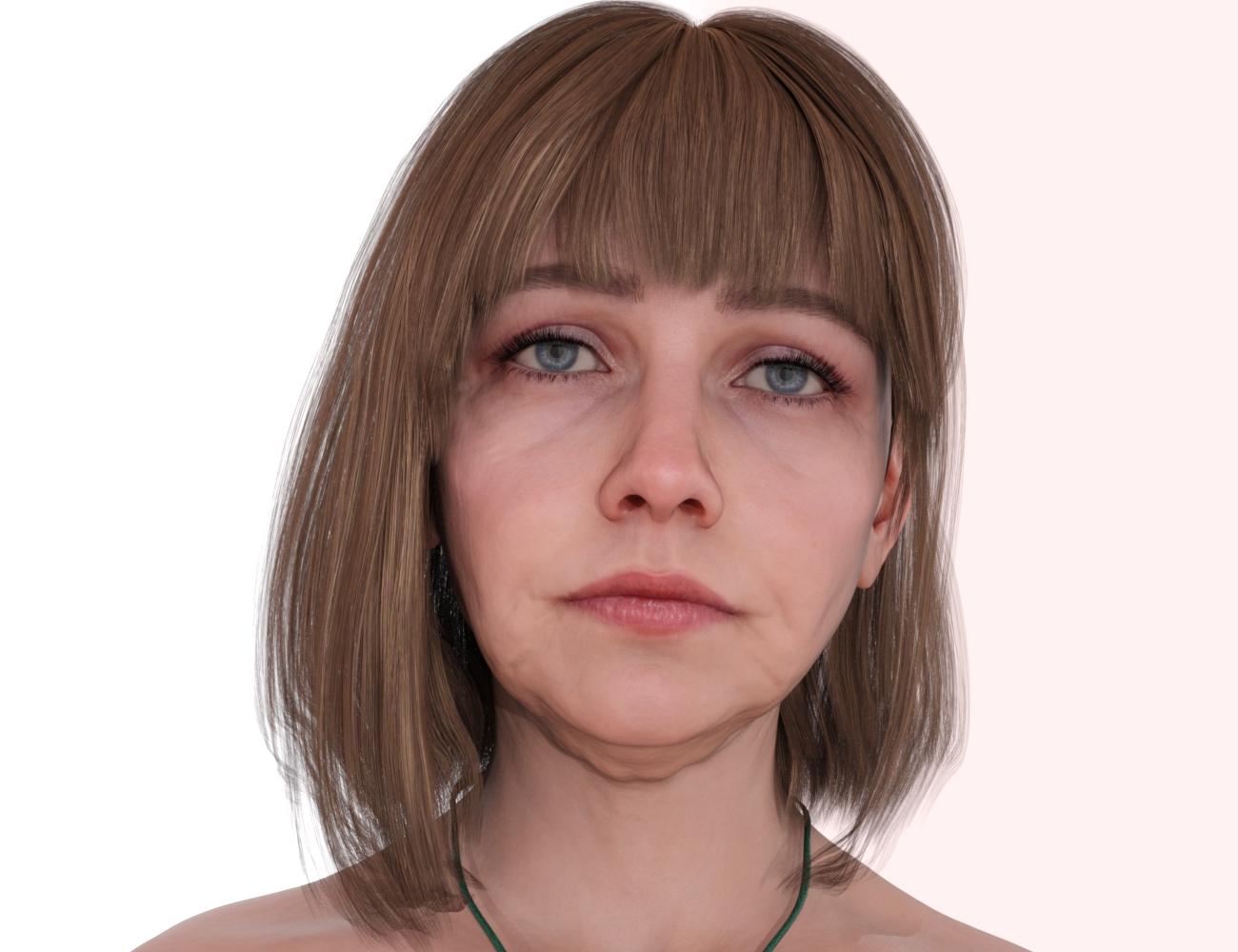
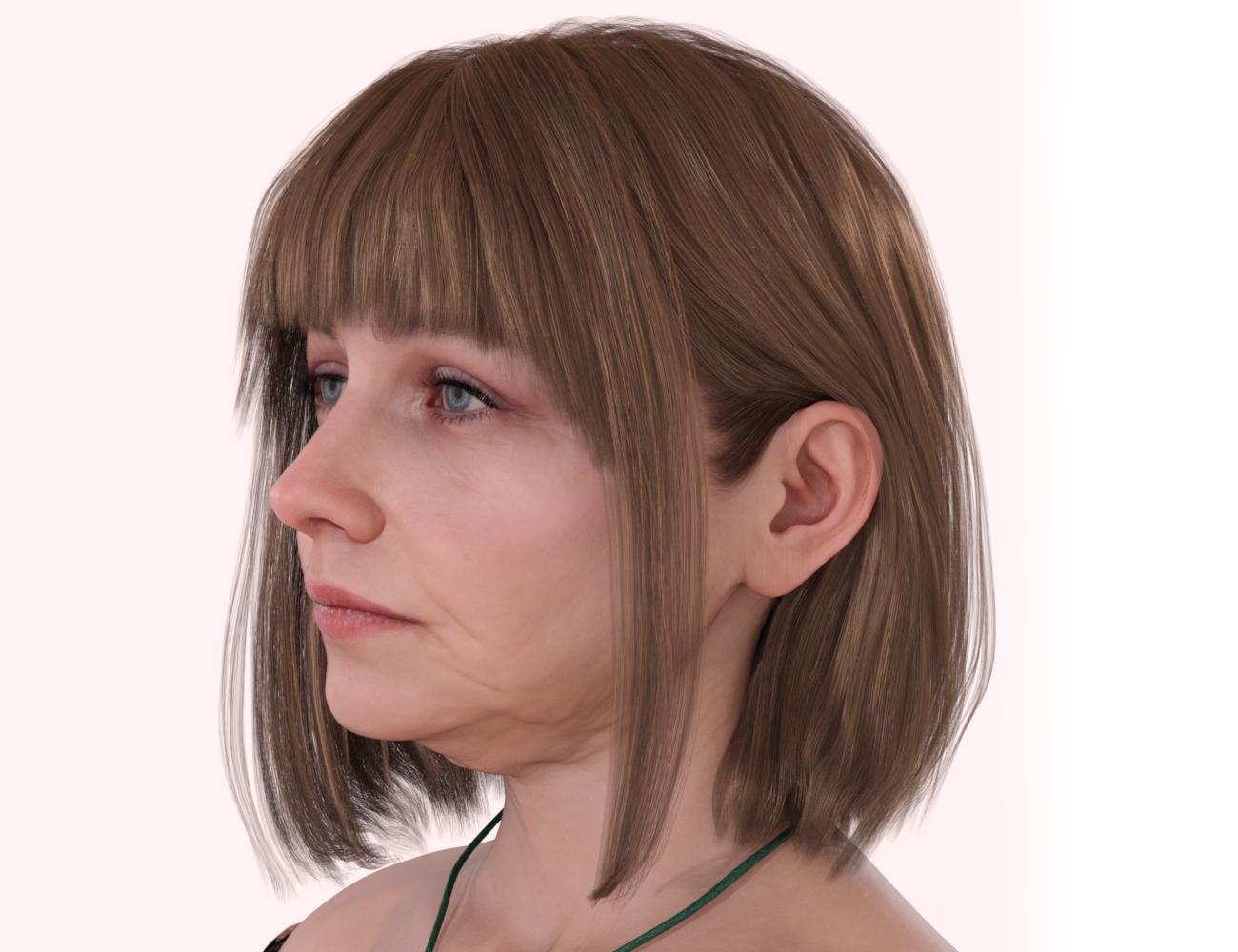
The latter, with the same "recipe" except using Olympia shapes:
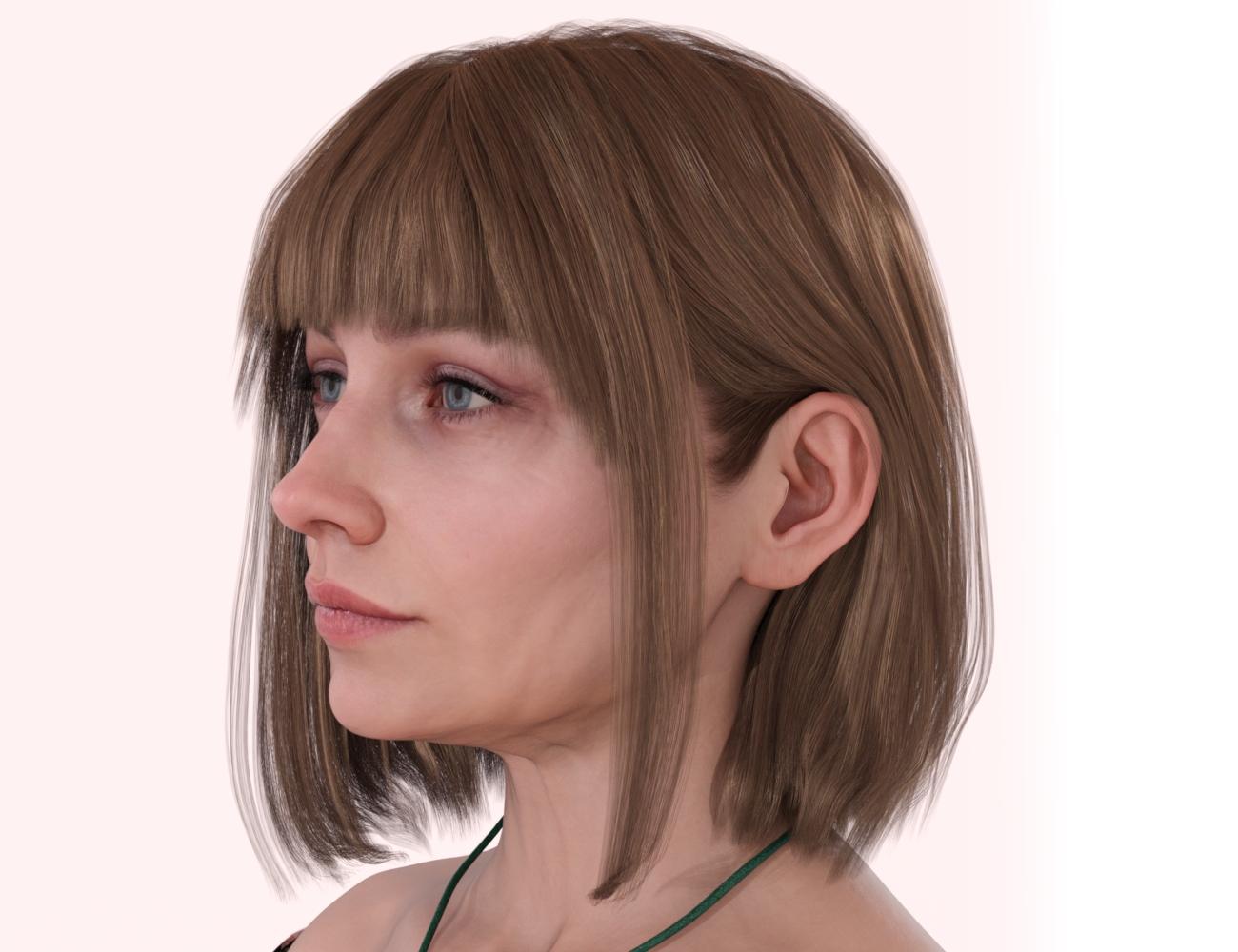
I liked the Olivia shapes better on this particular not-Olivia/Olympia character than the Olympia shapes - mileage will vary with any other random character.
ETA: Just for reference, these are the settings used in this example. I was pleasantly surprised at high I could crank the Olivia morphs on this character and still get reasonable results - lots of times at 90-100% a character specific morph on some random other character might look really freaky.
 The Houdini Megathread
FaceBuilder for Blender looks like a great tool, but I haven't seen any successful ways to transfer that to the Gen8 figure. That's why I started looking into Houdini and Wrap4D.
The Houdini MegathreadI haven't used topology transfer, I just use G8 figures in Houdini. What do you want the topology transfer to do?
The Houdini MegathreadGordig said:
Houdini has a lot going for it. There are some things that Houdini does so well that there's no reason to even look at other programs. Even outside of those things, Houdini is still incredibly powerful, and it's only $269/year for the Indie license. The modular workflow definitely takes some getting used to, but it's not impenetrable.
I looked over the levels, and it doesn't seem terribly unreasonable for the indie license--like you said. I really only use Gen8 cos I've invested so much money into it. Is the toplogy transfer any good? I've seen videos where it says it'll do everything and the kitchen sink, but that's retail for you.
The Houdini MegathreadI was just looking at this program a couple hours ago. The topology transfer looks very interesting. The pricing levels and "rental" model is discouraging (and a bit confusing), though. Even if it is a leader in the market, it's a bit too expensive for one function I'm interested in.
When did you come to DAZ?Dartanbeck said:
Of course Carrara users "know" that you cannot animate in Daz Studio, so I never really tried until just a couple years ago. They were right, to a point. But I've unlocked that door and have been having a Blast animating in Daz Studio ever since! Loving my Iray!
I do lots of animations in D|S4.whatever
you could animate in D|S2 and 3??? wow, I am impressed

LOL I actually did BTW as well as in Carrara, iClone3 and Poser7, oh boy those 3Delight renders on my Dell Inspiron Craptop with 4GB RAM took a while...
Actually many of my early Carrara rendered animations were partially set up in either Poser7 or D|S3 (when the latter didn't crash) and then the pz3 scene or DAZ Collada animation rendered in Carrara mostly because of fitting clothes etc in D|S3 using transfer active morphs or whatever it was called back then.
more....Wacky Modelling ~ In Carrara ~I added some morphs to his hat and added Carrara fur for the fluffy bits and zipped it all up along with a morphing present
it's all in the zip file to frig around with and weight paint, morph or whatever it is you do with wacky stuff

 CyberPower PC for DAZ Studio?
von Hobo said:
So I ended up purchasing this...
Now the part of setting it up begins. I've never migrated a PC to a new PC with DAZ Studio.
It was not fun before, I can't imagine what headaches lie ahead.
I did purchase the PCmover application to do the system transfer so I hope that's all it will involve this time.
that looks like a great system. Congrats.
Daz 3D is part of

Connect
DAZ Productions, Inc.
7533 S Center View Ct #4664
West Jordan, UT 84084Licensing Agreement | Terms of Service | Privacy Policy | EULA
© 2026 Daz Productions Inc. All Rights Reserved.