-
[Released] Substance Painter Assistant [Commercial]
This doesn't have anything to do with the script.
As far as I know, Genesis 2 doesn't use UDIMs. Stacking the UVs on top of each other was the usual method back in the good old days. The UV placement is set in the base geometry. If it doesn't have UDIMs, it will not export UDIMs.You could set up the UVs the way you want them, import them as an additional UV set for Genesis 2 and make sure those UVs are selected in the surfaces before you export. That *should* work (but I haven't tried it and it has been a long time since I last worked with G2).
Importing OBJs OdditiesThere are a few things to be aware of when importing 3rd party models into DS.
First one is that by default DS has "back face lighting" turned on, this means that unless the textures have writing on them then most have no idea the mesh is "inside out", or that it's been "mirrored".
Second is don't be surprised if none of the import settings in DS load the model "correctly", the export settings from the original program can really mess things up in DS, which always means extra work for us to get the mesh looking right.
As an example I have a truck here, the MAX and Blender presets load the model inside out and mirror the mesh, the headlights are also pointing out the back or the scene when they should be pointing out the front. The other presets load the mesh right side out, but the headlights are pointing out the bottom of the scene. Then there's the scale, in the real world the truck is 6.2 meters in length, yet none of the presets come even close, they are either tiny or huge.
So I'm either looking at rotating the mesh, scaling it (up or down) and translating it, or in the case of the MAX and Blender presets using a -100% on one scale axis to un-mirror the mesh, and then scaling and translating the mesh.
I then have to export it as an OBJ to lock those changes into the mesh (use the DS preset), then clear the scene and import the new OBJ (again using the DS preset), before I can save it as an asset.Easy enough for me as I do this sort of thing all the time, but for most it becomes an unwelcome headache.
Diffeomorphic DAZ Importer version 1.6.0 releasedHi! Well I have a little problem. Sometimes when I try to import hair from daz to blender it doesnt work properly. It happenst on hairs with opiton that has ''show hair prewiev'' something like that. Other haris works fine. So I assume its something that I dont know. How can I import those hairs like strand based hairs. Idk even know what are they particle hairs?
Just tired nowBoojum the brown bunny said:
HI Wendy, Yeay, this is Poser 11, not poser 12. The mouse textures (and mouse whiskers and tail) are not on poser. Just Daz3d.
HI Richard. File saves as Duf. Poser doesn't have Duf as an import. Save as another format, and nothing else (clothes, etc) loads and fits properly. and that takes more hours of debugging and struggling and not getting things done.
Sorry, I think I was getting confused with Dimension3D's importer script, and attemtping to follow the link for that throws a security warning for me.
Where are the .duf/.py/.cr2 files being placed when you create them from DS?
Now my favorite 3d program to work with is Carrara (Shout out, Wendy) but It crashes whenever an unsupported genesis item/file gets loaded out of smart content. Because smart content shows all the unsupported stuff that crashes Carrara. So that just keeps getting worse the more things I have. I havent' done art in over a year now becuase of the hours I have to spend not doing art.
Just tired nowHI Wendy, Yeay, this is Poser 11, not poser 12. The mouse textures (and mouse whiskers and tail) are not on poser. Just Daz3d.
HI Richard. File saves as Duf. Poser doesn't have Duf as an import. Save as another format, and nothing else (clothes, etc) loads and fits properly. and that takes more hours of debugging and struggling and not getting things done.
Now my favorite 3d program to work with is Carrara (Shout out, Wendy) but It crashes whenever an unsupported genesis item/file gets loaded out of smart content. Because smart content shows all the unsupported stuff that crashes Carrara. So that just keeps getting worse the more things I have. I havent' done art in over a year now becuase of the hours I have to spend not doing art.
Iron Scale Armor Bundle incomplete? (SOLVED)Write Idea said:
leemoon_c43b45a114 said:
Try restarting DIM, if that's your installation method. That's what Support had me do after they fixed things on the store side. They also reset my downloads, so that *might* be needed in your case as well, which will likely require a ticket. Don't know if uninstalling the original incomplete installation and then refreshing the downloads will get all the files to show up or not.
Lee
I download all my stuff through Smart Content (I can never rememeber the correct name for it, but it isn't DAZ Install Manager or DAZCentral). The past work around for that was to uninstall the item, Update Metadata, then close DAZ Studio and redownload said product. It would work in the past, but not now.
I can't even download it manually in my product library.
Thanks though, Lee!
Have you tried logging out and back in, or restarting Daz Studio?
Just tired nowYou can't see the saved mouse as a file, or it doesn't load correctly? File>Import should work in the former case (the basic PoserCF just gives the importer the command to load the .duf file).
[Released] Substance Painter Assistant [Commercial]If you get an error on using the Maps Import and the Daz Log has something like:
2022-04-22 18:39:17.872 WARNING: Script Error: Line 372
2022-04-22 18:39:17.872 WARNING: TypeError: Result of expression 'img.getNumImporters' [undefined] is not a function.
2022-04-22 18:39:17.872 WARNING: Stack Trace:
<anonymous>()@D:/Apps/DAZ 3D/Daz Studio/Content/data/RiverSoft Art/Common/RSSPAFunctions.dse:372Please PM me for the fix. I will release an update but it will probably not be for a couple weeks.
Diffeomorphic DAZ Importer version 1.6.0 releasedPadone said:
@gerster It's just that the principled shader gets limits over iray, so we do what we can for the best result but bsdf is needed for a faithful conversion. The principled version is good enough in most cases though and it provides a fast shader so it's good for animation, but you may have to fix some materials, especially human skins.
https://diffeomorphic.blogspot.com/p/material-settings-version-151.html
What I figured out so far, is that in the import settings the BSDF material method replicated nearly the DAZ/iray look. But it creates a pretty complicated node system.
The Principled version is more what we have normally in Blender, but form some materials (not all) are some addtional Diffeo groups added. The props I tested with this import setting where close to the DAZ reference (like the trees I shown above).
And Simple Principled is like the Principle, but never uses Diffeo node groups. Some props which are imported with this settings where much brigther, but not all. I think only materials are affacted which would get in the Principled" material import the addional node group.
When I start bringing over assets from DAZ to my Blender Asset Library, I would prefer to import these assets only as Simple Principled. I want to have the materials as close as possible to the Blender "default", to avoid issues in future Blender versions, when maybe the Diffeo node groups are vicitim to a breaking change and would need then an update.
However, according to my tests is the Simple Principled method is working for many props more or less perfectly (like buildings), but some others (like the trees) are a little bit to bright. I was able to adapt the brightness with an RGB curve for the base texture a little bit, to make it darker. But if I bring hunderts of assets from DAZ to my Blender Asset Library I don't want to check each texture and adjust them.
As I said, I guess with Simple Principled the texture is only to bright, for those textures where Diffeo would add in the Principled Method the Diffeo node groups.
Just an idea, maybe it would improve the Simple Principled texture import workflow to add automatically the RBG curve in such cases?
And othr nice feature for Diffeo would be, to add assets to the Blender Asset Browser. Not sure if this is possible, but it would be could if Diffeo clould e.g. automatically add the thumbnail imgage which is used in DAZ to the Blender asset library and try to add some tags from DAZ smart content.Just tired nowgives a Carrara hug

Poser 12 doesn't support DSON import because it uses python 3 (one reason I stayed on 11)
maybe try FBX export from DAZ
(I see you said 11 though)
I have been playing a lot with my Genesis 1&2 figures in Carrara and they keep selling older stuff cheap and I keep buying it
Importing OBJs OdditiesUgh. This is making my brain hurt... It all makes sense to what I have been seeing.
Let me see if this makes sense to anyone.
Essenentially, the OBJs have been importing "inside out." With no obvious reference, and not having made the original models, it was impossible to notice.
The symptom was that the models looked "plain" and "flat." I attributed this to texturing issues that I would have to manually resolve.
When I would apply DS shaders, things would look better, but never "great." This I attributed to low polygon models that needed custom maps.
The import process would come in one of two ways: inside out or inside out and flipped.
"Inside out" is actually over simplfying it as the models were also flipped, making the the inside out state seem normal because the textures were flipped. Kind of like if you have an inside out t-shirt, the design on it would look backwards. Except if you look in a mirror, then everything seems normal?
"Inside out and flipped" is how I noticed the issue because the text in the textures was mirrored. In essence, this was a half way correct import because the models weren't also flipped.
Now that I resolved the import configuration, the Normal and Bump maps are working properly. The models no longer look flat / low polygon.
Does this sound vaguely correct?
Exporting Zev0's Growing Up as an animation in an FBX fileHi there. I am working on a project where I'd liike to animate a boy turning into a man over time. I animate the youth morph slider in Daz and everything looks fine. When I export to FBX and import into C4D, I am only seeing the adult state of the character. Other animations seem to be working OK. Does anyone have any insight into why this is happening and how I could achieve the result I am looking for? Thank you so much. .
Anyone tried this turbo render stuff?OK guys, this thing looks legit...... I bit the bullet and grabbed it. I really need to figure out this diffeomorphic and get a workflow to be able to get people from DS to blender easily. Still not there yet as you can see from her lack of hair......
First trial I didn't really know what I was doing, tested wtih time, not all that useful a benchmark I realised after.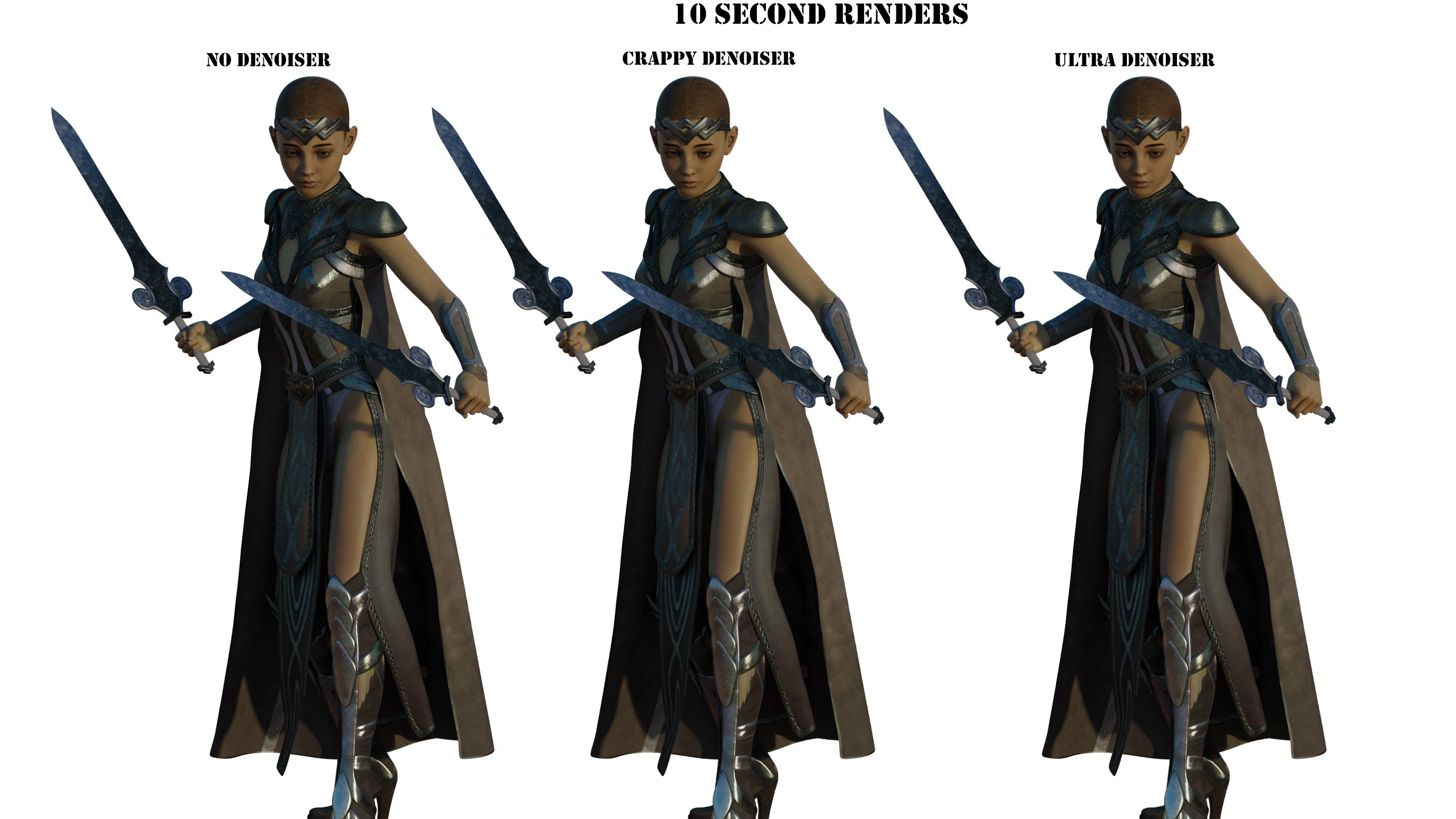
Second trial did 12 samples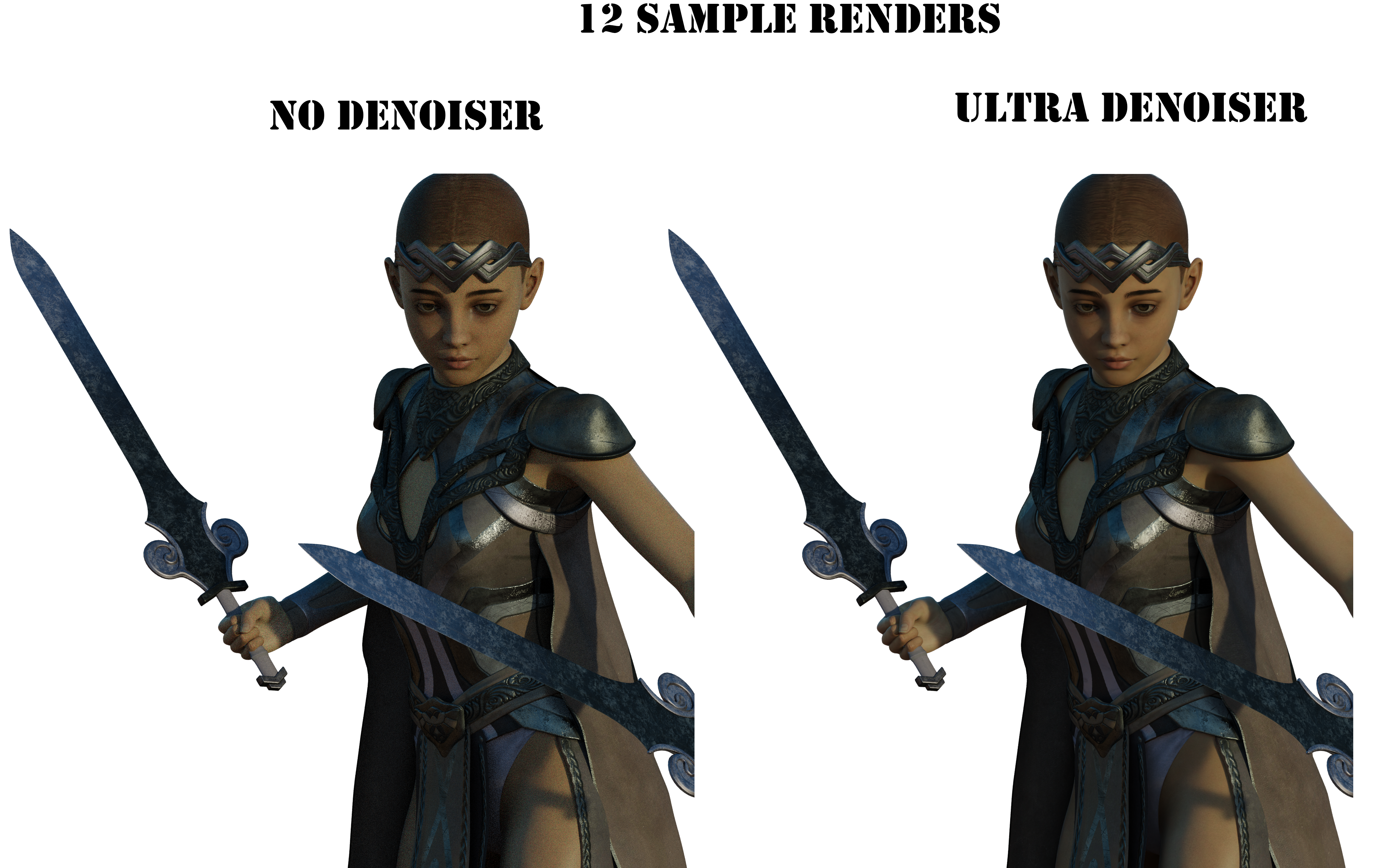
Third trial did 64 samples
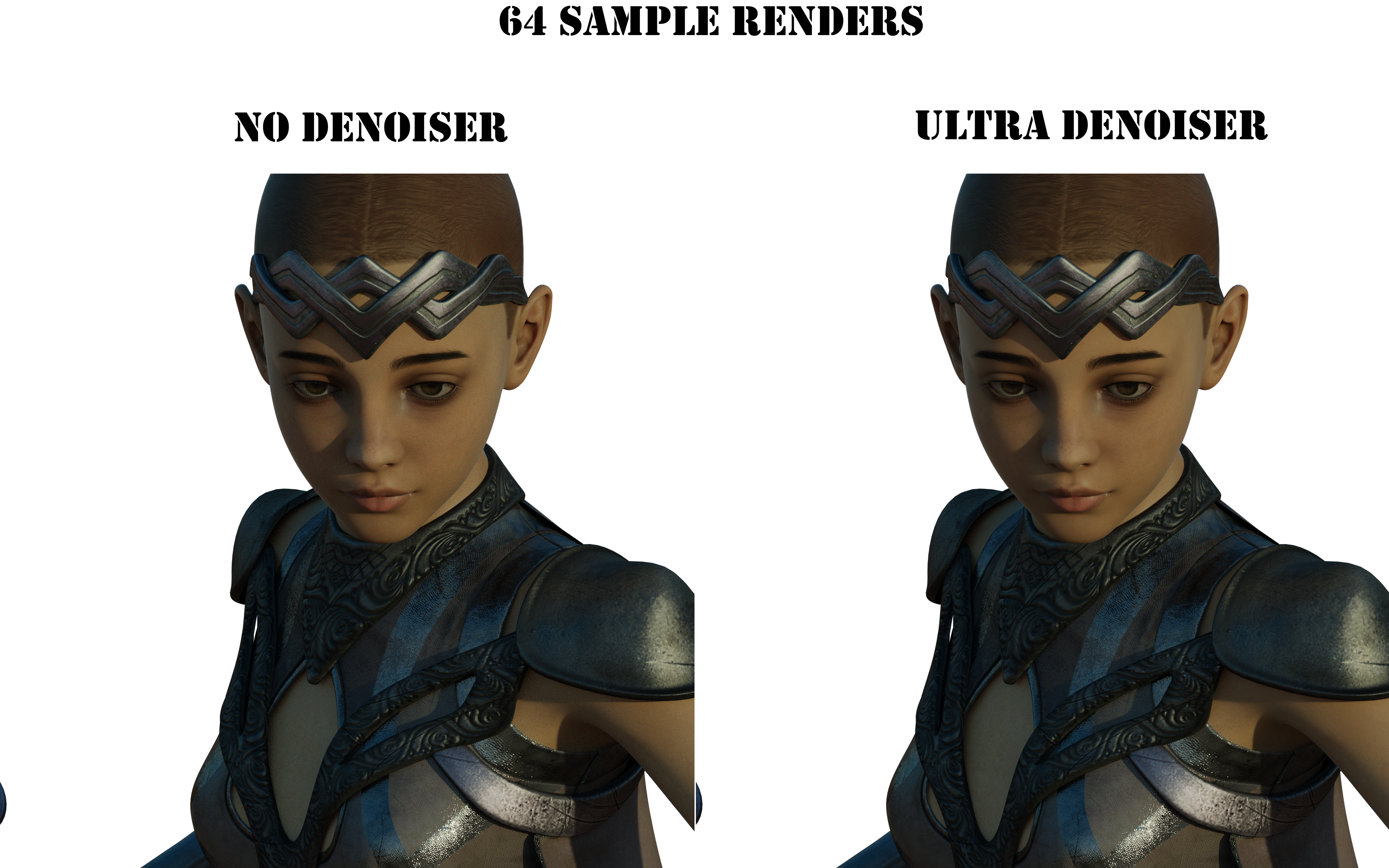
All these renders took about 1 minute 30 seconds. I didn't tweak nothin in blender, other than hiding the non-hd crap diffeo brings in on import.
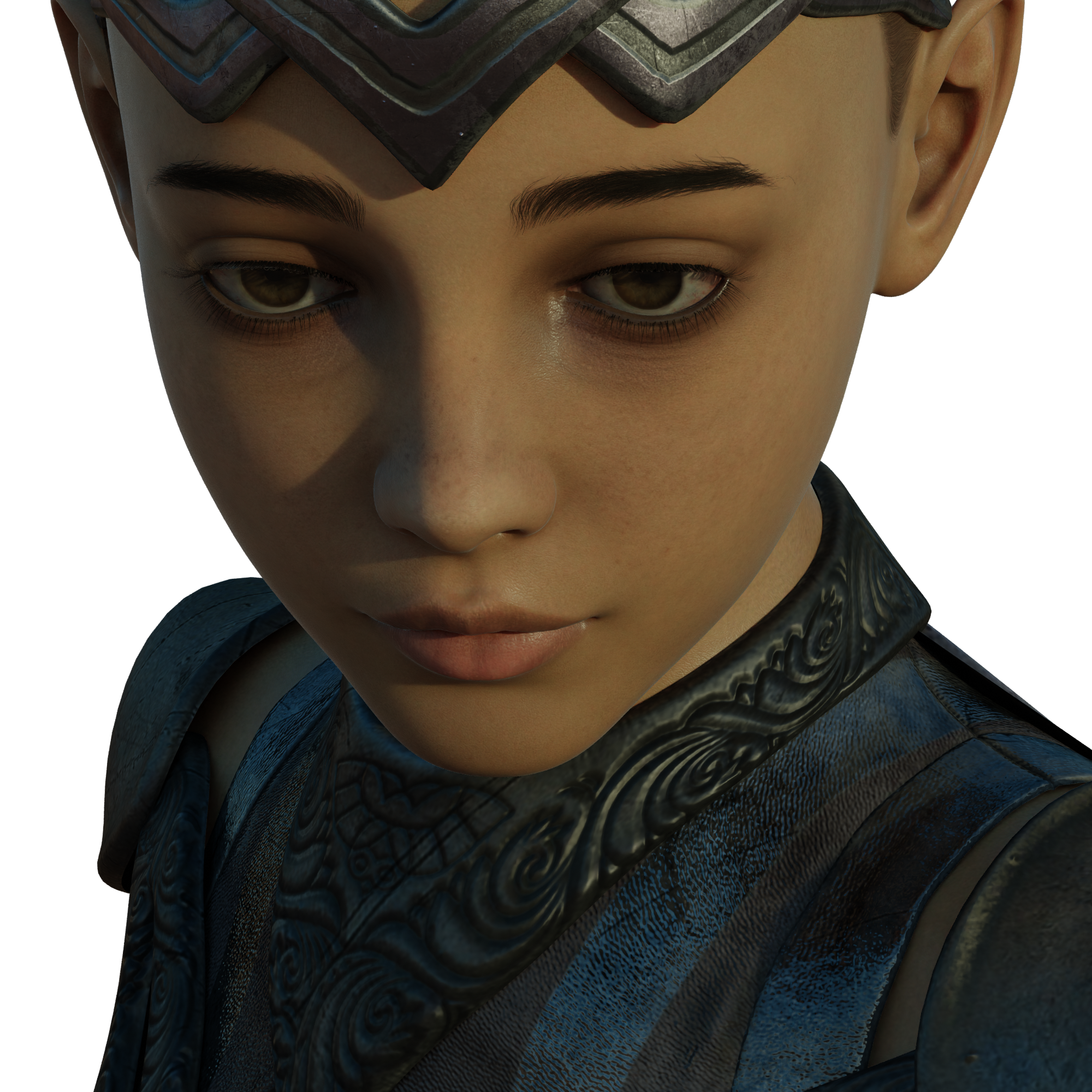
I thought the optix denoiser in e-cycles was great, this is even better!Importing OBJs OdditiesJason Galterio said:
Kainjy said:
The answer for the problem 2 is because not all 3d softwares use the self world reference axis orientation:
softwares like Maya put Y as the vertical axe (X and Z are the plain axes), while in 3D studio Max is Z (X and Y in plain).For invisible parts maybe the problem is the imported material, you can fix it applying a new material to whole object or editing the imported one
You are a genius...
I would have never noticed what the problem was if you hadn't sniffed out a place to poke.
For whatever insane reason, the OBJs were importing with Opacity set to 0. All of the other materials were fine, but Opacity was set at 0 across the board.
Once again I was looking for a more complicated solution and missing the obvious. Never had anything import like that before.
I see the reverse of that all the time in C4D: since Daz figures have an opacity slot, C4D brings them in with transparency active on all the textures (rather than alpha, which is where opacity maps should go).
Iron Scale Armor Bundle incomplete? (SOLVED)leemoon_c43b45a114 said:
Try restarting DIM, if that's your installation method. That's what Support had me do after they fixed things on the store side. They also reset my downloads, so that *might* be needed in your case as well, which will likely require a ticket. Don't know if uninstalling the original incomplete installation and then refreshing the downloads will get all the files to show up or not.
Lee
I download all my stuff through Smart Content (I can never rememeber the correct name for it, but it isn't DAZ Install Manager or DAZCentral). The past work around for that was to uninstall the item, Update Metadata, then close DAZ Studio and redownload said product. It would work in the past, but not now.
I can't even download it manually in my product library.
Thanks though, Lee!
Importing OBJs OdditiesKainjy said:
The answer for the problem 2 is because not all 3d softwares use the self world reference axis orientation:
softwares like Maya put Y as the vertical axe (X and Z are the plain axes), while in 3D studio Max is Z (X and Y in plain).For invisible parts maybe the problem is the imported material, you can fix it applying a new material to whole object or editing the imported one
You are a genius...
I would have never noticed what the problem was if you hadn't sniffed out a place to poke.
For whatever insane reason, the OBJs were importing with Opacity set to 0. All of the other materials were fine, but Opacity was set at 0 across the board.
Once again I was looking for a more complicated solution and missing the obvious. Never had anything import like that before.
Error occurred while reading fileummm,your first post..
It was step 3 actually.
Apparently your PC restarted before DS(or Windows.Not all file operations are instantly written to disk) finished writing/compressing the file.
Also , you should look into why your PC is randomly restarting it self while under heavy load.
It shouldn't be.
That can corrupt your entire harddrive and make your system unusable depending on what Windows was doing in the background when the sudden reboot happened.
In the meantime I would put together an Windows Installer on a USB stick or CD/DVD what ever you have.You might need it if those random reboots keep happening.
Windows installers are free and a tool to make them is free from Microsoft.
Jason Galterio said:
Well, it appears that I lost all my work from this morning. This is my last resort to recover the work.
Has anyone seen this error before?
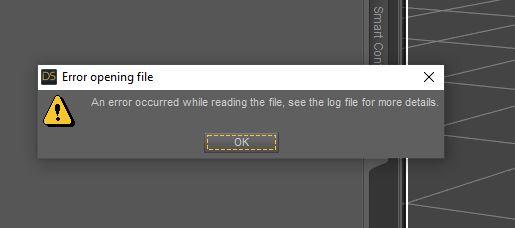
Here is what the log says:
2022-04-22 10:29:28.662 [INFO] :: *** Scene Cleared ***
2022-04-22 10:29:28.711 [INFO] :: Prepare asset load (open): /2022.04.20/US_XT_Setup_v02.duf
2022-04-22 10:29:28.711 [INFO] :: Locking viewport redraw...
2022-04-22 10:29:28.711 [INFO] :: Viewport redraw locked.
2022-04-22 10:29:28.761 [INFO] :: Native format content directories: 8
2022-04-22 10:29:28.761 [INFO] :: Poser format content directories: 8
2022-04-22 10:29:28.761 [INFO] :: Other import format content directories: 0
2022-04-22 10:29:28.761 [INFO] :: Begin asset load (open): /2022.04.20/US_XT_Setup_v02.duf
2022-04-22 10:29:29.815 [INFO] :: Json Parser (2461529,32): Syntax Error - expected ',' or ']'
2022-04-22 10:29:29.989 [INFO] :: Error loading asset: D:/DAZ Installs/Projects/2022.04.20/US_XT_Setup_v02.duf
2022-04-22 10:29:29.989 [INFO] :: Operation failed
2022-04-22 10:29:30.025 [INFO] :: Unlocking viewport redraw...
2022-04-22 10:29:30.025 [INFO] :: Viewport redraw unlocked.Here is what happened:
1. Scene was rendering fine.
2. Changed the Z-axis of my camera to lower it a bit.
3. Saved the file.
4. Started a render and walked away.
5. Came back to my system having rebooted. Which isn't that unusual. If I render too many times without a restart, this will happen. (Some idiosyncracy with UltraScenery I believe.)
6. Logged back in. Started DS. Tried to reopen the file. Error.
7. Shut down completely. Restarted. Tried again. Same error.
The file was rendering just fine before moving the camera of all things. So I don't understand why that would cause this.
I had been saving the file with the icredmental changes. I'd rebooted a couple of times. No issues up until this.
Importing OBJs OdditiesKainjy said:
The answer for the problem 2 is because not all 3d softwares use the self world reference axis orientation:
softwares like Maya put Y as the vertical axe (X and Z are the plain axes), while in 3D studio Max is Z (X and Y in plain).For invisible parts maybe the problem is the imported material, you can fix it applying a new material to whole object or editing the imported one
Thanks, that's the train of thought that led me to experiment with the import functions. Previous imports I did today had the same problem, only I didn't notice because there was no text in the textures. When the text was there, I realized things were reversed. I was missing the forest for the trees by not going back to the import process to begin with.
I *kind of* noticed that the objects looked flat... but I just assumed that that was texturing changes I needed to make. In reality, it was the texture being inverted, so the bump maps were extruding / intruding the inside of the models.
I'm still puzzling through the invisible surfaces. Changing the surfaces themselves makes no difference, which is why I am thinking the exports might be the problem.
[Released] Substance Painter Assistant [Commercial]RiverSoftArt said:
RAMWolff said:
This MAY be useful for those of us that work in Poser but have used DS in the past for working on figures like Dusk, Dawn, L'Homme or L'Femme by having their obj's imported from Poser and then sending via your script to SP?
It is a Daz Studio script so you would need DS to run it.
Also what version is needed of DS for this script to work?
Right now, v4.20. I am working with Silent Winter to at least get it down to 4.15 (I was using an undocumented function so I have NO IDEA when it was added)
I can confirm the fix that RiverSoftArt sent me makes this work in DS 4.15 so if you're not on 4.20 and the script isn't working, you can confidently buy it now (to get the intro discount) and just hang on. (The export script was fine before, just the import had a hiccup - but all good now and going to save me lots of time)
Importing OBJs OdditiesOkay, I resolved #2 by experimenting with the orientation of the import settings. It took three or four import attempts, but I finally found the combination that fixed the backwards images.
Still can't fix the invisible OBJs, but I will come back to that another time.
Edited to Add: I would provide the orientation settings, but I have a feeling that it is different based on the exported OBJs. In my case, I changed the first one to X, Y, and Z. Then changed the second one to one of the remaining ones. And just kept trying different combinations until it clicked. 3! = 6 different possible configurations, it wasn't as time consuming as it sounds.
Daz 3D is part of

Connect
DAZ Productions, Inc.
7533 S Center View Ct #4664
West Jordan, UT 84084Licensing Agreement | Terms of Service | Privacy Policy | EULA
© 2026 Daz Productions Inc. All Rights Reserved.