-
Victoria 4 in Carrara?
Hey there. Thanks, SadKitty.
I'm actually here to say that I seem to be going smoothly with the Victoria 5/Michael 5 figures. Everything's been "just working" so far. Doesn't look like there's as much stuff available on the store for them, but my understanding is that items can be "fit to" the given base figure (Genesis, Genesis 2, etc).
So, I'm happy lol. That's all I wanted to sort out; to reliably and smoothly get characters into Carrara.
Apologies again for the ranty stuff. I just really want to get into creating stuff and learning more about this workflow. Not having the characters working correctly was getting in the way and really bumming me out. I went with V4 because I happen to have the most stuff for that (in case anyone's wondering why I was insistant on using 4 instead of 5, etc)
Maybe I'll try V4 again in the future sometime... Maybe. lol
But I'm set for the time being.
Thanks againVictoria 4 in Carrara?Hello again,
So I completely removed and completely reinstalled everything, after doing a Registry clean, etc.
Victoria 4.2 loads okay,and all the outfits and such I have show in the Content browser, poses work just fine, but I'm still dealing with clothing/accessories not showing up on the character, or not fitting right even after I conform it to Victoria 4.2. I can drag and drop, I can double-click, doesn't matter. They're all items specifically made for Victoria 4.
One thing that's changed this time around is, when trying to load clothing items, it's randomly freezing and crashing the program.
It's understated to say this is at least the 12th attempt at making this work. Every time, some part of it works, but the rest doesn't. I'm convinced it's not that I'm just "doing it wrong", because others in this thread have noted having issues - though different ones - while others say it worked just fine for them. There's gotta be something in how it's all programmed that keeps it from being consistent on all systems.
I'm installing the content via DIM
I have all the Genesis 2 content in its own folder so that it's not conflicting with any other generations or related models, etc.
I'm adding the folder via Content Browser > Content > Add Folder
I'm selecting Runtime as the folder type.
The V4.2 Runtime stuff gets its own folder.
Victoria 4.2 loads fine.
Poses attach and work fine.
Clothing/Accessories show up, but won't fit right, if they show up on the character at all.
So, just to avoid all the headaches, what is the most recent generation/figure combo that "just works" with Carrara? No tweaking, no fussing, no having to add the folder in some special way or recite cryptic incantations over burning candles and incense to make it all magically work the way it's supposed to? I've wasted way too much time on this already and I'd like to actually get to *creating* stuff, instead of trying to divine what's going through DAZ's mind when they're deciding how to make all this stuff work.
I have Genesis, Genesis 2, Genesis 3 (which I know requires a special user-made mod), Genesis 8 (ditto). I have various figures for each.
Thanks again for everyone's help and time. Sorry for the ranty-ness.. It's my aggravation talking.
Babina 8
Thank you that's interesting! I have to admit the renders of her in this thread are all fantastic as well which led me to believe she has better shaders but indeed maybe it's just your'all so good with iray lighting! I'm fairly impressed.A superficial scan of the surfaces between Babina 8 and Victoria 8 doesn't pick up a lot of difference. Babina uses the Top Coat, and Victoria does not. There's slightly different weighting on Victoria, but those small shifts shouldn't be THAT dramatic.
The eyes? I didn't look at them. Sometimes, artists use Diffuse maps that are extremely jaundiced and bloodshot out of the box, IMO. Really unhealthy looking sclera to me, while others might prefer it as "realism". Eyes just vary so much.
Dunno, as a whole package. Maybe it's just a trick of the lighting. I prefer how Babina reacts to light, but she's not all that different than Victoria. Maybe we're all just better with Iray than we used to be. It's the subconscious corrections that we know how to do.
.........
One more Babina out of the box.
She has rib bone definition, which isn't a universal thing.
I like her face from some angles better than other angles. So maybe Penny still keeps her crown as the cutest in my book.
 Victoria 4 for Genesis 2 Female
"when i turned them up and apply a V4 Face or body nothing happens?"
If I understand you correctly, you are attempting to use this utility to apply Victoria 4 character morphs to Genesis 2 Female? If so, it is not designed nor will it work for that purpose. It is only designed to allow the use of V4 texture sets and to autofit V4 clothing to G2F. When the product description says "the Victoria 4 figure shape to see a familiar face", it is referring only to the base V4 shape, no other. To use V4 character morphs with G2F, you need Genesis Generation X2 and the GenX2 AddOn for Genesis 2.
Ok-Thanks for clearing that up!
Victoria 4 for Genesis 2 Female"when i turned them up and apply a V4 Face or body nothing happens?"
If I understand you correctly, you are attempting to use this utility to apply Victoria 4 character morphs to Genesis 2 Female? If so, it is not designed nor will it work for that purpose. It is only designed to allow the use of V4 texture sets and to autofit V4 clothing to G2F. When the product description says "the Victoria 4 figure shape to see a familiar face", it is referring only to the base V4 shape, no other. To use V4 character morphs with G2F, you need Genesis Generation X2 and the GenX2 AddOn for Genesis 2.
Victoria 4 for Genesis 2 FemaleOk. Now i found the Victoria 4 Head and body levers but when i turned them up and apply a V4 Face or body
nothing happens?I'm not sure what is happening then.
I also have G3F for G2F an its the same thing nothing happens when i try to load a shape
Isint it that wich gives the G2 a V4 shape so that i should be able to apply
V4 shapes to G2. But however i try to load a V4 shape nothing happens.
Is it possible to contact the artis that made the Product?Wacky Modelling ~ In Carrara ~thanks guys

I'll attach the mower when I've done with it for ya'll to have dibs with

if it's of any use to anyone of course

you never know who may want to cut Victoria's grass...
 Pixeluna cyborg skins help
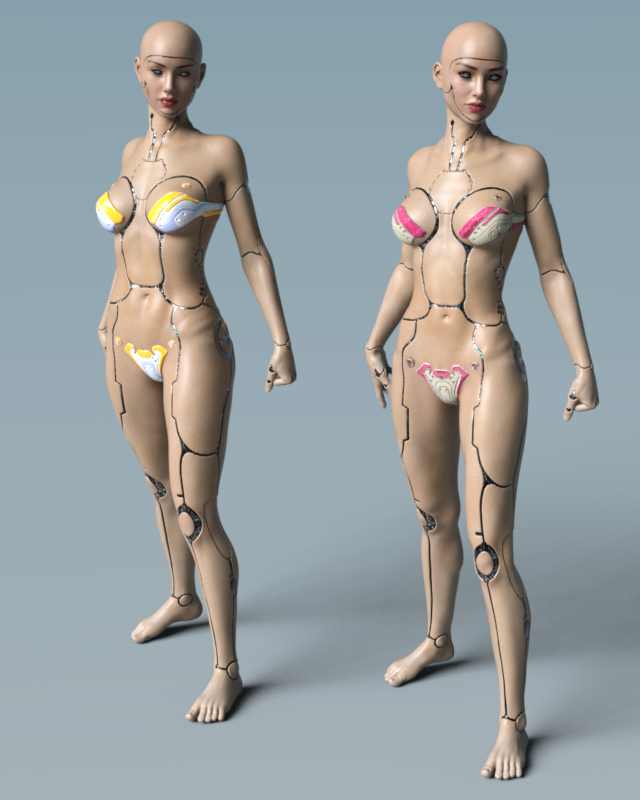
I don't have the male version, but I have Pix Synx for Genesis 3 Female. Here is a quick render. On the left is Pixeluna's Synx character. On the right is Victoria 7 with the cyborg skin. Both are wearing Aeon Soul's Alphakini for a little modesty.
 Babina 8Judging by the promo images of the store it looks to me Babina has more realistic looking shaders than Victoria 8 or many other female figures. Especially her eyes look different - is that only very good promo artwork, or does she indeed have an improved set of shaders?
A superficial scan of the surfaces between Babina 8 and Victoria 8 doesn't pick up a lot of difference. Babina uses the Top Coat, and Victoria does not. There's slightly different weighting on Victoria, but those small shifts shouldn't be THAT dramatic.
The eyes? I didn't look at them. Sometimes, artists use Diffuse maps that are extremely jaundiced and bloodshot out of the box, IMO. Really unhealthy looking sclera to me, while others might prefer it as "realism". Eyes just vary so much.
Dunno, as a whole package. Maybe it's just a trick of the lighting. I prefer how Babina reacts to light, but she's not all that different than Victoria. Maybe we're all just better with Iray than we used to be. It's the subconscious corrections that we know how to do.
.........
One more Babina out of the box.
She has rib bone definition, which isn't a universal thing.
I like her face from some angles better than other angles. So maybe Penny still keeps her crown as the cutest in my book.
Victoria 4 for Genesis 2 FemaleOk. Now i found the Victoria 4 Head and body levers but when i turned them up and apply a V4 Face or body
nothing happens?I'm not sure what is happening then.
I also have G3F for G2F an its the same thing nothing happens when i try to load a shape
Babina 8Judging by the promo images of the store it looks to me Babina has more realistic looking shaders than Victoria 8 or many other female figures. Especially her eyes look different - is that only very good promo artwork, or does she indeed have an improved set of shaders?Victoria 4 for Genesis 2 FemaleOk. Now i found the Victoria 4 Head and body levers but when i turned them up and apply a V4 Face or body
nothing happens?
I also have G3F for G2F an its the same thing nothing happens when i try to load a shape!Victoria 4 for Genesis 2 FemaleThere should be a Victoria 4 option (or two, body and head) in the list of shapes available - check in the Parameters pane. The UVs will apply, with a native (.dsf/.duf) materials preset, automatically - if using an older Poser .pz2 then you will need the preset to apply the UV set. The AutoFit clone adds a new source option when using AutoFit.
I have checked the Parameter and shaping tab but there is no Victoria 4 option in there. The Hair and Clothes work ok
with Auto fit.Victoria 4 for Genesis 2 FemaleThere should be a Victoria 4 option (or two, body and head) in the list of shapes available - check in the Parameters pane. The UVs will apply, with a native (.dsf/.duf) materials preset, automatically - if using an older Poser .pz2 then you will need the preset to apply the UV set. The AutoFit clone adds a new source option when using AutoFit.
Victoria 4 for Genesis 2 FemaleI have had this product for a while but still cant figure out how it works?
When i look in the content folder there is just one item there : Set Victoria 4 UV ( I guess thats for the texture)
But i have tried shaping etc. but nothing happens. does anyone know how this works? There seem to be no PDF manual either.
This is the description:
Generation 6, meet Generation 4! Victoria 4 for the Genesis 2 Female, premiere 3D models, gives you a path to use your existing Victoria 4 accessories and textures on your Genesis 2 Female characters. Use the AutoFit clone to access your favorite outfits, the Victoria 4 UV set to use your favorite textures and the Victoria 4 figure shape to see a familiar face.note: Due to a limitation in how DAZ Studio handles presets, only material presets which are in DUF format can be directly applied. Any existing material presets must be re-saved in DUF format from the original Victoria 4.
Novica & Forum Members Tips & Product Reviews Pt 12Okay, I went back through about 15 pages of Product Library, started looking for Genesis 8 gals I liked, then also tried to get a variety of vendors. Not all are represented of course. I just couldn't make my mind up on Mousso's so it was a "tie." Here's 11 of my favorites from those pages, all different vendors. Hopefully you'll notice someone you hadn't before and wishlist them. :)
WOW, the only one I have rendered is Camino! I'm going to render these this next week. That tells me I really, REALLY have too many characters, even though I already knew it!
VYK Keira by @vyktorhia Love the light freckling, not overdone, just a light spattering.
India HD by @colmjackson The beginning of the eyebrows are straight across along the bottom, but there's hairs mixed in as it moves outward which gives it a natural look.
Namid by @gypsyangel Great variety of makeups and eyebrows are nice thickness
Sezaen by @darwinsmishap She has the longer eyebrows, spanning more horizontally.
Catellena HD by @Mousso The brows have hairs above the main ones, looks real. She also looks like a typical gal, not too pretty, but very attractive
Mirlande HD by @Mousson The brows are different, and I think the skin is quite lovely. I couldn't pick between Mirlande and Catellena.Saphirra by @Cherubit Looks exotic to me.
P3 Duffy HD by @P3Design those brows must be popular, a ton of gallery entries for her.
Camino HD by @Akasha @Anain I've rendered her before and she's quite lovely. Click to enlarge, click again.
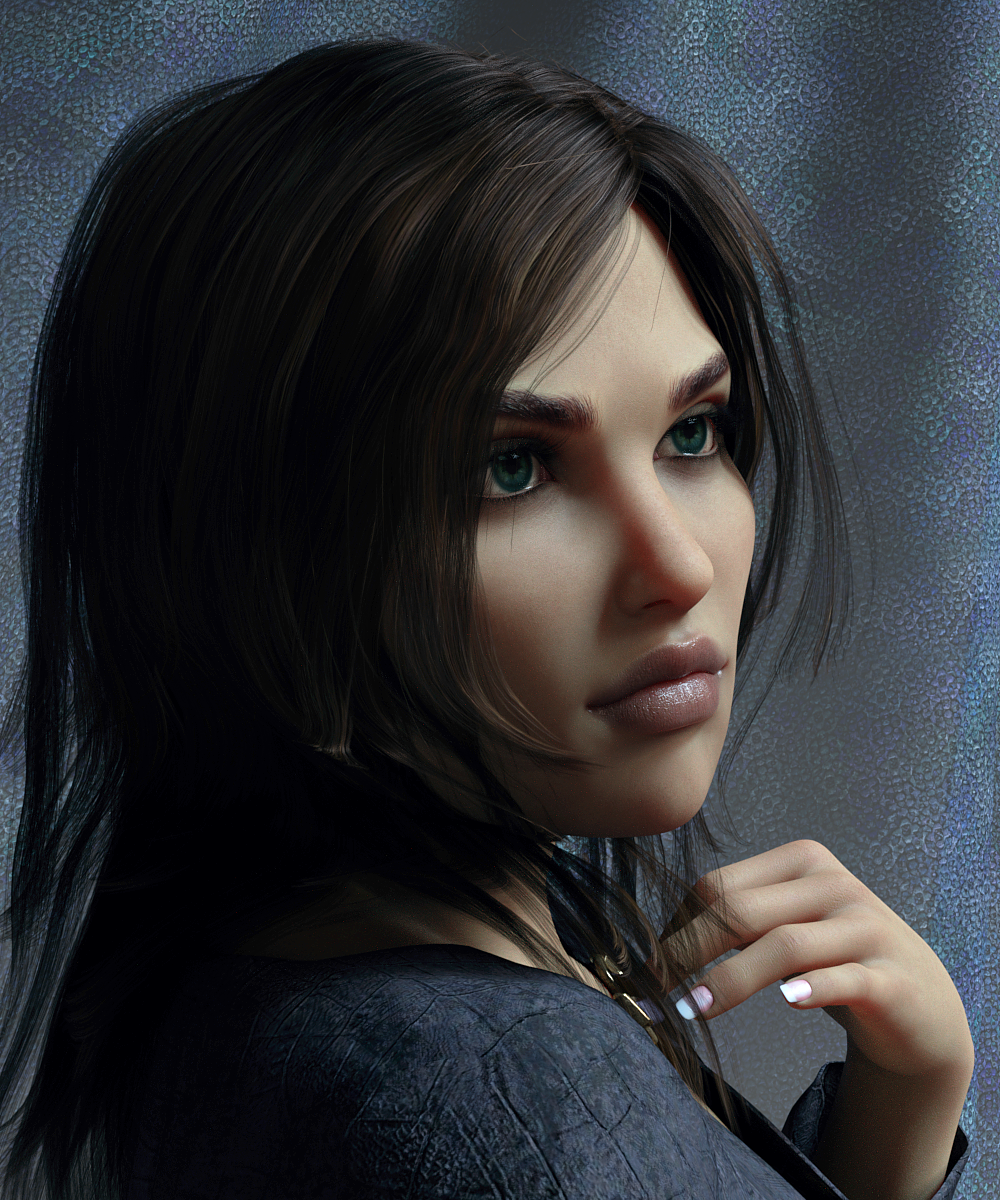
Zo by @TwiztedMetal @hotlilme74 Did you notice the veins behind her knees in the shot of her backside? Very realistic skin all over.
Bellamie by @SpookieLilOne I know, rather different. Look at the gold body texture, gorgeous spattering. I'd reduce the mouth and use regular eyelash length, but I think she's unique.
Matilda HD by @emrys I like that she doesn't have a dainty nose, she looks like a typical gal.
Of those I think I like India HD for G8F the best although that could be only because the posing & lighting in that product's ad copy is really good and really unique compared to the other products. I think he is probably using his own lighting products that I'm now chomping at the bit to buy,
Novica & Forum Members Tips & Product Reviews Pt 12Okay, I went back through about 15 pages of Product Library, started looking for Genesis 8 gals I liked, then also tried to get a variety of vendors. Not all are represented of course. I just couldn't make my mind up on Mousso's so it was a "tie." Here's 11 of my favorites from those pages, all different vendors. Hopefully you'll notice someone you hadn't before and wishlist them. :)
VYK Keira by @vyktorhia Love the light freckling, not overdone, just a light spattering. Arwen Hair (G8F) dForce Amara Outfit (G8F)
I changed the lips, added metallicity.
Top Coat Glossiness .87
Metallic Flakes- Strength 1.0 Glossiness 1.0 Weight .020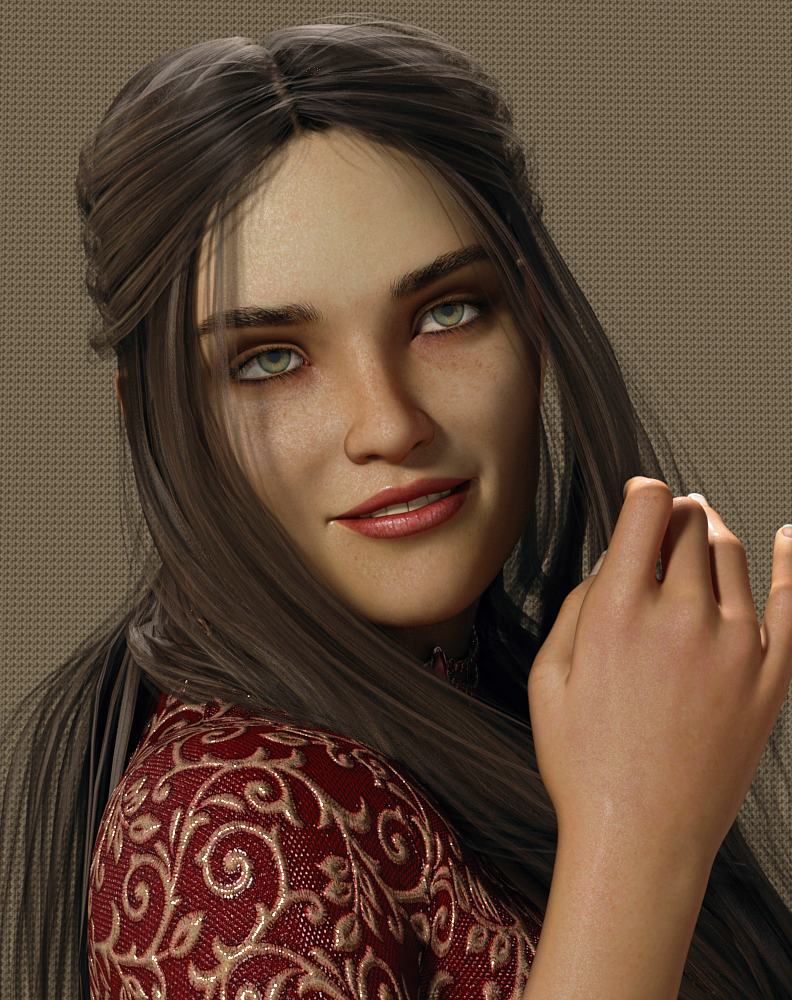
India HD by @colmjackson The beginning of the eyebrows are straight across along the bottom, but there's hairs mixed in as it moves outward which gives it a natural look. Again, I changed the lip by adding metallicity, etc.
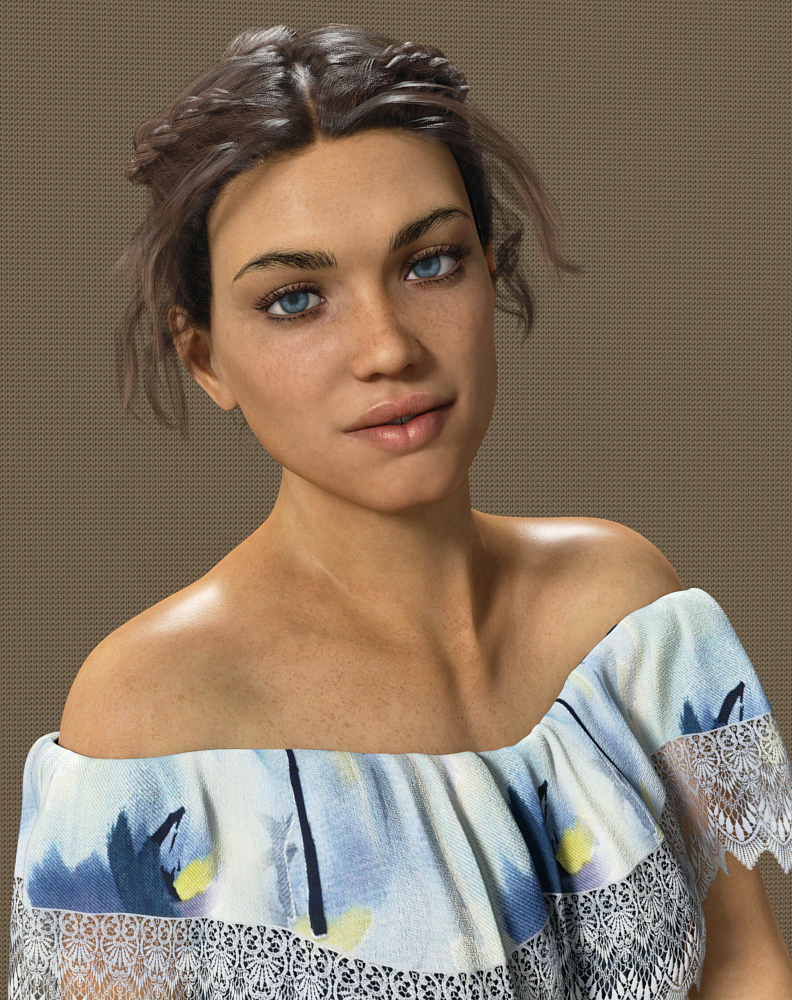
Namid by @gypsyangel Great variety of makeups and eyebrows are nice thickness
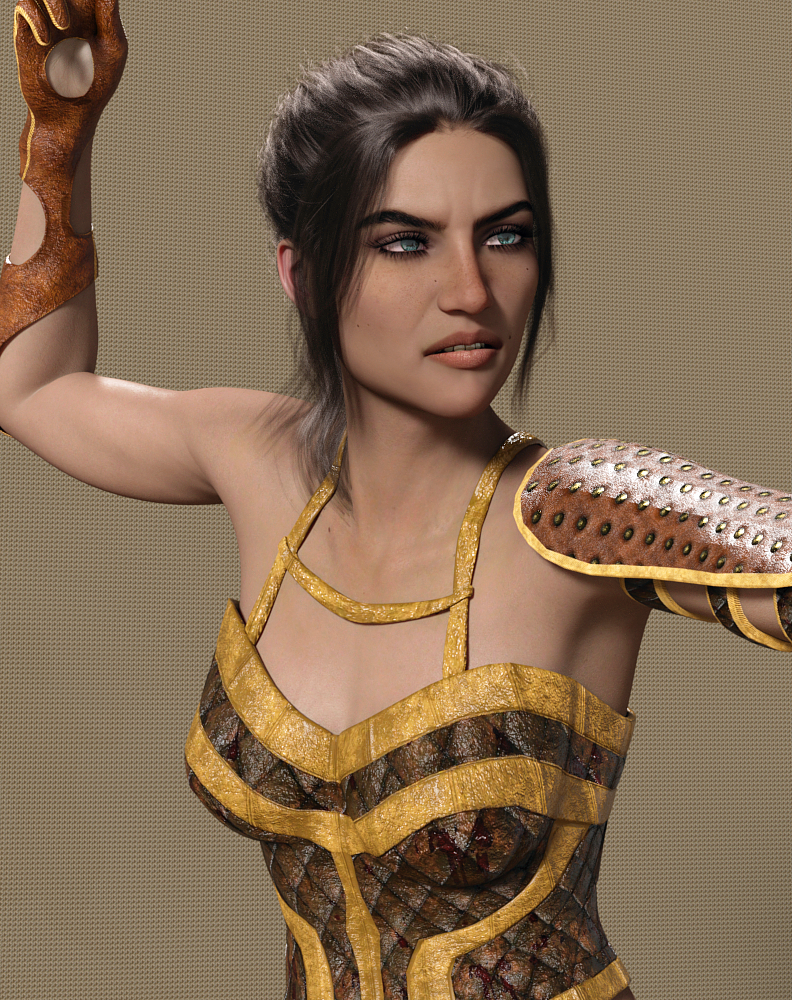
Used OOT's Linda Ponytail Hair which we've featured tons of times so not linking it, dForce Warrior Amazonia Outfit (G8F)I widened her mouth slightly.
TIP: If you ever want to do that, remember to go to Parameters (the character) Posing>Head>Expressions and choose the Visemes. Undo the limits on the W (click the cog/gear) then go to the negatives on the W. It widens quite nicely without changing the expression. I've mentioned this before, but it's been awhile.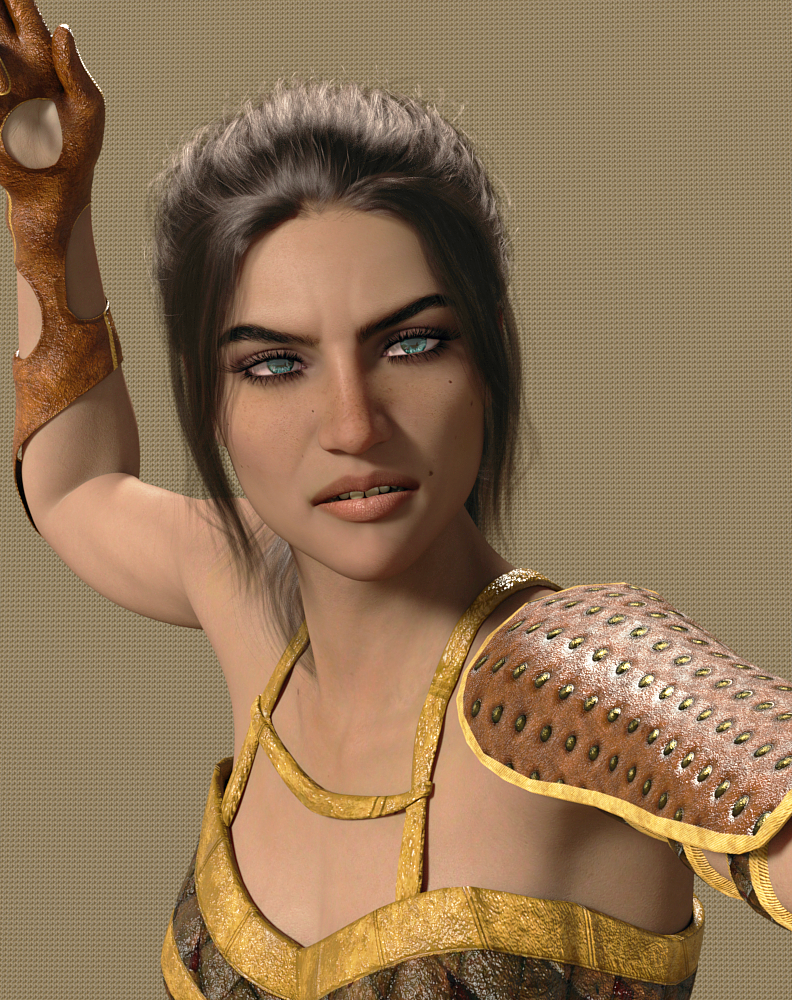
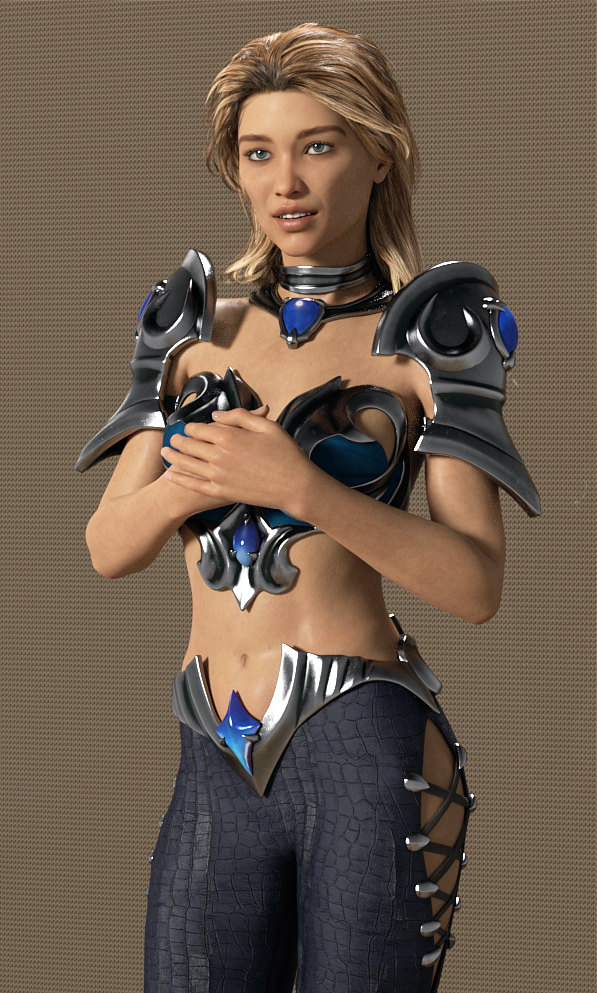
Sezaen by @darwinsmishap She has the longer eyebrows, spanning more horizontally. Since I rendered her, I noted she does not have different lip colors, unless I just overlooked that. Nor different regular eye shadow? However, the lips are a neutral color and it's easy to darken. Make sure to pick a yellow or pink for glossiness, I tend to avoid white.
Peyton Hair (Gen8 M/F) Farshadow Elf Outfit (G8F)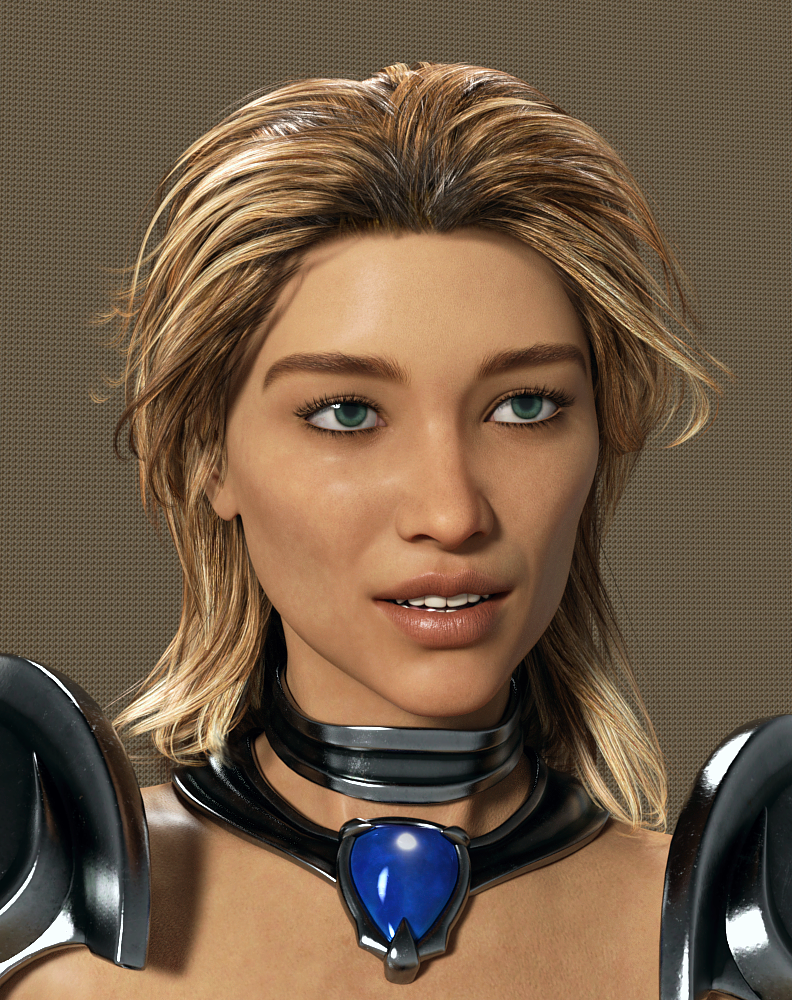
Catellena HD by @Mousso The brows have hairs above the main ones, looks real.
Ulani Hair (Gen3/8F) @April YSH did a gorgeous job on this hair! dForce Rochelle Gown (G8F) Surprised to see it's a PC+ gown! Also used the Captivating texture set.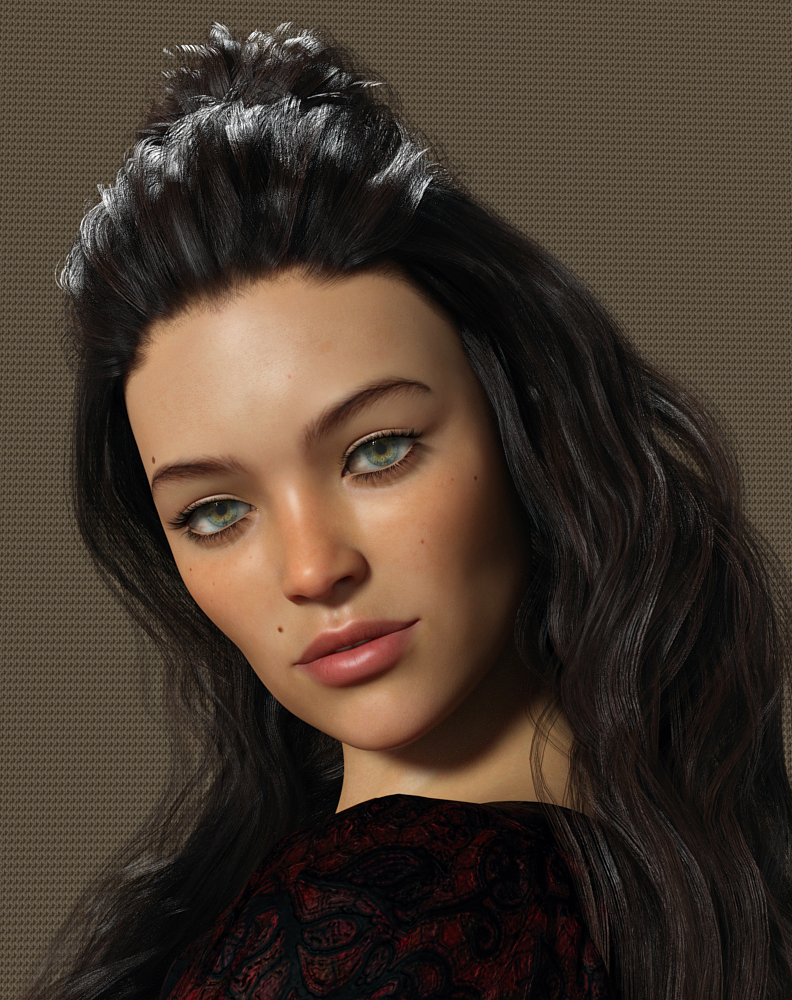
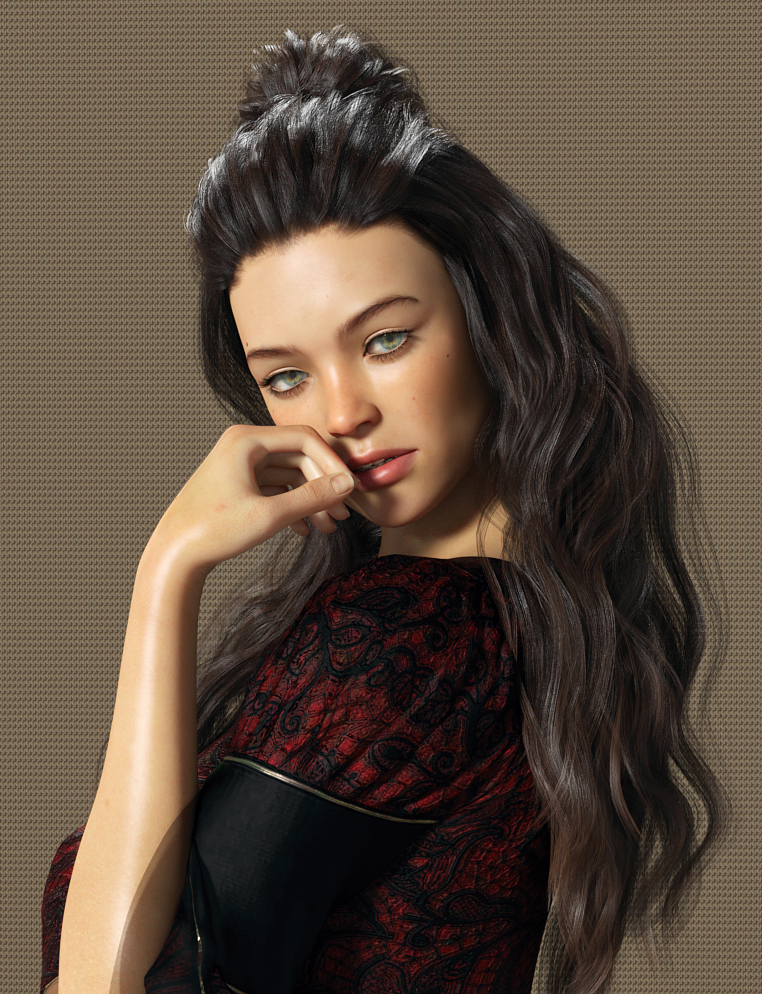
Mirlande HD by @Mousson The brows are different, and I think the skin is quite lovely. I couldn't pick between Mirlande and Catellena.
Tempest Hair (G3/8F) dForce Casual Friday Outfit (G8F)I have to say I was totally disappointed in Demure II poses by Skywolfe regarding Pose 6. I don't know who did the quality control testing on that but there's NO WAY it required "just a little tweaking" on a pose. The hip rotation put both legs really off the ground in her bent knee pose. Wasn't even CLOSE.
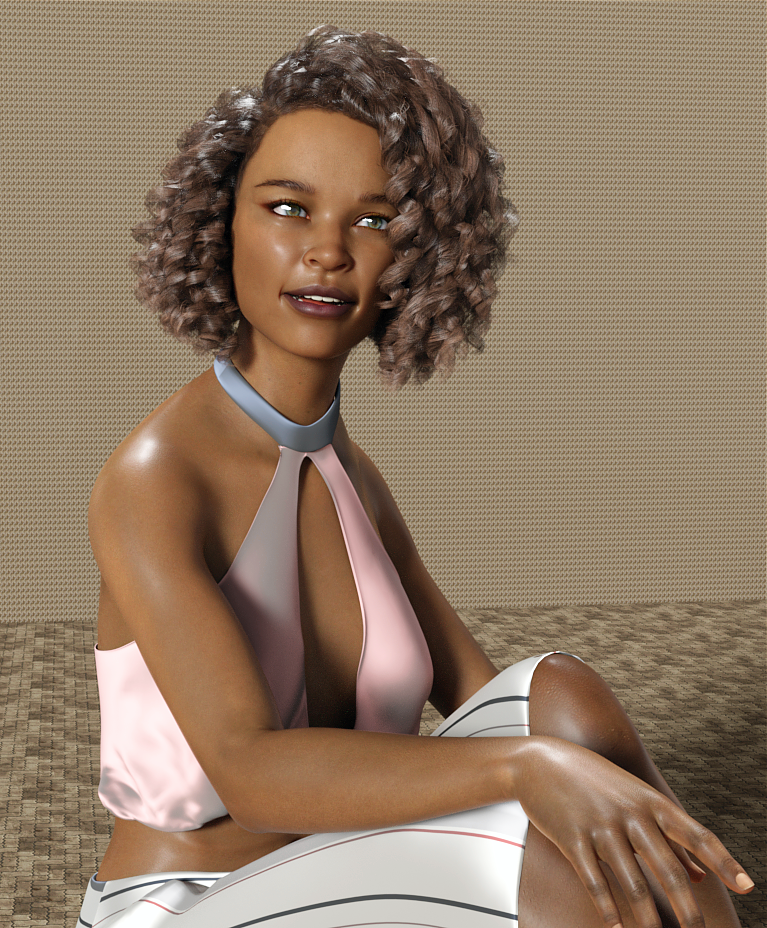
NOTE: The tongue and teeth were changed- the tongue was a bright pink and teeth were SNOW white, even with a pink overtone. The teeth base color was changed to a medium gray 174 / 180 / 182 and the tongue to 151 / 122 / 106 which is a dark taupe.
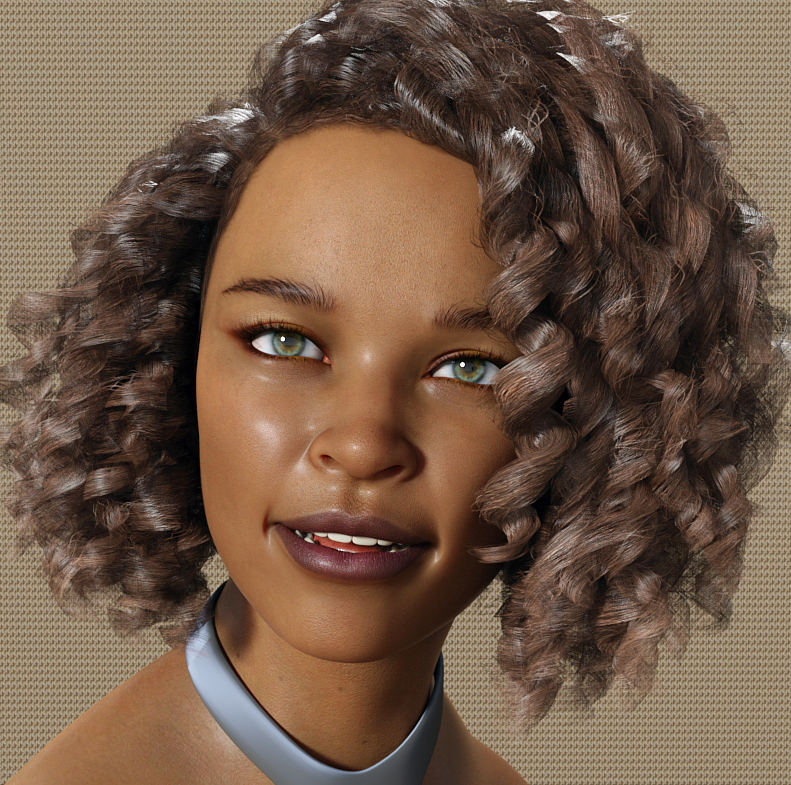
Sapphira by @Cherubit Looks exotic to me.
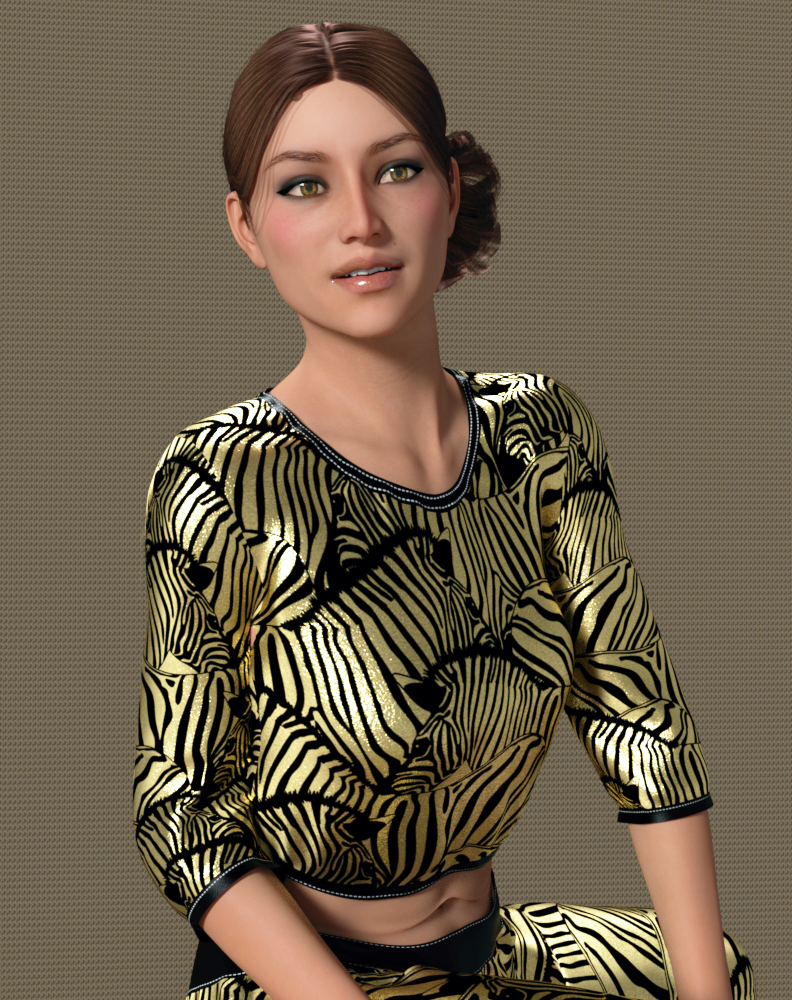
dForce Jenna Workout (G8F) Salsa Hair (Gabriela8)
The Jenna Workout is a PC+ item and worth taking a look at, very nice materials!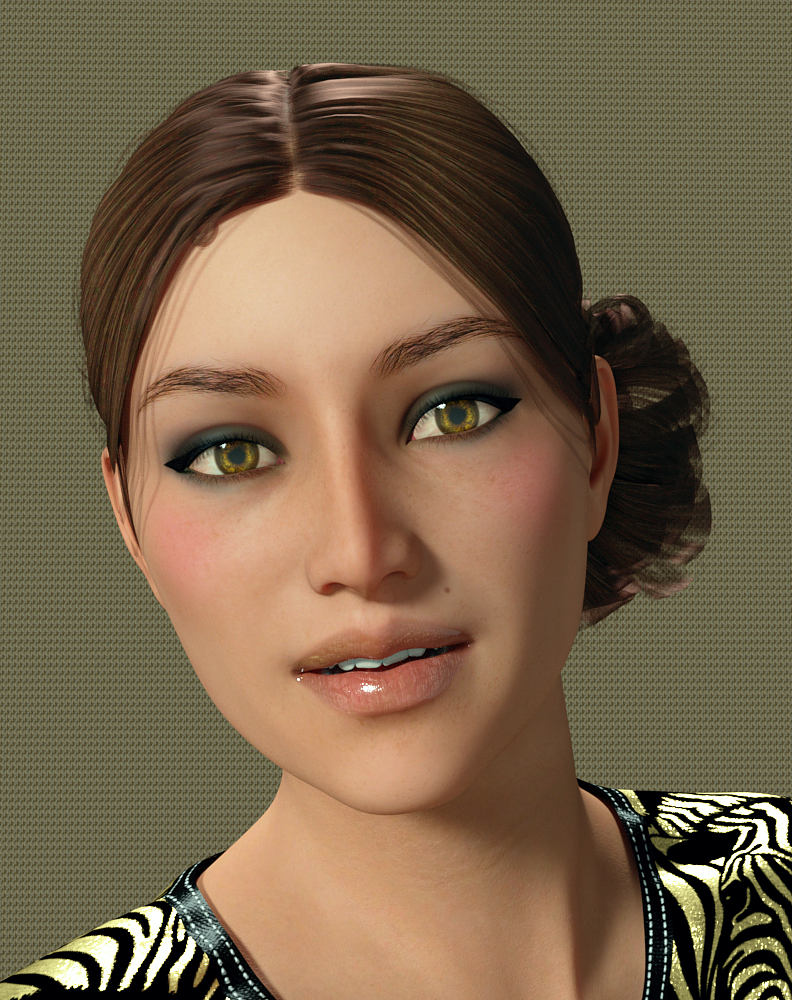
Note the abdominal area- the linear line of skin around the belly button indicating loose skin. Not a six pack ab gal.
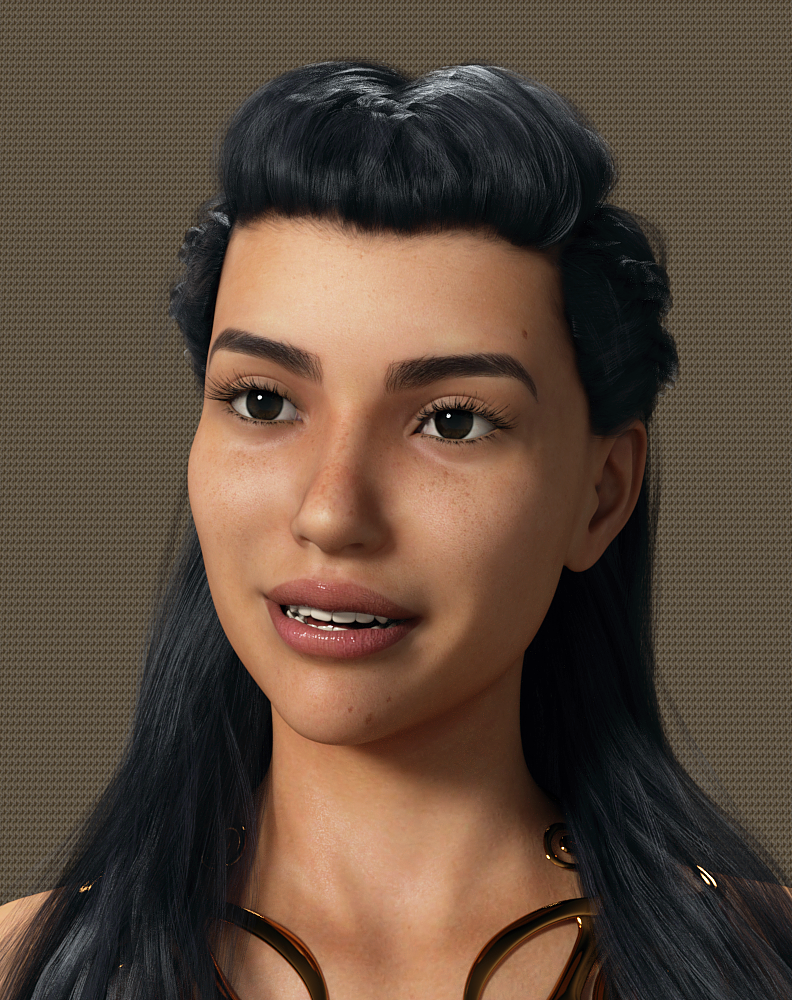
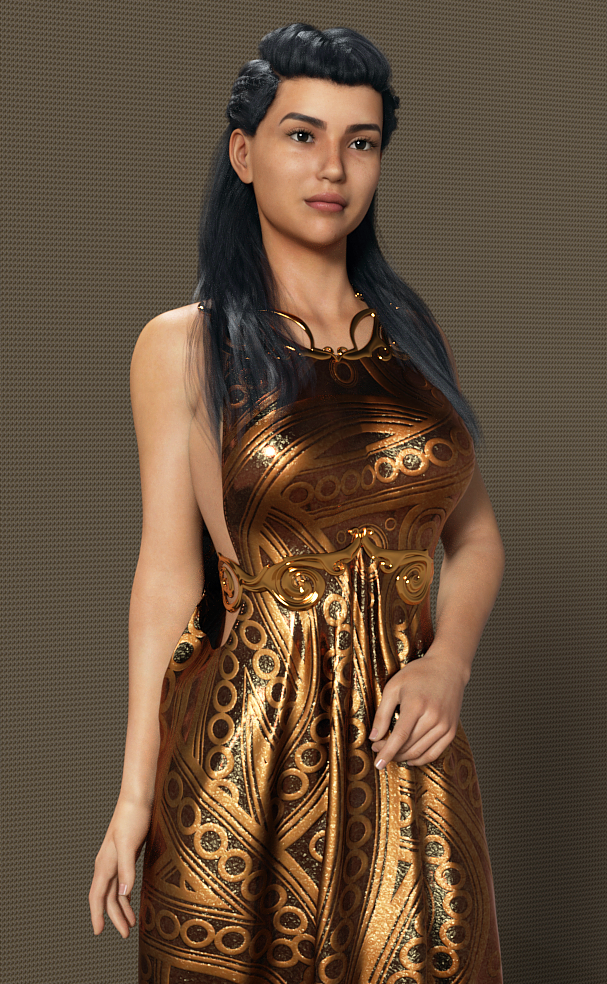
P3 Duffy HD by @P3Design those brows must be popular, a ton of gallery entries for her.
Evelyn Hair (G3/ G8F) dForce Goddess of Grandeur Outfit (G8F) and TexturesYou definitely want the texture set for this outfit. It's very, very classy and elegant. It also has a bold, bright print.
Camino HD by @Akasha @Anain I've rendered her before and she's quite lovely. Click to enlarge, click again.
Zo by @TwiztedMetal @hotlilme74 Did you notice the veins behind her knees in the shot of her backside? Very realistic skin all over.
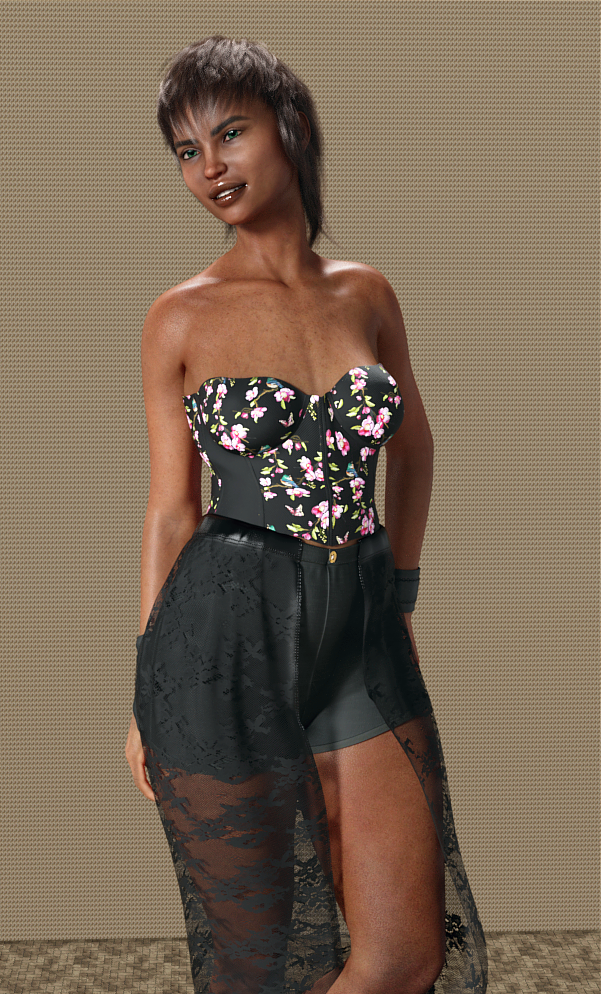
Riviera Hair (Gen3/8F) dforce Corset Skirt Outfit (G8F) NOTE The textures are wrong in Content Library- they are NOT under Corset Skirt Outfit, they are separated and listed as Corset Skirt. I didn't even see them until I searched for Corset Skirt Outfit in the Product Library. and saw I owned the textures.Her teeth were ultra bright, I went in to Surfaces and made the default color a gray-blue.
I didn't do anything to the outfit, it loaded just fine. (no d-forcing.)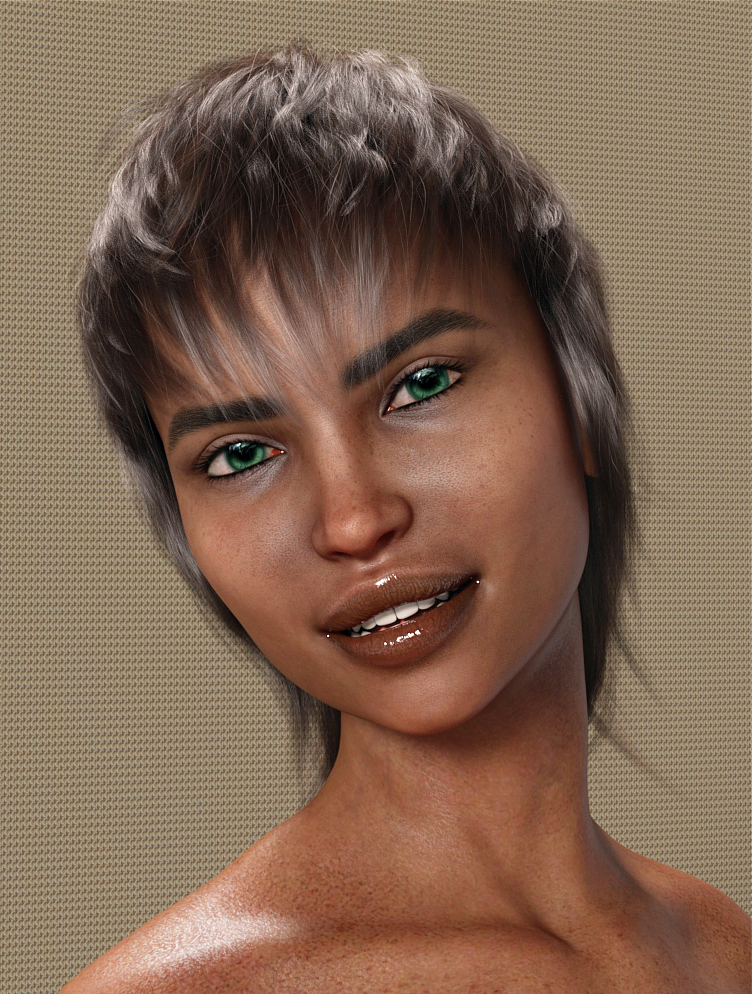
Bellamie by @SpookieLilOne I know, rather different. Look at the gold body texture, gorgeous spattering. I'd reduce the mouth and use regular eyelash length, but I think she's unique.
Matilda HD by @emrys I like that she doesn't have a dainty nose, she looks like a typical gal.
Babina 8I'm feeling the same as almost everyone else. Babina is OK... but Victoria 8 and Zev0's youth morphs can probably achieve a similar effect. The Boho dress texture is a very cool outfit, but without the base outfit - I don't want to end up paying $25 for the actual content to get the texture to work.
Likewise - prices are still higher than in past sales, and discounts are not as deep, and stacking is rare... altogether - it is making me want to hold onto my store credit this sale.Babina 8She looks to me like Victoria 8's younger sister. I don't really have a use for her, but overall the clothing looks nice--a lot of contemporary stuff with kitbash potential.
This is super nitpicky, but I miss the collage-style main images for core character bundles. They made them easy to identify at a glance when browsing and set the characters apart a bit.
This jumped out at me too. The other change is now the character image is fairly close up instead of around a 3/4 shot. The latter gives the characters a little more personality.
Adobe creative products and Daz, looking for suggestions:Adobe creative products and Daz, looking for suggestions:
I am considering upgrading from Photoshop Elements to Adobe Photoshop and ran into a confusing array of options and apps on the Adobe site.
What do I actually need (if anything) beyond Photoshop itself?What I Do Now:
1. Still renders only, I have no interest in video, animation, or audio tasks.
2. Iray rendering only.
3. Character creation and modification: ie Turn Victoria # into fantasy muscle women to monsters to birds of prey or "whatever strikes my fancy". This includes shaping, kit bashing, and texturing.
4. Studio Glamor & Portraits - primarily female
What I Want to Do:
1.Create billboards and background mats (I have the billboard tools sold in the Daz store, but PSE does not have the necessary alpha channel tools)
2. Full outdoor or indoor scenes with multiple characters (my PC is fairly capable, but quickly bogs down in IRay when rendering a complete scene, so I have to render individual elements, and be able to create cut out masks for layering in PS) (PSE can do some, but not all of this)
3. create my own HDRI domes from my own photography.
All suggestions welcome.
Thank you for reading.
/s/LB
Daz 3D is part of

Connect
DAZ Productions, Inc.
7533 S Center View Ct #4664
West Jordan, UT 84084Licensing Agreement | Terms of Service | Privacy Policy | EULA
© 2026 Daz Productions Inc. All Rights Reserved.