-
Pixeluna cyborg skins help
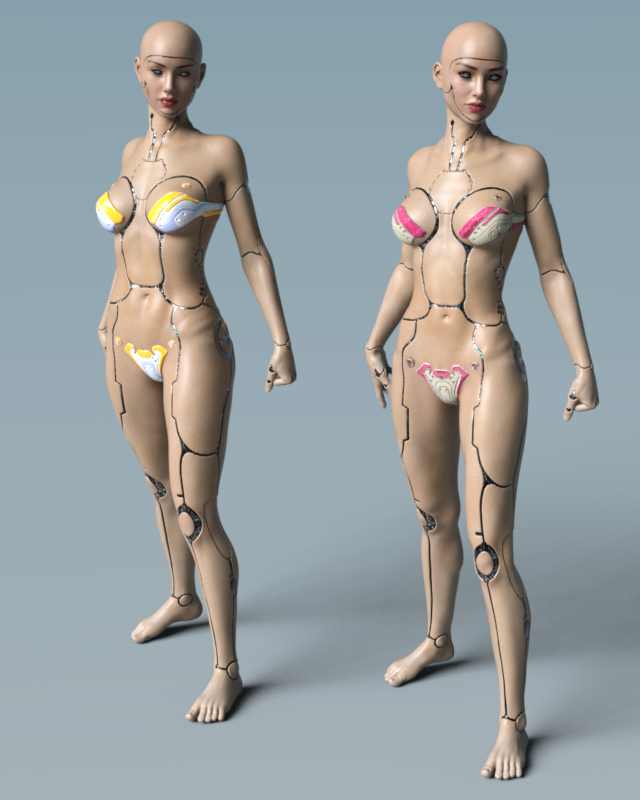
I don't have the male version, but I have Pix Synx for Genesis 3 Female. Here is a quick render. On the left is Pixeluna's Synx character. On the right is Victoria 7 with the cyborg skin. Both are wearing Aeon Soul's Alphakini for a little modesty.

 Babina 8Judging by the promo images of the store it looks to me Babina has more realistic looking shaders than Victoria 8 or many other female figures. Especially her eyes look different - is that only very good promo artwork, or does she indeed have an improved set of shaders?
A superficial scan of the surfaces between Babina 8 and Victoria 8 doesn't pick up a lot of difference. Babina uses the Top Coat, and Victoria does not. There's slightly different weighting on Victoria, but those small shifts shouldn't be THAT dramatic.
The eyes? I didn't look at them. Sometimes, artists use Diffuse maps that are extremely jaundiced and bloodshot out of the box, IMO. Really unhealthy looking sclera to me, while others might prefer it as "realism". Eyes just vary so much.
Dunno, as a whole package. Maybe it's just a trick of the lighting. I prefer how Babina reacts to light, but she's not all that different than Victoria. Maybe we're all just better with Iray than we used to be. It's the subconscious corrections that we know how to do.
.........
One more Babina out of the box.
She has rib bone definition, which isn't a universal thing.
I like her face from some angles better than other angles. So maybe Penny still keeps her crown as the cutest in my book.
 Victoria 4 for Genesis 2 Female
Ok. Now i found the Victoria 4 Head and body levers but when i turned them up and apply a V4 Face or body
nothing happens?I'm not sure what is happening then.
I also have G3F for G2F an its the same thing nothing happens when i try to load a shape
Babina 8Judging by the promo images of the store it looks to me Babina has more realistic looking shaders than Victoria 8 or many other female figures. Especially her eyes look different - is that only very good promo artwork, or does she indeed have an improved set of shaders?Victoria 4 for Genesis 2 FemaleOk. Now i found the Victoria 4 Head and body levers but when i turned them up and apply a V4 Face or body
nothing happens?
I also have G3F for G2F an its the same thing nothing happens when i try to load a shape!Victoria 4 for Genesis 2 FemaleThere should be a Victoria 4 option (or two, body and head) in the list of shapes available - check in the Parameters pane. The UVs will apply, with a native (.dsf/.duf) materials preset, automatically - if using an older Poser .pz2 then you will need the preset to apply the UV set. The AutoFit clone adds a new source option when using AutoFit.
I have checked the Parameter and shaping tab but there is no Victoria 4 option in there. The Hair and Clothes work ok
with Auto fit.Victoria 4 for Genesis 2 FemaleThere should be a Victoria 4 option (or two, body and head) in the list of shapes available - check in the Parameters pane. The UVs will apply, with a native (.dsf/.duf) materials preset, automatically - if using an older Poser .pz2 then you will need the preset to apply the UV set. The AutoFit clone adds a new source option when using AutoFit.
Victoria 4 for Genesis 2 FemaleI have had this product for a while but still cant figure out how it works?
When i look in the content folder there is just one item there : Set Victoria 4 UV ( I guess thats for the texture)
But i have tried shaping etc. but nothing happens. does anyone know how this works? There seem to be no PDF manual either.
This is the description:
Generation 6, meet Generation 4! Victoria 4 for the Genesis 2 Female, premiere 3D models, gives you a path to use your existing Victoria 4 accessories and textures on your Genesis 2 Female characters. Use the AutoFit clone to access your favorite outfits, the Victoria 4 UV set to use your favorite textures and the Victoria 4 figure shape to see a familiar face.note: Due to a limitation in how DAZ Studio handles presets, only material presets which are in DUF format can be directly applied. Any existing material presets must be re-saved in DUF format from the original Victoria 4.
Novica & Forum Members Tips & Product Reviews Pt 12Okay, I went back through about 15 pages of Product Library, started looking for Genesis 8 gals I liked, then also tried to get a variety of vendors. Not all are represented of course. I just couldn't make my mind up on Mousso's so it was a "tie." Here's 11 of my favorites from those pages, all different vendors. Hopefully you'll notice someone you hadn't before and wishlist them. :)
WOW, the only one I have rendered is Camino! I'm going to render these this next week. That tells me I really, REALLY have too many characters, even though I already knew it!
VYK Keira by @vyktorhia Love the light freckling, not overdone, just a light spattering.
India HD by @colmjackson The beginning of the eyebrows are straight across along the bottom, but there's hairs mixed in as it moves outward which gives it a natural look.
Namid by @gypsyangel Great variety of makeups and eyebrows are nice thickness
Sezaen by @darwinsmishap She has the longer eyebrows, spanning more horizontally.
Catellena HD by @Mousso The brows have hairs above the main ones, looks real. She also looks like a typical gal, not too pretty, but very attractive
Mirlande HD by @Mousson The brows are different, and I think the skin is quite lovely. I couldn't pick between Mirlande and Catellena.Saphirra by @Cherubit Looks exotic to me.
P3 Duffy HD by @P3Design those brows must be popular, a ton of gallery entries for her.
Camino HD by @Akasha @Anain I've rendered her before and she's quite lovely. Click to enlarge, click again.
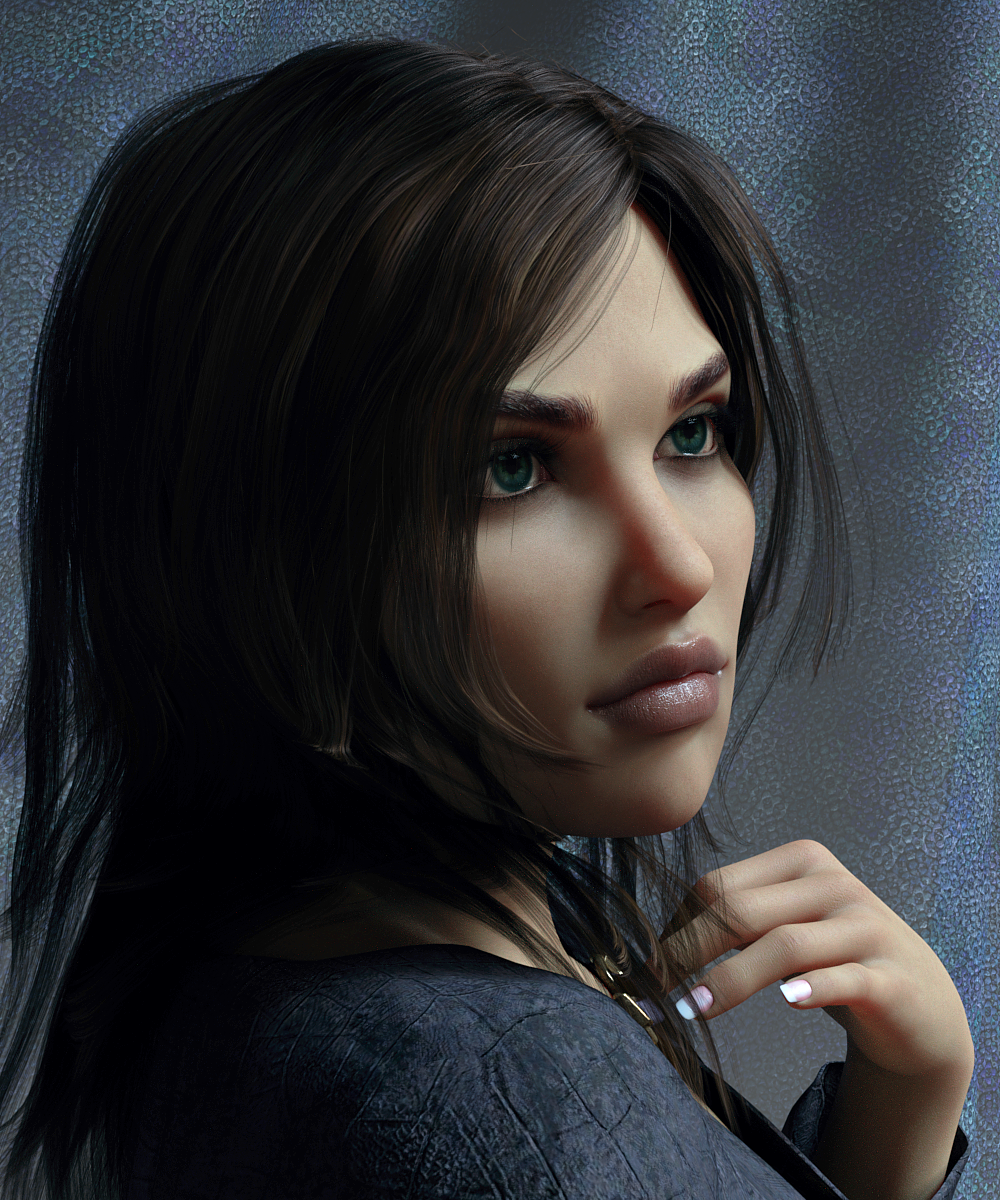
Zo by @TwiztedMetal @hotlilme74 Did you notice the veins behind her knees in the shot of her backside? Very realistic skin all over.
Bellamie by @SpookieLilOne I know, rather different. Look at the gold body texture, gorgeous spattering. I'd reduce the mouth and use regular eyelash length, but I think she's unique.
Matilda HD by @emrys I like that she doesn't have a dainty nose, she looks like a typical gal.
Of those I think I like India HD for G8F the best although that could be only because the posing & lighting in that product's ad copy is really good and really unique compared to the other products. I think he is probably using his own lighting products that I'm now chomping at the bit to buy,
Novica & Forum Members Tips & Product Reviews Pt 12Okay, I went back through about 15 pages of Product Library, started looking for Genesis 8 gals I liked, then also tried to get a variety of vendors. Not all are represented of course. I just couldn't make my mind up on Mousso's so it was a "tie." Here's 11 of my favorites from those pages, all different vendors. Hopefully you'll notice someone you hadn't before and wishlist them. :)
VYK Keira by @vyktorhia Love the light freckling, not overdone, just a light spattering. Arwen Hair (G8F) dForce Amara Outfit (G8F)
I changed the lips, added metallicity.
Top Coat Glossiness .87
Metallic Flakes- Strength 1.0 Glossiness 1.0 Weight .020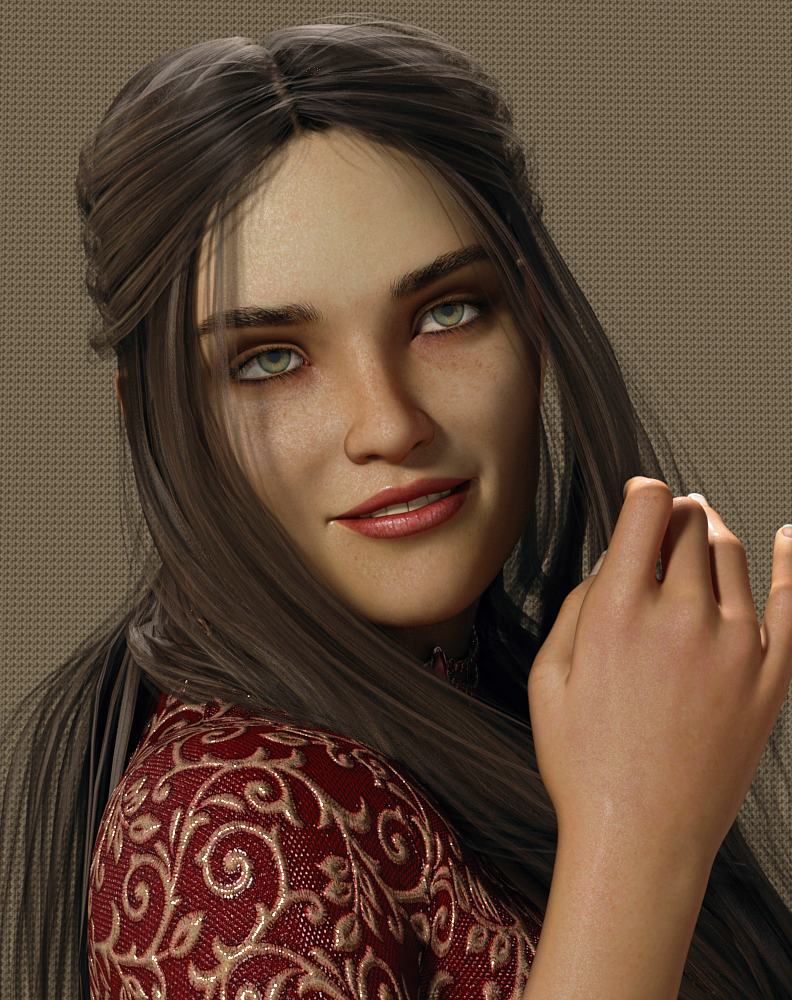
India HD by @colmjackson The beginning of the eyebrows are straight across along the bottom, but there's hairs mixed in as it moves outward which gives it a natural look. Again, I changed the lip by adding metallicity, etc.
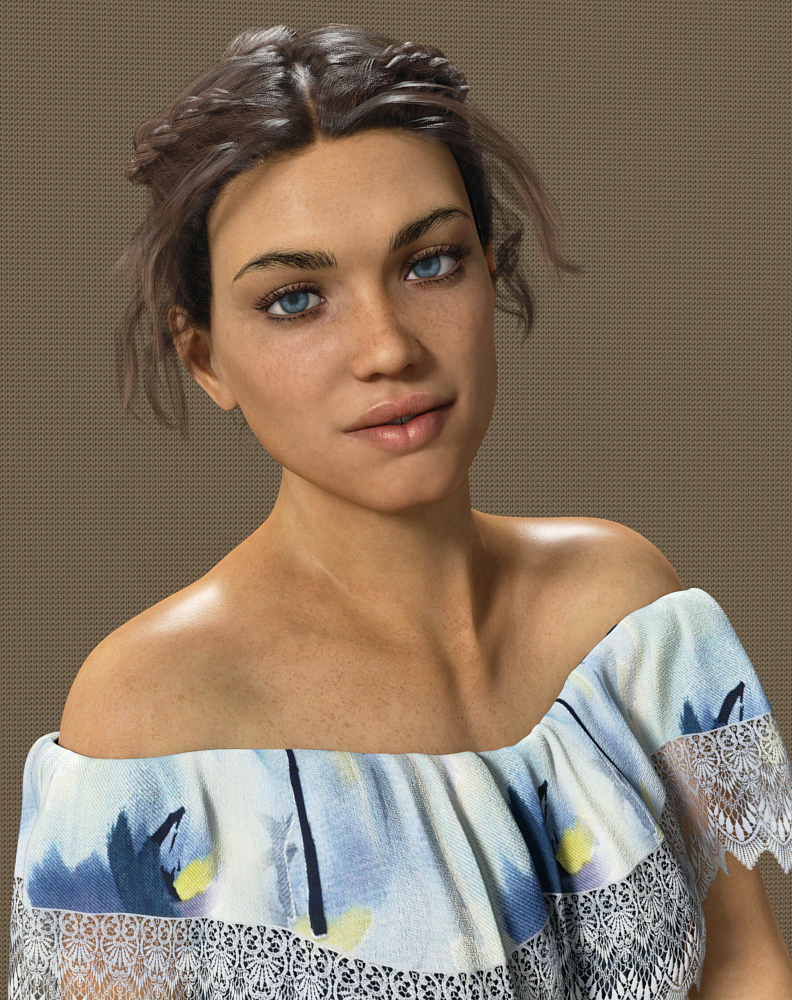
Namid by @gypsyangel Great variety of makeups and eyebrows are nice thickness
Used OOT's Linda Ponytail Hair which we've featured tons of times so not linking it, dForce Warrior Amazonia Outfit (G8F)I widened her mouth slightly.
TIP: If you ever want to do that, remember to go to Parameters (the character) Posing>Head>Expressions and choose the Visemes. Undo the limits on the W (click the cog/gear) then go to the negatives on the W. It widens quite nicely without changing the expression. I've mentioned this before, but it's been awhile.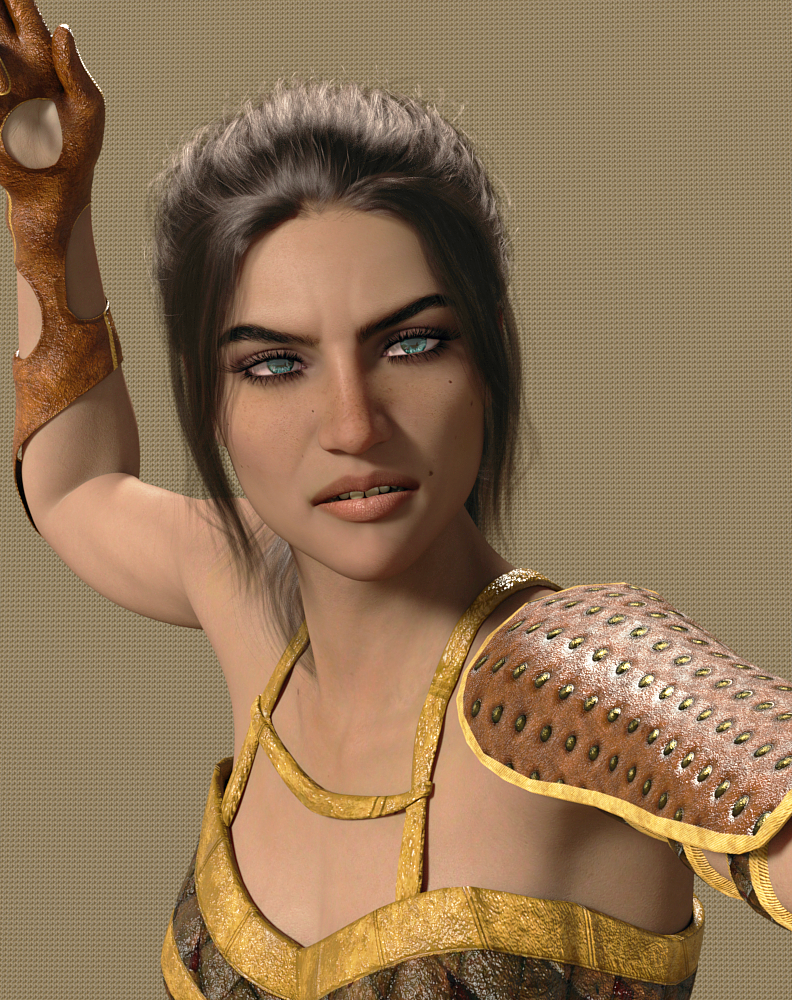
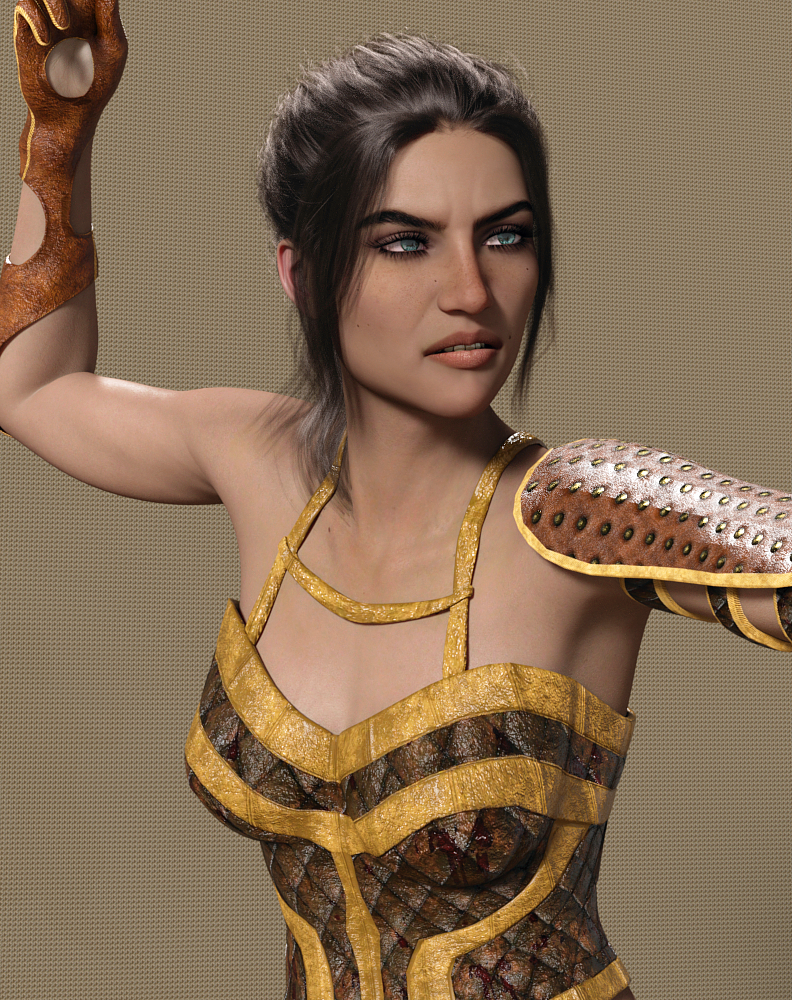
Sezaen by @darwinsmishap She has the longer eyebrows, spanning more horizontally. Since I rendered her, I noted she does not have different lip colors, unless I just overlooked that. Nor different regular eye shadow? However, the lips are a neutral color and it's easy to darken. Make sure to pick a yellow or pink for glossiness, I tend to avoid white.
Peyton Hair (Gen8 M/F) Farshadow Elf Outfit (G8F)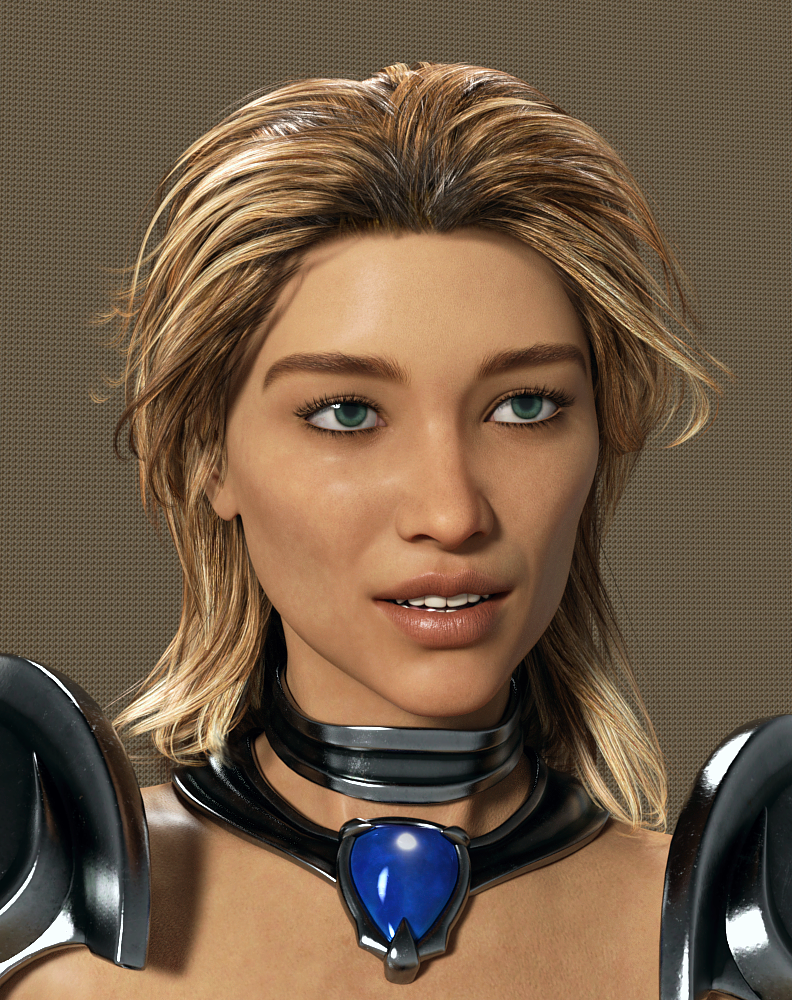
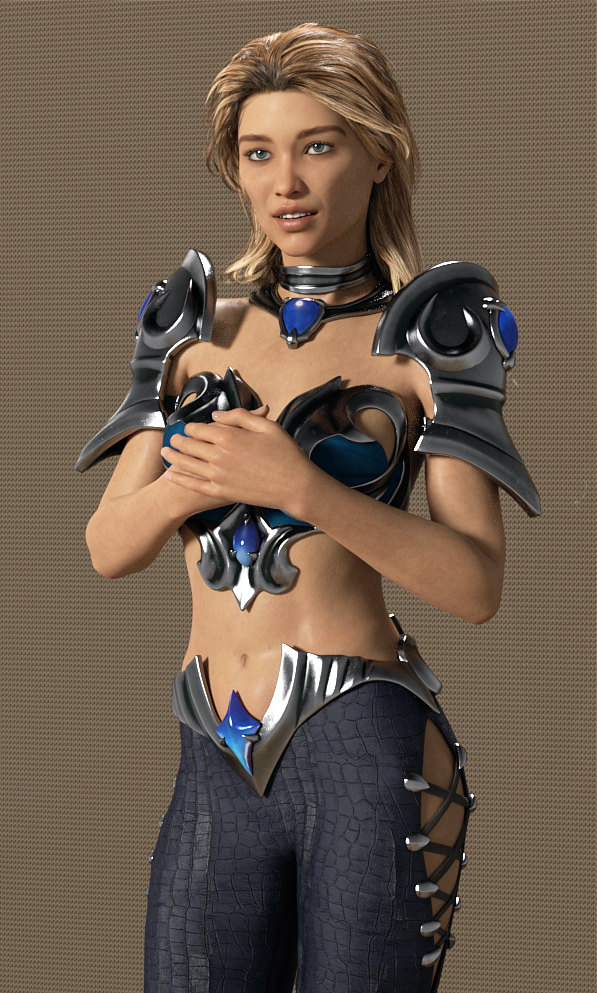
Catellena HD by @Mousso The brows have hairs above the main ones, looks real.
Ulani Hair (Gen3/8F) @April YSH did a gorgeous job on this hair! dForce Rochelle Gown (G8F) Surprised to see it's a PC+ gown! Also used the Captivating texture set.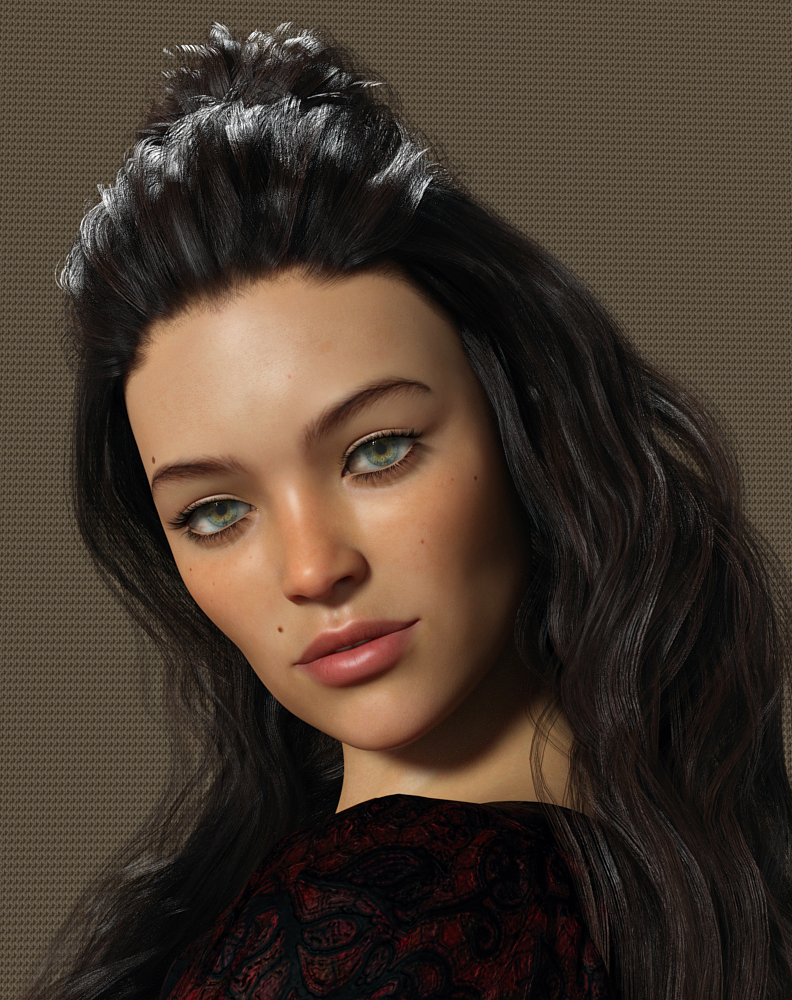
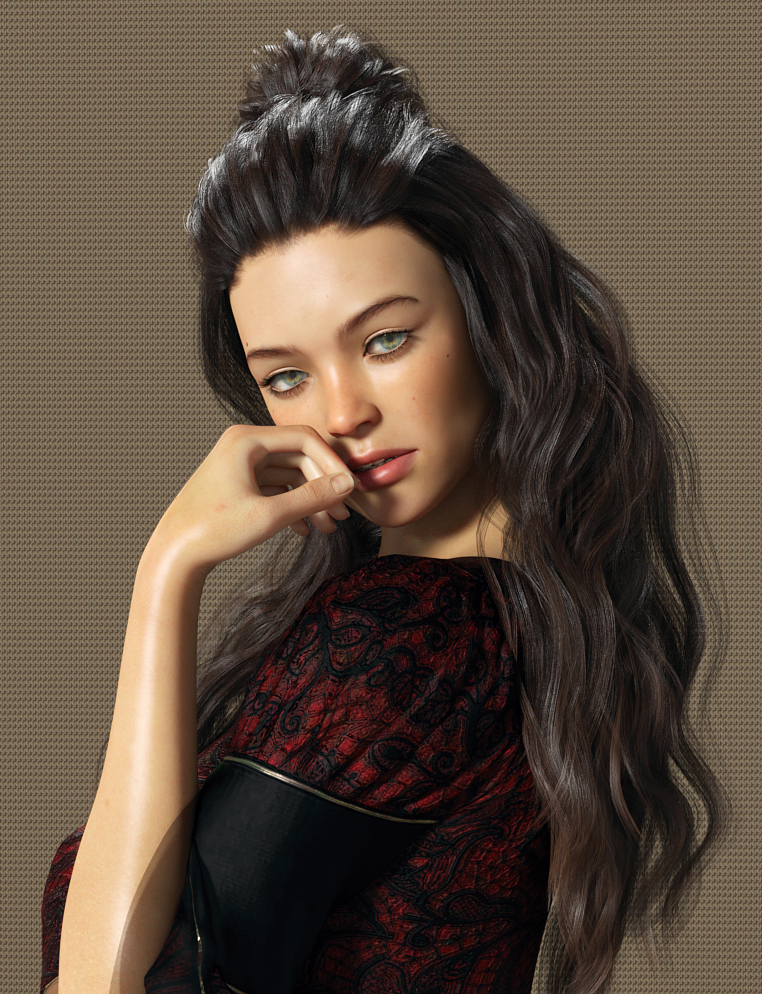
Mirlande HD by @Mousson The brows are different, and I think the skin is quite lovely. I couldn't pick between Mirlande and Catellena.
Tempest Hair (G3/8F) dForce Casual Friday Outfit (G8F)I have to say I was totally disappointed in Demure II poses by Skywolfe regarding Pose 6. I don't know who did the quality control testing on that but there's NO WAY it required "just a little tweaking" on a pose. The hip rotation put both legs really off the ground in her bent knee pose. Wasn't even CLOSE.
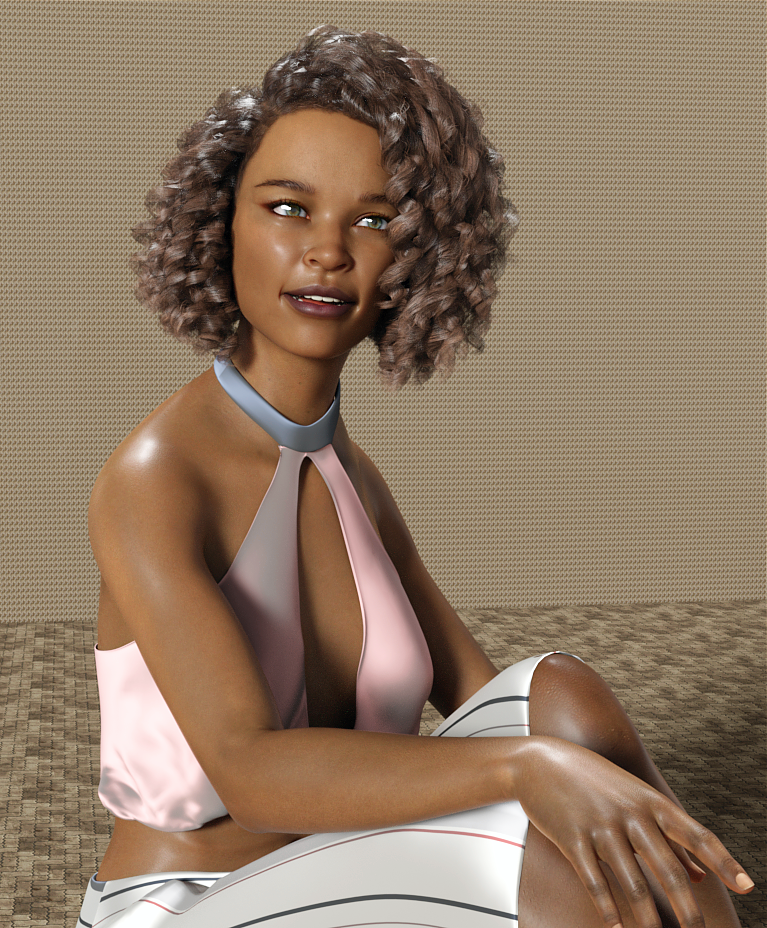
NOTE: The tongue and teeth were changed- the tongue was a bright pink and teeth were SNOW white, even with a pink overtone. The teeth base color was changed to a medium gray 174 / 180 / 182 and the tongue to 151 / 122 / 106 which is a dark taupe.
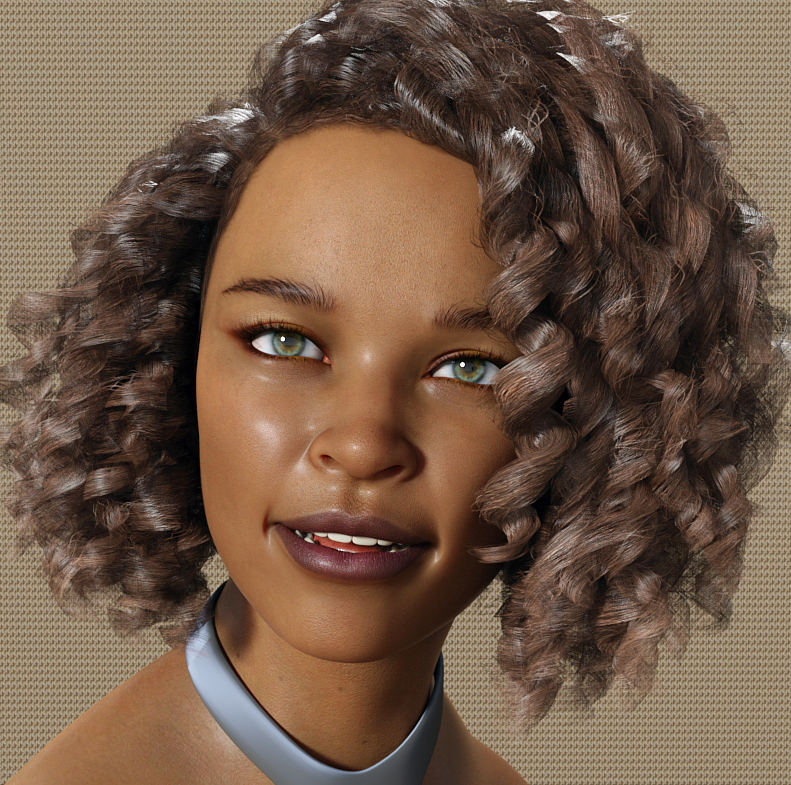
Sapphira by @Cherubit Looks exotic to me.
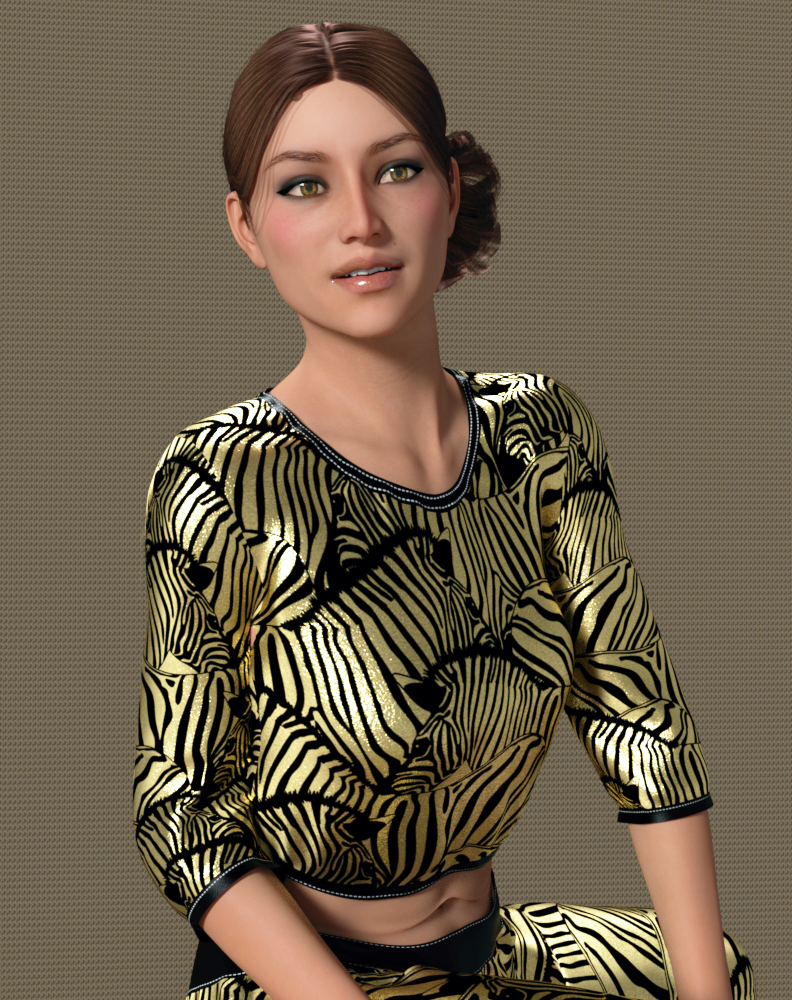
dForce Jenna Workout (G8F) Salsa Hair (Gabriela8)
The Jenna Workout is a PC+ item and worth taking a look at, very nice materials!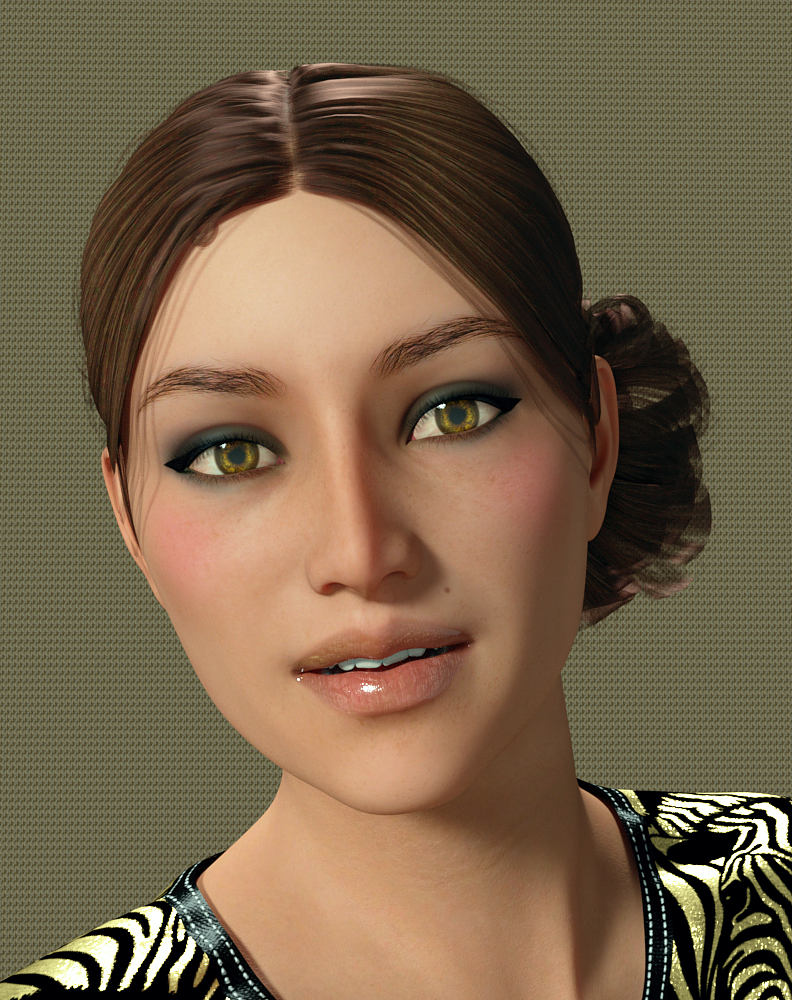
Note the abdominal area- the linear line of skin around the belly button indicating loose skin. Not a six pack ab gal.
P3 Duffy HD by @P3Design those brows must be popular, a ton of gallery entries for her.
Evelyn Hair (G3/ G8F) dForce Goddess of Grandeur Outfit (G8F) and TexturesYou definitely want the texture set for this outfit. It's very, very classy and elegant. It also has a bold, bright print.
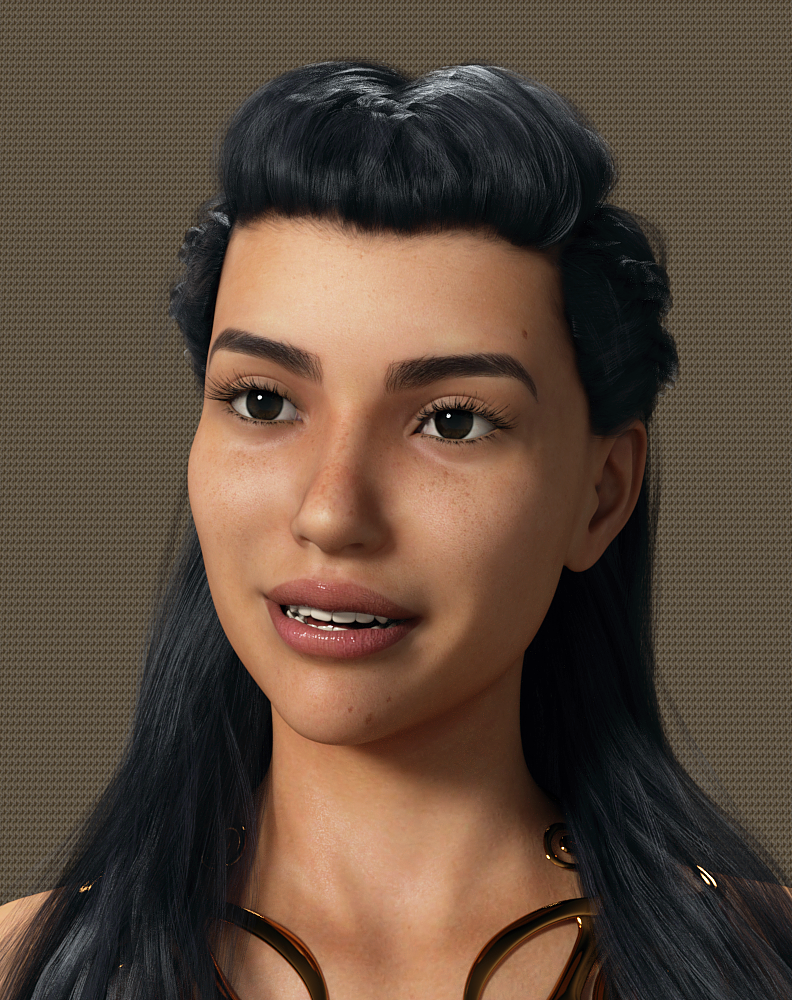
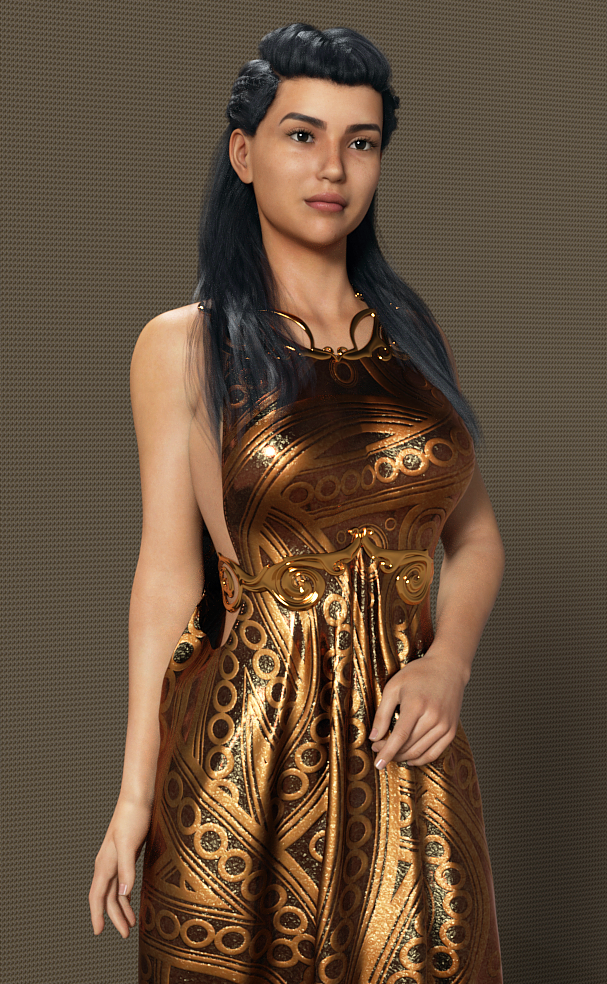
Camino HD by @Akasha @Anain I've rendered her before and she's quite lovely. Click to enlarge, click again.
Zo by @TwiztedMetal @hotlilme74 Did you notice the veins behind her knees in the shot of her backside? Very realistic skin all over.
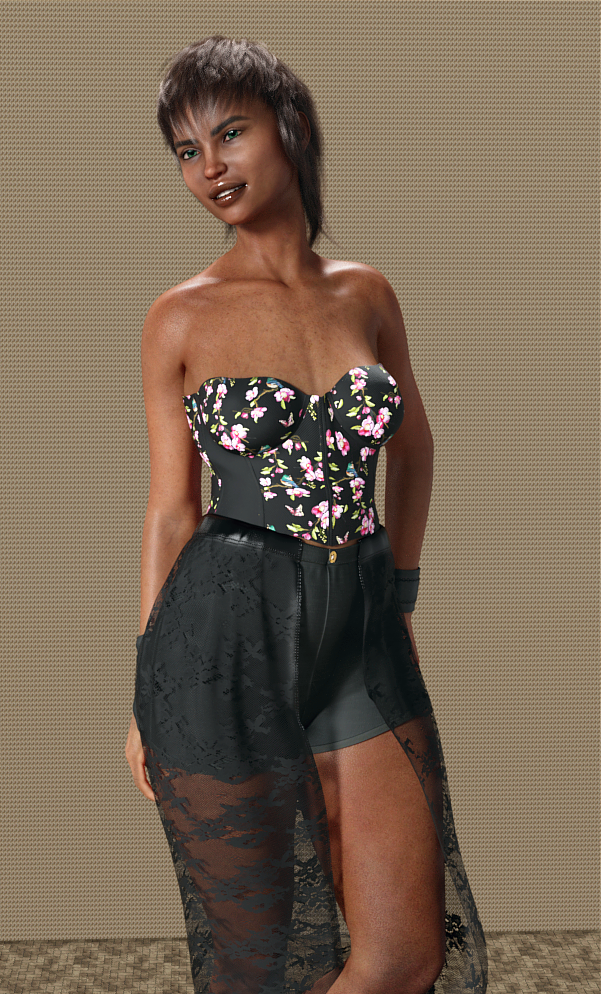
Riviera Hair (Gen3/8F) dforce Corset Skirt Outfit (G8F) NOTE The textures are wrong in Content Library- they are NOT under Corset Skirt Outfit, they are separated and listed as Corset Skirt. I didn't even see them until I searched for Corset Skirt Outfit in the Product Library. and saw I owned the textures.Her teeth were ultra bright, I went in to Surfaces and made the default color a gray-blue.
I didn't do anything to the outfit, it loaded just fine. (no d-forcing.)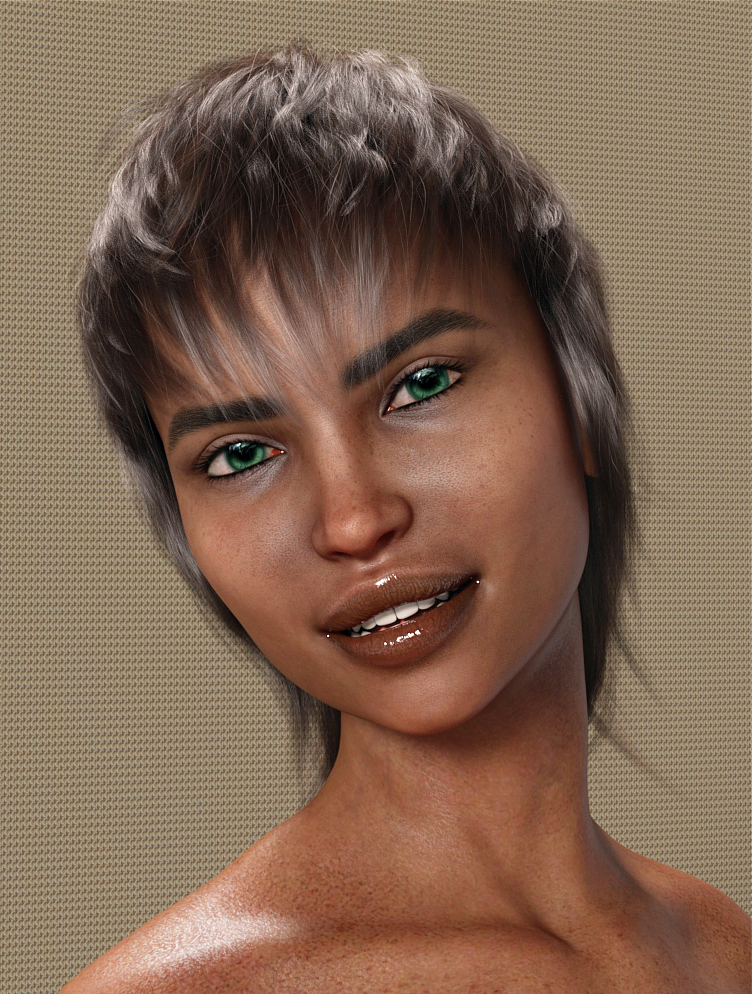
Bellamie by @SpookieLilOne I know, rather different. Look at the gold body texture, gorgeous spattering. I'd reduce the mouth and use regular eyelash length, but I think she's unique.
Matilda HD by @emrys I like that she doesn't have a dainty nose, she looks like a typical gal.
Babina 8I'm feeling the same as almost everyone else. Babina is OK... but Victoria 8 and Zev0's youth morphs can probably achieve a similar effect. The Boho dress texture is a very cool outfit, but without the base outfit - I don't want to end up paying $25 for the actual content to get the texture to work.
Likewise - prices are still higher than in past sales, and discounts are not as deep, and stacking is rare... altogether - it is making me want to hold onto my store credit this sale.Babina 8She looks to me like Victoria 8's younger sister. I don't really have a use for her, but overall the clothing looks nice--a lot of contemporary stuff with kitbash potential.
This is super nitpicky, but I miss the collage-style main images for core character bundles. They made them easy to identify at a glance when browsing and set the characters apart a bit.
This jumped out at me too. The other change is now the character image is fairly close up instead of around a 3/4 shot. The latter gives the characters a little more personality.
Adobe creative products and Daz, looking for suggestions:Adobe creative products and Daz, looking for suggestions:
I am considering upgrading from Photoshop Elements to Adobe Photoshop and ran into a confusing array of options and apps on the Adobe site.
What do I actually need (if anything) beyond Photoshop itself?What I Do Now:
1. Still renders only, I have no interest in video, animation, or audio tasks.
2. Iray rendering only.
3. Character creation and modification: ie Turn Victoria # into fantasy muscle women to monsters to birds of prey or "whatever strikes my fancy". This includes shaping, kit bashing, and texturing.
4. Studio Glamor & Portraits - primarily female
What I Want to Do:
1.Create billboards and background mats (I have the billboard tools sold in the Daz store, but PSE does not have the necessary alpha channel tools)
2. Full outdoor or indoor scenes with multiple characters (my PC is fairly capable, but quickly bogs down in IRay when rendering a complete scene, so I have to render individual elements, and be able to create cut out masks for layering in PS) (PSE can do some, but not all of this)
3. create my own HDRI domes from my own photography.
All suggestions welcome.
Thank you for reading.
/s/LB
Babina 8I really like Babina, she looks like a good base with the HD addon for me to build on for new characters, kinda like how Victoria 8 is. Unfortunately there really isn't anything in any of the bundles that interests me, not that I ever really purchase a pro bundle.
if you got the 20% off purple banner and grab Babs and her HD it'll be about $23.78 US ($36.67 Australian for me) but if you did get the banner and get these two items like me don't wait too long as in the fine print that bonus is only good for one day expires before midnight your Thursday
Babina 8C'mon guys, you can't just dial in Victoria 8 and Olympia 8 both at 50% and then sell that as a new character!
Babina 8If you look on the left side of @TaoZ screenshot you will see <1>. This indicates that you are looking at the first page of your characters. Click the right arrow to go to subsequent pages.
Some of the items in Pro bundle looks nice, but since I am loosing access to the older characters in Daz Studio like Victoria 8
and the other with names starting with letters T, U, V and so on, there is no point for me to buy new Genesis 8 Female characters.By default there is a limit to how many product icons that are shown in a category, you can increase it by clicking the "+" button in the upper right corner of the window.

Oh, thanks. I did not know about that.
Babina 8I really like Babina, she looks like a good base with the HD addon for me to build on for new characters, kinda like how Victoria 8 is. Unfortunately there really isn't anything in any of the bundles that interests me, not that I ever really purchase a pro bundle.
Babina 8Some of the items in Pro bundle looks nice, but since I am loosing access to the older characters in Daz Studio like Victoria 8
and the other with names starting with letters T, U, V and so on, there is no point for me to buy new Genesis 8 Female characters.By default there is a limit to how many product icons that are shown in a category, you can increase it by clicking the "+" button in the upper right corner of the window.
Oh, thanks. I did not know about that.
And if you look to the top left of this screenshot where you see a "1" with arrows on either side you can click those arrows to show the next "page" of content as well.
Carrara Challenge 48 - transcendent or immanent WIP threadsorry about Not being more concise
_Well Thanks _besides "Skin Shaders" any shader in general_
_and Carrara 7 Pro_ just in case does matter in some way or another
_Like this _ done with Bryce 7
Not sure of the exact problem so I hope you don't mind if I go to the beginning if I was going to do a very quick image like the one posted. Will repeat some things you know but may be useful to others. In general, shaders can be adjusted in the texture room, which is accessed by clicking paintbrush icon in the upper right corner of the assembly room. Here, I started by inserting an infinite plane, selecting it in the lower right instances box, and clicking the upper right paintbrush icon to access the texture room. The default infinite plane only has one shader domain (the whole thing) so the shader room displays just one shader in its list on the right hand side. The individual shader channels appear on the left side, in this case the default gray. For the infinite plane, I changed the gray color to a mixture of green gradients, added spots to the bump channel, and reduced the highlight, shininess, etc.
To adjust the shader of a rigged figure such as Aiko 3, Victoria 4, or Genesis, select the "model" or "actor" level of the figure in the lower right instances box. This gives you access to the figure mesh if you wish to enter the modeling room (wrench) or texture room (paintbrush). I inserted a default Victoria 4. I selected the "model" level and entered the texture room. Unlike the infinite plane, Victoria 4 has many shader domains (torso, face, etc). A long list appears along the right side. For each shader domain listed along the right, there is a channel list (diffuse color, highlight, bump, etc) that appears on the left when selected. The default has an awful blue tint multiplied to the skin maps. For this example, I selected the "SkinHip" shader domain. Rather than edit each channel individually, I clicked the "wizard" icon to access the presets in my shader browser. I believe the "rocks and stones" set comes with the carrara 7 native content files. I chose granite from the rocks and stone presets. I then clicked and dragged the granite to each of the other channels. I believe there is a plugin that can reduce that repetition but I don't bother. Once you have a complete set of shaders for the domains of a figure, you can click the multicolored globe and drag to your shader browser to save a global shader for future use. Then you need only click and drag from your browser once to the globe to apply all the different shaders to all of the figure's shading domains.
For the lighting, I deleted the default distant light and inserted a distant sunlight. The sunlight icon in C7 looks the same as the default distant light. The sunlight icon in C8.5 has a sun attached to the distant light icon. Don't worry, sunlight works the same in C7.1 and C8.5. I then went to the ATMOSPHERE tab in the right side panel and chose "realistic sky." This links the sunlight icon in my scene to the sun in the realistic sky editor. I chose a realistic sky preset then rotated the sun icon to roughy match yours. I've posted the realistic sky menu so that you can see that you can adjust haze, intensity, sky color, clouds, etc. You can select the sunlight icon and use the rotate tools to change the camera angle.
!!! - Make sure to activate "sky light" for your realistic sky in the render room. There is a check box for sky lighting in the global illumination section of the rendering tab.
!!!!!! - In general, if you use the "sky light" make sure to check the "light through transparency" box or you will get black eye syndrome. Wouldn't matter for an all granite figure.
Here are two test renders with different realistic sky presets.
Babina 8She a new favorite DAZ Original core realistic female character toi me. In my eyes, this is the 'California Model Beach Babe Digital Barbie' that Victoria the flagship female should be.
I saw Charlotte 8 as what Victoria should have been. To me, Babina is the face of Lilith 8.
Daz 3D is part of

Connect
DAZ Productions, Inc.
7533 S Center View Ct #4664
West Jordan, UT 84084Licensing Agreement | Terms of Service | Privacy Policy | EULA
© 2026 Daz Productions Inc. All Rights Reserved.