-
A Special Gift With Daz Studio 4.12
this is just SOOOOO annoying. again, a clear and obnoxious preference towards female characters. same happened recently with victoria 8 (and other vics before) - only she was offered but no michael alternative, which would be the natural pendant to vic. why does this "gift" from today only contain a CHICK?
so, since i don't collect female charas, today i get NOTHING again. thx daz, very appreciated. is it so hard to offer both alternatives - male + female - and let the customer pick one of both as they like? it's segregation imho. :( *not happy*
I saw your reference to "Female Charas" and it reminded me of a little Russian dive I used to visit in Germany.
Sounds like a descriptive term I'd hear there. Thanks for the memories.eeeeh.. what's so special about the term "female charas (characters)"?? same as female figures more or less... maybe the 3d community uses figure more than character, but i don't quite get the point. anyways, happy i offered you a little time travel :D
Wow, Daz gives away a 100 percent free character, and people complain! LOL!
thanks Daz and Spows for the gift

yes, i do complain, since i have no use whatsoever for that character hence i wont download it hence i get no gift, just because as always, there's a chick overload in everything everywhere here including the majority of freebies. it would be so easy - since there's no way they'd switch to offer single male figures instead for a while for a change - to offer both alternatives.
afaik, i'm allowed an opinion as a valued customer, it's all i have left since this super kind banner is absolutely pointless to me.I know, if not that it would be the weather eh.
Thanks to Daz and the artists for the 2 free characters :-)
fyi, i have only visited those funny random complaint threads a few times just for a laugh. i don't really need to vent about the weather in a 3d store's forum. however, i consider that complaining in the thread directly on the subject about the lack of insight of a shop offering freebies and other stuff centered on one gender and the fact that i find it very annoying is not just random complaining but exercising my right as a customer and as a person.
A Special Gift With Daz Studio 4.12this is just SOOOOO annoying. again, a clear and obnoxious preference towards female characters. same happened recently with victoria 8 (and other vics before) - only she was offered but no michael alternative, which would be the natural pendant to vic. why does this "gift" from today only contain a CHICK?
so, since i don't collect female charas, today i get NOTHING again. thx daz, very appreciated. is it so hard to offer both alternatives - male + female - and let the customer pick one of both as they like? it's segregation imho. :( *not happy*
I saw your reference to "Female Charas" and it reminded me of a little Russian dive I used to visit in Germany.
Sounds like a descriptive term I'd hear there. Thanks for the memories.Total noob here...Since the start of the Genesis line Victoria and Michael are no longe the base figures, they are morphs of their true respective bases which are Genesis Female and Genesis Male for first generation Genesis, Genesis (generation #) Female and Genesis (generation #) Male for latter generations.
Total noob here...That should read Micheal 8 and Victoria 8
 I fixed my boo boo, now before I commit to purchase Hound Dog days, will it work with Michael and Victoria Version 8?
Thanks!
A Special Gift With Daz Studio 4.12this is just SOOOOO annoying. again, a clear and obnoxious preference towards female characters. same happened recently with victoria 8 (and other vics before) - only she was offered but no michael alternative, which would be the natural pendant to vic. why does this "gift" from today only contain a CHICK?
so, since i don't collect female charas, today i get NOTHING again. thx daz, very appreciated. is it so hard to offer both alternatives - male + female - and let the customer pick one of both as they like? it's segregation imho. :( *not happy*
Total noob here...It would seem that I didn't properly install my third party content; rather than merging folders with the same title I now have several duplicates and content (like clothing and/or genitalia) that won't propely work (appear on the Michael or Victoria character) because it can't find missing files...
Live and learn right? I guess I should manually delete all thrid party content (Renderosity, Renderotica and the like) and then reinstall, making sure that the folders; or is there a better way?
Before I forget, would the Hound Dog days clothing bundle fit Michael 3 and Victoria 3?
Thanks in advance everybody!
More Non-photorealisitic Renders (NPR II)Today I decided to spend a little time playing around with the new La Femme figure to see if she could be fitted into my current workflow. I still need to run some more tests to see how well she adapts to Victoria 4 poses. To be honest, I should have worked on her expression a little more, but overall I like some of the new features the figure has to offer. The fabric draping was simulated in the Cloth Room.
As usual, this was created with Poser Pro 11 and Clip Studio Paint.
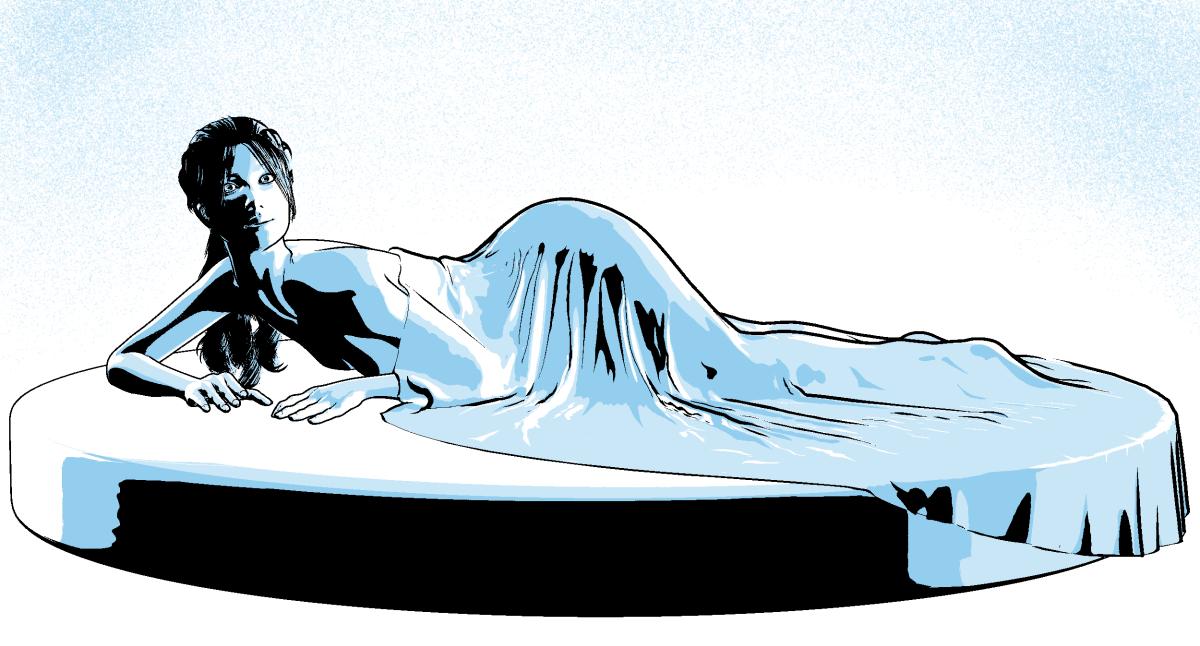
great job with the cloth room drape - I always find the cyan interesting - as compared to t he dark darks
, unfortunately La Femme won;t import into Carrara without the joints breaking
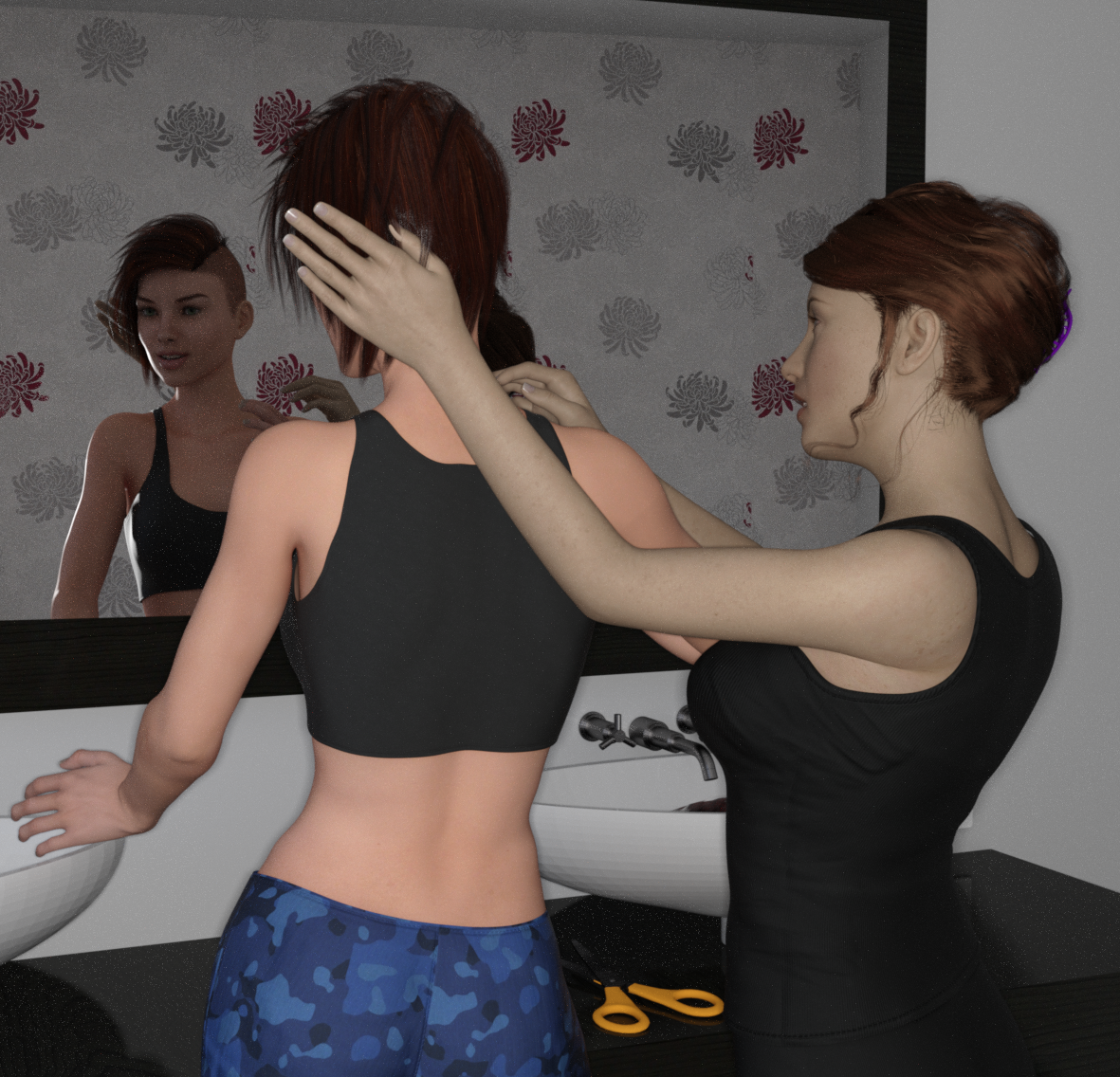
3D Art Freebie Challenge-September 2019-"Turning a New Leaf" -Main Thread OnlyTurning A New Leaf requires a new Haircut.
*dForce French Twist Hair for Genesis 8 https://www.renderosity.com/mod/freestuff/dforce-french-twist-hair-for-genesis-8-female-s-/81937
*EA Sidecut hair for Genesis 8 https://www.renderosity.com/mod/freestuff/ea-sidecut-hair-for-genesis-3-amp-8-female-s-/82972
*Retro Heroine 8 Outfit https://www.renderosity.com/mod/freestuff/retro-heroine-8-outfit/77959
*Retro Heroine Outfit Expansion Nr 4 part 1 https://www.renderosity.com/mod/freestuff/retro-heroine-outfit-expansion-nr-4-part-1-of-2-/76906
*Retro Heroine Outfit Expansion Nr 4 part 2 https://www.renderosity.com/mod/freestuff/retro-heroine-outfit-expansion-nr-4-part-2-of-2-/76907
*Simple Bathroom by Jura11 https://www.renderosity.com/mod/freestuff/simple-bathroom-wip-freebie/77689
*scissors https://www.renderosity.com/mod/freestuff/scissors/61987
*Freckles for Genesis 8 https://www.renderosity.com/mod/freestuff/freckles-for-genesis-8-female/82719&ca
*Mirror for Daz 4.9 https://www.renderosity.com/mod/freestuff/mirror-for-daz-4-9/76698
Victoria 7
Genesis 8
*denotes site registration
 Artwork from SpaceVagabond
Demonia
Content used:
Victoria 4.2 Base
Azraella
 Anyone get an joy from any of the new content available with Poser 11.2 update?
My edition of Poser is Poser Pro 2014. I still use Poser 7 figures from time to time because they work in Carrara and I have some cool historical and occupational content for them. Confusingly, the Poser 7 Sydney and Simon figures were called G2 figures. This is confusing for me because I also use Daz3D's Michael 6 and Victoria 6 characters, which are also called G2 figures.

I experimented with some Poser figures with the newer weightmapping (Poser 9 and above). The figures were called Miki and Tyler. I used Fenric's injection plugin with limited success. Problems with the feet persisted (what is it about feet?). I think Fenric said it had something to do with the hierarchy of the figures being messed up. Don't remember clearly. There is probably a related thread here in the Carrara forums because I remember asking about it.
Remember, "There's Always Another Sale™" (Report sales errors here.)On this page? I can't find it. https://www.daz3d.com/genesis-michael-and-victoria-legacy#index=0&order=popular^1&filtered=1
https://www.daz3d.com/genesis-michael-and-victoria-legacy#p=15&order=price^-1&filtered=1
Sort by price low high
Page No. 16 if Hide Items I Own not selected.
Remember, "There's Always Another Sale™" (Report sales errors here.)On this page? I can't find it. https://www.daz3d.com/genesis-michael-and-victoria-legacy#index=0&order=popular^1&filtered=1
Victoria 4Victoria 4 base is here: https://www.daz3d.com/victoria-4-2-base
Victoria 4Hi
I have just purchased some body animation for Victoria4 however I cannot for the life of me find whow to get a victoria4 model.. im VERY new here as you can see.
thanks!
LOD (level of detail) issueAll documentation I could find on LOD settings was talking about using the Victoria 4 figure so I'm wondering if the LOD feature even works at all now.
I am using a Genesis 2 figure. I exported a clean high resolution obj of the base figure. Then I used Edit -> Figure - Geometry -> Add Level of Detail -> added the obj named as "test". In the Parameters tab under Mesh Resolution -> Resolution Level -> I selected "test". The figure then disappears.
Am I doing something wrong? Or is the LOD feature something that was abbandoned a while back because the documentation was talking about somefeatures that aren't there anymore.
Does DAZ Studio include clothing magnets?If you mean the Magetize clothing poses that you get with Victoria 4 in Poser, I don't think Daz Studio has anything like those. I know they are supposed to make clothes fit better in Poser but they never seem to have much effect when I try them.
DS can use the poses, I think, but it autmatically applies figure magnets to fitten items so they are not needed.
DFormers are the Daz Studio equivalent of magnets. They each have a base, field and magnet and if you open the DFormer pane from the Windows menu you can edit the falloff curve.
They can also be weight-mapped.
Does DAZ Studio include clothing magnets?If you mean the Magetize clothing poses that you get with Victoria 4 in Poser, I don't think Daz Studio has anything like those. I know they are supposed to make clothes fit better in Poser but they never seem to have much effect when I try them.
DFormers are the Daz Studio equivalent of magnets. They each have a base, field and magnet and if you open the DFormer pane from the Windows menu you can edit the falloff curve.
dForce is similar to the :Poser Cloth Room. Adding a dynamic dForce modifier to something is like clothifying it in Poser.
Daz Studio has a pane called Dynamic Clothing but this is for Optitex dtnamic clothes, it only works of clothes rigged specially for it. You need the Simulation Settings tab to control dForce.
What JonnyRay say about using multiple DFormers is right. I sometimes find that I need more magnets or DFormers for fine control in close up renders. If the figure is further from the camera you can get away with less precise shapeing.
dForce is great when it works. If the clothes were not designed for dForce they might work or they might not depending on how the mesh was made.
Artwork from SpaceVagabondHere i am
Content used:
Victoria 4.2 Base
Babydoll for Victoria 4
Amber Hair for V4
IDG Portrait Studio
 Using Renders in the 'real' World
Happy Saturday! A few years ago I had an email from a Indian artist who had a residency in Berlin. He wanted to make some monkey scupltures. He'd seen my work and wanted me to help. We would sculpt the monkeys in 3d then do cross sections of the 3d objects and use those to build the monkeys in real life. This is the first mockup I did for him.
After he'd seen the mockup he wrote back straight away. He needed to stand over my shoulder and direct the process. "What European country was I in?" and he would come over so we could meet up.
I explained I lived in Australia. So that was that. End of collaboration. I just googled him, he does amazing work .... http://www.victoria-miro.com/artists/36-ns-harsha/[Released] Clothing Converter from Genesis 3 Female to Genesis 8 Female [Commercial]As a suggestion for improving this, is it possible to add an option that will strip out the figure morphs for the DO base figures?
The FBMVictoria7.dsf morphs and the like that persist after conversion cause conflicts with things like the "Victoria 7 for Victoria 8" products; the latter uses exactly the same name for a morph that's very differently shaped, given it's now shaped as a derivative of the Genesis 8 base figure, so the clothing ends up the wrong shape*, meaning that it's better to just rely on auto-follow to do the job (unless you can contrive a better fix).
* Mendoman posted a picture example of the problem here, although he converted the item manually: https://www.daz3d.com/forums/discussion/352506/victoria7-for-victoria8-morph-problems-with-g3-items
I also discover from having gone through and deleted all of said G7 FBM morphs from my converted clothing that they were using up a good couple of gigabytes - given these are shapes that either won't be activated or are likely to cause problems when activated, being able to not convert them would be something of a boon to disk space.
Are you talking about the clothing converters or the character converters? The only morphs that should be transferred with clothing are the clothing morphs. Could you explain more please?
A lot of clothing has a FBMVictoria7 morph (or similar - FBMOlympia7, FBMEva7, etc) intended to improve the fit and reduce distortion when those base figures are dialled in (as compared to just relying on auto-follow). These exist as morph files for the clothing, and can be seen (as hidden morphs) on the clothing even when it is not fitted to these characters.
As they're morphs that belong to the clothing, they're getting transferred, leading to two main problems:
- these morphs don't match the identically named morphs used by the Gen 8 conversions of those characters (for example, Victoria 7 for Victoria 8). The G8 version of Victoria 7 now works as a derivative character of Victoria 8, so the actual shape of the morph called FBMVictoria7 is very different for G8F and G3F, so the clothing's original corrective morph now results in completely the wrong fit.
- Other than for the G7 for G8 characters (where it causes glitches), these morphs probably won't be activated anyway. Only those people who have converted the characters to G8F will use a corrective clothing morph such as FBMRune7 or the like. That makes quite a lot of difference to the disk space used by the conversions, as many clothes have these corrective morphs for several DO base shapes.
Basically, what I'm suggesting is an option the user can check to have the converter remove morphs called FBMVictoria7, FBMMika7, FBMOphelia7, etc, as it's processing. Presumably this would be done using some kind of "blacklist" of morph names (potentially even editable by the user, should they wish/need to add anything else?).
Obviously the ideal would be to find a way to "correct" these morphs to still have them retain the correct fit on their updated G8F versions, but removing these morphs and letting DS default to autofollow is better than transferring them verbatim.
Ah, I see. That makes sense. Ok, I will look into it. Thanks for the suggestion.
Daz 3D is part of

Connect
DAZ Productions, Inc.
7533 S Center View Ct #4664
West Jordan, UT 84084Licensing Agreement | Terms of Service | Privacy Policy | EULA
© 2026 Daz Productions Inc. All Rights Reserved.