-
Getting on the 9 train, or not
Gator said:
Keep in mind that line is out of context, after I listed many cons to the single multi-gendered mesh.
I may come from an older era of forums, but I do not like the increasingly common approach to quote an entire post AND all of its nested quotes in order to respond to it.
It's particularly frustrating when reading the forum on the frankly very-poor mobile implementation, where after a couple of levels of nesting, the innermost posts are reduced to a one letter wide column that goes on for hundreds and hundreds of rows.
Hence, usually, I will reduce posts I'm quoting to key points.
~~~~~
But, if we're taking that argument...
Gator said:
What are the long list of benefits exactly?
To understand my perspective, I'm a Daz user that significantly customizes their things.
And I'm pretty sure I'm in the upper percentiles for doing things the vendors didn't plan for.
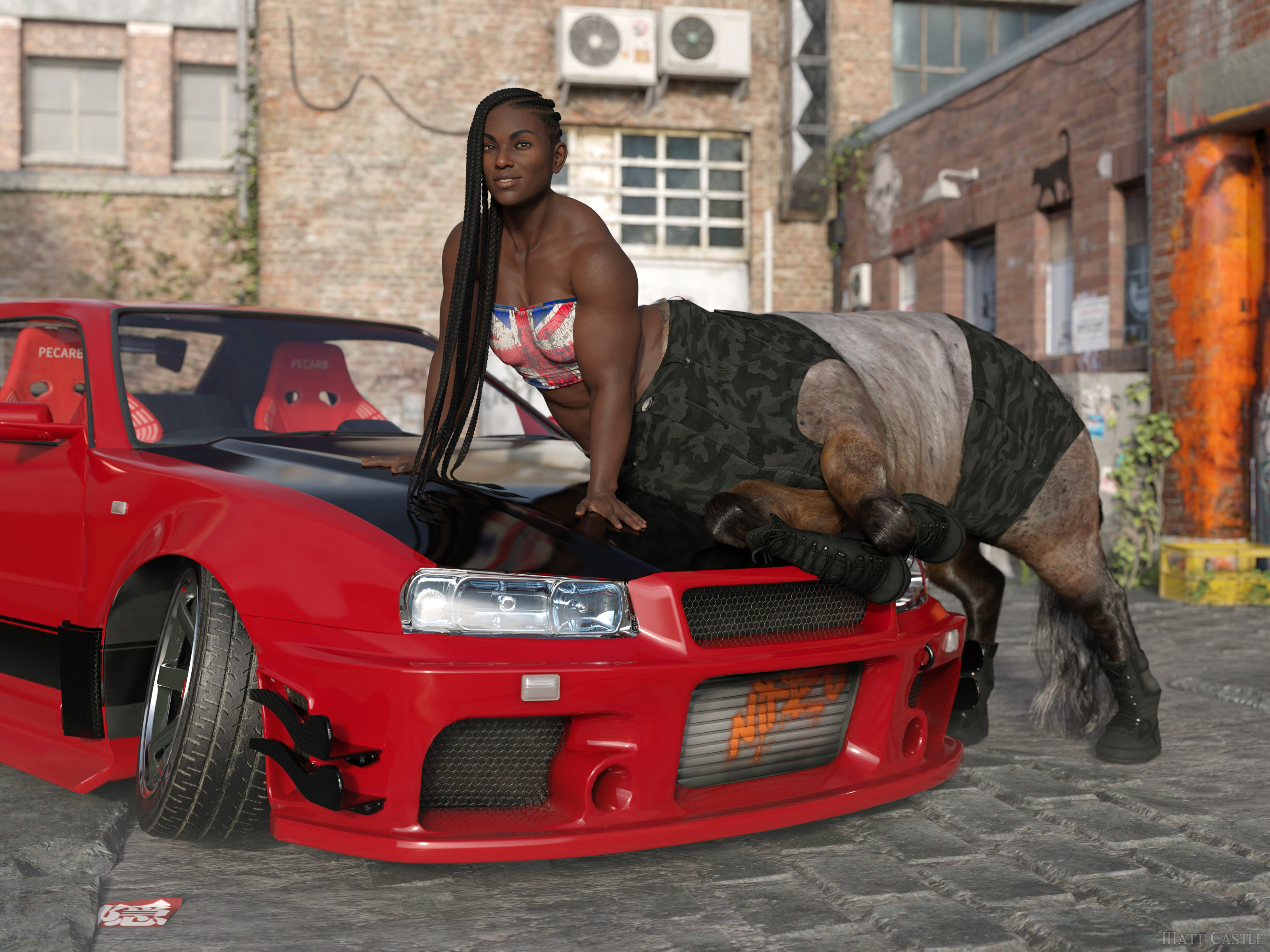
(Well, I say that, but by this point Lyoness absolutely anticipates me doing stupid stuff with her products. She certainly didn't plan that originally though).
The single mesh has some significant drawbacks. Big one that immediately comes to mind is that you have texture compression and stretching issues. It's most apparent in the chest.
True on every generation, if textures are not actually painted onto the morph they're being used on. I've had enough cases where both large and small breasted G8F characters had problems with stretched textures in the chest area.
I'm far from an expert in content creation, but for someone who doesn't care about cross gender clothing it seems like more work. From what I recall, it's recommeded to model to the gender neutral base figure, and then morph to your intended gender. I forget the details, but in any event the times I did it meant modeling/modifying the clothing for two figures (gender neutral and female) instead of one.
Making any clothing item to a good standard already needed manually fitting to major morphs.
Even if you completely disregard any idea of making the clothing work for cross-gender, there's functionally no difference between having to make your clothing fit G9 base, G9 Feminine, Victoria 9, Olympia 9, etc as it was was with G8 base, Victoria 8, Olympia 8, Monique 8, etc. Either way, you already had to make the clothes fit a base shape and then a load of morphs. But on this one, you can be assured that everyone already has G9 Feminine, and a lot of characters sold on the store therefore use it as a shape to sculpt over.
Also, if you're genuinely planning on making the clothing only for one base, then while I hold it's best practice to start on the base shape, the transfer utility *does* have the Reverse Source Shape from Target option, so you can actually model on G9 Feminine, then have Transfer Utility fit to that morphed shape rather than the base shape.
It also means modeling on this totally non-natural genderless figure with fires off my uncanny valley response to 11.
Whether the base figure triggers your uncanny valley response is irrelevant; lots of what we do in the process of developing an asset will look like a distorted version of the final result we're aiming for.
If you don't like the base G9 shape, don't put the base G9 shape in your renders. What shape the figure starts at is not what's important, it's what shape it ends up as - and, indeed, the exact base shape you start from has little limitation on what shape the character can be.
I mean, here's the same character on Genesis 2, Genesis 8 and Genesis 9, despite all of those bases having a different initial shape.
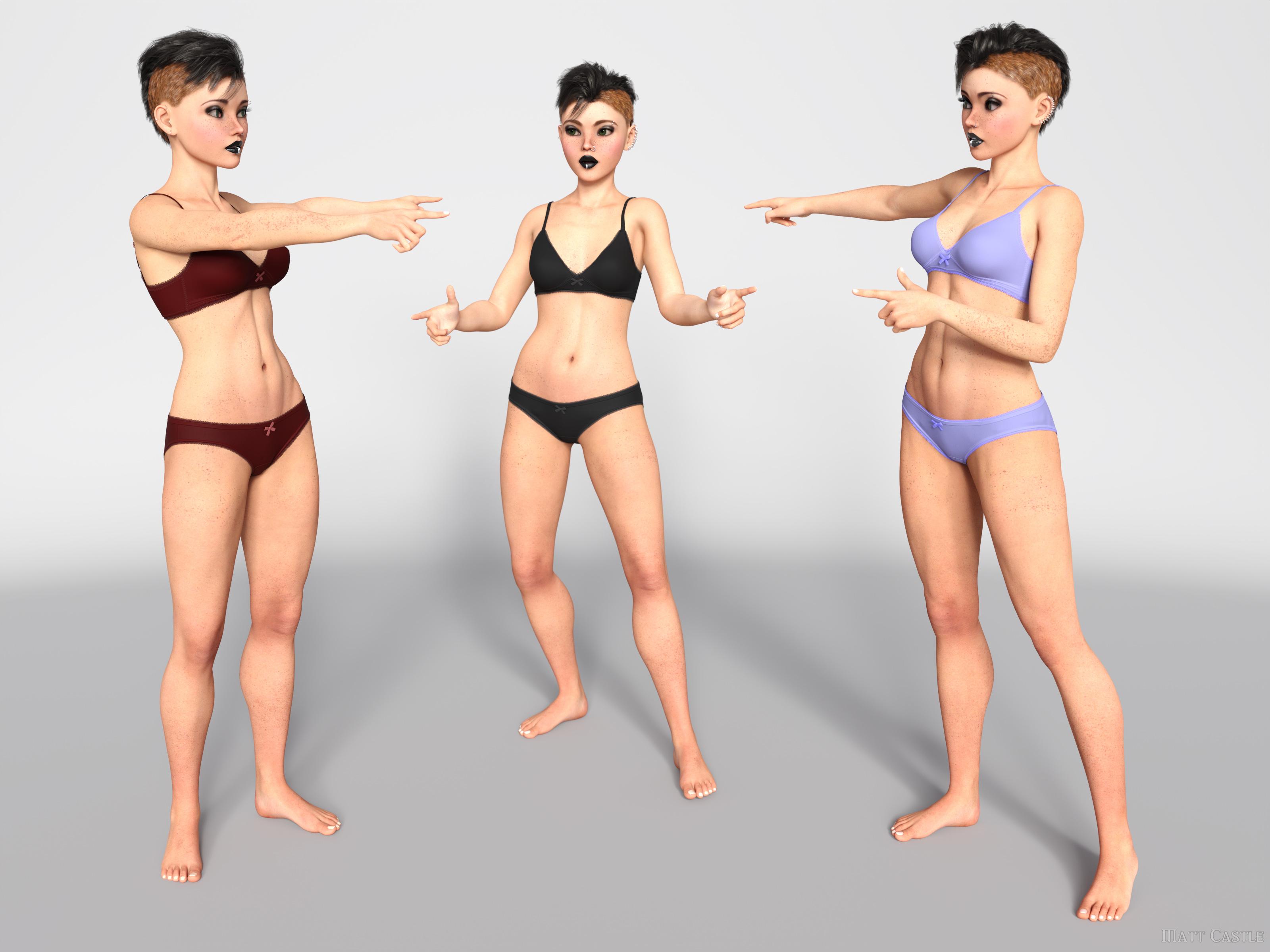
I'd challenge people who think the base figure shape leaves an indelible fingerprint on the characters to put their skills to the test and make a correct call on which base each of these is using.
(And I promise, they are genuinely on Genesis 2, Genesis 8 and Genesis 9; I've not used the same base three times).
Another potential - has there been an improvement with handling a large number of morphs when loading a figure? With G9 now it has to parse through two genders of morphs in your library. I've tried, but I don't really use G9 so I don't have that much.
Yes, significantly so. Daz have brought down loading times massively from where they were, and we know that when we (finally) get DS 5, one of the main things they're trying to resolve is being able to multi-thread processes that DS4 currently can only handle single threaded. As mid-range modern CPUs tend to have about 8 cores, and higher end ones can have 16 or more, that's going to be around an order of magnitude of speed increase.
As for cross-gender clothing, I simply don't have any use for it. Never have in over 10 years of rendering and probably never will.
Already addressed this one, but moving on to your reply...
For the cross-gender clothing support you also need to keep in mind at least today, there really aren't that many unisex outfits in the real world. Even in 2024, our children go to a school that requires uniforms and they are different for the sexes. Even something basic like a polo shirt, they are cut significantly different and fit differently between the sexes. Sure, you can morph it, but you generally morph the crap out of it and wind up compression/stretching issues I mentioned in that post. Same for the US military ACU, while similar the differences are beyond morphs.
Aside from the fact that having *a* matching polo shirt but perhaps not with a perfectly feminine cut is obviously better than having *no* matching polo shirt, if we're talking about singling out points from a post without addressing the entire thing, I address several other points where native cross-compatibility is a boon - anthros don't need the vendor to make two different sets of body fur, aliens don't need two different sets of geografts and HD morphs, male and female members of a family can actually share morphs to get resemblance, etc.
I'll even go so far to say my lack of need for unisex or cross gender is probably the norm - granted, feeds get tailored for what we all click on now but at the art rags I look at there simply isn't much unisex or cross dressing going on out there.
Possibly...
... but I would say that the greatest strength and the entire ethos of the Genesis lines are their flexibilty and compatibility. Victoria, Olympia and Josie aren't all stand-alone figures - we can share the same hairs between them, we can share the same clothes, the same skins, the same poses.
If you say "well, we'll take away a function because not everyone's using it", then suddenly you have no functions. (Hell, on the basis of sales figures, we'd probably have no male bases at all).
But that as an example strongly illustrates a point. Options have exponential potential; even if you don't use rock monsters very often, the fact that you *can* use a rock monster when a scene calls for it massively increases what you can do. Taking away men might be much more obvious in its drawbacks, but the number of scenes I've had to put to one side because I don't have a specific and niche-seeming item to complete them is considerable. (On that note, I have to fanatically promote GCJellyfish's Dirty Dishes sets, because the number of scenes where I've thought "there's no way I can finish this, I won't possibly have a posable banana peel in my library... holy mackerel, I do." Actually, GCJellyfish's sets are like this in general, and I *still* underestimate their feature sets)
Even if few scenes may use cross-gender clothes, I'm willing to guess that many people have done (or had to abandon) scenes that required a seemingly niche function. Taking away functions because they're not useful to you eventually gets to the point where the DS feature set is below the kind of critical mass it needs to be useful.
~~~~~
Sure, things could be done better about G9, but I think the things that G9 has tried to do are good ideas in principle.
New Year, New Sales Thread: Report Issues Here "Reporting Only"https://www.daz3d.com/amal-my-protector should have https://www.daz3d.com/moroccan-dreams-for-victoria-4 & https://www.daz3d.com/moroccan-dreams-for-michael-4 as required products.
RRRR - Weird Holiday Traditions Render Contest *CLOSED*Tag: Totte#05
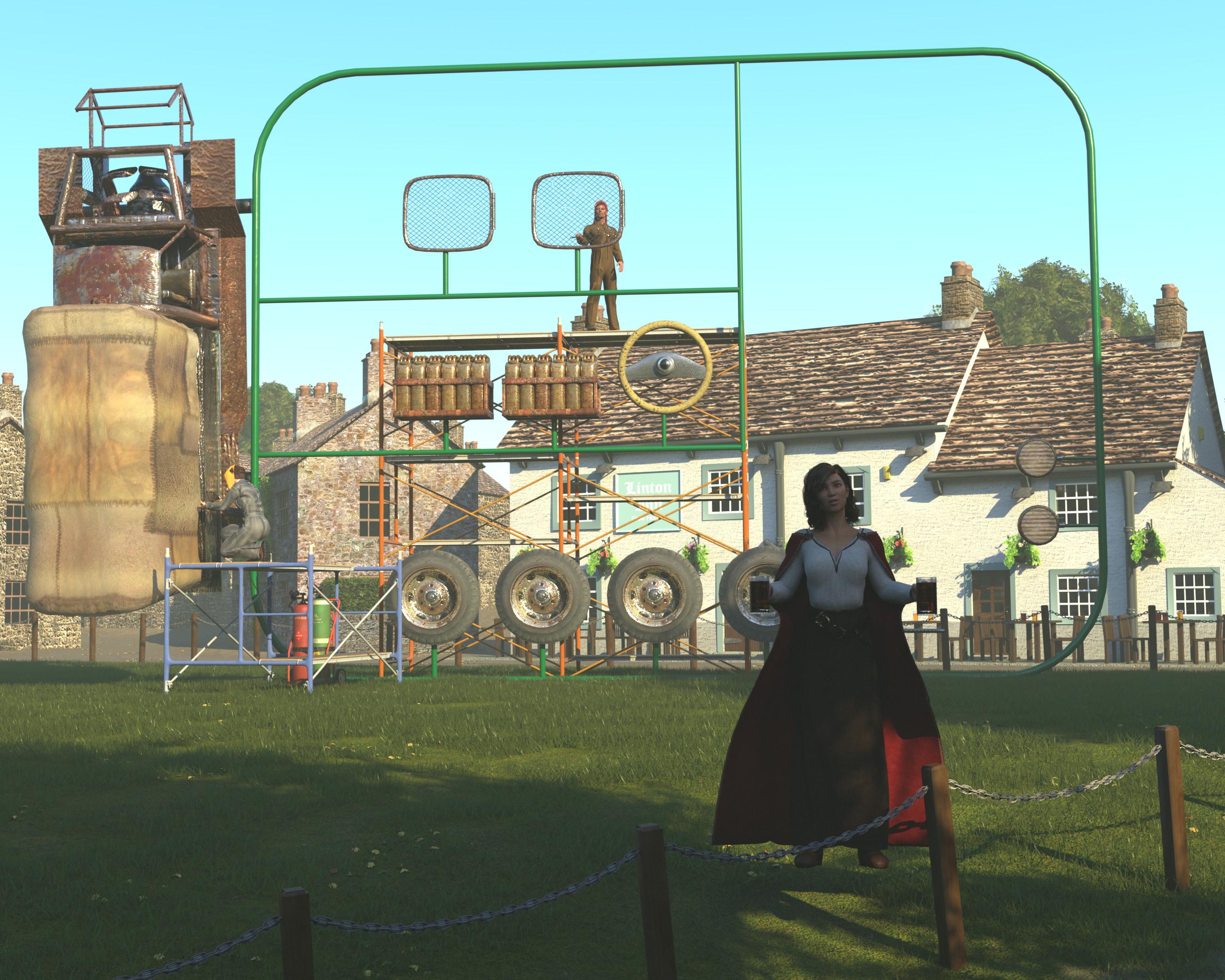
#4488 Roaring Out of the Wasteland! - Trader Vehicle (Rendo)
#3216 dForce Fair Tides Outfit Textures (#69855)
#4156 Legacy Set Converter (#87173)
#573 EcVh0 Daily Cloth Shader for Iray (#22412)Also Used:
Primitives
Morphing Primitives
English Village
LY Keiran HD form Genesis 8.1 Female + Fair Tides Outfit + Elizabeth Hair + ART Cheers
Welding Cart
Victoria 4.2 + Amy Elite Mat + Welder Girl + V4 SciFi Boots + Police Hair V4 + Muzzle flashes
Job Site Scaffold
Nash for Genesis 8 Males + dForce Coveralls and Tools for Genesis 8 Males + dForce Coveralls and Tools Textures + Bubba Hair
Scripts, Shaders and Lights used:
Advanced Material Converter
PBS Shaders Vol 2
Atmosphere Vol1
RSSY 3DL to Iray
UHT2 Ultra SalonGuinness Day (Arthur's Day)
Since year 2009, on September 23, Arthur's Day, also called Guinness Day, is celebrated in Ireland and in many places all over the world. People drink Guinness, but some also tries to compete in numerous existing and non existing contest to try to get into the famous Guinness book of records. This year, the O'Lenaghan family decided to win by creating the world's largest model kit.
 FilaToon / Cell shaded rendering with Filament
Wonderland said:
CES3D said:
Wonderland said:
Just playing...
 BTW, is there a clone for V4 to G9 for auto fit? I only have Genesis and up.
With this script, you can create V4 clone for Genesis 9.
This script uses Victoria 4, Michael 4, and The Kids 4 clones included in Genesis (the first) as templates to create V4, M4, and K4 clones for Genesis 9.
I already have clones for G1 up for G9. That product seems to do the same and I don't want conflicts with what I already have. I also have all the Gen 3 and Gen 4 clones for Genesis 1 but is there a way to make them usable for G9 (or even G8/G3)? Is there a way to duplicate them and put them in a different folder so they show up under G9? This may be the wrong thread for this question though.
While this might be a tangent from the main topic, I'd like to clear up a misunderstanding you might have.
The script I provided is designed to create clones of V4, M4, and K4 characters for Genesis 9.
By running this script once, you'll have clones of V4, M4, and K4 characters within your Genesis 9.
After that, you can directly Auto-Fit V4, M4, and K4 clothing onto your Genesis 9 without needing to use this script again.FilaToon / Cell shaded rendering with Filament3Diva said:
Wonderland said:
Just playing...
BTW, is there a clone for V4 to G9 for auto fit? I only have Genesis and up. That is super cute! Nicely done! As for the clones, if you have a clone for V4 to any of the other Genesis figures, you can leap frog it to G9. A product like one of these:
https://www.daz3d.com/rssy-clothing-converter-from-victoria-4-to-genesis-8-female
https://www.daz3d.com/sy-victoria-4-and-michael-4-clones-for-genesis-8
That can get it to G8, then you can autofit to G9 by having both a G8 and G9 in the scene. Load the clothes onto G8 then autofit them to G9.
Or you can go from G3 to G9:
https://www.daz3d.com/wear-them-all-autofitting-clones-and-clothing-smoothers-for-genesis-3-female-s
https://www.daz3d.com/wear-them-all-autofitting-clones-and-clothing-smoothers-for-genesis-3-male-s
You could even go back as far as V3 M3 A3 to G3: https://www.daz3d.com/wear-them-all-autofit-clones-expansion-for-genesis-3-male-s-and-genesis-3-female-s
Then from there to G9 since G9 comes with clones for G1, G2, G3, and G8.
As long as you can get the clothing item onto any of the past-generation Genesis figures, you can then get it onto G9.
Thanks but I already have all the converters but would like a simple clone for V4 and also all the old Gen 3 stuff that is right in the drop down menu so I don't have to go through all that. I have all the old clones for Gen 4 (V4, Kids 4)) and 3 (V3, A3, H3, etc...) for Genesis 1 but is there a way to get them in the drop down menu for G9? Sorry if this is a repeat of my question above.)
FilaToon / Cell shaded rendering with FilamentCES3D said:
Wonderland said:
Just playing...
BTW, is there a clone for V4 to G9 for auto fit? I only have Genesis and up. With this script, you can create V4 clone for Genesis 9.
This script uses Victoria 4, Michael 4, and The Kids 4 clones included in Genesis (the first) as templates to create V4, M4, and K4 clones for Genesis 9.
I already have clones for G1 up for G9. That product seems to do the same and I don't want conflicts with what I already have. I also have all the Gen 3 and Gen 4 clones for Genesis 1 but is there a way to make them usable for G9 (or even G8/G3)? Is there a way to duplicate them and put them in a different folder so they show up under G9? This may be the wrong thread for this question though.
FilaToon / Cell shaded rendering with FilamentWonderland said:
Just playing...
BTW, is there a clone for V4 to G9 for auto fit? I only have Genesis and up. With this script, you can create V4 clone for Genesis 9.
This script uses Victoria 4, Michael 4, and The Kids 4 clones included in Genesis (the first) as templates to create V4, M4, and K4 clones for Genesis 9.FilaToon / Cell shaded rendering with FilamentWonderland said:
Just playing...
BTW, is there a clone for V4 to G9 for auto fit? I only have Genesis and up. That is super cute! Nicely done! As for the clones, if you have a clone for V4 to any of the other Genesis figures, you can leap frog it to G9. A product like one of these:
https://www.daz3d.com/rssy-clothing-converter-from-victoria-4-to-genesis-8-female
https://www.daz3d.com/sy-victoria-4-and-michael-4-clones-for-genesis-8
That can get it to G8, then you can autofit to G9 by having both a G8 and G9 in the scene. Load the clothes onto G8 then autofit them to G9.
Or you can go from G3 to G9:
https://www.daz3d.com/wear-them-all-autofitting-clones-and-clothing-smoothers-for-genesis-3-female-s
https://www.daz3d.com/wear-them-all-autofitting-clones-and-clothing-smoothers-for-genesis-3-male-s
You could even go back as far as V3 M3 A3 to G3: https://www.daz3d.com/wear-them-all-autofit-clones-expansion-for-genesis-3-male-s-and-genesis-3-female-s
Then from there to G9 since G9 comes with clones for G1, G2, G3, and G8.
As long as you can get the clothing item onto any of the past-generation Genesis figures, you can then get it onto G9.
Epic Battle Render Contest (This Weekend!)Louise & Thelma
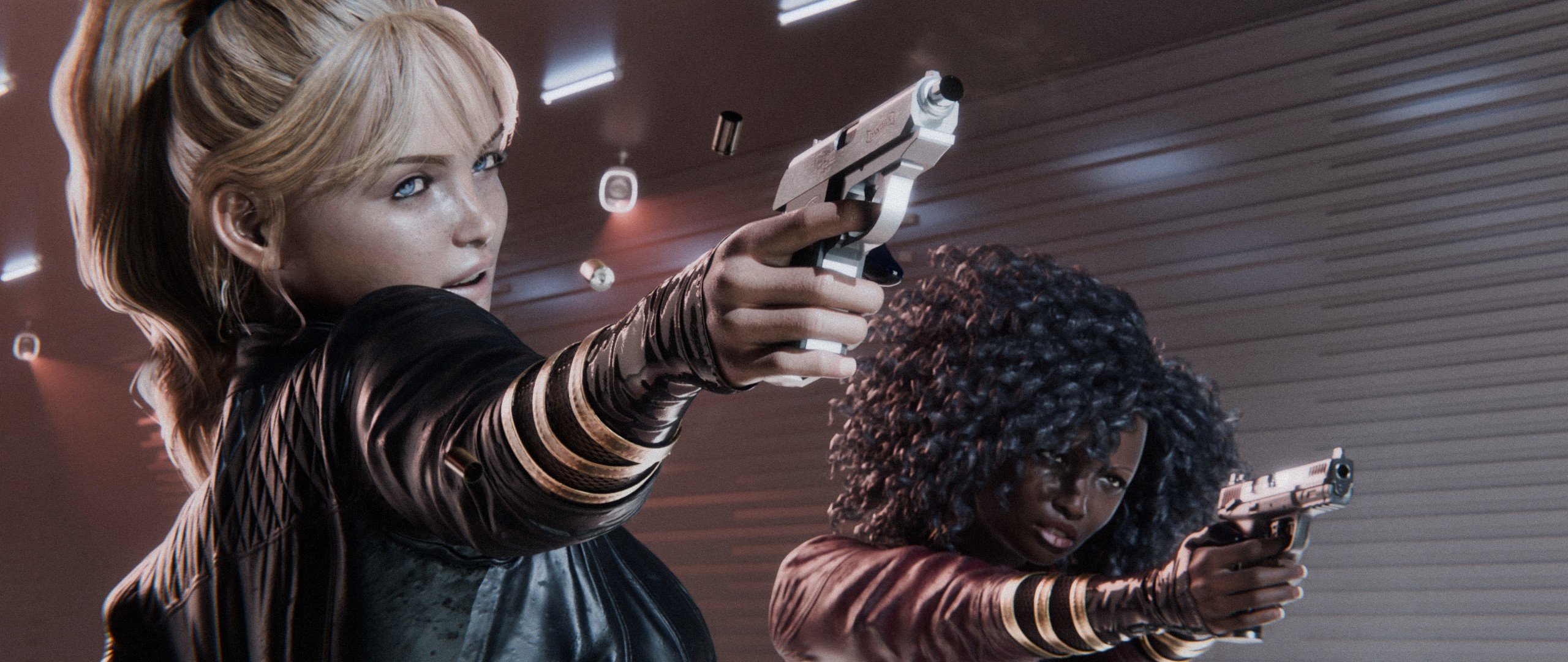
Hey everybody, here's my contest submission, as well as my first post in the forum!
This shot was partially inspired by a scene from the 1991 film of a similar name.
Assets from "Battle" New Releases
- 3DLoki Josephine for Genesis 9 | 3DLoki, Josh Darling
- High Edge Outfit for Genesis 9 | Lilflame
- Vision Add-On for High Edge Outfit | Lilflame
Other Assets
- Victoria 9 HD | Daz Originals
- CHB Dalila for Genesis 8, 8.1, and 9 | Daz Originals, Cherubit
- dForce Souls Keep Outfit for Genesis 9 | Daz Originals, Barbara Brundon, Umblefugly
- HS Elisha High Ponytail For Genesis 9, 8.1, and 8 Females | Hair Studio
- Miranda Hair for Genesis 3 & 8 Female(s) | Daz Originals, AprilYSH
- Spy Pistol and Garter for Genesis 8 Female | Esid, FenixPhoenix
- Z Locked and Loaded Handgun Prop and Poses for Genesis 9 | Zeddicuss
Background, lighting, pre-work, and rendering done with Blender.
Compositing and post-work done with DaVinci Resolve, Blender, and GIMP.Gallery Link: https://www.daz3d.com/gallery/user/6412765885497344#image=1355661
 Epic Battle Render Contest (This Weekend!)
Artemis v. Tempest, Backed Up
Artemis fighting her arch-nemesis the Triad assassin Tempest
Daz 3d with Photoshop Post Studio Work
Tempest:
3D Loki Josephine
Jackie Hair
High Edge Suit
Artemis:
Victoria 8
Lycan Hunter Suit
Barbara Hair
Super Hero Masks for Gen 8
Background:
XI Neo Noir City
Skies of iRadiance Night Skies
Cityscapes BackdropsConverting Transmapped Eyelashes Between Generations ?Eyelashes on V4 is not a wearable but just a separate surface... so you probably want to convert the opacity map.
If so, you can use Cayman Studio's Legacy UVs for Genesis 3/8/9: Victoria 4 series, or convert texture maps in external applications.
RRRR - Weird Holiday Traditions Render Contest *CLOSED*tag:luci45#4
Retro Day
To help the humans celbrate their heritage every year, the bots, after careful research, always give thier friends a lovely time with recreated clothes, food, and environments from the past.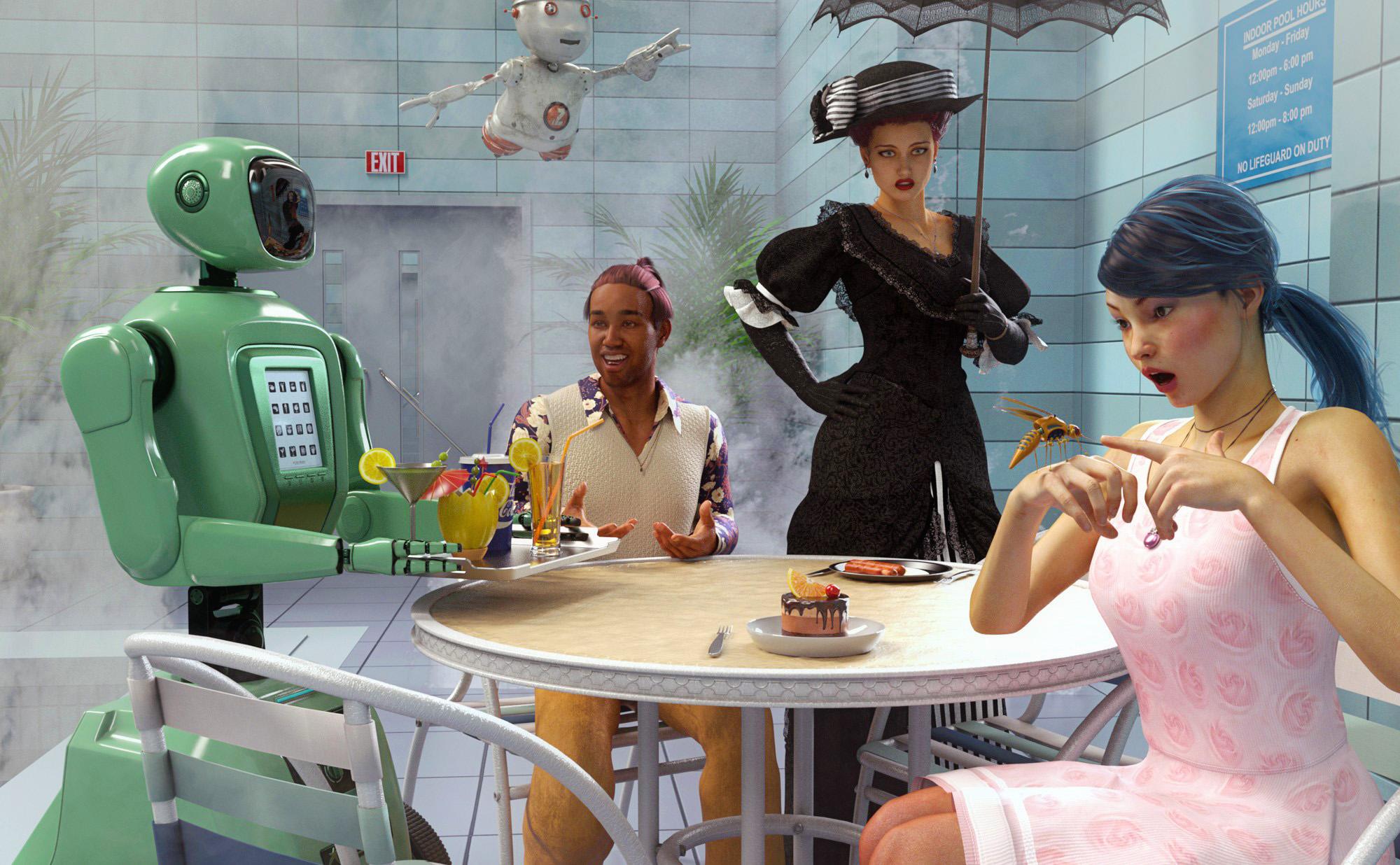
pull #4:
1328 Daydream
4262 PTF Cheer for Everyone! Expressions for Genesis 8
6167 Vintage Rose for Genesis 2 Female(s)
3574 Mosquito
1814 Fh Indoor Pool
4529 Robot Starwaiter
4645 Rons WaterfallsAlso Used:
Zip Speedy
Potted palms
XiaoWen shape + Azumi texture
Victoria 5 Elite Pony Tail
Decadent Lilith 6 + Leticia texture
Vintage Noir
Edwardian Hair
Duncan Hair
Freddie Gold Outfit
Leroy8 +Valentino 8 + Silas textureConverting Transmapped Eyelashes Between Generations ?Is it possible to use transmapped eyelashes created for a Victoria 4 character on a Genesis 3, 8, or 9 figure? The size and shape of the eyes is different on every generation, and where they are placed. Is there some utility to convert eyelashes?
Thanks!
There's Always Another Sale Thread -- Discussions Only Pt 3Wonderland said:
There are always a lot of complaints about pricing here but I remember when I first joined ages ago, there were nowhere near as many sales with such discounts as they have now. One of the first items I got (that was a Christmas gift from my parents lol) was Millenium Girls which, if I remember correctly, was well over $20 and never on sale. I can't seem to find it in the store anymore--maybe it's gone now? Anyhow, I remember my first March Madness when Daz uploaded new items in the morning rather than night (and never on time lol) when everyone on the forums got excited over the release of two or three new Daz Originals priced under $4.00 and everyone was thrilled. Now we can get items from $1.99-3.99 often and if one is really good at shopping here you can usually get new-ish PA items at over 85% off if you mix the right combination with tokens. Yeah, I'm not happy about the changes to Daz+ and not sure what I'm going to do when mine expires in April but for the last several years the prices (if you play the shopping cart game well enough) are much lower than in the supposed "good old days." I've been mad at Daz for various reasons throughout the years but the prices really can be great if you know to juggle things correctly.
I remember when Victoria was released back in 1999 you got the model and a base texture for around $90.00. Then on 1/12/01 the update came out for $59.95 once more just model and updated textures that rquired the first set, no genitals, no poses, and no morphs
Epic Battle Render Contest (This Weekend!)Hello, my work is "Monster in the dorm". I used the following three 'Battle' New Releases:
3DLoki Josephine for Genesis 9 - she is the scared girl on the bed
MightyMite Poses 004 Genesis 9 - Josephine's pose, rotated in X, Y and Z.
Z Mixed Martial Arts Pose Mega Set for Genesis 9 and 8 Female - Victoria's pose
Spoiler: Victoria will protect her roommate successfully. :)
DS Scene Content Load Time HDD vs SSD - It makes no differenceDAZ Studio Content Load Time – I see no difference HDD vs SSD - WHAT?
Step 1: I copied my 2.7TB DAZ content library to my Crucial X9 4TB Portable SDD drive (1050MB/s).
Step 2: Then I made a quick sample scene:
- Accents Fall - https://www.daz3d.com/accents-fall-for-genesis-8-females
- Alyssa Ponytail - https://www.daz3d.com/alyssa-ponytail-hair-for-genesis-8-females
- MI Autumn Outfit - https://www.daz3d.com/dforce-mi-autumn-outfit-for-genesis-8-males
- Commander Hair - https://www.daz3d.com/commander-hair-for-genesis-3-and-8-male-s
- Urban Sprawl 3 (USBlock02) - https://www.daz3d.com/urban-sprawl-3
- DAZ Default HDRI sky
- DAZ default camera – quantity one
Step 3: I started DAZ Studio and loaded the scene with my current content library on a Seagate Barracuda 4TB 5600RPM hard drive.
Step 4. I re-started DAZ Studio with the content library pointing to my Crucial X9 4TB Portable SDD drive (1050MB/s).
Step 5: Conclusion the SSD did not reduce load time. It seems the delay in load time is caused by internal working of DAZ Studio not your drive's performance. This was a small basic scene. Load times are higher with the bigger scene I work with.
Test Scene
Crucial X9 USB SSD - 1 min 14 sec
Seagate Barracuda 5600RPM HDD - 1 min 14 sec
M8 HD only
Crucial X9 USB SSD - 12 sec
Seagate Barracuda 5600RPM HDD - 16 sec
V8 HD only
Crucial X9 USB SSD - 19 sec
Seagate Barracuda 5600RPM HDD - 19 sec
One aside point to mention by default the Crucial X9 drive comes formatted as exFAT so that it is compatible with many operating systems. The DAZ content library is filled with MANY small files so when I tried to copy my 2.7TB files to the drive it ran out of space before completing. I talked to Crucial service about it and the only solution was to format as NTFS. So please consider that if you plan to move a lot of small files to a drive that is formatted as exFAT. I am not certain if this is related to how SSD drives allocated space vs how exFAT manages space.
Is there a way to know at which level an HD morph was sculpted ?Elor said:
If I understand correctly, if a morph was sculpted at level 3, I need to set the Mesh Resolution of the prop/figure/clothing item for which it was made at 3 too. If I set it below 3, I'll lose details from the morph, and I set it higher than 3, I'm likely vasting memory with the added geometry.
That's correct, you will still see an effect of the HD detail at lower subD, but it wont be the full effect.
But how I'm suppose to know at which level a morph was sculpted ?
Some of them will say the level of HD in the morph name. Otherwise if they dont say which SubD level it was sculpted at, then i think there's no way to know. Also, since it is jus in the name, the author could be overstating and say it is at SubD4 when in reality all the detail could be captured at SubD1
But loading Victoria 7 HD preset, the Mesh Resolution is set to 3.
I wouldnt read too much into what resolution is set by an HD preset. SubD3 is a fairly high SubD, perhaps the preset just didnt want to push up the SubD higher to 4 and were leaving that to the user to adjust in parameters.
Victoria 8 HD file are named FBMVictoria8HDLv4.dhdm and FHMVictoria8HDLv4.dhdm but this time Victoria 8 HD loads with a Mesh Resolution set to 4.
Again, wouldnt read too much into that,
Personally I would say just to use your eyeballs and set viewport drawsyle to smooth shaded, look at the screen, and see if increasing SubD higher (in parameters) will change the level of visible detail while an HD morph is dialled in.
Is there a way to know at which level an HD morph was sculpted ?Hello,
HD morphs are still a bit of a mistery to me.
If I understand correctly, if a morph was sculpted at level 3, I need to set the Mesh Resolution of the prop/figure/clothing item for which it was made at 3 too. If I set it below 3, I'll lose details from the morph, and I set it higher than 3, I'm likely vasting memory with the added geometry.
But how I'm suppose to know at which level a morph was sculpted ?
With some products, it's in the name of the slider (like CJ Eden who has a HD3 level morph, so with Mesh Resolution set at 3, I'm good I suppose) but with others, I don't have the first clue.
I thought the name of the files could be a good indication, but looking at some HD Addon I bought for Daz characters, I'm not so sure.
Victoria 7 HD file are named FBMVictoria7HDLv4.dhdm and FHMVictoria7HDLv4.dhdm and I suppose Lv4 is for Level 4. But loading Victoria 7 HD preset, the Mesh Resolution is set to 3.
Victoria 8 HD file are named FBMVictoria8HDLv4.dhdm and FHMVictoria8HDLv4.dhdm but this time Victoria 8 HD loads with a Mesh Resolution set to 4.
Both non HD Victoria 7 and 8 will load with a Mesh Resolution of 2 so at least, there is a difference between the non HD and HD version, which is not always the case.
As an example, Arianna 8.1 and Arianna 8.1 HD both have a Mesh Resolution set to 4, which may not be enough to take advantage of either of them:
- Arianna 8.1 have files called MCMArianna8_1Navel_HDLv5.dhdm, MCMArianna8_1Nipples_HDLv5.dhdm and PHMArianna8_1_Iris_HDLv5.dhdm (so level 5 morphs for her navel, nipples and irises ?)
- Arianna 8.1 HD have FBM and FHM morphs called FBMArianna8_1HDLv5.dhdm and FHMArianna8_1HDLv5.dhdm
I also have at least one clothing item which will have different Mesh Resolution levels, depending on which way I loaded it (the Untamed Warrior Shoulders): if I'm using the whole outfit preset, the Shoulders' Mesh Resolution is set to 1. If I'm loading only the Shoulders, their Mesh Resolution is set to 4.
Two other items of the same outfit also have HD version, but all are loaded with Mesh Resolution set to 1, but to make the situation even messier, the legs will only have their HD Morph (called Legs HD) dialed at 100% if loaded independantly: the version from the outfit is loaded with this Legs HD morph set to 0. And this time, none of the file has a Lv[number] in their name.
So…
Is there a way to know at which level an HD morph was sculpted, preferably one that doesn't required rendering each item at a different Mesh Resolution, then scrutining every details to decide if Mesh Resolution N+1 is more detailled than Mesh Resolution N ?
Is there a script to scale luminance?I'm know nothing of DS scripting, so please tell me if this is a nonsense idea.
I want to export HDR output to other applications, but default settings from Iray don't produce usable data. Image attached. I can assemble a scene built from Stonemason's Sci-Fi Kit, pop in Gothy Punk Victoria 8 HD, and render an Iray image that looks pretty adequate as a tone-mapped TIFF with an exposure value of 13. When I bring in the corresponding EXR into Adobe AE, it's not so good. Everything's way overexposed, and light sources simply overflow into useless NAN's. Post processing the image to bring levels down still fails to recover meaningful values from the light source pixels. However, if I seek out everything in the scene that emits light and reduce their luminances (in this case by 10,000), then the EXR pixels fall into a recognizable range, and lowering the exposure value in the tone mapping tab to 0 will give the TIFF image a reasonable appearance, too.
 [Edited to re-insert the unexplained disappearing attachment.]
This isn't difficult in a simple scene with a handful of emitters, but a heavy scene with thousands of surfaces to manage becomes unwieldy. Here's my imaginary script idea. Please tell me if anything like it exists. It would go like this.
- I would select the objects in my scene I want processed, most likely all of them.
- I would launch the script.
- The script would have a field where I must enter a floating-point number.
- There would be a checkbox where I could opt to also process the environment intensity.
- I would click the "Go" button.
- The script would search all selected objects to find surfaces with an emission value.
- It would change the luminance of those surfaces, multiplying them by the number I entered.
- It would do the same for all selected light objects,
- and it would change the environment intensity in the same way, if the checkbox was selected.
Such a script would be a colossal time saver for me. Does anybody know of one? If there aren't any, is there a scripting guru who can give guidance, or who can put together a basic one? I bet others besides me could find uses for it. Any help is appreciated. Thanks for reading.
Hallelujah!
DiscipleOctober, 2024 - Daz 3D New User Challenge - Atmosphere, Ghosts and Special Effectsiaunpom said:
Brian&Alicia said:
iaunpom said:
It's a layered composition effect of post render editing. It could be done with a set of shots, I thought about doing it but I haven't dared yet, On the other hand there are many parameters in the camera that I am not clear at all regarding the types of lens and effects, but sometimes I have touched them randomly to see if I understood something but something appreciable did not happen. Perhaps with the correct combined values, the effect will be generated directly in the camera.
ahh ok. i don't do much if any post work. not very good at it. i was hoping you did it through daz, and could tell me more specifically how you managed it. i try to avoid post work as much as possible. till i started taking part in the forums a few months ago, i legit thought post work meant, i thought my work was good enough to POST in the gallery or something. my view WAS post work=posted work lol. anyhow, thanks for the response and info.
One of my premises is to try to get to the result of the image from a single render. It is a path as it seems to me, when you want to get to that result you try to squeeze all the resources available by the software and those that you can manage with the options of the software and the resources you have, as in my search for the DOF depth map. But sometimes you have to think I suppose, as in this example, if you are using paint to paint a picture, will you not use varnish after painting, because it is not paint?, or as in the past, will you not use paint of another type, because you think that oil makes better colors or gives more prestige, or will you look for the most expensive pigment that gives you that differential touch?
Well, I have rambled for a while and yes, I share the opinion that one of the most relevant things is to be able to make the image, work, illustration, etc., as you want with the tools with which you are most comfortable and give you that possibility. Currently I don't have knowledge of how to achieve that same effect or resemblance with DAZ's camera parameters, do you know if it's possible?
Greetings and good luck
i was told it is, when someone made the suggestion of it being added to one of my renders. he gave me a small explination on how. but i was never able to get it working. he said the options are in the blades options on the camera. i imagine it's not hard to do. it's just a matter of figuring out what brushes will do it. sadly my hands are too shaky to free hand it even though, i know how. being i can't find daz3d version 1.74 to download and use no more. i decided to finally learn the "new" daz once and for all... "new" meaning, anything newer then the 20 year old 1.74 version. when daz made so many changes to how it worked. that nothing worked the same no more. for years all i would play with was like victoria 3 & 4 era daz. but then daz stopped supporting it, and i started downloading it through torrents. then it fadded away from even there. so maybe 3-4 years ago now. i decided to give into daz's new way of doing the lighting, and other things. the layout, the library. all of it. so i'm still very much in the learning stages, and alway looking to maybe pick up new tricks. sadly i have issues learning from tutorials and stuff. i tend to learn better from talking to people.
and don't feel bad. i'm an over explainer too. i mean i'm really bad... let me explain lol XDDaz 3D is part of

Connect
DAZ Productions, Inc.
7533 S Center View Ct #4664
West Jordan, UT 84084Licensing Agreement | Terms of Service | Privacy Policy | EULA
© 2026 Daz Productions Inc. All Rights Reserved.