-
Will Spine and Ribs Detail HD work with XTransfer?
There isn't a special tool that allows PAs to CREATE HD morphs; that can be done in any modeling software. What PAs do have is the ability to import them into DS as morphs. The Morph Loader that you and I have access to will only import morphs at base resolution.
Will Spine and Ribs Detail HD work with XTransfer?kyoto kid said:
....this is the statement from the product page:
Note - This product does not transfer HD Morph Detail higher than Base Resolution.
So it sounds like you just can't use higher HD settings (though there is also Render HD)
Isn't Disco Bob his current script partner?
Crikey if I had any appreciable skill at modelling I'd consider doing it myself but I don't and modelling "organic" forms is more difficult than "hard" ones.
Also don't have ZBrush so no way to do sculpted morphs.
Even if you made the morphs yourself, you as an end user rather than a PA would have no ability to import the morphs into DS. If you were feeling particularly adventurous, you could export your scene to Blender, make the morphs there, and then render your scene in Blender.
Is DAZ having general metadata issues with AprilYSH hair?There are many other products which end up in Lost and Found. I make it a habit to cruise Lost and Found, and just go in the Category edit screen, find the product/articles, and uncheck them, and then make a category and check into the category I want. Gives a lot of flexibility and so much easier than wrangling a ticket or the metadata directly. I try to do this after each download, so I don't forget the original product. I find the Lost and Found most often goes by the Title given to a product, which is awkward to find, if you can't remember was it "Boho" or "Dark Ishkabibble" or "Glamourous Night" or "Night of the Iguana" or "Leslies Lovley Gala". I tie all such products togeter in a Category of my own making that I can remember, using the root product. Doensnt hurt the product, the metadata, or title, just forms an easy search term in Smart Content. If I had asked for tickets on all the products I have found in Lost and Found, I could have clogged up the ticket system.
Is DAZ having general metadata issues with AprilYSH hair?AprilYSH said:
Richard Haseltine said:
The file in the support folder should be present and the same for all packages as I understand it,
That's missing entirely from the 2nd zip. It's not the only product I see it missing, I just checked a few multi part products in my DIM downloads folder... BUT it isn't a problem for these other products because their subsequent zips mostly contained texture images, no user facing dufs. I don't know if QA are told/required to copy the support dsx across all zips.
and if it were missing from one (so that it wasn't actioned) reimporting the metadata from the other package should fix the issue
Yes, I believe North did that but other users might not know this workaround, so still need to fix at the source. :)
I did an informal check of multi-part products in my collection, and found most had only one metadata file, in the first part, by a margin of about 4 or 5 to one. If it is a standard, it is not being applied very well. Personally, I am against repeating information, in case, for some reason, they diverge.
There are some cases, though, like with older Poser and StudioCF files where user-facing content must be included in each part of the product. Sometimes there is one metadata file in the Companion file, sometimes it is in both, and sometimes, when in both, they are different. But, those were early days, so maybe the process wasn't clear.
Is DAZ having general metadata issues with AprilYSH hair?PerttiA said:
NorthOf45 said:
Connect? Never had it, never will
You have always had it and will have it until DAZ decides to remove it (unlikely to happen).
DAZ Connect is the one inside DS and integrated into DS and if one is logging into DS, that is all DAZ Connect needs to start messing with the metadata.
Oh, I know all about that. The first thought I had was the old 7-UP commercial. Crisp and clean, no caffeine, nevah haddit, nevah will...
Is DAZ having general metadata issues with AprilYSH hair?Richard Haseltine said:
The file in the support folder should be present and the same for all packages as I understand it,
That's missing entirely from the 2nd zip. It's not the only product I see it missing, I just checked a few multi part products in my DIM downloads folder... BUT it isn't a problem for these other products because their subsequent zips mostly contained texture images, no user facing dufs. I don't know if QA are told/required to copy the support dsx across all zips.
and if it were missing from one (so that it wasn't actioned) reimporting the metadata from the other package should fix the issue
Yes, I believe North did that but other users might not know this workaround, so still need to fix at the source. :)
Is DAZ having general metadata issues with AprilYSH hair?But the metadata isn't in the manifest, it is in the /Content/Runtime/Support/ folder in the zip - the manifest in the zip just lists the included files and what to do with them. The file in the support folder should be present and the same for all packages as I understand it, and if it were missing from one (so that it wasn't actioned) reimporting the metadata from the other package should fix the issue - unless the paths were wrong in the package (or the metadata) in which case, as I said above, orphaned files don't get entered at all.
I am not quibbling over what is being seen or needs to be chnaged - just trying to avoid any misunderstanding of what it represents and why it is an issue.
Auto Fitting Error for Genesis 8.1Sounds like the database is missing metadata, should fix itself if you refresh metadata for the database.
Is DAZ having general metadata issues with AprilYSH hair?NorthOf45 said:
Connect? Never had it, never will
You have always had it and will have it until DAZ decides to remove it (unlikely to happen).
DAZ Connect is the one inside DS and integrated into DS and if one is logging into DS, that is all DAZ Connect needs to start messing with the metadata.
Is DAZ having general metadata issues with AprilYSH hair?Richard Haseltine said:
The .djl files are meant to get their metadata, and everything else, from, the file to which they are pointing.
Yes, the djl files are not meant to get metadata directly - djl are irrelevant in the Smart Content tab anyway, they are "shortcuts" (asset links) for use in the Content Library tab. Actually assigning compatibility metadata to djl files caused a lot of problems with my past products resulting in most files getting dumped to lost and found (as discussed originally in this thread.) Since those were removed the metadata has behaved properly. ---> If anyone hasn't checked for updates to my past products, please do so :)
All packages should ahve the same metadata, when it is process only the entries matching files instaled from the current zip will be added to the database as part of the instyallation or reimporting of metadata - otherwise there would be no guard against bad data entering the database.
So if zip 2 had the identical metadata dsx in it as the complete one present in zip 1 this wouldn't have happened. That's a good point but not reliable during packaging as seen here (and evidenced by the auto-generation of the missing dsx file!) So I think making sure all user facing duf files are in the primary zip is a good way to hedge my bets ;)
Is DAZ having general metadata issues with AprilYSH hair?The .djl files are meant to get their metadata, and everything else, from, the file to which they are pointing.
All packages should ahve the same metadata, when it is process only the entries matching files instaled from the current zip will be added to the database as part of the instyallation or reimporting of metadata - otherwise there would be no guard against bad data entering the database.
Blender Addon: Daz For Blender Bridge: Everything from DTB 2022 + 14 more featuresFor me if i import a charater into blender 2.97 for example i get the rigify rig and expressions and shapekeys. If i then save the file and open it in blender 3.1 the control rig and shapekeys are intact but it will no longer show the expressions pannel.
If i import a character straight into blender 3.1 i get shapekeys and expressions but not the rigify rig functions.
if i import the character into 3.1 to get all the shapekeys and expressions and then try to pair it with the rigify rig from 2.97 the facial expressions disappears again.
I assume due to some update on blenders end to rigify but i cant figure out how to get around it.
Is DAZ having general metadata issues with AprilYSH hair?NorthOf45 said:
Okay, that worked out. I just moved the "Ursula Hair Genesis 3 Female.duf" and its two thumbnail files, and the folder icon file, into their own "People\Genesis 3 Female\Hair\Ursula Hair" folder in the first archive, and updated the manifest to make sure they got installed (and removed them from the second archive and its manifest). The rest of the files I left in place in part 2. No second metadata file was generated by part 2 when installed, so no impact on the metadata from part 1. G3 Ursula Hair's metadata was complete (Content Type, CompatibilityBase, etc.). Loaded a Genesis 3 Female and Smart Content showed Ursula Hair as compatible. Ursula Hair showed its materials and shaping presets as compatible, so I would say: all clear.
Well that was interesting. I didn't know DIM generated that part 2 support metadata dsx - seemingly because there was a user facing file (not counting djl files) in the second zip, even though the first zip had the complete metadata. Plus I thought that auto-generated dsx happened because I logged into Connect (the usual suspect.)
I have done as you did and moved the g3f duf to zip 1 and will request Daz to update it this way. I will note it for future products also, to have all user facing files in one zip, ie the first zip, which tends to contain the complete DazQA-made metadata. It seemed to be an issue with that autogenerated dsx but so long as there's a preventive measure I can deal with this. :)
Thanks very much @NorthOf45 for your troubleshooting and isolating the cause of this issue!

 Is DAZ having general metadata issues with AprilYSH hair?
Okay, that worked out. I just moved the "Ursula Hair Genesis 3 Female.duf" and its two thumbnail files, and the folder icon file, into their own "People\Genesis 3 Female\Hair\Ursula Hair" folder in the first archive, and updated the manifest to make sure they got installed (and removed them from the second archive and its manifest). The rest of the files I left in place in part 2. No second metadata file was generated by part 2 when installed, so no impact on the metadata from part 1. G3 Ursula Hair's metadata was complete (Content Type, CompatibilityBase, etc.). Loaded a Genesis 3 Female and Smart Content showed Ursula Hair as compatible. Ursula Hair showed its materials and shaping presets as compatible, so I would say: all clear.
Is DAZ having general metadata issues with AprilYSH hair?AprilYSH said:
NorthOf45 said:
So, what has happened is that the second metadata file overrides any assets it has in common with the first metadata file. In this case, the Genesis 3 version of the hair gets cuts off, even if it has been properly defined in the first metadata file. A quick workaround is to re-import the metadata from the first part to replace that intruding from the second, or install the second part, then the first part. To avoid the problem initially, the user-facing files in the second part should be moved to the first part, then no second metadata file will be generated.
Thanks @NorthOf45 :)
Strange one, I can't replicate the issue. I'd like to get Daz to repair Ursula metadata but I'm not sure what the best solution is.
To illustrate: In the DIM zips there is only one support metadata dsx file, none for part 2. After DIM install, the hairs and their presets show up in DS Smart Content tab for both G8 and G3 versions of the hair. Then I make DS login and update metadata from Connect database (*shudder*) and that is where the dsx for part 2 comes from (weird!) This update didn't over-ride or disappear the hairs or preset compatibilities for me*. I restarted DS to be sure (as usual I don't let it login) and reloading G3 version the material and shaping presets still show up in Smart Content tab when filtered by context and having the hair selected. I checked G8F also and that hair version still has its presets also showing in Smart Content tab. DS 4.20.0.17
Agreed, there is no metadata file included in part 2, it is generated automatically by either DIM or Studio because there are user-facing files without any metadata support (old Poser products do this all the time to at least place the assets in a Product, but little else). The problem depends on which order the metadata files are processed. (I only use DIM, so I can control which one gets installed first. Connect? Never had it, never will). In my initial installation, the Genesis 3 version of the hair had no Content Type, no ObjectCompatibility, no CompatibilityBase, etc., but was part of the Product. All the material presets are djl links anyway, so they show the metadata from the original file from part 1. I didn't really go further than that, I don't really use Smart Content, but the omission bugged me. So, I scratched a little deeper and found what I believed was the source of the problem (the second generated metadata file), which was re-defining Genesis 3 hair with no metadata. I can reproduce it easily by installing part 2 after part 1. Re-installing part 1, or just re-importing the metadata from part 1, restores it properly (for some reason, you have to re-import twice before it changes in the content library).
* it didn't disappear for me so this is why I'm not sure what the best solution is - if I ask them to remove the g3 asset line from the metadata dsx part 2 might that break smart content a different way? I'd guess not since it's already in part 1... But why isn't it disappearing for me but it did for you? I wonder if anyone else has experienced the same as you. Is your connection updating from part 2 last and somehow luckily mine loads part 1 metadata last? I can believe that since connect seems to glitch differently for different people lol sigh.
There is nothing inherently wrong with the metadata file in part 1, it is, well, perfect. It's the content in part 2 that muddies the water. I will try moving the Genesis 3 hair .duf file to part 1 and see if everything works out regardless of the order (i.e., no second metadata file).
Is DAZ having general metadata issues with AprilYSH hair?NorthOf45 said:
So, what has happened is that the second metadata file overrides any assets it has in common with the first metadata file. In this case, the Genesis 3 version of the hair gets cuts off, even if it has been properly defined in the first metadata file. A quick workaround is to re-import the metadata from the first part to replace that intruding from the second, or install the second part, then the first part. To avoid the problem initially, the user-facing files in the second part should be moved to the first part, then no second metadata file will be generated.
Thanks @NorthOf45 :)
Strange one, I can't replicate the issue. I'd like to get Daz to repair Ursula metadata but I'm not sure what the best solution is.
To illustrate: In the DIM zips there is only one support metadata dsx file, none for part 2. After DIM install, the hairs and their presets show up in DS Smart Content tab for both G8 and G3 versions of the hair. Then I make DS login and update metadata from Connect database (*shudder*) and that is where the dsx for part 2 comes from (weird!) This update didn't over-ride or disappear the hairs or preset compatibilities for me*. I restarted DS to be sure (as usual I don't let it login) and reloading G3 version the material and shaping presets still show up in Smart Content tab when filtered by context and having the hair selected. I checked G8F also and that hair version still has its presets also showing in Smart Content tab. DS 4.20.0.17
* it didn't disappear for me so this is why I'm not sure what the best solution is - if I ask them to remove the g3 asset line from the metadata dsx part 2 might that break smart content a different way? I'd guess not since it's already in part 1... But why isn't it disappearing for me but it did for you? I wonder if anyone else has experienced the same as you. Is your connection updating from part 2 last and somehow luckily mine loads part 1 metadata last? I can believe that since connect seems to glitch differently for different people lol sigh.
Easy to follow Blender Tutorial CollectionMultiple videos specifically for those interested in animation of G8 Characters ,in Blender after diffeo import.
Both body ,face and retargeting of Mixamo motions.
https://youtube.com/playlist?list=PLmuY8FcWOfa5iH_e1ff9-sPIw3a9P6b-V
Most recent
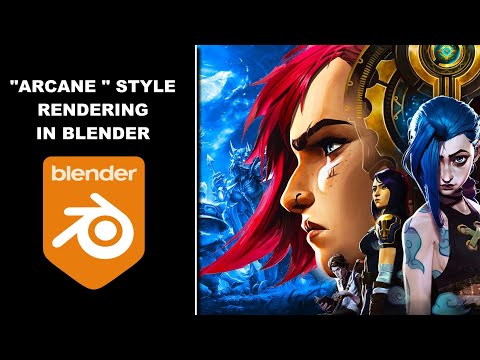
"Arcane" style rendering in Blender , without complex shader node setups
 Is DAZ having general metadata issues with AprilYSH hair?
Sorry to necro this thread, but there is still a little problem with the Ursula Hair (just got it myself). Being so large a product, it has been split into two parts. Nothing wrong with that, happens all the time. Thing is, when this is done, all user-facing files are usually placed in the first part, and the overflow goes in the other part(s), usually the gagillion geometry or texture files needed, but not this time. The first part has GEnesis 8, the second has Genesis 3.
The one-and-only-one metadata file should only be inserted into the first part, and cover all the user-facing files. This is also okay, and will catch everything in the product that should be there. The problem is that if a second file has user-facing files, and no metadata file (which should never be repeated unless you are asking for trouble), DIM, or Studio, I don't know who does it, will create a default metadata file to handle what it thinks are orphaned assets, with little more than a Product name and Asset declarations. No Content Type, no default categories (hence Lost and Found), no Compatibilities, no CompatibilityBase, no ObjectCompatibilities and so on.
So, what has happened is that the second metadata file overrides any assets it has in common with the first metadata file. In this case, the Genesis 3 version of the hair gets cuts off, even if it has been properly defined in the first metadata file. A quick workaround is to re-import the metadata from the first part to replace that intruding from the second, or install the second part, then the first part. To avoid the problem initially, the user-facing files in the second part should be moved to the first part, then no second metadata file will be generated.
iClone 8 and CC4 anyone?I guess there isn't a Studio to iClone bridge because CC3 and now CC4 handles Daz character input pretty well, with the Transformer option. Of course, with CC3, you had to spend further money to get the 'pipeline' version to get Transformer, although now with CC4, Transformer is included - as it probably should be, given the price!
With Transformer, it is pretty straightforward and you have the choice of having the character get a CC skin or keep their skin from Daz. I tried a Daz figure with his scruffy unshaved look (for want of a better description) already applied, out of Studio and into CC4 and I was actaully pretty impressed how good it looked, even in closeup.
But yes, using the included T-pose seems to be the key to import success. Also understanding the tools to use in CC for fixing any problems with skin and clothes etc. They can be a bit daunting, but I find Mike Kelley's helpful videos on YouTube are really good for getting to the nitty-gritty of doing stuff in CC and iClone - he tends to say "Don't pay any attention to what Reallusion says, do it this way..." and bingo it just works!
Managing a Large Library and Using it With Multiple Machines...Having DS and your content library on the same drive will not necessarily solve the delay you are seeing (moving DS to the mechanical drive with your content library will not help).
Moving your content library to an SSD, either your system SSD or a separate one will help. So would configuring Windows not to put your mechanical drives to sleep, or getting a mechanical drive that spins up faster.
When I first moved my content from a mechanical drive to an SSD, it helped with loading time. Later, I outgrew the SSD and moved my content back to mechanical drives, but the drives were newer and I did not notice a slow down in loading content.
Your (reasonable) options for sharing content between two systems without using a cloud service are
- an external drive as noted by Leana
- sharing a drive (or directory) from one of your systems on your network
- adding a network attached storage system to your network
The downside to the first is having to move the drive between systems (and only one system can access at a time)
The downsides to the second are
- The system sharing the drive must be on for the other system to access it
- Slower access (loading and saving) speed if your network (not Internet) connection between the two systems is not fast
- You need to ensure PostgreSQL is running on the sharing system if you want to access metadata (smart content) on the second system + extra setup steps
The downsides to the third are
- Slower access (loading and saving) speed if your network (not Internet) connection between the NAS and systems is not fast
- The NAS cannot run PostgreSQL (easily) and so one of the computers must run it for it to be available to both + extra setup steps
If you will not be using both systems simultaneously, I recommend an external SSD over the networking options (although only for simplicity), and configuring DS (and DIM/Central if you ever decide to use them) to store both your content library and the CMS Cluster Directory on the external drive.
Daz 3D is part of

Connect
DAZ Productions, Inc.
7533 S Center View Ct #4664
West Jordan, UT 84084Licensing Agreement | Terms of Service | Privacy Policy | EULA
© 2026 Daz Productions Inc. All Rights Reserved.