-
New HeadShop 11 installer available for non-c: drive Studio
Several users have DAZ Studio installed not in C;/Program Files but on other drives. The original installer caused some problem with this.
We have now a new installer and README that allows for non-C: drive installatio.
The key is to locate DAZ 3D folder on a drive and select this when selecting destination on the installer.
To download the new installer go to https://www.dropbox.com/s/4heo62r8ly6zzgh/HSFull3.zip?dl=0
Use your exsiting serial key.
hi headshop 11 is not showing up unde edit in daz studio 4.11Are you giving thebisntaller the correct path for your DS application? Are you using a non-default location for DS? There are several threads on this plug-in, for example https://www.daz3d.com/forums/discussion/292591/headshop-11-questions#latest , which cover the most common issues.
hi headshop 11 is not showing up unde edit in daz studio 4.11i dont know where to install it too it wont show up no matter where i install it too can someone please please help ,me thanks
Headshop 11 QuestionsWhen does the question "Is Headshop One-Click a variation of Headshop 10, does it qualify for upgrade?" get answered and why is this not addressed in the promo? Typical Headshop issue...
It has been answered, multiple times, and Headshop OneClick is not considered a varient of Headshop 10 and so does not qualify for an upgrade. If you didn't get an upgrade offer, then you don't qualify.
Headshop 11 QuestionsWhen does the question "Is Headshop One-Click a variation of Headshop 10, does it qualify for upgrade?" get answered and why is this not addressed in the promo? Typical Headshop issue...
Headshop 11 QuestionsAnother example of HeadShop 11 created character on G8M.
It creates some kind of the mask on the G8M face.
Just wonder, how can one improve reference image or change some settings in FaceShop 11,
to get better match of the skin, between reference and the skin included with HeadShop.
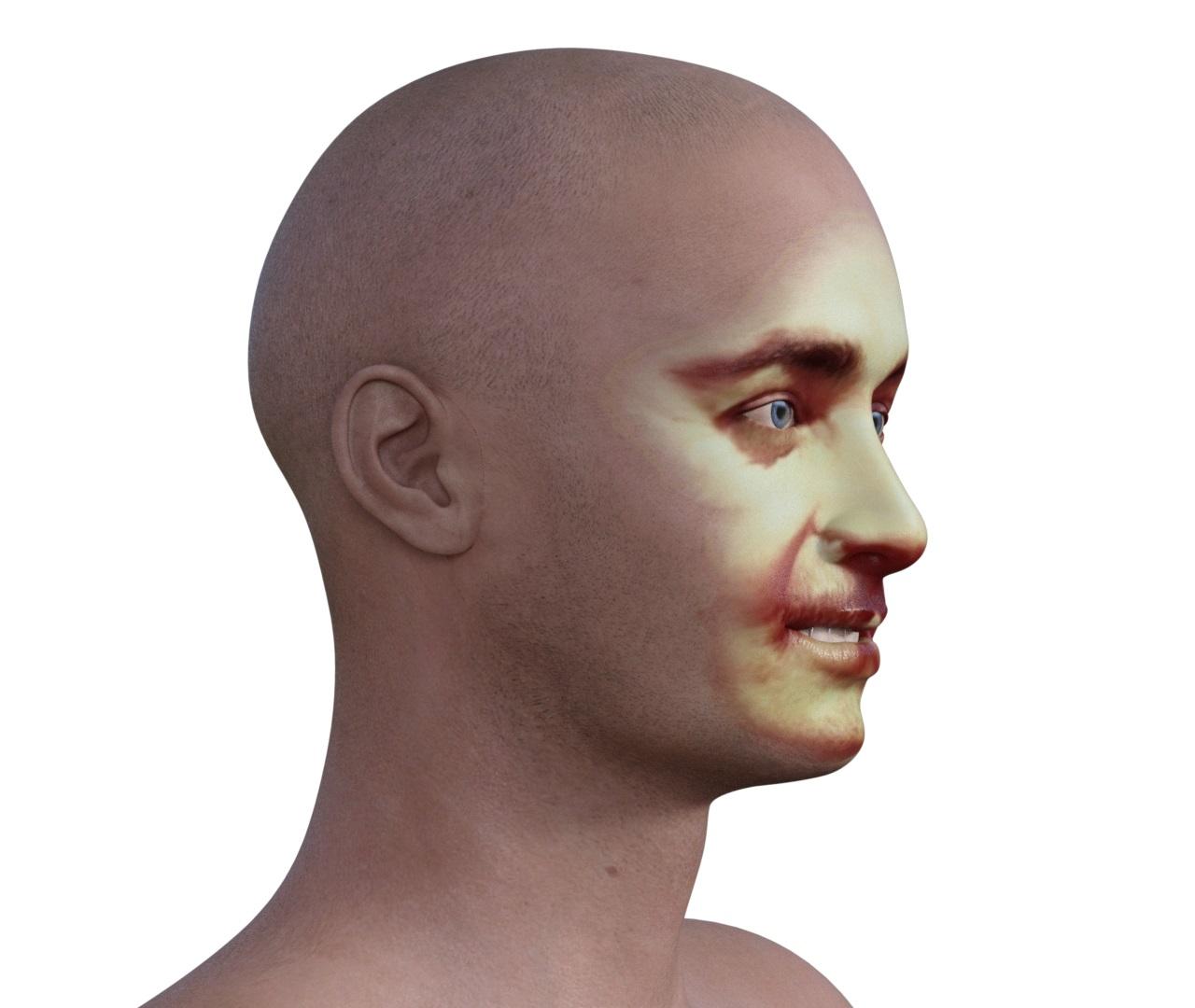 Headshop 11 Questions
DS iray render of Genesis 8 Male character created in HeadShop 11 - no changes to the skin, at all.
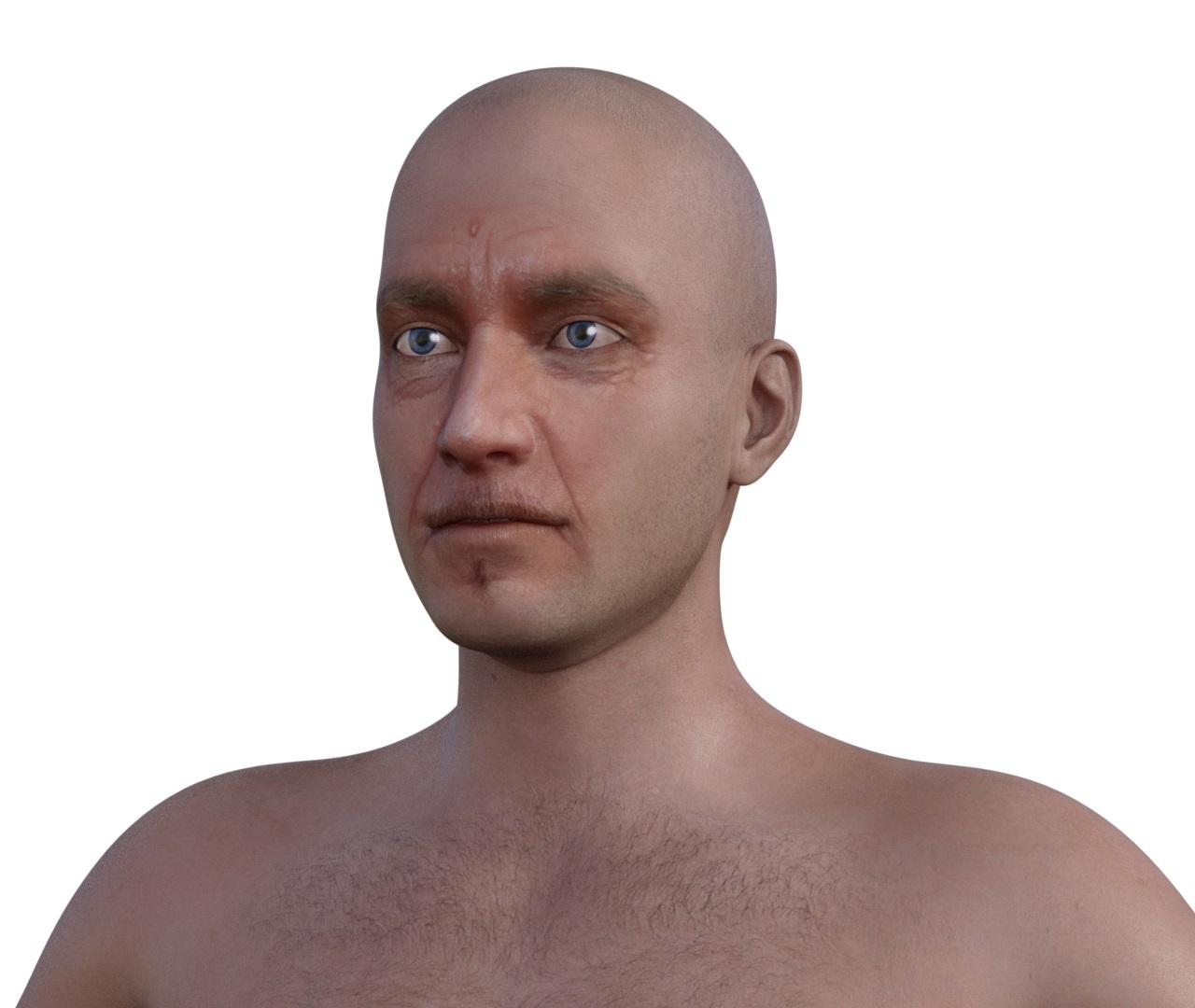 Facegen or Headshop
Im trying to decide which one to get and need some help deciding.
From what I can tell Headshop seems to copy half the face then replicate it which from the promo shots looks pretty unnatural to me so I am wondering if that is the case or not.
thanks.
Headshop 11 QuestionsYes, all of my renders are with skin made by HeadShop 11, without any changes, except when explicitly mentioned.
Since I do not keep track of my test source photos, I will not show them with my posts.
Headshop 11 QuestionsI agree with Outrider42. Love to see more artwork done with HeadShop 11. (and yes, my guess is that the skin is also HeadShop made:-)
Headshop 11 QuestionsIs the skin also from HeadShop? Did it need any changes? It would be really great to see more people posting their results. I'd also like to see the source photo if they don't mind.Headshop 11 QuestionsMy first test of HeadShop 11 created character on Genesis 8 Female.
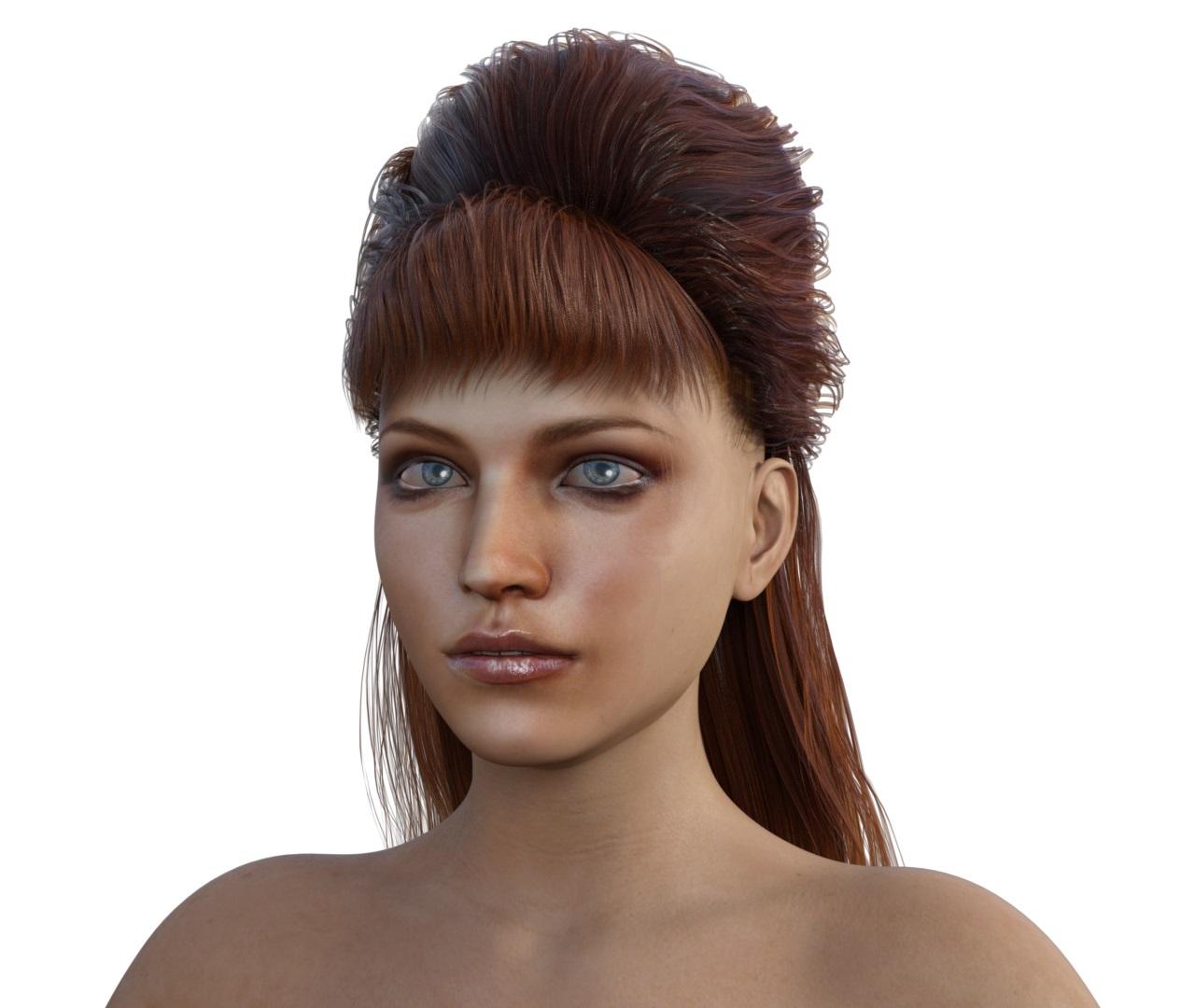 Cannot get Headshop OneClick Plugin to work once installed manually.
Many issues originate with non-standard DAZ Studio installations. In order for HeadShop to work, it needs to be installed in a folder called DAZ 3D, which in turn needs to contain another folder called DAZStudio4, containing ALL DAZ Studio files.
In case DAZ Studio is installed not on c: but on another drive, I created a new installer with a detailed README file and new manual.
The new installer is located at https://www.dropbox.com/s/4heo62r8ly6zzgh/HSFull3.zip?dl=0
Use the serial key that youn bought from DAZ. If problems, contact tech support at [email protected]
Cannot get Headshop OneClick Plugin to work once installed manually.I have installed Headshop OneClick Plugin 64 Bit with 64Bit DAZ Studio 10 and it is not appearing in the about installed plugins menu or in the edit path as indicated in the product library entry. I have confirmed viaully that it was installed where the DAZ program is, but DAZ Studio is not interacting with it at all? I did input the registration key.
Any suggestions?
Thanks,
-DrDrk
HeadShop HelpI cannot get HeadShop to run, it crashes before I even get to a place to find out where to get support.
Could someone who has a working copy tell me where to go for support on it?
Thanks,
-ErikREADME should give you the tech support: [email protected]
Headshop 11 Questions... and one more on G3F
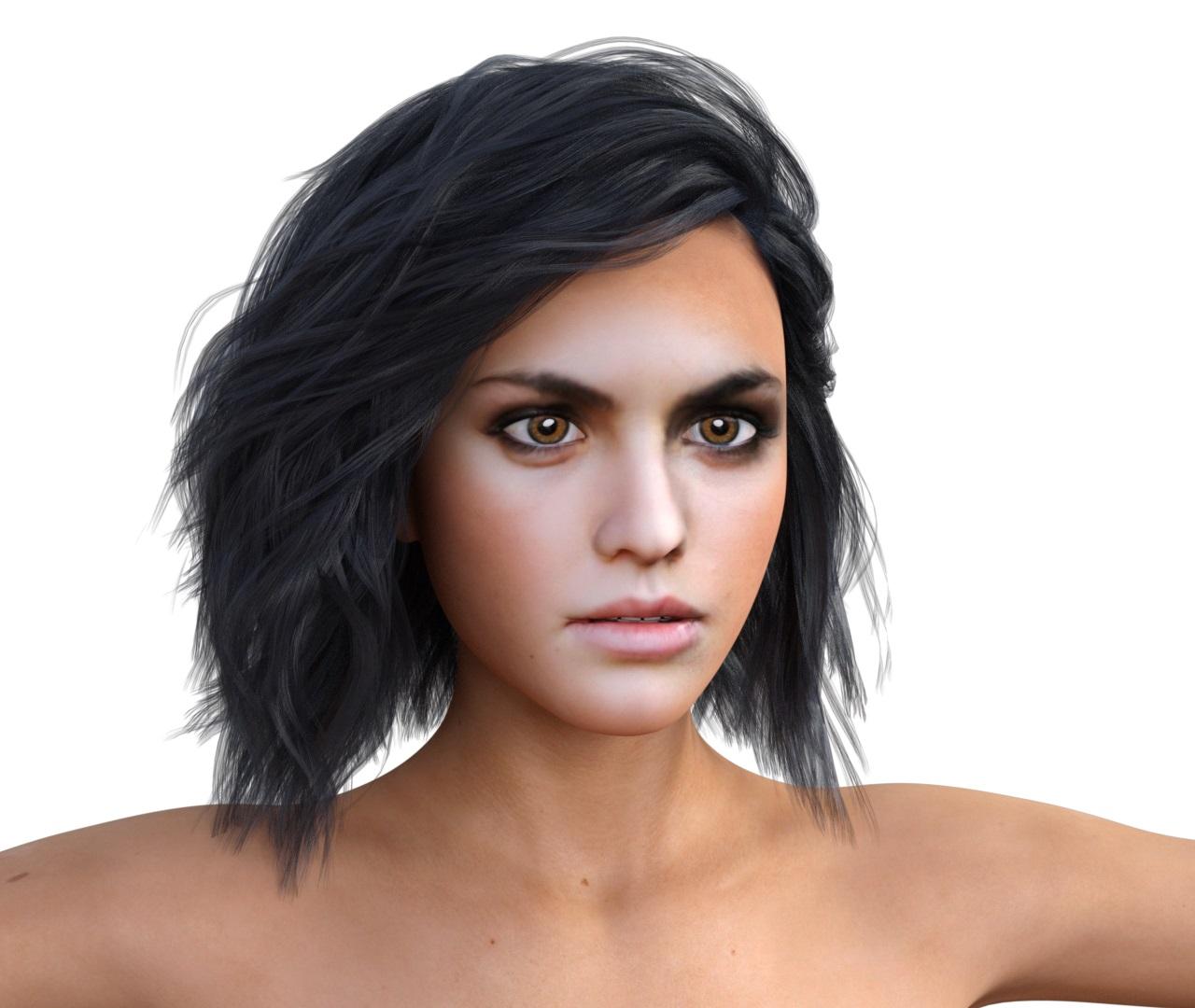
This is pretty awesome!
This is the 1st one with the smile removed via DAZ Studio morph slider for Smile expression correct? How does that work?
Sorry, I have not started to customize pose or expression of HeadShop 11 produced characters, yet.
This was just a render of the character as exported from HeadShop 11 and I only have added the hair.
I have a large pile of different images, that I want to test first in HeadShop 11, before I even think about something else.
OK, well the product does look improved. I'll watch for renders that erase expressions.
HeadShop HelpOkay, more details:
I have attached the two error dialogs.
The first comes up when I start. The second comes up when I click on one of the buttons.
-Erik
I have the same problem.
I have DAZ 4.10.0.107 installed in standard place. When I am trying to drag a photo to the selection area I got this error message:
Unhandled exception has occurred in your application. If you click Continue, the application will ignore this error and attempt to continue. If you click Quit, the application will close immediately.
I checked up the installation according to giving instructions in manual. All files are installed correctly. If I click Continue the application don't show me the menu items. If I am trying to do something in the application I am getting the same error message and nothing works.The error message:
See the end of this message for details on invoking
just-in-time (JIT) debugging instead of this dialog box.************** Exception Text **************
System.ArgumentOutOfRangeException: Index was out of range. Must be non-negative and less than thesize of the collection.
Parameter name: index
at System.ThrowHelper.ThrowArgumentOutOfRangeException(ExceptionArgument argument,ExceptionResource resource)
at System.Collections.Generic.List`1.get_Item(Int32 index)
at RH.Core.HeadRotation.AdditionalMorphing.Initialize(ProjectedDots dots, HeadMorphingheadMorphing) in D:\Develop\Freelance\Laslo\LLC\RH.Core\HeadRotation\AdditionalMorphing.cs:line 46
at RH.Core.Render.ctrlRenderControl.PhotoLoaded() in D:\Develop\Freelance\Laslo\LLC\RH.Core\Render\ctrlRenderControl.cs:line 354
at RH.Core.frmMain.UpdateProjectControls(Boolean newProject, RectangleAABB aabb) in D:\Develop\Freelance\Laslo\LLC\RH.Core\frmMain.cs:line 2442
at RH.Core.Controls.frmNewProject4PrintAhead.CreateProject() in D:\Develop\Freelance\Laslo\LLC\RH.Core\Controls\frmNewProject4PrintAhead.cs:line 578
at RH.Core.frmMain.frmMain_Load(Object sender, EventArgs e) in D:\Develop\Freelance\Laslo\LLC\RH.Core\frmMain.cs:line 315
at System.Windows.Forms.Form.OnLoad(EventArgs e)
at System.Windows.Forms.Form.OnCreateControl()
at System.Windows.Forms.Control.CreateControl(Boolean fIgnoreVisible)
at System.Windows.Forms.Control.CreateControl()
at System.Windows.Forms.Control.WmShowWindow(Message& m)
at System.Windows.Forms.Control.WndProc(Message& m)
at System.Windows.Forms.ScrollableControl.WndProc(Message& m)
at System.Windows.Forms.Form.WmShowWindow(Message& m)
at System.Windows.Forms.Form.WndProc(Message& m)
at System.Windows.Forms.Control.ControlNativeWindow.OnMessage(Message& m)
at System.Windows.Forms.Control.ControlNativeWindow.WndProc(Message& m)
at System.Windows.Forms.NativeWindow.Callback(IntPtr hWnd, Int32 msg, IntPtr wparam, IntPtrlparam)
************** Loaded Assemblies **************
mscorlib
Assembly Version: 4.0.0.0
Win32 Version: 4.6.1099.0 built by: NETFXREL4STAGE
CodeBase: file:///C:/Windows/Microsoft.NET/Framework/v4.0.30319/mscorlib.dll
----------------------------------------
Rh.HeadShop
Assembly Version: 1.0.0.0
Win32 Version: 1.0.0.0
CodeBase: file:///C:/Program%20Files/DAZ%203D/HeadShop%20plugin/Rh.HeadShop.exe
----------------------------------------
System.Windows.Forms
Assembly Version: 4.0.0.0
Win32 Version: 4.6.1099.0 built by: NETFXREL4STAGE
CodeBase:file:///C:/Windows/Microsoft.Net/assembly/GAC_MSIL/System.Windows.Forms/v4.0_4.0.0.0__b77a5c561934e08
9/System.Windows.Forms.dll
----------------------------------------
System
Assembly Version: 4.0.0.0
Win32 Version: 4.6.1099.0 built by: NETFXREL4STAGE
CodeBase:file:///C:/Windows/Microsoft.Net/assembly/GAC_MSIL/System/v4.0_4.0.0.0__b77a5c561934e089/System.dll
----------------------------------------
System.Drawing
Assembly Version: 4.0.0.0
Win32 Version: 4.6.1099.0 built by: NETFXREL4STAGE
CodeBase:file:///C:/Windows/Microsoft.Net/assembly/GAC_MSIL/System.Drawing/v4.0_4.0.0.0__b03f5f7f11d50a3a/Syst
em.Drawing.dll
----------------------------------------
RH.Core
Assembly Version: 1.0.0.0
Win32 Version: 1.0.0.0
CodeBase: file:///C:/Program%20Files/DAZ%203D/HeadShop%20plugin/RH.Core.DLL
----------------------------------------
FaceSDK.NET
Assembly Version: 6.2.0.0
Win32 Version: 6, 2, 0, 0
CodeBase: file:///C:/Program%20Files/DAZ%203D/HeadShop%20plugin/FaceSDK.NET.DLL
----------------------------------------
msvcm90
Assembly Version: 9.0.30729.6161
Win32 Version: 9.00.30729.6161
CodeBase:file:///C:/Windows/WinSxS/x86_microsoft.vc90.crt_1fc8b3b9a1e18e3b_9.0.30729.6161_none_50934f2ebcb7eb5
7/msvcm90.dll
----------------------------------------
System.Core
Assembly Version: 4.0.0.0
Win32 Version: 4.6.1099.0 built by: NETFXREL4STAGE
CodeBase:file:///C:/Windows/Microsoft.Net/assembly/GAC_MSIL/System.Core/v4.0_4.0.0.0__b77a5c561934e089/System.
Core.dll
----------------------------------------
OpenTK
Assembly Version: 1.1.0.0
Win32 Version: 1.1.1536.5788
CodeBase: file:///C:/Program%20Files/DAZ%203D/HeadShop%20plugin/OpenTK.DLL
----------------------------------------
RH.MeshUtils
Assembly Version: 1.0.0.0
Win32 Version: 1.0.0.0
CodeBase: file:///C:/Program%20Files/DAZ%203D/HeadShop%20plugin/RH.MeshUtils.DLL
----------------------------------------
System.Configuration
Assembly Version: 4.0.0.0
Win32 Version: 4.6.1099.0 built by: NETFXREL4STAGE
CodeBase:file:///C:/Windows/Microsoft.Net/assembly/GAC_MSIL/System.Configuration/v4.0_4.0.0.0__b03f5f7f11d50a3
a/System.Configuration.dll
----------------------------------------
System.Xml
Assembly Version: 4.0.0.0
Win32 Version: 4.6.1099.0 built by: NETFXREL4STAGE
CodeBase:file:///C:/Windows/Microsoft.Net/assembly/GAC_MSIL/System.Xml/v4.0_4.0.0.0__b77a5c561934e089/System.X
ml.dll
----------------------------------------
RH.AssimpNet
Assembly Version: 3.2.0.0
Win32 Version: 3.2
CodeBase: file:///C:/Program%20Files/DAZ%203D/HeadShop%20plugin/RH.AssimpNet.DLL
----------------------------------------
OpenTK.GLControl
Assembly Version: 1.1.0.0
Win32 Version: 1.1.1536.5788
CodeBase: file:///C:/Program%20Files/DAZ%203D/HeadShop%20plugin/OpenTK.GLControl.DLL
----------------------------------------
PresentationCore
Assembly Version: 4.0.0.0
Win32 Version: 4.6.1099.0 built by: NETFXREL4STAGE
CodeBase:file:///C:/Windows/Microsoft.Net/assembly/GAC_32/PresentationCore/v4.0_4.0.0.0__31bf3856ad364e35/Pres
entationCore.dll
----------------------------------------
WindowsBase
Assembly Version: 4.0.0.0
Win32 Version: 4.6.1099.0 built by: NETFXREL4STAGE
CodeBase:file:///C:/Windows/Microsoft.Net/assembly/GAC_MSIL/WindowsBase/v4.0_4.0.0.0__31bf3856ad364e35/Windows
Base.dll
----------------------------------------
Accessibility
Assembly Version: 4.0.0.0
Win32 Version: 4.6.1099.0 built by: NETFXREL4STAGE
CodeBase:file:///C:/Windows/Microsoft.Net/assembly/GAC_MSIL/Accessibility/v4.0_4.0.0.0__b03f5f7f11d50a3a/Acces
sibility.dll
----------------------------------------
Emgu.CV.World
Assembly Version: 3.3.0.2824
Win32 Version: 3.3.0.2824
CodeBase: file:///C:/Program%20Files/DAZ%203D/HeadShop%20plugin/Emgu.CV.World.DLL
----------------------------------------************** JIT Debugging **************
To enable just-in-time (JIT) debugging, the .config file for this
application or computer (machine.config) must have the
jitDebugging value set in the system.windows.forms section.
The application must also be compiled with debugging
enabled.For example:
<configuration>
<system.windows.forms jitDebugging="true" />
</configuration>When JIT debugging is enabled, any unhandled exception
will be sent to the JIT debugger registered on the computer
rather than be handled by this dialog box.
Please advise what to do.HeadShop HelpNew installer is available for users who have DAZ Studio installed in non-standard locations (ie. not on C:\\Program Files) but on other drives/locations.
(You still have to have a "DAZ 3D" folder with another folder called "DAZStudio4" inside containing all Studio files for HeadShop to work properly).
The new installer comes with new README file and updated manual. You can download the new installer (use the serial key you pourchased from DAZ).
Headshop 11 ProblemsWith Headshop 11, am I able to make further customisation use additional thrid party morphs on Genesis 8 figures within Daz Studio?
PLEASE HELP: HeadShop 11 - Loader Error: 'Unable to export .obj file'Thanks - but unfortunately there is nothing in your manual about this error. The only 'non-standard' element of my Daz installation is that the content library is on a separate network drive (the application is in the default location and Headshop is installed in that default location - i.e. the files mentioned in your manual are in the right place).
Does your Headshop software not work unless the content library is on the same drive as the application?
I may add that the Preferences needs to be set to default (see enclosed)
Daz 3D is part of

Connect
DAZ Productions, Inc.
7533 S Center View Ct #4664
West Jordan, UT 84084Licensing Agreement | Terms of Service | Privacy Policy | EULA
© 2026 Daz Productions Inc. All Rights Reserved.








