-
Duplicate Formula Found solution?
The author has already fixed the wrong forumulas in the latest product package... Normally there's no way to save with duplicate formulas in a single morph asset file in DS... I presume the author edited dsf files for some reason or because of other occasions...
The author used to be here for a while months ago... see if she could chime in some time.
[Released] ManFriday’s Figure Converter for Genesis 9 [Commercial]I am still finding it hard to deal with the eye problem, I mean the eyes having to be adjusted manually. I've gotten them to be the size / position they should be I think, and I just saved the figure plus eyes as a character preset so I wouldn't have to go through the complicated process described above, to include the eye morph in the head morph. Problem is now that every time I apply a pose to the figure, the eye size / position is being reset. If I used the G9 Shape Rigger on the eyes, would that stop this from happening, does anyone know? I understood that it does not make the size / position adjustment itself, but would it fix the values for the eyes? If not, then how would I do that manually? Help once more much appreciated!
Duplicate Formula Found solution?Hey there!
After installing a new set of helper morphs for G8F (Sonsy Hip and Shoulder Helpers for Genesis 8 Female) from a third-party vendor, I've come across the dreaded duplicate formula error on a number of the morphs within the pack. I've attached a snippet of my log file containing the errors for reference (and in case I'm misinterpreting something with my thought that these errors are isolated to the new morphs and not linked to any others that I've installed).
By uncompressing and inspecting one of the offending .dsfs, it seems that I've found the source of the errors with most of them (duplicate formulas within each morph file) and would like to forward a "corrected" set of morphs to the vendor. However, I'm unclear as to how to best resolve the issue? Would I just go one-by-one with each of the .dsf files and remove the lattermost duplicate portions of the code like this following bit from the uncompressed .dsf?
{
					"output" : "rCollar:/data/DAZ%203D/Genesis%208/Female/Genesis8Female.dsf#rCollar?rotation/z",
					"operations" : [
						{ "op" : "push", "url" : "Genesis8Female:#Sonsy%20Master%20ARM%20RIGHT%20RAISE?value" },
						{ "op" : "push", "val" : -10 },
						{ "op" : "mult" }
					]
				},
Any help would be much appreciated. :)
Snow Queen 9Wonderland said:
I could not get the https://www.daz3d.com/hs-smooth-bob-hair-for-genesis-9-8-and-81-females to look good. Not sure if it's the character or what but there's always a gap at the part and I couldn't find a morph to fix it.
I had that same problem, and seems to be the same on any head shape, pity because it's an otherwise nice hair - but I can't get it to look like the promo - attached a pic from the product page vs in DS on base feminine G9:
Face Transfer 2My go at Face Transfer 2, I like the improvement.
 Face Transfer 2
I got another version of Daz Studio beta in DIM - 4.22.1.41

and can confirm, that it works on my computer with Face Transfer 2.
I have created another toon character with it.
Below are the renders of the untouched, as is, character.
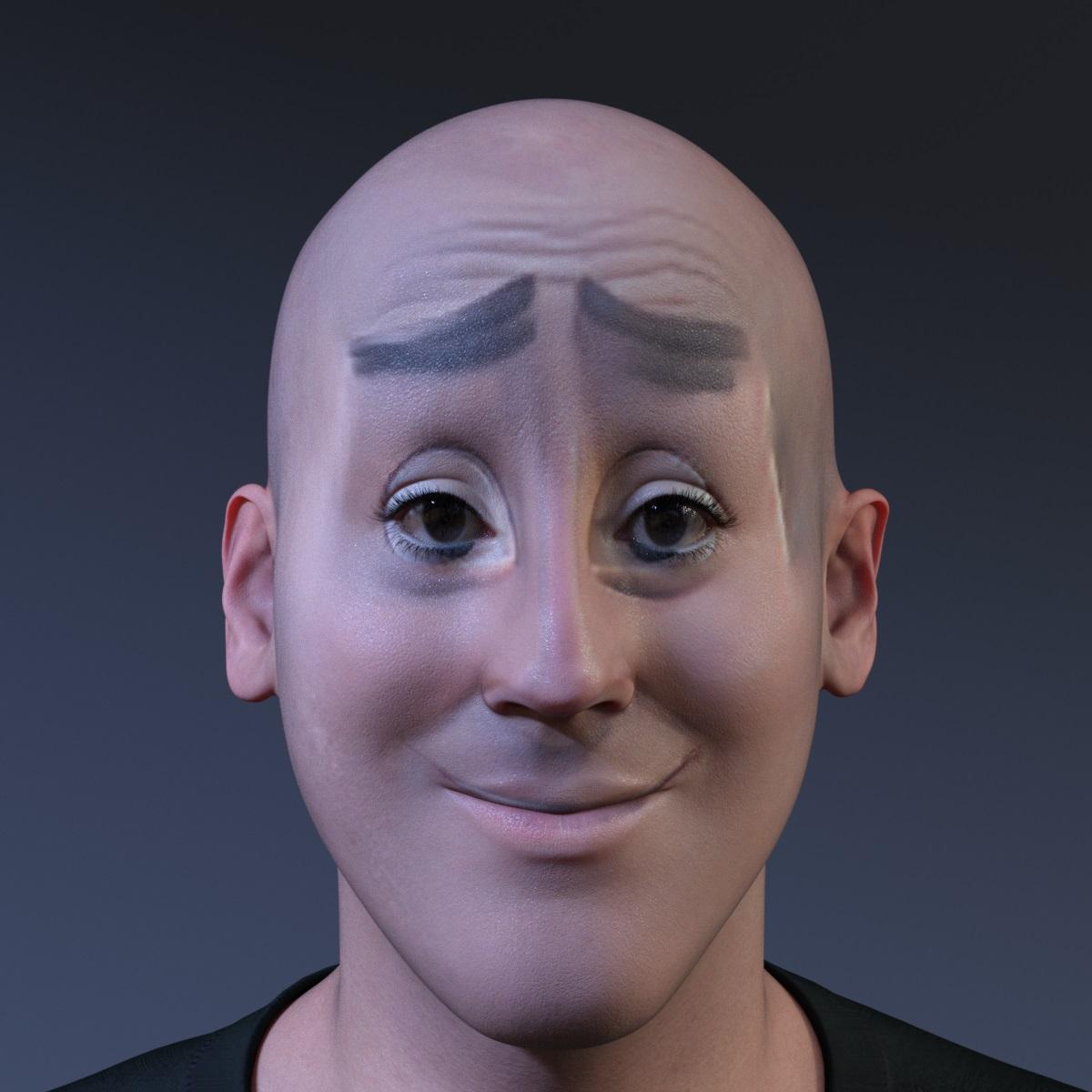
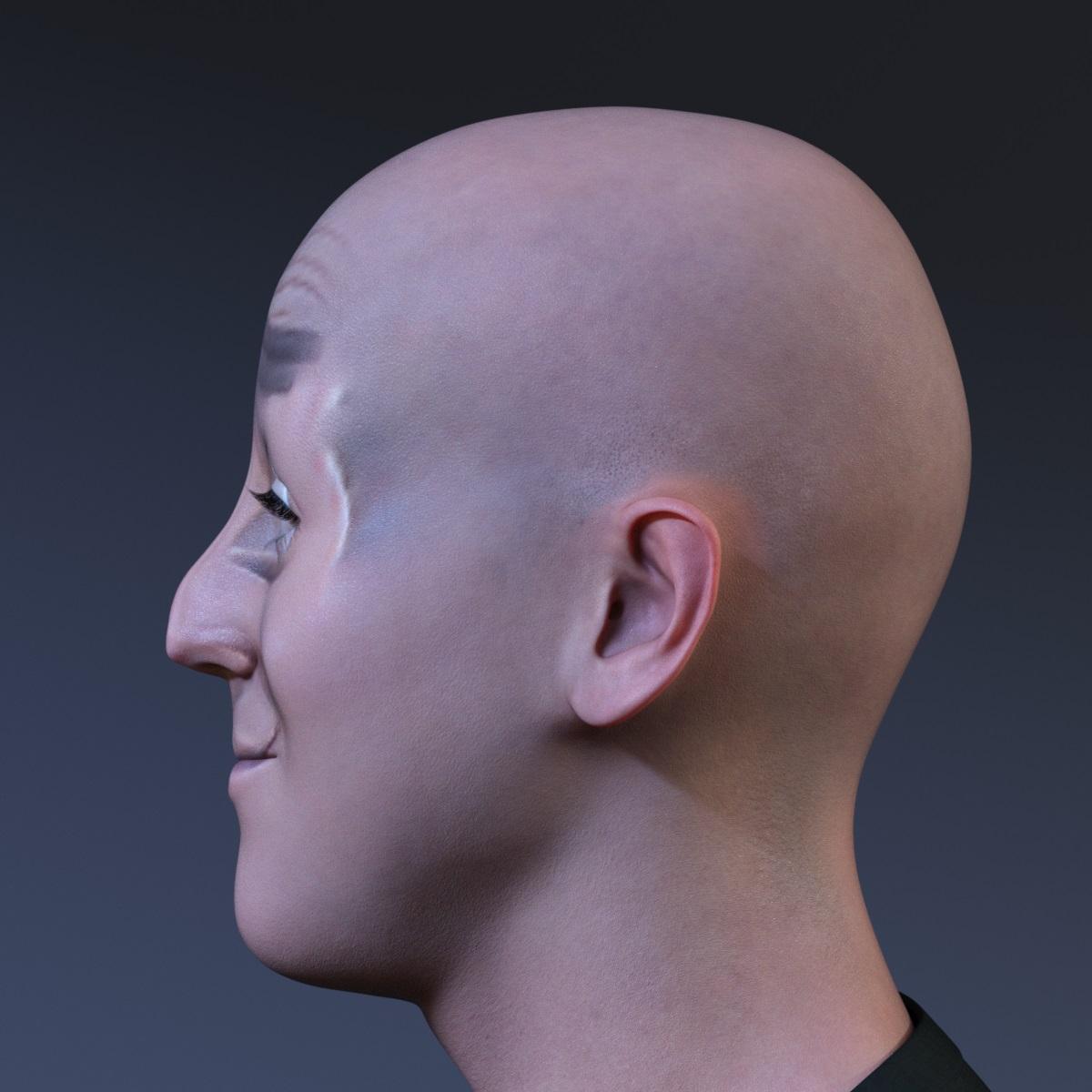
Happy Holidays.
[Released] Character Converter from Genesis 2 Female to Genesis 8 Female [Commercial]aldarri_s said:
EDIT Found the checkbox, converted in no time, thanks.
Hello, I am, too, converting Keiko 6 to G8 generation, and it worked the first time just as expected in under five minutes.
Then, I deleted the newly created file, and restarted the process (plan to do it with all Keiko6 derived G2 characters). However, the conversion is going for twenty minutes, and it sounds like the converter is no longer using the GPU. Restart did not help. Was there a checkbox that I accidentally checked or not checked?
Also, is it supposed to go through every morph on the G2 list? I thought it will only copy the head and the body.
I am not sure which checkbox you are referring to (perhaps overwrite morphs)? Having the script overwrite the morphs is VERY slow.
Need help with Small Breasts Morphs (vol 1-4) for G8F by AnagordI can see how that would be a problem, and have exactly the same difficulty myself. When I get some time (yeah, right.. 2030 maybe?) I'll have a go with the projection morph issue and see how it goes. Also need to investigate SickelYield's tutorial on making clothing templates too, which seems to be a similar level of abstraction from what you see. Regards, Richard.Need help with Small Breasts Morphs (vol 1-4) for G8F by Anagord...one of the resource tools I have is Zev0's Projection Morph Manager and it does help with fixing the fit. Particularly great for hair on elf and fey characters.
one of my characters has a physique similar to the 1960s model "Twiggy" which is a real challenge for upper body fits as clothing is modelled with the default G3/G8 breast size in mind (save for children's' clothing) . Textures such as stripes distort badly on her.
Getting on the 9 train, or notDartanbeck said:
AndrewJJP said:
My problem with G9 has been the migration has been made harder than previous generations. All of a sudden, everything was "G9 only", whereas in the past, it was common during the transitional period to have products that work on both generations. Things have improved, and the Autofit has helped, but we still don't have an RSSY that would let me fit G9 to G8. If we did, I'd buy more of the "G9 only" things.
MMX Genesis 9 Clones for All lets us autofit Genesis 9 clothing to any Genesis generation
...true but the RSSY clothing converters smooth out "rough spots". I notice using a converter clothing tends fit and pose much better than just relying on autofit.
MelissaGT said:
Dartanbeck said:
I'll have to try the RSSY one again. I didn't have much success my first try.
EDIT: And if I still have no luck I'll see if I can squeeze in the ManFriday one, which wasn't out yet when I bought mine. But I have RSSY for Genesis 3 to Genesis 8, and that worked Great!
I've never been able to get the RSSY one to work properly...all the converted characters end up ultra-wonky, even just base characters. The ManFriday one works for me, though. I've also had some luck moving morphs myself, if I want to move simple stuff like soft-body collision morphs that come with clothing, etc.
..I've fund that as well. I picked up the G8 to G3 cpcharater converter whne I sill was jsut working wth G3 and it was a bit stange.
For converting G3 to G8 I found that Zev0's XTransfer works better. I can also transfer G2 characters that were converted for G3 with GenX2 to G8. A very useful utility.
For example this character uses the head shape of 3DU's Tamra character for G3F
Perfectly mirrored symmetry morphI have a G8M facial morph that is asymmetrical in the eyes. The left eye was made smaller than the right eye. I was hoping to correct the symmetry so the left side would match the right. I'm not sure what I'm looking for to properly fix the problem (if it even is fixable in the first place). The only thing I'm finding is symmetry modifiers and symmetrize.
Thank you in advance.
Getting on the 9 train, or notG9 Core Figure skin (specifically, Victoria, Michael, Angela, Lawrence, Freja, & Snow Queen---others too) looks like skin. I can almost approach the look with G8.1, but closeups reveal G9's indisputable superiority---for skin. As @alken said, however, the morphs for G9 don't yet allow me to make the characters look uniquely distinctive. Add to that my G8-induced fear of morph bloat, G9 Core Figure morph sameness, and less character morphs I can use from bluejaunte.
I converted my two main G8.1 female character morphs to G9, but they lost their X factor. So, I used Cayman's Genesis 9 UVs on my G8.1s. Now I have G8.1's vast morph options with G9's superior skin and eyes. The best of both worlds.
Face Transfer 2butterflyfish said:
ktrskt said:
Hi. How to activate it?
I'm using Daz version 4.21 (don't want to ugprade it to 4.22 as I don't want to deal with any thing breaking due to the upgrade)
If I go to help> about Installed plugins, then I only see the entry for 'FaceTransfer' (I had already purchased the license for FaceTransfer 1 and that's active) but nothing for Face transfer 2
Any suggestions? Thanks.You have to upgrade it to use it. It's only available in 4.22.
Thanks for letting me know. Will probably do it in a month or so in that case.
Cheers.(Edited by mod to fix quote)
Face Transfer 2ktrskt said:
Hi. How to activate it?
I'm using Daz version 4.21 (don't want to ugprade it to 4.22 as I don't want to deal with any thing breaking due to the upgrade)
If I go to help> about Installed plugins, then I only see the entry for 'FaceTransfer' (I had already purchased the license for FaceTransfer 1 and that's active) but nothing for Face transfer 2
Any suggestions? Thanks.You have to upgrade it to use it. It's only available in 4.22.
Oakley for Genesis 9 [commercial]TesseractSpace said:
Llola Lane said:
TesseractSpace said:
Llola Lane said:
TesseractSpace said:
Here's mine, just applied Oakley texture and morph to an existing character which led to some small issues like the fingernails not changing but was still a fun experiment.
This is awesome! Maybe next time... Load Oakley... zero out male morphs and just add a female morph? Then the nails will already be loaded... btw... love the glasses! Nice touch... she's sooo sassy now! lol
Or I'll poke at her materials to see why they didn't change. I'm using quite a few morphs to make my OC and I just added Oakley to them.
good plan.. i like to figure out why things happen... or didn't happen... too :)
Yeah. Plus I want to keep enough of Eleanor's morphs in there that it's at least somewhat clear it's her transformed. (One of those situations where the character fears she's losing touch with her humanity so a curse makes it more literal.)
Oh I have her... I've not made any artwork with her yet... Gonna have to wait til the new year... Christmas is such a hectic time for me. Thanks for sharing.
Oakley for Genesis 9 [commercial]Llola Lane said:
TesseractSpace said:
Llola Lane said:
TesseractSpace said:
Here's mine, just applied Oakley texture and morph to an existing character which led to some small issues like the fingernails not changing but was still a fun experiment.
This is awesome! Maybe next time... Load Oakley... zero out male morphs and just add a female morph? Then the nails will already be loaded... btw... love the glasses! Nice touch... she's sooo sassy now! lol
Or I'll poke at her materials to see why they didn't change. I'm using quite a few morphs to make my OC and I just added Oakley to them.
good plan.. i like to figure out why things happen... or didn't happen... too :)
Yeah. Plus I want to keep enough of Eleanor's morphs in there that it's at least somewhat clear it's her transformed. (One of those situations where the character fears she's losing touch with her humanity so a curse makes it more literal.)
Oakley for Genesis 9 [commercial]TesseractSpace said:
Llola Lane said:
TesseractSpace said:
Here's mine, just applied Oakley texture and morph to an existing character which led to some small issues like the fingernails not changing but was still a fun experiment.
This is awesome! Maybe next time... Load Oakley... zero out male morphs and just add a female morph? Then the nails will already be loaded... btw... love the glasses! Nice touch... she's sooo sassy now! lol
Or I'll poke at her materials to see why they didn't change. I'm using quite a few morphs to make my OC and I just added Oakley to them.
good plan.. i like to figure out why things happen... or didn't happen... too :)
Oakley for Genesis 9 [commercial]Llola Lane said:
TesseractSpace said:
Here's mine, just applied Oakley texture and morph to an existing character which led to some small issues like the fingernails not changing but was still a fun experiment.
This is awesome! Maybe next time... Load Oakley... zero out male morphs and just add a female morph? Then the nails will already be loaded... btw... love the glasses! Nice touch... she's sooo sassy now! lol
Or I'll poke at her materials to see why they didn't change. I'm using quite a few morphs to make my OC and I just added Oakley to them.
Face Transfer 2Hi. How to activate it?
I'm using Daz version 4.21 (don't want to ugprade it to 4.22 as I don't want to deal with any thing breaking due to the upgrade)
If I go to help> about Installed plugins, then I only see the entry for 'FaceTransfer' (I had already purchased the license for FaceTransfer 1 and that's active) but nothing for Face transfer 2
Any suggestions? Thanks.Oakley for Genesis 9 [commercial]TesseractSpace said:
Here's mine, just applied Oakley texture and morph to an existing character which led to some small issues like the fingernails not changing but was still a fun experiment.
This is awesome! Maybe next time... Load Oakley... zero out male morphs and just add a female morph? Then the nails will already be loaded... btw... love the glasses! Nice touch... she's sooo sassy now! lol
Daz 3D is part of

Connect
DAZ Productions, Inc.
7533 S Center View Ct #4664
West Jordan, UT 84084Licensing Agreement | Terms of Service | Privacy Policy | EULA
© 2026 Daz Productions Inc. All Rights Reserved.