-
Help Log warning error + Duplicate
The error only happens to genesis 8 female figures, not any other genesis or genesis 8 male
2019-12-08 23:45:05.137 *** Scene Cleared ***
2019-12-08 23:45:22.676 WARNING: ..\..\..\..\..\src\sdksource\fileinput\dzassetdaz.cpp(7841): Could not find reference: Genesis8Female:/data/DAZ%203D/Genesis%208/Female/Morphs/3D%20Universe/G8F/ctrlMouthOH.dsf#ctrlMouthOH?value
2019-12-08 23:45:22.676 WARNING: ..\..\..\..\..\src\sdksource\fileinput\dzassetdaz.cpp(1451): Failed to create alias!
2019-12-08 23:45:22.676 WARNING: ..\..\..\..\..\src\sdksource\fileinput\dzassetdaz.cpp(7848): Failed to add user alias property to node.
2019-12-08 23:45:22.677 WARNING: ..\..\..\..\..\src\sdksource\fileinput\dzassetdaz.cpp(1451): Failed to create alias!
2019-12-08 23:45:22.677 WARNING: ..\..\..\..\..\src\sdksource\fileinput\dzassetdaz.cpp(7848): Failed to add user alias property to node.
2019-12-08 23:45:22.677 WARNING: ..\..\..\..\..\src\sdksource\fileinput\dzassetdaz.cpp(1451): Failed to create alias!
2019-12-08 23:45:22.677 WARNING: ..\..\..\..\..\src\sdksource\fileinput\dzassetdaz.cpp(7848): Failed to add user alias property to node.
2019-12-08 23:45:22.677 WARNING: ..\..\..\..\..\src\sdksource\fileinput\dzassetdaz.cpp(1451): Failed to create alias!
2019-12-08 23:45:22.681 WARNING: ..\..\..\..\..\src\sdksource\fileinput\dzassetdaz.cpp(5818): Could not find target property for formula: rCollar:/data/DAZ%203D/Genesis%208/Female/Morphs/DAZ%203D/Teen%20Raven%208/rCollar_CTRLMD_N_ZRotate_n55.dsf#CTRLMD_N_ZRotate_n55?value in file : /data/DAZ%203D/Genesis%208/Female/Morphs/Zev0/Skin%20Folds%20HD/Crease/SFHD%20Collar%20Bend%20Up%20Right%20Crease.dsf
2019-12-08 23:45:22.681 WARNING: ..\..\..\..\..\src\sdksource\fileinput\dzassetdaz.cpp(5818): Could not find target property for formula: lCollar:/data/DAZ%203D/Genesis%208/Female/Morphs/DAZ%203D/Teen%20Raven%208/lCollar_CTRLMD_N_ZRotate_55.dsf#CTRLMD_N_ZRotate_55?value in file : /data/DAZ%203D/Genesis%208/Female/Morphs/Zev0/Skin%20Folds%20HD/Crease/SFHD%20Collar%20Bend%20Up%20Left%20Crease.dsf
2019-12-08 23:45:23.376 WARNING: ..\..\..\..\..\src\sdksource\fileinput\dzassetdaz.cpp(5818): Could not find target property for formula: Genesis8Female:/data/DAZ%203D/Genesis%208/Female/Morphs/Zev0/Aging%20Morphs%208/Jaw%20Side%20Smoother.dsf#Jaw%20Smoother?value in file : /data/DAZ%203D/Genesis%208/Female/Morphs/Zev0/Aging%20Morphs%208/CTRLMD_N_Value_1_AM_Z.dsf
2019-12-08 23:45:23.583 WARNING: ..\..\..\..\..\src\sdksource\fileinput\dzassetdaz.cpp(5759): Could not find output property for formula: Genesis8Female:/data/DAZ%203D/Genesis%208/Female/Morphs/Virtual_World/VWLashes/VWLashes%20Upper%20Point%20Large.dsf#VWLashes%20Upper%20Point%20Large?value in file : /data/DAZ%203D/Genesis%208/Female/Morphs/Virtual_World/VWMaria/VW%20Maria%20Head.dsf
2019-12-08 23:45:23.583 WARNING: ..\..\..\..\..\src\sdksource\fileinput\dzassetdaz.cpp(5759): Could not find output property for formula: Genesis8Female:/data/DAZ%203D/Genesis%208/Female/Morphs/Virtual_World/VWLashes/VWLashes%20Upper%20Large.dsf#VWLashes%20Upper%20Large?value in file : /data/DAZ%203D/Genesis%208/Female/Morphs/Virtual_World/VWMaria/VW%20Maria%20Head.dsf
2019-12-08 23:45:23.583 WARNING: ..\..\..\..\..\src\sdksource\fileinput\dzassetdaz.cpp(5759): Could not find output property for formula: Genesis8Female:/data/DAZ%203D/Genesis%208/Female/Morphs/Virtual_World/VWLashes/VWLashes%20Upper%20Fold%20UpDown.dsf#VWLashes%20Upper%20Fold%20UpDown?value in file : /data/DAZ%203D/Genesis%208/Female/Morphs/Virtual_World/VWMaria/VW%20Maria%20Head.dsf
2019-12-08 23:45:23.583 WARNING: ..\..\..\..\..\src\sdksource\fileinput\dzassetdaz.cpp(5759): Could not find output property for formula: Genesis8Female:/data/DAZ%203D/Genesis%208/Female/Morphs/Virtual_World/VWLashes/VWLashes%20Lower%20Point%20Large.dsf#VWLashes%20Lower%20Point%20Large?value in file : /data/DAZ%203D/Genesis%208/Female/Morphs/Virtual_World/VWMaria/VW%20Maria%20Head.dsf
2019-12-08 23:45:23.583 WARNING: ..\..\..\..\..\src\sdksource\fileinput\dzassetdaz.cpp(5759): Could not find output property for formula: Genesis8Female:/data/DAZ%203D/Genesis%208/Female/Morphs/Virtual_World/VWLashes/VWLashes%20Lower%20Large.dsf#VWLashes%20Lower%20Large?value in file : /data/DAZ%203D/Genesis%208/Female/Morphs/Virtual_World/VWMaria/VW%20Maria%20Head.dsf
2019-12-08 23:45:23.881 WARNING: ..\..\..\..\..\src\sdksource\fileinput\dzassetdaz.cpp(5759): Could not find output property for formula: Genesis8Female:/data/DAZ%203D/Genesis%208/Female/Morphs/SickleYield2017/UniversalBreastHelper/PBMSYUBHGiantAll_proj.dsf#PBMSYUBHGiantAll_proj?value in file : /data/DAZ%203D/Genesis%208/Female/Morphs/SickleYield2017/UniversalBreastHelper/PBMSYUBHGiantAll.dsf
2019-12-08 23:45:27.993 WARNING: ..\..\..\..\..\src\sdksource\fileinput\dzassetdaz.cpp(5759): Could not find output property for formula: Genesis8Female:/data/DAZ%203D/Genesis%208/Female/Morphs/DogZ%26Zev0/200%20Plus/Eyes%20Upper%20Outer.dsf#Eye%20Upper%20Outer?value in file : /data/DAZ%203D/Genesis%208/Female/Morphs/Lyoness/SpicyFusion/Preset%20024.dsf
2019-12-08 23:45:27.999 WARNING: ..\..\..\..\..\src\sdksource\fileinput\dzassetdaz.cpp(5759): Could not find output property for formula: Genesis8Female:/data/DAZ%203D/Genesis%208/Female/Morphs/DogZ%26Zev0/200%20Plus/Eyes%20Upper%20Outer.dsf#Eye%20Upper%20Outer?value in file : /data/DAZ%203D/Genesis%208/Female/Morphs/Lyoness/SpicyFusion/Preset%20021.dsf
2019-12-08 23:45:28.000 WARNING: ..\..\..\..\..\src\sdksource\fileinput\dzassetdaz.cpp(5759): Could not find output property for formula: Genesis8Female:/data/DAZ%203D/Genesis%208/Female/Morphs/DogZ%26Zev0/200%20Plus/Eyes%20Upper%20Inner.dsf#Eyes%20Upper%20Inner%20Down?value in file : /data/DAZ%203D/Genesis%208/Female/Morphs/Lyoness/SpicyFusion/Preset%20020.dsf
2019-12-08 23:45:28.001 WARNING: ..\..\..\..\..\src\sdksource\fileinput\dzassetdaz.cpp(5759): Could not find output property for formula: Genesis8Female:/data/DAZ%203D/Genesis%208/Female/Morphs/DogZ%26Zev0/200%20Plus/Eyes%20Lower%20Inner.dsf#Eye%20Lower%20Inner?value in file : /data/DAZ%203D/Genesis%208/Female/Morphs/Lyoness/SpicyFusion/Preset%20020.dsf
2019-12-08 23:45:28.006 WARNING: ..\..\..\..\..\src\sdksource\fileinput\dzassetdaz.cpp(5759): Could not find output property for formula: Genesis8Female:/data/DAZ%203D/Genesis%208/Female/Morphs/DogZ%26Zev0/200%20Plus/Eyes%20Upper%20Outer.dsf#Eye%20Upper%20Outer?value in file : /data/DAZ%203D/Genesis%208/Female/Morphs/Lyoness/SpicyFusion/Preset%20016.dsf
2019-12-08 23:45:28.008 WARNING: ..\..\..\..\..\src\sdksource\fileinput\dzassetdaz.cpp(5759): Could not find output property for formula: Genesis8Female:/data/DAZ%203D/Genesis%208/Female/Morphs/DogZ%26Zev0/200%20Plus/Eyes%20Upper%20Outer.dsf#Eye%20Upper%20Outer?value in file : /data/DAZ%203D/Genesis%208/Female/Morphs/Lyoness/SpicyFusion/Preset%20015.dsf
2019-12-08 23:45:28.008 WARNING: ..\..\..\..\..\src\sdksource\fileinput\dzassetdaz.cpp(5759): Could not find output property for formula: Genesis8Female:/data/DAZ%203D/Genesis%208/Female/Morphs/DogZ%26Zev0/200%20Plus/Eyes%20Upper%20Inner.dsf#Eyes%20Upper%20Inner%20Down?value in file : /data/DAZ%203D/Genesis%208/Female/Morphs/Lyoness/SpicyFusion/Preset%20015.dsf
2019-12-08 23:45:28.011 WARNING: ..\..\..\..\..\src\sdksource\fileinput\dzassetdaz.cpp(5759): Could not find output property for formula: Genesis8Female:/data/DAZ%203D/Genesis%208/Female/Morphs/DogZ%26Zev0/200%20Plus/Eyes%20Upper%20Outer.dsf#Eye%20Upper%20Outer?value in file : /data/DAZ%203D/Genesis%208/Female/Morphs/Lyoness/SpicyFusion/Preset%20013.dsf
2019-12-08 23:45:28.020 WARNING: ..\..\..\..\..\src\sdksource\fileinput\dzassetdaz.cpp(5759): Could not find output property for formula: Genesis8Female:/data/DAZ%203D/Genesis%208/Female/Morphs/DogZ%26Zev0/200%20Plus/Eyes%20Upper%20Inner.dsf#Eyes%20Upper%20Inner%20Down?value in file : /data/DAZ%203D/Genesis%208/Female/Morphs/Lyoness/SpicyFusion/Preset%20009.dsf
2019-12-08 23:45:28.020 WARNING: ..\..\..\..\..\src\sdksource\fileinput\dzassetdaz.cpp(5759): Could not find output property for formula: Genesis8Female:/data/DAZ%203D/Genesis%208/Female/Morphs/DogZ%26Zev0/200%20Plus/Eyes%20Lower%20Inner.dsf#Eye%20Lower%20Inner?value in file : /data/DAZ%203D/Genesis%208/Female/Morphs/Lyoness/SpicyFusion/Preset%20009.dsf
2019-12-08 23:45:28.023 WARNING: ..\..\..\..\..\src\sdksource\fileinput\dzassetdaz.cpp(5759): Could not find output property for formula: Genesis8Female:/data/DAZ%203D/Genesis%208/Female/Morphs/DogZ%26Zev0/200%20Plus/Eyes%20Upper%20Outer.dsf#Eye%20Upper%20Outer?value in file : /data/DAZ%203D/Genesis%208/Female/Morphs/Lyoness/SpicyFusion/Preset%20008.dsf
2019-12-08 23:45:28.023 WARNING: ..\..\..\..\..\src\sdksource\fileinput\dzassetdaz.cpp(5759): Could not find output property for formula: Genesis8Female:/data/DAZ%203D/Genesis%208/Female/Morphs/DogZ%26Zev0/200%20Plus/Eyes%20Lower%20Inner.dsf#Eye%20Lower%20Inner?value in file : /data/DAZ%203D/Genesis%208/Female/Morphs/Lyoness/SpicyFusion/Preset%20008.dsf
2019-12-08 23:45:28.025 WARNING: ..\..\..\..\..\src\sdksource\fileinput\dzassetdaz.cpp(5759): Could not find output property for formula: Genesis8Female:/data/DAZ%203D/Genesis%208/Female/Morphs/DogZ%26Zev0/200%20Plus/Eyes%20Upper%20Outer.dsf#Eye%20Upper%20Outer?value in file : /data/DAZ%203D/Genesis%208/Female/Morphs/Lyoness/SpicyFusion/Preset%20007.dsf
2019-12-08 23:45:28.025 WARNING: ..\..\..\..\..\src\sdksource\fileinput\dzassetdaz.cpp(5759): Could not find output property for formula: Genesis8Female:/data/DAZ%203D/Genesis%208/Female/Morphs/DogZ%26Zev0/200%20Plus/Eyes%20Upper%20Inner.dsf#Eyes%20Upper%20Inner%20Down?value in file : /data/DAZ%203D/Genesis%208/Female/Morphs/Lyoness/SpicyFusion/Preset%20007.dsf
2019-12-08 23:45:28.028 WARNING: ..\..\..\..\..\src\sdksource\fileinput\dzassetdaz.cpp(5759): Could not find output property for formula: Genesis8Female:/data/DAZ%203D/Genesis%208/Female/Morphs/DogZ%26Zev0/200%20Plus/Eyes%20Upper%20Outer.dsf#Eye%20Upper%20Outer?value in file : /data/DAZ%203D/Genesis%208/Female/Morphs/Lyoness/SpicyFusion/Preset%20006.dsf
2019-12-08 23:45:28.028 WARNING: ..\..\..\..\..\src\sdksource\fileinput\dzassetdaz.cpp(5759): Could not find output property for formula: Genesis8Female:/data/DAZ%203D/Genesis%208/Female/Morphs/DogZ%26Zev0/200%20Plus/Eyes%20Lower%20Inner.dsf#Eye%20Lower%20Inner?value in file : /data/DAZ%203D/Genesis%208/Female/Morphs/Lyoness/SpicyFusion/Preset%20006.dsf
2019-12-08 23:45:28.030 WARNING: ..\..\..\..\..\src\sdksource\fileinput\dzassetdaz.cpp(5759): Could not find output property for formula: Genesis8Female:/data/DAZ%203D/Genesis%208/Female/Morphs/DogZ%26Zev0/200%20Plus/Eyes%20Upper%20Outer.dsf#Eye%20Upper%20Outer?value in file : /data/DAZ%203D/Genesis%208/Female/Morphs/Lyoness/SpicyFusion/Preset%20005.dsf
2019-12-08 23:45:28.031 WARNING: ..\..\..\..\..\src\sdksource\fileinput\dzassetdaz.cpp(5759): Could not find output property for formula: Genesis8Female:/data/DAZ%203D/Genesis%208/Female/Morphs/DogZ%26Zev0/200%20Plus/Eyes%20Lower%20Inner.dsf#Eye%20Lower%20Inner?value in file : /data/DAZ%203D/Genesis%208/Female/Morphs/Lyoness/SpicyFusion/Preset%20005.dsf
2019-12-08 23:45:28.035 WARNING: ..\..\..\..\..\src\sdksource\fileinput\dzassetdaz.cpp(5759): Could not find output property for formula: Genesis8Female:/data/DAZ%203D/Genesis%208/Female/Morphs/DogZ%26Zev0/200%20Plus/Eyes%20Upper%20Outer.dsf#Eye%20Upper%20Outer?value in file : /data/DAZ%203D/Genesis%208/Female/Morphs/Lyoness/SpicyFusion/Preset%20001.dsf
2019-12-08 23:45:28.036 WARNING: ..\..\..\..\..\src\sdksource\fileinput\dzassetdaz.cpp(5759): Could not find output property for formula: Genesis8Female:/data/DAZ%203D/Genesis%208/Female/Morphs/DogZ%26Zev0/200%20Plus/Eyes%20Upper%20Inner.dsf#Eyes%20Upper%20Inner%20Down?value in file : /data/DAZ%203D/Genesis%208/Female/Morphs/Lyoness/SpicyFusion/Preset%20001.dsf
2019-12-08 23:45:37.583 WARNING: ..\..\..\..\..\src\sdksource\fileinput\dzassetdaz.cpp(5995): Duplicate formula found linking xOrigin & Cheeks Size (Alt) in /data/DAZ 3D/Genesis 8/Female/Morphs/DogZ&Zev0/200 Plus/Cheeks Size (Alt).dsf.

REMOVED ALL THE DUPLICATE ERRORS FOR 200 PLUS

2019-12-08 23:46:07.766 Begin Loading Character Addons...
2019-12-08 23:46:07.909 WARNING: ..\..\..\..\..\src\sdksource\fileinput\dzassetdaz.cpp(5818): Could not find target property for formula: Genesis8Female:/data/DAZ%203D/Genesis%208/Female/Morphs/Belladzines/Aeryn/AerynEyeClose.dsf#AerynEyeClose?value in file : /data/Daz%203D/Genesis%208/Female%20Eyelashes/Morphs/Belladzines/Aeryn/AerynEyeLashFix.dsf
2019-12-08 23:46:08.045 Loaded Morph Deltas in 0 min 0.0 sec.
2019-12-08 23:46:08.062 Loaded Morph Deltas in 0 min 0.0 sec.
2019-12-08 23:46:08.062 Loaded file: FHMVictoria8.dsf
2019-12-08 23:46:08.097 Loaded Morph Deltas in 0 min 0.0 sec.
2019-12-08 23:46:08.097 Loaded file: FBMVictoria8.dsf
2019-12-08 23:46:08.101 Loaded Morph Deltas in 0 min 0.0 sec.
2019-12-08 23:46:08.101 Loaded file: thightside in both.dsf
2019-12-08 23:46:08.105 Loaded Morph Deltas in 0 min 0.0 sec.
2019-12-08 23:46:08.105 Loaded file: pJCMThighSide_26_R.dsf
2019-12-08 23:46:08.109 Loaded Morph Deltas in 0 min 0.0 sec.
2019-12-08 23:46:08.109 Loaded file: pJCMThighSide_26_L.dsf
2019-12-08 23:46:08.112 Loaded file: FHM Demona.dsf
2019-12-08 23:46:08.193 File loaded in 0 min 0.4 sec.
2019-12-08 23:46:08.194 Loaded file: Genesis 8 Female Eyelashes.duf
2019-12-08 23:46:08.202 Loaded Morph Deltas in 0 min 0.0 sec.
2019-12-08 23:46:08.205 Loaded file: 1FK-Victoria8BaseFix.dsf
2019-12-08 23:46:08.208 Loaded Morph Deltas in 0 min 0.0 sec.
2019-12-08 23:46:08.209 Loaded file: PHMMouthRealism_HD_div2.dsf
2019-12-08 23:46:08.215 Loaded Morph Deltas in 0 min 0.0 sec.
2019-12-08 23:46:08.216 Loaded file: PBMNavel.dsf
2019-12-08 23:46:08.263 Loaded Morph Deltas in 0 min 0.0 sec.
2019-12-08 23:46:08.264 Loaded file: PHMEyelashesExpand.dsf
2019-12-08 23:46:08.442 File loaded in 0 min 0.0 sec.
2019-12-08 23:46:08.445 Loaded file: Victoria 8 Eyelashes.duf
2019-12-08 23:46:08.446 Finished Loading Character Addons
2019-12-08 23:46:27.654 File loaded in 1 min 22.5 sec.
2019-12-08 23:46:27.655 Loaded file: victoria 8.duf
2019-12-08 23:46:30.329 WARNING: ..\..\..\..\..\src\sdksource\cloud\dzcloudstorewgt.cpp(1054): https://www.daz3d.com/skin/frontend/enterprise/daznew/groups/embeddable_scripts-918eab20546d8226ed168dc037883c8c.js(33): primaryNodeSelectionChanged
2019-12-08 23:46:30.335 WARNING: ..\..\..\..\..\src\sdksource\cloud\dzcloudstorewgt.cpp(1054): https://www.daz3d.com/skin/frontend/enterprise/daznew/groups/embeddable_scripts-918eab20546d8226ed168dc037883c8c.js(33): lastSearchChanged
2019-12-08 23:46:30.335 WARNING: ..\..\..\..\..\src\sdksource\cloud\dzcloudstorewgt.cpp(1054): https://www.daz3d.com/skin/frontend/enterprise/daznew/groups/embeddable_scripts-918eab20546d8226ed168dc037883c8c.js(32): new filters are
2019-12-08 23:46:30.335 WARNING: ..\..\..\..\..\src\sdksource\cloud\dzcloudstorewgt.cpp(1054): https://www.daz3d.com/skin/frontend/enterprise/daznew/groups/embeddable_scripts-918eab20546d8226ed168dc037883c8c.js(32): filter-picker len
2019-12-08 23:46:30.335 WARNING: ..\..\..\..\..\src\sdksource\cloud\dzcloudstorewgt.cpp(1054): https://www.daz3d.com/skin/frontend/enterprise/daznew/groups/embeddable_scripts-918eab20546d8226ed168dc037883c8c.js(32): triggering query
2019-12-08 23:46:30.850 Loaded image Victoria8LegsD_1003.jpg
2019-12-08 23:46:30.982 Loaded image Victoria8EyesD_1006.jpg
2019-12-08 23:46:31.184 WARNING: ..\..\..\..\..\src\sdksource\cloud\dzcloudtasknotifier.cpp(178): peer performed orderly shutdown errno=0
2019-12-08 23:46:31.467 Loaded image Victoria8ArmsD_1004.jpg
2019-12-08 23:46:31.645 Loaded image Victoria8MouthD_1005.jpg
2019-12-08 23:46:32.087 Loaded image Victoria8FaceD_1001.jpg
2019-12-08 23:46:32.662 Loaded image Victoria8TorsoD_1002.jpg
2019-12-08 23:46:32.841 Loaded image Victoria8Eyelashes_1001.jpg
2019-12-08 23:47:13.098 WARNING: ..\..\..\..\..\src\sdksource\cloud\dzcloudstorewgt.cpp(1054): https://www.daz3d.com/skin/frontend/enterprise/daznew/groups/embeddable_scripts-918eab20546d8226ed168dc037883c8c.js(33): primaryNodeSelectionChanged
2019-12-08 23:47:13.100 WARNING: ..\..\..\..\..\src\sdksource\cloud\dzcloudstorewgt.cpp(1054): https://www.daz3d.com/skin/frontend/enterprise/daznew/groups/embeddable_scripts-918eab20546d8226ed168dc037883c8c.js(33): lastSearchChanged
2019-12-08 23:47:13.100 WARNING: ..\..\..\..\..\src\sdksource\cloud\dzcloudstorewgt.cpp(1054): https://www.daz3d.com/skin/frontend/enterprise/daznew/groups/embeddable_scripts-918eab20546d8226ed168dc037883c8c.js(32): new filters are
2019-12-08 23:47:13.100 WARNING: ..\..\..\..\..\src\sdksource\cloud\dzcloudstorewgt.cpp(1054): https://www.daz3d.com/skin/frontend/enterprise/daznew/groups/embeddable_scripts-918eab20546d8226ed168dc037883c8c.js(32): filter-picker len
2019-12-08 23:47:13.100 WARNING: ..\..\..\..\..\src\sdksource\cloud\dzcloudstorewgt.cpp(1054): https://www.daz3d.com/skin/frontend/enterprise/daznew/groups/embeddable_scripts-918eab20546d8226ed168dc037883c8c.js(32): triggering query
2019-12-08 23:47:13.976 WARNING: ..\..\..\..\..\src\sdksource\cloud\dzcloudstorewgt.cpp(1054): https://www.daz3d.com/skin/frontend/enterprise/daznew/groups/embeddable_scripts-918eab20546d8226ed168dc037883c8c.js(33): primaryNodeSelectionChanged
2019-12-08 23:47:15.674 WARNING: ..\..\..\..\..\src\sdksource\cloud\dzcloudstorewgt.cpp(1054): https://www.daz3d.com/skin/frontend/enterprise/daznew/groups/embeddable_scripts-918eab20546d8226ed168dc037883c8c.js(33): primaryNodeSelectionChanged
2019-12-08 23:47:26.025 WARNING: ..\..\..\..\..\src\sdksource\cloud\dzcloudstorewgt.cpp(1054): https://www.daz3d.com/skin/frontend/enterprise/daznew/groups/embeddable_scripts-918eab20546d8226ed168dc037883c8c.js(33): primaryNodeSelectionChanged
2019-12-08 23:48:16.360 WARNING: ..\..\..\..\..\src\sdksource\cloud\dzcloudtasknotifier.cpp(178): peer performed orderly shutdown errno=0
2019-12-08 23:50:06.119 WARNING: ..\..\..\..\..\src\sdksource\cloud\dzcloudtasknotifier.cpp(178): peer performed orderly shutdown errno=0
Whenever I open a figure they all get duck lips and pointy noses
V8 (and others) texture improvement discussionHere is my take on her.


For these, I used ElianeCK Face and Body Lights B. Instead of using Victoria 8's preset, I applied bluejaunte Sina's preset. Then all I did was swap back in Vicky's diffuse and SSS maps. I also changed the translucency color to max white because I thought her skin was a bit lifeless and yellow otherwise. I also used Sina's glossy lip preset, which does not change the lip color just the gloss settings. Like I said, I only swapped back in those two skin maps, her eyes are also Sina's. The eyelashes are not part of the preset and so are still Vicky's.
You could also swap back in Vicky's normal and/or bump maps as well. However I don't think its necessary unless you want to add a few more years to Vicky's look.
I use this technique with a lot of other characters. That is, I apply a bluejaunte character's material preset and then swap back in other textures. Sina and Murphy and my main go to presets for this purpose, but others can work, too.
More Non-photorealisitic Renders (NPR II)Just something quick - I've not been very active again for a while. Mostly real life stuff but then I turned to expanding my Poser Runtime with conversions of Genesis and Genesis 2 figures and accessories. This last couple of weeks have been spent getting Genesis 3 figures up and running.
I've been purchaseing Genesis items over the last few years when they've been at silly prices - even Genesis 3 is now hitting those super low price points giving me quite a selection to work with. Not all of the product line works in Poser but in case anyone else is interested in working with this generation, I've started a new thead on the Poser forum where I'll post my notes and successes which can serve to inform other folks' purchasing. There's a table of G3 Female clothes and now one of hair. I've quite a lot more female clothing to try and import but I'm going to turn my attention to the male figures fore a while first.
Anywho, here's a very simple pic of Victoria 7. While there have been some dissapointments (particularly regarding hair - a lot of which doesn't work), the figures themselves work very well (do create light versions to improve performance) and there are enough clothing items to make this a worth while addition to my toolset.
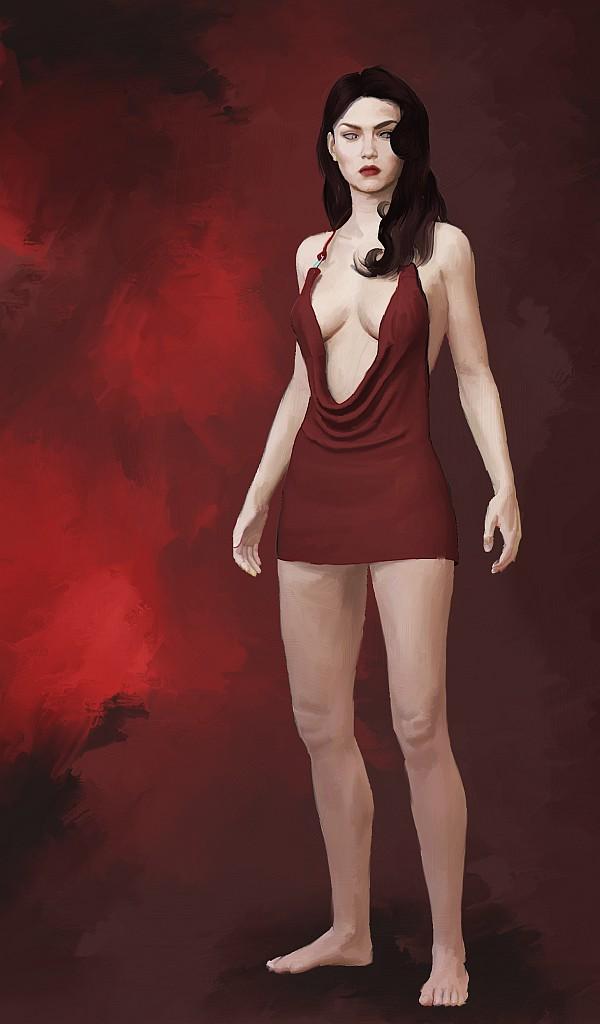
And here she is on a cover with a Michael 6 in the backgroud.
RY Elysa for Victoria 8The RY Elysa for Victoria 8 (https://www.daz3d.com/ry-elysa-for-victoria-8) character has an "RY Elysa Fix skin DS 4.10" option at the materials tab that should be applied last (to fix the skin for DS 4.10).
The product was release before DS 4.11.
I am using DS 4.12. Should i still use the fix skin option?
Barbie doll body maker!!(niples and gens remover)to be clear and some peoples are not missunderstand my request, i'm not talking about "true barbie doll body, i means plastic or rubber made bodie,. that is not the case i means which i want a way to remove niples, pub hair and gens from the already existing skins like for exemple victoria 8 material, i means make the bodies be like the genesis 1 and genesis 2 bodies, both of then don't have any niples or gens or pubic hairs on they bodies, they are "doll" style bodies but still "realistic style skin, this is what i want, not a cartoon or anime or plastic or rubber doll, body for exemple like sakura 8 body anime body, i want a way to get any of the existing bodies materials and "remove" they gens, niples or pub hairs, but still looking like a realistic body, it's just to help with censoship, i know which i can try that using the photoshop but it will be really a lot of work to have adjust for all that, then would be cool to have a tool which would do that.
Need Help Identifying CharacterHard to identify characters, and getting harder everyday. Unless they are the familiar bases. Characters look different with just different makeups. Dont recongnise her as a base character. Looks like a Victoria and Mika mix. I did come across some that are similar options searching elf.
https://www.daz3d.com/nicolette-hd-for-genesis-8-female
https://www.daz3d.com/vyk-elke-for-mika-8
https://www.daz3d.com/mesmerizing-faces--bodies-for-genesis-8-female
Addendum: I just saw this as a promo at Rendo as well: https://www.renderosity.com/mod/bcs/mykt-dalila-for-genesis-8-female/139367/
What was your first DAZ purchase, and how long ago?The first order still showing in my order history is dated July 4, 2002. It wouldn't have been my first purchased based on what it was, so presumably I ordered something prior to that. I think I ordered Victoria1 on a CD, but not certain anymore. I no longer use Victoria1 or Victoria2, but still regularly use Victoria3, Michael3, Aiko3, the original Freak, and Genesis1 figures (which also make use of Victoria4 & Michael4 materials and some of that generation of clothing.) Autofit only works under certain circumstances (a great purchase and a good tool for some things, but can't be used for other things) and attempts to transfer V4/M4 figure shapes to G1 didn't work for some reason I cannot figure out, so generally I make no attempts to recreate figures in newer generations and just use what that generation already has available. Currently I don't even use anything past Genesis1, although I may make an exception for one or two purchases or freebie items in the future for one-off characters or creatures for a single drawing if appropriate (hasn't happened yet), and I've kicked around the idea of using a recent figure's head with better expression options of the newer figures in conjuction with a collar on older figures but haven't really thought that one through yet.
Transferring shapes requires a script / plug-in (example: "Genesis Generation X2"), and auto-fit really only works well if you have the appropriate "clones" for the other generation(s).
For example, if you want V4 / M4 clothing to fit Genesis almost perfectly, then you need "v4-and-m4-shapes-for-genesis" ... there are "clones" or "shapes" of each generation (including V4 / M4 clones for Genesis 8), from generation 3 through generation 8. Most generations have clones of themselves for older generations, too.
Also, each of the main Genesis 8 "DAZ Original" characters includes clones for both male and female for Genesis, Genesis 2, and Genesis 3 (so if you buy one male, and one female, your Genesis 8 figures can wear anything made for Genesis, Genesis 2 M/F, Genesis 3 M/F, and their own gender of Genesis 8).
One of the things I like about DAZ is that ability to mix and match items (and characters) from multiple generations. Yeah, it takes buying the clones and the shape transfer scripts, but at least it's possible without manually re-fitting everything through a modeling program.
  V8 (and others) texture improvement discussion
I thought I'd share a few settings and see if anyone has their own suggestions or improvements that could help make this texture look better. Maybe if we come up with something good, we can do it with more textures...quite a few could actually benefit from a little tweaking.
* Scene: HDR only (Studio Small 5, free for download here:(https://hdrihaven.com/hdri/?c=studio&h=studio_small_05), strength 1.00, rotation 22.66, Spectral Rendering On (faithful cie1931), 5000 iterations, tone mapping all default except crush blacks and burn highlights set to 0.00, max path 8, pixel filter: gaussian 1.20.
* Genesis 8 Female, rendered at subD 3, default pose, V8 Head and V8 Head HD at 37%* Left image: Victoria 8 default, blue eye option, V8 fibermesh brows, V8 eyelashes. No surface settings changed.
* Center image: Victoria 8 skin texture with surface adjustments (below), Lilianna Eyes 06, V8 eyelashes, V8 fibermesh brows.
* Right image: same as Center, but run through Skin Builder 8 to add detail and new brows. No additional surface adjustments.surface edits:
- reduced bump map on skin and lips from 5 to 4.
- dual lobe specular weight: 1.00 (0.61 for lips)
- dual lobe specular reflectivity: 1.00 (0.50 for lips)
- specular lobe 1 roughness: 0.67 (0.25 for lips)
- specular lobe 2 roughness: 0.69 (0.26 for lips)
- transmitted measurement distance: 0.12 (not positive this was changed)
- scattering measurement distance: 0.015 (not positive this was changed)
- SSS color: 0.95, 0.49, 0.43
I think this is a fair improvement, but please share any suggestions you might have too, like your favorite eye or lacrimal textures, any additional detail maps (SSS, bump, etc), or surface adjustments if you have any. Thanks in advance and thanks for looking. It's not exactly raining men....
Admittedly, my products are not clothes or figures, but even with scripts and poses, the male products sold a fraction of the female products:
Beach Volleyball Poses for Genesis 3 Female(s) 56% Character Converter from Genesis 3 Female to Genesis 8 47% Character Converter from Genesis 8 Female to Genesis 3 38% Clothing Converter from Genesis 3 Female to Genesis 8 45% Clothing Converter from Genesis 8 Female to Genesis 3 40% Essential Poses for Centaur 7 Female 128% Hair Converter from Genesis 3 Female to Genesis 8 38% Hair Converter from Genesis 8 Female to Genesis 3 25% RSSY Clothing Converter from Genesis 2 Female to Genesis 8 Female 50% RSSY Clothing Converter from Genesis 2 Female to Genesis 3 Female 47% RSSY Hair Converter from Genesis 2 Female to Genesis 8 44% RSSY Hair Converter from Genesis to Genesis 8 Female 62% RSSY Hair Converter from Victoria 4 to Genesis 8 Female 38% Skin Doctor - Dirt & Grime for Genesis 8 and 3 Female(s) 19% Skin Doctor - Wet & Wild for Genesis 8 and 3 Female(s) 33% Word Tattoo for Genesis 3 and 8 Female 35% The Essential Poses for the Centaur 7 are the only product I have where the male product outsold the female product.
That's really interesting information. Thank you for sharing it.
You're welcome. I think it shows with hard data that there is definitely a male purchasing problem. It would be hard to claim that the male versions of scripts are worse than the female versions.
 Official Release of Carrara 8.5 **Update - 8.5.1.19**
could chec your order history, if is recent should be easy to find
https://www.daz3d.com/sales/order/history
here is a direct link to it in Product Library downloads, you don't need a download manager, just right click, save as
Carrara 8.5 Pro
https://www.daz3d.com/downloader/customer/files/#prod_16777This product is a bundle that contains the following product...
 Alruna
 Benjamin for M5
 Carrara 8 Native Content
 Carrara 8.5
 Carrara 8.5 Native Content
 Carrara 8.5 Pro BETA (PUBLIC BUILD)
 Carrara 8.5 Pro Native Content
 Carrara Hair Caps
 Carrara Hair Caps for Genesis and Genesis 2
 Chelsea Hair
 Dark Priest Poses for M5
 Digital Painters Shaders
 DigitalPainters 3DPaint Brushes Sampler
 DragonLord for Genesis
 Easy Going Poses for Michael 5
 Expressive for Genesis
 Gabi for V5
 Genesis 2 Starter Essentials
 Genesis Female Anatomical Elements
 Genesis Male Anatomical Elements
 Genesis Ranger
 Genesis Starter Essentials
 Hampton Hair
 Handy for Genesis
 Howies Snow Scene
 James for M5
 M5 Basic Poses
 M5 Casual Male
 M5 Photographic Poses
 Magna Hart for Genesis
 Manly Men M5
 Michael 5
 Pin Up Poses for V5
 Posed for Victoria 5
 Preppy for Genesis
 Pure Hair: Bubblegum for Genesis
 Pure Hair: Classic for Genesis
 Pure Hair: Sleek for Genesis
 SciFi Bunny For Genesis
 Sexy Silky For Genesis
 Tori for V5
 Town and Country for Genesis
 Victoria 5
 Zac Hair
if you have Carrara 7 Pro *digital download
https://www.daz3d.com/downloader/customer/files/#prod_8394This product is a bundle that contains the following product...
 Amarseda Hair
 Basicwear for M4
 Basicwear for V4 Unimesh
 Basicwear for V4A4G4 and Elite
 Basicwear Unimesh fits
 Carrara 7 Pro - Download Version
- Carrara Hair Caps
- Digital Painters Shaders
- DigitalPainters 3DPaint Brushes Sampler
- Howies Snow Scene
 Jai Hair
 M4 Hand Poses
 M4 High Res Shaders for Carrara 7
 Michael 4 Base
 Michael 4 Shapes++
 Michael 4 Skin Maps (Std Res)
 Millennium Big Cat LE
 Millennium Cat LE
 Millennium Horse LE
 Millennium Puppy LE
 Sea Dragon LE
 Stylin For M4
 V4 High Res Shaders for Carrara 7
 Victoria 4 Skin Maps (Std Res)
 Victoria 4.2 Base
 Victoria 4.2 Shapes++
The "Powered by Hot Pockets" Complaint ThreadShouts to the sky: what a pain in the @#$% having the eyebrows mixed with the hairs in the smart content! Was it too hard to put them all under anatomy like Victoria 8's? And when I do want to find eyebrows? Some are under hairs... sooome are under anatomy... *shakes fist at the sky*
Hopefully, this post is in the spirit of this thread
complaint worthy !
The "Powered by Hot Pockets" Complaint ThreadShouts to the sky: what a pain in the @#$% having the eyebrows mixed with the hairs in the smart content! Was it too hard to put them all under anatomy like Victoria 8's? And when I do want to find eyebrows? Some are under hairs... sooome are under anatomy... *shakes fist at the sky*
Hopefully, this post is in the spirit of this thread
It's not exactly raining men....I believe it is a mistake to believe that the issue being discussed is all about DAZ3D or male 3D content in general. I believe the issue is far more fundamental than that. A wise man once said, "if you wish to know where you are going, you must know where you have come from".
Long before there was a DAZ3D, or even a Poser, there was Mattel. How many of you ladies out there had a Barbie doll? How many of you had more than one? Now, how many of you had a Ken? How many of you had more than one? If you did have one, how much clothing did you have for him? How much clothing did you have for your Barbies? Barbie got a pink Corvette. Sometimes Ken might be allowed to ride in the passenger seat. But hey, what about G.I. Joe? Well, he never was a competitor for Barbie, sales-wise. And of the kids that actually were interested, I don't think many were particularly concerned with the size of his wardrobe.
But we can go even further back, and have a look at the fashion industry. In the beginning, that industry primarily catered to a female clientele, as indeed it still does today. I am quite certain that most fashion designers would voice the same sentiment that we hear from DAZ PA's: male content doesn't sell (or, at least, far more money can be made by designing and selling female content). And there's a reason for that. The vast majority of men really don't care that much about what they're wearing. Look at any black tie gala event and each woman will be seen wearing a designer dress or gown, and would tend to be mortified if any other woman showed up in the same thing. The men? They mostly tend to be wearing the same sort of black tux that all the other men are wearing, and could care less.
If we look at the origins of DAZ3D itself, it all started with Victoria, The Millenium Woman. Not a guy. Sure, eventually Michael came along, and David to round out the offerings, but the girls always came first. And most content was made for them. Because that is what sold. Victoria was the virtual Barbie and there was a whole world of fashion waiting to be created for her. What's more, not only the female customers were interested, a whole load of male customers were also interested in dressing up these 3D models in all manner of fantasy wear and rendering pictures of them. Michael et al? Well sometimes you needed a guy in the scene, so suit, or jeans and a T-shirt, or possibly a suit of armour. Good enough. Nobody's going to be interested in him anyway, he's just a prop like the stone throne or brazier.
The point is, the market reflects the demographics of the society in which we live. There will always be those that march to the beat of a different drummer and want something different, both in terms of 3D content and the world around us, but the majority rules. Me? Well, to be honest, I'm more concerned with finding a good inkjet printer that isn't a self-destructing piece of crap that is lucky to outlast its first set of cardtridges. I'm not going to get upset about a lack of 3D content, by comparison.
Compelling thoughts, you speak.
+1 and well said.
It's not exactly raining men....The only reason male characters and content don't sell as well is because there isn't as much of it to buy. If they would offer more male content, I'm sure it would sell. I'm also disappointed that we have yet another female characater. I've been waiting for a new male character for a while now. Reading the forums here, I'm seeing a whole lot of people who are asking for male content and characters, but this is very limited, which is why it doesn't sell well. We can't buy things that don't exist. Wishing for Gianni 8.
I see that argument.
But folks go off what does sell, of what is released.
Doesn't matter how much is made, if when it is made, it sells fewer than the female countepart, it means the PA takes a cut; Zev0 (as an example - I think I'm remembering the PA correctly) has often stated that like-for-like products sell significantly different numbers
... So whilst you can't buy what doesn't exist, when it does exist, not enough folks buy it.
That simply isn't true.
PAs have REPEATEDLY observed products that are released male and female. Males very very commonly sell a fraction of what females sell. For the same product (basically), from the same vendor.
There are exceptions, and some people manage to do well with male content, but that's very broadly the situation.
Now, the situation snowballs from there. But it all starts from customer demand.
I think a quality product with good promos and a good deal will sell. End of story. Daz has very rarely done all 3 at once for male characters. If they didn't sell previously, then they didn't have the quality people are looking for. That's cold, I know, but I believe if there was truly high quality realistic man that rivaled the likes of a Bluejaunte female, that product would sell. We do not have that right now. We have never had that, and it seems like we never will.
Also, Daz owns the store. They get 40-50% of every single sale in this store, and 100% on their DO's. It would seem logical to me to have more balance in the DO core lineup as a matter of making the store more well rounded as a whole, instead of catering to literally one demographic over and over. You want women, people can still have women as they are all over the store. But how about mixing up the Daz line up too?
I mean...Daz has a certain...reputation...out there, like scantily clad Victoria wielding a sword, that's how this place is viewed. Releasing 4 females in a row, 4 in a single month, only perpetuates that reputation ever further. I do not tell anybody about my Daz hobby, most have never heard of it, but I worry the ones that have might be like "Oh, that's the place they get the 3D pron from, huh?" That is when I have to throw a smoke bomb or jump out the window, whichever is more convenient at the time. I really hate breaking through windows, but I tend not to keep an ample enough supply of smoke bombs on hand. You can't buy them in bulk from Costco, you know.

Having that diversity isn't just about the constant bottom line every week or two. Its about having some balance to attract more people of all kinds into the Daz store. By catering to that one demo so much, I wonder if others who might be interested in men may have simply left by now. Its a self fulfilling prophecy.
To me, the Daz Original Core lineup should be something that shows of the best of Daz, something that should be diverse by its very nature. I frankly do not see that. There are frequently better models by 3rd parties both here and at other stores. And even when some models are by known PAs, like Rarestone or Thorn, their DO models have fewer features than the non-DO versions! What is the point of the Daz Original line anymore? Its been watered down to a meme at this point.
This is the problem, folks saying I think it will sell well.
The evidence rarely supports such thoughts. The majority support the the statement of fact "Male products sell significantly less than their female counterpart".
RiverSoftArt's post provides good evendence, even compelling evidence.
Required products to get Rendo GND 4.2 into Daz?V4 Is an old base figure that came before genesis. https://www.daz3d.com/victoria-4-2-base
So it looks like its a standalone since it only shows compatibility with V4 and doesnt show "requires"?
Required products to get Rendo GND 4.2 into Daz?V4 Is an old base figure that came before genesis. https://www.daz3d.com/victoria-4-2-base
Required products to get Rendo GND 4.2 into Daz?Hi,
I've only used G3 and G8 figures so i'm a bit confused with what products i need to have installed in order for the one below to work. I tried looking on the Daz store but the naming conventions between G2 G3 G8 and which named models like Victoria 4 6 7 8 go to which Gen figure are a bit confusing. It says Victoria 4 Base so that should mean i also need the basic G2F installed from the DIM right? I think V4 and V6 are both G2F? or is V6 G2F and V4 is something else like just Genesis?
https://www.renderosity.com/mod/bcs/the-girl-next-door-4-2/63124/
It's not exactly raining men....I believe it is a mistake to believe that the issue being discussed is all about DAZ3D or male 3D content in general. I believe the issue is far more fundamental than that. A wise man once said, "if you wish to know where you are going, you must know where you have come from".
Long before there was a DAZ3D, or even a Poser, there was Mattel. How many of you ladies out there had a Barbie doll? How many of you had more than one? Now, how many of you had a Ken? How many of you had more than one? If you did have one, how much clothing did you have for him? How much clothing did you have for your Barbies? Barbie got a pink Corvette. Sometimes Ken might be allowed to ride in the passenger seat. But hey, what about G.I. Joe? Well, he never was a competitor for Barbie, sales-wise. And of the kids that actually were interested, I don't think many were particularly concerned with the size of his wardrobe.
But we can go even further back, and have a look at the fashion industry. In the beginning, that industry primarily catered to a female clientele, as indeed it still does today. I am quite certain that most fashion designers would voice the same sentiment that we hear from DAZ PA's: male content doesn't sell (or, at least, far more money can be made by designing and selling female content). And there's a reason for that. The vast majority of men really don't care that much about what they're wearing. Look at any black tie gala event and each woman will be seen wearing a designer dress or gown, and would tend to be mortified if any other woman showed up in the same thing. The men? They mostly tend to be wearing the same sort of black tux that all the other men are wearing, and could care less.
If we look at the origins of DAZ3D itself, it all started with Victoria, The Millenium Woman. Not a guy. Sure, eventually Michael came along, and David to round out the offerings, but the girls always came first. And most content was made for them. Because that is what sold. Victoria was the virtual Barbie and there was a whole world of fashion waiting to be created for her. What's more, not only the female customers were interested, a whole load of male customers were also interested in dressing up these 3D models in all manner of fantasy wear and rendering pictures of them. Michael et al? Well sometimes you needed a guy in the scene, so suit, or jeans and a T-shirt, or possibly a suit of armour. Good enough. Nobody's going to be interested in him anyway, he's just a prop like the stone throne or brazier.
The point is, the market reflects the demographics of the society in which we live. There will always be those that march to the beat of a different drummer and want something different, both in terms of 3D content and the world around us, but the majority rules. Me? Well, to be honest, I'm more concerned with finding a good inkjet printer that isn't a self-destructing piece of crap that is lucky to outlast its first set of cardtridges. I'm not going to get upset about a lack of 3D content, by comparison.
I had 1 Barbie and 1 Ken. Barbie had more clothing, but that was simply because there was hardly any clothing produced for him. The shop had maybe one set for Ken for every 50 for Barbie. Can't buy what isn't there.
What is the name of this character?Could be Leony as Cybersox says or one or a combination of these morphs https://www.daz3d.com/first-class-faces-hd-for-victoria-8
It's not exactly raining men....I believe it is a mistake to believe that the issue being discussed is all about DAZ3D or male 3D content in general. I believe the issue is far more fundamental than that. A wise man once said, "if you wish to know where you are going, you must know where you have come from".
Long before there was a DAZ3D, or even a Poser, there was Mattel. How many of you ladies out there had a Barbie doll? How many of you had more than one? Now, how many of you had a Ken? How many of you had more than one? If you did have one, how much clothing did you have for him? How much clothing did you have for your Barbies? Barbie got a pink Corvette. Sometimes Ken might be allowed to ride in the passenger seat. But hey, what about G.I. Joe? Well, he never was a competitor for Barbie, sales-wise. And of the kids that actually were interested, I don't think many were particularly concerned with the size of his wardrobe.
But we can go even further back, and have a look at the fashion industry. In the beginning, that industry primarily catered to a female clientele, as indeed it still does today. I am quite certain that most fashion designers would voice the same sentiment that we hear from DAZ PA's: male content doesn't sell (or, at least, far more money can be made by designing and selling female content). And there's a reason for that. The vast majority of men really don't care that much about what they're wearing. Look at any black tie gala event and each woman will be seen wearing a designer dress or gown, and would tend to be mortified if any other woman showed up in the same thing. The men? They mostly tend to be wearing the same sort of black tux that all the other men are wearing, and could care less.
If we look at the origins of DAZ3D itself, it all started with Victoria, The Millenium Woman. Not a guy. Sure, eventually Michael came along, and David to round out the offerings, but the girls always came first. And most content was made for them. Because that is what sold. Victoria was the virtual Barbie and there was a whole world of fashion waiting to be created for her. What's more, not only the female customers were interested, a whole load of male customers were also interested in dressing up these 3D models in all manner of fantasy wear and rendering pictures of them. Michael et al? Well sometimes you needed a guy in the scene, so suit, or jeans and a T-shirt, or possibly a suit of armour. Good enough. Nobody's going to be interested in him anyway, he's just a prop like the stone throne or brazier.
The point is, the market reflects the demographics of the society in which we live. There will always be those that march to the beat of a different drummer and want something different, both in terms of 3D content and the world around us, but the majority rules. Me? Well, to be honest, I'm more concerned with finding a good inkjet printer that isn't a self-destructing piece of crap that is lucky to outlast its first set of cardtridges. I'm not going to get upset about a lack of 3D content, by comparison.
Daz 3D is part of

Connect
DAZ Productions, Inc.
7533 S Center View Ct #4664
West Jordan, UT 84084Licensing Agreement | Terms of Service | Privacy Policy | EULA
© 2026 Daz Productions Inc. All Rights Reserved.