-
How to create a Daz product from Marvelous Designer? (animated)
In Daz you would usually make clothes by rigging or simulating using dforce. Or a combination of both.
Transfer utility works by transfering the rigging from the base figure to the clothing but doesnt work so well on loose clothing. That's because loose clothing is too disimilar from the base mesh. In those cases, sometimes using a template (dress, skirt, robe, or whatever template) in transfer utility window is better, although once again it depends on how similar the garment you are trying to rig is compared to the template.
The problem with rigging and dforce is the result is usually worse than Marvelous Designer. Marvelous Designer has good cloth simulation quality whereas dforce is lacking, and of course rigging is just an approximation so will never look as good as a proper simulation.
Face Transfer 2I have only found that ears do not need to be visible on the reference (input) images to Face Transfer 2
to have ears be recreated from scratch on Genesis 9.
In my experiments neck needs to be visible on input images to FT2
to get good materials on Genesis 9 without visible seams.
Fixing plugin to deal with the deformation of the ear is not easy to do
and I will be positively surprised if we get such update soon.
Keiko High Heel Mules G3F: missing 'Loose' morphsRichard Haseltine said:
Although it may seem safe you canot in fact distribute the morphs converted for the Gensis 3 shoes, only tell someone how to do the job themselves. A ticket would be the way to report this, certainly (and you could attach the converted morphs to the ticket for Daz/the PA to adopt if they wish).
Nope... they're purely delta morph I made and fixed with Blender and MG... but just adopted the property settings (LABEL , COLOR, CLAMP, etc.) from the ones on G8F. It's not against license ToS., tbh...
Daz crash when using face transfer on genesis 9 or when creating a new one~~~Do you have the latest version of the Genesis 9 Starter Essentials installed?
8GB of system memory is not much, though I don't know if face transfer 2 would be demanding enough for that to be an issue - do you get a crash dialogue, and if so what does it say?
Daz crash when using face transfer on genesis 9 or when creating a new one~~~Hi, as the title says my daz keep crashing when i try to use face transfer on genesis 9 figure or when creating a new one from scratch. It crashes at creating shape and textures.The weird thing is it didn't have any problem what so ever when i use it on a genesis 8 figure. No crash at all. I'm new to daz and using the latest version of the software. Btw my gpu is gtx 1050 ti 4gb and 8gb of system ram.
How to create a Daz product from Marvelous Designer? (animated)nookie45 said:
I see, no i didn't rigged it... (isn't weight painting involved in this process? I'm bad at that...)
Anyway, thank you, much appreciated!Actually in most cases, you don't have to tweak weight after Transfer Utility... but you better know a modeling / sculpting software, e.g. Blender, Hexagon, ZBrush...
Recommend a series tutorial from 3DMegaverse (Fugazi1968) - https://www.youtube.com/watch?v=-YXVQrwKTIA&list=PLmvWo_ZS_5kPUco7pEzMJCSvUXF2lbAnB
How to create a Daz product from Marvelous Designer? (animated)Let's confirm first : Have you rigged the OBJ file exported from MD to G8/G9 figure in DS with Transfer Utility ? If you haven't done so... here's the SOP, primarily ~
1. Make the garment on the avatar of G8/G9 Base figure in MD. Export the garment to OBJ file.
2. Import OBJ file into DS, rig it on G8/G9 with Transfer Utility. (Edit - Figure - Transfer Utility...)
3. Add animaton to G8/G9 figure, now the rigged garment will follow the figure, technically.
4. Add dForce modifier to the garment, tweak it properly and Simulate the garment with animated range (Timeline)...In most cases, dForce can work well, so you don't have to send the garment back to MD for simulation with morph target. TBH, using obj-sequence is not a good way on garments in DS...
PS: Typically, steps 1 - 2 are done before Saving as Figure / Prop Asset.
Trusted Third Party Add-Onsnonesuch00 said:
One of my favorites, if not the absolute favorite in all this in the DAZ 3D store is the FACS work done by Faux2D, eg MetaMixer. You buy it as an add-on for Genesis 3 / Genesis 8 / Genesis 8.1 and it's directly integrated into Genesis 9 for free. Absolutely great. I have not tried Genesis 9 FACS as extensively as Genesis 8 / 8.1 so I don't know if it's as good but it is there but built in and face. It's missing the external control rig made by Faux2D in MetaMixer.
Just to be clear, Faux2D's MetaMixer and their FACS tool (https://www.daz3d.com/genesis-3--8-face-controls) are separate products. MetaMixer is for customizing the appearance of a character; it's some workflow tools and hundreds of morph targets. The FACS tool is for creating expressions. Genesis 8.1 and 9 have FACS-based facial parameters out of the box.
How to migrate "DAZ 3D Library" to another locationHello,
I have a problem that I have run out of space on the disk where I have DAZ installed (mainly because of the DAZ content). The main clue to the problem is that it is a system disk. Is there any way to transfer the "(...)/Documents/Public/DAZ3D Library" folder (which is the main source of this whole situation) to another drive, without having to uninstall and reinstall DAZ or edit each track individually in DAZ itself ? I care about this very much, because I currently have several dozen gigas of additional content.
How to create a Daz product from Marvelous Designer? (animated)First, only static garment can be created as a normal product by Saving as Figure / Prop Asset with its Base Geometry / UV. You save the asset to your Vendor folder, assign a Content Type to it and properly Categorize it, Create a Product from it in Content Library, then you'll see the product in Smart Content.
If "obj-sequence" is created as sequential Morphs in the garment, they can be saved as Morph Assets. You may also save "animated garment" within a Scene, Save it as a Scene Subset, or a Wearable Preset, etc.
The [Disco Chives] Misplaced Parrot Complaint ThreadPerttiA said:
kyoto kid said:
Diomede said:
Non-Complaint - Happy New Year! I stayed home and started to watch three versions of dracula on the Universal Monsters Channel, but fell asleep before midnight local.
Complaint - Greyhound Bus company closed its downtown location, and now it costs more to Uber to the new location than it does to bus half way across the country.
...they did the same where I live and annot igur why as and we had a nice fairly new terminal which had a roof over where the buses loaded/unloaded. Now buses stop at a curb totally in the open along a street that parallels the tracks leading into Union Station (Portland OR). No protection from the weather or even a place to sit while waiting and definitely not a great place after sundown.
The ticket office is 4 blocks away. and you have to carry your own luggage over to the stop (no more checked luggage). or waste monbey for a short taxi ride,
I can understand this in a small town, but in a major city it is ridiculous
What?... You still have ticket offices? Ours has gone to Web/Mobile apps/whatever tags and if one manages to find a bus going anywhere, one may not be able to pay for it (cash not accepted)
Apparently, Greyhound Bus was recently bought by a German bus company, Flixbus. Looks like there is some growing pains! There are no shortage of options to use as a bus station. We have an Amtrak terminal, a large downtown city bus transfer station, and a large under-utilized riverside market, all capable of serving as a place for Greyhound/Flixbus to use. Instead, Greyhound/Flixbus directs me to a city 57 miles away. The cynic in me suspects that Greyhound/Flixbus tried to get the city to pay for a new bus station and the mayor/council refused. The really cynical person in me suspects Greyhound/Flixbus didn't even bother to try.
Genesis 3 & 8 Face ControlsMILAN.3BG said:
Good question is can Face Controls expression be saved and used as morph or a pose preset separately on other characters without FC rig, and is there a way somehow to export FC expression to blender? Big thanks
I don't think so with the external FACS control rig as included in MetaMixer product that works with Genesis 3 / Genesis 8 / Genesis 8.1 but I may be wrong. With FACS based expressions integrated directly into Genesis 9 however, those can be.
Documentation HelpThe perfect SOP is always making geograft on Base figure, then you dial Feminine / Masculine morph(s) to further make F/M versions of grafts accordingly, as well as fixed bs if needed.
But if you do need to work on F/M figure for rigging geografts, in Transfer Utility dialogue box, set "Current" into Source - Item Shape and check "Reverse Source Shape From Target".
Documentation HelpI've searched around the internet and on these forums. I went to the DAZ documentation center but that isn't what I need; most of it is on how to use DAZ Studio and I know how to use it. I am trying to build products for Genesis 9 and 8. Genesis 8 is fairly straight forward as far as geografting and shaping is concerned. The same can be said for genesis 9 as far as shaping is concerned (export base obj, create morph in some other software, import new shape, morph loader pro...yada yada) but with geografts is where it gets interesting. I can take a portion of the base genesis 9 (with female morph dialed in) and duplicate vertexes to a new object, shape the object, load it back into DAZ Studio, mark the attachment surface and the hidden surface... all of that is standard for G9 as it was for G8 however my geografts always end up in the wrong place. I suspect because the transfer tool needs this to be on the zero'd (shape/position) G9 base figure. The pose is now zero'd always but I want to build content for each of the base shapes (feminine and masculine) seperate. How is this accomplished? Does everyone just mode/transfer it on the base always? I've tried all the options under the tool and nothing seems to work. I am purchasing this offering from the store: https://www.daz3d.com/essential-introduction-to-genesis-9-for-content-creators (it doesn't specifically call out geografts but I am sure there are some useful things here for me to know still) to help me but I am also looking for documentation on this for Genesis 9. My google fu might not be up to the task of finding this information but any links you all have would be appreciated! Again, G8 is fairly straight forward so I would like specifically for topics on geografting for genesis 9. It seems weird to me for such a mature product (G9) to not have this documenation easier to locate. Perhaps it is just me? Thanks in advance!
Gen 9 body shapesI've always ripped into 3d figures with the scale parameters. As Daz figures progressed, it's always gotten more succesful to do that. The head might not be included in that statement, but Genesis 1, could do some head scaling, i remember shrinking the head "Y" scale. It might be "wrong" (messing up some controllers I'm unaware of) but sometimes just "adjust rigging to shape" might be needed. G9 seems to be the most pliable of them all. I frequently scale the different spines "1,2,3,4" and then the pelvis, rather than struggle to find some morphs. At this point, I'm just learning G9, but in earlier figures that I had way too many morphs for, still, many times direct scaling was better than the pro morphs for what I wanted to do. Also, some morphs seem to be just scaling things anyway, and I don't see a difference between that and doing it myself. So, go ahead, scale it, fire it in with your mighty mouse button. And since we're suggesting morph packs here, lets not forget Sickelyield's generous G9 free morphs! https://sharecg.com/v/99782/browse/21/DAZ-Studio/SY-200-Free-Morphs-Merchant-Resource-G9 ; HAPPY NEW YEAR, peace
Face Transfer 2I can confirm, that if ears are covered on the reference image

Face Transfer 2 can recreate the ears from the scratch.
Below are the renders of the untouched Genesis 9 created with FT2,
so areas around the mouth are flat. Also notice stains on the face coming from the hair on reference image.

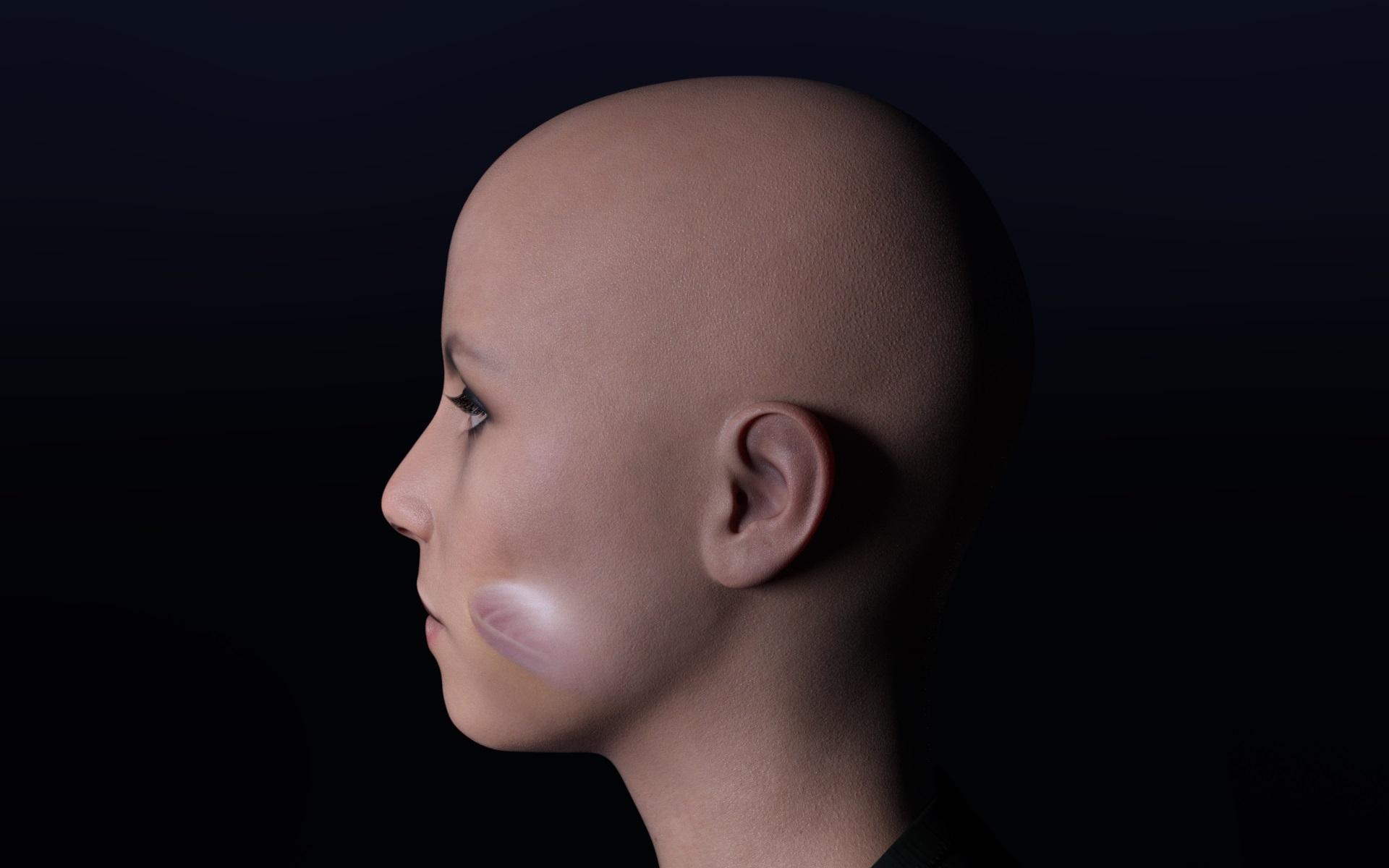
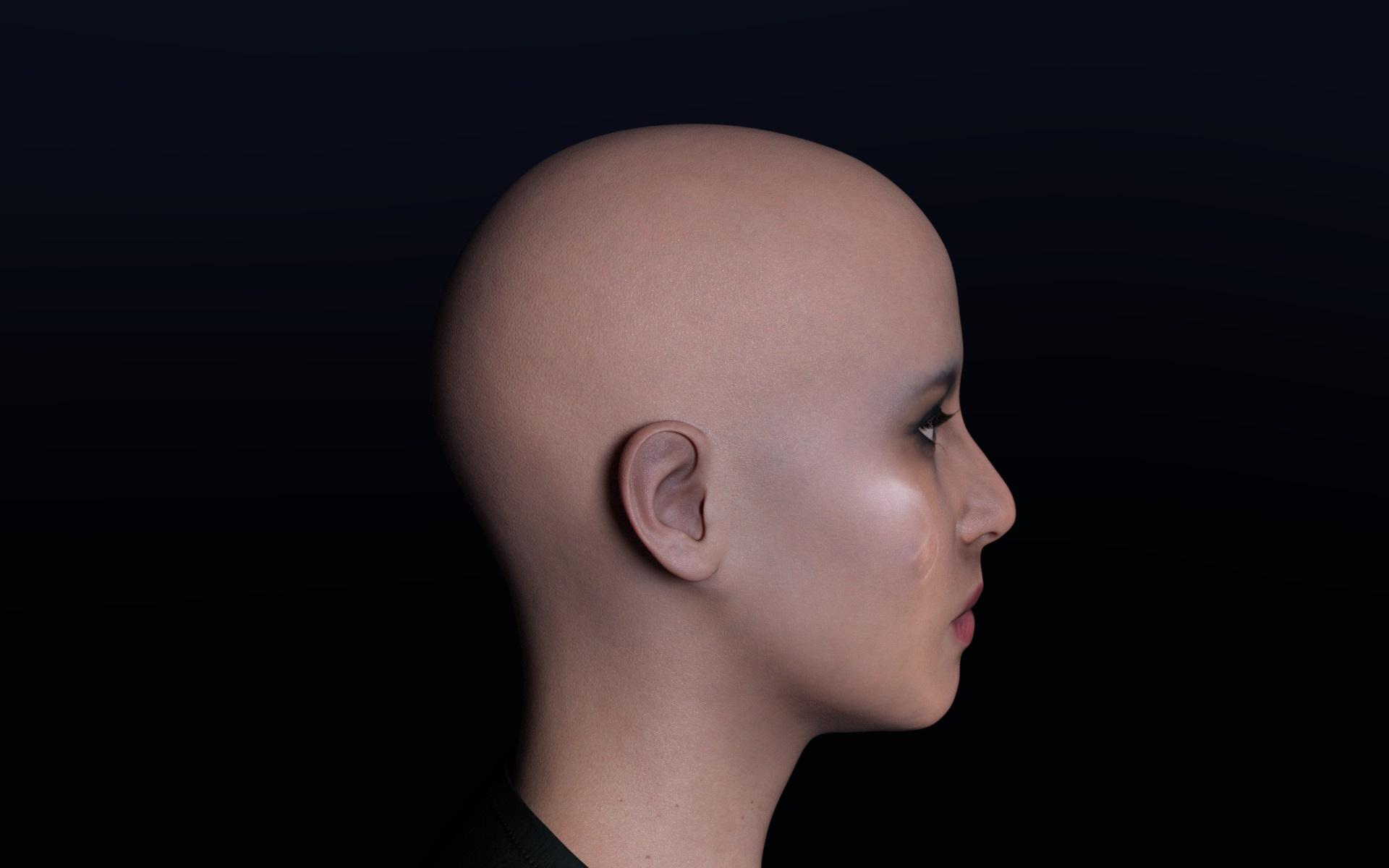 creating a face from a photo
Daz Studio doesn't have a morph creation tool, though a weightmapped Push Modifier may offer some aspects. Most people creating morphs use an external application (e.g. Blender, 3D Coat, ZBrush).
face morph is not loaded V4i bought a v4 character
but the facial morphine is not loaded
v4 pro is installed
i'm a beginner, what can I doDarwins' Schtuff Pt DeuxAnother morph set: Varick-just a head shot this time.
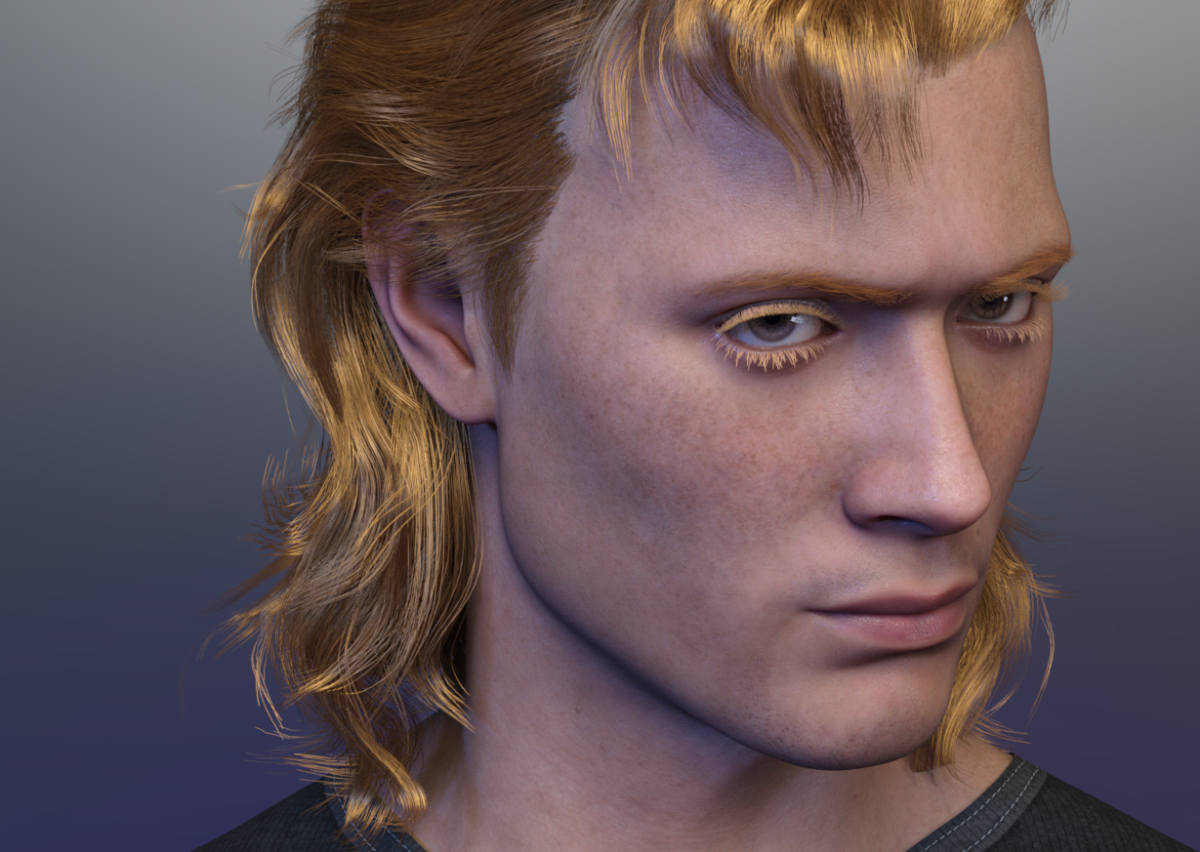 AOBB Babyface G9 head morph based on Jean Harlow. No presets, materials or textures.
Here is the new and improved over the G8.1F version Babyface G9 based on Jean Harlow's likeness. This one is for you, perlk!

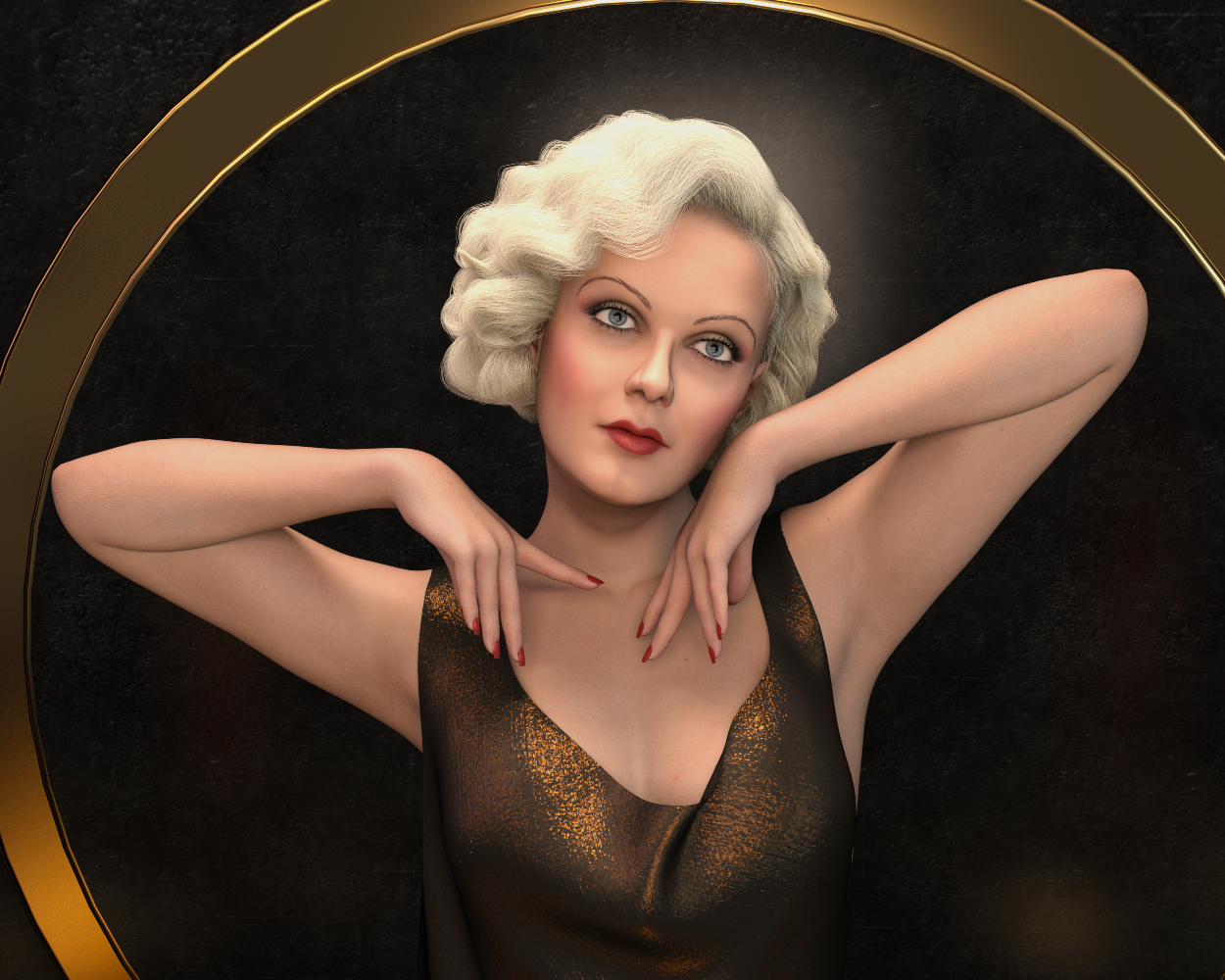
Babyface's brows are from Ultimate Eyebrows for G8F, Fine Brow-05.
Hair - Ingrid for G8F
Noncommercial use only.
Edit: It is a freebie of course!
I'd love to see your renders with Babyface G9!

Enjoy!
AOBB
Daz 3D is part of

Connect
DAZ Productions, Inc.
7533 S Center View Ct #4664
West Jordan, UT 84084Licensing Agreement | Terms of Service | Privacy Policy | EULA
© 2026 Daz Productions Inc. All Rights Reserved.