-
FilaToon / Cell shaded rendering with Filament
All you need to do is set the lights to cast shadows, and then make sure the Filatoon surface has cast shadows and receive shadows turned on.Artini said:Very nice images, everyone.
Do we have any tutorial on how to set up multiple lights with shadows in Filatoon?
The only other thing you need to consider are the limitations of Filament in general. You can only have one direct light period, and iirc you can only have about six spotlights casting shadows. Point lights can't cast shadows in Filament.
Also, the quality of shadows cast from spotlights depends on both the distance and light spread. The wider and further away the light, the blockier and worse it'll be. At a far enough distance it won't cast shadows at all.
Soft shadows in Tera's Bedroom?Could anyone who has already bought Tera's Bedroom confirm how the soft shadows under the bed and desk are achieved in the promo images (most noticeable in the nighttime promo)? Are they shadows cast by spotlights, or painted onto the textures, or filament's ambient occlusion, etc? Those promo renders are absolutely stunning.
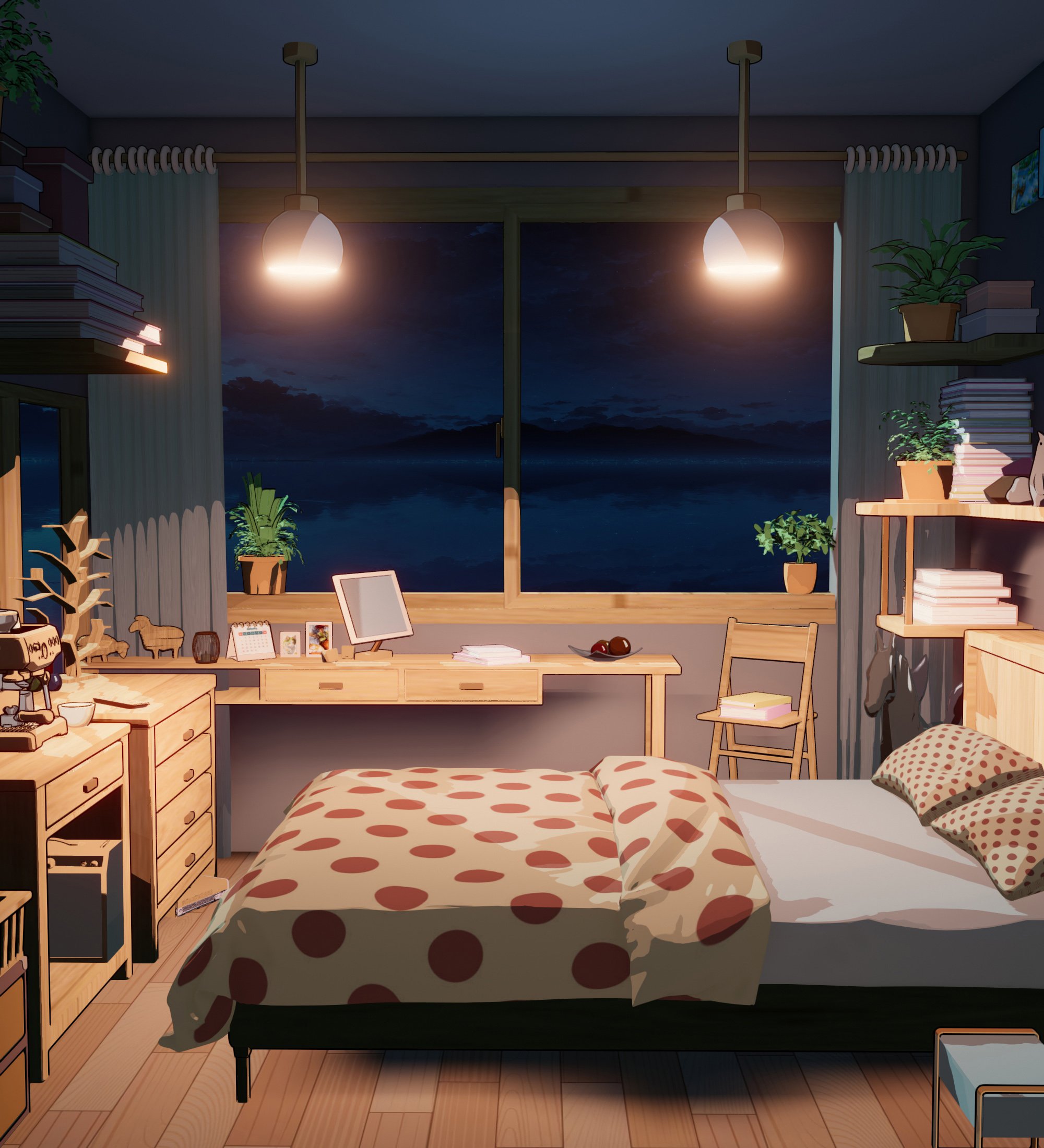 FilaToon / Cell shaded rendering with Filament
Funny enough, that's actually a glitch, lol. The 3d ripple (from SY's ripples and wakes) uses an opacity map to blend out the edges. This looks fine in Filament from the top, but from the front you get the usual depth fighting from semi transparent objects.3Diva said:@TheNathanParable That's incredible! Gorgeous work! How did you get the glow on the water ripple line where her body meets the water?
I tried to fix this using the same technique I used in the other thread to get that translucent shirt effect; I created a geometry shell with the exact same shader settings as the base, except one has soft transparency while the other has clamped transparency. If tweaked right it's pretty seamless. However, I didn't realise until after I posted that I forgot to adjust the geometry shell to be much closer to the base surface, causing that slightly glitchy 'glow' to appear, lol.
Edit: Oh, and just in case I misunderstood and you actually just meant the lighting at that part, I think I also added a point light under the water. They don't cast shadows in Filament anyway, making them good for adding a little colour variance to a scene.
Recent weird behavior with DazStudio 4.23I appreciate you responding!
I think there is an onboard GPU; I'm not sure how to change between the nVidia and that in regards to the viewport/draw settings. I scrolled through the various Draw Setting options in the Advanced Tab and don't see any way to pick a different rendering engine. I primarily work in Texture Shaded or Filament and only swap to NVIDIA IRAY to check small things.
Part of the weird behavior isn't even related to loading/slow load of assets. If I change a parameter (such as bending the neck) I can observe the bending in real time, as we always have been, but when I release the slider Daz Studio hangs and the screen squishes. It can last from anywhere between 10 to 40 seconds. It's dramatically slowing down any kind of work.
Anime Toons and Filatoon Shader Q&A@Moogee Make sure you have shadows turned on for the light. @Oso3D That looks great! I did the same for the strand-bases gnome beard - a line tessellation of 3 and an increase in line width works really well to toonify strand-based dforce hair for filament. :)Need help with Skin Effects: Greasenonesuch00 said:
Are you rendering in Filament or iRay?
Iray
Need help with Skin Effects: GreaseAre you rendering in Filament or iRay?
Hair 3D printI used the unified skin feature in Zbrush for the few things I printed before DRM not recognising thier own filament cartridges made my DaVinci printer useless
figures disappear from Filament viewI've had this problem every not so often since filament was introduced, too.
FilaToon / Cell shaded rendering with FilamentRichard Haseltine said:
3Diva said:
I think diving into the Filament Draw Options and trying to figure them out is a huge undertaking. So many options - so much to learn! But it's a lot of fun experimenting with the different settings. Being able to see the changes instantly and knowing that what you see in the viewport is exactly what you'll see when you render is pretty awesome!
I like how this Draw Options experiment turned out.

Your upload is AWOL - the forums have taken to leaving the attachment attached to the next post too, so if you clear that you are also deleting the original; refresh the page between consecutive posts to avoid the issue.
Thank you, Richard! I fixed the post. :) Thank you for letting me know about the issue and how to fix it. Hopefully I'll remember to refresh the page between consecutive posts in the future. :)
FilaToon / Cell shaded rendering with Filament3Diva said:
I think diving into the Filament Draw Options and trying to figure them out is a huge undertaking. So many options - so much to learn! But it's a lot of fun experimenting with the different settings. Being able to see the changes instantly and knowing that what you see in the viewport is exactly what you'll see when you render is pretty awesome!
I like how this Draw Options experiment turned out.

Your upload is AWOL - the forums have taken to leaving the attachment attached to the next post too, so if you clear that you are also deleting the original; refresh the page between consecutive posts to avoid the issue.
FilaToon / Cell shaded rendering with FilamentI think diving into the Filament Draw Options and trying to figure them out is a huge undertaking. So many options - so much to learn! But it's a lot of fun experimenting with the different settings. Being able to see the changes instantly and knowing that what you see in the viewport is exactly what you'll see when you render is pretty awesome!
I like how this Draw Options experiment turned out.
Problem with G9 eyesObviously it is not Calypso 9 Mermaid character as default... is it a customized character mixed with other characters' head morphs or something ?
And if you intended to render it with Filament, some settings of surfaces would have to be tweaked.
Problem with G9 eyesthe tearline doesn't render properly in filament. something with the transparency afaik.
FilaToon / Cell shaded rendering with Filament
Unfortunately that seems to be about general image quality, not blocky shadows.3Diva said:TheNathanParable said:
vrba79 said:
I think you can increase the shadow resolutions in the Filament options node.
Like I said, the quality of the shadows cast from spotlights don't seem to be affected by that.
Have you tried these settings to see if they help: https://www.daz3d.com/forums/discussion/706131/solved-with-how-to-workflow-how-do-i-get-a-less-blurry-pixelated-filament-filatoon-render
FilaToon / Cell shaded rendering with FilamentTheNathanParable said:
vrba79 said:
I think you can increase the shadow resolutions in the Filament options node.
Like I said, the quality of the shadows cast from spotlights don't seem to be affected by that.
Have you tried these settings to see if they help: https://www.daz3d.com/forums/discussion/706131/solved-with-how-to-workflow-how-do-i-get-a-less-blurry-pixelated-filament-filatoon-render
FilaToon / Cell shaded rendering with FilamentRod Wise Driggo said:
Boy, with all that filament/filatoon stuff coming in I really feel left out as a Mac user. And all I know is that I'll probably have to wait until Studio 5 (whenever that thing might surface) to run filament on Mac. Bummer, especially since even the naughty bits from a site I cannot mention are now featuring an addon with filament support.
Don't worry. You know Daz is working hard to get it done, as in "soon". With some luck it will come with the next blue moon.
FilaToon / Cell shaded rendering with FilamentPhloki3d said:Pulled in some hair and accessories from various non-daz sources and love that Filatoon just works

Yep! Been raiding my old off-site purchases to see how well they work with FilaToon, especially all the old Anime Doll Kit stuff. Gorgeous render btw!
Rod Wise Driggo said:Boy, with all that filament/filatoon stuff coming in I really feel left out as a Mac user. And all I know is that I'll probably have to wait until Studio 5 (whenever that thing might surface) to run filament on Mac. Bummer, especially since even the naughty bits from a site I cannot mention are now featuring an addon with filament support.
Lol, I've seen that too. Let the FilaToon hentai commence! xD
Render Engine OptionSo. The goal is to render filatoon and/or filament. All referenes I have read, are to:
1) Set the viewport to filament
2) Go to Render Settings -> General and change the Render Engine to Viewport
Problem is I don't have a Render Engine dropdown in general settings and I am using the latest public release of Daz3d. Can't find it searching for it in the render settings either. So where is it at or how do I get it to be showing in the Render Settings so I can select it.
The Mac FAQGiven that Studio 5 might be a thing, wouldn't it make sense for DAZ to eventually provide a first alpha with filament so that folks could test it out.
Having nothing in terms of an at least rough roadmap is what sucks most.Daz 3D is part of

Connect
DAZ Productions, Inc.
7533 S Center View Ct #4664
West Jordan, UT 84084Licensing Agreement | Terms of Service | Privacy Policy | EULA
© 2026 Daz Productions Inc. All Rights Reserved.