-
Face Transfer 2
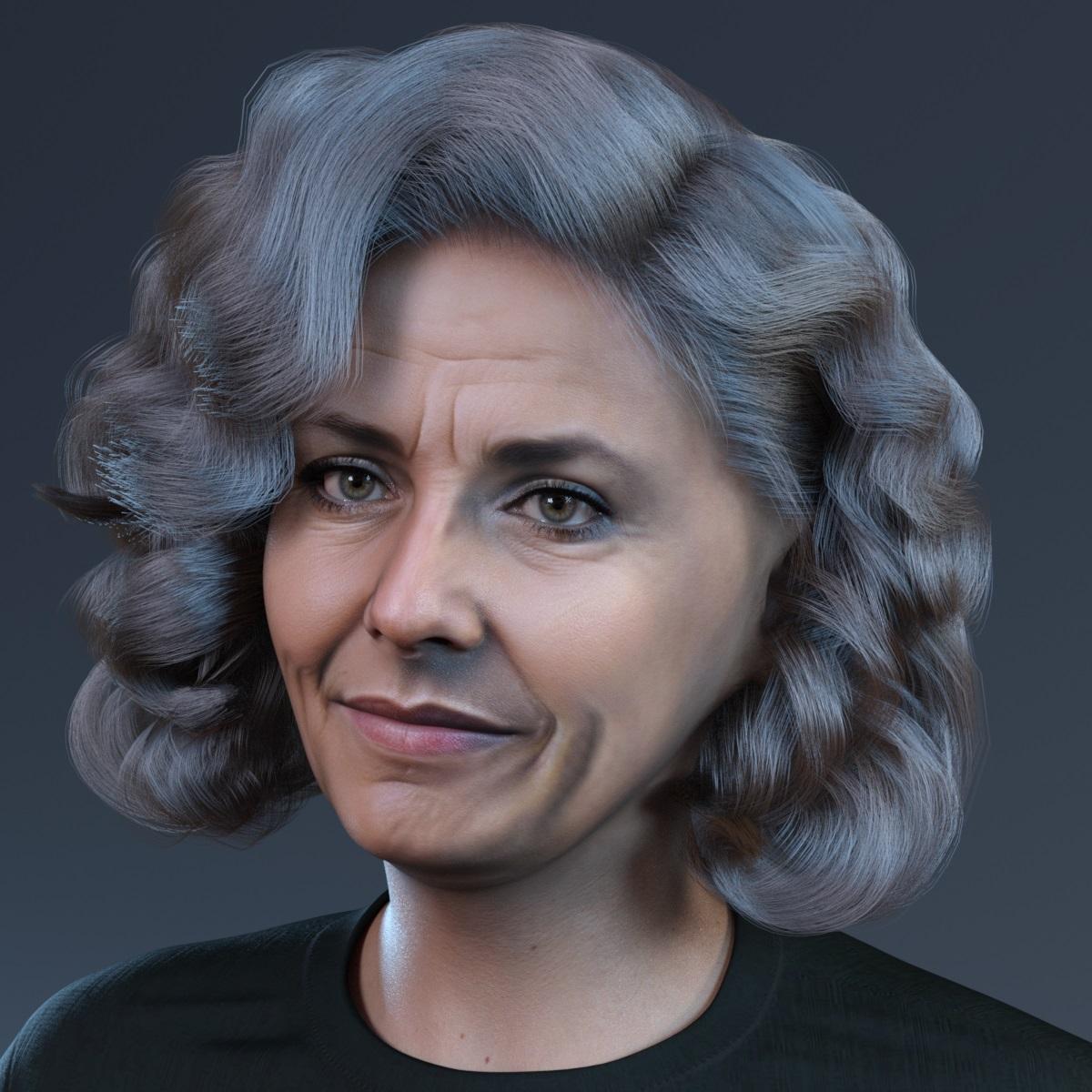
Really like, how wrinkles are coming out on the creations made with Face Transfer 2.
Here with the converted hair to Genesis 9:
https://www.daz3d.com/dforce-ingrid-hair-for-genesis-3-and-8-females
 Making Clones of G9 - Tutorial
miladyderyni_173d399f47 said:
... edited ...I just loaded G8F then jeans and tried to autofit with the G9 clone - I bet that was my problem. I will try it your way. Thanks for helping me with the outfit.
----
Are you still planning to make G9 clones for earlier generations? I still use a lot of G3.
Yes, once made, the actual autofit clones are not used on their own for anything. They are used in the background by the program inside the autofit dialog. If for any reason anybody's clone is not showing up there, double-check what 'type' of morph it had been assigned. [hint, it is not a shaping morph]
I am not releasing any clones for G9; the tutorial for how to make the G9 clone for G8 should be pretty much the same as for G3. Just swap out the G8 with G3 in the instructions.
For those wanting the clones Mattymanx has a set: https://www.daz3d.com/mmx-genesis-9-clones-for-all
eta: And then I remembered the "A" "T" poses ... after one has converted G9's clothing to G8. Save the clothing [new name/folders/etc]. Clear scene, load G3 -- load the G8 converted clothing; use the appropriate clone in G3's autofit dialog for G8 in T pose [or whatever I called it]
The A <=> T autofit clones are still available where I had put them. [Renderosity/DeviantArt/links in forum] Links Retired ;-)
Can't Find Morph SliderIt may be hidden and 100% by design, for example so that some other properpty can be subtracted from it in another morph to give an inverted value. I suspect that making it 0 is actually going to break something elsewhere. Whata re its subcomponents, from the Parameter Settings dialogue, and what are its exact name and label?
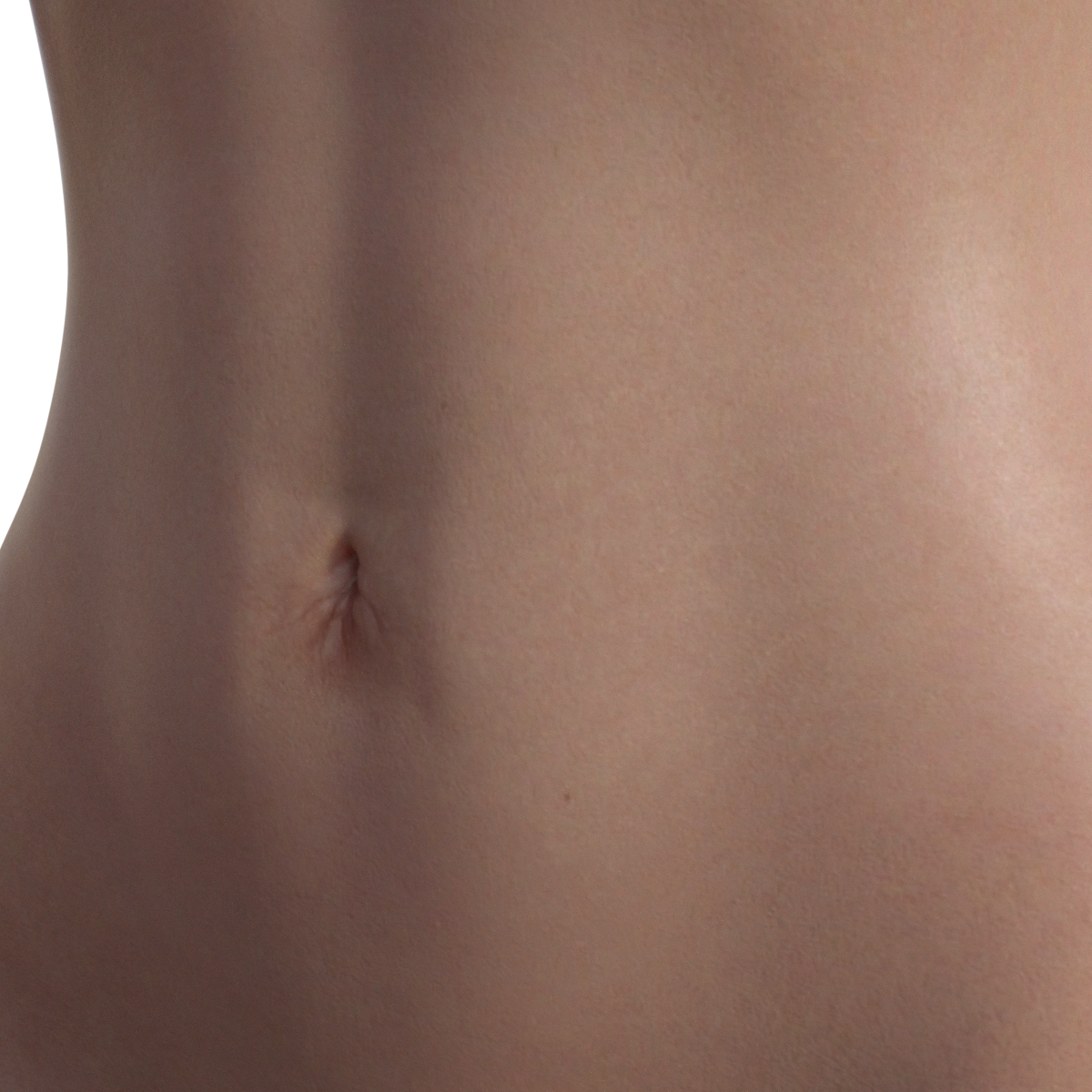
I'd like Navels for G8FIt is actually my first time for making a geograft. I have known the concept but never done it, and there was some trial and error.
But I think it works now.
Attached is the G8F_HiRes_Navel.
To use:
1) Load the Navel
2) Fit it to G8F (I must have done something wrong when saving it, as it doesn't fit automatically)
3) Copy the Torso surface material to the Navel
Some navel morphs will work on the geograft as projected morph - some gets a little wonky.
The attached image is a random G8F character with the geograft and an existing morph.
 Face Transfer 2
videoninja719 said:
Richard Haseltine said:
videoninja719 said:
Also guys any guide on installing face transfer 2? I purchased face transfer 2 but I am not sure how to install it. I have daz 4.22 installed via dim. Been using daz for very long. I searched in DIM for face transfer but nothing in there. When I use face transfer in daz using a picture, it uses genesis 8. I want to use it on genesis 9. Any help appreciated
It is included with the current Public Build (Beta) (4.22.0.9), not the General Release (4.22.0.1) - if you have purchased it all you need to do is enter the serial number in Help>About Installed Plugins and then restart Daz Studio to get the unlimited version.
thank you, i managed to get it working, in the public build beta like you suggested. However I am getting this error "Failed to load genesis figure. Could not locate a male genesis file:data/Daz 3D/Genesis 9 Starter Essentials/Utilities/Genesis 9 Male With Basic Wear .duf , everytime using face transfer 2 on genesis 9, both female and male, it works on gensis 8 but not on 9. I already have genesis 9 starters 1 and 2 essentials installed.
There are some addiitional files needed, as there is not yet an official release they are here - extract them outside your content directory and select the folder you extract to (or the folder with the zip name, depending on your extraction tool - you want the folder that contains the data folder) as a new daz Studio Format cotnent directory. When the main Genesis 9 Starter Essentials gets updated you can sdimply remove that extra content directory from the list.
Face Transfer 2videoninja719 said:
Artini said:
After using Face Transfer 2 a couple of times,
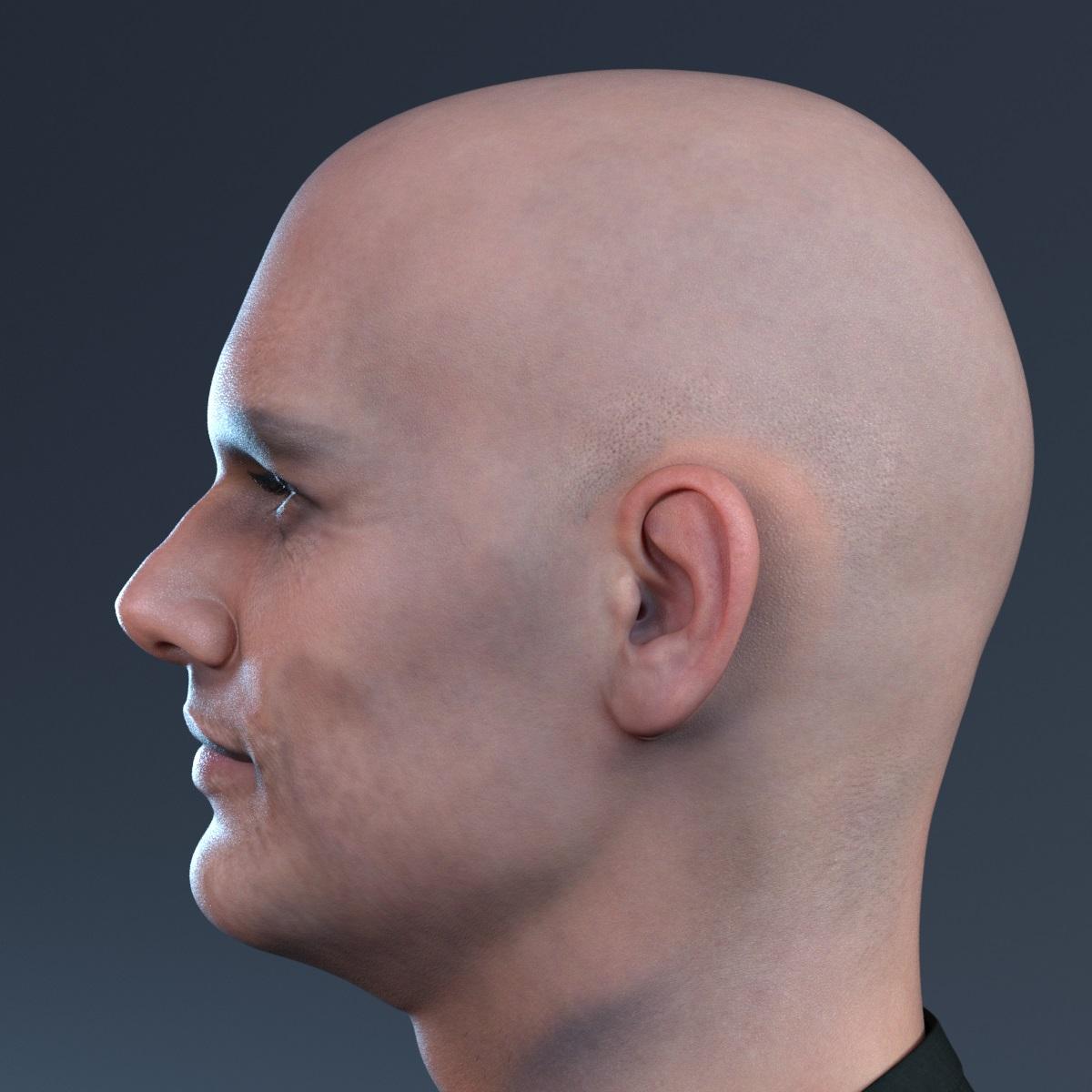
I have noticed that characters usually lacks definition around mouth and chin area,
so using a correction morphs is a must for me.
I have converted Genesis 8 Face Transfer fixes to Genesis 9,
but because eyes in Genesis 9 are different than from Genesis 9 ones
applying such morphs giving a gap an eye and eye socket..
Below is an example of Male character made with Face Transfer 2.
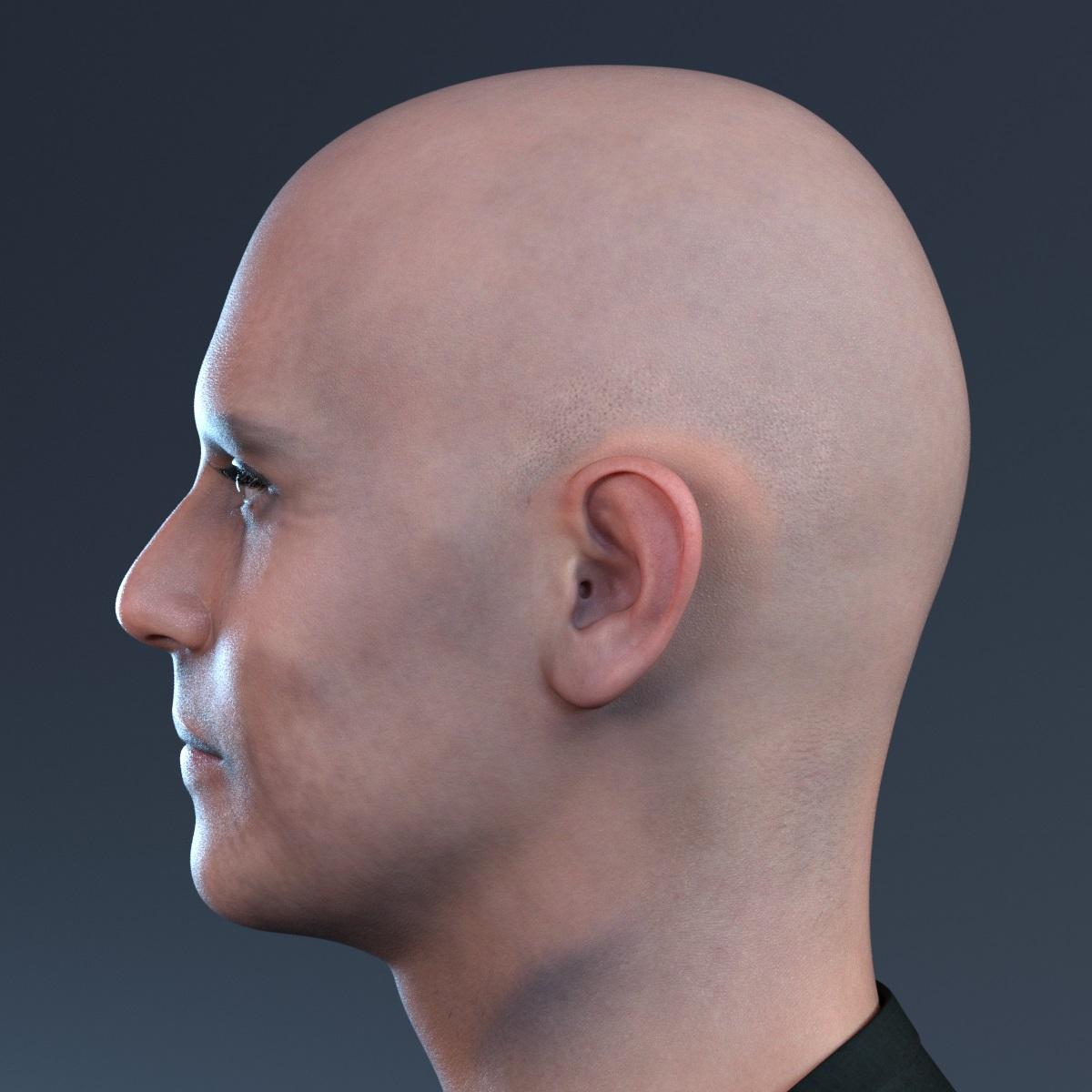
after applying the corrections morphs looks much better
care to share what morph did you use and what product(morph product) to get a more realistic lips and chin as you said?
I have used https://www.daz3d.com/face-transfer-shapes-for-genesis-8
and applied them to Genesis 8 Female and Genesis 8 Male.
Then transferred the morphs to Genesis 9 using https://www.daz3d.com/figure-converter-for-genesis-9
The disadvantage of this method is that it produce a gap between eye and eye socket,
so one need to use some workarounds, for example like described in:
Face Transfer 2Artini said:
I really like when details on the face created with Face Transfer 2 just pop up.
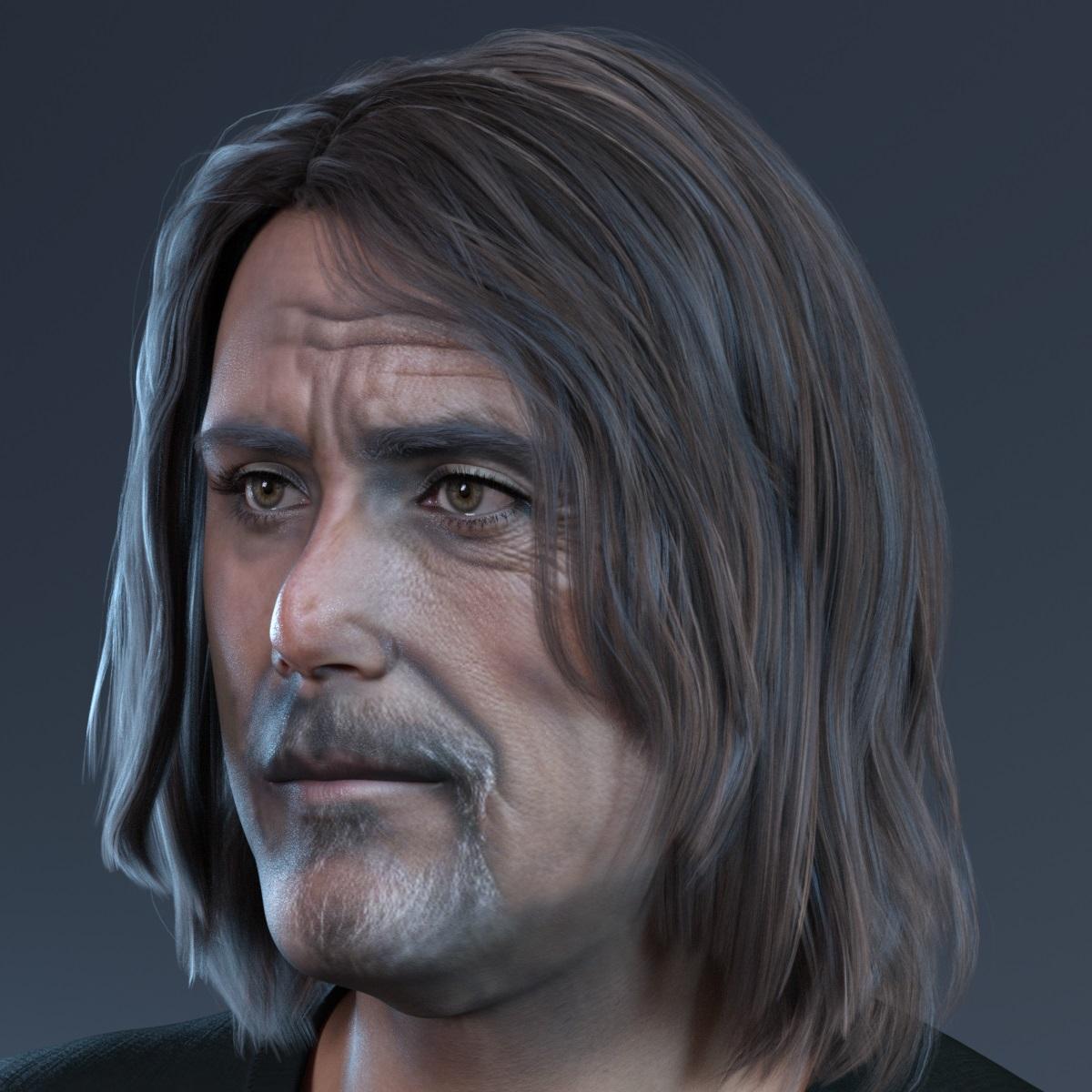
Ian McShane?
Face Transfer 2Richard Haseltine said:
videoninja719 said:
Also guys any guide on installing face transfer 2? I purchased face transfer 2 but I am not sure how to install it. I have daz 4.22 installed via dim. Been using daz for very long. I searched in DIM for face transfer but nothing in there. When I use face transfer in daz using a picture, it uses genesis 8. I want to use it on genesis 9. Any help appreciated
It is included with the current Public Build (Beta) (4.22.0.9), not the General Release (4.22.0.1) - if you have purchased it all you need to do is enter the serial number in Help>About Installed Plugins and then restart Daz Studio to get the unlimited version.
thank you, i managed to get it working, in the public build beta like you suggested. However I am getting this error "Failed to load genesis figure. Could not locate a male genesis file:data/Daz 3D/Genesis 9 Starter Essentials/Utilities/Genesis 9 Male With Basic Wear .duf , everytime using face transfer 2 on genesis 9, both female and male, it works on gensis 8 but not on 9. I already have genesis 9 starters 1 and 2 essentials installed.
Let's appreciate/discuss today's new releases - ongoing threadMatt_Castle said:
carrie58 said:
So Matt any chance of making that "techy stuff" into a morph for the set?
Not quite so simply, as it's more than just a morph and needs to be re-rigged for the centaur.
I'd have to use one of two "jumping through hoops" methods - either providing morphs that the user had to bake in, run through Transfer Utility and then save; or use RTEJava (a rather dated program that more or less uses the original asset as an encryption key to create a modified version that can only be unlocked by people who have the original).
However, if there's interest in that, I can probably oblige.
(I have spent a stupid amount of time on fitting things to centaurs that weren't meant to be fitted to centaurs - for example, Lyoness's recent Tinsley Outfit)
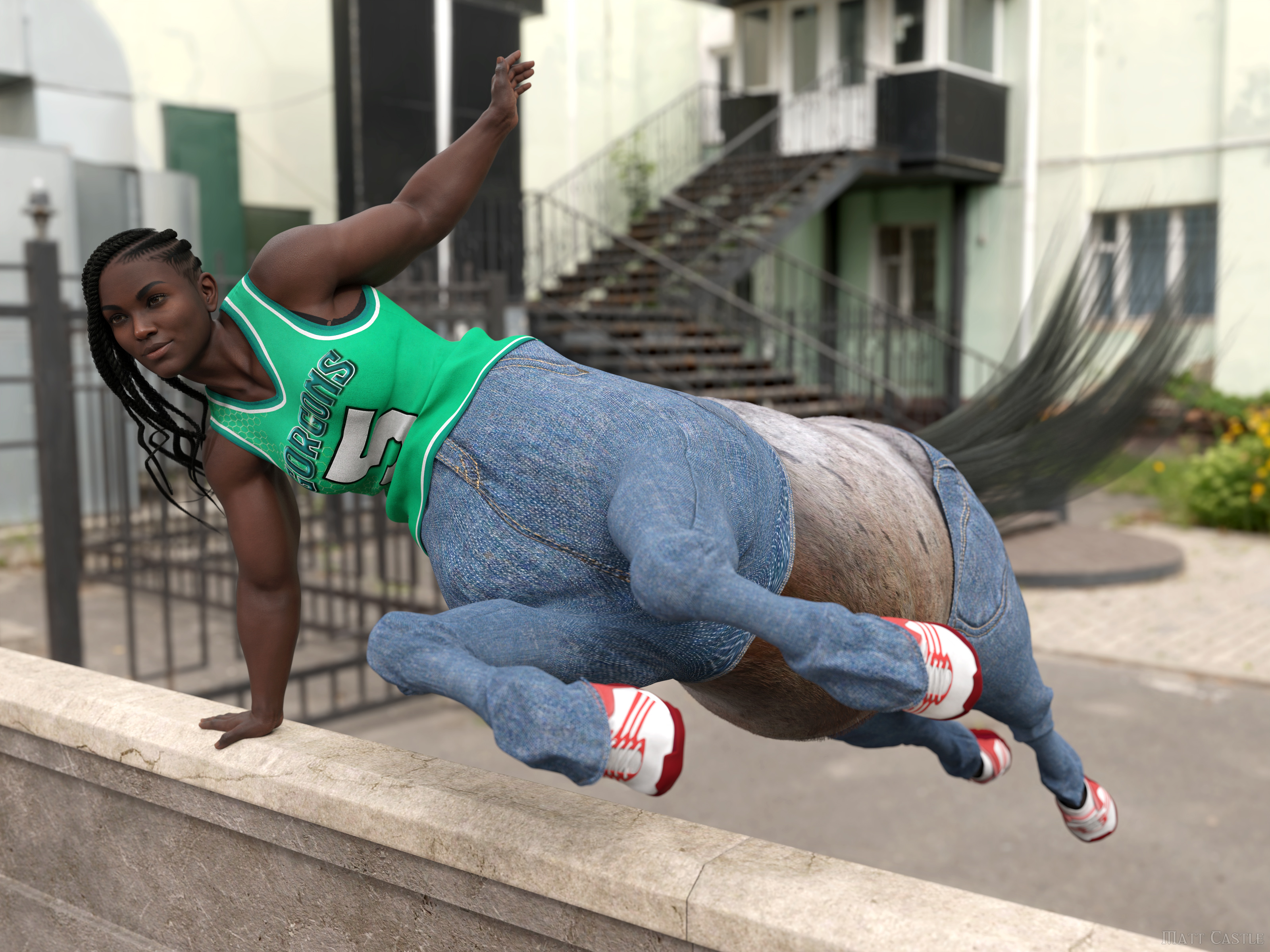
Well I'd be interested .....so if you did a morph and we ran it through transfer utility ,would that work? If it's too much of a hassel .....I understand not doing it .
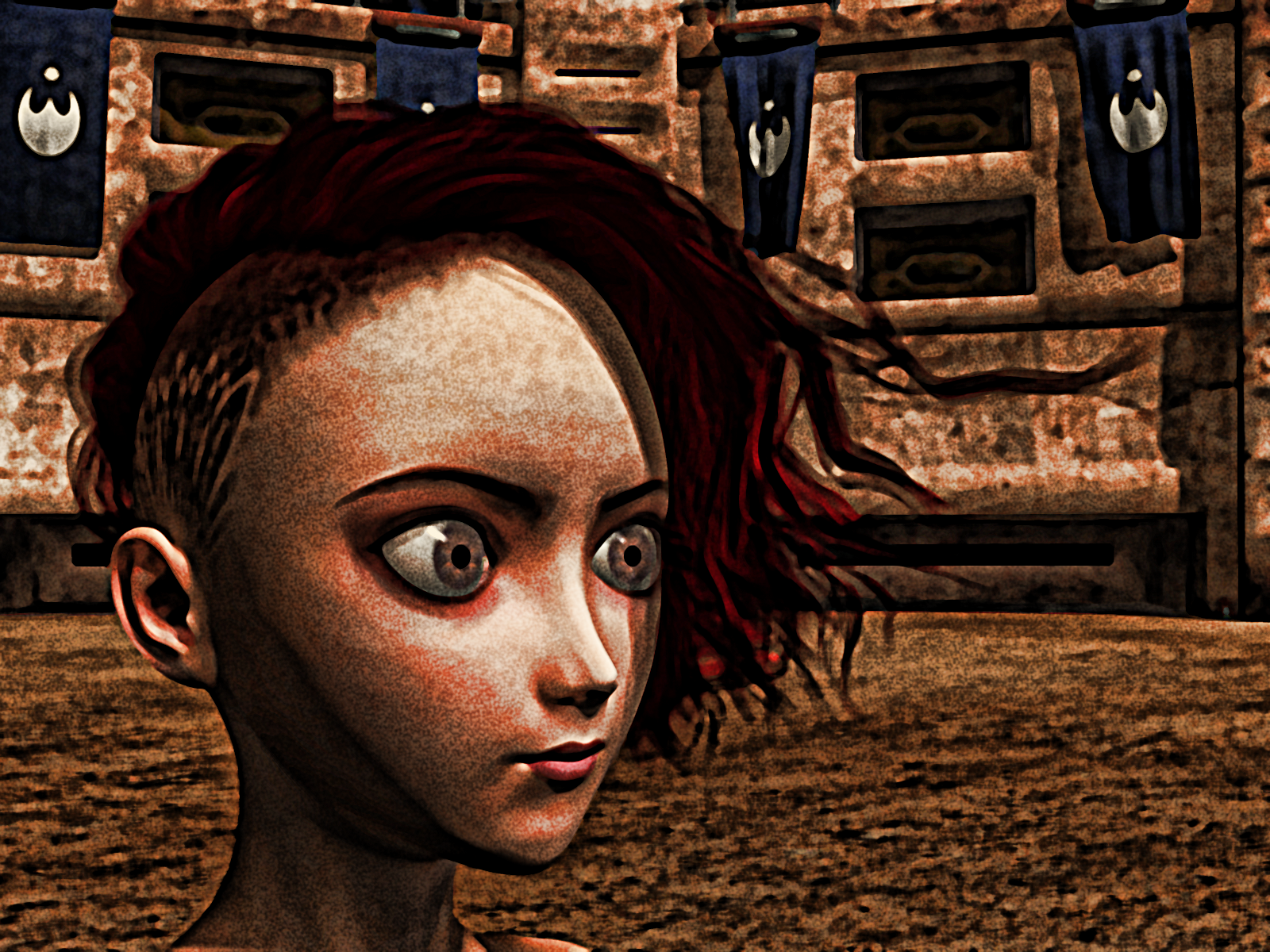
Carrara Non Photo Realistic Works 2G9 Aiko 3 morph wearing G8F Shaved Side Hair - https://www.daz3d.com/shaved-side-hair-for-genesis-3-and-8-females
 Is G8 being neglected?
...I take it you mean "Genesis 10" as GenX was a product that allowed for the transfer of morphs and shapes between Genesis 1 and 2.. The last version GenX2 was for Genesis 3 .
There was no update of GenX for G8 as the PA passed away.. Gen X was succeeded by Zev0's Xtransfer for G8 which allws G3 morphs and shapes to be transferred to G8
Incidentally, morphs and shapes that were transferred to G3 with GenX2 can be transferred again to G8 with XTransfer and work rather well..
Let's appreciate/discuss today's new releases - ongoing threadcarrie58 said:
So Matt any chance of making that "techy stuff" into a morph for the set?
Not quite so simply, as it's more than just a morph and needs to be re-rigged for the centaur.
I'd have to use one of two "jumping through hoops" methods - either providing morphs that the user had to bake in, run through Transfer Utility and then save; or use RTEJava (a rather dated program that more or less uses the original asset as an encryption key to create a modified version that can only be unlocked by people who have the original).
However, if there's interest in that, I can probably oblige.
(I have spent a stupid amount of time on fitting things to centaurs that weren't meant to be fitted to centaurs - for example, Lyoness's recent Tinsley Outfit)
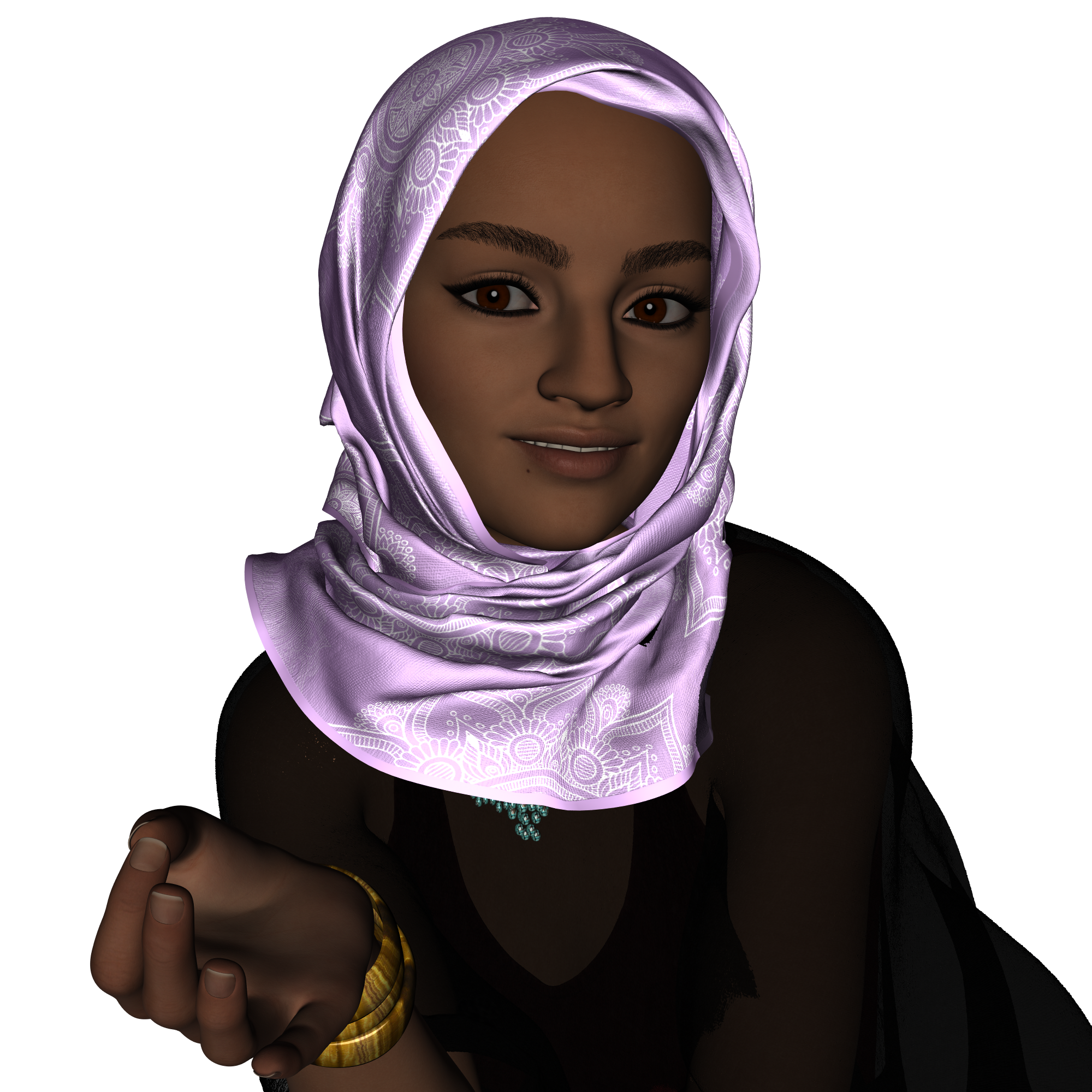
Things I'm Playing with ........I really like the Maryam Character for G9 ,so I used G8 FT and played with morph dials and am really pleased with the results
 Can't Find Morph Slider
MelissaGT said:
crosswind said:
MelissaGT said:
crosswind said:
You may try to unlock the slider, and set its default value to 0 in Parameter Settings.
Or you may directly export this G9 figure (with this slider 100% dialed) to OBJ file with Base resolution. Then load a G9 Dev Load and use G9 HeadSplit dFormer (in the folder: your DAZ3D Library\People\Genesis 9\Developer Kit\) to split head & body morph with Morph Load Pro, by importing the saved OBJ file. (Jay's tut - https://youtu.be/PnPOD_d2GOs?si=u2JrYgnNqGL1EsBp )
Then save the head and body morph assets (Adjust Rigging to Shape and ERC Freeze need to be done first)...
I tried doing adjust rigging to shape but the skeleton is still wonky compared to the skeleton that loads when I load the custom character.
Weird... ARTS usually works well though it's not 100% accurate... But you may check it with a couple of poses... though the rigging looks wonky on some character, it may not necessarily mean it is wrong...
I'll have to give that a shot tomorrow. Would I be able to transfer the rigging from the custom figure over to the blank G9 with the imported morph?
Sure thing~ but you don't have to do so. First try Adjust Rigging to Shape after splitting head / body morphs...
Can't Find Morph SliderMelissaGT said:
crosswind said:
MelissaGT said:
Richard Haseltine said:
Is this a morph applying when it shouldn't, or a moprh you want to apply but can't?
It is a G9 character that loads with its own morph applied. Normally I would be able to find the morph that is controlling the full body shape (body plus head) and then dial it out and back in...but the morph is a hidden property and it appears to be locked at 100%. The lock icon isn't indicating it is locked, but I can't move the slider...so something else is controlling it, but I can't find that something else.
Click that cog icon on the right of slider, see if there's a value of 100% in Min... if so, zero it.
That was it! That feels silly to have that set to a min of 100%. I only wish I could load a blank figure and then add that morph to it, but because it's hidden I suppose that's the reason? I do have show hidden selected so I can see clones and whatnot, but that morph isn't in the list on a blank figure.
Hidden by design... haha~ You may just uncheck Hidden in that cog icon.
Can't Find Morph Slidercrosswind said:
MelissaGT said:
crosswind said:
You may try to unlock the slider, and set its default value to 0 in Parameter Settings.
Or you may directly export this G9 figure (with this slider 100% dialed) to OBJ file with Base resolution. Then load a G9 Dev Load and use G9 HeadSplit dFormer (in the folder: your DAZ3D Library\People\Genesis 9\Developer Kit\) to split head & body morph with Morph Load Pro, by importing the saved OBJ file. (Jay's tut - https://youtu.be/PnPOD_d2GOs?si=u2JrYgnNqGL1EsBp )
Then save the head and body morph assets (Adjust Rigging to Shape and ERC Freeze need to be done first)...
I tried doing adjust rigging to shape but the skeleton is still wonky compared to the skeleton that loads when I load the custom character.
Weird... ARTS usually works well though it's not 100% accurate... But you may check it with a couple of poses... though the rigging looks wonky on some character, it may not necessarily mean it is wrong...
I'll have to give that a shot tomorrow. Would I be able to transfer the rigging from the custom figure over to the blank G9 with the imported morph?
Can't Find Morph Slidercrosswind said:
MelissaGT said:
Richard Haseltine said:
Is this a morph applying when it shouldn't, or a moprh you want to apply but can't?
It is a G9 character that loads with its own morph applied. Normally I would be able to find the morph that is controlling the full body shape (body plus head) and then dial it out and back in...but the morph is a hidden property and it appears to be locked at 100%. The lock icon isn't indicating it is locked, but I can't move the slider...so something else is controlling it, but I can't find that something else.
Click that cog icon on the right of slider, see if there's a value of 100% in Min... if so, zero it.
That was it! That feels silly to have that set to a min of 100%. I only wish I could load a blank figure and then add that morph to it, but because it's hidden I suppose that's the reason? I do have show hidden selected so I can see clones and whatnot, but that morph isn't in the list on a blank figure.
Can't Find Morph SliderMelissaGT said:
crosswind said:
You may try to unlock the slider, and set its default value to 0 in Parameter Settings.
Or you may directly export this G9 figure (with this slider 100% dialed) to OBJ file with Base resolution. Then load a G9 Dev Load and use G9 HeadSplit dFormer (in the folder: your DAZ3D Library\People\Genesis 9\Developer Kit\) to split head & body morph with Morph Load Pro, by importing the saved OBJ file. (Jay's tut - https://youtu.be/PnPOD_d2GOs?si=u2JrYgnNqGL1EsBp )
Then save the head and body morph assets (Adjust Rigging to Shape and ERC Freeze need to be done first)...
I tried doing adjust rigging to shape but the skeleton is still wonky compared to the skeleton that loads when I load the custom character.
Weird... ARTS usually works well though it's not 100% accurate... But you may check it with a couple of poses... though the rigging looks wonky on some character, it may not necessarily mean it is wrong...
Can't Find Morph SliderMelissaGT said:
Richard Haseltine said:
Is this a morph applying when it shouldn't, or a moprh you want to apply but can't?
It is a G9 character that loads with its own morph applied. Normally I would be able to find the morph that is controlling the full body shape (body plus head) and then dial it out and back in...but the morph is a hidden property and it appears to be locked at 100%. The lock icon isn't indicating it is locked, but I can't move the slider...so something else is controlling it, but I can't find that something else.
Click that cog icon on the right of slider, see if there's a value of 100% in Min... if so, zero it.
Can't Find Morph SliderRichard Haseltine said:
Is this a morph applying when it shouldn't, or a moprh you want to apply but can't?
It is a G9 character that loads with its own morph applied. Normally I would be able to find the morph that is controlling the full body shape (body plus head) and then dial it out and back in...but the morph is a hidden property and it appears to be locked at 100%. The lock icon isn't indicating it is locked, but I can't move the slider...so something else is controlling it, but I can't find that something else.
Daz 3D is part of

Connect
DAZ Productions, Inc.
7533 S Center View Ct #4664
West Jordan, UT 84084Licensing Agreement | Terms of Service | Privacy Policy | EULA
© 2026 Daz Productions Inc. All Rights Reserved.











