-
Report sales errors here. "There's Always Another Sale™"
There's a lot of odd stuff going on with this sale. Today, everything from the countdown section lists as $9.95 for me, no matter in what combination, what amount, or whether I have a new item included or not.
In my current cart on the Checkout page, Magazine Cover Poses for Genesis 8 Female & Victoria 8 lists a "new" icon in front of the wishlist symbol.
At the same time, dForce Winter Frolic for Genesis 8 Female(s) does *not* have a "new" icon in front of the wishlist symbol there.
It'll probably fix itself when I refresh the checkout page or update my cart..Earlier today, Pix Merana for Genesis 3 Female not only had a "new" icon, but also an "owned" icon in front of the wishlist symbol. It fixed itself when I removed and re-added her to my car. Sadly, the prices didn't fix themselves, so she's still in my wishlist. I truelly never saw that red "owned" icon on that page before. Makes sense that it exists, though.
But, it's also a bummer, now that there's so much nice stuff in that list. I eventually bought some stuff, but nothing from the countdown section, hoping that part would fix itself during the day. Apparently not, though.
Shape Splitter - Divide, Combine and Save (The new version is already available. 1.2.1)[Commercial]Two open tech support questions directed at the vendor and he’s been AWOL since October (aside from never providing the promised manual). I for one won’t be buying anything from him again, as the documentation is (as others have stated) wholly lacking. This problem is *not* going to happen to me again.
That's your right. Your problem isn't a technical issue that the vendor needs to patch; it's a rather brash request for a personalized tutorial within a 4 day time frame during the holidays. It seems like most people in this thread have tinkered and found out how to use this product to make some amazing things. The documentation cannot cover step-by-step every permutation of vertex/bone/plane splitting for edge cases. Hobbyist software or not, some trial and error goes a long way.
No step by step screenshots here, just good old reading and deduction using what we know of Daz figures in general. This product assumes the user knows a thing or two about that.
I assume by "morph creation of a character’s feet" you want to separate the feet morphs from a character to use elsewhere. First load in a default G8 and run the script. In Step 1, the product needs a way to know how to divide a character. Right away when we launch the script, we see the Easy panel doesn't divide the target part; we want the feet only, not the entire legs. The Material panel also doesn't do what we want because the feet don't have their own material surface zone (check it). But in the Bones panel we can scroll down and see that, lo and behold, there is a heirarchy for the feet bones (left and right feet). Select all the child bones for the left and right feet (including all the toes).
In Step 2, click where it says "Select a property..." and start typing the morph you want to separate. So if you like Victoria 8's feet, you would write "Victoria 8" and choose FBMVictoria8 (Victoria 8 Body). FBM = female body morph. Don't choose FHM as that's the head only.
The video then clearly shows how to preview and save out the morph for use with other characters. You can tinker with including more bones when transplanting the feet, as some characters are taller than their base counterparts, so the ankles can get distorted if you don't also include the shin bones. Victoria 8, for example, has this problem.
There are more advanced uses of this product to do the same thing, but this is the quick and dirty, figure-it-out-in-15-minutes method of transplanting feet.
"How to" neededIf you bought this, it should be in your product library.
https://www.daz3d.com/sy-victoria-4-and-michael-4-clones-for-genesis-8
I did. Guess I'm having some operator error somewhere. i"ll uninstall and reinstall and see if that works. Thank you
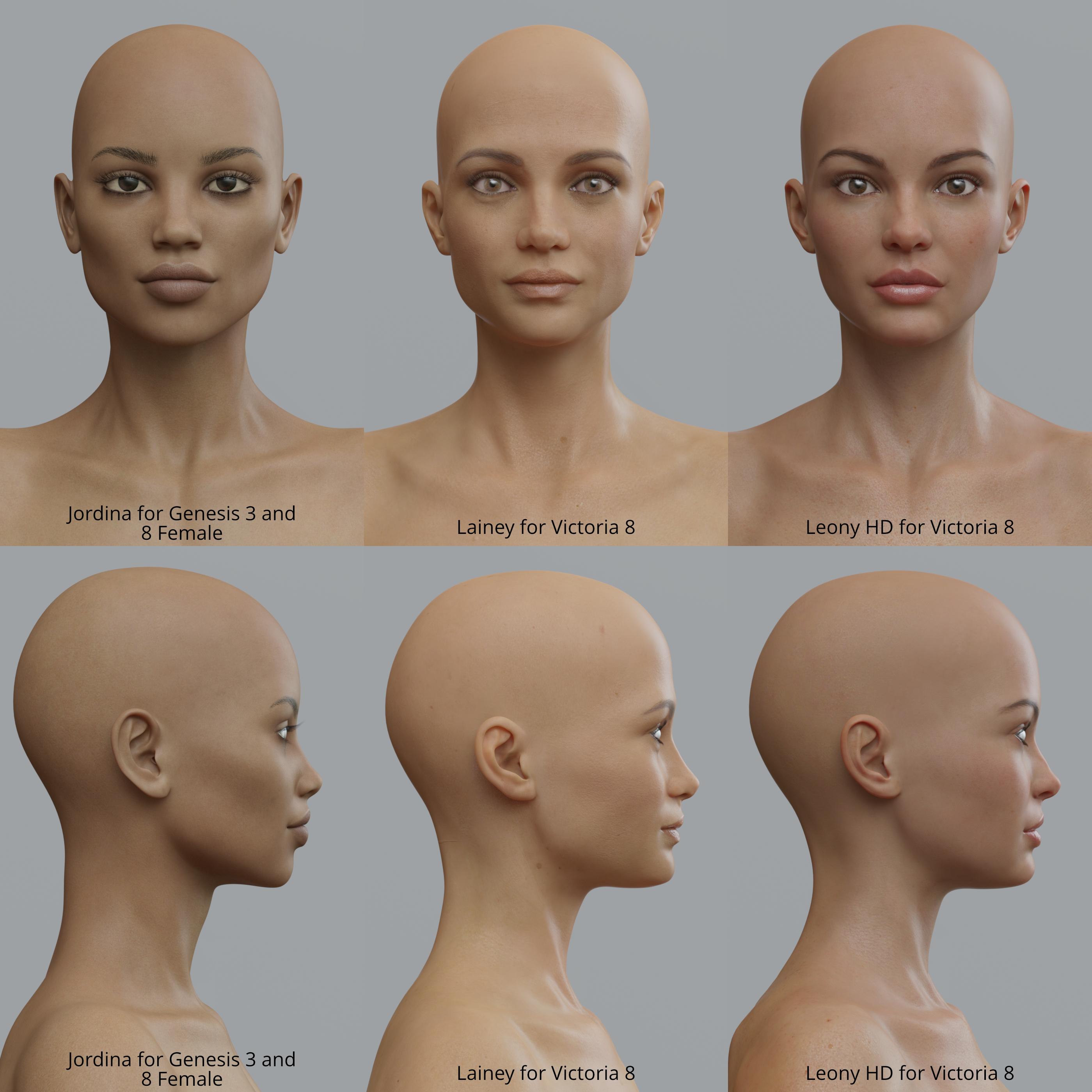
Genesis 8 Female example and improvement discussionHere are Tessa for Victoria 8, Treasa HD for Eva 8 and Triny for Genesis 8 Female.
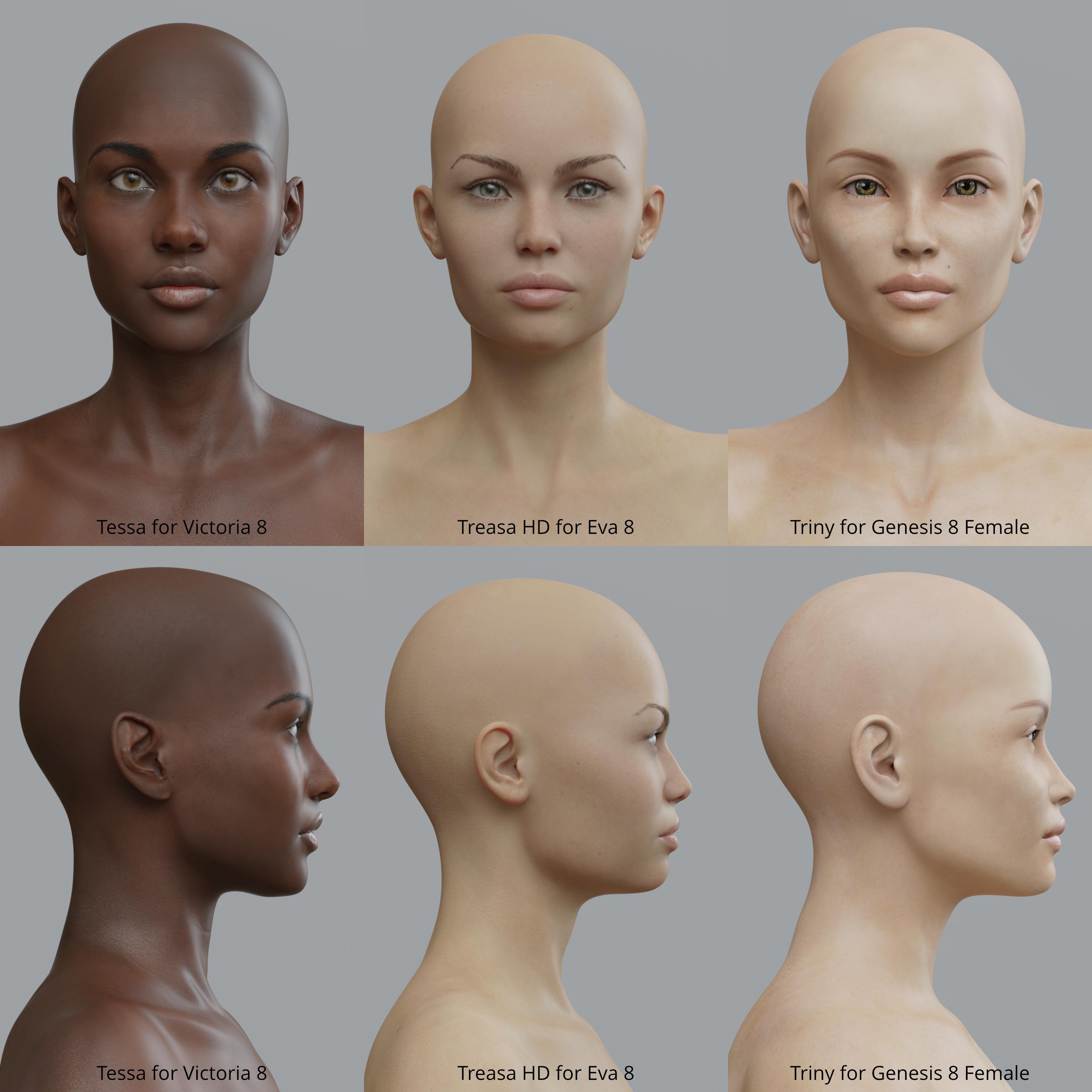 Please, can you identify the texture?
Which one? the one used in the main promo is Victoria 7 texture. I don't know about the other.
"How to" neededIf you bought this, it should be in your product library.
https://www.daz3d.com/sy-victoria-4-and-michael-4-clones-for-genesis-8
RSSY Hair Converter from Victoria 4 to Genesis 8 FemaleI have searched the forum for any information on the product but came up with nothing.
I bought the product on sale the other day and have been trying to convert a few V4 Hair products (installed with DIM): Chocolate Hair, Peppermint Hair, Serenade Hair, Tequila Hair and Isabel Hair with no success whatsoever?!?
Yes I have read the manual froward and bakward, the hair figure seem to load on the Genesis 8 Female in the scene then it disapears and the script ends. The attached images may offer a clue to what's going on?
Any help appreciated!
Your best bet is to post here: https://www.daz3d.com/forums/discussion/333201/released-rssy-hair-converter-from-victoria-4-to-genesis-8-female-commercial/p1 - RIverSoftArt monitors these commercial threads quite regularly.
Thanks M8!
That's the thread I was looking for =)
RSSY Hair Converter from Victoria 4 to Genesis 8 FemaleI have searched the forum for any information on the product but came up with nothing.
I bought the product on sale the other day and have been trying to convert a few V4 Hair products (installed with DIM): Chocolate Hair, Peppermint Hair, Serenade Hair, Tequila Hair and Isabel Hair with no success whatsoever?!?
Yes I have read the manual froward and bakward, the hair figure seem to load on the Genesis 8 Female in the scene then it disapears and the script ends. The attached images may offer a clue to what's going on?
Any help appreciated!
Your best bet is to post here: https://www.daz3d.com/forums/discussion/333201/released-rssy-hair-converter-from-victoria-4-to-genesis-8-female-commercial/p1 - RIverSoftArt monitors these commercial threads quite regularly.
500 Pages in Content Library - Am I the first to hit this landmark?The next question is ... who has the lowest order number? My earliest order dates from 6 July 2000, and has order number 1844. I'm pretty sure someone here should be able to beat that.
I think there is something fishy with the order numbers. My first recorded order is in 2003 and includes Victoria 3 as a product. I know that I bought the millenium woman and man when they came out (Victoria 1 and Michael 1), and they are in my product library. Either I bought them elsewhere through some Daz partnership, and are in my product library due to a later merger, or whatever, or orders have been reorganized in some way.
I have a couple of orders which have no content actually listed, just a total spent, really early orders. and look at the order numbers, and both with the same date.
114664 5/25/01 $34.95 Complete View Order 29989 5/25/01 $28.45 Complete View Order The first order that actually has a note of what I bought is for the V2 Fantasy wrap, and I have the same order twice, same date, different orders numbers
86350 6/9/01 $8.37 Complete View Order 21632 6/9/01 $8.37 Complete View Order So there really is something screwy going on with those first orders. I know I had bought stuff before I bought V2, I had a load of stuff for the old Posette and I know I bought the original song bird, but that never appeared in my purchase history when I needed to redownload it, and I had to buy it again. Luckily it was one of the products that was moved into the PC to start that off, so it only cost me $1.99 to buy it again, which was a lot less than it cost first time round. Does anyone remember the old Costume shop CD. I still have the CD, but no record of buying it. I do know I had orders dating from the last century. Victoria was born in 1999.
Of course, any effort to try figuring out order numbers went FUBAR when DAZ did that major reorganization several years back. I just wish there was a way to chase down the topics in the discussion threads--there were a LOT of great tutorials that got lost with the revamping of the site.
RSSY Hair Converter from Victoria 4 to Genesis 8 FemaleI have searched the forum for any information on the product but came up with nothing.
I bought the product on sale the other day and have been trying to convert a few V4 Hair products (installed with DIM): Chocolate Hair, Peppermint Hair, Serenade Hair, Tequila Hair and Isabel Hair with no success whatsoever?!?
Yes I have read the manual froward and bakward, the hair figure seem to load on the Genesis 8 Female in the scene then it disapears and the script ends. The attached images may offer a clue to what's going on?
Any help appreciated!
Duplicate formulas error?Okay DS 4.12 has been running slow and kicking up a Duplicate Formulas Found warning when loading any Genesis 8 content.
I figured maybe its time to clean things a bit so:
1) I uninstalled all Genesis 8 content, characters, hair, clothes, props, textures and anything with the number 8 in it just in case.
2) I did this via DIM then re-installed my Genesis 8 content and loaded Victoria 8 to a blank scene.
Same error?
3) Cleared the log file and loaded Victoria 8 into the blank scene with the error again and opened the log file.
4) I picked one of the many warning entries that claimed the asset was not there.
5) I opened the target folder referenced by thet log file and the asset is there.
Q: Daz Studio seems to be coming up with errors for missing content that is actualy there?
It used to work fine this version with this content, I have also noticed many other people running into the same or similar issues as well.
The content is loading but these fake errors are making load times unworkable.
I don't know why so many people are uninstalling reinstalling etc. everything just because of an error message which normally affects nothing if you decide to ignore it. Duplicate formula error tends to mean that ONE morph got named the same as an existing morph, or one was unnessarily copied making for 2 instances of it, or something along those lines. Only the one morph needs to be found and whatever the issue is addressed if one doesn't want to get that message. Generally speaking it's a matter of checking the files most recently installed, not the entire collection!
Clear the log file. Load the figure that gives that error message pop up when loading. Look at the log file and see what the name of that one morph is.
Duplicate formulas error?Okay DS 4.12 has been running slow and kicking up a Duplicate Formulas Found warning when loading any Genesis 8 content.
I figured maybe its time to clean things a bit so:
1) I uninstalled all Genesis 8 content, characters, hair, clothes, props, textures and anything with the number 8 in it just in case.
2) I did this via DIM then re-installed my Genesis 8 content and loaded Victoria 8 to a blank scene.
Same error?
3) Cleared the log file and loaded Victoria 8 into the blank scene with the error again and opened the log file.
4) I picked one of the many warning entries that claimed the asset was not there.
5) I opened the target folder referenced by thet log file and the asset is there.
Q: Daz Studio seems to be coming up with errors for missing content that is actualy there?
It used to work fine this version with this content, I have also noticed many other people running into the same or similar issues as well.
The content is loading but these fake errors are making load times unworkable.
Genesis 8 Female example and improvement discussionThese are Saiyaness characters for Genesis 8 female
Benita for Victoria 8
See the full resolution on DA: http://fav.me/ddn6y01
Gen 8 proGenitals on the Genesis 3 and 8 series (maybe also the 2 series, never really looked into it there) actually aren't morphs but geografts. Basically, that means they're a seperate object made specifically to blend seamlessly with the figures' body, replacing a part of the body mesh. These geografts come only with the pro bundles of the *adult* figures. Not with the kids or teens, and they don't even work with the kids or teens bodies. However, between the adult figures of a specific generation who are of the same gender, these genitals are interchangable. So if you have the Victoria 8 Pro bundle, then you can use the genitals on (for example) Zelara 8, even if you just have the standalone Zelara 8 figure without the pro-bundle. The Zelara 8 figure comes with the textures for the genitals in the standalone version, it just doesn't have the geograft object included.
Within the pro-bundles, the genitals can be found in the folder called "external anatomy" or something like that (it's where you usually also find things like eye lashes). Make sure you have smart content set to show stuff by product, not by files.
Genesis 8 Female example and improvement discussionGenesis 8 Female example and improvement discussionHere are Amy-Lee for Victoria 8, Anna HD for Victoria 8 and Aurore for Genesis 3 and 8 Female (G8F version shown).
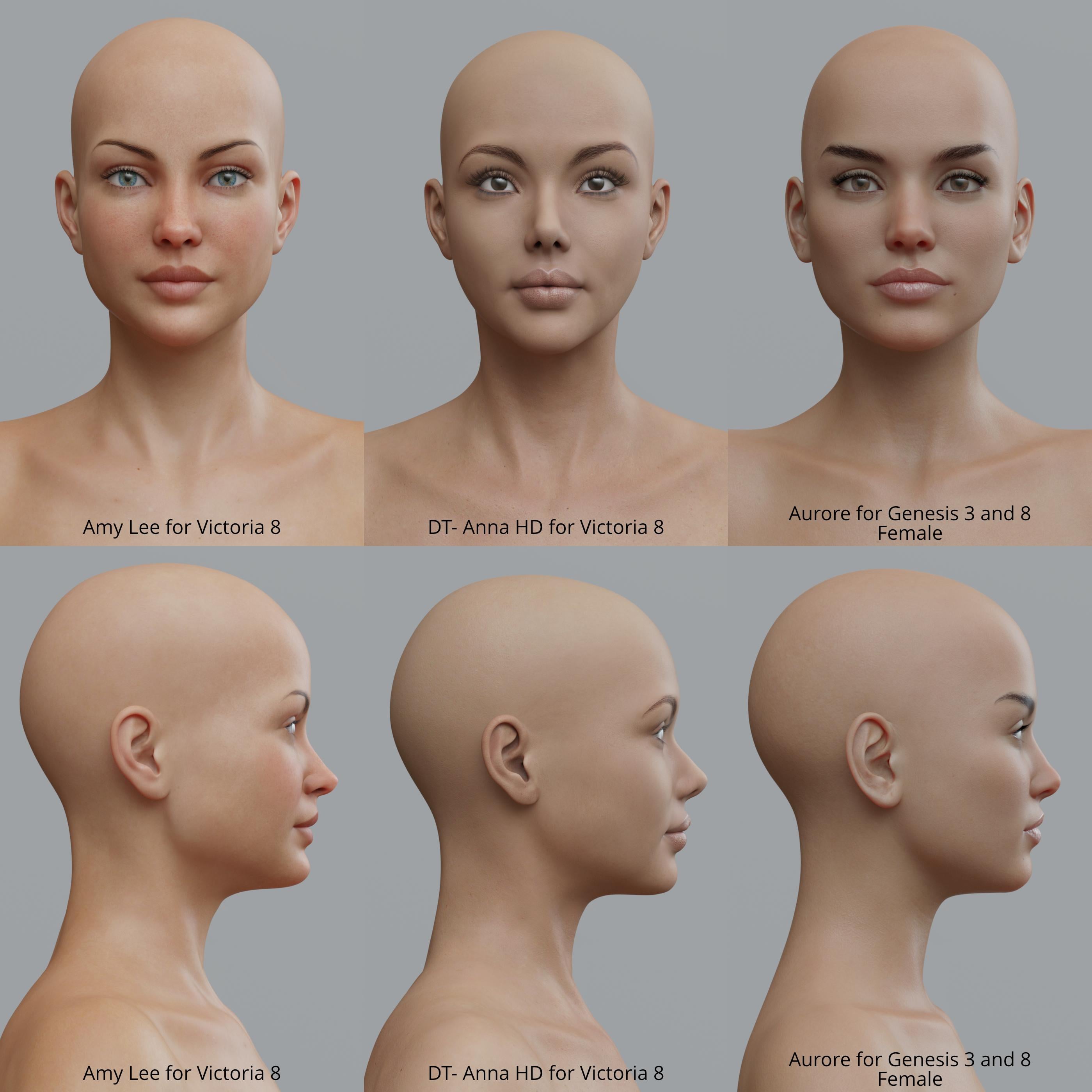 Genesis 8 Female example and improvement discussion
My goodness Markus, how many textures do you have? :D Thanks as always for the many, many examples.
Indeed I do have really a lot ;-)
Here are some more:
These are Emrys characters for Genesis 8 female
Sasha HD for Genesis 8
Shana HD for Kanade 8
Shawna HD for Victoria 8
Tanis HD for Genesis 8
Tao HD for Mrs Chow 8
Taryn HD for Genesis 8
Vallita HD for Genesis 8
Viollet HD for Tasha 8See the full resolution on DA: http://fav.me/ddn5q8k
What was your first DAZ purchase, and how long ago?I bought Victoria 1 back in 1999. I didn't realize that she had no textures. I made a bunch of awful pictures of Victoria posing "skin-less!" Everyone had a laugh about that one!
GenX2 Update / Genesis 3 Add-On [Commercial]So I solved my issue with the error messages of the Daz connect folder and the morph folders...the issue is that both my cloud folder for connect and Daz 3D where the morphs from GenX are both in the data folder. So the change I made was to click on the Connect Path button which only lists E:/My Library/data as the path but I needed to add cloud to it so it now reads E:/My Library/data/cloud and I have nothing for the output path. Once I made that change my character transfer worked perfectly. I hope this can help anyone else who can't get off the Daz Connect/morph folder error message merry go round in GenX. When I went to the shaping tab under Genesis 3 female and clicked on GenX folder I now have Genesis 2, Victoria 4, and my new lola character transfer altho I am not sure why Genesis 2 is there as I haven't done any transfer with her yet.
Thank you thank you thank you


I have spent three or four hours trying to get GenX2 to work. Thank goodness people like you will at least post their findings!
TritiumCG Freebie Thread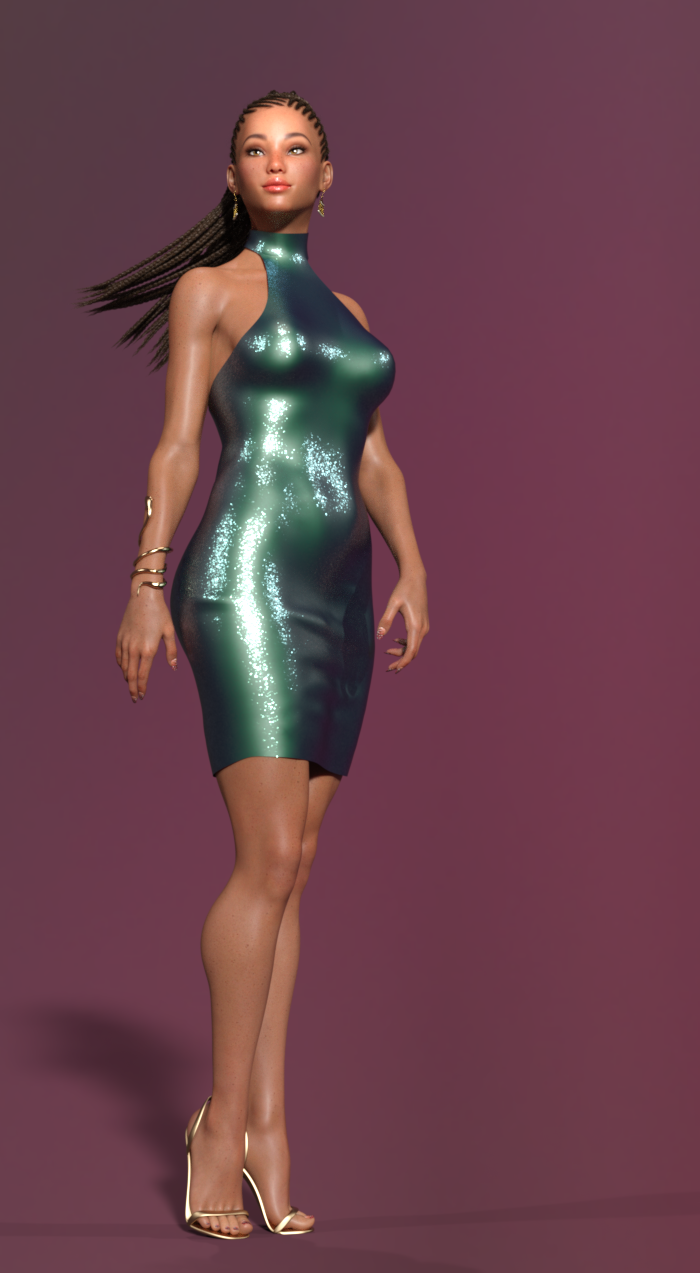
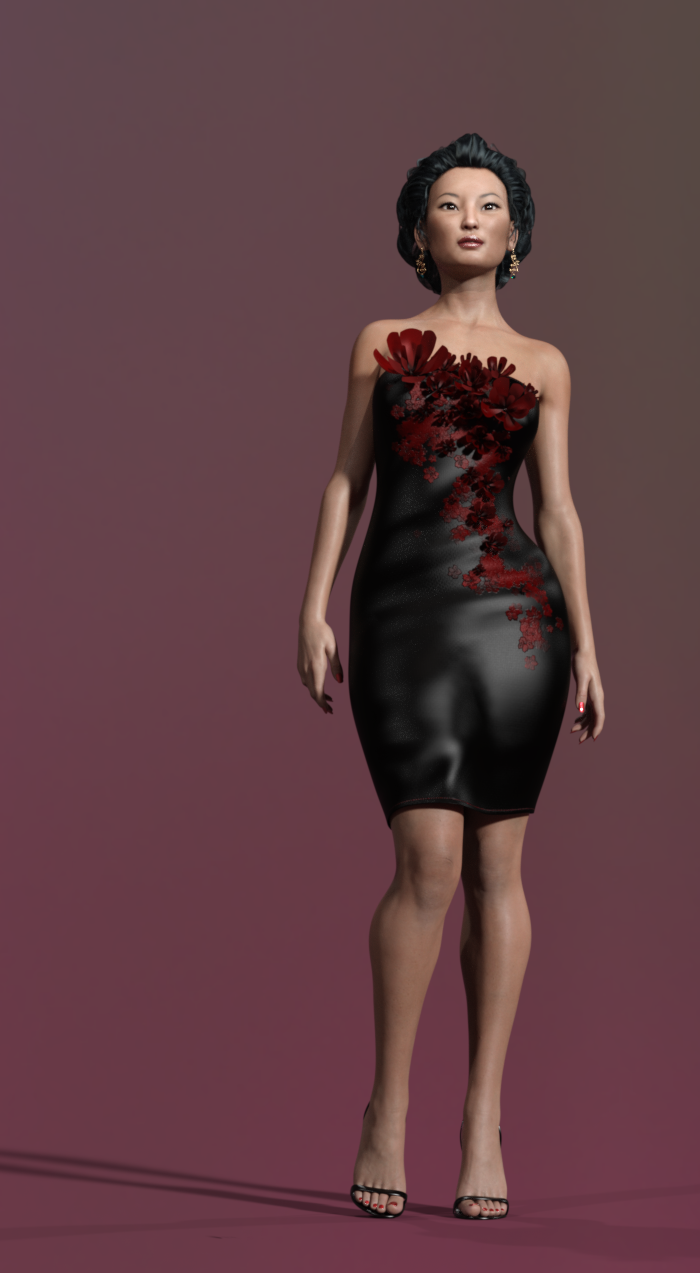
Two quick renders with Sheva Alomar morph, Hitomi Tanaka morph, and Minimalist Sandals.
Skins of Soraya and Mei Lin 7.Daz 3D is part of

Connect
DAZ Productions, Inc.
7533 S Center View Ct #4664
West Jordan, UT 84084Licensing Agreement | Terms of Service | Privacy Policy | EULA
© 2026 Daz Productions Inc. All Rights Reserved.