-
Genesis 8 Female Slow Loading - DIM Doesn't Fully Delete Figures.
Had some time on my hands...
Base folder
Base Folder for a content library can reside just about anywhere, but not recomended to place it on the same drive with the OS (Space will eventually run out and it is the most likely drive to corrupt files due to the constant activities of the OS, also worst drive for any rescue operations).
The name of the base folder can be just about anything, default folder names have been 'Content', 'My Library', 'My Daz 3D Library' or whatever if you have given the folder a name by yourself. DS doesn't care what the name of the folder is, as long as the folder is set as a content folder in 'Content Directory Manager'
Within the installation (Zip) files, this folder is named 'Content', which was used as the name of the base folder in ancient times.
It is also better to keep the path to the base folder as short as possible, preferably put it straight into root of the drive where you want to put it, for example 'D:\My DAZ3D Library'
Inside the base folder, there are a number of sub-folders, the most important ones for DS are 'Data' and 'Runtime'
‘Data’ folder
'Data' folder contains the geometry of the characters, environments, props, whatever (=assets) together with the information on how the morphs are changing the assets they are meant for (=morph deltas)
In general, one should not move any files under the 'Data' folder, nor make any corrections to misspelled names of files/folders or delete anything inside the 'Data' folder or the sub-folders in there.
If changes are made inside the 'Data' folder or it's sub-folders, it can cause the assets to load as gray cubes because they can't find the needed geometry information anymore.
‘Runtime’ folder
'Runtime' is a remnant of ancient times, it is the base folder for Poser content, but still holds two important sub-folders for DS as well, these folders are 'Support' and 'Textures'
'Support' folder contains the metadata and thumbnails for assets that are installed by DAZ Install Manager (DIM), DAZ Central or Manual Installation. One should not make changes inside this folder.
'Textures' folder contains all the textures and maps for the assets that are installed by DAZ Install Manager (DIM), DAZ Central or Manual Installation. Any manual changes inside this folder or it's sub-folders can cause assets not finding their textures anymore.
The ‘Textures’ folder is sometimes misspelled, I have seen it spelled Texture, Texutre, Texturen. One should not correct these misspellings, as the same errors are most likely written inside the files that load the assets into DS with their textures.“Scripts” folder
The ‘Scripts’ folder contains the scripts one has installed by DAZ Install Manager (DIM), DAZ Central or Manual Installation. One should not make manual changes inside this folder as that can render the scripts non functional.
The rest of the folders contain what is called ‘User facing files’, which are used to load assets into a DS scene, these files can be seen in the ‘Content Library’ inside DS, under ‘DAZ Studio Formats’ with the same folder structure that can be seen with the Windows Explorer on the drive they are installed in.
With two exeptions, the names of the 'User Facing files' and folders and their locations can be changed as long as the files and folders are not moved outside the base folder of the Content Library or into the ‘Data’ or ‘Runtime’ folders as those folders have a special meaning and are hidden within the ‘Content Library’ inside DS.
The two exeptions for renaming/moving the user facing files/folders are when those files are called by scripts (for example the UtraScenery files) or one wants to preserve the possibility to uninstall assets with the DIM or DAZ Central.
Attached also instructions for manual installation, which will help in understanding how DS knows about where to find the assets and how one can help DS to find them
Possible to initiate import from unreal, from the intermediate folder?mostlyhuman said:
I do a lot of customizations in Maya and want to bring these into Unreal through the bridge plugin to take advantage of the automatic "Fix Bone Rotations on Import" and "Zero Root Rotation on Import" features of the bridge plugin. Is this possible or can the import only be initiated from Daz Studio? Im hoping I can just drop my FBX file in the intermediate folder and have the bridge plugin import it into Unreal somehow. Thanks for any help!
Actually, this is 100% possible. The easiest method is to follow these steps:
- Make sure Unreal Engine is NOT running.
- Then set up your Daz Studio character, and click File -> Send To Unreal. Make any desired changes and Click Accept.
- Once export is finished, click File -> Send To Unreal, enable Advanced Settings, and click "Open Intermediate Folder". This is where the FBX is exported.
- You can modify the FBX file from here, but PLEASE NOTE: the DazToUnreal bridge does several post-processing operations on the FBX file including inserting missing bone weights for subdivided vertices, rotating bones and adding IK controls. Any modifications you make does risk de-stabilizing the assumed FBX file structure and causing data corruption during the DazToUnreal post-process step of the Import into Unreal.
- Once you've made your very careful modifications to the FBX file, just over-write the FBX in the Intermediate folder.
- Then open your Unreal Project, find the Content Browser and click the "Import" button located in the toolbar. Instead of selecting the FBX file, SELECT THE DTU file.
- DazToUnreal bridge should initiate the import process and recreate materials and do fbx post-processing just like if you had left Unreal Engine running in the background.
For further information, you can refer to this article on how to Manually Import DazToUnreal files from David Vodhanel: https://davidvodhanel.com/daz-to-unreal-starting-an-import-manually/
Fail To Export Custom IK Bone To UE5worldpeace2040 said:
Hello,
I followed this tutorial to add custom IK bones to my character.
The IK bones work fine in Daz3D, however, when exporting from Daz3D to UE5, the .fbx files didn't include the bones I've added.
I suspect it has something to do with my IK bone setup since the other (custom) child bones I've added exports without any problem.
Any suggestions or thoughts will be appreciated, thank you!
Sorry, the Daz Studio IK system is completely separate from the Unreal IK system and are not natively compatible with each other. During the import process, DazToUnreal bridge is hardcoded to add a small number of IK bones to the Genesis8 rig, but these are NOT coming from Daz Studio; they are custom made inside Unreal and only exist in Unreal.
As far as I know, none of the IK bones in Daz Studio can currently be exported to any external program.
What are the steps to send animations that use morphs to UE5?ezrhk said:
It used to work on an older version of the dzunrealbridge.dll. Not sure what happened or what the reason was to remove that functionality from animation files. I can't use any of the newer updated plugin versions because it's a really labouress task to manually add all morph curves in the UE5 animation file. If I go back to the older version I backed up, all the morph curves are always included and available at exactly the pose I set originally in DAZ by simply enabling the morph tickbox on export.
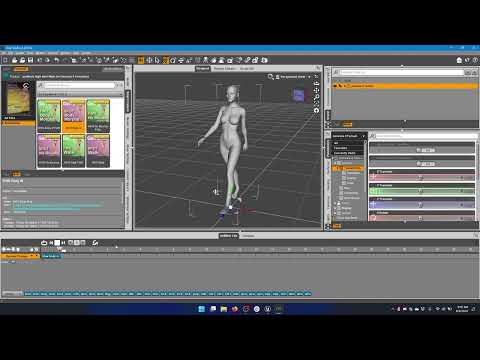
I've made a step by step video from start to finish, showing how to import animated morphs into Unreal Engine 5. Please review the video, try to follow it exactly and let me know what errors or differences you get at each step. If you have a different process that you are using, please make a video and post it so I can try to reproduce your problems and maybe fix whatever is not working with the bridge for you. Thank you.
 Are the Daz body morphs merchant mesources?
Mellone said:
Have you any tips for character creation
It would take 5 pages to answer that in depth. But basically, you can :
Do that in ZBrush with Layers, in Blender with Shape Keys, or in any other 3D modeling app that manages morphs. Basically you import the deafult Genesis 8 (no SubD) in one of those apps. You define a first morph for that Genesis 8 base. Then you make your morphs/modifications on different layers (ZBrush) or Shape Keys (Blender). Being sure that you don't modify in ANY way the polycount and vertices position of the base Genesis mesh.
When done, you import back your custom Genesis in DAZ with morph Loader Pro. Dissociate head and body with D-Former. Create FHM and FBM sliders (head and body) and a third slider (CTRL) that controls them both. Tons of tutorials on the subject.
Mellone said:
Can I use the basic morphes in Daz for G8 and these products as Merchant Resources?
Yes indeed you can. That's the easy way (but way less precise control that you'd get doing it by hand in a 3D modeling/sculpting app).
Use your installed bundles, Merchant Resource or not. With DAZ sliders, put 30% of this head, 25% of that other head, 60% of that body, etc. Also use body and head morphs bundles to modify nose, chin, ribs, muscles, breast, feet, etc. This way you create a morph made out of multiple other characters and/or morphs bundles. When you're happy with the result, all vertices being in a position that doesn't exist anywhere else : this morph becomes your own creation.
Mellone said:
Do you know any videos, tutorials or have tips [...]
Best one (in my humble opinion) being :

Many written tutorials around. Hard part being to find the rare good ones :
https://www.laylo3d.com/creating-characters-and-morphs-for-daz-3d-figures-using-zbrush-goz/
DAZ being an app used by tons of amateurs, there are sadly tons of inaccurate statements in forums, videos, etc. This makes it hard and time consuming to skim through junk info and extract only what's correct and necessary.
Personal advice : open a Word document. Take notes, make tests. And patiently write down your own workflow. It takes time to get used to the "right" and clean way of doing things in DAZ, especially on the content creation side. But it's strongly advised as, by doing so, you understand DAZ under the hood and suddenly see things so much more clearly.
Has anyone tried to render DAZ3D models in Lumion?it would be a static mesh
I don't have Lumion but just static in Twinmotion too
Has anyone tried to render DAZ3D models in Lumion?Haven't worked with lumion in a while, but at the $1500-3k(usd) price tag, you might want to invest in better(or more) hardware first, or learn more about iray.
What you'll get into with, almost, any external renderer is the additional work time. Export, import, correct misapplied textures, find textures that weren't applied, make new shader networks, change material settings to correct types(lights or skin for instance), and hope no geometry or rigging(if it imports at all) went weird on you.
What you might gain in render speed(which more often than not is negligable), you loose going through that process.
For one off renders, it's rarely worth it, but for animations or a large series it can make up for it, if the time saved in rendering is significant.
Help me!hello
Create a character, animate it, use the MDD file to make clothes in Marvelous Designer, and then import the clothes OBJ file into Daz Studio.
(Not the entire animation, only the OBJ file of the last frame was imported into Daz Studio)
When I first load the OBJ file, it is very clean like the image of 'A' above.
However, when I save this scene as a whole scene file and then reopen it, something is strangely wrong as shown in figure 'B'.
The size and location of the characters and clothes seem to have changed little by little, and I can't figure it out exactly, so I'm leaving a question here.
I've been trying this for a few days, but the result is the same.
Help!!한국분이 계실지몰라 한글도 남겨봅니다
캐릭터를 만들고 애니메이션을 주고 MDD파일을 이용해서 마블러스디자이너에서 옷을 만든 다음 옷 OBJ파일을 다즈스튜디오로 불러옵니다
(전체 애니메이션이 아니고 마지막프레임의 OBJ파일만 다즈스튜디오로 불러온것입니다)
내가 처음 OBJ파일을 불러왔을때는 위의 'A'의 이미지처럼 아주 깨끗합니다
하지만 이 씬을 씬파일 전체로 저장한다음 다시 열면 그림 'B'처럼 뭔가 이상하게 어긋나있습니다
캐릭터와 옷의 사이즈와 위치값이 조금씩 변한것 같기도 하고 정확하게 알수가 없어서 이곳에 질문을 남깁니다
몇일동안 계속 이것저것 해보았지만 결과는 똑같네요
도와주세요!!Diffeomorphic DAZ Importer version 1.6.0 releasedUsing the "load vector disp maps" function in the daz importer UI seems to create a seperate texture coordinate node. This appears to cause issues and I get seams when I don't reconnect it to the UV map node created during import. The character where I tested it has 2 UV sets and adding the vector displacement maps seemed to be mismatched with the wrong one. Would it be possible to make vector displacement nodes use existing UV map nodes?
Can I convert a Genesis (1) outfit to Genesis 8?https://www.daz3d.com/rssy-clothing-converter-from-genesis-to-genesis-8-female
Or you export all clothes as obj. Reshape them in Blender to fit Genesis 8 (or 3DSMax, C4D, Maya, etc). Import them back in DAZ. Autofit, fix weight issues, etc. Everything's possible. Just takes some time (especially the proper weighting of vertices, the rest is relatively simple).
URGENT - Mac Users that use DAZ Install ManagerHey Everyone,
The Daz Help Desk finally responded to my issue. I was told that Daz Studio no longer supports the importing/exporting to or from 3rd party programs.
Is this true? Early today, I was able to import objects to Zbrush, but my problem was I couldn't import it back to DAZ. Now, I can't even do that.
Am I the only one experiencing this?Doesn't Daz Studio have any build-in tools for sculpting figures(or any add-on package in shop)?tayloranderson2047 said:
DustRider said:
Hexagon 2.5 might be another option (it's free in the DAZ3D store). There is a bridge from DS to Hexagon (and back) that makes working with it to create quick morphs fairly easy. With that said, I find Mesh Grabber really easy to work with and ideal for quick little treaks to the geometry. Much better than dFormers IMHO.
I haven't used Hexagon before... but isn't Hexagon still requiring an export and import process like Blender or Zbrush?
Good day, Hexagon does require export / import ... but it works very smoothly with Daz Studio and will automatically make a slider for the morph you create there, which is a nice feature. However, it will only export / import at base resolution ... no HD morphs.
As I understand it, some additional tools (like HD morph capabilities) do exist ... but they are only available for the PA's.
Doesn't Daz Studio have any build-in tools for sculpting figures(or any add-on package in shop)?DustRider said:
Hexagon 2.5 might be another option (it's free in the DAZ3D store). There is a bridge from DS to Hexagon (and back) that makes working with it to create quick morphs fairly easy. With that said, I find Mesh Grabber really easy to work with and ideal for quick little treaks to the geometry. Much better than dFormers IMHO.
I haven't used Hexagon before... but isn't Hexagon still requiring an export and import process like Blender or Zbrush?
Oh, Misty, I forgot my Complaint ThreadLeatherGryphon said:
Rezca said:
Complaint, but about myself. xD
So the past few days I've been scratching my head over importing figures from D|S to see them come in with no materials. Only just now, did I think to check in Cinema 4D's Preferences and take a gander at the Import/Export preferences. Under FBX Import what do I see? <Materials: None> Switching that to anything else and wham, just as things should be!
It's embarassing it took me this long to think of checking that

it's like shopping in a large grocery store, too many options.

I've been there aaahah, and walking past the product you were looking for several times to boot! :P
Oh, Misty, I forgot my Complaint ThreadRezca said:
Complaint, but about myself. xD
So the past few days I've been scratching my head over importing figures from D|S to see them come in with no materials. Only just now, did I think to check in Cinema 4D's Preferences and take a gander at the Import/Export preferences. Under FBX Import what do I see? <Materials: None> Switching that to anything else and wham, just as things should be!
It's embarassing it took me this long to think of checking that
it's like shopping in a large grocery store, too many options.
Oh, Misty, I forgot my Complaint ThreadComplaint, but about myself. xD
So the past few days I've been scratching my head over importing figures from D|S to see them come in with no materials. Only just now, did I think to check in Cinema 4D's Preferences and take a gander at the Import/Export preferences. Under FBX Import what do I see? <Materials: None> Switching that to anything else and wham, just as things should be!
It's embarassing it took me this long to think of checking that
Inject HD Shape By Xin (Steps Please?)Padone said:
As for geografts, for HD figures the geograft has to be exported as a separate mesh. That is, you have to enter the geometry editor in daz studio before exporting.I'll try exporting geograft as separate mesh and test HD Morphs plugin again. If it works would capture a new video of the process later.
Update: The HD Morphs plugin still can't work with Diffeomorphic using this approach, the test results were the same as before, I'm quite convinced this is the limitation of HD Morphs plugin that it can't generate morphs for genitals. (Blender 3.2.1 / Diffeomorphic1.6.2.1108 / HD Morphs0.82.3)
Understand that it has to enter the geometry editor in daz studio before exporting, because when entering geometry editor mode, the Daz viewport virtual vertices change and it separates the geograft geometry. I've tested merging geograft to the virtual HD mesh using "Export HD To Blender" and it works, this is the simpler and prefered method to merge geograft for virtual HD meshes / Multires modified meshes in Blender. Here's the several minutes video capture using this method and showing the complete workflow from Daz to Blender to Unreal, how to merge geograft to HD meshes, transfer morphs to clothes, render images in Blender, import mocap file for quick animation making, and using Send To Unreal bridge or FBX to export to Unreal: https://streamable.com/hf528h
Oops the tutorial was removed by streamable.com because of porn staff lol, but Diffeomorphic has complete documentation that users can refer to, amazing plugin that is a must have to get the best of Daz characters. HD Morphs plugin works very well to generate true HD characters with HD morphs though geograft morphs are not supported. That does not matter too much the geograft morphs can be transferred by other plugins.
Can't Open Product Library (Fixed)namffuak said:
barbult said:
Mine finally opened, but it took much longer than usual. I have purchased some 3D printing licenses, but probably only a hundred or two hundred, not thousands. I suppose you'll have to wait and try at less busy times or submit a help request, for what that's worth. This whole 3D license thing seems to have been very poorly thought out prior to implementation.
Off topic rant:
Everything that gets "upgraded" at Daz seems to be worse that what came before. The Gallery is much less functional. The store barely functioned at all for the first month after the last store upgrade. Store search is still poor. The New and Sale labels pasted across product thumbnails makes it hard to even see what the product is. The forum has almost continuous gateway timeouts. NFTs - let's not even go there! Sales and coupons still don't consistently work as advertised. Advertising text is confusing, misleading and often just wrong. Order confirmation emails no longer even have the order number in the subject line and the order number is not even a hyperlink in the message text. All 3D printing licenses have the same SKU, so the email order confirmation doesn't even tell what product you bought a license for. Products are still delivered with metadata errors, inconsistent metadata categories and inconsistent paths.What a sad place this has become.

How many pages are you showing for the product library? I'm at 414 and the library popped up in about 4 seconds. I have not added any 3D print licenses yet. I'm just curious if it's something about the way they're tracking the 3D print licenses.
I have no idea how pages I have now because I can't open the library. I had over 600 pages before I added the licenses. Since I added about 14,800 licenses I suspect the number of pages has incresed significantly. As a guess at 60 items per page adding that many licenses would increase the number of pages by an additional 247 pages. I do think it may have something to do specifically with the licnses because even when I had added only a few licenses my loading times increased dramatically.
Can't Open Product Library (Fixed)barbult said:
Mine finally opened, but it took much longer than usual. I have purchased some 3D printing licenses, but probably only a hundred or two hundred, not thousands. I suppose you'll have to wait and try at less busy times or submit a help request, for what that's worth. This whole 3D license thing seems to have been very poorly thought out prior to implementation.
Off topic rant:
Everything that gets "upgraded" at Daz seems to be worse that what came before. The Gallery is much less functional. The store barely functioned at all for the first month after the last store upgrade. Store search is still poor. The New and Sale labels pasted across product thumbnails makes it hard to even see what the product is. The forum has almost continuous gateway timeouts. NFTs - let's not even go there! Sales and coupons still don't consistently work as advertised. Advertising text is confusing, misleading and often just wrong. Order confirmation emails no longer even have the order number in the subject line and the order number is not even a hyperlink in the message text. All 3D printing licenses have the same SKU, so the email order confirmation doesn't even tell what product you bought a license for. Products are still delivered with metadata errors, inconsistent metadata categories and inconsistent paths.What a sad place this has become.
How many pages are you showing for the product library? I'm at 414 and the library popped up in about 4 seconds. I have not added any 3D print licenses yet. I'm just curious if it's something about the way they're tracking the 3D print licenses.
is it possible to build a scene in ue5 and import it into daz?Very new to 3d applications. I learned Daz3d first and feel pretty good with my renders. But now I'm wondering how (or if) you import a unreal engine 5 scene into daz so I can place my model and render with daz. Or am I thinking of things all wrong lol
Daz 3D is part of

Connect
DAZ Productions, Inc.
7533 S Center View Ct #4664
West Jordan, UT 84084Licensing Agreement | Terms of Service | Privacy Policy | EULA
© 2026 Daz Productions Inc. All Rights Reserved.