-
The Mac FAQ
Lee you are most welcome. I am glad that my experiences were helpful.
I almost destroyed my Win 10 laptop with the Jan 2025 Nvidia update. It tried to install it and crashed the graphics totally. I had to brave safe mode and reinstalling the Dec 2024 drivers. It worked but I was worried. My Win 10 desktop refused to even try to install it. But with Windows 10 no longer supported after this fall, and D|S installed now on five computers, I think I will be retiring them. They can join my other two older laptops that are just stored away. The Win 11 laptop will do my filament work. I am also going to be reducing my footprint in the apartment, I took over the living room and want to find space in my small bedroom.
And you are just a young pup! I am 72 and all the car accidents, damage, and screwball things I have done to my body have come home to roost. But then, when we turn 21 the warranty runs out on our bodies.
Mary
The Mac FAQThank you so very much for replying!
I went the opposite way a very few years ago and picked up an HP Omen 40L (low-ish end gaming PC) and replicated my Mac DAZ files onto it. It went quite smoothly, but I think that was just dumb luck on my part. :) The HP worked great, but I prefer the Mac experience. Always felt like I was tending to Windows needs with the constant updates. I think Windows 7 was the last time I'd used Windows and I felt like Windows 11 was behaving more like a social media app. LOL
Anyway, I used the HP off and on for rendering, while still preferring to do the main work on my Macs. Then a Windows update and/or Nvidia driver update caused the HP to boot up to a black screen. Only way around it was to force it into safe mode and uninstall the RTX 3060's driver, boot normally, re-install the driver and have the HP boot normally again. For about a week. Then it starts all over again. Have tried different Nvidia studio drivers, but they will eventually cause the black screen at boot up (screen goes black just as it's getting ready to show the desktop.) The frustration with that caused me to abandon the PC. It sits by itself in another room now. :)
As one would suspect by transferring everything between similar systems, I had a mindlessly simple and quick migration between the M1 iMac and the new M4 iMac. Yesterday, I transferred everything from the M4 iMac to my just delivered M4 MacBook Air. Everything was super easy and quick thanks to using a Thunderbolt cable between the 2 Macs. Migration Assistant took around 30 minutes to transfer 1.7-ish TB of data and then I had a duplicate of my M4 iMac on the new MacBook Air. Started playing with the MacBook Air and loved how well it ran DAZ Studio relative to the new iMac. Just a few seconds slower than the iMac, so around twice as fast as my old M1 Macs could do. The MacBook Air does get pretty warm when rendering, as expected with a fanless design. My use of the MacBook Air is really for doing lighter DS tasks when I'm away from my home office desk. Then I can do the heavier lifting on the iMac. Or soon to be M4 Pro Mac mini very similar to what you currently have. Your wonderful reply has helped me lean into the Mac mini as my next Mac, completing my home office set up. I'll be giving away my M1 iMac and Intel i9 16" MacBook Pro to friends or family. My M1 MacBook Air will get traded in to Apple for credit on the new Mac. I'll be all Apple Silicon and in the M4 chip family across all the Macs. I am very delighted with the performance on M4 for all the tasks/apps that I use. Though I haven't used it heavily yet, I find that Pixelmator Pro (now owned by Apple) works quite well and in some cases better than Photoshop Elements (2020). The native code for Mac lets Pixelmator Pro fly, especially when using the Machine Learning powered tools.
For sure, DAZ Studio is showing how far behind it is compared to other apps on the Mac. I hope DAZ developers can get the new major version running natively on the M-series chips. And clean up the UI to make it look nice and readable again. Also: Filament. I really want to use Filament and Filatoon stuff on the Macs. I dabbled with it on the PC and it is wonderful.
To DAZ development team's credit, DS 4 does run on the Macs, but it is running within Rosetta and is getting a performance hit from that alone. The graphics in the UI are usable but are hard to read. Not sure if we'll see a boost in Iray CPU rendering if DS is freed from Rosetta emulation, but that would be most welcome.
Like you, I intend to go with the Apple Studio Display. I plan on getting the height and tilt adjustable version to help get the viewing angles just right for my own tired eyes. My home office is upstairs, so I need to lug all the gear up one flight of staris. The Mac mini will be no effort at all, the Studio Display might be another thing. :) I have partial kidney failure (one kidney is perfect, the other has partial function after scarring from laser surgery to remove a kidney stone.) And I suffer from hemiplegic migraines that are truly the most awful and painful things I've experienced in my life. They started when I was 9 years old and I'm coming up on 67 in a few months. I've had Apple store employees bring my newly purchased big boy Macs out to my car. I've always appreciated that very much. Apple tends to go out of their way to make sure those of us in non-perfect health are taken care of. :)
Mary, thank you for taking the time to write up such a gracious and informative reply about your experiences! I really appreciate learning how DS and your new Mac mini fit into your life, beyond benchmarks. I hope you continue to enjoy everything and more so in the days ahead. Take care of yourself, your friends, and other loved ones!
Lee
The Mac FAQMy primary reason for buying the M4 Mac Mini was to replace my 2013 iMac which had an Nvidia 660. That was the first computer I had installed D|S on in 2016, version 4.7, but within a week or so, 4.8 was released. I was okay but had no clue what I was doing with D|S then. That computer was used for business and editing with Office 365. Then the 660 was dropped by Nvidia and in my ignorance I tried to force an update and destroyed my OS. I ended up taking the iMac to the Apple store and they reinstalled the OS, but I lost everything that had been on it, except a few files on a stick. So D|S went onto Windows computers. I had used two HP monitors with the iMac. One is now on the Mac Mini and the other is attached to my MacBook Pro M2.
But my iMac has been dying gradually the past few years and I have been saving for an upgrade. So I jumped on the Mac Mini M4 Pro and the Studio Display. (I have cataracts forming in both eyes now, so I need really good monitors.) At first my own confusion gave me some fits, but Totte helped me. Poor man, I really drive him crazy.
The Mini's hardrive is 4Tb and I have my old iMac files and program files on that. Still have 3.11 Tb free. I will download other programs later here.
I have a 24Tb external hard drive where I installed my Daz Studio product files. I am still installing from DIM my products, limited by an allotment of 1.29Tb/monthly that I share with a flatmate, cats who watch YouTube, and my streaming. So far, only filled up 5.68 Tb and have 18.32 Tb left. I now have over 24,000 products with 2.8Tb installed, and 2.2Tb left to pick out what I want to install still. I restrict myself to 30 - 40GBs a day. Edit to add: I have barely started to add my other store purchases and freebies.
I haven't had much time to play with Daz on the computer, most of my time is spent fixing metadata, thumbnails, and inspecting each item as it is installed or has gone missing. I have been having problems with DIM crashing in the past week and losing track of products I thought were installed, to find them back in Ready to Download. I tried to do something in US2 the other night and found I had forgotten how to do anything again. Will have to go over the tutorial again. Along with many others.
What I have found, DIM works really nice generally. Downloads of course depends on interactions with the web and DAZ servers, but with the file downloaded, the installation of a 1 or 2 GB file goes super fast. I made a purchase of multiple items today that totalled 1Gb and flicked my eyes away and back and it was done. Time of day helps too.
I am being selective on installing characters/morphs that I own, so loading up a character does not take a long time. I have installed the Genesis Core characters and a few PA characters/morphs that I love and main morph packs. Same for pose packs, realism counts and with Bone Minion no generation is restricted to one only. I am picking my wardrobe with more realistic clothing, leaving all the skimpwear/fantasy uninstalled. Shaders and sets are a love and I have many. That is what is taking so long now, especially with the PBR materials. Scripts, plugins, key morphs are done.
Scripts use are a challenge, but that is my learning curve again. Before setting up this computer I had just finished setting up a Win 11 laptop with Daz Studio. So it has been almost nine months of installations without fun or lengthy use. I learn by doing repeatedly. But I am making headway there with everyone's advice and help.
Compared to my MacBook Pro M2, the Mac Mini Pro M4 is faster, but compared to the Win 11 with Nvidia RTX 4080, not so much as my test showed. And of course, no filament. I love filament.
And it is small and light. But that monitor, I can barely lift it. In the box, I can't. Security had to carry it from the Apple store to my van, and my flatmate to our 2nd story apartment. I can barely lift the empty box. Seriously bad lower back. That monitor should come with a warning label. I could carry the iMac in its case. The MacBook Pro was bought because I needed a computer I could carry to other locations to work on my editing. Gaming computers are too heavy now for me to carry easily in a backpack. Aging is a pain, not just for computers.
Mary
Compiling to filamatI have MAT code for Filament in a
shader.matfile and I want to compile it into ashader.filamatfile to use that file in the shader mixer blocks. Does the executablematc.exeincluded in the DAZ Studio installation perform this task?Easy FilaToon [Commercial]NetherFalcon said:
As usual, 3Diva, you never disappoint! I picked this up and I have to say, the options are quite extensive. Here's a render of an amazonian Tara 9 in Iray and then in Filament:
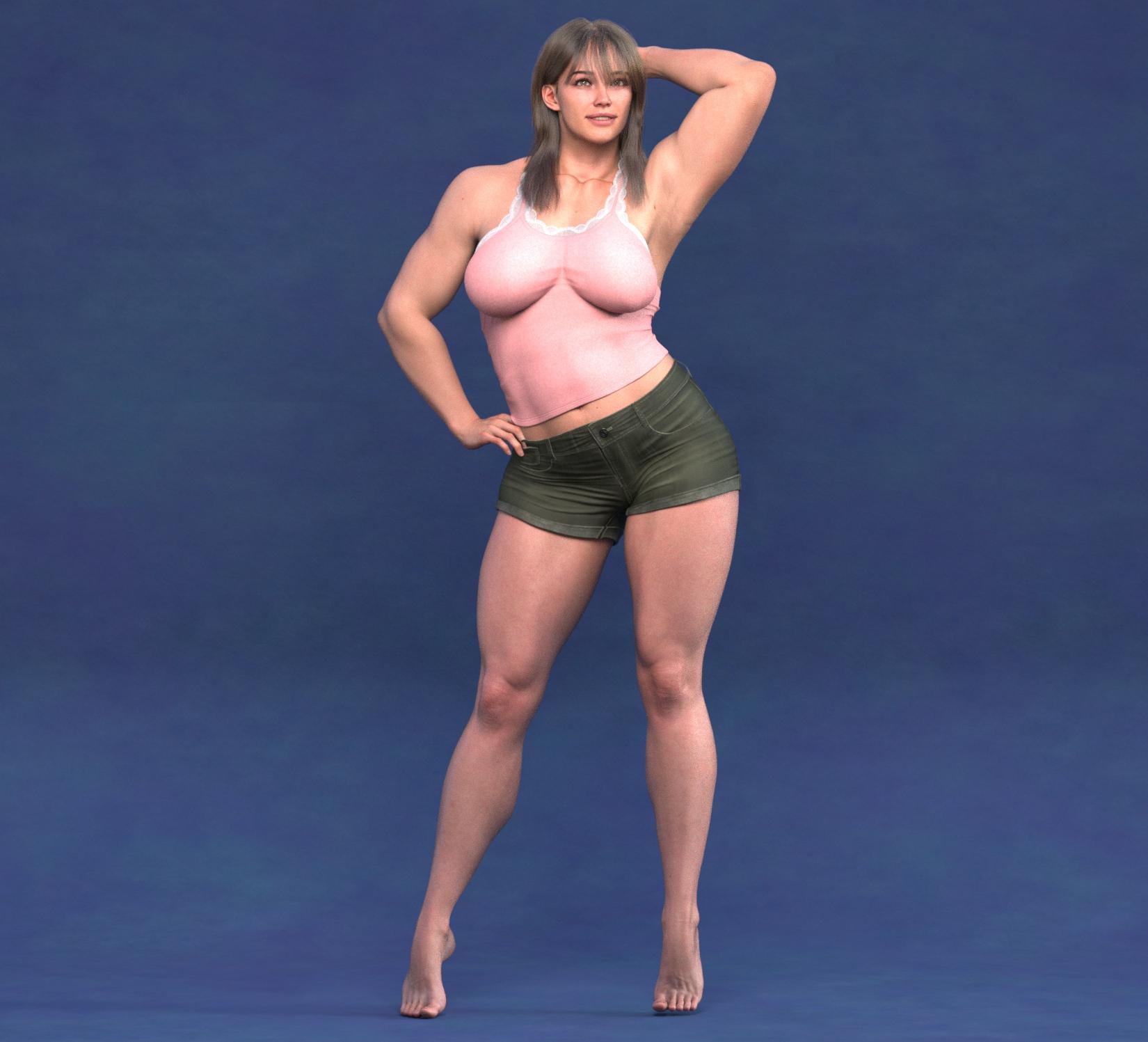
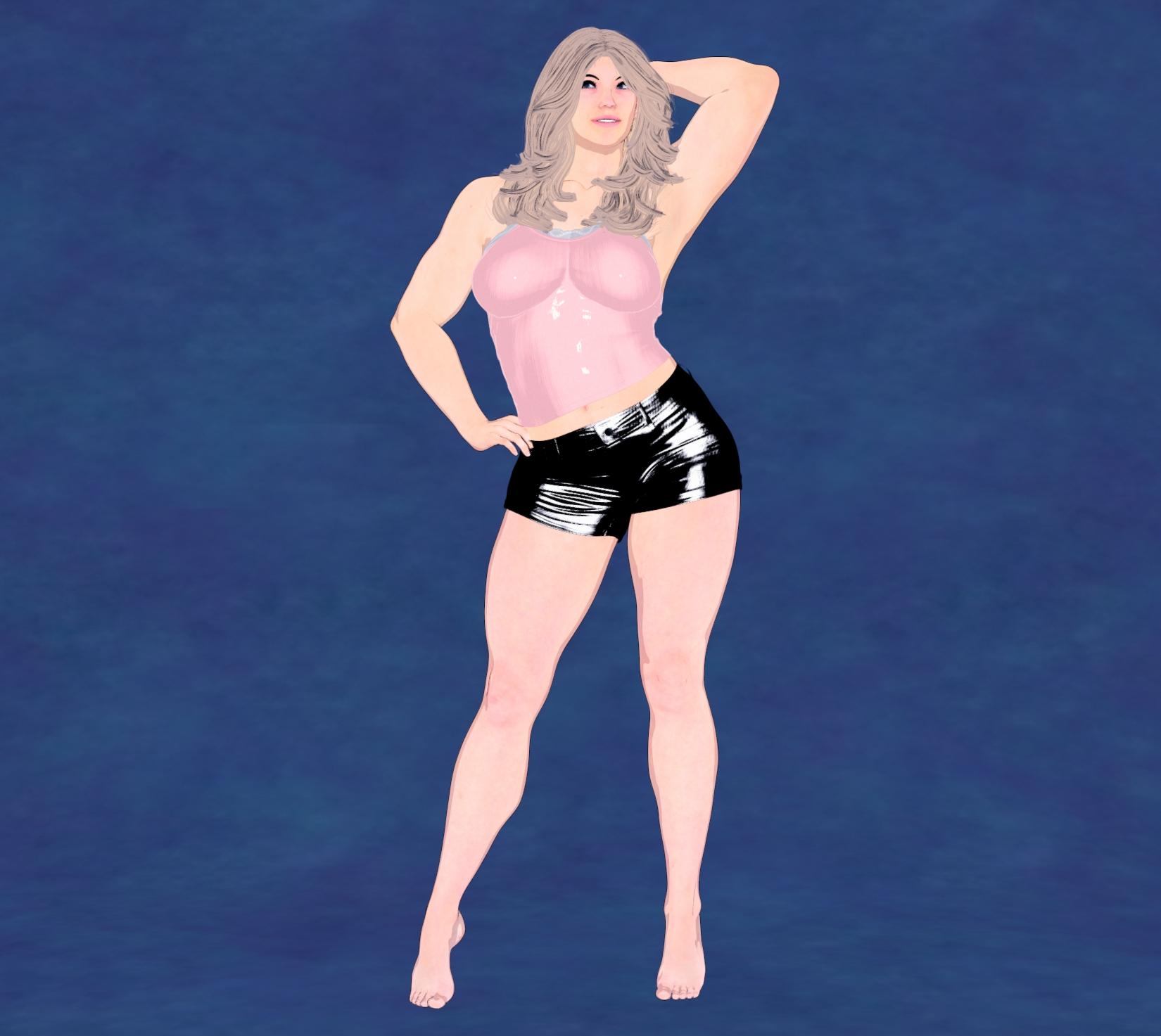
The quick shader options are effective and really make the process of turning your scenes into Filatoon much faster. Many color options to go along with what you'd like, too. When you apply the Base Feminine or Masculine, it will also automatically apply the anime style to the character, too. In this case, it also replaced Tara's head, so I manually morphed it back to how she looked in Iray. It's not a bad thing at all, just a noteworthy optional step, unless I did it wrong.

I also didn't follow the instructions and used a strand based hair for the Iray and can confrm it didn't work for the Filatoon, so that's why there's a different hair. But the shader works! There was even a good shader for the backdrop, which was originally a random color I picked out, so that was also a nice touch. I like this product because it can be cumbersone and a little time consuming to go through your scene and manually apply the shaders, it's just much easier with this tool.
Thank you for the great feedback and review of your experience with the product so far. And thank you for the render share! And yeah, the script dials in the Base Anime Shape at 60% to help turn the characters into toons, but that's pretty easy to dial back out if one prefers a less toon look to the characters. I do like the before and after - thank you for sharing it!
Easy FilaToon [Commercial]Beanoutback said:
This looks really cool! Thanks for the product. What are the differences between this and V3D FilaToon Converter, Manager and Tools | Daz 3D? (Apart from this being cheaper!) I'm morfe interested in characters than environment.
I'm sorry I don't own the V3D FilaToon Converter, Manger, and Tools product so I don't really know what all the differences or similarities there are between the two. It looks like a fantastic product though! :) If you already own the V3D product I don't know how much use you'd get out of mine or if you'd like one better than the other, as I'm unsure of what all the other product does nor the different NPR styles and looks that you can get with V3D's product - but I do know Easy FilaToon comes with a TON of different Filament Draw Options and Shader Presets that can create NPR styles that I didn't see in the promo images for the V3D FilaToon Convter product.
I'm sorry, I wish I could be more help. If you already own the other product and get a lot of use out of it, definitely consider if you want to purchase mine or not (I hope I'm not losing a sale by stating that lol, but I'd really rather the customers be happy with their purchase than regret buying it). :) So if you find that the V3D product meets all your needs for the NPR looks that you like then that might be all you need. I'd be very happy if you bought my product too, but I wouldn't want you to regret it if you already love the V3D product.
The Mac FAQThanks for the links to more reviews.
Elor saved me the trouble of going back to see the core counts re: M3 Ultra vs. M4 Max. Doubling the number of (slower) cores on the M3 Ultra does give it an advantage over the (faster) cores of the M4 Max.
I did see the Geekbench benchmark comparing the single core performance of the M3 Ultra and M4 Max. M4 Max averaged 4,111 compared to M3 Ultra's average score of 3,256. Because of substantially more cores in the M3 Ultra, it easily can outperform the M4 Max with apps utilizing multiple cores. The DAZ Studio single threaded processes would be slower on the M3 Ultra, but anything taking advantage of using more cores at once, like Iray, would see a performance advantage on the Ultra. It's not like the M3 Ultra is pokey in single-core performance at all, it's just that the M4 Max appears to be about 25% better performing on a single core.
My thoughts are aligned with Elor's conclusions above.
Still, I'm waffling between the top M4 Max chip and the 28-core M3 Ultra. Either way, I'd get an 8TB model and the lowest RAM at or above 96GB.
DAZ Studio is really the most demanding app that I use on a daily basis, so I can get away with the base M4 chipset for everything else - music creation, image editing, light video editing, writing, etc. Even DS runs better on base M4 than my older Macs. It's disappointing to have no feel for what the new DS for Mac will support (native Apple Silicon performance/compatibility, Filament, stability and UI clean ups, etc.) Iray rendering will remain okay, not great, but nothing to cheer about due to Macs not having Nvidia GPUs or some Apple Silicon GPU optimized version of Iray (not going to happen.) Filament and other generalized renderers (Cycles, etc.) such as what Blender uses could boost DS rendering performance on PCs without Nvidia GPUs and Macs. But then you'd need materials converted to the new render engine or start with replacing existing Iray materials to something compatible. You'd need a materials/surfaces translator to accomplish that, I suspect. If one existed.
I'm still going back and forth about getting (soon) a top spec M4 Pro Mac mini or a mid spec M4 Max/M3 Ultra Mac Studio. If I absolutely had to choose today with the current DS, I'd probably go M4 Pro Mac Mini. Why? Certainly current Mac DS would get some improved rendering speed, but it's crippled by the older Qt cross platform development system it's built with. My hope is that new DS will gain compatibility with Apple Silicon and benefit from the features that those processors embody.
Lee
P.S. My new M4 MacBook Air arrived today. Everything (~1.7TB) transferred from the new M4 iMac to the MacBook Air in about 30 minutes via Thunderbolt 5 (overkill) cable. Very slight Iray rendering speed difference between the 2 Macs (~4 seconds between the 2 doing identical renders.) Longer renders would slow down the MacBook Air more due to the fanless design, but good enough for me doing quick renders, character dial-ups, etc. away from my desk. Very happy with both new M4 Macs. I'd still like to have my dream machine of a new iMac Pro, as I'm a fan of the all-in-one design. Not sure that dream will ever come to be either. LOL!
Tree Swing Garden - Iray & FilaToon [Commercial]Richard Haseltine said:
Very appealing, can I move there?
Oh, did I overlook the catnip bed?
Yes, it is a lovely product. I'm glad to see both Iray and Filament supported.Easy FilaToon [Commercial]As usual, 3Diva, you never disappoint! I picked this up and I have to say, the options are quite extensive. Here's a render of an amazonian Tara 9 in Iray and then in Filament:
The quick shader options are effective and really make the process of turning your scenes into Filatoon much faster. Many color options to go along with what you'd like, too. When you apply the Base Feminine or Masculine, it will also automatically apply the anime style to the character, too. In this case, it also replaced Tara's head, so I manually morphed it back to how she looked in Iray. It's not a bad thing at all, just a noteworthy optional step, unless I did it wrong.
I also didn't follow the instructions and used a strand based hair for the Iray and can confrm it didn't work for the Filatoon, so that's why there's a different hair. But the shader works! There was even a good shader for the backdrop, which was originally a random color I picked out, so that was also a nice touch. I like this product because it can be cumbersone and a little time consuming to go through your scene and manually apply the shaders, it's just much easier with this tool.
Easy FilaToon [Commercial]This is a discussion and help thread for Easy FilaToon: https://www.daz3d.com/easy-filatoon
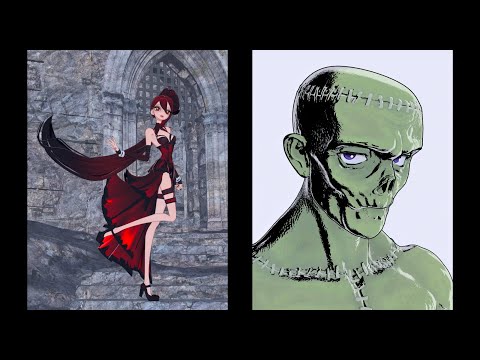
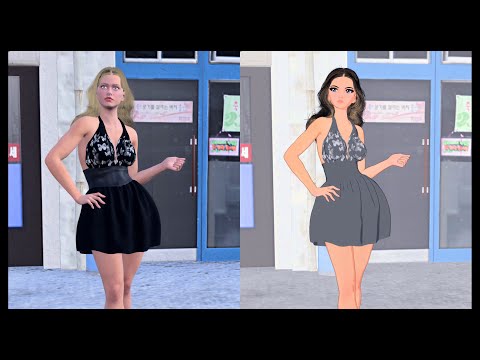
Easy FilaToon is a full suite designed to help you turn your scenes and existing characters into Filatoon characters and scenes. It includes scripts to help create Filatoon scenes, animations, and renders from your existing content library. Easy FilaToon can help convert your characters, clothing, props, polygon/mesh-based hair, and environments into Filatoon allowing you to utilize your existing assets more easily for Filatoon renders.
I've created a tutorial and I hope that you guys find it helpful. I split it up into two parts - the first is about 10 minutes long and it covers a quick walkthrough of how to use the product, the second part is about 14 minutes long and is a more in-depth walkthrough of all the presets and what they do. Both parts of the tutorial have a "recipes" section at the end of each video to give you ideas of some of the different NPR looks that can be created with Easy FilaToon.
I hope you guys like the product! I also hope to see you guys do experiments with different setting combinations.
Please Note:
- It's not recommended to use the included scripts on strand-based hair - strand-based hair doesn't do well with Filament and FilaToon rendering without some additional fiddling with both the surface settings and render/viewport settings.
- Converting characters other than Genesis 9 characters takes longer. The Base Feminine and Base Masculine scripts are designed for Genesis 9 characters. You CAN use the included "Base Clothing" or "Base Hair" script to convert other generation characters, but doing so does take time. The included scripts utilize the "FilaToon - General" preset included with Daz Studio's assets, and this preset can, and often does, take much longer to apply when applied to older generation figures.
- The included Scripts and Shader Presets tend to work best with Iray surfaces, so it's recommended to convert other surface types like 3Delight to Iray surfaces first.
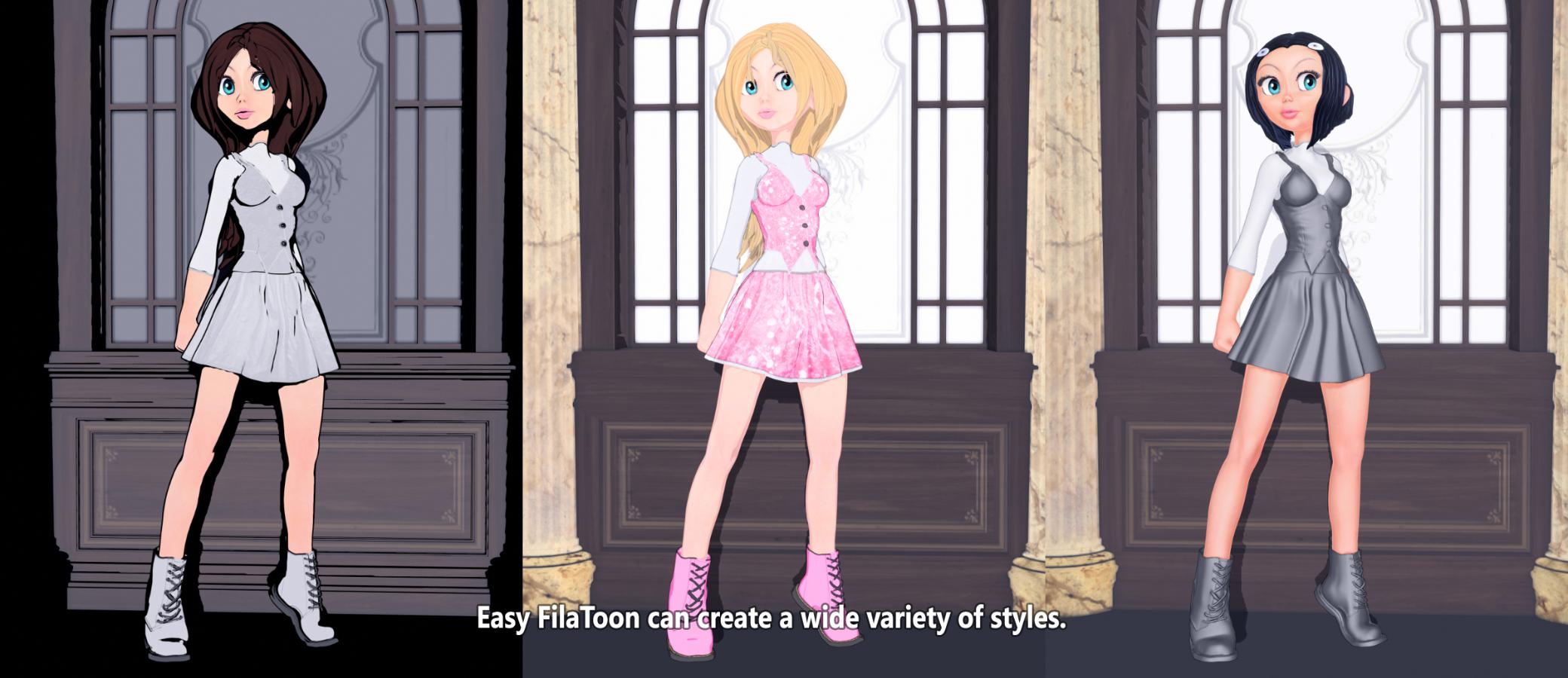

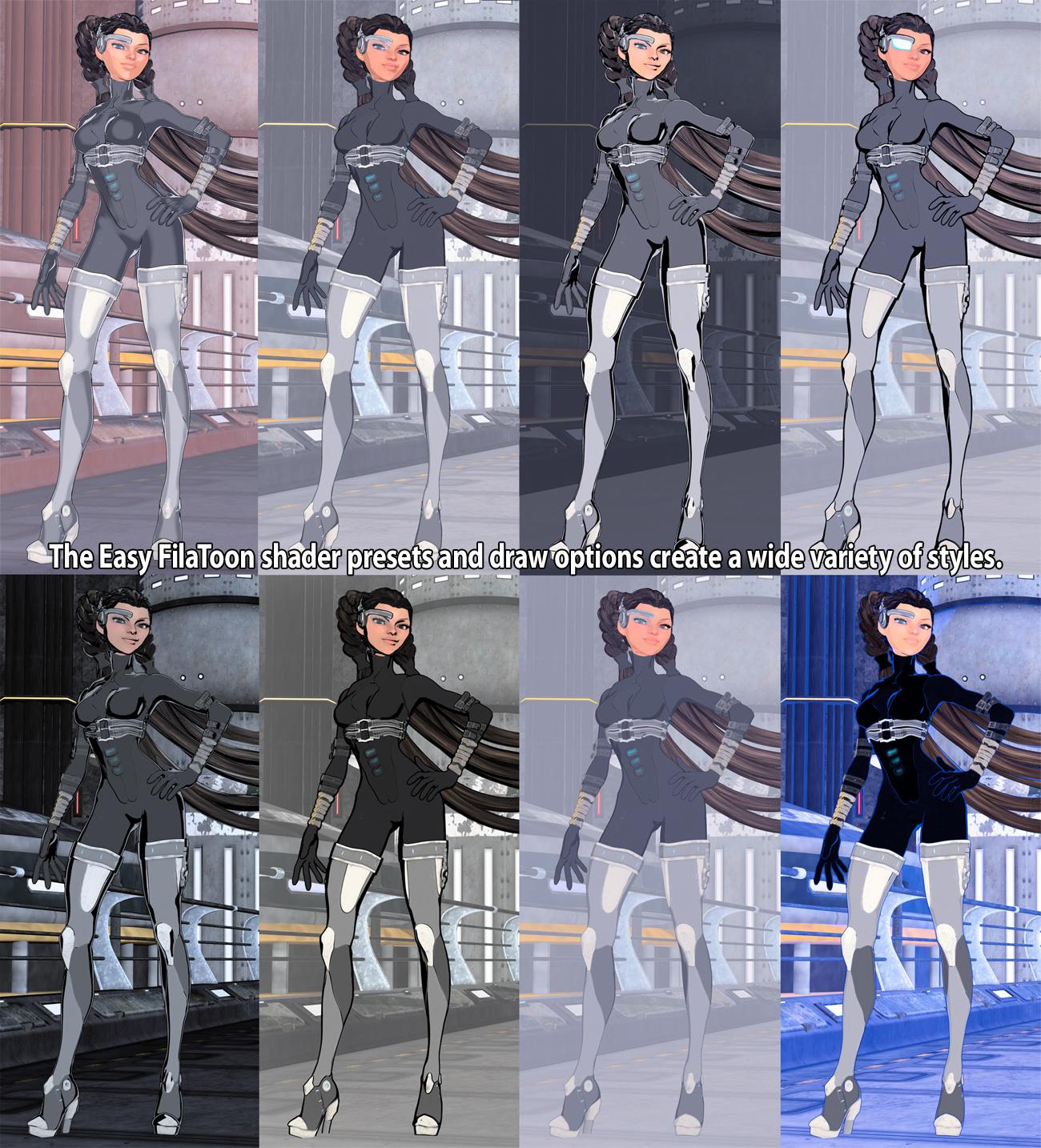
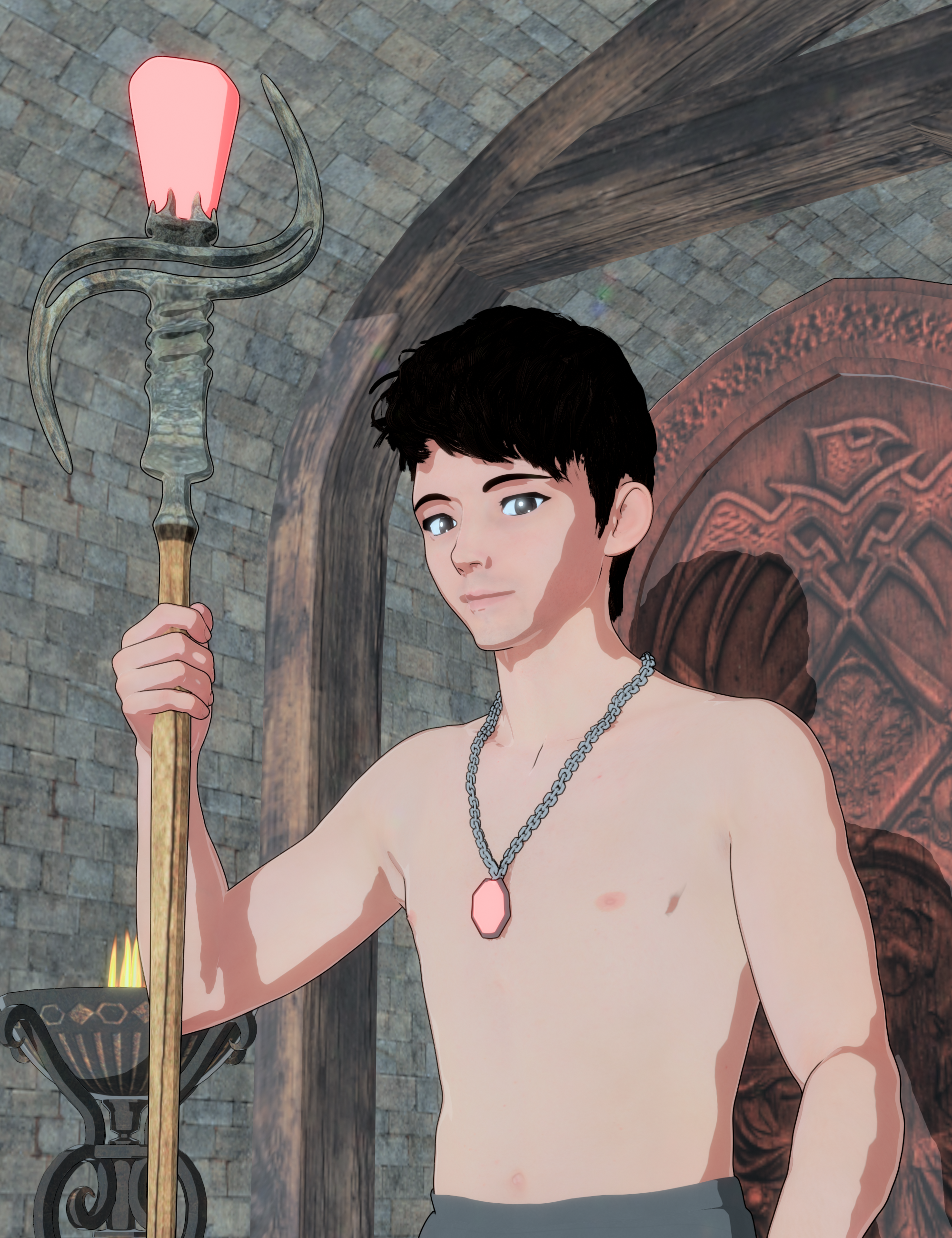
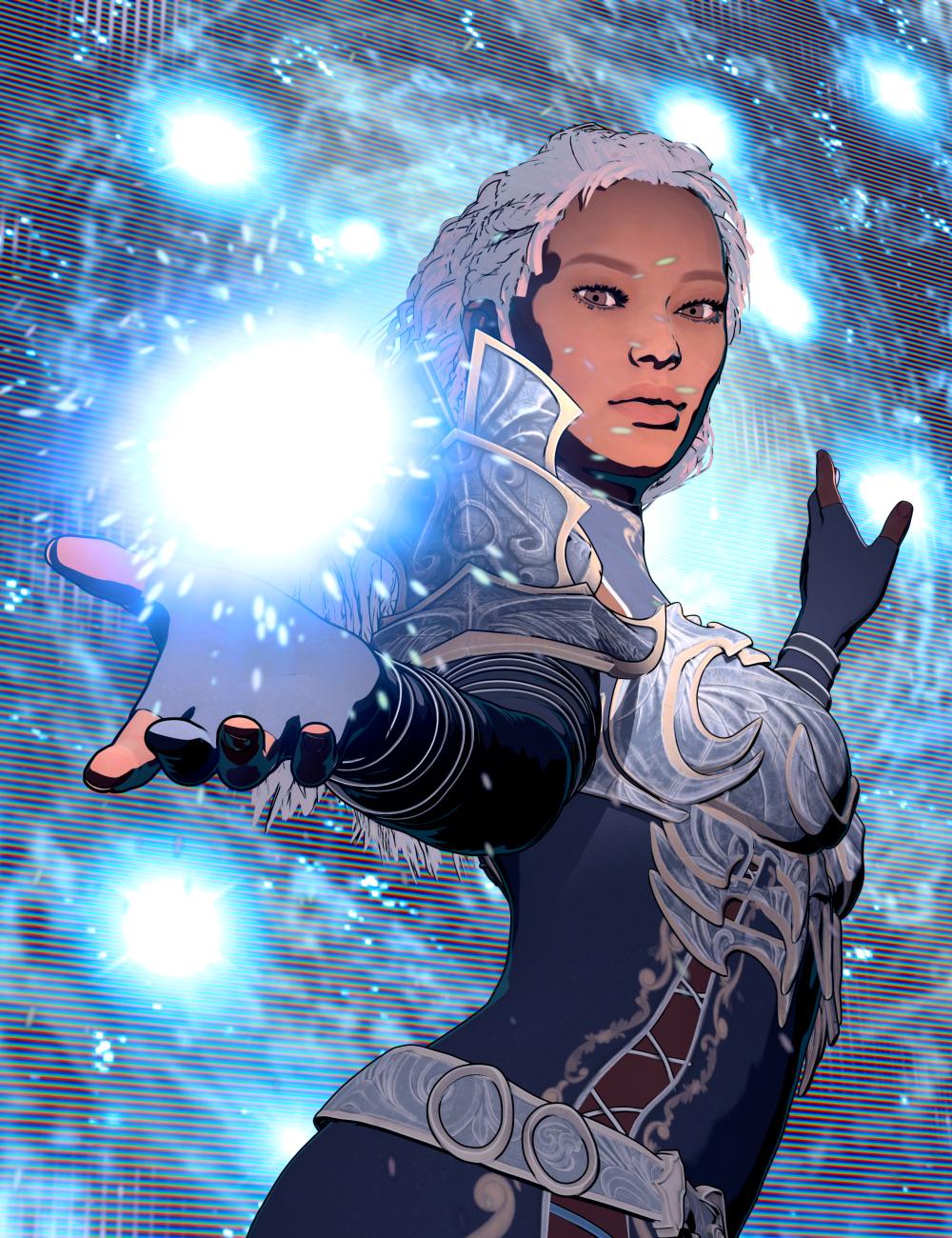
Please feel free to share your "recipes" if you find different draw options settings and shader preset combinations that you like the look of. Also, please feel free to share your renders with the product as well. I'd very much enjoy seeing what all you guys do with this product! :D
Timeline Preview Is Too SluggishI mean, I can't see myself fine-tuning a pose or expression with box-rendering, so, unless that does anything to help with previewing the actual animation, it doesn't seem like much of a solution?
Also, just in case I wasn't seeing something blindingly obvious, I just tried it out, and the Solid Bounding Box visualization mode takes precisely as long to load a single frame as Filament does. I don't know if this is about my G8F being too bloated with add-ons? The last time I auto-fitted something, it took minutes.
The Mac FAQinquire said:
With the new Mac studio models out, which version of the M chip would be better to get in order to run DAZ Studio https://www.apple.com/newsroom/2025/03/apple-unveils-new-mac-studio-the-most-powerful-mac-ever/
The M4 chip, or the M3 ultra?
I've been looking over the info on the new Mac Studio. I'm going to see what the reviewers say regarding performance. For me, it seems like the M3 Ultra will yield the best performance over the M4 Max. Folks are guessing that the M4 Ultra (if one is coming) may be dedicated for use in the Mac Pro. I was hoping that the Mac Studio would have the M4 Ultra. That M3 Ultra does look quite impressive on paper, though. :)
I pondered getting the Mac mini M4 Pro instead of the iMac M4, but went with the iMac until I see a substantial update to DAZ Studio (Apple Silicon full/native compatibility with a bit more feature pairty with our PC friends). Will likely order the Macbook Air M4 tonight/tomorrow to have a thin, light, and fanless laptop to replace my Macbook Air M1. And tinker with DS while out and about. After that, I will want a much more powerful Mac, likely the new Mac Studio at this point, to serve as my documents/media hub and DAZ Studio system. But only if DAZ Studio will run quickly and natively on it with good rendering speed (even if not using the GPU cores.) Otherwise, a lower spec Mac will let me enjoy my non-3D graphics, music production, writing, and entertainment needs at a lower cost.
As I mentioned in an earlier post, the base M4 has a nice DS performance boost over the base M1. I would bet that moving to the higher variants of M4 (or M3 Ultra) will see a significantly higher performance boost with DS. Within the limits of what the Mac version of DS is capable of.
In short, I'd think the Mac Studio with M3 Ultra and ample RAM and storage options would be pretty good using Mac DS 4 if you consider DS 4 is likely as good as it will ever be feature-wise for the Mac. For me, the questions on choosing a new Mac have been: Timeliness of DAZ delivering the modern version of DS, the feature set parity of said new DS (Filament for instance), native Apple Silicon support (not Rosetta emulation), and ownership model used by DS (subscription, single pay option for plug-ins/add-ons/assets/even the app iteslf.)
We'll see what the reivews say about the new Mac Studio and I'll see if there are compelling reasons to justify picking one up with the primary goal of using DS (current and future? versions.)
I'm rambling - train of thought typing! LOL!
Lee
Freebie Challenge March 2025 - "Pride, Prejudice and other Shenanigans" - Entries ThreadSecond entry. Filament FilaToon render with Genesis figures and more Wilmap outfits...
A chance encounter in the woods
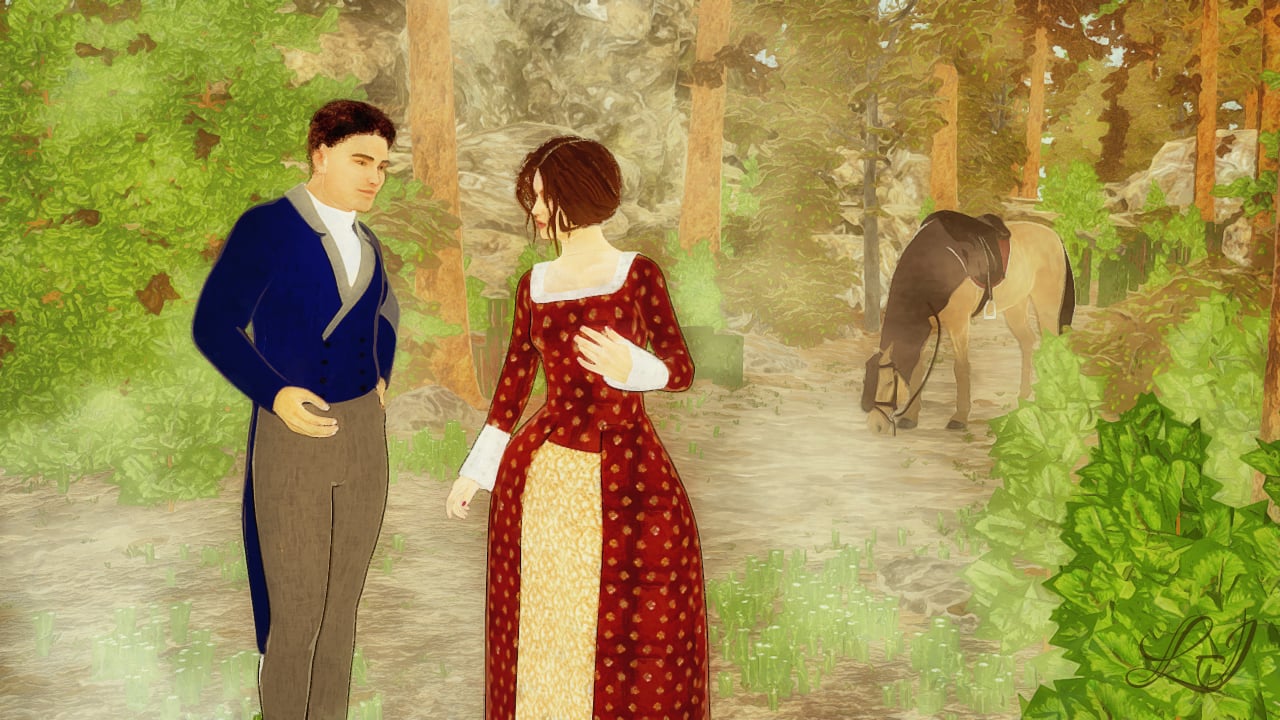
I did a bit of postwork to brighten up things and give it a more painterly feel. So below is the original render.
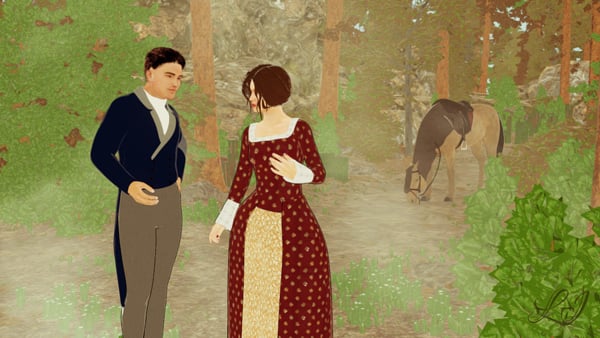
Freebies:
- Genesis Georgian Outfits
- Genesis Georgian Dress
- Genesis Fibermesh Eyebrows
- Trish Hair
- SY Filament Friendly Hairs Genesis 8 part 1 and part 2
- Grayscale image of clouds for creating a fog plane
Purchased items:
Other things used were Genesis figures, their base morphs and poses, and the base FilaToon shaders.
Freebie Challenge March 2025 - "Pride, Prejudice and other Shenanigans" - Main ThreadSapphireBlue said:
I know I said I might bow out for the rest of the month, but then, I really needed something to help me procrastinate on my to-do list.

So I'm back to spam this thread... This time, tracking down the freebies was the smaller part of the effort, as I was making sense of the old Genesis figures, finding things in the poser runtime structure, and trying to remember how to use FilaToon again...
A chance encounter in the woods
I did a bit of postwork to brighten up things and give it a more painterly feel. So below is the original render.
Freebies:
- Genesis Georgian Outfits
- Genesis Georgian Dress
- Genesis Fibermesh Eyebrows
- Trish Hair
- SY Filament Friendly Hairs Genesis 8 part 1 and part 2
- Grayscale image of clouds for creating a fog plane
Purchased items:
Other things used were Genesis figures, their base morphs and poses, and the base FilaToon shaders.
I think this is the first image we have with filatoon in the challenge
 nice to see
All freebies approved, please move to entries
NVidia 5090Richard Haseltine said:
I doubt Octane would agree to give us a free version without watermarks, even if they were willing to agree to bundling in principle at a price Daz was willing to pay. And of coruse any switch of engine would require a massive amount of material conversion.
These! ^ This does not nullify the idea of better Filament integration, though.
Filament for Mac silicon usersIt's been stated several times that implementing filament in the Mac version requires updating the base Qt framework used by DS, which means it has to wait for the next major DS version (DS5).
Freebie Challenge March 2025 - "Pride, Prejudice and other Shenanigans" - Main ThreadI know I said I might bow out for the rest of the month, but then, I really needed something to help me procrastinate on my to-do list.
So I'm back to spam this thread...This time, tracking down the freebies was the smaller part of the effort, as I was making sense of the old Genesis figures, finding things in the poser runtime structure, and trying to remember how to use FilaToon again...A chance encounter in the woods
I did a bit of postwork to brighten up things and give it a more painterly feel. So below is the original render.
Freebies:
- Genesis Georgian Outfits
- Genesis Georgian Dress
- Genesis Fibermesh Eyebrows
- Trish Hair
- SY Filament Friendly Hairs Genesis 8 part 1 and part 2
- Grayscale image of clouds for creating a fog plane
Purchased items:
Other things used were Genesis figures, their base morphs and poses, and the base FilaToon shaders.
Filament for Mac silicon usersHello,
I’m a Mac user, and I’m getting really frustrated by the fact that for nowadays Mac, which now has the power to smoothly run PS4 games, there's still not a a filament option, let alone the ability to try Toon Filament.
Given that the machine clearly has the capability to handle it, is there any way to hack or add this feature in? If not, is there any chance this will be implemented in the future? At this point, it seems like the hardware is more than ready to support it.
Thanks for your help!
NVidia 5090WendyLuvsCatz said:
does Filament and Filatoon work with it?
not that I can afford those cards but both actually work on my other PC without ar dedicated graphics card
so DAZ might be forced to develop Filament integration more fully if they want to stay relevent
I would love to see this happen! I can't speak to the relevance issue, but I did request improved Filament integration as my closing request on the last survey.
NVidia 5090WendyLuvsCatz said:
does Filament and Filatoon work with it?
not that I can afford those cards but both actually work on my other PC without ar dedicated graphics card
so DAZ might be forced to develop Filament integration more fully if they want to stay relevent
They should work, but whether they would greatly benefit I don't know.
Daz 3D is part of

Connect
DAZ Productions, Inc.
7533 S Center View Ct #4664
West Jordan, UT 84084Licensing Agreement | Terms of Service | Privacy Policy | EULA
© 2026 Daz Productions Inc. All Rights Reserved.