-
Anime Toons and Filatoon Shader Q&A
So I'm finally able to start playing around with this and I've read through the hair posts and I'm really lost. This is the Ash hair for G9 and I applied the hair filatoon material and it looks kind of like iray hair still in filament. I don't see the outline being drawn. Is this how it should look or is there a way to make it look more toony like the hairs I'm seeing in this thread? It very well could be this is how it will be and the hairs I'm seeing utilize the filatoon materials better, but I figure I'd ask. Thank you!
FilaToon / Cell shaded rendering with FilamentKRISHANKO said:
sorry to hijack this thread but its the closest relevant to my question. where or how do i get filatoon render/shader? i have the latest public daz build but im not finding anything. just filament. do i have to buy a gen9 pack or something? because i want to use gen3 and others to make them animefied.
Install the latest version of DS default resources to have the filatoon shader.
If you want the toon G9 figures too, install the latest version of G9 starter essentials (there are now 3 parts, so 1 and 2 will likely be listed as updates and 3 as a new file in DIM). You don't need it to use filatoon on other figures though.
FilaToon / Cell shaded rendering with Filamentsorry to hijack this thread but its the closest relevant to my question. where or how do i get filatoon render/shader? i have the latest public daz build but im not finding anything. just filament. do i have to buy a gen9 pack or something? because i want to use gen3 and others to make them animefied.
Ghostlights for Filatoon/Filament?The commonly-used term of "ghost lights" in DS is just relevant to Iray engine. I don't think there's such a thing in Filament, IMO ~
And I wonder why you need ghost lights with Filament drawstyle ? Distant light, Spotlight and Point light are already good enough for being used with Filament... and they don't have those cons from Iray engine.
The Mac FAQTotte said:
OTOY Octane Renderer is metal based, and fast, but the macOS DS integration is non existing (last I checked), no DS plugin still.
Looks like they have a DS plugin now though.
https://home.otoy.com/render/octane-render/mac-pro/That looks interesting, but I notice that while the Enterpise edition lists DAZ Studio, they suggest that you try the demo first... that *doesn't* list DAZ Studio.
If anyone does test it out, I'd love to hear the results.
I donated my m1 iMac to my daughter -- she needed a decent screen for her work -- and picked up a MacBook Pro m4 Pro with 48 gb of RAM; I also grabbed a 4 TB Thunderbolt SSD and moved all of my DAZ/Poser assets from a USB HDD to it.
So far, everything is working perfectly; working inside DAZ Studio is very fluid.
I don't normally use iRay but I did a quick test to compare against my 2012 iMac and 2020 Intel MacBook Air, both i7 machines with very similar spec's.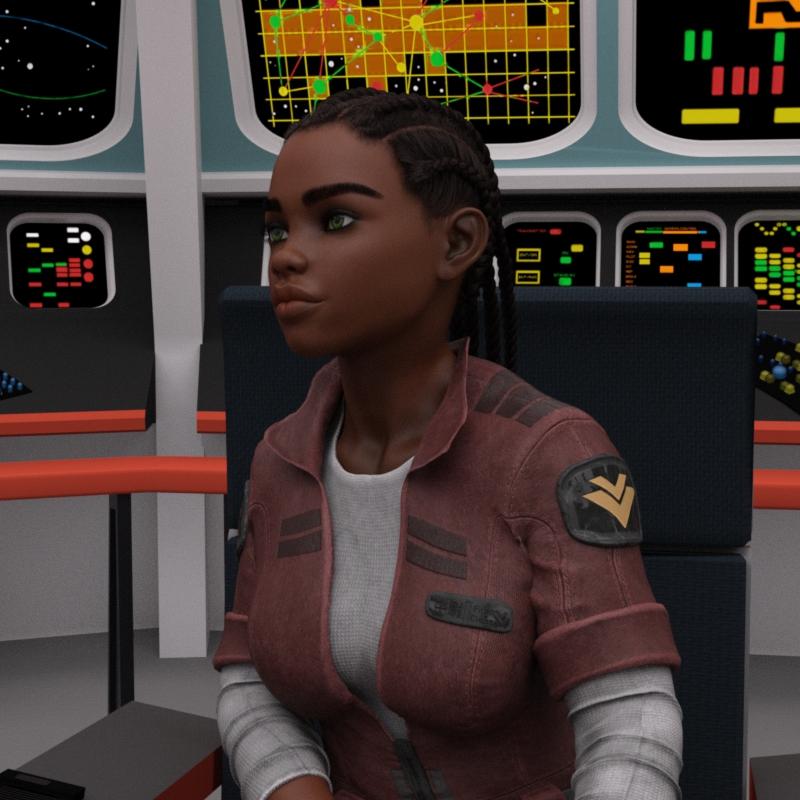
The Air and iMac both took just over 2 hours for the render, the MacBook Pro took 33 minutes with the settings and light I'd used, which matched my expectations based on my experiences with the m1 iMac.
I know that updating millions of lines of code isn't "fast" but they had a bare-bones version of DAZ Studio 5 with Filament running on the Mac over three-and-a-half years ago and had planned on adding most of the main features a few months later. Richard has stated that most of the new featues being added since (except, of course, the Windows-only ones) are also being added to whatever the new DAZ Studio will be called.
So far, we have absolutely zero news on when we might expect the update.
I've mostly stepped away from 3D while dealing with heatlh issues, and after spending thousands a year here for decades it's been nice to spend my money elsewhere for the last three years.
I think I'll be stepping further back for now; I may take a look at Maya if I want to get back into 3D. The Indy pricing is far, far less than I'm used to spending on assets here, and I'm sure I can find something in the $60k+ of DAZ store assets I have to play with.
Life is too short -- and getting shorter every day -- to spend too much of it waiting for something fairly nebulous that may not come in time to use it.
Ghostlights for Filatoon/Filament?Ghostlights were a specific Iray bug, now turned into a feature - I wouldn't expect them to work in Filament, but on the other hand it isn't trying specifically to be photo-real so they may not regard them as anathema. If they are possible I don't know how.
Ghostlights for Filatoon/Filament?Leana said:
AFAIK there are no emissive surfaces in filament, so no ghost lights.
Filament in Daz Studio 4.23 supports emissive surfaces.
Change Default IRAY Preview Tonemapping Settings (Burn and Crush)They were changed with Daz Studio 4.23 (I think), to get Iray and Filament closer to each other in the default setting:
-
Source maintenance
-
Updated Tonemapper Options node property default values to improve alignment between Filament and NVIDIA Iray
-
Burn Highlights
-
Crush Blacks
-
DAZ Studio : Incremented build number to 4.22.1.196
http://docs.daz3d.com/doku.php/public/software/dazstudio/4/change_log_4_23_0_1
Ghostlights for Filatoon/Filament?AFAIK there are no emissive surfaces in filament, so no ghost lights.
Ghostlights for Filatoon/Filament?I've been playing around with Filatoon shaders and Filament and it's going well -- really enjoying this. However, I can't figure out how to create ghostlights, and for some of the things I'd like to do, I also can't figure out a good workaround.
Also, is there a good water shader for filament/filatoon?
There's Always Another Sale Thread -- Discussions Only Pt 3no love again. I'm passing on all. Calendar is for V4, a unimesh fit for an item I dont have. The other holiday free looks like its for the toon rendering system/filament, which I do not use. Yeah, 15% off banner, but you need a new debut release in your cart to use it, none of which interest me in the slightest. A hard pass, again.
Anime Toons and Filatoon Shader Q&Acrosswind said:
I'm been experimenting reflections with Filatoon / Filament but no solution has worked so far in DS. Does the above trick work on your side ? It didn't work for me.
I believe it was already mentioned that this doesn't appear to work as expected. It looks like the only reflections Daz implemented are that of the environment map/HDRI.
Anime Toons and Filatoon Shader Q&AWonderland said:
I asked ChatGPT (which actually gives surprisingly good responses usually for questions about DS use) and it said this:
Yes, you can create mirror reflections in Daz Studio using the Filament renderer, though Filament’s real-time rendering engine does not support true ray-traced reflections like Iray. However, you can achieve a mirror effect using clever techniques:
Steps to Create Mirror Reflections in Filament:
1. Set Up a Reflective Surface:
• Apply a reflective shader to the surface you want to use as a mirror.
• Use the Daz Studio Default Shader or a custom shader with metallic and roughness settings:
• Metallic: Set it to 1 (fully metallic).
• Roughness: Set it to 0 (perfectly smooth surface).
2. Simulate Reflections:
• Since Filament doesn’t render actual reflections, you can simulate them using Screen Space Reflections (SSR). Enable SSR in the Render Settings for Filament:
• Go to Render Settings > Filament > Screen Space Reflections and turn it on.
• This will provide basic reflective effects for objects visible in the camera’s view.
3. Adjust Lighting:
• Place lights in your scene carefully to enhance the look of the mirror-like surface.
• Use HDRI lighting to add environmental reflections if needed.
4. Use Camera Tricks for More Complex Reflections:
• Duplicate and flip your scene or objects behind the mirror for advanced effects.
• Use a secondary camera to render the mirrored perspective and composite it into your scene.
5. Test in Viewport:
• Preview the effect directly in the Filament viewport to fine-tune settings.
For higher-quality and more realistic reflections, you may need to switch to Iray, as it supports true ray-traced reflections, but these steps will give you a reasonable approximation in Filament.
I'm been experimenting reflections with Filatoon / Filament but no solution has worked so far in DS. Does the above trick work on your side ? It didn't work for me.
2024 Holiday Sales & PA Christmas Freebies Are Here!Richard Haseltine said:
barbult said:
99 Recolored Gnomes on the Wall...
99 recolored gnomes on the wall. Richard takes one down and passes it around. 98...
(rendered in Filament)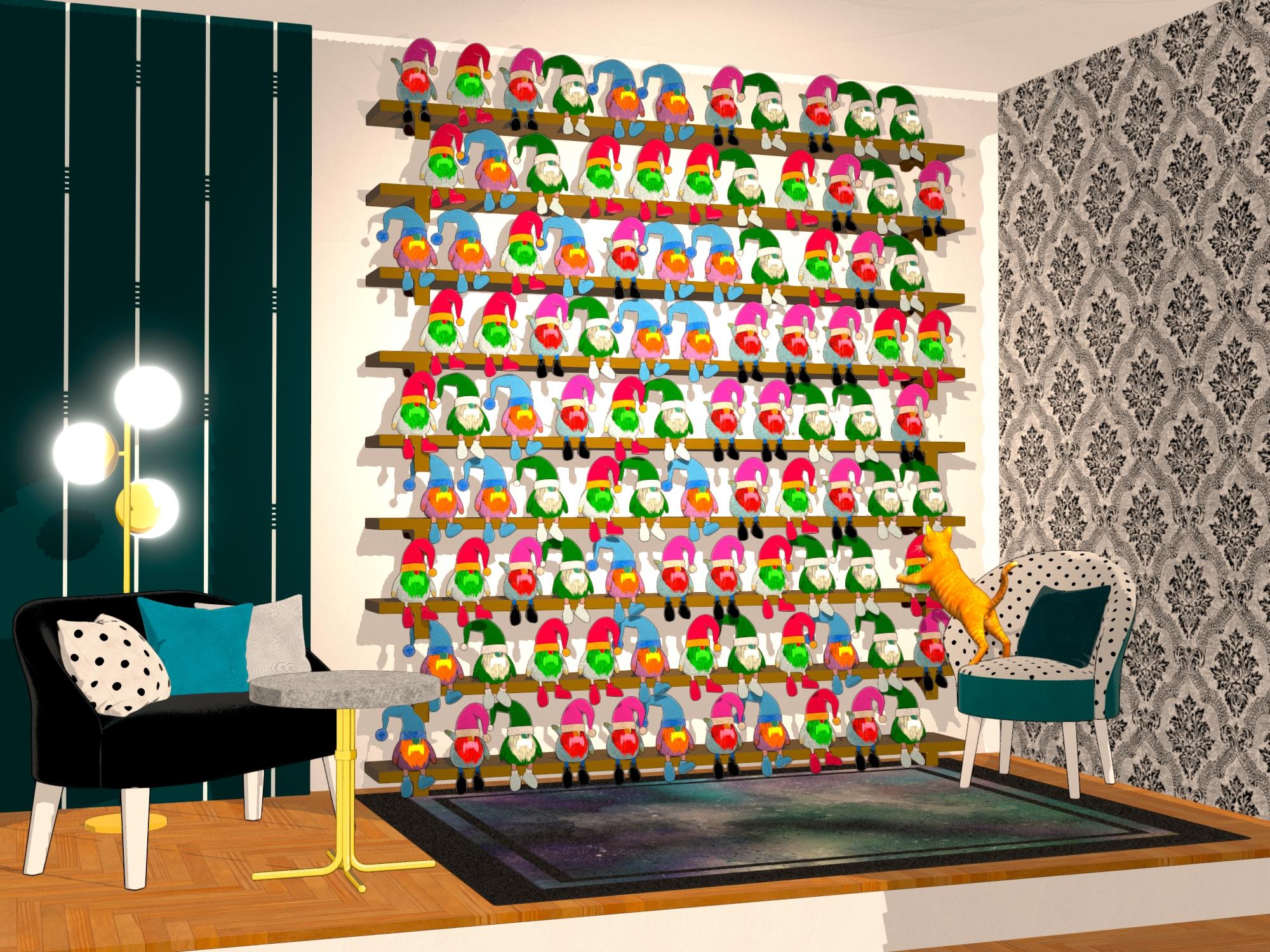
Gifts used:
November 28 2024: NewGuy gifting NG Holiday Gnome Stuffy
December 12 2024: Lully gifting Lullys Colors (they set the shader to Iray Uber, so I had to apply FilaToon shader afterward)Pas it around? You mean share my toys?
 (These really aren't very good emojis)
Oh, how inconsiderate of me to suggest such a thing!
 2024 Holiday Sales & PA Christmas Freebies Are Here!
barbult said:
99 Recolored Gnomes on the Wall...
99 recolored gnomes on the wall. Richard takes one down and passes it around. 98...
(rendered in Filament)Gifts used:
November 28 2024: NewGuy gifting NG Holiday Gnome Stuffy
December 12 2024: Lully gifting Lullys Colors (they set the shader to Iray Uber, so I had to apply FilaToon shader afterward)Pas it around? You mean share my toys?
(These really aren't very good emojis)2024 Holiday Sales & PA Christmas Freebies Are Here!NewGuy said:
barbult said:
99 Recolored Gnomes on the Wall...
99 recolored gnomes on the wall. Richard takes one down and passes it around. 98...
(rendered in Filament)Gifts used:
November 28 2024: NewGuy gifting NG Holiday Gnome Stuffy
December 12 2024: Lully gifting Lullys Colors (they set the shader to Iray Uber, so I had to apply FilaToon shader afterward)I love it!! I really hope you used instances on this though. Even with his low poly design that might crash some systems. Bravo!
@NewGuy yes, I used UltraScatter Matrix mode to create 9 vertical rows of 11 horizontal rows of Gnome instances, from a group of 4 actual mesh Gnomes. The shelf rows were created UltraScatter Matrix mode, too, from one actual mesh shelf. I had UltraScatter scale the Gnome down to fit all of those on the wall.
This render has been so popular, I think I'll enhance it with the Curious Christmas Gift and enter it in the contest. Is that OK?
2024 Holiday Sales & PA Christmas Freebies Are Here!ArtAngel said:
NewGuy said:
barbult said:
99 Recolored Gnomes on the Wall...
99 recolored gnomes on the wall. Richard takes one down and passes it around. 98...
(rendered in Filament)Gifts used:
November 28 2024: NewGuy gifting NG Holiday Gnome Stuffy
December 12 2024: Lully gifting Lullys Colors (they set the shader to Iray Uber, so I had to apply FilaToon shader afterward)I love it!! I really hope you used instances on this though. Even with his low poly design that might crash some systems. Bravo!
The most fun render here! What a great job on filament! Love, love this render. Now it's off to the vet for me with my every-two-hour-eye-treatment cat.2024 Holiday Sales & PA Christmas Freebies Are Here!barbult said:
99 Recolored Gnomes on the Wall...
99 recolored gnomes on the wall. Richard takes one down and passes it around. 98...
(rendered in Filament)Gifts used:
November 28 2024: NewGuy gifting NG Holiday Gnome Stuffy
December 12 2024: Lully gifting Lullys Colors (they set the shader to Iray Uber, so I had to apply FilaToon shader afterward)I love it!! I really hope you used instances on this though. Even with his low poly design that might crash some systems. Bravo!
2024 Holiday Sales & PA Christmas Freebies Are Here!barbult said:
99 Recolored Gnomes on the Wall...
99 recolored gnomes on the wall. Richard takes one down and passes it around. 98...
(rendered in Filament)I have absolutely no idea where/how you come up with these.
None.
But this gave me a serious case of the giggles, and I will never be able to hear that song again without thinking about gnomes.
Thank you.
2024 Holiday Sales & PA Christmas Freebies Are Here!99 Recolored Gnomes on the Wall...
99 recolored gnomes on the wall. Richard takes one down and passes it around. 98...
(rendered in Filament)Gifts used:
November 28 2024: NewGuy gifting NG Holiday Gnome Stuffy
December 12 2024: Lully gifting Lullys Colors (they set the shader to Iray Uber, so I had to apply FilaToon shader afterward)Daz 3D is part of

Connect
DAZ Productions, Inc.
7533 S Center View Ct #4664
West Jordan, UT 84084Licensing Agreement | Terms of Service | Privacy Policy | EULA
© 2026 Daz Productions Inc. All Rights Reserved.