-
Head and Body morph being applied to all my G8F's and I have no idea how or why. - Solved
For some reason (and I assume it's because i did something stupid at some point) I have a 70% Heidi head morph and a 100% Maddy body morph being applied to every G8F I load in. As the title of the post says, I have no idea how I might have done this. Is there anyway I can stop these morphs being autioloaded?
[Released] Elora Taiyou and Dragon Staff with some bonus for Royal Sun productsArki released her awesome project, the Royal Sun. Wardrobe, hair, crown, necklace, rings and more. This set inspired the Noble Manner texture add-ons for both the Wardrobe and the Updo (with the jewelry) and the young elven woman, Elora Taiyou. Elora Taiyou, as you can tell from her name, shines like the light of the sun. She is a perfect choice for any elegant, noble character, but she stands out from the others with her stature, so she shines best as an elven woman. To be able to blend in with any company, she has many (even colorable) makeup variations, as well as a wide range of nail polish options. She also has a unique ability. Thanks to her multiracial ancestors, she can change the color of her skin or eyes at any time.


Elora prefers to use her Dragon Stuff. This magical staff, which carries the power of the dragon's spirit, was designed for her. The power of the dragon primarily helps this majestic elven woman, serves her faithfully, and protects her in times of trouble thanks to its strength.


For those who will own both Elora Taiyou and the Dragon Staff, there is a Bundle-like bonus in the Elora Taiyou for Genesis 9 product. She can wear the Dragon as headwear. Also there are fit poses for Toon Adult Male and Female and Freja. Also you can see on the picture, there is a HD3 morph for G9 where the dragon clings to her head. Sure, if you feel to drastic, just dial down to zero, the headwear dragon will look amazing without it too.
The Dragon Spirit VDB can protect her without the staff too with or without its sparkles.

She can use the staff in the Battle or just send it away to protect her or to patrol


The Staff has several options (with sparkles, dragon sparkles, dragon spirit vdb, or just simple the dragon with the orb, maybe some sparkles inside) and material presets, even the signature colors for Royal Sun Wardrobe. It also has an expansion for those who like Noble Manner textures for Royal Sun Line.


 Remixing your art with AI
I think AI enhancement works quite nicely for characters generated with Face Transfer 2

My image before enhancement is in:
https://www.daz3d.com/forums/discussion/661746/face-transfer-2/p11
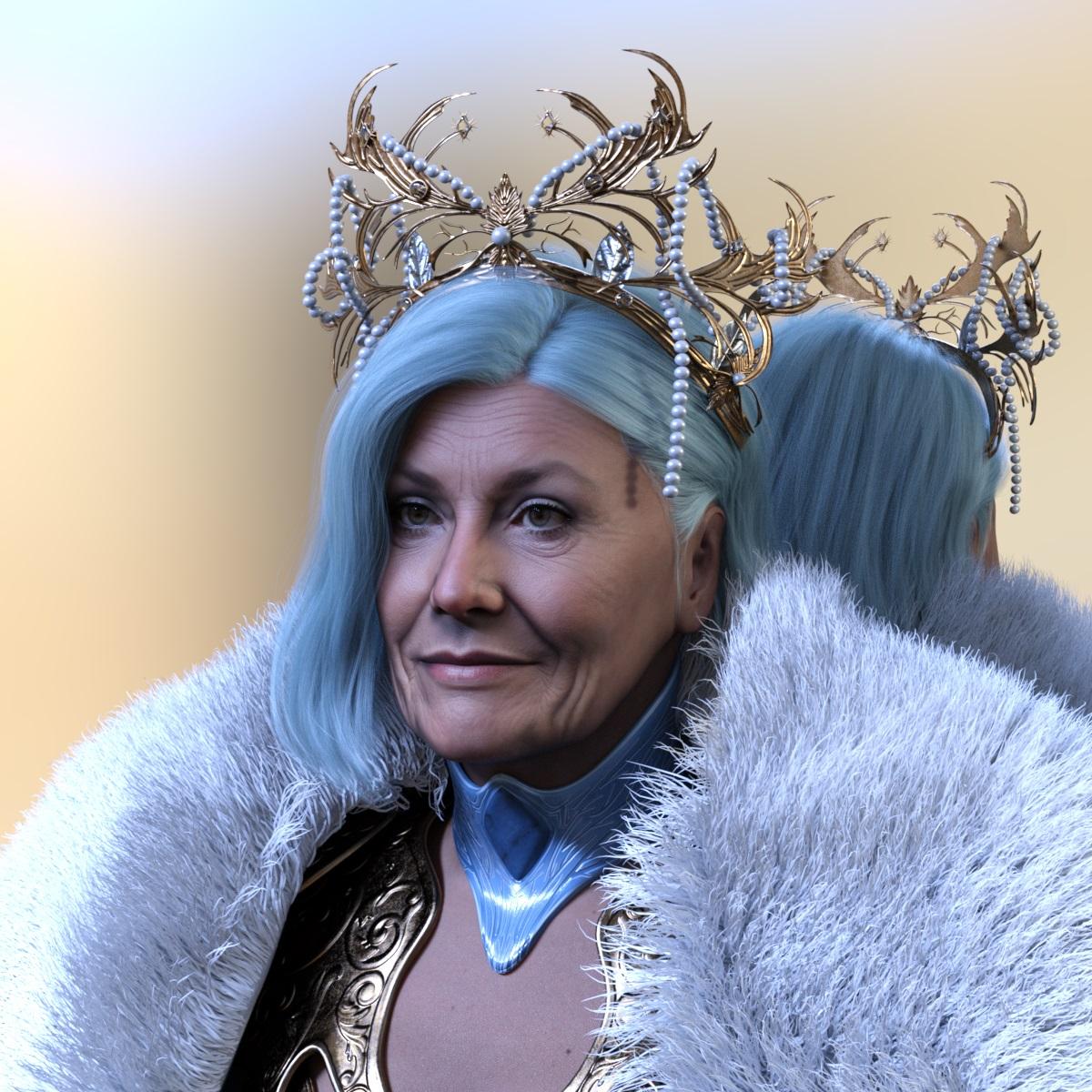 Remixing your art with AI
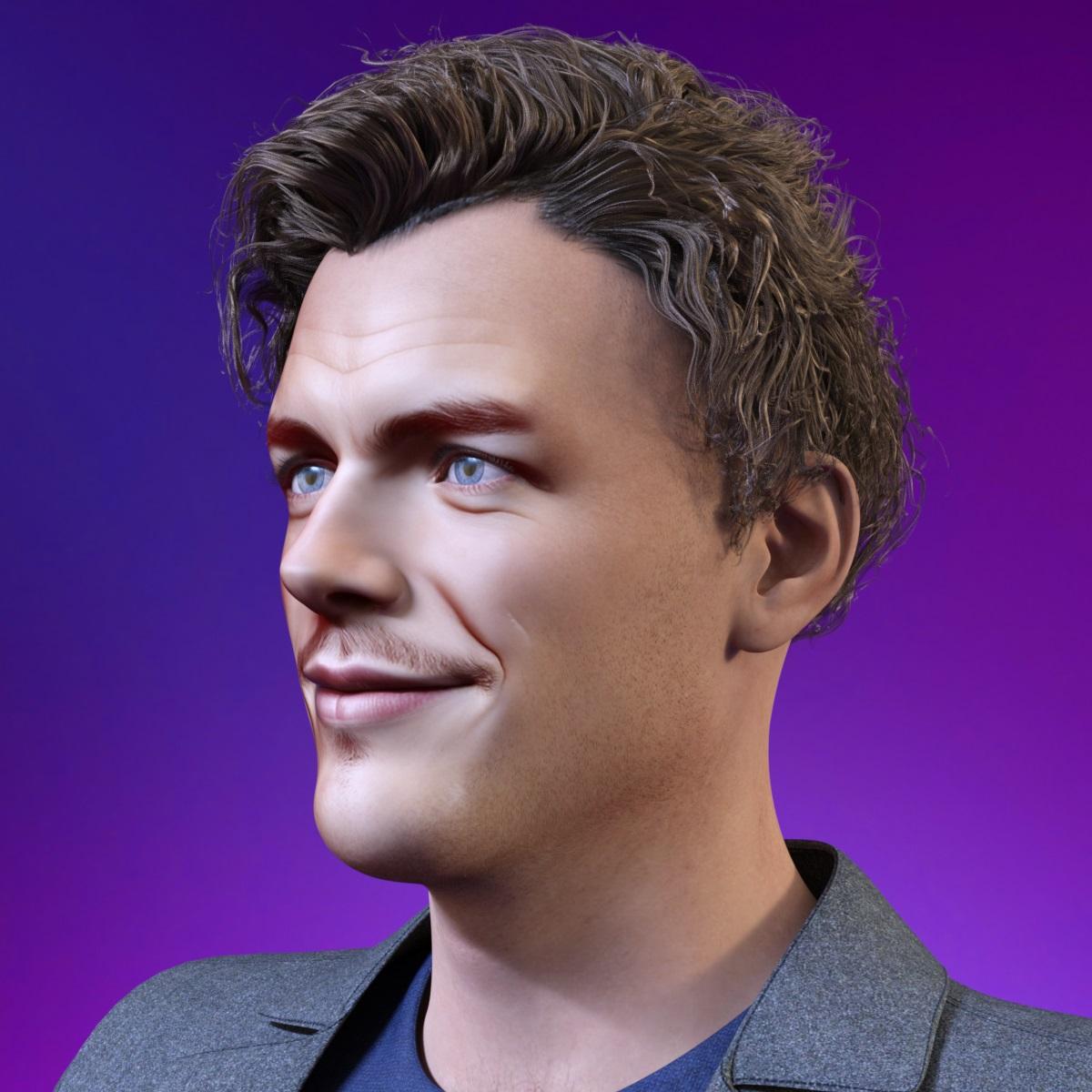
The original image I have created in Daz Studio from Face Transfer
https://www.daz3d.com/forums/discussion/672386/facetransfer-1-and-genesis-8-1#latest
 Need help with Small Breasts Morphs (vol 1-4) for G8F by Anagord
...It's not so much the "saran wrap" effect on the breasts (I have utilities to deal with that) as it is the enlargement or reduction in of the breast mass itself that changes the vertices which as PerttiA mentions affects the UV map of the clothing causing distortions like wavy instead of straight horizontal or vertical stripes as well as warping patterns like plaids, ginghams, and polka dots
I've been doing more experimentation working with Zev0's Fit Control and Projection Morph Master; and will post images later as it is late where I am and I need to turn in for the night
Piece of Mesh not moving with rest of figureYou may try:
- Load that Belt into the scene without fitting to the figure (if it auto fits, right click on the belt - Fit Belt to: None.). Go to menu: Edit - Figure - Transfer Utility.
- Use the settings in below screenshot, Accept. After re-rigging, check if the belt works well....How to transfer copy/pasted references to different computer???So it took me a while to figure out how to correctly transfer my script and favorites menues from one computer to another. Now what I'm trying to figure out is if i can get all of my pasted references to move over as well. In case i need to explain exactly what I mean here goes. Lets say I have an outfit and that outfit has a texture package made by another creator and does show up in the smart conent with that outfit. You open that material package up in Products in the content library. Fromt the smart contente window you right click on an item Show Asset In>Content Library>Products. Once in this window you can right click on and item(s) and click Copy. Then you can navigate to the product that has the outfit for this example. Once in the product that you want to move the copied items to you right click in the pane and select Paste Reference. This will create copies of those items in that product that will show up in smart content so things are grouped together nice and neat rather that having to go to different products in smart content. So, with all that being said my question now is when i transfer to a differenct computer, how do i also transfer that information. I use the same portable hard drive on both computers, I've exported and imported metadata to get my smart content working. Ive got my custom menues working on both computers now but not these references. Also for that matter, Items such as custom materials that I've created no longer show in smart content on the other computer I've transfered to either. Please help.
Diffeomorphic - How to export animation?benniewoodell said:
crosswind said:
James said:
I made an animation. I move the left hand.
The timeline has two keyframes. One on frame 1, the other on 20.If so, you firstly Transfer IK to FK on MHX panel - Animation (arms / legs separately), then bake and Save as Pose Preset. I tested it in this way, it worked.
When you say arms/legs separately, am I supposed to highlight the arms and run the transfer, and then highlight the legs? I've always been so confused with this and now that I'm seeing that folks are getting MHX to work back to Daz, I'm excited to try again! Thank you for any input!
Oh... sorry ! We can do Transfer with arms / legs both checked !
a default sitting and standing pose for every generationthe base poses have become increasingly wacky each generation
Genesis 9 I have never seen anyone sit so unaturally

I would love it if there was a simple boring identical default idle stand and sit for each generation one could use for reference for set building, clothing draping presets etc
a starting sit morph that matches it in skirts everyone can use
not that stand for M4 and Genesis 1 everyone laughed about thrusting his personality out though

the kid one not too bad
cannot say I like genesis 1 sits either, too busy, legs and hands, was thinking a simple sitting down for a job interview type pose no splaying legs all over the place and crazy arm positions maybe resting on legs or folded in lap
Facetransfer 1 and Genesis 8.1My first Face Transfer on Genesis 8.1 Male with
https://www.daz3d.com/face-transfer-shapes-for-genesis-8
applied.Diffeomorphic - How to export animation?crosswind said:
James said:
I made an animation. I move the left hand.
The timeline has two keyframes. One on frame 1, the other on 20.If so, you firstly Transfer IK to FK on MHX panel - Animation (arms / legs separately), then bake and Save as Pose Preset. I tested it in this way, it worked.
When you say arms/legs separately, am I supposed to highlight the arms and run the transfer, and then highlight the legs? I've always been so confused with this and now that I'm seeing that folks are getting MHX to work back to Daz, I'm excited to try again! Thank you for any input!
Diffeomorphic - How to export animation?James said:
Ok, it works.... GOSH.........................
I've been pulling my hair.
Thank you so much.It seem after Transfer IK to FK,
the baking unnecessary anymore.
As if the transfering process is a baking process.
I saved the pose preset, and still works.
Yea, you're right! Haha~ Thanks to Thomas
 Diffeomorphic - How to export animation?
Ok, it works.... GOSH.........................
I've been pulling my hair.
Thank you so much.It seem after Transfer IK to FK,
the baking unnecessary anymore.
As if the transfering process is a baking process.
I saved the pose preset, and still works.
Diffeomorphic - How to export animation?James said:
I made an animation. I move the left hand.
The timeline has two keyframes. One on frame 1, the other on 20.If so, you firstly Transfer IK to FK on MHX panel - Animation (arms / legs separately), then bake and Save as Pose Preset. I tested it in this way, it worked.
Let's appreciate/discuss today's new releases - ongoing thread
Thanks, it's worth checking out. But I don't think anything but a geograft with a less dense mesh under and between the breasts will address the problems I observe with G9.Elor said:Timbales said:
I'm wishlisting in case anyone ever creates a fix for G9's male chest.
I have not used it so I don't know if it'll be provide the fix you're looking for, but HevieState3D included a 'bonus morph for adjusting the masculine version of the figure's pectoral position to look less boobish' in her 'Sonsy Hip and Shoulder Helpers for Genesis 9' free product available at Renderhub.
Need help with Small Breasts Morphs (vol 1-4) for G8F by Anagordkyoto kid said:
Wish I could also figure out how to keep textures form distorting as well as most female clothing (save that intended for younger figures like 3DU's kids) is made for the default G3/G8 breast size. Anything with stripes or other detailed patterns (like gingham or plaid) often looks terrible. Zev0'sProjection Morph Master script helps to an extent, but doesn't fully solve the issue..Then it'd probably be useful if someone were working on a semi-automatic fix for such things, wouldn't it...?

(And yes, it works with both large and small).
Genesis loading times are insaneI'm sure you must've known the loading time depends on the number of G8 morph assets (DSF files) that you've installed, so more or less you can estimate the loading time. The loading performance in 4.22 has been significantly improved (50% - 65% of time saving) , suggest you go for an update.
As for "target property not found" message (warnings rather than errors...), it's commonly-seen and pretty normal. It means that a morph asset has a Controller morph of which the related product you don't have or haven't installed. So don't worry about that. As long as there's no duplicate formula issue, you'll be good.
Let's appreciate/discuss today's new releases - ongoing threadTimbales said:
I'm wishlisting in case anyone ever creates a fix for G9's male chest.
I have not used it so I don't know if it'll be provide the fix you're looking for, but HevieState3D included a 'bonus morph for adjusting the masculine version of the figure's pectoral position to look less boobish' in her 'Sonsy Hip and Shoulder Helpers for Genesis 9' free product available at Renderhub.
Need help with Small Breasts Morphs (vol 1-4) for G8F by Anagordkyoto kid said:
Wish I could also figure out how to keep textures form distorting as well as most female clothing (save that intended for younger figures like 3DU's kids) is made for the default G3/G8 breast size. Anything with stripes or other detailed patterns (like gingham or plaid) often looks terrible. Zev0's Projection Morph Master script helps to an extent, but doesn't fully solve the issue..
Except for making ones own UV's for the torso, I don't know a way to prevent such distortion.
The UV-map specifies, where each of the vertices are located on the texture maps and there will be distortion if one blows up the area or shrinks it down from default.Need help with Small Breasts Morphs (vol 1-4) for G8F by AnagordPerttiA said:
kyoto kid said:
...I have several breast boy shaping resources like Breast control Breast Utilities, Natural Breast Morphs, Girls for G8F, and others but I always seem to run into mesh distortion trying to reduce size and circumference which can affect clothing fits. The Small Breasts Morphs for G8F resources appear to get around this..
Getting the breasts smaller when just about every character and body changing morph makes some changes to them, is quite a task. I have often given up and fixed the problems in Blender
....I finally bought and installed one of the seta that looked like it would work the best for my purposes pml;y yo discvoer that yes, they don't work very well when other things like custom morphs or sculpting alter the breast's base shape. They work fine on the base G8F figure but the model I am using as the base for one of my own characters already has a slightly altered breast shape, So when using any of the Small Breasts sliders, the breasts droop and "pancake" rather than producing the results I saw in the promos. Fortunately I only paid 5.50$ so not a terrible loss (not sure how Rendo's return policy works or if they even have one).
So it's back to a lot of painstaking adjustments using several utilities as deformations in the base mesh can affect the appearance of clothing fits.
ON another front.
Wish I could also figure out how to keep textures form distorting as well as most female clothing (save that intended for younger figures like 3DU's kids) is made for the default G3/G8 breast size. Anything with stripes or other detailed patterns (like gingham or plaid) often looks terrible. Zev0's Projection Morph Master script helps to an extent, but doesn't fully solve the issue..
Daz 3D is part of

Connect
DAZ Productions, Inc.
7533 S Center View Ct #4664
West Jordan, UT 84084Licensing Agreement | Terms of Service | Privacy Policy | EULA
© 2026 Daz Productions Inc. All Rights Reserved.