-
Face Transfer 2
Another beauty creation with Face Transfer 2.
 Let's appreciate/discuss today's new releases - ongoing thread
FenixPhoenix said:
barbult said:
ainm.sloinneadh said:
I'm a sucker for characters with their own thing going on, so I like the look of Herlinda's head shape: https://www.daz3d.com/mb-herlinda-hd-for-genesis-9
Going on my wishlist and will probably buy her sooner rather than later. For my own workflow, I've been creating a weight-mapped morph system similar to Meta Mixer, but using existing morphs rather than needing special variants of them. Characters like Herlinda work very well with weight-mapped morphing because you can mix in more of them before reaching a "won't change anything" state. At least, I suspect she'll work well - haven't bought her yet!
Is Magic Brush a new artist? I don't see many products under that name. I picked up Anda recently. I haven't tried her yet, but Herlinda and her appear encouraging.
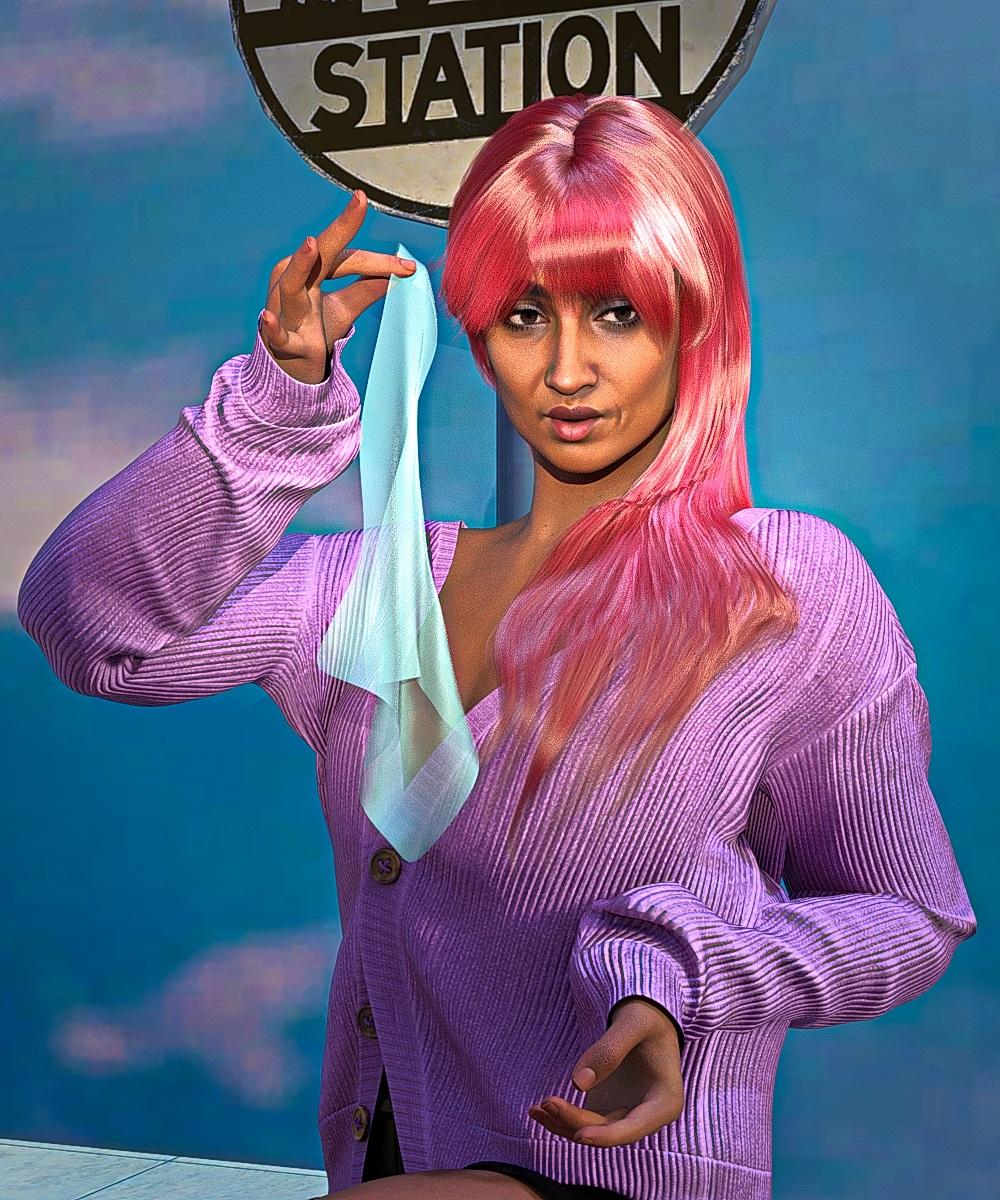
Here's a render of Herlinda.

I don't own the product, but it almost looks like the normal map involving the button sewing was exported as Direct X rather than Open GL. If that holds, the fix would be to select the area for that and flip the green channel in a 2D Editor.
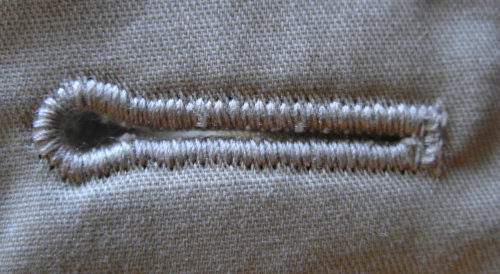
The buttonhole normal on the inside of the lapel digs into the cloth. The buttonhole normal on the outside of the coat cloth protrudes out. I don't think flipping the green channel will be a "fix". That would just make the ones on the lapel protrude and the ones on the coat indent. My main objection to the normal is the diagonal texture that doesn't look anything like keyhole buttonhole thread stitches. This is what a buttonhole looks like.
 G8.1F developer version vs basic version question
Hopefully you used Install Manager, as that'll make the removal/replacement process a lot simpler, but if you did do it manually, an overwrite is probably sufficient if this would fix the problem.
It shouldn't affect any of your existing characters unless those characters were somehow reliant on something being wrong (for example, a morph that's permanently on that shouldn't be, but this is unlikely to change that, as it will only overwrite morphs in the starter essentials package).
G8.1F developer version vs basic version questionIt loads without followers such as the eyelashes. (IMO, a dev version probably should load at Base Resolution for morph making, but at least as it's installed on my system, it doesn't seem to).
My first advice here would be to attempt to reinstall the Genesis 8 Starter Essentials, to rule out any file being corrupted.
Copying Bones from Genesis 8 Figure to OBJ importfelis said:
Is this what he is supposed to look like?
I imported as a morph for G8M.

Edit: I realised that your problem is that you imported it in wrong scale.
In morph loader pro, you has to make sure it imports as 10000%. (Blender unit 1 m, Daz Studio unit 1 cm)
Thank you so much! You are a hero!
Copying Bones from Genesis 8 Figure to OBJ importfelis said:
Is this what he is supposed to look like?
I imported as a morph for G8M.
Edit: I realised that your problem is that you imported it in wrong scale.
In morph loader pro, you has to make sure it imports as 10000%. (Blender unit 1 m, Daz Studio unit 1 cm)
HOLY CRAP! That's it exactly. I feel so stupid now. That would explain why the slider only made it bigger or smaller. I really appreciate it.
Let's appreciate/discuss today's new releases - ongoing threadbarbult said:
ainm.sloinneadh said:
I'm a sucker for characters with their own thing going on, so I like the look of Herlinda's head shape: https://www.daz3d.com/mb-herlinda-hd-for-genesis-9
Going on my wishlist and will probably buy her sooner rather than later. For my own workflow, I've been creating a weight-mapped morph system similar to Meta Mixer, but using existing morphs rather than needing special variants of them. Characters like Herlinda work very well with weight-mapped morphing because you can mix in more of them before reaching a "won't change anything" state. At least, I suspect she'll work well - haven't bought her yet!
Is Magic Brush a new artist? I don't see many products under that name. I picked up Anda recently. I haven't tried her yet, but Herlinda and her appear encouraging.
Here's a render of Herlinda.
I don't own the product, but it almost looks like the normal map involving the button sewing was exported as Direct X rather than Open GL. If that holds, the fix would be to select the area for that and flip the green channel in a 2D Editor.
Is it normal for it to be this frustrating?You shouldn't need to adjust the rigging for store morphs - they should do all that themselves, and the effects just get stacked. If you can figure out which shapes are causing the problem, and if they come from Daz (or another store) I would report them (to Daz Tech Suport for anything bought here, usually to the artist for other stores).
Morph proction is pretty simple-minded - it just looks at how the adjacent area of the figure has moved and moes thata rea of the fitted figure accordingly. That does mean that enlarging or shrinking the breasts can look poor, especially if the artist had made some attempt to bridge the cleavage since the actual sternum area won't move and so the bridging section will be left behind as the areas over the breasts move. dForms and Push Modifiers can help, as can applying a Smoothing Modifier in Generic mode (the default, base Shape matching, tends to flatten out the effect of the morphs) but ideally you want clothing that has a custom morph to match the morphs you are applying to the figure.
Live Link blendshapes don't workHey, guys! So I've been wanting to transfer my DAZ character to Unreal via the DazToUnreal Bridge using the coresponding morphs for the Apple Arkit. Even though the "Genesis8.1Arkit" button doesn't add all the necessary morphs, I took my time and added them by hand. Everything transfers well, the textures, materials etc, except for the correct functioning of the morphs and the live link. The only morphs that work are the Jaw Open and Head Rotators (and even these don't work properly concerning the axis on which they rotate).
I want to use this character for vtubing so I really need to figure out how to use live link :)
Has anyone stumbled upon this problem ? Any tips would be highly appreciated!
Face Transfer 2Artini said:
Another creation made with Face Transfer 2 on Genesis 9 rendered in super environment of:
https://www.daz3d.com/pin-up-boxes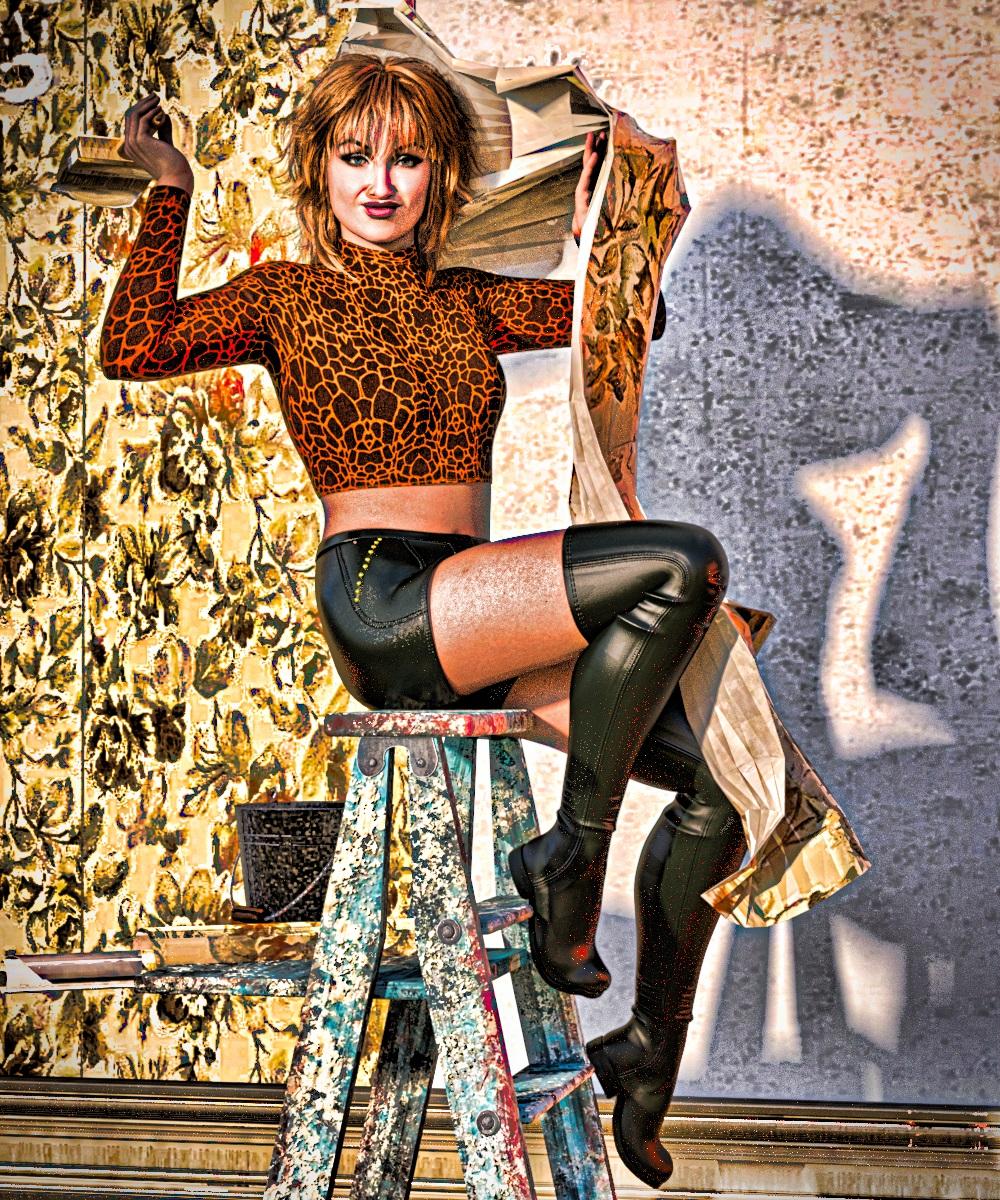
I love the aesthetic you've got going on with your renders. How are you achieving that?
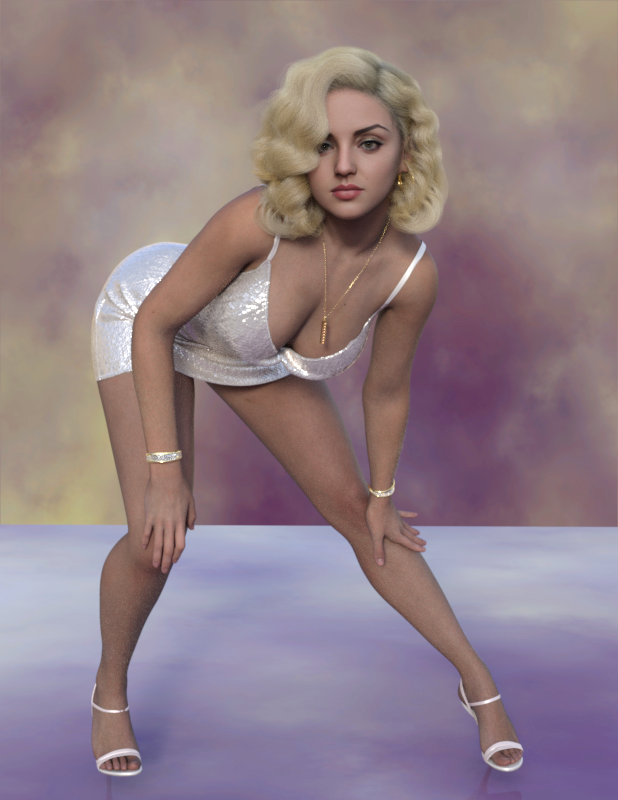
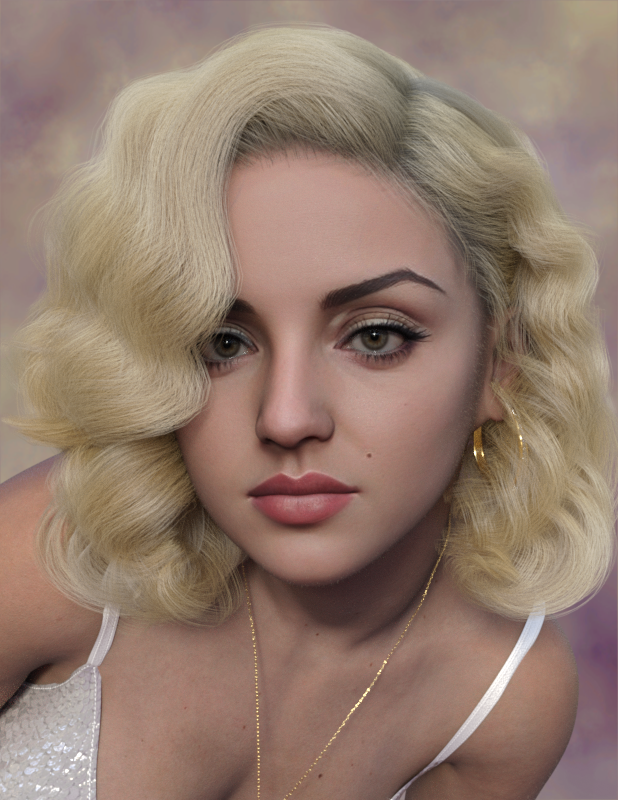
Face Transfer 2Love the postings! This is my attempt at a screen icon. Used the attached AI generated face portrait, tuned other body parameters, exported as a single morph that can be saved, and then even transferred to G8 if desired! More of an exercise using all the tools. Still trying to get a perfectly un-shadowed face out of the AI generator to get the best skin that FT2 can manage so far. Starting to play with some children next. TD
 Copying Bones from Genesis 8 Figure to OBJ import
Is this what he is supposed to look like?
I imported as a morph for G8M.
Edit: I realised that your problem is that you imported it in wrong scale.
In morph loader pro, you has to make sure it imports as 10000%. (Blender unit 1 m, Daz Studio unit 1 cm)
Copying Bones from Genesis 8 Figure to OBJ importMaybe I have this wrong. I don't know. What I really want to create is a morph. I think I must be importing something wrong or the way I exported it from blender was the issue. I purposely used the Gen 8 character but when I create the morph it only succeeds in make the base gen 8 character bigger (scales it up) but doesn't change anything. Here's the .obj file. Does anyone else have any success with it?
Diffeomorphic - Animation not quite the same in Blender and DAZJames said:
Hemmm for what particular reason, the same pose preset
applied to 3 different figures, resulting 3 different posing variants?
Because proper, RELIABLE animation retargeting requires complete rig characterization profiles to be established in the animation application that is doing the retargeting.
Like iclone, Daz studio is a specific character ecosystem that also has various sub sets of specific characters within it G1,2,3,8,9.
I use both Autodesk Maya and Reallusion Iclone.
To RELIABLY transfer animation data from one ecosystem to the other, there is typically a “Characterization” process via manual bone name matching or by loading an existing profile for that character rig.
This,of course excludes the various Daz studio native pose and/or animation conversion” scripts because they are stil essentially working within the Daz Character eco system and only have to account for the differences between the Daz native figure generations.
The free Blender pipeline tool ,from Reallusion, imports FBX figures from Reallusion Character creator into blender , converts them to Blender rigify rigs and has a dedicated retargeter for applying Reallusion ecosystem motion libraries to the rigify rig in blender via constraints & baking.We all love and appreciate the incredible tool set that Diffeo brings to Blender/DS users.

However I am frankly having difficulty seeing how it is possible to get truly complex and accurate animation retargeted to a Daz genesis figure back over in Daz studio, without some manner of bone matching characterization process the way it is done in iclone,or Autodesk Maya/MOBU or even MIXAMO
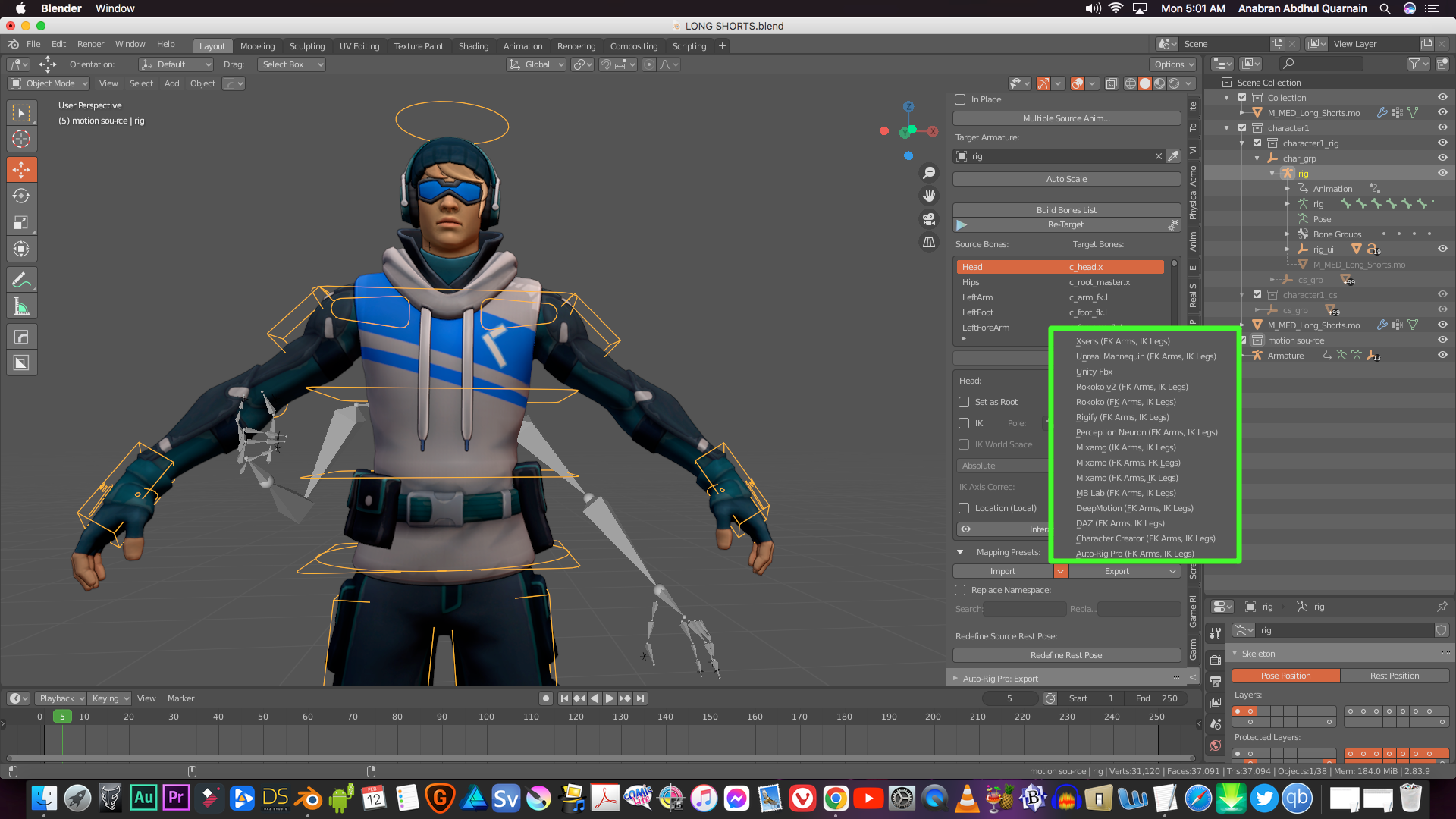
Even the excellent retargeter ,in Blender’s paid Auto rig pro addon ,has built-in profiles
for most of the industry standard rigs ,including Daz Genesis
and any biped, not already in the profile list ,can be manually bone mapped and saved as new profile for that particular rig type.
(See attached pic)And Blender and Maya both have separate dedicated Game engine character animation exporter tools to assure proper fidelity with the Character controller systems of the specific engine such as UE5 or unity.
I would be very curious to see a video sample of some really complex Character animation
(Martial Arts KATA or gymnastics)
created on an MHX or “simple IK “ Diffeo rig in blender and exported back to Daz studio
with the fidelity I get with Iclone or Mixamo to Daz studio after a proper characterization and retarget and export to bespoke BVH or FBX.Video link ..anyone??

Let's appreciate/discuss today's new releases - ongoing threadainm.sloinneadh said:
I'm a sucker for characters with their own thing going on, so I like the look of Herlinda's head shape: https://www.daz3d.com/mb-herlinda-hd-for-genesis-9
Going on my wishlist and will probably buy her sooner rather than later. For my own workflow, I've been creating a weight-mapped morph system similar to Meta Mixer, but using existing morphs rather than needing special variants of them. Characters like Herlinda work very well with weight-mapped morphing because you can mix in more of them before reaching a "won't change anything" state. At least, I suspect she'll work well - haven't bought her yet!
Is Magic Brush a new artist? I don't see many products under that name. I picked up Anda recently. I haven't tried her yet, but Herlinda and her appear encouraging.
Here's a render of Herlinda.
The New Adventure Outfit (Resolved)I was going to say Blender bridge, smoothing brush, send back as morph
glad you found a solution
I apparently own this outfit too
 Ribs Morph
Hi again, I checked out Lexi and just wanted to say that there's no separate HD body morph.( so you can't easily use that for other characters) The figure is very detailed, and very well done IMO, but it's so detailed that it's not very versatile (IMO). To retain the rib morphs, the body has to be dialed up to the point where it's very much that unique character. I did manage to change it considerably, but there were areas in the pectorals, for instance, that had creases that could not be removed. The only way to remove them was to dial back the body morph to the point where the rib morphs were no longer visable. So the "RIB QUEST" continues.
 P.S. But we all have different paths, so maybe Lexi is just what you were looking for, and you can mix it nicely with some other characters. / peaceCopying Bones from Genesis 8 Figure to OBJ import
felis said:
If you are creating a character, you shouldn't use transfer rigging. For that you should morph loader pro, as you want it as a morph of the base character.
Transfer rigging is usually for clothing or similar, where you want the object to have the same rigging as the character.
If you want it as a stand alone character, you could use transfer rigging to get the same bone structure, but transfer rigging is based on a donor, and if the target is significantly different from the source your rigging will be off.
Wow! Maybe that's what I'm doing wrong. Thank you again.
Figure-Specific Morph Not Applying CorrectlyWhen creating a morph for a morphed figure, in morp loader pro you must after you have loaded the file, click the arrow (triangle) to expand, and then set Reverse Deformations to Yes.
Figure-Specific Morph Not Applying CorrectlyI'm trying to apply a morph for a shirt I created so I can dial the shape it more accurately to my figure.
I modeled the original shirt based on the Default G9 figure, imported it into DS, and applied it to my character. This is what it looks like:

It's not bad, but there's a few issues IE the ribbons on the arms are distorted, and it doesn't quite fit the way I want it to on the figure. So I exported the figure from DS and loaded it into Blender, then tweaked the model to the shape I wanted. This is what things look like in Blender:

I export this to OBJ, and then use Morph Loader Pro to apply the morph to the shirt model in DS. However, when I go to actually turn the morph on, it looks like this:

So while it fixes the sleeve length, the ribbons remain distorted, it's making the waist and neck to narrow so now they're clipping into the model, and the hips are much too wide. Is there a step I'm missing, here? Is there a different setting I should be using with the Transfer Utility (I kept the second dropdowns for both the source and target as Default) or Morph Loader?
Daz 3D is part of

Connect
DAZ Productions, Inc.
7533 S Center View Ct #4664
West Jordan, UT 84084Licensing Agreement | Terms of Service | Privacy Policy | EULA
© 2026 Daz Productions Inc. All Rights Reserved.














